MALWARE
1. Malware
2. Usage of Malware
3. Types of Malware
4. How Malware Spreads?
5. How Can You Protect Computer?
6. Symptoms
7. Anti-Malware Program
MALWARE
Short for malicious software.
A is software used or created to disrupt computer
operation, gather sensitive information, or gain
access to private computer systems.
• It can appear in the form of code, scripts, active
content, and other software.
• Malware' is a general term used to refer to a variety
of forms of hostile, intrusive, or annoying software.
Usage of Malware
• Many early infectious programs, including the first
Internet Worm, were written as experiments or pranks.
• Today, malware is used primarily to steal sensitive
personal, financial, or business information for the
benefit of others.
• Malware is sometimes used broadly against
government or corporate websites to gather guarded
information, or to disrupt their operation in general.
• However, malware is often used against individuals to
gain personal information such as social security
numbers, bank or credit card numbers, and so on
Types of Malware
• Viruses
• Trojan horses
• Worms
• Spyware
• Zombie
• Phishing
• Spam
• Adware
• Ransomware
Types of Malware
Viruses
A program or piece of code that is loaded
onto your computer without your
knowledge and runs against your wishes
.
Viruses can also replicate themselves
All computer viruses are manmade
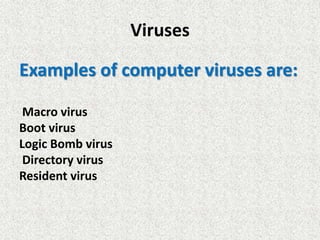
Viruses
Examples of computer viruses are:
Macro virus
Boot virus
Logic Bomb virus
Directory virus
Resident virus
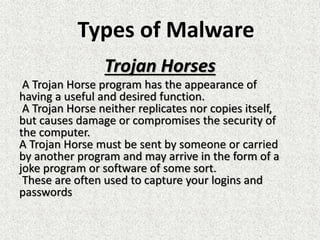
Trojan Horses
A Trojan Horse program has the appearance of
having a useful and desired function.
A Trojan Horse neither replicates nor copies itself,
but causes damage or compromises the security of
the computer.
A Trojan Horse must be sent by someone or carried
by another program and may arrive in the form of a
joke program or software of some sort.
These are often used to capture your logins and
passwords
Types of Malware
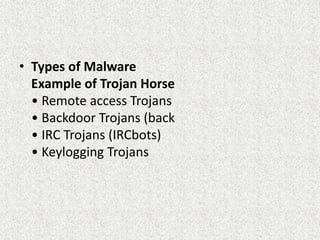
• Types of Malware
Example of Trojan Horse
• Remote access Trojans
• Backdoor Trojans (back
• IRC Trojans (IRCbots)
• Keylogging Trojans
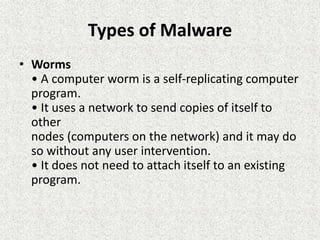
Types of Malware
• Worms
• A computer worm is a self-replicating computer
program.
• It uses a network to send copies of itself to
other
nodes (computers on the network) and it may do
so without any user intervention.
• It does not need to attach itself to an existing
program.
Spyware
•Spyware is a type of malware installed on
computers that collects information about users
without their knowledge.
• The presence of spyware is typically hidden from
the user and can be difficult to detect.
• Spyware programs lurk on your computer to steal
important information, like your passwords and
logins and other personal identification information
and then send it off to someone else.
Types of Malware
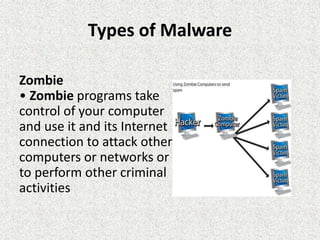
Zombie
• Zombie programs take
control of your computer
and use it and its Internet
connection to attack other
computers or networks or
to perform other criminal
activities
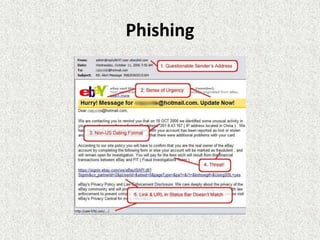
Phishing
• Phishing (pronounced like the word 'fishing') is a
message that tries to trick you into providing
information like your social security number or
bank account information or logon and password
for a web site.
• The message may claim that if you do not click on
the link in the message and log onto a financial
web site that your account will be blocked, or some
other disaster
Phishing
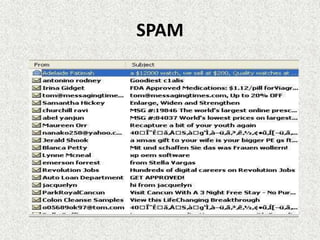
SPAM
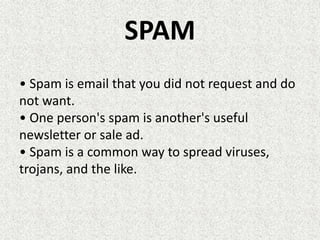
• Spam is email that you did not request and do
not want.
• One person's spam is another's useful
newsletter or sale ad.
• Spam is a common way to spread viruses,
trojans, and the like.
SPAM
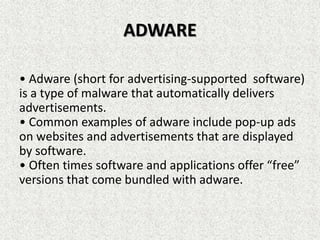
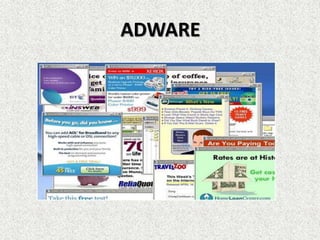
ADWARE
• Adware (short for advertising-supported software)
is a type of malware that automatically delivers
advertisements.
• Common examples of adware include pop-up ads
on websites and advertisements that are displayed
by software.
• Often times software and applications offer “free”
versions that come bundled with adware.
ADWARE
RANSOMWARE
• Ransomware is a form of malware that essentially
holds a computer system captive while demanding
a ransom.
• The malware restricts user access to the
computer either by encrypting files on the hard
drive or locking down the system and displaying
messages that are intended to force the user to pay
the malware creator to remove the restrictions and
regain access to their computer.

Malware part 1

  • 1.
    MALWARE 1. Malware 2. Usageof Malware 3. Types of Malware 4. How Malware Spreads? 5. How Can You Protect Computer? 6. Symptoms 7. Anti-Malware Program
  • 2.
    MALWARE Short for malicioussoftware. A is software used or created to disrupt computer operation, gather sensitive information, or gain access to private computer systems. • It can appear in the form of code, scripts, active content, and other software. • Malware' is a general term used to refer to a variety of forms of hostile, intrusive, or annoying software.
  • 3.
    Usage of Malware •Many early infectious programs, including the first Internet Worm, were written as experiments or pranks. • Today, malware is used primarily to steal sensitive personal, financial, or business information for the benefit of others. • Malware is sometimes used broadly against government or corporate websites to gather guarded information, or to disrupt their operation in general. • However, malware is often used against individuals to gain personal information such as social security numbers, bank or credit card numbers, and so on
  • 4.
    Types of Malware •Viruses • Trojan horses • Worms • Spyware • Zombie • Phishing • Spam • Adware • Ransomware
  • 5.
    Types of Malware Viruses Aprogram or piece of code that is loaded onto your computer without your knowledge and runs against your wishes . Viruses can also replicate themselves All computer viruses are manmade
  • 6.
    Viruses Examples of computerviruses are: Macro virus Boot virus Logic Bomb virus Directory virus Resident virus
  • 7.
    Trojan Horses A TrojanHorse program has the appearance of having a useful and desired function. A Trojan Horse neither replicates nor copies itself, but causes damage or compromises the security of the computer. A Trojan Horse must be sent by someone or carried by another program and may arrive in the form of a joke program or software of some sort. These are often used to capture your logins and passwords Types of Malware
  • 8.
    • Types ofMalware Example of Trojan Horse • Remote access Trojans • Backdoor Trojans (back • IRC Trojans (IRCbots) • Keylogging Trojans
  • 9.
    Types of Malware •Worms • A computer worm is a self-replicating computer program. • It uses a network to send copies of itself to other nodes (computers on the network) and it may do so without any user intervention. • It does not need to attach itself to an existing program.
  • 10.
    Spyware •Spyware is atype of malware installed on computers that collects information about users without their knowledge. • The presence of spyware is typically hidden from the user and can be difficult to detect. • Spyware programs lurk on your computer to steal important information, like your passwords and logins and other personal identification information and then send it off to someone else.
  • 11.
    Types of Malware Zombie •Zombie programs take control of your computer and use it and its Internet connection to attack other computers or networks or to perform other criminal activities
  • 12.
    Phishing • Phishing (pronouncedlike the word 'fishing') is a message that tries to trick you into providing information like your social security number or bank account information or logon and password for a web site. • The message may claim that if you do not click on the link in the message and log onto a financial web site that your account will be blocked, or some other disaster
  • 13.
  • 14.
    SPAM • Spam isemail that you did not request and do not want. • One person's spam is another's useful newsletter or sale ad. • Spam is a common way to spread viruses, trojans, and the like.
  • 15.
  • 16.
    ADWARE • Adware (shortfor advertising-supported software) is a type of malware that automatically delivers advertisements. • Common examples of adware include pop-up ads on websites and advertisements that are displayed by software. • Often times software and applications offer “free” versions that come bundled with adware.
  • 17.
  • 18.
    RANSOMWARE • Ransomware isa form of malware that essentially holds a computer system captive while demanding a ransom. • The malware restricts user access to the computer either by encrypting files on the hard drive or locking down the system and displaying messages that are intended to force the user to pay the malware creator to remove the restrictions and regain access to their computer.