C O M P U T E R V I R U S
• A computer virus is a type of computer program that, when executed,
replicates itself by modifying other computer programs and inserting its
own code. If this replication succeeds, the affected areas are then said to be
"infected" with a computer virus. Computer viruses generally require a host
program. When the replication is done, this code infects the other files and
program present on the system.
S Y M P T O M S O F V I R U S AT TA C K
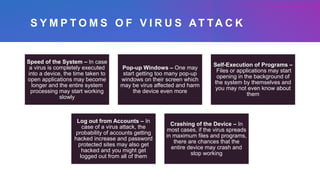
Speed of the System – In case
a virus is completely executed
into a device, the time taken to
open applications may become
longer and the entire system
processing may start working
slowly
Pop-up Windows – One may
start getting too many pop-up
windows on their screen which
may be virus affected and harm
the device even more
Self-Execution of Programs –
Files or applications may start
opening in the background of
the system by themselves and
you may not even know about
them
Log out from Accounts – In
case of a virus attack, the
probability of accounts getting
hacked increase and password
protected sites may also get
hacked and you might get
logged out from all of them
Crashing of the Device – In
most cases, if the virus spreads
in maximum files and programs,
there are chances that the
entire device may crash and
stop working
MALWARE
• Malware, short for malicious software, is a blanket
term for viruses, worms, trojans and other harmful
computer programs hackers use to wreak destruction
and gain access to sensitive information. A software
is identified as malware based on its intended
use, rather than a particular technique or technology
used to build it. A virus is a type of malware, so all
viruses are malware (but not every piece of malware
is a virus).
TYPES OF MALWARE
There are a number of different ways of categorizing malware;
the first is by how the malicious software spreads. Three subtly
different ways a malware can infect target computers such as:
• A worm is a standalone piece of malicious software that reproduces itself and
spreads from computer to computer.
• A virus is a piece of computer code that inserts itself within the code of another
standalone program, then forces that program to take malicious action and
spread itself.
• A trojan is a program that cannot reproduce itself but masquerades as
something the user wants and tricks them into activating it so it can do its
damage and spread.
• Another way to categorize malware is by
what it does once it has successfully infected
its victim's computers. There are a wide
range of potential attack techniques used by
malware:
 Spyware spies on your behaviour as you use
your computer, and on the data you send
and receive, usually with the purpose of
sending that information to a third party.
A keylogger is a specific kind of spyware
that records all the keystrokes a user
makes—great for stealing passwords.
• A rootkit is a program or, more often, a collection
of software tools that gives a threat by remote
access to and control over a computer or other
system. It gets its name because it's a kit of tools
that gain root access over the target system, and
use that power to hide their presence.
• Adware is malware that forces your browser to
redirect to web advertisements, which often
themselves seek to download further, even more
malicious software. Adware often piggybacks
onto tempting "free" programs like games or
browser extensions.
 Ransomware is a flavor of malware that
encrypts your hard drive's files and
demands a payment, usually in Bitcoin, in
exchange for the decryption key. Without
the decryption key, it's mathematically
impossible for victims to regain access to
their files.
 Cryptojacking- The crypto mining
malware infects your computer
and uses your CPU cycles to mine
Bitcoin for your attacker's profit.
The mining software may run in the
background on your operating
system or even as JavaScript in a
browser window.
• Malvertising is the use of legitimate ads
or ad networks to covertly deliver
malware to unsuspecting users’
computers.
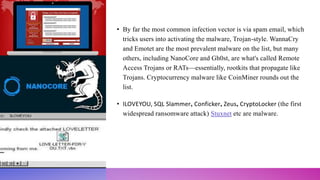
• By far the most common infection vector is via spam email, which
tricks users into activating the malware, Trojan-style. WannaCry
and Emotet are the most prevalent malware on the list, but many
others, including NanoCore and Gh0st, are what's called Remote
Access Trojans or RATs—essentially, rootkits that propagate like
Trojans. Cryptocurrency malware like CoinMiner rounds out the
list.
• ILOVEYOU, SQL Slammer, Conficker, Zeus, CryptoLocker (the first
widespread ransomware attack) Stuxnet etc are malware.
S P Y WA R E
• Spyware is any software that installs itself on your
computer and starts covertly monitoring your online
behaviour without your knowledge or permission.
• Spyware is a kind of malware that secretly gathers
information about a person or organization and relays this
data to other parties.
• In some cases, these may be advertisers or marketing data
firms, which is why spyware is sometimes referred to as
“adware.”
• It is installed without user consent by methods such as a
drive-by download, a trojan included with a legitimate
program or a deceptive pop-up window.
• Spyware uses your internet connection to relay personal information such as your
name, address, browsing habits, preferences, interests or downloads. Other forms
of spyware hijack your browser to point it to another website, cause your device
to place calls or send texts automatically, or serve annoying ads even when you
are offline. Spyware that steals your username, password or other credentials is
referred to as a “keylogger” – an insidious prerequisite for cyber crime.
S I G N S O F A
S P Y WA R E
I N F E C T I O N
• can include unwanted behaviours and degradation of
system performance. It can eat up CPU capacity, disk
usage and network traffic. Stability issues such as
applications freezing, failure to boot, difficulty
connecting to the internet and system crashes are also
common.
T R O J A N
• A Trojan horse or Trojan is a type of malware that is often disguised as
legitimate software. Trojans can be employed by cyber-thieves and
hackers trying to gain access to users' systems. Users are typically
tricked by some form of social engineering into loading and executing
Trojans on their systems. Once activated, Trojans can enable cyber-
criminals to spy on you, steal your sensitive data, and gain backdoor
access to your system.
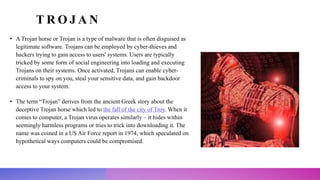
• The term “Trojan” derives from the ancient Greek story about the
deceptive Trojan horse which led to the fall of the city of Troy. When it
comes to computer, a Trojan virus operates similarly – it hides within
seemingly harmless programs or tries to trick into downloading it. The
name was coined in a US Air Force report in 1974, which speculated on
hypothetical ways computers could be compromised.
• You will sometimes hear people refer to a "Trojan virus" or a "Trojan horse
virus," but these terms are slightly misleading. This is because, unlike viruses,
Trojans don’t self-replicate. Instead, a Trojan horse spreads by pretending to be
useful software or content while secretly containing malicious instructions. It is
more useful to think of “Trojan” as an umbrella term for malware delivery, which
hackers use for various threats.
T Y P E S O F
T R O J A N S
• Trojans are classified according to the type of actions that they can perform
on your computer. Trojan horse virus examples include:
• Backdoor
• A backdoor Trojan gives malicious users remote control over the infected
computer. They enable the author to do anything they wish on the infected
computer – including sending, receiving, launching, and deleting files,
displaying data, and rebooting the computer. Backdoor Trojans are often
used to unite a group of victim computers to form a botnet or zombie
network that can be used for criminal purposes.
• Exploit
• Exploits are programs that contain data or code that takes advantage of a
vulnerability within application software that's running on your computer.
• Banker Trojan
• Trojan-Banker programs are designed to steal your account data for online banking systems, e-
payment systems, and credit or debit cards.
• Clampi Trojan
• Clampi – also known as Ligats and Ilomo – lies in wait for users to sign in to make a financial
transaction, such as accessing online banking or entering credit card information for an online
purchase. Clampi is sophisticated enough to hide behind firewalls and go undetected for long
periods.
C RY X O S T R O J A N
• Cryxos is commonly associated with so-called scareware or fake
support call requests. Typically, victims receive a pop-up containing
a message like "Your device has been hacked" or "Your computer is
infected". The user is directed to a phone number for support. If the
user calls the number, they are pressured to pay for assistance. In
some cases, the user may be asked to give remote access of their
machine to the “customer service agent”, potentially leading to
device hijack and data theft.
• DDoS Trojan
• These programs conduct DDoS (Distributed Denial
of Service) attacks against a targeted web address. By
sending multiple requests – from your computer and
several other infected computers – the attack can
overwhelm the target address, leading to a denial of
service.
• Downloader Trojan
• Trojan-Downloaders can download and install new
versions of malicious programs onto your computer –
including Trojans and adware.
Dropper Trojan
These programs are used by hackers to install Trojans or viruses – or to prevent the detection of malicious
programs. Not all antivirus programs are capable of scanning all of the components inside this type of Trojan.
FakeAV Trojan
Trojan-FakeAV programs simulate the activity of antivirus software. They are designed to extort money from you
– in return for the detection and removal of threats, even though the threats they report are non-existent.
GameThief Trojan
This type of program steals user account information from online gamers.
• Geost Trojan
• Geost is an Android banking Trojan. It hides in malicious apps which are distributed through
unofficial webpages with randomly generated server hostnames. Victims typically encounter
these when they look for apps that are not available on Google Play. Once the app is
downloaded, it requests permissions which, when enabled, allow malware infection. Geost was
discovered after the gang behind it made security mistakes, allowing researchers to see right into
their operation and even identify some of the perpetrators.
• IM Trojan
• Trojan-IM programs steal your logins and passwords for instant messaging programs – such as
WhatsApp, Facebook Messenger, Skype, and many more. This type of Trojan can allow the
attacker to control chat sessions, sending the Trojan to anybody on your contact list. They can
also perform DDoS attacks using your computer.
• Mailfinder Trojan
• These programs can harvest email addresses from your
computer, allowing cyber criminals to send mass mailings
of malware and spam to your contacts.
• Ransom Trojan
• This type of Trojan can modify data on your computer – so
that your computer doesn't run correctly, or you can no
longer use specific data. The criminal will only restore
your computer's performance or unblock your data after
you have paid them the ransom money they demand.
• Remote Access Trojans
• Abbreviated as RAT, Remote Access Trojans give hackers complete control over your computer
from a remote location. They can be used to steal information or spy on you. Once the host system
is compromised, the intruder may use it to distribute RATs to other vulnerable computers to
establish a botnet.
• Rootkit
• Rootkits are designed to conceal certain objects or activities in your system. Often their primary
purpose is to prevent malicious programs from being detected – to extend the period in which
programs can run on an infected computer.
• SMS Trojan
• These programs can cost you money by sending text messages from your mobile
device to premium rate phone numbers.
• Spy Trojan
• Trojan-Spy programs can spy on how you're using your computer – for example, by
tracking the data you enter via your keyboard, taking screenshots, or getting a list of
running applications.
• Qakbot Trojan
• Qakbot is an advanced banking Trojan. Believed to be the first
malware specifically designed to harvest banking information,
this is often used in conjunction with other well-known tools.
• Wacatac Trojan
• Trojan Wacatac is a highly damaging Trojan threat that can carry
out various malicious actions on the target system. It usually
infiltrates via phishing emails, file-sharing over infected
networks, and software patches. It aims to steal confidential data
and share them with hackers. It can also allow remote access to
hackers to carry out harmful tasks.
Other Trojans
examples include:
• Trojan-ArcBomb
• Trojan-Clicker
• Trojan-Notifier
• Trojan-Proxy
• Trojan-PSW

Computer virus

  • 1.
    C O MP U T E R V I R U S
  • 2.
    C O MP U T E R V I R U S • A computer virus is a type of computer program that, when executed, replicates itself by modifying other computer programs and inserting its own code. If this replication succeeds, the affected areas are then said to be "infected" with a computer virus. Computer viruses generally require a host program. When the replication is done, this code infects the other files and program present on the system.
  • 3.
    S Y MP T O M S O F V I R U S AT TA C K Speed of the System – In case a virus is completely executed into a device, the time taken to open applications may become longer and the entire system processing may start working slowly Pop-up Windows – One may start getting too many pop-up windows on their screen which may be virus affected and harm the device even more Self-Execution of Programs – Files or applications may start opening in the background of the system by themselves and you may not even know about them Log out from Accounts – In case of a virus attack, the probability of accounts getting hacked increase and password protected sites may also get hacked and you might get logged out from all of them Crashing of the Device – In most cases, if the virus spreads in maximum files and programs, there are chances that the entire device may crash and stop working
  • 4.
    MALWARE • Malware, shortfor malicious software, is a blanket term for viruses, worms, trojans and other harmful computer programs hackers use to wreak destruction and gain access to sensitive information. A software is identified as malware based on its intended use, rather than a particular technique or technology used to build it. A virus is a type of malware, so all viruses are malware (but not every piece of malware is a virus).
  • 5.
    TYPES OF MALWARE Thereare a number of different ways of categorizing malware; the first is by how the malicious software spreads. Three subtly different ways a malware can infect target computers such as: • A worm is a standalone piece of malicious software that reproduces itself and spreads from computer to computer. • A virus is a piece of computer code that inserts itself within the code of another standalone program, then forces that program to take malicious action and spread itself. • A trojan is a program that cannot reproduce itself but masquerades as something the user wants and tricks them into activating it so it can do its damage and spread.
  • 6.
    • Another wayto categorize malware is by what it does once it has successfully infected its victim's computers. There are a wide range of potential attack techniques used by malware:  Spyware spies on your behaviour as you use your computer, and on the data you send and receive, usually with the purpose of sending that information to a third party. A keylogger is a specific kind of spyware that records all the keystrokes a user makes—great for stealing passwords.
  • 7.
    • A rootkitis a program or, more often, a collection of software tools that gives a threat by remote access to and control over a computer or other system. It gets its name because it's a kit of tools that gain root access over the target system, and use that power to hide their presence.
  • 8.
    • Adware ismalware that forces your browser to redirect to web advertisements, which often themselves seek to download further, even more malicious software. Adware often piggybacks onto tempting "free" programs like games or browser extensions.
  • 9.
     Ransomware isa flavor of malware that encrypts your hard drive's files and demands a payment, usually in Bitcoin, in exchange for the decryption key. Without the decryption key, it's mathematically impossible for victims to regain access to their files.
  • 10.
     Cryptojacking- Thecrypto mining malware infects your computer and uses your CPU cycles to mine Bitcoin for your attacker's profit. The mining software may run in the background on your operating system or even as JavaScript in a browser window.
  • 11.
    • Malvertising isthe use of legitimate ads or ad networks to covertly deliver malware to unsuspecting users’ computers.
  • 12.
    • By farthe most common infection vector is via spam email, which tricks users into activating the malware, Trojan-style. WannaCry and Emotet are the most prevalent malware on the list, but many others, including NanoCore and Gh0st, are what's called Remote Access Trojans or RATs—essentially, rootkits that propagate like Trojans. Cryptocurrency malware like CoinMiner rounds out the list. • ILOVEYOU, SQL Slammer, Conficker, Zeus, CryptoLocker (the first widespread ransomware attack) Stuxnet etc are malware.
  • 13.
    S P YWA R E • Spyware is any software that installs itself on your computer and starts covertly monitoring your online behaviour without your knowledge or permission. • Spyware is a kind of malware that secretly gathers information about a person or organization and relays this data to other parties. • In some cases, these may be advertisers or marketing data firms, which is why spyware is sometimes referred to as “adware.” • It is installed without user consent by methods such as a drive-by download, a trojan included with a legitimate program or a deceptive pop-up window.
  • 14.
    • Spyware usesyour internet connection to relay personal information such as your name, address, browsing habits, preferences, interests or downloads. Other forms of spyware hijack your browser to point it to another website, cause your device to place calls or send texts automatically, or serve annoying ads even when you are offline. Spyware that steals your username, password or other credentials is referred to as a “keylogger” – an insidious prerequisite for cyber crime.
  • 15.
    S I GN S O F A S P Y WA R E I N F E C T I O N • can include unwanted behaviours and degradation of system performance. It can eat up CPU capacity, disk usage and network traffic. Stability issues such as applications freezing, failure to boot, difficulty connecting to the internet and system crashes are also common.
  • 16.
    T R OJ A N • A Trojan horse or Trojan is a type of malware that is often disguised as legitimate software. Trojans can be employed by cyber-thieves and hackers trying to gain access to users' systems. Users are typically tricked by some form of social engineering into loading and executing Trojans on their systems. Once activated, Trojans can enable cyber- criminals to spy on you, steal your sensitive data, and gain backdoor access to your system. • The term “Trojan” derives from the ancient Greek story about the deceptive Trojan horse which led to the fall of the city of Troy. When it comes to computer, a Trojan virus operates similarly – it hides within seemingly harmless programs or tries to trick into downloading it. The name was coined in a US Air Force report in 1974, which speculated on hypothetical ways computers could be compromised.
  • 17.
    • You willsometimes hear people refer to a "Trojan virus" or a "Trojan horse virus," but these terms are slightly misleading. This is because, unlike viruses, Trojans don’t self-replicate. Instead, a Trojan horse spreads by pretending to be useful software or content while secretly containing malicious instructions. It is more useful to think of “Trojan” as an umbrella term for malware delivery, which hackers use for various threats.
  • 18.
    T Y PE S O F T R O J A N S • Trojans are classified according to the type of actions that they can perform on your computer. Trojan horse virus examples include: • Backdoor • A backdoor Trojan gives malicious users remote control over the infected computer. They enable the author to do anything they wish on the infected computer – including sending, receiving, launching, and deleting files, displaying data, and rebooting the computer. Backdoor Trojans are often used to unite a group of victim computers to form a botnet or zombie network that can be used for criminal purposes. • Exploit • Exploits are programs that contain data or code that takes advantage of a vulnerability within application software that's running on your computer.
  • 19.
    • Banker Trojan •Trojan-Banker programs are designed to steal your account data for online banking systems, e- payment systems, and credit or debit cards. • Clampi Trojan • Clampi – also known as Ligats and Ilomo – lies in wait for users to sign in to make a financial transaction, such as accessing online banking or entering credit card information for an online purchase. Clampi is sophisticated enough to hide behind firewalls and go undetected for long periods.
  • 20.
    C RY XO S T R O J A N • Cryxos is commonly associated with so-called scareware or fake support call requests. Typically, victims receive a pop-up containing a message like "Your device has been hacked" or "Your computer is infected". The user is directed to a phone number for support. If the user calls the number, they are pressured to pay for assistance. In some cases, the user may be asked to give remote access of their machine to the “customer service agent”, potentially leading to device hijack and data theft.
  • 21.
    • DDoS Trojan •These programs conduct DDoS (Distributed Denial of Service) attacks against a targeted web address. By sending multiple requests – from your computer and several other infected computers – the attack can overwhelm the target address, leading to a denial of service. • Downloader Trojan • Trojan-Downloaders can download and install new versions of malicious programs onto your computer – including Trojans and adware.
  • 22.
    Dropper Trojan These programsare used by hackers to install Trojans or viruses – or to prevent the detection of malicious programs. Not all antivirus programs are capable of scanning all of the components inside this type of Trojan. FakeAV Trojan Trojan-FakeAV programs simulate the activity of antivirus software. They are designed to extort money from you – in return for the detection and removal of threats, even though the threats they report are non-existent. GameThief Trojan This type of program steals user account information from online gamers.
  • 23.
    • Geost Trojan •Geost is an Android banking Trojan. It hides in malicious apps which are distributed through unofficial webpages with randomly generated server hostnames. Victims typically encounter these when they look for apps that are not available on Google Play. Once the app is downloaded, it requests permissions which, when enabled, allow malware infection. Geost was discovered after the gang behind it made security mistakes, allowing researchers to see right into their operation and even identify some of the perpetrators. • IM Trojan • Trojan-IM programs steal your logins and passwords for instant messaging programs – such as WhatsApp, Facebook Messenger, Skype, and many more. This type of Trojan can allow the attacker to control chat sessions, sending the Trojan to anybody on your contact list. They can also perform DDoS attacks using your computer.
  • 24.
    • Mailfinder Trojan •These programs can harvest email addresses from your computer, allowing cyber criminals to send mass mailings of malware and spam to your contacts. • Ransom Trojan • This type of Trojan can modify data on your computer – so that your computer doesn't run correctly, or you can no longer use specific data. The criminal will only restore your computer's performance or unblock your data after you have paid them the ransom money they demand.
  • 25.
    • Remote AccessTrojans • Abbreviated as RAT, Remote Access Trojans give hackers complete control over your computer from a remote location. They can be used to steal information or spy on you. Once the host system is compromised, the intruder may use it to distribute RATs to other vulnerable computers to establish a botnet. • Rootkit • Rootkits are designed to conceal certain objects or activities in your system. Often their primary purpose is to prevent malicious programs from being detected – to extend the period in which programs can run on an infected computer.
  • 26.
    • SMS Trojan •These programs can cost you money by sending text messages from your mobile device to premium rate phone numbers. • Spy Trojan • Trojan-Spy programs can spy on how you're using your computer – for example, by tracking the data you enter via your keyboard, taking screenshots, or getting a list of running applications.
  • 27.
    • Qakbot Trojan •Qakbot is an advanced banking Trojan. Believed to be the first malware specifically designed to harvest banking information, this is often used in conjunction with other well-known tools. • Wacatac Trojan • Trojan Wacatac is a highly damaging Trojan threat that can carry out various malicious actions on the target system. It usually infiltrates via phishing emails, file-sharing over infected networks, and software patches. It aims to steal confidential data and share them with hackers. It can also allow remote access to hackers to carry out harmful tasks.
  • 28.
    Other Trojans examples include: •Trojan-ArcBomb • Trojan-Clicker • Trojan-Notifier • Trojan-Proxy • Trojan-PSW