

mohsinriaz363@gmail.com
MOST COMMON SECURITY
RISKS
• Malware
• Virus
• Spam
• Spoofing
• Spyware
• Keystroke Logging
• Adware
• Botnet
• Worm
• Trojan Horse
• Backdoor
• Blended threat
• DoS Attack
• System Failure
• Hardware Theft and
Vandalism
• SPAM is electronic junk email. The amount of spam has now reached 90
billion messages a day. Email addresses are collected from chat rooms,
websites, newsgroups, and by Trojans which harvest users’ address books.
• SPIM is spam sent via instant messaging systems such as Yahoo!
Messenger, MSN Messenger and ICQ.
• SPIT is Spam over Internet Telephony. These are unwanted, automatically-
dialed, pre-recorded phone calls using Voice over Internet Protocol (VoIP).
• Prevention detection and
removal
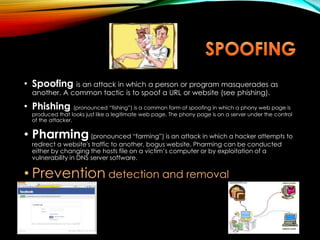
• Spoofing is an attack in which a person or program masquerades as
another. A common tactic is to spoof a URL or website (see phishing).
• Phishing (pronounced “fishing”) is a common form of spoofing in which a phony web page is
produced that looks just like a legitimate web page. The phony page is on a server under the control
of the attacker.
• Pharming(pronounced “farming”) is an attack in which a hacker attempts to
redirect a website's traffic to another, bogus website. Pharming can be conducted
either by changing the hosts file on a victim’s computer or by exploitation of a
vulnerability in DNS server software.
• Prevention detection and removal
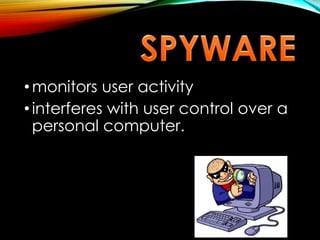
• monitors user activity
• interferes with user control over a
personal computer.
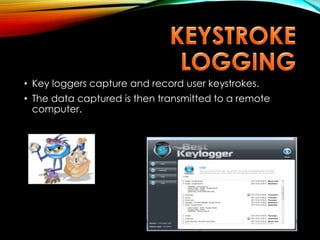
• Key loggers capture and record user keystrokes.
• The data captured is then transmitted to a remote
computer.
• Adware is software which automatically plays, displays, or
downloads advertisements to a computer.
• Some types of adware are also spyware and therefore a
threat to privacy.
• A Botnet (also called a “zombie army”) is a collection of
software robots, or bots, that run automated tasks over the
Internet.
• The term “botnet” is generally used to refer to a distributed
network of compromised computers (called “zombie
computers”). These “zombies” typically run programs such as
worms, Trojan horses, or backdoors.
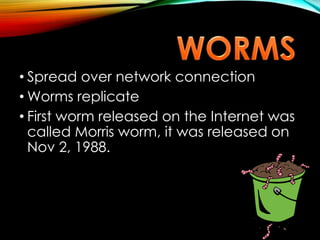
• Spread over network connection
• Worms replicate
• First worm released on the Internet was
called Morris worm, it was released on
Nov 2, 1988.
• Leaks information
• Usually does not
reproduce
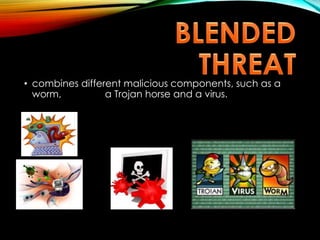
• combines different malicious components, such as a
worm, a Trojan horse and a virus.
• Is a method of bypassing normal authentication,
securing unauthorized remote access to a computer.
• As its name implies, a Denial-of-Service or DoS attack is an attempt
to make a computer resource such as a website or web service
unavailable to users.
• Although simple, DoS attacks can be highly effective. DoS attacks
(reputedly by Russian hackers) against websites of government
ministries, the press and banks disrupted Internet communications
for several days in 2007 throughout the Baltic nation of Estonia.
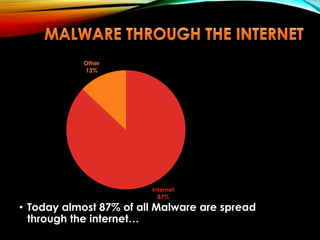
• Today almost 87% of all Malware are spread
through the internet…
Internet
87%
Other
13%
• The first computer virus was invented in 1983 by Fred Cohen as an
innocent experiment in computer security. He didn’t harm
anybody: his virus stayed in his lab.
• Pakistani Brain Virus (1986): boot sector virus called (c)Brain,
created in 1986 by two brothers, Basit and Amjad Farooq Alvi,
operating out of Lahore, Pakistan
• Apple Virus 1 (1981): Boot sector infecting virus. Possibly created for
pirated games.
 Some people think it’s funny to
create mischief, by creating
malware.
 Some people want to become
famous (or infamous or influential)
by inventing malware
 hackers who steal bank accounts information or
personal information from someone's computer
for black mailing by creating these malicious
programs.
 2. criminals who steal electronic currency by using
some decoding programs by which they transfer
money from one's accounts to another's account.
• Computer runs slower then usual
• Computer no longer boots up
• Screen sometimes flicker
• PC speaker beeps periodically
• System crashes for no reason
• Files/directories sometimes disappear
• Denial of Service (DoS)
• The following file types should be treated with
suspicion and be confirmed with the sender
before being opened:
• .exe
• .pif
• .bat
• .vbs
• .com
• Antivirus software are computer programs that
attempt to identify, neutralize or eliminate
malicious software.
• The term "antivirus" is used because the earliest
examples were designed exclusively to combat
computer viruses.
• Modern antivirus software is now designed to
combat a wide range of threats, including worms,
phishing attacks, Trojans, often described
collectively as malware.
• Using Virus definitions OR virus signature database
• Using Suspicious behavior approach or heuristics
approach
• Using Sand box
 Don’t Assume You’re Not At Risk
 Download Only From Trusted
Sources
 Keep Your Software Current
 Don’t Delay Updates
 Scan Additional Devices
 Track Warnings And Alerts
 Don’t Disable The Software
 Consider A Security Suite
 Install One Program Only.
• HARDWARE THEFT
-is the act of stealing computer equipment
• HARDWARE VANDALISM
-is the act of defacing or destroying
computers equipment
Safeguards against
hardware
theft and vandalism
Physical access control such as
lock door and windows, usually are
to protect the equipment.
-out of sight of prying eyes.
-all computer users should back up
their files and disks regularly, in the
event of theft.
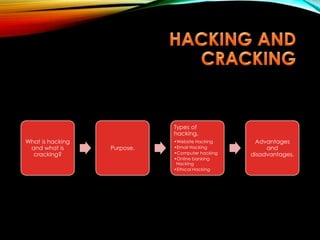
What is hacking
and what is
cracking?
Purpose.
Types of
hacking.
•Website Hacking
•Email Hacking
•Computer hacking
•Online banking
Hacking
•Ethical Hacking
Advantages
and
disadvantages.
• What is piracy?
Prevention
• Developing customer communications on the legal use
of our software licenses
• Working with individual customers to resolve licensing
concerns
• Participating in the Business Software Alliance (BSA), an
organization dedicated to promoting a safe and legal digital
world
• Instituting Student Software product activation and
Professional Version product activation
• What is computer access?
• What is unauthorized access?
• Access from rays coming from screen
• Prevention
• User Names and Passwords:
• Possessed Objects:
• Biometric Devices:
• What is password?
• Passphrase
• Passkey
• uses
• Choosing a secure & memorable password
• Password cracking
• Website password system
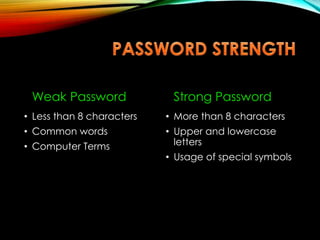
Weak Password
• Less than 8 characters
• Common words
• Computer Terms
Strong Password
• More than 8 characters
• Upper and lowercase
letters
• Usage of special symbols
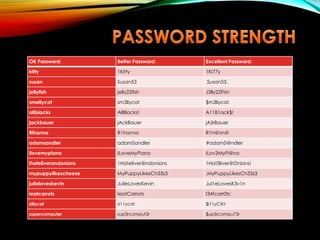
OK Password: Better Password: Excellent Password:
kitty 1Kitty 1Ki77y
susan Susan53 .Susan53.
jellyfish jelly22fish J3lly22Fish
smellycat sm3llycat $m3llycat.
allblacks AllBlacks! A11B1ack$!
jackbauer jAckBauer jA(kBauer
Rihanna R1hanna R1h@nn@
adamsandler adamSandler #adamS@ndler
ilovemypiano ILoveMyPiano ILov3MyPi@no
ihateliverandonions 1Hateliver@ndonions 1Hat3liver@Onions!
mypuppylikescheese MyPuppyLikesCh33s3 .MyPuppyLikesCh33s3
julieloveskevin JulieLovesKevin Jul1eLovesK3v1n
ieatcarrots IeatCarrots I34tcarr0ts:
sillycat si11ycat $i11yC@t
supercomputer sup3rcomput3r $up3rcompu73r
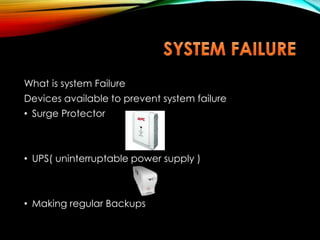
What is system Failure
Devices available to prevent system failure
• Surge Protector
• UPS( uninterruptable power supply )
• Making regular Backups
• What is backup?
• Following link Explains how to backup in windows:
http://www.wikihow.com/Back-up-a-Computer
Ways for Backup
• Physical Media
• Online
• Online Backup
• Online synchronization
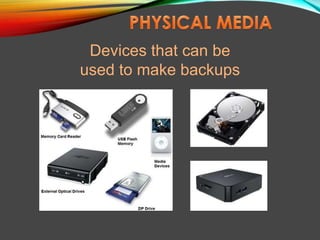
Devices that can be
used to make backups
• Issues
• Unawareness
• WEP can be cracked easily
• default key change
• Threats
• Traffic analysis
• Passive eavsdoping
• Active eavsdoping
• Unauthorized access
• Man in the middle
• Session high jack
• Solutions
• Changing password and username
• change default system id
• auto connect
• When to turn off network
• Definition
• What is included in it?
• What are computer copyrights?
• Copyright law
• What is protected by Copyright law?
• How to register for copyright?(Any Formal Steps)
• Form filling
• Examination
• Publication
• Opposition
• Issuance of certificate
• When someone infringing my copyrights?
• How long is protection
• Understanding copyright and licencing
• Fair use
• Public Domain
• Legal jurisdiction
• Issues related to information accuracy
• Safeguards against them
• Definition
• Do all companies have same code of conduct
• Security Profiles
• Accounts according to designation
• Data partitioning
• Confidential
• Non-confidential
• Authentication
• Standards
• HIPPA
• NIEM
• Global JXDM
mohsinriaz363@gmail.com
• Posture related injuries
• Effects
Pain in head, shoulder, elbow, backbone, wrist
• Prevention
Adjustable desk, chair, shortbreak
• Eyestrain
• Effects
Eyesight, headache, blurred image
• Prevention
Window, screen level, 20s
• Risks to children
• Effects
Obesity, aggressive behavior, joints, school work
• Prevention
Other types of games, physical activities
Any
Questions??
THANK YOU !!
Our special thanks goes to Mr. Internet for helping &
suggesting us about different kind of computer
Security and Ethics.

Computer Security and Ethics

  • 1.
  • 3.
    MOST COMMON SECURITY RISKS •Malware • Virus • Spam • Spoofing • Spyware • Keystroke Logging • Adware • Botnet • Worm • Trojan Horse • Backdoor • Blended threat • DoS Attack • System Failure • Hardware Theft and Vandalism
  • 4.
    • SPAM iselectronic junk email. The amount of spam has now reached 90 billion messages a day. Email addresses are collected from chat rooms, websites, newsgroups, and by Trojans which harvest users’ address books. • SPIM is spam sent via instant messaging systems such as Yahoo! Messenger, MSN Messenger and ICQ. • SPIT is Spam over Internet Telephony. These are unwanted, automatically- dialed, pre-recorded phone calls using Voice over Internet Protocol (VoIP). • Prevention detection and removal
  • 5.
    • Spoofing isan attack in which a person or program masquerades as another. A common tactic is to spoof a URL or website (see phishing). • Phishing (pronounced “fishing”) is a common form of spoofing in which a phony web page is produced that looks just like a legitimate web page. The phony page is on a server under the control of the attacker. • Pharming(pronounced “farming”) is an attack in which a hacker attempts to redirect a website's traffic to another, bogus website. Pharming can be conducted either by changing the hosts file on a victim’s computer or by exploitation of a vulnerability in DNS server software. • Prevention detection and removal
  • 6.
    • monitors useractivity • interferes with user control over a personal computer.
  • 7.
    • Key loggerscapture and record user keystrokes. • The data captured is then transmitted to a remote computer.
  • 8.
    • Adware issoftware which automatically plays, displays, or downloads advertisements to a computer. • Some types of adware are also spyware and therefore a threat to privacy.
  • 9.
    • A Botnet(also called a “zombie army”) is a collection of software robots, or bots, that run automated tasks over the Internet. • The term “botnet” is generally used to refer to a distributed network of compromised computers (called “zombie computers”). These “zombies” typically run programs such as worms, Trojan horses, or backdoors.
  • 10.
    • Spread overnetwork connection • Worms replicate • First worm released on the Internet was called Morris worm, it was released on Nov 2, 1988.
  • 11.
    • Leaks information •Usually does not reproduce
  • 12.
    • combines differentmalicious components, such as a worm, a Trojan horse and a virus.
  • 13.
    • Is amethod of bypassing normal authentication, securing unauthorized remote access to a computer.
  • 14.
    • As itsname implies, a Denial-of-Service or DoS attack is an attempt to make a computer resource such as a website or web service unavailable to users. • Although simple, DoS attacks can be highly effective. DoS attacks (reputedly by Russian hackers) against websites of government ministries, the press and banks disrupted Internet communications for several days in 2007 throughout the Baltic nation of Estonia.
  • 15.
    • Today almost87% of all Malware are spread through the internet… Internet 87% Other 13%
  • 16.
    • The firstcomputer virus was invented in 1983 by Fred Cohen as an innocent experiment in computer security. He didn’t harm anybody: his virus stayed in his lab. • Pakistani Brain Virus (1986): boot sector virus called (c)Brain, created in 1986 by two brothers, Basit and Amjad Farooq Alvi, operating out of Lahore, Pakistan • Apple Virus 1 (1981): Boot sector infecting virus. Possibly created for pirated games.
  • 17.
     Some peoplethink it’s funny to create mischief, by creating malware.  Some people want to become famous (or infamous or influential) by inventing malware
  • 18.
     hackers whosteal bank accounts information or personal information from someone's computer for black mailing by creating these malicious programs.  2. criminals who steal electronic currency by using some decoding programs by which they transfer money from one's accounts to another's account.
  • 19.
    • Computer runsslower then usual • Computer no longer boots up • Screen sometimes flicker • PC speaker beeps periodically • System crashes for no reason • Files/directories sometimes disappear • Denial of Service (DoS)
  • 21.
    • The followingfile types should be treated with suspicion and be confirmed with the sender before being opened: • .exe • .pif • .bat • .vbs • .com
  • 22.
    • Antivirus softwareare computer programs that attempt to identify, neutralize or eliminate malicious software. • The term "antivirus" is used because the earliest examples were designed exclusively to combat computer viruses. • Modern antivirus software is now designed to combat a wide range of threats, including worms, phishing attacks, Trojans, often described collectively as malware.
  • 23.
    • Using Virusdefinitions OR virus signature database • Using Suspicious behavior approach or heuristics approach • Using Sand box
  • 25.
     Don’t AssumeYou’re Not At Risk  Download Only From Trusted Sources  Keep Your Software Current  Don’t Delay Updates  Scan Additional Devices  Track Warnings And Alerts  Don’t Disable The Software  Consider A Security Suite  Install One Program Only.
  • 26.
    • HARDWARE THEFT -isthe act of stealing computer equipment • HARDWARE VANDALISM -is the act of defacing or destroying computers equipment
  • 27.
    Safeguards against hardware theft andvandalism Physical access control such as lock door and windows, usually are to protect the equipment. -out of sight of prying eyes. -all computer users should back up their files and disks regularly, in the event of theft.
  • 28.
    What is hacking andwhat is cracking? Purpose. Types of hacking. •Website Hacking •Email Hacking •Computer hacking •Online banking Hacking •Ethical Hacking Advantages and disadvantages.
  • 29.
    • What ispiracy? Prevention • Developing customer communications on the legal use of our software licenses • Working with individual customers to resolve licensing concerns • Participating in the Business Software Alliance (BSA), an organization dedicated to promoting a safe and legal digital world • Instituting Student Software product activation and Professional Version product activation
  • 30.
    • What iscomputer access? • What is unauthorized access? • Access from rays coming from screen • Prevention • User Names and Passwords: • Possessed Objects: • Biometric Devices:
  • 31.
    • What ispassword? • Passphrase • Passkey • uses • Choosing a secure & memorable password • Password cracking • Website password system
  • 32.
    Weak Password • Lessthan 8 characters • Common words • Computer Terms Strong Password • More than 8 characters • Upper and lowercase letters • Usage of special symbols
  • 33.
    OK Password: BetterPassword: Excellent Password: kitty 1Kitty 1Ki77y susan Susan53 .Susan53. jellyfish jelly22fish J3lly22Fish smellycat sm3llycat $m3llycat. allblacks AllBlacks! A11B1ack$! jackbauer jAckBauer jA(kBauer Rihanna R1hanna R1h@nn@ adamsandler adamSandler #adamS@ndler ilovemypiano ILoveMyPiano ILov3MyPi@no ihateliverandonions 1Hateliver@ndonions 1Hat3liver@Onions! mypuppylikescheese MyPuppyLikesCh33s3 .MyPuppyLikesCh33s3 julieloveskevin JulieLovesKevin Jul1eLovesK3v1n ieatcarrots IeatCarrots I34tcarr0ts: sillycat si11ycat $i11yC@t supercomputer sup3rcomput3r $up3rcompu73r
  • 34.
    What is systemFailure Devices available to prevent system failure • Surge Protector • UPS( uninterruptable power supply ) • Making regular Backups
  • 35.
    • What isbackup? • Following link Explains how to backup in windows: http://www.wikihow.com/Back-up-a-Computer Ways for Backup • Physical Media • Online • Online Backup • Online synchronization
  • 36.
    Devices that canbe used to make backups
  • 37.
    • Issues • Unawareness •WEP can be cracked easily • default key change • Threats • Traffic analysis • Passive eavsdoping • Active eavsdoping • Unauthorized access • Man in the middle • Session high jack • Solutions • Changing password and username • change default system id • auto connect • When to turn off network
  • 38.
    • Definition • Whatis included in it?
  • 39.
    • What arecomputer copyrights? • Copyright law • What is protected by Copyright law? • How to register for copyright?(Any Formal Steps) • Form filling • Examination • Publication • Opposition • Issuance of certificate
  • 40.
    • When someoneinfringing my copyrights? • How long is protection • Understanding copyright and licencing • Fair use • Public Domain • Legal jurisdiction
  • 41.
    • Issues relatedto information accuracy • Safeguards against them
  • 42.
    • Definition • Doall companies have same code of conduct
  • 43.
    • Security Profiles •Accounts according to designation • Data partitioning • Confidential • Non-confidential • Authentication • Standards • HIPPA • NIEM • Global JXDM mohsinriaz363@gmail.com
  • 44.
    • Posture relatedinjuries • Effects Pain in head, shoulder, elbow, backbone, wrist • Prevention Adjustable desk, chair, shortbreak • Eyestrain • Effects Eyesight, headache, blurred image • Prevention Window, screen level, 20s • Risks to children • Effects Obesity, aggressive behavior, joints, school work • Prevention Other types of games, physical activities
  • 45.
  • 46.
    THANK YOU !! Ourspecial thanks goes to Mr. Internet for helping & suggesting us about different kind of computer Security and Ethics.