Anastasia Trekles, Ph.D.
Purdue University Calumet
Stefanie Ford
Valparaiso Community Schools

How do you find time?
 Get EXCITED
 Be organized
 Look at new technology
in chunks – Do not get
overwhelmed
 Do not bet afraid to
learn WITH your
students.
 Listen up; Kids are
talking

 Technology can save you TIME!
 Upload created assignments and quizzes
 Automatic grading
 Easy viewing of student progress
 More engaging atmosphere for students
 Engaged class = fewer discipline issues = more
complete during a class period
 Learn one tool, you have learned many
What’s in it for me?

 LiveBinders
 Teachers are always bombarded with a plethora of links to
check out, but how do they remember what they are when
they actually need them?
 Examples
 Teacher Blogs - http://hoosier-
teacher.blogspot.com/2013/04/technology-to-rescue-pbl-
book-club.html
 Pinterest - http://pinterest.com/alruiz/technology-to-the-
rescue/
 Twitter -
https://docs.google.com/document/d/1bYft9_jfYuuXU0D
vNe-XgzC0nVT813YUrwRniGM2-94/edit?pli=1
Technology to the rescue

Technology to the rescue

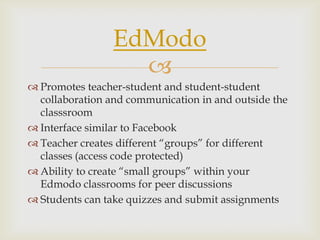
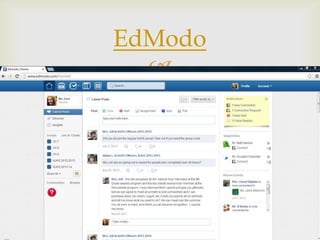
 Promotes teacher-student and student-student
collaboration and communication in and outside the
classsroom
 Interface similar to Facebook
 Teacher creates different “groups” for different
classes (access code protected)
 Ability to create “small groups” within your
Edmodo classrooms for peer discussions
 Students can take quizzes and submit assignments
EdModo

EdModo

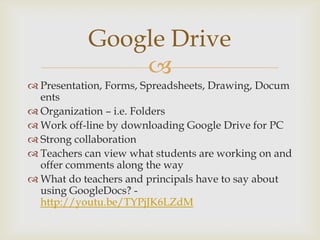
 Presentation, Forms, Spreadsheets, Drawing, Docum
ents
 Organization – i.e. Folders
 Work off-line by downloading Google Drive for PC
 Strong collaboration
 Teachers can view what students are working on and
offer comments along the way
 What do teachers and principals have to say about
using GoogleDocs? -
http://youtu.be/TYPjJK6LZdM
Google Drive

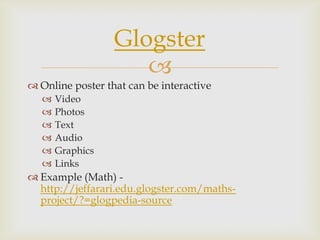
 Online poster that can be interactive
 Video
 Photos
 Text
 Audio
 Graphics
 Links
 Example (Math) -
http://jeffarari.edu.glogster.com/maths-
project/?=glogpedia-source
Glogster

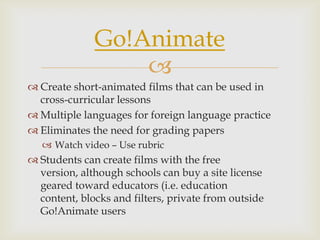
 Create short-animated films that can be used in
cross-curricular lessons
 Multiple languages for foreign language practice
 Eliminates the need for grading papers
 Watch video – Use rubric
 Students can create films with the free
version, although schools can buy a site license
geared toward educators (i.e. education
content, blocks and filters, private from outside
Go!Animate users
Go!Animate

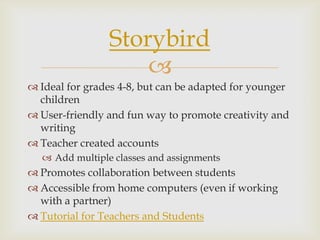
 Ideal for grades 4-8, but can be adapted for younger
children
 User-friendly and fun way to promote creativity and
writing
 Teacher created accounts
 Add multiple classes and assignments
 Promotes collaboration between students
 Accessible from home computers (even if working
with a partner)
 Tutorial for Teachers and Students
Storybird

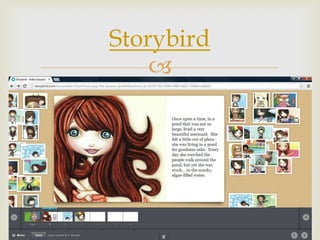
Storybird

What other ideas do you have for finding time in your
classroom and in your day? Share with us!
Staci: atrekles@purdue.edu
Stefanie: stefanie.l.ford@gmail.com
Download these slides: http://slideshare.net/andella
Other ideas?

 Learning Forward/NSDC has produced two
excellent resources on making time for professional
learning and lesson development:
 Establishing Time for Professional Learning (with a
focus on Common Core preparation):
http://www.learningforward.org/docs/default-
source/commoncore/establishing-time-for-
professional-learning.pdf
 Finding Time for Professional Learning:
http://k12.wa.us/CoreStandards/Workshop/finding
_time-final-110807.pdf
Resources

Making Time for Change in the Classroom

  • 1.
    Anastasia Trekles, Ph.D. PurdueUniversity Calumet Stefanie Ford Valparaiso Community Schools
  • 2.
     How do youfind time?  Get EXCITED  Be organized  Look at new technology in chunks – Do not get overwhelmed  Do not bet afraid to learn WITH your students.  Listen up; Kids are talking
  • 3.
      Technology cansave you TIME!  Upload created assignments and quizzes  Automatic grading  Easy viewing of student progress  More engaging atmosphere for students  Engaged class = fewer discipline issues = more complete during a class period  Learn one tool, you have learned many What’s in it for me?
  • 4.
      LiveBinders  Teachersare always bombarded with a plethora of links to check out, but how do they remember what they are when they actually need them?  Examples  Teacher Blogs - http://hoosier- teacher.blogspot.com/2013/04/technology-to-rescue-pbl- book-club.html  Pinterest - http://pinterest.com/alruiz/technology-to-the- rescue/  Twitter - https://docs.google.com/document/d/1bYft9_jfYuuXU0D vNe-XgzC0nVT813YUrwRniGM2-94/edit?pli=1 Technology to the rescue
  • 5.
  • 6.
      Promotes teacher-studentand student-student collaboration and communication in and outside the classsroom  Interface similar to Facebook  Teacher creates different “groups” for different classes (access code protected)  Ability to create “small groups” within your Edmodo classrooms for peer discussions  Students can take quizzes and submit assignments EdModo
  • 7.
  • 8.
      Presentation, Forms,Spreadsheets, Drawing, Docum ents  Organization – i.e. Folders  Work off-line by downloading Google Drive for PC  Strong collaboration  Teachers can view what students are working on and offer comments along the way  What do teachers and principals have to say about using GoogleDocs? - http://youtu.be/TYPjJK6LZdM Google Drive
  • 9.
      Online posterthat can be interactive  Video  Photos  Text  Audio  Graphics  Links  Example (Math) - http://jeffarari.edu.glogster.com/maths- project/?=glogpedia-source Glogster
  • 10.
      Create short-animatedfilms that can be used in cross-curricular lessons  Multiple languages for foreign language practice  Eliminates the need for grading papers  Watch video – Use rubric  Students can create films with the free version, although schools can buy a site license geared toward educators (i.e. education content, blocks and filters, private from outside Go!Animate users Go!Animate
  • 11.
      Ideal forgrades 4-8, but can be adapted for younger children  User-friendly and fun way to promote creativity and writing  Teacher created accounts  Add multiple classes and assignments  Promotes collaboration between students  Accessible from home computers (even if working with a partner)  Tutorial for Teachers and Students Storybird
  • 12.
  • 13.
     What other ideasdo you have for finding time in your classroom and in your day? Share with us! Staci: atrekles@purdue.edu Stefanie: stefanie.l.ford@gmail.com Download these slides: http://slideshare.net/andella Other ideas?
  • 14.
      Learning Forward/NSDChas produced two excellent resources on making time for professional learning and lesson development:  Establishing Time for Professional Learning (with a focus on Common Core preparation): http://www.learningforward.org/docs/default- source/commoncore/establishing-time-for- professional-learning.pdf  Finding Time for Professional Learning: http://k12.wa.us/CoreStandards/Workshop/finding _time-final-110807.pdf Resources