Digital Skills For
Educators
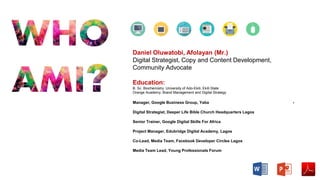
Manager, Google Business Group, Yaba -
Digital Strategist, Deeper Life Bible Church Headquarters Lagos
Senior Trainer, Google Digital Skills For Africa
Project Manager, Edubridge Digital Academy, Lagos
Co-Lead, Media Team, Facebook Developer Circles Lagos
Media Team Lead, Young Professionals Forum
Daniel Oluwatobi, Afolayan (Mr.)
Digital Strategist, Copy and Content Development,
Community Advocate
Education:
B. Sc. Biochemistry. University of Ado-Ekiti, Ekiti State
Orange Academy: Brand Management and Digital Strategy
http://g.co/digitalskills
Proprietary + Confidential
Overview
1 | Traditional Vs Digital
2 | Why Digital Skills For Teachers
3| Digital tools for Education
4| How to bring Technology to
Classroom
5 | Where to get help
http://g.co/digitalskills
Introduction to the Internet
Digital vs Traditional
Internet vs Web
Websites vs Web Pages
Associated Terms
http://g.co/digitalskills
What is the Internet?
http://g.co/digitalskills
Traditional vs Digital
http://g.co/digitalskills
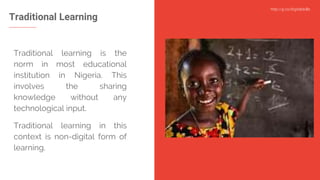
Traditional Learning
Traditional learning is the
norm in most educational
institution in Nigeria. This
involves the sharing
knowledge without any
technological input.
Traditional learning in this
context is non-digital form of
learning.
http://g.co/digitalskills
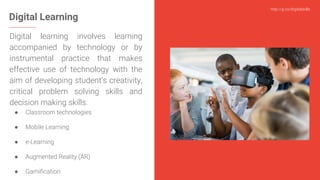
Digital Learning
Digital learning involves learning
accompanied by technology or by
instrumental practice that makes
effective use of technology with the
aim of developing student’s creativity,
critical problem solving skills and
decision making skills.
● Classroom technologies
● Mobile Learning
● e-Learning
● Augmented Reality (AR)
● Gamification
http://g.co/digitalskills
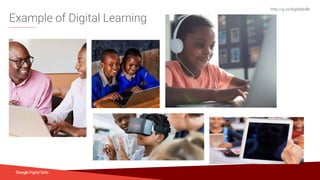
Example of Digital Learning
TV
http://g.co/digitalskills
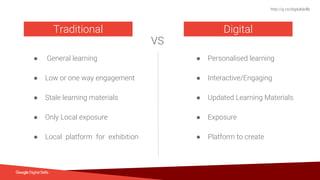
● General learning
● Low or one way engagement
● Stale learning materials
● Only Local exposure
● Local platform for exhibition
Traditional
VS
Digital
● Personalised learning
● Interactive/Engaging
● Updated Learning Materials
● Exposure
● Platform to create
http://g.co/digitalskills
Why Digital Skills
For Teachers
Buying lots of classroom technology is
simply not enough on its own; building the
digital skills of teachers and students is a
vital step in actually benefiting from
computers in education.
http://g.co/digitalskills
Why Digital Skills For Teachers
1 | Personal branding online
2 | Connection with an “upwardly mobile”
Generation
3 | Create and share Visually engaging digital
content
4 | Enhance Effectivity and efficiency of the
learning process
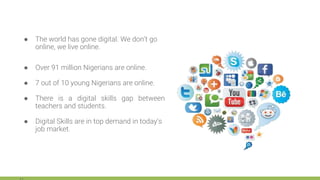
● The world has gone digital. We don’t go
online, we live online.
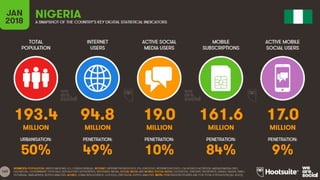
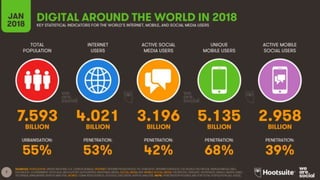
● Over 91 million Nigerians are online.
● 7 out of 10 young Nigerians are online.
● There is a digital skills gap between
teachers and students.
● Digital Skills are in top demand in today’s
job market.
http://g.co/digitalskills
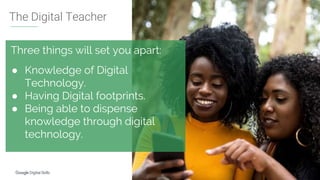
Three things will set you apart:
● Knowledge of Digital
Technology.
● Having Digital footprints.
● Being able to dispense
knowledge through digital
technology.
The Digital Teacher
http://g.co/digitalskills
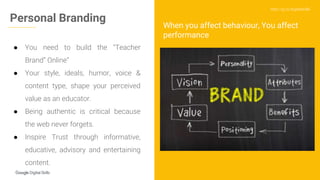
● You need to build the “Teacher
Brand” Online”
● Your style, ideals, humor, voice &
content type, shape your perceived
value as an educator.
● Being authentic is critical because
the web never forgets.
● Inspire Trust through informative,
educative, advisory and entertaining
content.
Personal Branding
When you affect behaviour, You affect
performance
Implementing the
Digital Classroom
Start Point
The learner’s
experience must be
personalized using
technology so learning
is engaging and
relevant, with the goal
of maximizing each
person’s learning
potential.
Define Goals, Objectives and
Activities
Develop specific goals, objectives, and
activities/strategies that transform
teaching and learning and align to the
class strategic plan. Tech tools for all of
these activities should also be highlighted.
1
Education and Awareness for
Stakeholders
Before a digital classroom is fully implemented,
staff, students and all other stakeholders should be
consulted and educated. Acceptable Usage
Policies are a good way to define expectations,
aims and rules in order to make sure everyone
understands the associated risks and best
practices.
2
Integrate communication tools
to classroom activities
Educators can enhance the classroom experience
by breaking students into discussion groups via
Google Hangout/Meet, Zoom e.t.c.
Learning resources can be shared with every
student being able to ask questions via these
groups and communicate with educators.
3
Tools for you
Social Media
LinkedIn helps you build a professional online
presence. You get to do a lot of professional
networking and also build authority with your
posts and portfolio.
On Google+, you can keep up with the latest
trends in education and participate in lively
discussions with fellow educators.
Grammarly
Grammarly makes sure everything you
type is clear, effective, and mistake-free.
Advanced Grammar Rules,
Contextual Spell Checker,
Vocabulary Enhancement,
Plagiarism.
Enhance teamwork with
collaborative tools
A critical skill in the 21st century workplace is the ability to work with a
team. Set up groups to work on an assignment, project or create
content with lessons learnt through collaborative tools. Reflection and
discussion encourage students to consider multiple viewpoints.
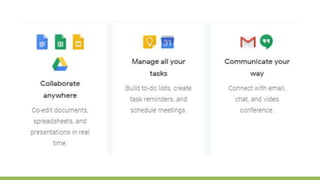
Tools like Google Docs, Google Sheet, Youtube for creators, slack can
be used.
4
Source: Lorem ipsum dolor sit amet, consectetur adipiscing elit. Duis non erat sem
Proprietary + Confidential
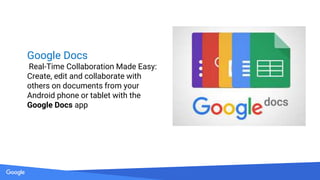
Google Docs
Real-Time Collaboration Made Easy:
Create, edit and collaborate with
others on documents from your
Android phone or tablet with the
Google Docs app
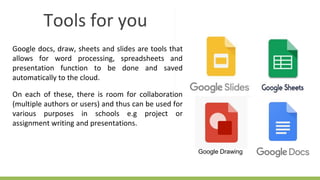
Google docs, draw, sheets and slides are tools that
allows for word processing, spreadsheets and
presentation function to be done and saved
automatically to the cloud.
On each of these, there is room for collaboration
(multiple authors or users) and thus can be used for
various purposes in schools e.g project or
assignment writing and presentations.
Tools for you
Google Drawing
Hangouts is a tool that allows you to host live
broadcast with just a computer system and internet
connection (and maybe a webcam)
You can host guest speakers ranging from a
professional in a particular field to a role model figure
in your classroom using Hangouts where students can
take turns asking questions from the guest speaker.
You can get to keep the recording of that live
broadcast for future use.
Tools for you
Tools for you
Email
An email is an electronic mailing
system. Encourage digital activity
among your students by asking them
to submit assignments through emails.
Challenge reasoning with fun
via classroom game tools
Remember “who want to be millionaire”.
You want to ensure your students are challenging
their thought process even in an exciting
environment.
Tools like Kahoot, Fabulous, Google Forms can be
used to achieve this.
5
Tools for you
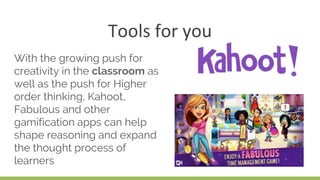
With the growing push for
creativity in the classroom as
well as the push for Higher
order thinking, Kahoot,
Fabulous and other
gamification apps can help
shape reasoning and expand
the thought process of
learners
Introduce tools that enhance
problem solving
“Just Google it”
Make Google, Youtube and other sites with
educative content friends with your students.
These tools will become textbook alternatives and
would reduce the pressure on educators.
6
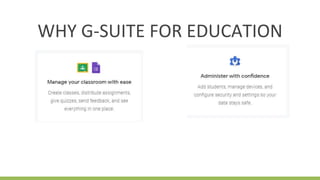
WHY G-SUITE FOR EDUCATION
Prioritize tools that helps
organize thoughts and connect
ideas
Learners get easily confused and sometimes this is
a product of a disorganised mind. Prioritize tools
that helps organizes learners thoughtlines and
connect ideas. Google Keep, Google Calender, and
some other tools can be used.
7
Tools for you
Google Calendar is the perfect way to
organize your time. Use Google Calendar to
plan your daily schedule, set reminders,
create a to do list, and collaborate with
others. If you need to set up a parent teacher
conference, use Google Calendar to help
schedule and confirm. You can even use
Google Calendar as your lesson planner.
Google Calendar
Tools for you
Google Search and Google Scholar are
great tools for research. You can get
powerpoint presentations, word
documents, videos, images, links to
various resource platforms and other kind
of resources for ultimate learning and
scholarship experience.
Google Search
Get out of the way and let
students create
Help students learn to engage in everyday research to
find information, understand it and use it in original
ways to construct knowledge and present information
and ideas. Get out of their way and watch them create
valuable and relevant contents from knowledge
acquired in the classroom. Watch their public
speaking skill grow
8
http://g.co/digitalskills
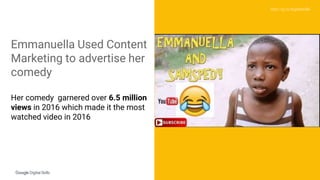
Emmanuella Used Content
Marketing to advertise her
comedy
Her comedy garnered over 6.5 million
views in 2016 which made it the most
watched video in 2016
Tools for you
YouTube is the Internet’s second largest search engine. It is an
educational resource that you should definitely consider for
free, high quality videos on every topic imaginable. From
Einstein’s Theory of Relativity to the migratory pattern of
wildebeests, you’ll find a wealth of information to support your
lesson plan.
You can also create a channel where you share custom made
video lessons with your students.
Tools for you
Social Media
Social media such facebook and twitter engenders
socialization. You can collaborate with your
students on social advocacy projects and teach
them social ethics through social listening.
Ensure strict adherence to data
privacy and protection
Data Security is key and essential in our connected
world. Ensure learners understand the essence of a
strong password and you also have a strong data
security in place for you school.
9
g.co/digitalskills
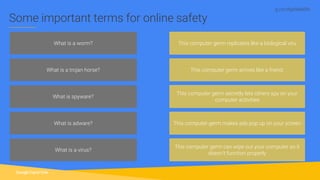
What is a worm?
What is a trojan horse?
What is spyware?
What is adware?
This computer germ replicates like a biological viru
This computer germ arrives like a friend.
This computer germ secretly lets others spy on your
computer activities
This computer germ makes ads pop up on your screen
Some important terms for online safety
What is a virus?
This computer germ can wipe out your computer so it
doesn't function properly
g.co/digitalskills
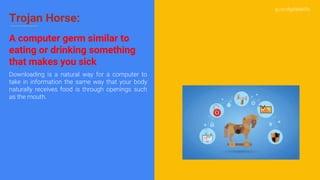
Trojan Horse:
A computer germ similar to
eating or drinking something
that makes you sick
Downloading is a natural way for a computer to
take in information the same way that your body
naturally receives food is through openings such
as the mouth.
g.co/digitalskills
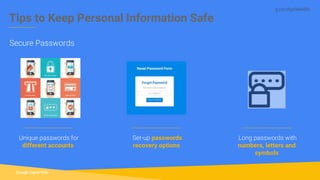
Tips to Keep Personal Information Safe
Secure Passwords
Unique passwords for
different accounts
Set-up passwords
recovery options
Long passwords with
numbers, letters and
symbols
g.co/digitalskills
Tips to Keep Personal
Information Safe
● Ignore suspicious pages, emails, and
messages
● When entering a site through an email or
chat link you don't trust, do not enter
password
● Don't share or write down passwords
● Pay attention to browser when signing in online
● Don’t respond to requests from people
you don’t know
Identity Theft
Use only Technology tools that
are fit for classroom purposes
Due to the sensitive nature of education, there are a
number of factors educators and schools need to
consider before taking the plunge.
Customized tablet enabled with special educational
tools without access to distractive tools only should
be allowed in schools.
10
G-SUITE FOR EDUCATION
Tools for you
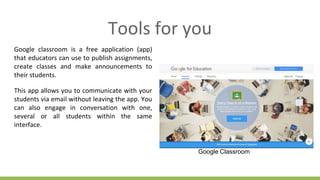
Google classroom is a free application (app)
that educators can use to publish assignments,
create classes and make announcements to
their students.
This app allows you to communicate with your
students via email without leaving the app. You
can also engage in conversation with one,
several or all students within the same
interface.
Google Classroom
Tools for you
You can use the Google Earth app to explore the earth in
3D. This is especially useful in geography and social
studies, but can even come in handy during history
explorations. Take your students on a virtual field trip to
the farthest reaches of the globe.
Also, you’re not bound to just this celestial body when
using this immersive tool. Explore the moon, see the face
of Mars, or even zoom up close to distant galaxies far, far
away.
Google Earth
Proprietary + Confidential
Digital learning is changing
the world. It is connecting
billions of young people to
the idea economy.
It is improving working
conditions and career
opportunities for educators.
Proprietary + Confidential
LET’S EXAMINE
WHAT YOU’VE
LEARNT
Proprietary + Confidential
Where to get help and support
Proprietary + Confidential
Thank you
Source: Lorem ipsum dolor sit amet, consectetur adipiscing elit. Duis non erat sem
Proprietary + Confidential
Conclusions
Source: Lorem ipsum dolor sit amet, consectetur adipiscing elit. Duis non erat sem
Proprietary + Confidential
Any questions??
??
THE
END
www.kahoot.it

Digital skills for educators

  • 1.
  • 2.
    Manager, Google BusinessGroup, Yaba - Digital Strategist, Deeper Life Bible Church Headquarters Lagos Senior Trainer, Google Digital Skills For Africa Project Manager, Edubridge Digital Academy, Lagos Co-Lead, Media Team, Facebook Developer Circles Lagos Media Team Lead, Young Professionals Forum Daniel Oluwatobi, Afolayan (Mr.) Digital Strategist, Copy and Content Development, Community Advocate Education: B. Sc. Biochemistry. University of Ado-Ekiti, Ekiti State Orange Academy: Brand Management and Digital Strategy
  • 3.
  • 4.
  • 5.
    Proprietary + Confidential Overview 1| Traditional Vs Digital 2 | Why Digital Skills For Teachers 3| Digital tools for Education 4| How to bring Technology to Classroom 5 | Where to get help
  • 6.
    http://g.co/digitalskills Introduction to theInternet Digital vs Traditional Internet vs Web Websites vs Web Pages Associated Terms
  • 7.
  • 8.
  • 9.
    http://g.co/digitalskills Traditional Learning Traditional learningis the norm in most educational institution in Nigeria. This involves the sharing knowledge without any technological input. Traditional learning in this context is non-digital form of learning.
  • 10.
    http://g.co/digitalskills Digital Learning Digital learninginvolves learning accompanied by technology or by instrumental practice that makes effective use of technology with the aim of developing student’s creativity, critical problem solving skills and decision making skills. ● Classroom technologies ● Mobile Learning ● e-Learning ● Augmented Reality (AR) ● Gamification
  • 11.
  • 12.
    http://g.co/digitalskills ● General learning ●Low or one way engagement ● Stale learning materials ● Only Local exposure ● Local platform for exhibition Traditional VS Digital ● Personalised learning ● Interactive/Engaging ● Updated Learning Materials ● Exposure ● Platform to create
  • 13.
  • 14.
    Buying lots ofclassroom technology is simply not enough on its own; building the digital skills of teachers and students is a vital step in actually benefiting from computers in education.
  • 15.
    http://g.co/digitalskills Why Digital SkillsFor Teachers 1 | Personal branding online 2 | Connection with an “upwardly mobile” Generation 3 | Create and share Visually engaging digital content 4 | Enhance Effectivity and efficiency of the learning process
  • 16.
    ● The worldhas gone digital. We don’t go online, we live online. ● Over 91 million Nigerians are online. ● 7 out of 10 young Nigerians are online. ● There is a digital skills gap between teachers and students. ● Digital Skills are in top demand in today’s job market.
  • 17.
    http://g.co/digitalskills Three things willset you apart: ● Knowledge of Digital Technology. ● Having Digital footprints. ● Being able to dispense knowledge through digital technology. The Digital Teacher
  • 18.
    http://g.co/digitalskills ● You needto build the “Teacher Brand” Online” ● Your style, ideals, humor, voice & content type, shape your perceived value as an educator. ● Being authentic is critical because the web never forgets. ● Inspire Trust through informative, educative, advisory and entertaining content. Personal Branding When you affect behaviour, You affect performance
  • 19.
  • 20.
    Start Point The learner’s experiencemust be personalized using technology so learning is engaging and relevant, with the goal of maximizing each person’s learning potential.
  • 21.
    Define Goals, Objectivesand Activities Develop specific goals, objectives, and activities/strategies that transform teaching and learning and align to the class strategic plan. Tech tools for all of these activities should also be highlighted. 1
  • 22.
    Education and Awarenessfor Stakeholders Before a digital classroom is fully implemented, staff, students and all other stakeholders should be consulted and educated. Acceptable Usage Policies are a good way to define expectations, aims and rules in order to make sure everyone understands the associated risks and best practices. 2
  • 23.
    Integrate communication tools toclassroom activities Educators can enhance the classroom experience by breaking students into discussion groups via Google Hangout/Meet, Zoom e.t.c. Learning resources can be shared with every student being able to ask questions via these groups and communicate with educators. 3
  • 24.
    Tools for you SocialMedia LinkedIn helps you build a professional online presence. You get to do a lot of professional networking and also build authority with your posts and portfolio. On Google+, you can keep up with the latest trends in education and participate in lively discussions with fellow educators.
  • 25.
    Grammarly Grammarly makes sureeverything you type is clear, effective, and mistake-free. Advanced Grammar Rules, Contextual Spell Checker, Vocabulary Enhancement, Plagiarism.
  • 26.
    Enhance teamwork with collaborativetools A critical skill in the 21st century workplace is the ability to work with a team. Set up groups to work on an assignment, project or create content with lessons learnt through collaborative tools. Reflection and discussion encourage students to consider multiple viewpoints. Tools like Google Docs, Google Sheet, Youtube for creators, slack can be used. 4
  • 27.
    Source: Lorem ipsumdolor sit amet, consectetur adipiscing elit. Duis non erat sem Proprietary + Confidential Google Docs Real-Time Collaboration Made Easy: Create, edit and collaborate with others on documents from your Android phone or tablet with the Google Docs app
  • 28.
    Google docs, draw,sheets and slides are tools that allows for word processing, spreadsheets and presentation function to be done and saved automatically to the cloud. On each of these, there is room for collaboration (multiple authors or users) and thus can be used for various purposes in schools e.g project or assignment writing and presentations. Tools for you Google Drawing
  • 29.
    Hangouts is atool that allows you to host live broadcast with just a computer system and internet connection (and maybe a webcam) You can host guest speakers ranging from a professional in a particular field to a role model figure in your classroom using Hangouts where students can take turns asking questions from the guest speaker. You can get to keep the recording of that live broadcast for future use. Tools for you
  • 30.
    Tools for you Email Anemail is an electronic mailing system. Encourage digital activity among your students by asking them to submit assignments through emails.
  • 31.
    Challenge reasoning withfun via classroom game tools Remember “who want to be millionaire”. You want to ensure your students are challenging their thought process even in an exciting environment. Tools like Kahoot, Fabulous, Google Forms can be used to achieve this. 5
  • 32.
    Tools for you Withthe growing push for creativity in the classroom as well as the push for Higher order thinking, Kahoot, Fabulous and other gamification apps can help shape reasoning and expand the thought process of learners
  • 33.
    Introduce tools thatenhance problem solving “Just Google it” Make Google, Youtube and other sites with educative content friends with your students. These tools will become textbook alternatives and would reduce the pressure on educators. 6
  • 34.
    WHY G-SUITE FOREDUCATION
  • 35.
    Prioritize tools thathelps organize thoughts and connect ideas Learners get easily confused and sometimes this is a product of a disorganised mind. Prioritize tools that helps organizes learners thoughtlines and connect ideas. Google Keep, Google Calender, and some other tools can be used. 7
  • 36.
    Tools for you GoogleCalendar is the perfect way to organize your time. Use Google Calendar to plan your daily schedule, set reminders, create a to do list, and collaborate with others. If you need to set up a parent teacher conference, use Google Calendar to help schedule and confirm. You can even use Google Calendar as your lesson planner. Google Calendar
  • 37.
    Tools for you GoogleSearch and Google Scholar are great tools for research. You can get powerpoint presentations, word documents, videos, images, links to various resource platforms and other kind of resources for ultimate learning and scholarship experience. Google Search
  • 38.
    Get out ofthe way and let students create Help students learn to engage in everyday research to find information, understand it and use it in original ways to construct knowledge and present information and ideas. Get out of their way and watch them create valuable and relevant contents from knowledge acquired in the classroom. Watch their public speaking skill grow 8
  • 39.
    http://g.co/digitalskills Emmanuella Used Content Marketingto advertise her comedy Her comedy garnered over 6.5 million views in 2016 which made it the most watched video in 2016
  • 40.
    Tools for you YouTubeis the Internet’s second largest search engine. It is an educational resource that you should definitely consider for free, high quality videos on every topic imaginable. From Einstein’s Theory of Relativity to the migratory pattern of wildebeests, you’ll find a wealth of information to support your lesson plan. You can also create a channel where you share custom made video lessons with your students.
  • 41.
    Tools for you SocialMedia Social media such facebook and twitter engenders socialization. You can collaborate with your students on social advocacy projects and teach them social ethics through social listening.
  • 42.
    Ensure strict adherenceto data privacy and protection Data Security is key and essential in our connected world. Ensure learners understand the essence of a strong password and you also have a strong data security in place for you school. 9
  • 43.
    g.co/digitalskills What is aworm? What is a trojan horse? What is spyware? What is adware? This computer germ replicates like a biological viru This computer germ arrives like a friend. This computer germ secretly lets others spy on your computer activities This computer germ makes ads pop up on your screen Some important terms for online safety What is a virus? This computer germ can wipe out your computer so it doesn't function properly
  • 44.
    g.co/digitalskills Trojan Horse: A computergerm similar to eating or drinking something that makes you sick Downloading is a natural way for a computer to take in information the same way that your body naturally receives food is through openings such as the mouth.
  • 45.
    g.co/digitalskills Tips to KeepPersonal Information Safe Secure Passwords Unique passwords for different accounts Set-up passwords recovery options Long passwords with numbers, letters and symbols
  • 46.
    g.co/digitalskills Tips to KeepPersonal Information Safe ● Ignore suspicious pages, emails, and messages ● When entering a site through an email or chat link you don't trust, do not enter password ● Don't share or write down passwords ● Pay attention to browser when signing in online ● Don’t respond to requests from people you don’t know Identity Theft
  • 47.
    Use only Technologytools that are fit for classroom purposes Due to the sensitive nature of education, there are a number of factors educators and schools need to consider before taking the plunge. Customized tablet enabled with special educational tools without access to distractive tools only should be allowed in schools. 10
  • 48.
  • 50.
    Tools for you Googleclassroom is a free application (app) that educators can use to publish assignments, create classes and make announcements to their students. This app allows you to communicate with your students via email without leaving the app. You can also engage in conversation with one, several or all students within the same interface. Google Classroom
  • 51.
    Tools for you Youcan use the Google Earth app to explore the earth in 3D. This is especially useful in geography and social studies, but can even come in handy during history explorations. Take your students on a virtual field trip to the farthest reaches of the globe. Also, you’re not bound to just this celestial body when using this immersive tool. Explore the moon, see the face of Mars, or even zoom up close to distant galaxies far, far away. Google Earth
  • 52.
    Proprietary + Confidential Digitallearning is changing the world. It is connecting billions of young people to the idea economy. It is improving working conditions and career opportunities for educators.
  • 53.
    Proprietary + Confidential LET’SEXAMINE WHAT YOU’VE LEARNT
  • 54.
    Proprietary + Confidential Whereto get help and support
  • 55.
  • 56.
    Source: Lorem ipsumdolor sit amet, consectetur adipiscing elit. Duis non erat sem Proprietary + Confidential Conclusions
  • 57.
    Source: Lorem ipsumdolor sit amet, consectetur adipiscing elit. Duis non erat sem Proprietary + Confidential Any questions?? ??
  • 58.
  • 59.