ONLINE TEACHING-TOOLS &
TIPS
Ms.K.Kathiroli
Asst Professor, Department of Fashion
Technology & Costume Designing
Bon Secours College for Women, Thanjavur.
What is online Education?
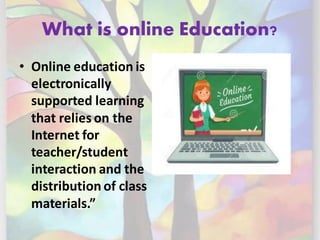
• Online education is
electronically
supported learning
that relies on the
Internet for
teacher/student
interaction and the
distribution of class
materials.”
How to teach online?
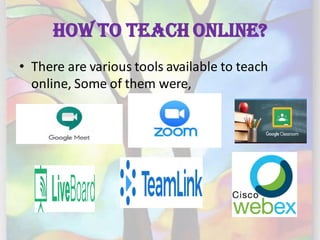
• There are various tools available to teach
online, Some of them were,
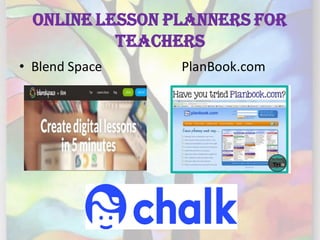
Online Lesson Planners for
Teachers
• Blend Space PlanBook.com
Assignment Tools
• Edmodo
E-Content Preparation Tools
Assessment Tools
Tips to conduct Effective
online teaching
BE PREPARED DO PRACTICE
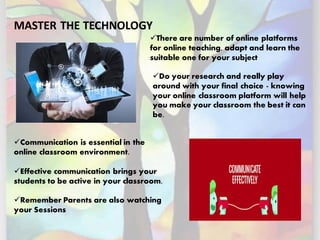
MASTER THE TECHNOLOGY
✓Do your research and really play
around with your final choice - knowing
your online classroom platform will help
you make your classroom the best it can
be.
✓There are number of online platforms
for online teaching, adapt and learn the
suitable one for your subject
✓Communication is essential in the
online classroom environment.
✓Effective communication brings your
students to be active in your classroom.
✓Remember Parents are also watching
your Sessions
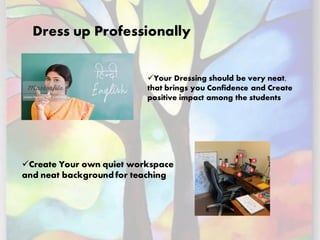
Dress up Professionally
✓Your Dressing should be very neat,
that brings you Confidence and Create
positive impact among the students
✓Create Your own quiet workspace
and neat background for teaching
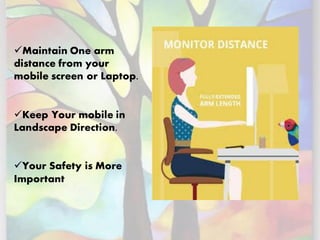
✓Maintain One arm
distance from your
mobile screen or Laptop.
✓Keep Your mobile in
Landscape Direction.
✓Your Safety is More
Important
RECORD YOUR VIDEO
❖If students are unwell or are struggling
with internet access, they will miss a live
streamed lecture.
❖Record videos instead and send them to
your students so that they can watch in their
own time
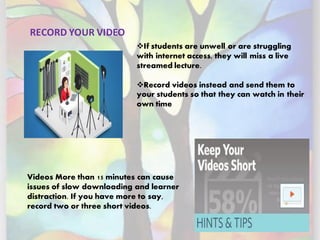
Videos More than 15 minutes can cause
issues of slow downloading and learner
distraction. If you have more to say,
record two or three short videos.
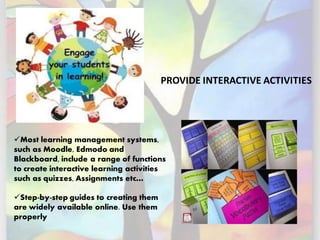
PROVIDE INTERACTIVE ACTIVITIES
✓Most learning management systems,
such as Moodle, Edmodo and
Blackboard, include a range of functions
to create interactive learning activities
such as quizzes, Assignments etc…
✓Step-by-step guides to creating them
are widely available online. Use them
properly
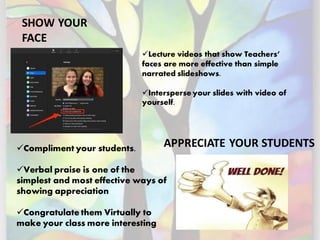
SHOW YOUR
FACE
APPRECIATE YOUR STUDENTS
✓Lecture videos that show Teachers’
faces are more effective than simple
narrated slideshows.
✓Intersperse your slides with video of
yourself.
✓Compliment your students.
✓Verbal praise is one of the
simplest and most effective ways of
showing appreciation
✓Congratulate them Virtually to
make your class more interesting
DO YOU THINK THESE SKILLS ARE
REMEMBER
ONLY CHILD CAN BORN
YOUR ARE CREATOR OF YOUR OWN DESTINY
Online teaching Tools & Tips

Online teaching Tools & Tips

  • 1.
    ONLINE TEACHING-TOOLS & TIPS Ms.K.Kathiroli AsstProfessor, Department of Fashion Technology & Costume Designing Bon Secours College for Women, Thanjavur.
  • 2.
    What is onlineEducation? • Online education is electronically supported learning that relies on the Internet for teacher/student interaction and the distribution of class materials.”
  • 3.
    How to teachonline? • There are various tools available to teach online, Some of them were,
  • 4.
    Online Lesson Plannersfor Teachers • Blend Space PlanBook.com
  • 5.
  • 6.
  • 7.
  • 8.
    Tips to conductEffective online teaching BE PREPARED DO PRACTICE
  • 9.
    MASTER THE TECHNOLOGY ✓Doyour research and really play around with your final choice - knowing your online classroom platform will help you make your classroom the best it can be. ✓There are number of online platforms for online teaching, adapt and learn the suitable one for your subject ✓Communication is essential in the online classroom environment. ✓Effective communication brings your students to be active in your classroom. ✓Remember Parents are also watching your Sessions
  • 10.
    Dress up Professionally ✓YourDressing should be very neat, that brings you Confidence and Create positive impact among the students ✓Create Your own quiet workspace and neat background for teaching
  • 11.
    ✓Maintain One arm distancefrom your mobile screen or Laptop. ✓Keep Your mobile in Landscape Direction. ✓Your Safety is More Important
  • 12.
    RECORD YOUR VIDEO ❖Ifstudents are unwell or are struggling with internet access, they will miss a live streamed lecture. ❖Record videos instead and send them to your students so that they can watch in their own time Videos More than 15 minutes can cause issues of slow downloading and learner distraction. If you have more to say, record two or three short videos.
  • 13.
    PROVIDE INTERACTIVE ACTIVITIES ✓Mostlearning management systems, such as Moodle, Edmodo and Blackboard, include a range of functions to create interactive learning activities such as quizzes, Assignments etc… ✓Step-by-step guides to creating them are widely available online. Use them properly
  • 14.
    SHOW YOUR FACE APPRECIATE YOURSTUDENTS ✓Lecture videos that show Teachers’ faces are more effective than simple narrated slideshows. ✓Intersperse your slides with video of yourself. ✓Compliment your students. ✓Verbal praise is one of the simplest and most effective ways of showing appreciation ✓Congratulate them Virtually to make your class more interesting
  • 15.
    DO YOU THINKTHESE SKILLS ARE
  • 16.
  • 18.
    YOUR ARE CREATOROF YOUR OWN DESTINY