How do we engage the ‘Bebo-boomers’? Robert Bashforth – T&L Manager ICT - Birkdale High School, Dewsbury, UK [email_address] [email_address] Skype rob0960  Using web 2.0 technologies in the classroom Phrase coined by Ewan McIntosh
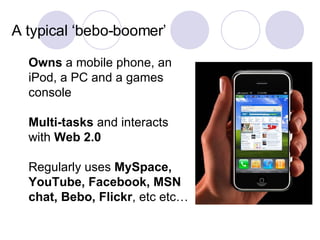
Owns  a mobile phone, an iPod, a PC and a games console  Multi-tasks  and interacts with  Web 2.0 Regularly uses  MySpace, YouTube, Facebook, MSN chat, Bebo, Flickr , etc etc… A typical ‘bebo-boomer’
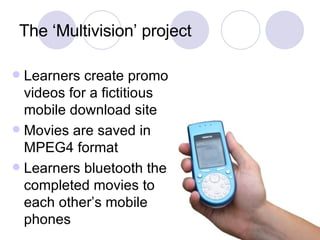
The ‘Multivision’ project Learners create promo videos for a fictitious mobile download site Movies are saved in MPEG4 format Learners bluetooth the completed movies to each other’s mobile phones
The ‘Multivision’ project End of Year 8 Perfect bridge to KS4 Project continued and developed to suit OCR National but  cutting-edge Sample assignment only equivalent to level 4/5 at KS3 so taught to higher level, integrated project, discussion of big issues etc Year 9 need to be taught to level 6
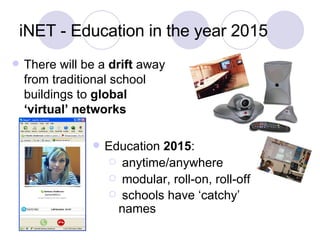
iNET - Education in the year 2015 There will be a  drift  away from traditional school buildings to  global ‘virtual’ networks  Education  2015 : anytime/anywhere modular, roll-on, roll-off schools have ‘catchy’ names
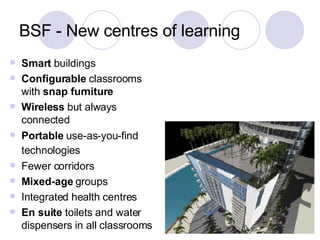
BSF - New centres of learning Smart  buildings Configurable  classrooms with  snap furniture Wireless  but always connected Portable  use-as-you-find technologies   Fewer corridors Mixed-age  groups Integrated health centres  En suite  toilets and water dispensers in all classrooms
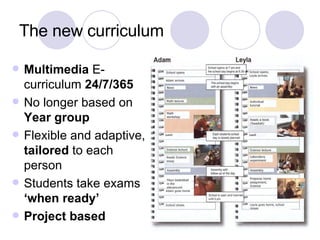
The new curriculum Multimedia  E-curriculum  24/7/365 No longer based on  Year group Flexible and adaptive,  tailored  to each person Students take exams  ‘when ready’ Project based
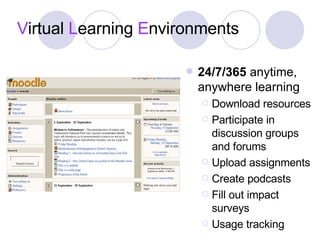
V irtual  L earning  E nvironments 24/7/365  anytime, anywhere learning Download resources Participate in discussion groups and forums Upload assignments Create podcasts Fill out impact surveys Usage tracking
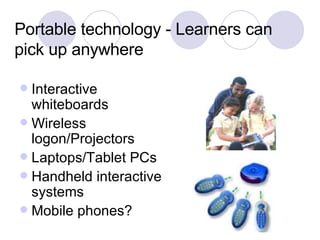
Portable technology - Learners can pick up anywhere Interactive whiteboards Wireless logon/Projectors Laptops/Tablet PCs Handheld interactive systems Mobile phones?
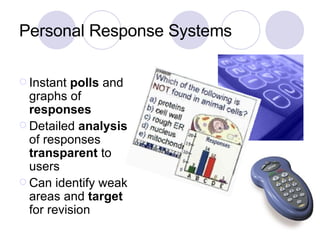
Personal Response Systems Instant  polls  and graphs of  responses Detailed  analysis  of responses  transparent  to users Can identify weak areas and  target  for revision
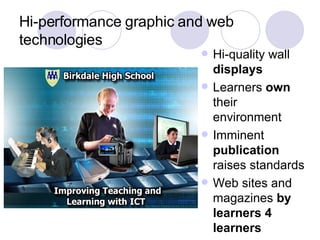
Hi-performance graphic and web technologies Hi-quality wall  displays Learners  own  their environment Imminent  publication  raises standards Web sites and magazines  by learners 4 learners
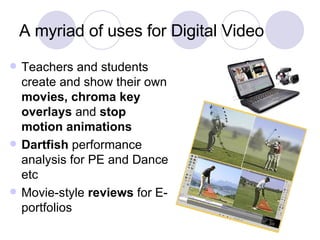
A myriad of uses for Digital Video Teachers and students create and show their own  movies, chroma key overlays  and  stop motion animations Dartfish  performance analysis for PE and Dance etc Movie-style  reviews  for E-portfolios
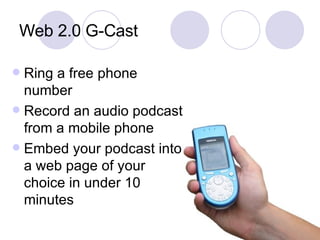
Web 2.0 G-Cast Ring a free phone number Record an audio podcast from a mobile phone Embed your podcast into a web page of your choice in under 10 minutes
International Collaborative Opportunities Email Skype Flashmeeting Webinars V-conf Examples – Tsunami survivor relates the experience Offsite ask-the-expert sessions What did you have for breakfast today (e-pen pal in France)?
Webquests Online journeys through approved websites Move beyond the ‘scavenger hunt’ Encourage students to use higher order thinking skills I.e. publish a pro or anti leaflet about what you have found etc Present your findings using a narrated PowerPoint etc
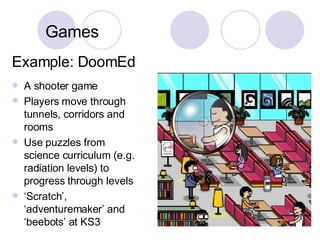
Example: DoomEd A shooter game Players move through tunnels, corridors and rooms Use puzzles from science curriculum (e.g. radiation levels) to progress through levels ‘ Scratch’, ‘adventuremaker’ and ‘beebots’ at KS3 Games
Blogs/Podcasts Multimedia weblogs Online reflective journals – lifelong learning Start in Primary School – What do they produce by the time they reach College? Superb for Student Voice Archive all lessons and transmit to mobile phones and other media
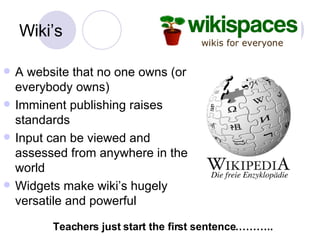
Wiki’s A website that no one owns (or everybody owns) Imminent publishing raises standards Input can be viewed and assessed from anywhere in the world Widgets make wiki’s hugely versatile and powerful Teachers just start the first sentence………..
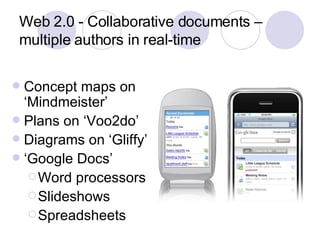
Web 2.0 - Collaborative documents – multiple authors in real-time Concept maps on ‘Mindmeister’ Plans on ‘Voo2do’ Diagrams on ‘Gliffy’ ‘ Google Docs’ Word processors Slideshows Spreadsheets
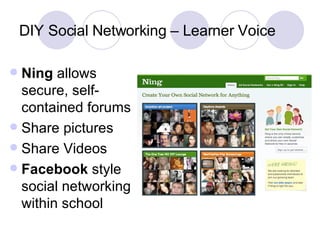
DIY Social Networking – Learner Voice Ning  allows secure, self-contained forums Share pictures Share Videos Facebook  style social networking within school
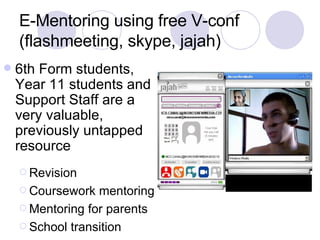
E-Mentoring using free V-conf (flashmeeting, skype, jajah) 6th Form students, Year 11 students and Support Staff are a very valuable, previously untapped resource Revision Coursework mentoring Mentoring for parents School transition
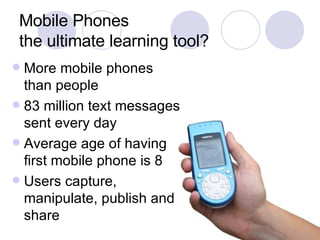
Mobile Phones the ultimate learning tool? More mobile phones than people 83 million text messages sent every day Average age of having first mobile phone is 8 Users capture, manipulate, publish and share
Rigorous A4L/Assertive mentoring Motivation and praise in the classroom Clear explanations Teach all learners to distinction level, if anyone drops off settle them into the grade lower (min C) Strong scaffolding, support materials, exemplars, models, clear explanations Tight tracking and monitoring (let learners interact with their own data), deep analysis
How do we engage the ‘Bebo-boomers’? Robert Bashforth – T&L Manager ICT - Birkdale High School, Dewsbury, UK [email_address] [email_address] Skype rob0960  We have to meet them on  their own terms, pique their interest ,  embrace change,  encourage the use of  web 2.0  and  mobile learning  and   allow them to  teach us

Engage The Bebo Boomers

  • 1.
    How do weengage the ‘Bebo-boomers’? Robert Bashforth – T&L Manager ICT - Birkdale High School, Dewsbury, UK [email_address] [email_address] Skype rob0960 Using web 2.0 technologies in the classroom Phrase coined by Ewan McIntosh
  • 2.
    Owns amobile phone, an iPod, a PC and a games console Multi-tasks and interacts with Web 2.0 Regularly uses MySpace, YouTube, Facebook, MSN chat, Bebo, Flickr , etc etc… A typical ‘bebo-boomer’
  • 3.
    The ‘Multivision’ projectLearners create promo videos for a fictitious mobile download site Movies are saved in MPEG4 format Learners bluetooth the completed movies to each other’s mobile phones
  • 4.
    The ‘Multivision’ projectEnd of Year 8 Perfect bridge to KS4 Project continued and developed to suit OCR National but cutting-edge Sample assignment only equivalent to level 4/5 at KS3 so taught to higher level, integrated project, discussion of big issues etc Year 9 need to be taught to level 6
  • 5.
    iNET - Educationin the year 2015 There will be a drift away from traditional school buildings to global ‘virtual’ networks Education 2015 : anytime/anywhere modular, roll-on, roll-off schools have ‘catchy’ names
  • 6.
    BSF - Newcentres of learning Smart buildings Configurable classrooms with snap furniture Wireless but always connected Portable use-as-you-find technologies Fewer corridors Mixed-age groups Integrated health centres En suite toilets and water dispensers in all classrooms
  • 7.
    The new curriculumMultimedia E-curriculum 24/7/365 No longer based on Year group Flexible and adaptive, tailored to each person Students take exams ‘when ready’ Project based
  • 8.
    V irtual L earning E nvironments 24/7/365 anytime, anywhere learning Download resources Participate in discussion groups and forums Upload assignments Create podcasts Fill out impact surveys Usage tracking
  • 9.
    Portable technology -Learners can pick up anywhere Interactive whiteboards Wireless logon/Projectors Laptops/Tablet PCs Handheld interactive systems Mobile phones?
  • 10.
    Personal Response SystemsInstant polls and graphs of responses Detailed analysis of responses transparent to users Can identify weak areas and target for revision
  • 11.
    Hi-performance graphic andweb technologies Hi-quality wall displays Learners own their environment Imminent publication raises standards Web sites and magazines by learners 4 learners
  • 12.
    A myriad ofuses for Digital Video Teachers and students create and show their own movies, chroma key overlays and stop motion animations Dartfish performance analysis for PE and Dance etc Movie-style reviews for E-portfolios
  • 13.
    Web 2.0 G-CastRing a free phone number Record an audio podcast from a mobile phone Embed your podcast into a web page of your choice in under 10 minutes
  • 14.
    International Collaborative OpportunitiesEmail Skype Flashmeeting Webinars V-conf Examples – Tsunami survivor relates the experience Offsite ask-the-expert sessions What did you have for breakfast today (e-pen pal in France)?
  • 15.
    Webquests Online journeysthrough approved websites Move beyond the ‘scavenger hunt’ Encourage students to use higher order thinking skills I.e. publish a pro or anti leaflet about what you have found etc Present your findings using a narrated PowerPoint etc
  • 16.
    Example: DoomEd Ashooter game Players move through tunnels, corridors and rooms Use puzzles from science curriculum (e.g. radiation levels) to progress through levels ‘ Scratch’, ‘adventuremaker’ and ‘beebots’ at KS3 Games
  • 17.
    Blogs/Podcasts Multimedia weblogsOnline reflective journals – lifelong learning Start in Primary School – What do they produce by the time they reach College? Superb for Student Voice Archive all lessons and transmit to mobile phones and other media
  • 18.
    Wiki’s A websitethat no one owns (or everybody owns) Imminent publishing raises standards Input can be viewed and assessed from anywhere in the world Widgets make wiki’s hugely versatile and powerful Teachers just start the first sentence………..
  • 19.
    Web 2.0 -Collaborative documents – multiple authors in real-time Concept maps on ‘Mindmeister’ Plans on ‘Voo2do’ Diagrams on ‘Gliffy’ ‘ Google Docs’ Word processors Slideshows Spreadsheets
  • 20.
    DIY Social Networking– Learner Voice Ning allows secure, self-contained forums Share pictures Share Videos Facebook style social networking within school
  • 21.
    E-Mentoring using freeV-conf (flashmeeting, skype, jajah) 6th Form students, Year 11 students and Support Staff are a very valuable, previously untapped resource Revision Coursework mentoring Mentoring for parents School transition
  • 22.
    Mobile Phones theultimate learning tool? More mobile phones than people 83 million text messages sent every day Average age of having first mobile phone is 8 Users capture, manipulate, publish and share
  • 23.
    Rigorous A4L/Assertive mentoringMotivation and praise in the classroom Clear explanations Teach all learners to distinction level, if anyone drops off settle them into the grade lower (min C) Strong scaffolding, support materials, exemplars, models, clear explanations Tight tracking and monitoring (let learners interact with their own data), deep analysis
  • 24.
    How do weengage the ‘Bebo-boomers’? Robert Bashforth – T&L Manager ICT - Birkdale High School, Dewsbury, UK [email_address] [email_address] Skype rob0960 We have to meet them on their own terms, pique their interest , embrace change, encourage the use of web 2.0 and mobile learning and allow them to teach us