






Life in the Fast Lane
     Speed, Usability &
 Search Engine Optimization

          Dana DiTomaso
          CEO, Kick Point
          @danaditomaso
           kickpoint.ca
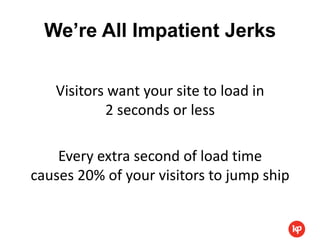
We’re All Impatient Jerks

   Visitors want your site to load in
           2 seconds or less

    Every extra second of load time
causes 20% of your visitors to jump ship
Did We Forget?
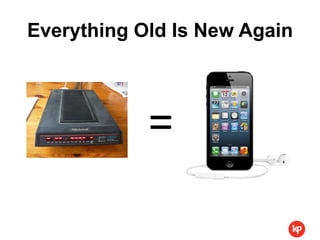
Everything Old Is New Again


            =
Don’t Be This Guy
Best. Website. Ever.


http://www.dolekemp96.org/main.htm
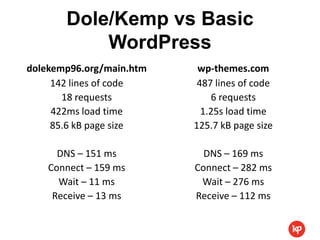
Dole/Kemp vs Basic
           WordPress
dolekemp96.org/main.htm    wp-themes.com
     142 lines of code     487 lines of code
       18 requests            6 requests
     422ms load time        1.25s load time
     85.6 kB page size    125.7 kB page size

      DNS – 151 ms          DNS – 169 ms
    Connect – 159 ms      Connect – 282 ms
      Wait – 11 ms         Wait – 276 ms
     Receive – 13 ms      Receive – 112 ms
That’s Nice.


http://tools.pingdom.com/fpt
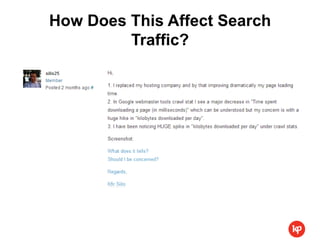
How Does This Affect Search
         Traffic?
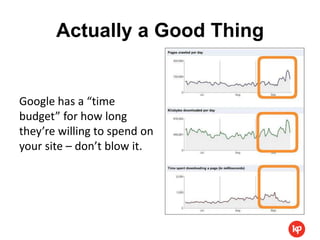
Actually a Good Thing


Google has a “time
budget” for how long
they’re willing to spend on
your site – don’t blow it.
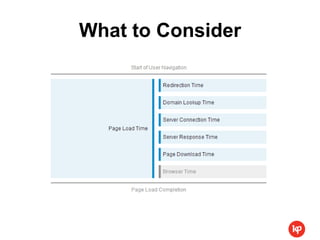
What to Consider
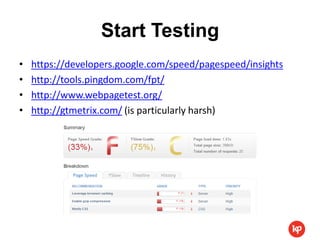
Start Testing
•   https://developers.google.com/speed/pagespeed/insights
•   http://tools.pingdom.com/fpt/
•   http://www.webpagetest.org/
•   http://gtmetrix.com/ (is particularly harsh)
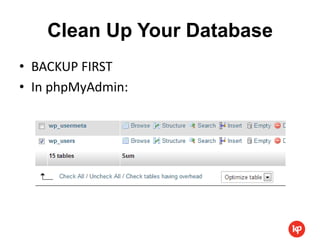
Clean Up Your Database
• BACKUP FIRST
• In phpMyAdmin:
Do You Really Need That
           Plugin?
• Delete any plugins you’re not using
• Dump anything that isn’t updated regularly
• Avoid plugins that create queries on the fly
  when a flat file would do
Use Browser Caching
• Set an expiry date in your HTTP headers for
  static resources

• For example:
       Expires: Thu, 07 Nov 2022 23:00:00 GMT


• More:
  https://developers.google.com/speed/docs/best-practices/caching#LeverageBrowserCaching
Minimize HTTP Requests
• If you’re not using a plugin on a specific page
  type, see if you can avoid loading it
• Do you really need social icons everywhere?
• Move JS to server-side PHP if possible
Optimize Your Images
• Don’t upload an image larger than what’s
  required
• Use the right file format for the job
   – PNGs are awesome
   – GIFs are for tiny images or animation
   – JPGs are for photographs
• Use an image compressor
   – WP Smush.it plugin
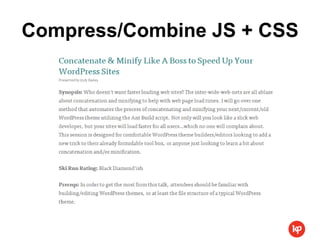
Compress/Combine JS + CSS
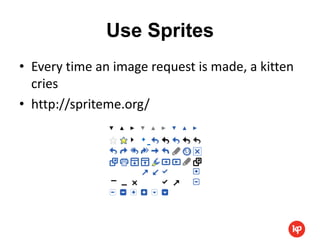
Use Sprites
• Every time an image request is made, a kitten
  cries
• http://spriteme.org/
Install W3 Total Cache
http://wordpress.org/extend/plugins/w3-total-cache/

Really excellent step-by-step guide here:
http://gtmetrix.com/wordpress-optimization-guide.html
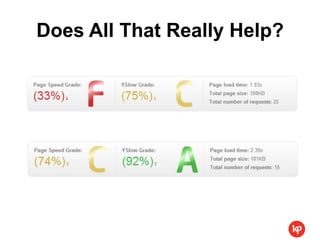
Does All That Really Help?
Back To The Future


       =
Responsive?

 display: none?
It’s still loading!
Change, Don’t Hide
• Think mobile first
• Progressively enhance
  with JS
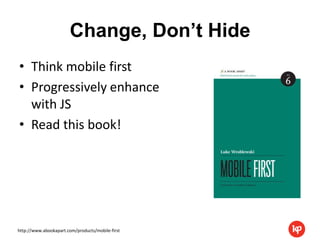
• Read this book!


http://www.abookapart.com/products/mobile-first
Keep Paying Attention


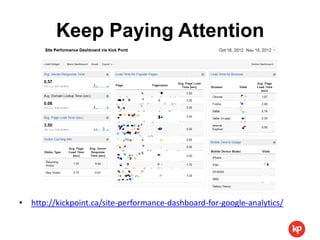
• http://kickpoint.ca/site-performance-dashboard-for-google-analytics/
Questions? Aspirin?
You made it!

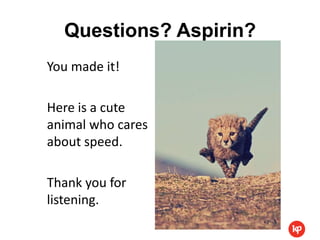
Here is a cute
animal who cares
about speed.

Thank you for
listening.

Life in the Fast Lane: Speed, Usability & Search Engine Optimization

  • 1.
    Life in theFast Lane Speed, Usability & Search Engine Optimization Dana DiTomaso CEO, Kick Point @danaditomaso kickpoint.ca
  • 3.
    We’re All ImpatientJerks Visitors want your site to load in 2 seconds or less Every extra second of load time causes 20% of your visitors to jump ship
  • 4.
  • 5.
    Everything Old IsNew Again =
  • 6.
  • 7.
  • 8.
    Dole/Kemp vs Basic WordPress dolekemp96.org/main.htm wp-themes.com 142 lines of code 487 lines of code 18 requests 6 requests 422ms load time 1.25s load time 85.6 kB page size 125.7 kB page size DNS – 151 ms DNS – 169 ms Connect – 159 ms Connect – 282 ms Wait – 11 ms Wait – 276 ms Receive – 13 ms Receive – 112 ms
  • 9.
  • 10.
    How Does ThisAffect Search Traffic?
  • 11.
    Actually a GoodThing Google has a “time budget” for how long they’re willing to spend on your site – don’t blow it.
  • 12.
  • 13.
    Start Testing • https://developers.google.com/speed/pagespeed/insights • http://tools.pingdom.com/fpt/ • http://www.webpagetest.org/ • http://gtmetrix.com/ (is particularly harsh)
  • 14.
    Clean Up YourDatabase • BACKUP FIRST • In phpMyAdmin:
  • 15.
    Do You ReallyNeed That Plugin? • Delete any plugins you’re not using • Dump anything that isn’t updated regularly • Avoid plugins that create queries on the fly when a flat file would do
  • 16.
    Use Browser Caching •Set an expiry date in your HTTP headers for static resources • For example: Expires: Thu, 07 Nov 2022 23:00:00 GMT • More: https://developers.google.com/speed/docs/best-practices/caching#LeverageBrowserCaching
  • 17.
    Minimize HTTP Requests •If you’re not using a plugin on a specific page type, see if you can avoid loading it • Do you really need social icons everywhere? • Move JS to server-side PHP if possible
  • 18.
    Optimize Your Images •Don’t upload an image larger than what’s required • Use the right file format for the job – PNGs are awesome – GIFs are for tiny images or animation – JPGs are for photographs • Use an image compressor – WP Smush.it plugin
  • 19.
  • 20.
    Use Sprites • Everytime an image request is made, a kitten cries • http://spriteme.org/
  • 21.
    Install W3 TotalCache http://wordpress.org/extend/plugins/w3-total-cache/ Really excellent step-by-step guide here: http://gtmetrix.com/wordpress-optimization-guide.html
  • 22.
    Does All ThatReally Help?
  • 23.
    Back To TheFuture =
  • 24.
  • 25.
    Change, Don’t Hide •Think mobile first • Progressively enhance with JS • Read this book! http://www.abookapart.com/products/mobile-first
  • 26.
    Keep Paying Attention •http://kickpoint.ca/site-performance-dashboard-for-google-analytics/
  • 27.
    Questions? Aspirin? You madeit! Here is a cute animal who cares about speed. Thank you for listening.