Web Performance:
3 Stages to Success
About Me
Austin Gil (@Stegosource)
Lead developer at Visceral
(thisisvisceral.com)
3 years WordPress experience
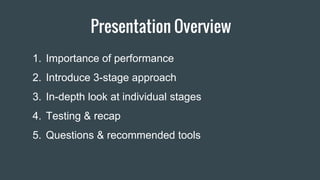
Presentation Overview
1. Importance of performance
2. Introduce 3-stage approach
3. In-depth look at individual stages
4. Testing & recap
5. Questions & recommended tools
Performance: Why Do We Care?
(Super quick overview)
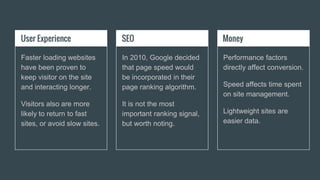
User Experience
Faster loading websites
have been proven to
keep visitor on the site
and interacting longer.
Visitors also are more
likely to return to fast
sites, or avoid slow sites.
SEO
In 2010, Google decided
that page speed would
be incorporated in their
page ranking algorithm.
It is not the most
important ranking signal,
but worth noting.
Money
Performance factors
directly affect conversion.
Speed affects time spent
on site management.
Lightweight sites are
easier data.
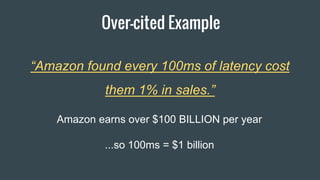
Over-cited Example
“Amazon found every 100ms of latency cost
them 1% in sales.”
Amazon earns over $100 BILLION per year
...so 100ms = $1 billion
Great! Let’s Go!
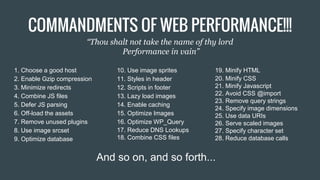
1. Choose a good host
2. Enable Gzip compression
3. Minimize redirects
4. Combine JS files
5. Defer JS parsing
6. Off-load the assets
7. Remove unused plugins
8. Use image srcset
9. Optimize database
19. Minify HTML
20. Minify CSS
21. Minify Javascript
22. Avoid CSS @import
23. Remove query strings
24. Specify image dimensions
25. Use data URIs
26. Serve scaled images
27. Specify character set
28. Reduce database calls
And so on, and so forth...
10. Use image sprites
11. Styles in header
12. Scripts in footer
13. Lazy load images
14. Enable caching
15. Optimize Images
16. Optimize WP_Query
17. Reduce DNS Lookups
18. Combine CSS files
COMMANDMENTS OF WEB PERFORMANCE!!!
“Thou shalt not take the name of thy lord
Performance in vain”
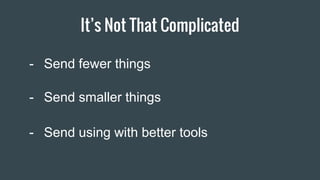
It’s Not That Complicated
- Send fewer things
- Send smaller things
- Send using with better tools
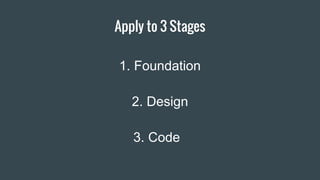
Apply to 3 Stages
Item 2
1. Foundation
3. Code
2. Design
Foundation
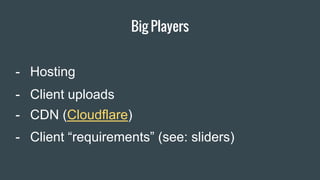
Big Players
- Client “requirements” (see: sliders)
- CDN (Cloudflare)
- Client uploads
- Hosting
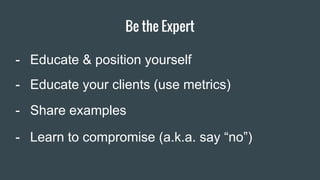
Be the Expert
Item 2 Designers
- Educate & position yourself
- Educate your clients (use metrics)
- Share examples
- Learn to compromise (a.k.a. say “no”)
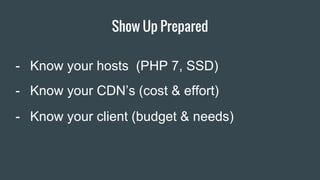
Show Up Prepared
Item 2 Designers
- Know your hosts (PHP 7, SSD)
- Know your CDN’s (cost & effort)
- Know your client (budget & needs)
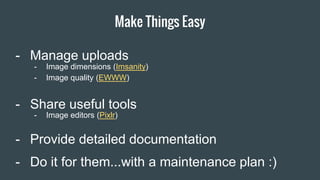
Make Things Easy
Item 2 Designers- Manage uploads
- Share useful tools
- Provide detailed documentation
- Do it for them...with a maintenance plan :)
- Image dimensions (Imsanity)
- Image quality (EWWW)
- Image editors (Pixlr)
Design
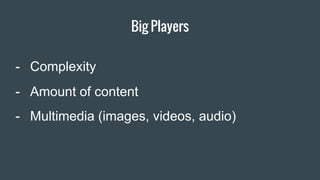
Big Players
- Amount of content
- Multimedia (images, videos, audio)
- Complexity
Content & Layouts
Item 2 Designers- Grids
- Break up content (multi-page, AJAX)
- Replace images
Less is More
Item 2 Designers
- Font families (Google fonts)
- Icon libraries (Fontello, Icomoon)
- 3rd party elements (ads, maps, social)
0.3s load time - Motherfuckingwebsite.com
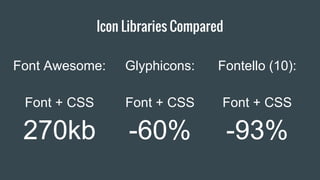
Icon Libraries Compared
Item 2 Designers
Font Awesome:
Font + CSS
270kb
Fontello (10):
Font + CSS
-93%
Glyphicons:
Font + CSS
-60%
Sliders/Carousels
Item 2 Designers- Just don’t
- There are alternatives
- They bloat your page
- They don’t convert (about 1% after first slide)
- They’re bad for SEO
- They’re bad for accessibility
- Yoast said so
Images
Item 2 Designers- Save for web
- Automate
- Simpler images (flat design)
- Know your file types (jpg, png, svg)
Item 2 Designers
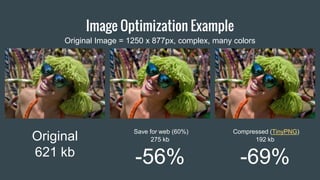
Image Optimization Example
Original
621 kb
Save for web (60%)
275 kb
-56%
Original Image = 1250 x 877px, complex, many colors
Compressed (TinyPNG)
192 kb
-69%
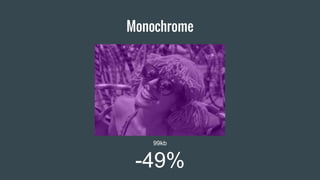
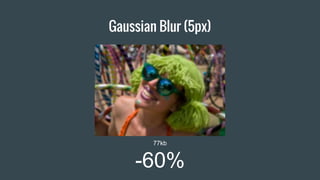
The Affect of Image Effects
(we can go even smaller)
B & W
131kb
-32%
Monochrome
99kb
-49%
Gaussian Blur (5px)
77kb
-60%
Partial Effects
B & W Mask
167kb
-13%
Blur Mask
162kb
-16%
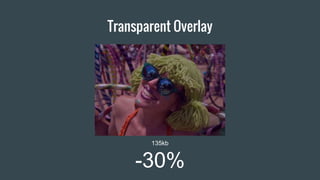
Transparent Overlay
135kb
-30%
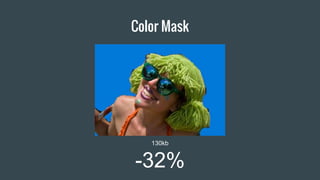
Color Mask
130kb
-32%
Be creative!
Code
Big players
Item 2 Designers
- Caching
- How you <img>
- Unnecessary resources
- Database
Caching
Item 2 Designers
- Manually…
- WP Rocket (Paid)
- WP Fastest Cache
- W3 Total Cache
- The WordPress way
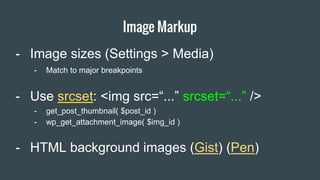
Image Markup
Item 2 Designers
- Image sizes (Settings > Media)
- Use srcset: <img src=“...” srcset=“...” />
- get_post_thumbnail( $post_id )
- wp_get_attachment_image( $img_id )
- Match to major breakpoints
- HTML background images (Gist) (Pen)
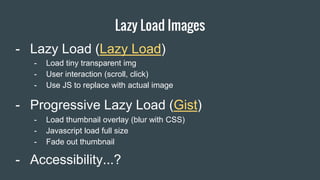
Lazy Load Images
Item 2 Designers- Lazy Load (Lazy Load)
- Progressive Lazy Load (Gist)
- Load thumbnail overlay (blur with CSS)
- Javascript load full size
- Fade out thumbnail
- Load tiny transparent img
- User interaction (scroll, click)
- Use JS to replace with actual image
- Accessibility...?
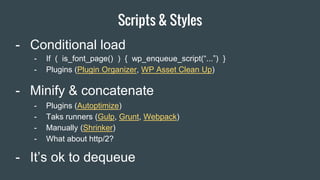
Scripts & Styles
Item 2 Designers
- Minify & concatenate
- Conditional load
- Plugins (Autoptimize)
- Taks runners (Gulp, Grunt, Webpack)
- Manually (Shrinker)
- What about http/2?
- If ( is_font_page() ) { wp_enqueue_script(“...”) }
- Plugins (Plugin Organizer, WP Asset Clean Up)
- It’s ok to dequeue
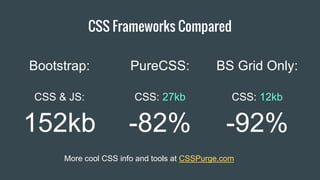
CSS Frameworks Compared
Item 2 Designers
Bootstrap:
CSS & JS:
152kb
BS Grid Only:
CSS: 12kb
-92%
PureCSS:
CSS: 27kb
-82%
More cool CSS info and tools at CSSPurge.com
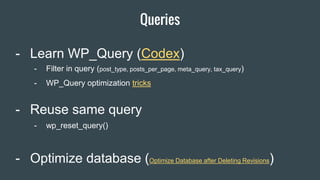
Queries
Item 2 Designers- Learn WP_Query (Codex)
- Reuse same query
- wp_reset_query()
- Filter in query (post_type, posts_per_page, meta_query, tax_query)
- WP_Query optimization tricks
- Optimize database (Optimize Database after Deleting Revisions)
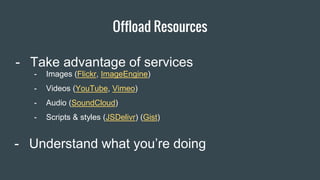
Offload Resources
Item 2 Designers
- Understand what you’re doing
- Images (Flickr, ImageEngine)
- Videos (YouTube, Vimeo)
- Audio (SoundCloud)
- Scripts & styles (JSDelivr) (Gist)
- Take advantage of services
What About Servers?
Item 2 Designers
- A look at the modern WordPress server stack
- Carl Alexander is AWESOME
Test, Analyze,
Repeat
Item 2 Designers
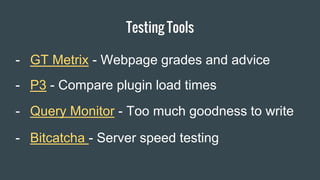
- Query Monitor - Too much goodness to write
Testing Tools
- GT Metrix - Webpage grades and advice
- P3 - Compare plugin load times
- Bitcatcha - Server speed testing
Item 2 Designers
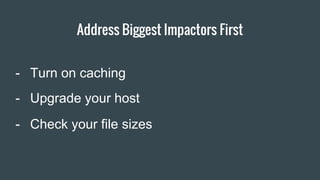
Address Biggest Impactors First
- Upgrade your host
- Turn on caching
- Check your file sizes
Item 2 Designers
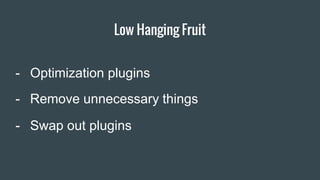
- Swap out plugins
Low Hanging Fruit
- Optimization plugins
- Remove unnecessary things
[clap_hands]
Designers
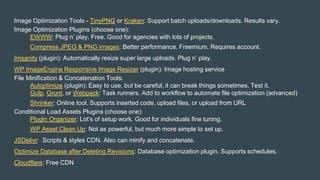
Image Optimization Tools - TinyPNG or Kraken: Support batch uploads/downloads. Results vary.
Image Optimization Plugins (choose one):
EWWW: Plug n’ play. Free. Good for agencies with lots of projects.
Compress JPEG & PNG images: Better performance. Freemium. Requires account.
Imsanity (plugin): Automatically resize super large uploads. Plug n’ play.
WP ImageEngine Responsive Image Resizer (plugin): Image hosting service
File Minification & Concatenation Tools:
Autoptimize (plugin): Easy to use, but be careful, it can break things sometimes. Test it.
Gulp, Grunt, or Webpack: Task runners. Add to workflow to automate file optimization (advanced)
Shrinker: Online tool. Supports inserted code, upload files, or upload from URL
Conditional Load Assets Plugins (choose one):
Plugin Organizer: Lot’s of setup work. Good for individuals fine tuning.
WP Asset Clean Up: Not as powerful, but much more simple to set up.
JSDelivr: Scripts & styles CDN. Also can minify and concatenate.
Optimize Database after Deleting Revisions: Database optimization plugin. Supports schedules.
Cloudflare: Free CDN

Web Performance: 3 Stages to Success

  • 1.
  • 2.
    About Me Austin Gil(@Stegosource) Lead developer at Visceral (thisisvisceral.com) 3 years WordPress experience
  • 3.
    Presentation Overview 1. Importanceof performance 2. Introduce 3-stage approach 3. In-depth look at individual stages 4. Testing & recap 5. Questions & recommended tools
  • 4.
    Performance: Why DoWe Care? (Super quick overview)
  • 5.
    User Experience Faster loadingwebsites have been proven to keep visitor on the site and interacting longer. Visitors also are more likely to return to fast sites, or avoid slow sites. SEO In 2010, Google decided that page speed would be incorporated in their page ranking algorithm. It is not the most important ranking signal, but worth noting. Money Performance factors directly affect conversion. Speed affects time spent on site management. Lightweight sites are easier data.
  • 6.
    Over-cited Example “Amazon foundevery 100ms of latency cost them 1% in sales.” Amazon earns over $100 BILLION per year ...so 100ms = $1 billion
  • 7.
  • 9.
    1. Choose agood host 2. Enable Gzip compression 3. Minimize redirects 4. Combine JS files 5. Defer JS parsing 6. Off-load the assets 7. Remove unused plugins 8. Use image srcset 9. Optimize database 19. Minify HTML 20. Minify CSS 21. Minify Javascript 22. Avoid CSS @import 23. Remove query strings 24. Specify image dimensions 25. Use data URIs 26. Serve scaled images 27. Specify character set 28. Reduce database calls And so on, and so forth... 10. Use image sprites 11. Styles in header 12. Scripts in footer 13. Lazy load images 14. Enable caching 15. Optimize Images 16. Optimize WP_Query 17. Reduce DNS Lookups 18. Combine CSS files COMMANDMENTS OF WEB PERFORMANCE!!! “Thou shalt not take the name of thy lord Performance in vain”
  • 10.
    It’s Not ThatComplicated - Send fewer things - Send smaller things - Send using with better tools
  • 11.
    Apply to 3Stages Item 2 1. Foundation 3. Code 2. Design
  • 12.
  • 13.
    Big Players - Client“requirements” (see: sliders) - CDN (Cloudflare) - Client uploads - Hosting
  • 14.
    Be the Expert Item2 Designers - Educate & position yourself - Educate your clients (use metrics) - Share examples - Learn to compromise (a.k.a. say “no”)
  • 15.
    Show Up Prepared Item2 Designers - Know your hosts (PHP 7, SSD) - Know your CDN’s (cost & effort) - Know your client (budget & needs)
  • 16.
    Make Things Easy Item2 Designers- Manage uploads - Share useful tools - Provide detailed documentation - Do it for them...with a maintenance plan :) - Image dimensions (Imsanity) - Image quality (EWWW) - Image editors (Pixlr)
  • 17.
  • 18.
    Big Players - Amountof content - Multimedia (images, videos, audio) - Complexity
  • 19.
    Content & Layouts Item2 Designers- Grids - Break up content (multi-page, AJAX) - Replace images
  • 20.
    Less is More Item2 Designers - Font families (Google fonts) - Icon libraries (Fontello, Icomoon) - 3rd party elements (ads, maps, social)
  • 21.
    0.3s load time- Motherfuckingwebsite.com
  • 22.
    Icon Libraries Compared Item2 Designers Font Awesome: Font + CSS 270kb Fontello (10): Font + CSS -93% Glyphicons: Font + CSS -60%
  • 23.
    Sliders/Carousels Item 2 Designers-Just don’t - There are alternatives - They bloat your page - They don’t convert (about 1% after first slide) - They’re bad for SEO - They’re bad for accessibility - Yoast said so
  • 24.
    Images Item 2 Designers-Save for web - Automate - Simpler images (flat design) - Know your file types (jpg, png, svg)
  • 25.
    Item 2 Designers ImageOptimization Example Original 621 kb Save for web (60%) 275 kb -56% Original Image = 1250 x 877px, complex, many colors Compressed (TinyPNG) 192 kb -69%
  • 26.
    The Affect ofImage Effects (we can go even smaller)
  • 27.
  • 28.
  • 29.
  • 30.
  • 31.
    B & WMask 167kb -13%
  • 32.
  • 33.
  • 34.
  • 35.
  • 36.
  • 37.
    Big players Item 2Designers - Caching - How you <img> - Unnecessary resources - Database
  • 38.
    Caching Item 2 Designers -Manually… - WP Rocket (Paid) - WP Fastest Cache - W3 Total Cache - The WordPress way
  • 39.
    Image Markup Item 2Designers - Image sizes (Settings > Media) - Use srcset: <img src=“...” srcset=“...” /> - get_post_thumbnail( $post_id ) - wp_get_attachment_image( $img_id ) - Match to major breakpoints - HTML background images (Gist) (Pen)
  • 40.
    Lazy Load Images Item2 Designers- Lazy Load (Lazy Load) - Progressive Lazy Load (Gist) - Load thumbnail overlay (blur with CSS) - Javascript load full size - Fade out thumbnail - Load tiny transparent img - User interaction (scroll, click) - Use JS to replace with actual image - Accessibility...?
  • 41.
    Scripts & Styles Item2 Designers - Minify & concatenate - Conditional load - Plugins (Autoptimize) - Taks runners (Gulp, Grunt, Webpack) - Manually (Shrinker) - What about http/2? - If ( is_font_page() ) { wp_enqueue_script(“...”) } - Plugins (Plugin Organizer, WP Asset Clean Up) - It’s ok to dequeue
  • 42.
    CSS Frameworks Compared Item2 Designers Bootstrap: CSS & JS: 152kb BS Grid Only: CSS: 12kb -92% PureCSS: CSS: 27kb -82% More cool CSS info and tools at CSSPurge.com
  • 43.
    Queries Item 2 Designers-Learn WP_Query (Codex) - Reuse same query - wp_reset_query() - Filter in query (post_type, posts_per_page, meta_query, tax_query) - WP_Query optimization tricks - Optimize database (Optimize Database after Deleting Revisions)
  • 44.
    Offload Resources Item 2Designers - Understand what you’re doing - Images (Flickr, ImageEngine) - Videos (YouTube, Vimeo) - Audio (SoundCloud) - Scripts & styles (JSDelivr) (Gist) - Take advantage of services
  • 45.
    What About Servers? Item2 Designers - A look at the modern WordPress server stack - Carl Alexander is AWESOME
  • 46.
  • 47.
    Item 2 Designers -Query Monitor - Too much goodness to write Testing Tools - GT Metrix - Webpage grades and advice - P3 - Compare plugin load times - Bitcatcha - Server speed testing
  • 48.
    Item 2 Designers AddressBiggest Impactors First - Upgrade your host - Turn on caching - Check your file sizes
  • 49.
    Item 2 Designers -Swap out plugins Low Hanging Fruit - Optimization plugins - Remove unnecessary things
  • 50.
  • 51.
    Designers Image Optimization Tools- TinyPNG or Kraken: Support batch uploads/downloads. Results vary. Image Optimization Plugins (choose one): EWWW: Plug n’ play. Free. Good for agencies with lots of projects. Compress JPEG & PNG images: Better performance. Freemium. Requires account. Imsanity (plugin): Automatically resize super large uploads. Plug n’ play. WP ImageEngine Responsive Image Resizer (plugin): Image hosting service File Minification & Concatenation Tools: Autoptimize (plugin): Easy to use, but be careful, it can break things sometimes. Test it. Gulp, Grunt, or Webpack: Task runners. Add to workflow to automate file optimization (advanced) Shrinker: Online tool. Supports inserted code, upload files, or upload from URL Conditional Load Assets Plugins (choose one): Plugin Organizer: Lot’s of setup work. Good for individuals fine tuning. WP Asset Clean Up: Not as powerful, but much more simple to set up. JSDelivr: Scripts & styles CDN. Also can minify and concatenate. Optimize Database after Deleting Revisions: Database optimization plugin. Supports schedules. Cloudflare: Free CDN