© 2015 Eighty & Eight dba dustina LLC. Creative Commons
Attribution 4.0 License.
Site Speed 101:
How to Get Your Site to Load in 1 Second or Less
© 2015 Eighty & Eight dba dustina LLC. Creative Commons
Attribution 4.0 License.
© 2015 Eighty & Eight dba dustina LLC. Creative Commons
Attribution 4.0 License.
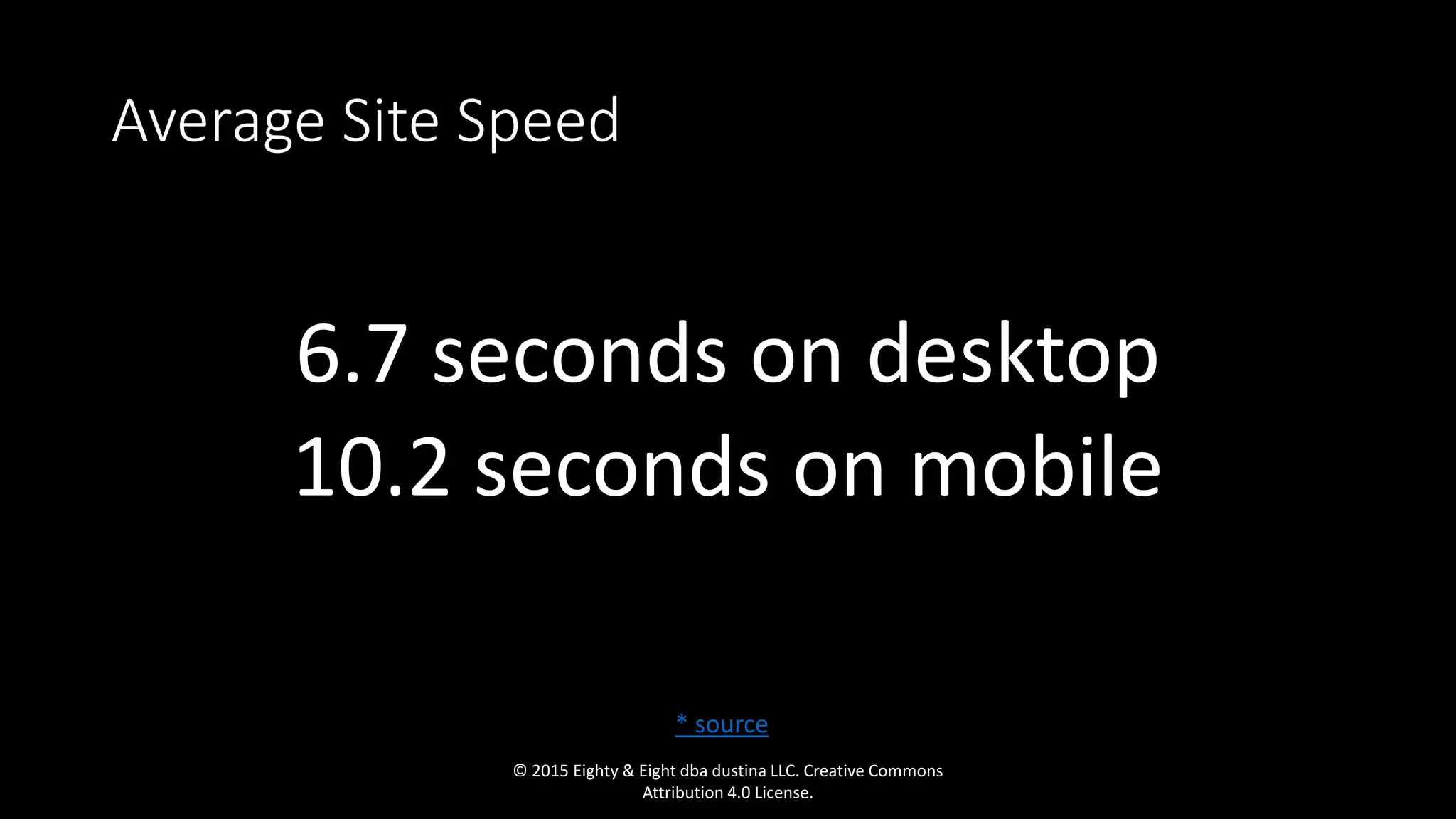
Average Site Speed
6.7 seconds on desktop
10.2 seconds on mobile
© 2015 Eighty & Eight dba dustina LLC. Creative Commons
Attribution 4.0 License.
* source
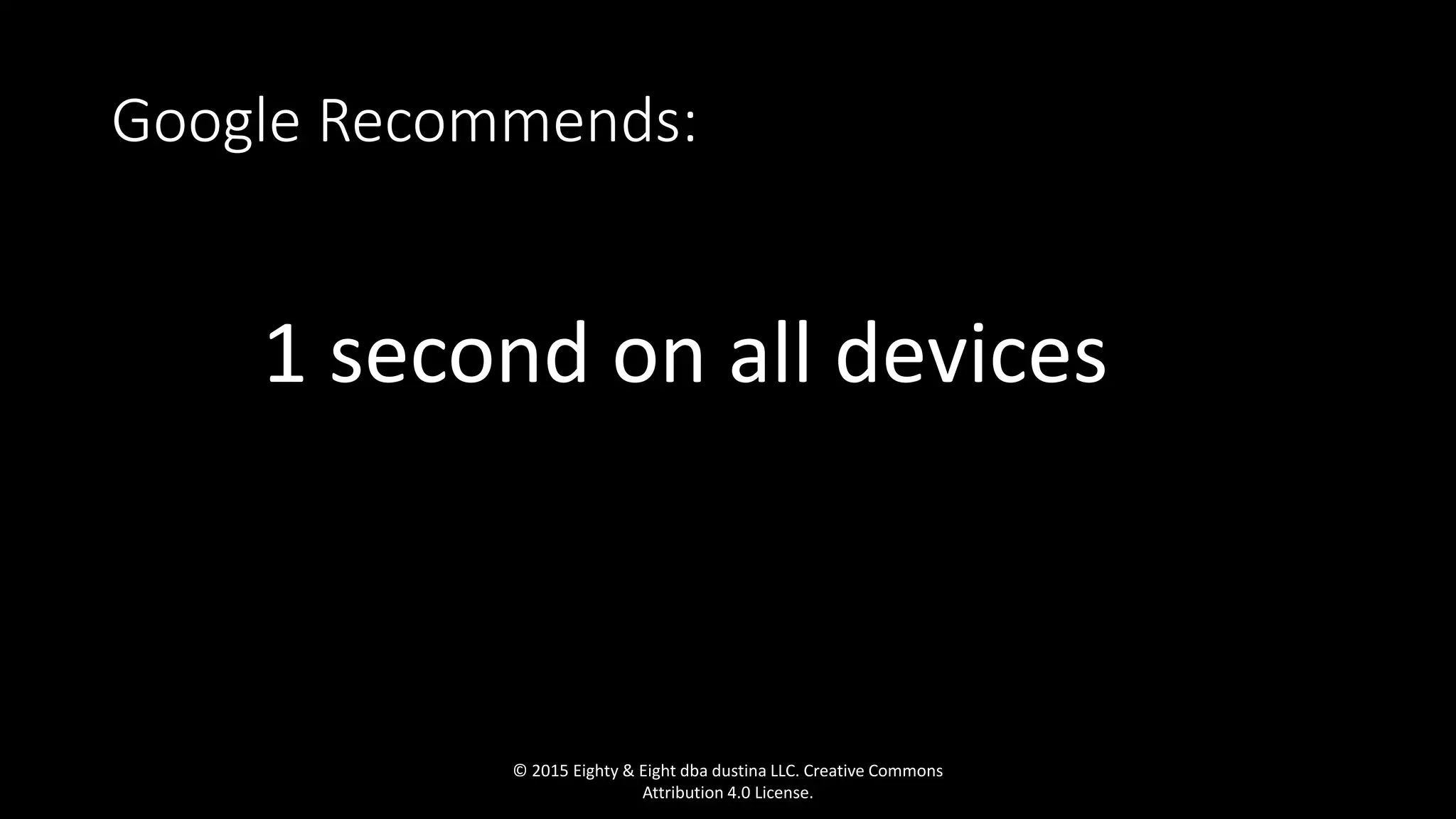
Google Recommends:
1 second on all devices….
© 2015 Eighty & Eight dba dustina LLC. Creative Commons
Attribution 4.0 License.
© 2015 Eighty & Eight dba dustina LLC. Creative Commons
Attribution 4.0 License.
While [Google] noted at the time that...a small percentage of sites
would see a significant change in ranking or traffic due to page speed
factors, I find it likely that the emphasis will increase over time….
...Having given webmasters fair notice...it’s reasonable to expect them
to phase in greater emphasis until they feel that most of their top
results deliver a high level of performance.
- Roger Dooley ….
© 2015 Eighty & Eight dba dustina LLC. Creative Commons
Attribution 4.0 License.
“
© 2015 Eighty & Eight dba dustina LLC. Creative Commons
Attribution 4.0 License.
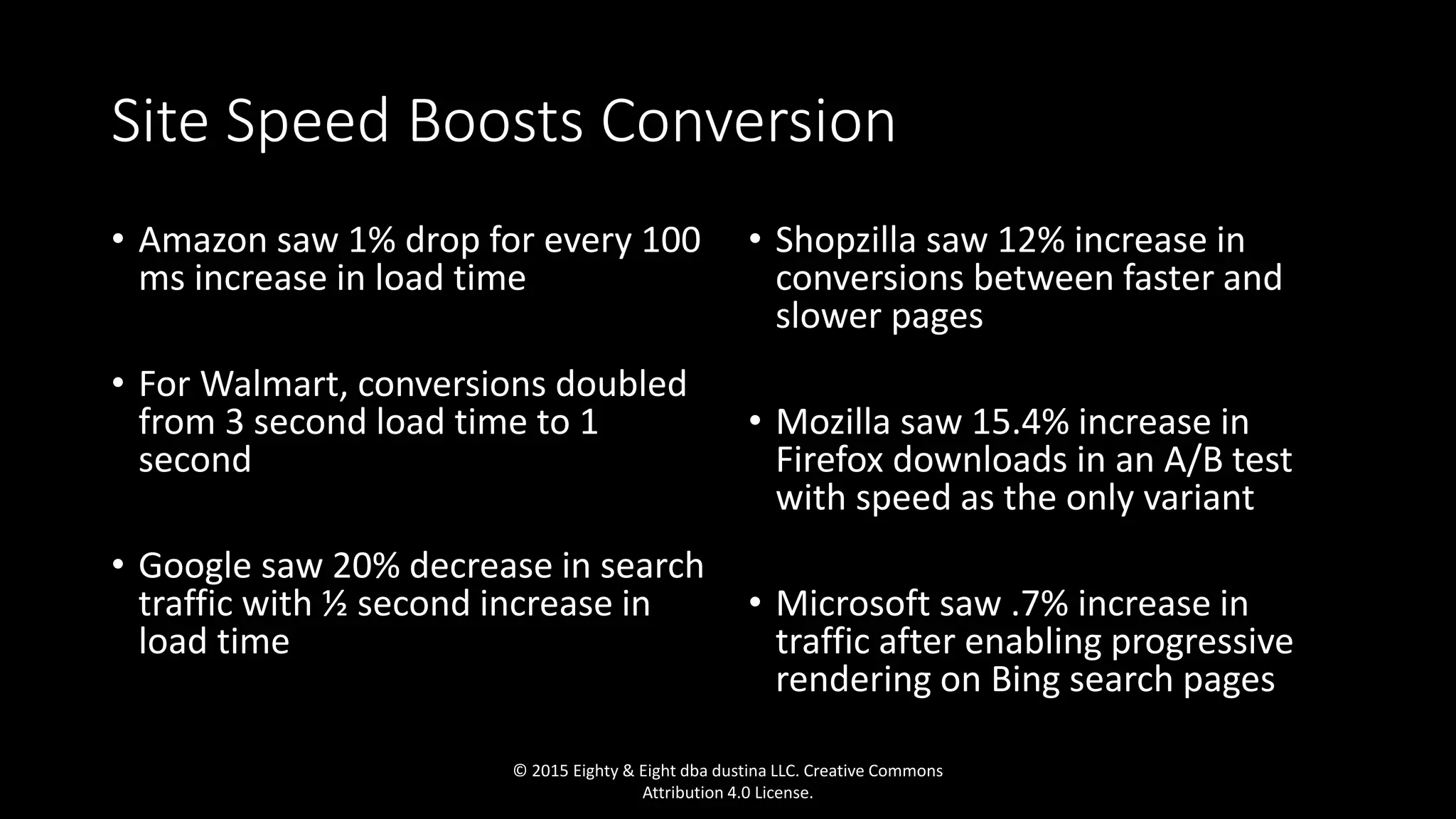
Site Speed Boosts Conversion
• Amazon saw 1% drop for every 100
ms increase in load time
• For Walmart, conversions doubled
from 3 second load time to 1
second
• Google saw 20% decrease in search
traffic with ½ second increase in
load time
• Shopzilla saw 12% increase in
conversions between faster and
slower pages
• Mozilla saw 15.4% increase in
Firefox downloads in an A/B test
with speed as the only variant
• Microsoft saw .7% increase in
traffic after enabling progressive
rendering on Bing search pages
© 2015 Eighty & Eight dba dustina LLC. Creative Commons
Attribution 4.0 License.
© 2015 Eighty & Eight dba dustina LLC. Creative Commons
Attribution 4.0 License.
In Summary:
• Site speed is crucial to
• Search rankings
• User experience (branding)
• Conversion
All of these reasons mean money. Convinced?
© 2015 Eighty & Eight dba dustina LLC. Creative Commons
Attribution 4.0 License.
© 2015 Eighty & Eight dba dustina LLC. Creative Commons
Attribution 4.0 License.
Let’s get started
© 2015 Eighty & Eight dba dustina LLC. Creative Commons
Attribution 4.0 License.
1. Take your web hosting seriously
• Avoid shared hosting
• Nginx outperforms Apache
• Hosts running newer versions of PHP are faster (5.6!)
• Use a dedicated host for your CMS
• Most dedicated hosts have built-in redundancies for traffic spikes,
CDN and caching
• VPS
• Use a CDN
© 2015 Eighty & Eight dba dustina LLC. Creative Commons
Attribution 4.0 License.
I JUST CANNAE DO IT!
I DINNAE HAVE THE POWER!
© 2015 Eighty & Eight dba dustina LLC. Creative Commons
Attribution 4.0 License.
• Your configuration depends on your CMS and requirements
• Consult a qualified system administrator
• Consider Nginx
• Use PHP-FPM (and FastCGI if using Apache)
• Make sure you have server caching setup
• Many WordPress caching plugins can actually slow down
your site
• Enable gzip compression (talk to your web host)
2. Optimize your server
© 2015 Eighty & Eight dba dustina LLC. Creative Commons
Attribution 4.0 License.
© 2015 Eighty & Eight dba dustina LLC. Creative Commons
Attribution 4.0 License.
3. Image Compression
• Proper file type
• Minimize use of .gif
• Use “Save for Web” in Photoshop, Illustrator, or the “Save for Web”
extension for GIMP
• Other tools can help improve image compression
© 2015 Eighty & Eight dba dustina LLC. Creative Commons
Attribution 4.0 License.
Some Automatic Compression Tools
• TinyPng
• Compressnow
• Compressor.io
• JPEG-Optimizer
• Image Optimizer
© 2015 Eighty & Eight dba dustina LLC. Creative Commons
Attribution 4.0 License.
If you’re adventurous…
• jpegtran
• gifsicle
• optipng
• pngquant
• webp
© 2015 Eighty & Eight dba dustina LLC. Creative Commons
Attribution 4.0 License.
© 2015 Eighty & Eight dba dustina LLC. Creative Commons
Attribution 4.0 License.
Truly Automatic Compression Tools
• WP Smushit
• EWWW Image Optimizer
• Kraken.io
© 2015 Eighty & Eight dba dustina LLC. Creative Commons
Attribution 4.0 License.
The Best Image Compression Option:
• Manual compression in Photoshop, Illustrator, or GIMP
© 2015 Eighty & Eight dba dustina LLC. Creative Commons
Attribution 4.0 License.
What’s the difference?
• 15-30% average file size savings with automated tools
• Usually 50-80% savings with manual tools
• That could mean SECONDS off your load time
© 2015 Eighty & Eight dba dustina LLC. Creative Commons
Attribution 4.0 License.
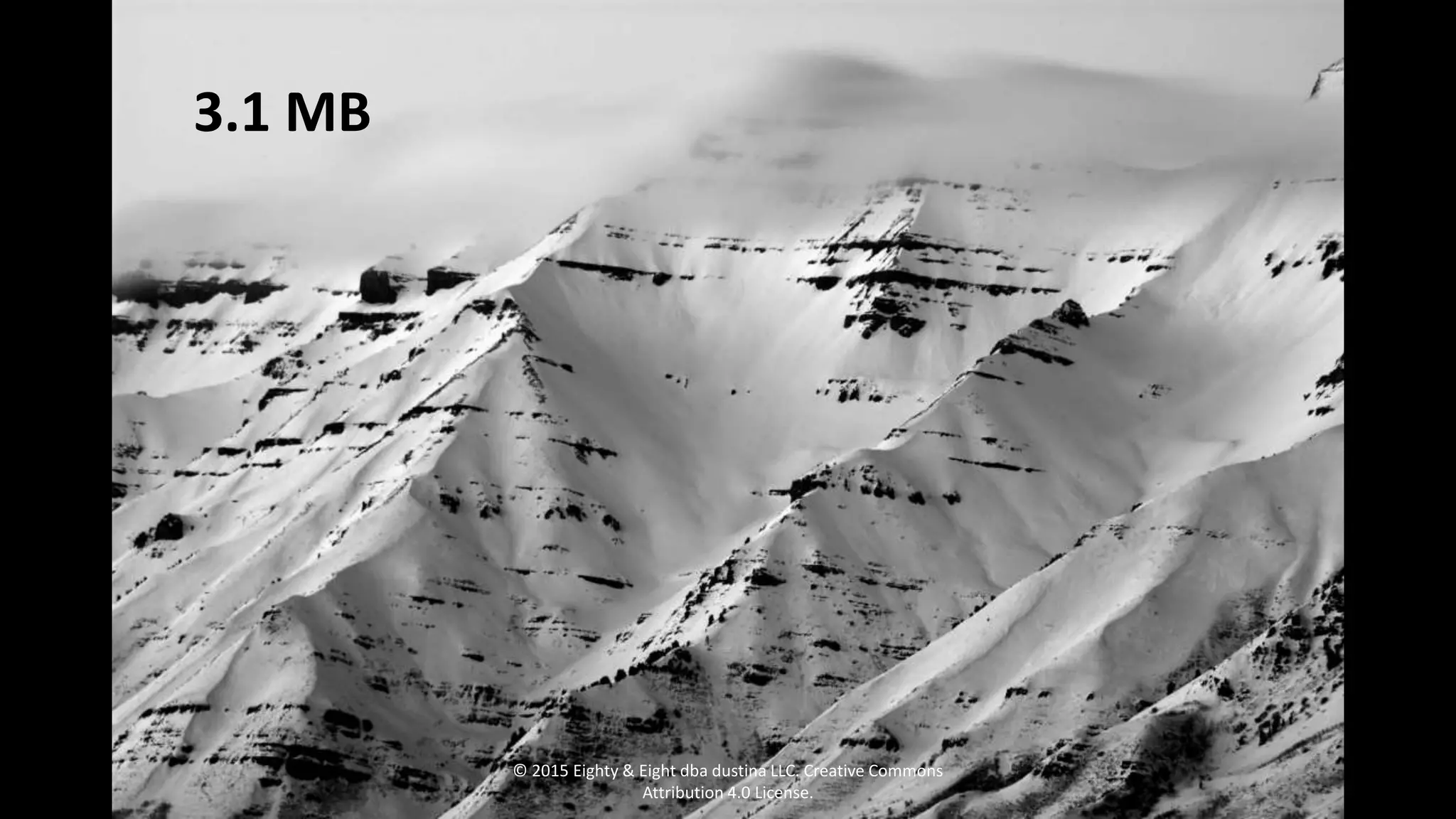
3.1 MB
© 2015 Eighty & Eight dba dustina LLC. Creative Commons
Attribution 4.0 License.
182 KB
© 2015 Eighty & Eight dba dustina LLC. Creative Commons
Attribution 4.0 License.
Results?
• Original load time was 10-17 seconds on average
• After optimizations, 600 milliseconds on average
© 2015 Eighty & Eight dba dustina LLC. Creative Commons
Attribution 4.0 License.
© 2015 Eighty & Eight dba dustina LLC. Creative Commons
Attribution 4.0 License.
4. Optimize WordPress
• Eliminate unnecessary plugins
• If ecommerce or a large site generally, consider a separate
database, or a database server
• Optimize your database
• Remove unused files, pages, drafts, etc.
• Use light themes and/or separate mobile theme
• Understand what your JavaScript is doing
© 2015 Eighty & Eight dba dustina LLC. Creative Commons
Attribution 4.0 License.
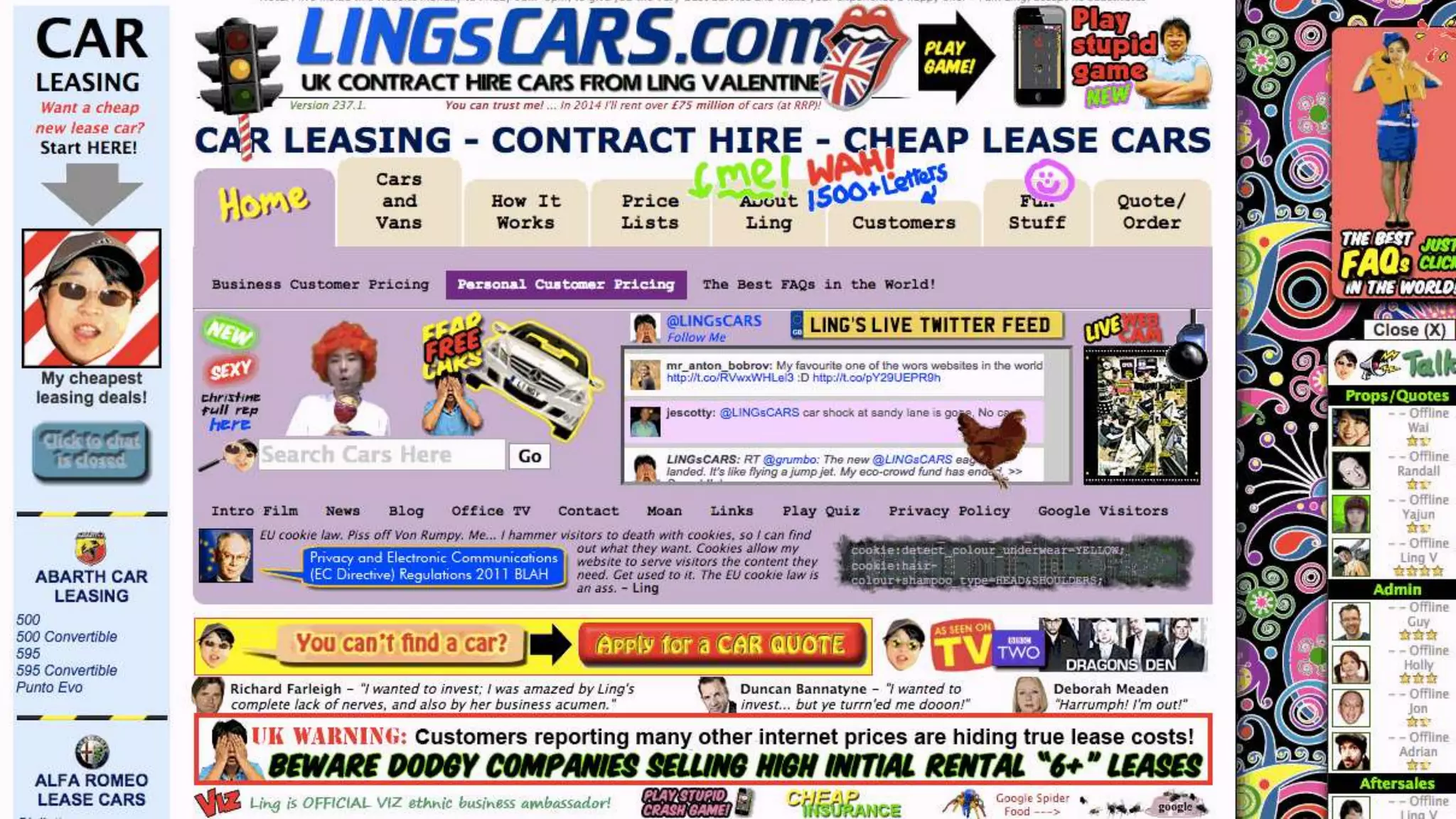
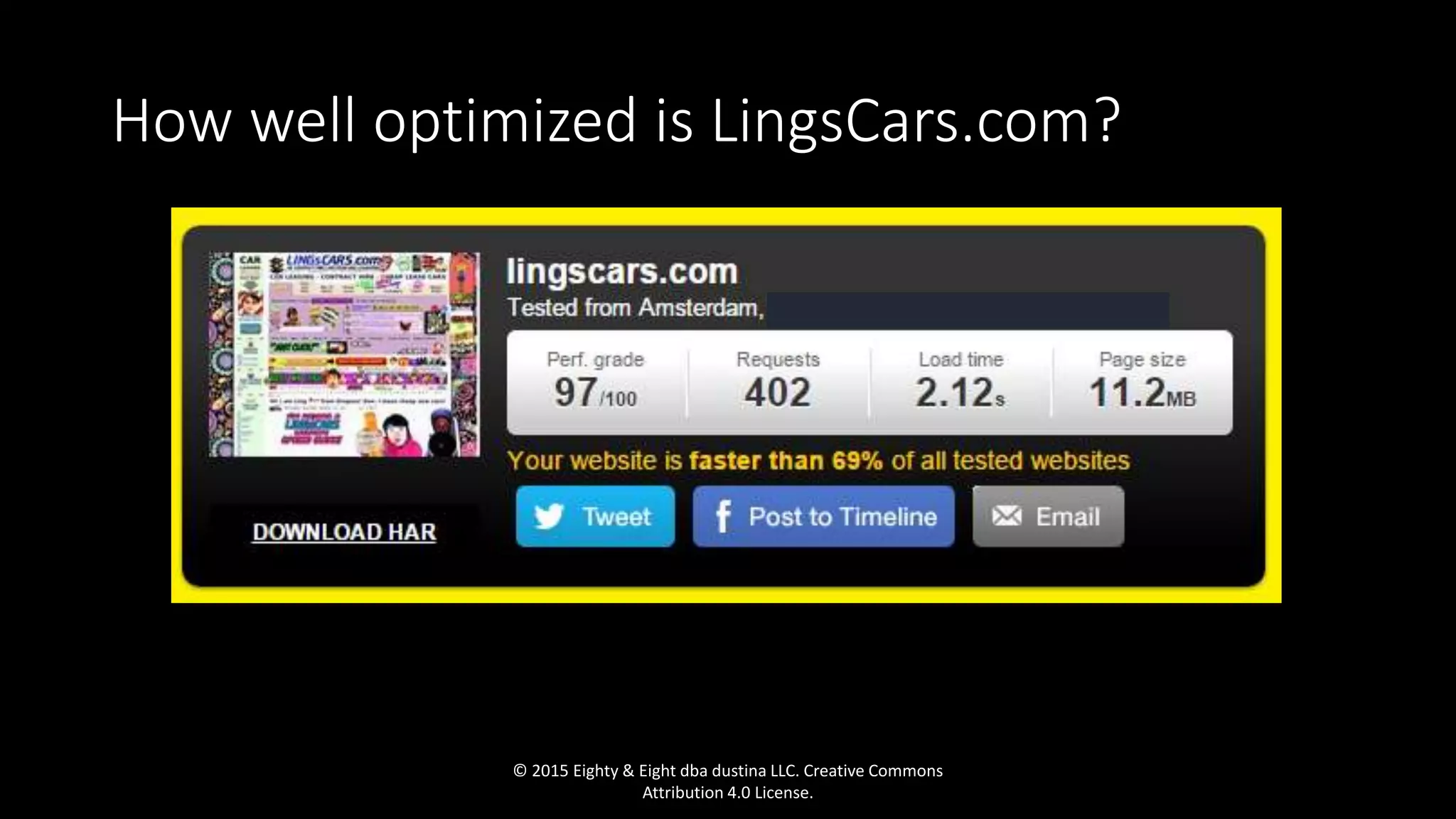
How well optimized is LingsCars.com?
© 2015 Eighty & Eight dba dustina LLC. Creative Commons
Attribution 4.0 License.
5. Combine AND
Minify all the code
• Javascript
• CSS
• HTML
© 2015 Eighty & Eight dba dustina LLC. Creative Commons
Attribution 4.0 License.
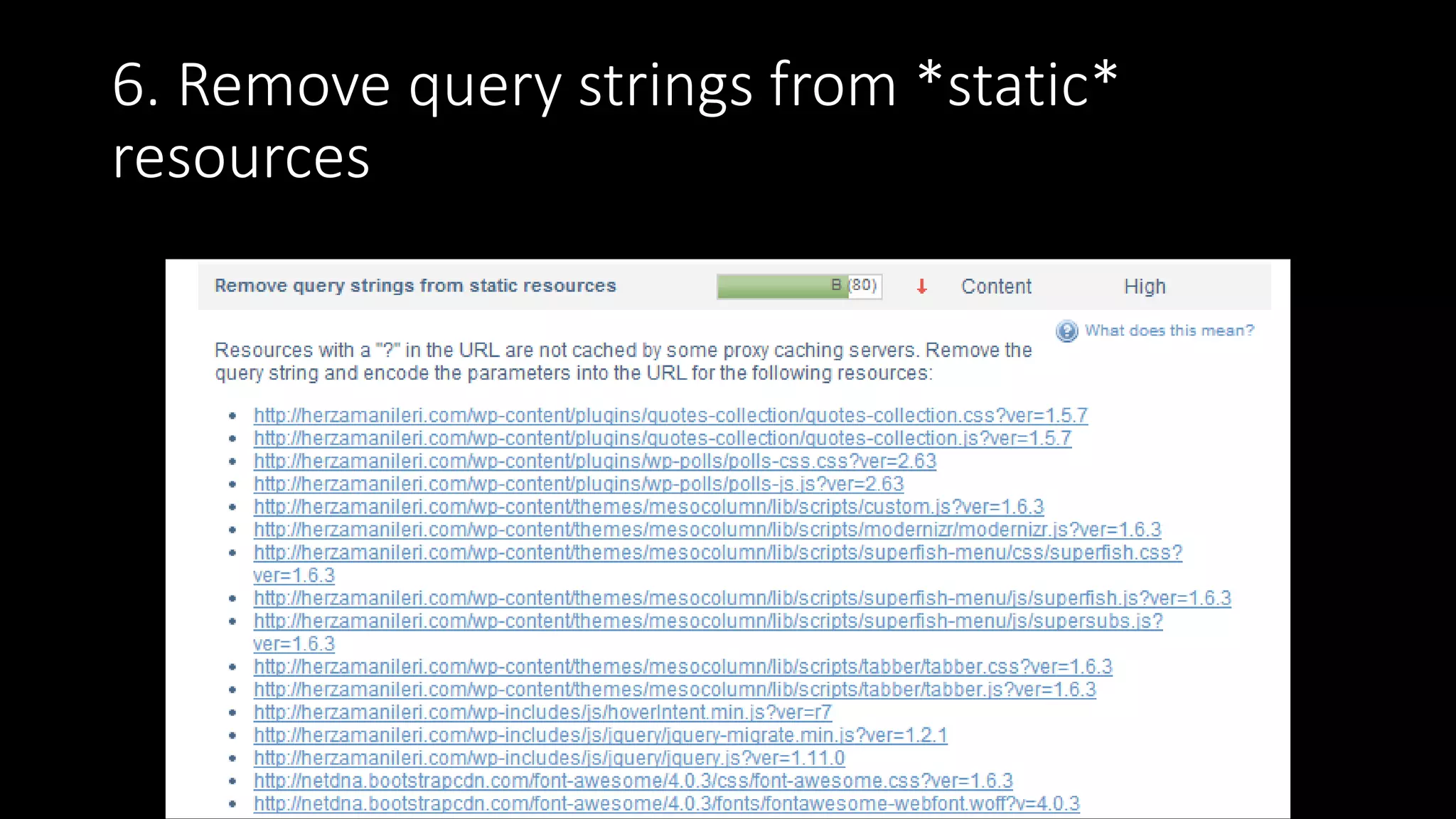
6. Remove query strings from *static*
resources
© 2015 Eighty & Eight dba dustina LLC. Creative Commons
Attribution 4.0 License.
7. Cache & CDN
• Server cache
• Object cache
• Memcache
• Leverage user’s browser cache
© 2015 Eighty & Eight dba dustina LLC. Creative Commons
Attribution 4.0 License.
I DO NOT SUPPOSE YOU
COULD SPEED THINGS UP?!© 2015 Eighty & Eight dba dustina LLC. Creative Commons
Attribution 4.0 License.
8. Minimize slow or heavy scripts & plugins
• Avoid Flash and Silverlight at all costs
• Minimize reliance on Javascript
© 2015 Eighty & Eight dba dustina LLC. Creative Commons
Attribution 4.0 License.
I THOUGHT YOU SAID THIS SHIP WAS FAST?!
9. Minimize use of external content
• Embedded external content
• Videos
• Social feeds
• Ads
• Google Fonts (not all created equal)
• Install fonts locally if possible
• NEVER use image files loading from another site (hotlinking), and
block others from doing the same from your site
© 2015 Eighty & Eight dba dustina LLC. Creative Commons
Attribution 4.0 License.
Don’t turn your
site visitors into
this guy
© 2015 Eighty & Eight dba dustina LLC. Creative Commons
Attribution 4.0 License.
10. Optimize how the page renders (DOM)
• CSS in the header
• Javascript in the footer
• If your site has a lot of images, use Lazy Load (JS)
• Make sure Javascript loads asynchronously
© 2015 Eighty & Eight dba dustina LLC. Creative Commons
Attribution 4.0 License.
© 2015 Eighty & Eight dba dustina LLC. Creative Commons
Attribution 4.0 License.
© 2015 Eighty & Eight dba dustina LLC. Creative Commons
Attribution 4.0 License.
© 2015 Eighty & Eight dba dustina LLC. Creative Commons
Attribution 4.0 License.
Questions?
© 2015 Eighty & Eight dba dustina LLC. Creative Commons
Attribution 4.0 License.
Feel Free to Ask Questions Later Too
Slides: dnay.co/DeckDMC15
Tons of Resources: dnay.co/DMC15
dustin@eightyandeight.com
@dustinnay
© 2015 Eighty & Eight dba dustina LLC. Creative Commons
Attribution 4.0 License.

Site Speed 101: How to Get Your Site to Load in 1 Second or Less

  • 1.
    © 2015 Eighty& Eight dba dustina LLC. Creative Commons Attribution 4.0 License.
  • 2.
    Site Speed 101: Howto Get Your Site to Load in 1 Second or Less © 2015 Eighty & Eight dba dustina LLC. Creative Commons Attribution 4.0 License.
  • 3.
    © 2015 Eighty& Eight dba dustina LLC. Creative Commons Attribution 4.0 License.
  • 4.
    Average Site Speed 6.7seconds on desktop 10.2 seconds on mobile © 2015 Eighty & Eight dba dustina LLC. Creative Commons Attribution 4.0 License. * source
  • 5.
    Google Recommends: 1 secondon all devices…. © 2015 Eighty & Eight dba dustina LLC. Creative Commons Attribution 4.0 License.
  • 6.
    © 2015 Eighty& Eight dba dustina LLC. Creative Commons Attribution 4.0 License.
  • 7.
    While [Google] notedat the time that...a small percentage of sites would see a significant change in ranking or traffic due to page speed factors, I find it likely that the emphasis will increase over time…. ...Having given webmasters fair notice...it’s reasonable to expect them to phase in greater emphasis until they feel that most of their top results deliver a high level of performance. - Roger Dooley …. © 2015 Eighty & Eight dba dustina LLC. Creative Commons Attribution 4.0 License. “
  • 8.
    © 2015 Eighty& Eight dba dustina LLC. Creative Commons Attribution 4.0 License.
  • 9.
    Site Speed BoostsConversion • Amazon saw 1% drop for every 100 ms increase in load time • For Walmart, conversions doubled from 3 second load time to 1 second • Google saw 20% decrease in search traffic with ½ second increase in load time • Shopzilla saw 12% increase in conversions between faster and slower pages • Mozilla saw 15.4% increase in Firefox downloads in an A/B test with speed as the only variant • Microsoft saw .7% increase in traffic after enabling progressive rendering on Bing search pages © 2015 Eighty & Eight dba dustina LLC. Creative Commons Attribution 4.0 License.
  • 10.
    © 2015 Eighty& Eight dba dustina LLC. Creative Commons Attribution 4.0 License.
  • 11.
    In Summary: • Sitespeed is crucial to • Search rankings • User experience (branding) • Conversion All of these reasons mean money. Convinced? © 2015 Eighty & Eight dba dustina LLC. Creative Commons Attribution 4.0 License.
  • 12.
    © 2015 Eighty& Eight dba dustina LLC. Creative Commons Attribution 4.0 License.
  • 13.
    Let’s get started ©2015 Eighty & Eight dba dustina LLC. Creative Commons Attribution 4.0 License.
  • 14.
    1. Take yourweb hosting seriously • Avoid shared hosting • Nginx outperforms Apache • Hosts running newer versions of PHP are faster (5.6!) • Use a dedicated host for your CMS • Most dedicated hosts have built-in redundancies for traffic spikes, CDN and caching • VPS • Use a CDN © 2015 Eighty & Eight dba dustina LLC. Creative Commons Attribution 4.0 License.
  • 15.
    I JUST CANNAEDO IT! I DINNAE HAVE THE POWER! © 2015 Eighty & Eight dba dustina LLC. Creative Commons Attribution 4.0 License.
  • 16.
    • Your configurationdepends on your CMS and requirements • Consult a qualified system administrator • Consider Nginx • Use PHP-FPM (and FastCGI if using Apache) • Make sure you have server caching setup • Many WordPress caching plugins can actually slow down your site • Enable gzip compression (talk to your web host) 2. Optimize your server © 2015 Eighty & Eight dba dustina LLC. Creative Commons Attribution 4.0 License.
  • 17.
    © 2015 Eighty& Eight dba dustina LLC. Creative Commons Attribution 4.0 License.
  • 18.
    3. Image Compression •Proper file type • Minimize use of .gif • Use “Save for Web” in Photoshop, Illustrator, or the “Save for Web” extension for GIMP • Other tools can help improve image compression © 2015 Eighty & Eight dba dustina LLC. Creative Commons Attribution 4.0 License.
  • 19.
    Some Automatic CompressionTools • TinyPng • Compressnow • Compressor.io • JPEG-Optimizer • Image Optimizer © 2015 Eighty & Eight dba dustina LLC. Creative Commons Attribution 4.0 License.
  • 20.
    If you’re adventurous… •jpegtran • gifsicle • optipng • pngquant • webp © 2015 Eighty & Eight dba dustina LLC. Creative Commons Attribution 4.0 License.
  • 21.
    © 2015 Eighty& Eight dba dustina LLC. Creative Commons Attribution 4.0 License.
  • 22.
    Truly Automatic CompressionTools • WP Smushit • EWWW Image Optimizer • Kraken.io © 2015 Eighty & Eight dba dustina LLC. Creative Commons Attribution 4.0 License.
  • 23.
    The Best ImageCompression Option: • Manual compression in Photoshop, Illustrator, or GIMP © 2015 Eighty & Eight dba dustina LLC. Creative Commons Attribution 4.0 License.
  • 24.
    What’s the difference? •15-30% average file size savings with automated tools • Usually 50-80% savings with manual tools • That could mean SECONDS off your load time © 2015 Eighty & Eight dba dustina LLC. Creative Commons Attribution 4.0 License.
  • 25.
    3.1 MB © 2015Eighty & Eight dba dustina LLC. Creative Commons Attribution 4.0 License.
  • 26.
    182 KB © 2015Eighty & Eight dba dustina LLC. Creative Commons Attribution 4.0 License.
  • 27.
    Results? • Original loadtime was 10-17 seconds on average • After optimizations, 600 milliseconds on average © 2015 Eighty & Eight dba dustina LLC. Creative Commons Attribution 4.0 License.
  • 28.
    © 2015 Eighty& Eight dba dustina LLC. Creative Commons Attribution 4.0 License.
  • 29.
    4. Optimize WordPress •Eliminate unnecessary plugins • If ecommerce or a large site generally, consider a separate database, or a database server • Optimize your database • Remove unused files, pages, drafts, etc. • Use light themes and/or separate mobile theme • Understand what your JavaScript is doing © 2015 Eighty & Eight dba dustina LLC. Creative Commons Attribution 4.0 License.
  • 31.
    How well optimizedis LingsCars.com? © 2015 Eighty & Eight dba dustina LLC. Creative Commons Attribution 4.0 License.
  • 32.
    5. Combine AND Minifyall the code • Javascript • CSS • HTML © 2015 Eighty & Eight dba dustina LLC. Creative Commons Attribution 4.0 License.
  • 33.
    6. Remove querystrings from *static* resources © 2015 Eighty & Eight dba dustina LLC. Creative Commons Attribution 4.0 License.
  • 34.
    7. Cache &CDN • Server cache • Object cache • Memcache • Leverage user’s browser cache © 2015 Eighty & Eight dba dustina LLC. Creative Commons Attribution 4.0 License.
  • 35.
    I DO NOTSUPPOSE YOU COULD SPEED THINGS UP?!© 2015 Eighty & Eight dba dustina LLC. Creative Commons Attribution 4.0 License.
  • 36.
    8. Minimize slowor heavy scripts & plugins • Avoid Flash and Silverlight at all costs • Minimize reliance on Javascript © 2015 Eighty & Eight dba dustina LLC. Creative Commons Attribution 4.0 License.
  • 37.
    I THOUGHT YOUSAID THIS SHIP WAS FAST?!
  • 38.
    9. Minimize useof external content • Embedded external content • Videos • Social feeds • Ads • Google Fonts (not all created equal) • Install fonts locally if possible • NEVER use image files loading from another site (hotlinking), and block others from doing the same from your site © 2015 Eighty & Eight dba dustina LLC. Creative Commons Attribution 4.0 License.
  • 39.
    Don’t turn your sitevisitors into this guy © 2015 Eighty & Eight dba dustina LLC. Creative Commons Attribution 4.0 License.
  • 40.
    10. Optimize howthe page renders (DOM) • CSS in the header • Javascript in the footer • If your site has a lot of images, use Lazy Load (JS) • Make sure Javascript loads asynchronously © 2015 Eighty & Eight dba dustina LLC. Creative Commons Attribution 4.0 License.
  • 41.
    © 2015 Eighty& Eight dba dustina LLC. Creative Commons Attribution 4.0 License.
  • 42.
    © 2015 Eighty& Eight dba dustina LLC. Creative Commons Attribution 4.0 License.
  • 43.
    © 2015 Eighty& Eight dba dustina LLC. Creative Commons Attribution 4.0 License.
  • 44.
    Questions? © 2015 Eighty& Eight dba dustina LLC. Creative Commons Attribution 4.0 License.
  • 45.
    Feel Free toAsk Questions Later Too Slides: dnay.co/DeckDMC15 Tons of Resources: dnay.co/DMC15 dustin@eightyandeight.com @dustinnay © 2015 Eighty & Eight dba dustina LLC. Creative Commons Attribution 4.0 License.

Editor's Notes

  • #2 I’m obsessed with making WordPress sites fast, and we’ll talk about why very soon. I also love memes… probably too much. All the memes in this presentation were found online, I didn’t create any custom memes for this. Obviously I’m not the only person who hates slow sites. Now who’s going crazy with this spinning loading wheel thing up here?
  • #3 Disclaimer: this does not mean you can make any website load in 1 second or less. There are conditions, and I’ll talk about that later. But MOST WordPress sites should be able to load in 1 second or less, with some work.
  • #4 I finally got off of DSL in 2010. Before DSL my parents had free internet from Juno (remember that?). But increasingly we live in a fiber world, and slow sites do not cut it anymore.
  • #5 Averages Obviously 3G or 4G are going to be slower—we have to work with that though
  • #6 I know, this is tough.
  • #7 I’m not a ninja, but I’ve totally gotten up to make a sandwich before when something is taking a long time to load. Most users don’t want to work on ninja moves or sandwiches though—they just want to get to the information or tools they need.
  • #8 In the SearchMetrics 2014 ranking factors study, site speed one of the most important on-page ranking factors. All other things being equal, the faster website wins.
  • #9 How many of you have had this happen? If a website takes more than 5 seconds to load, I start thinking this.
  • #10 Obviously speed matters for conversion. These studies go back years, and new ones keep cropping up.
  • #12 If you don’t want to worry about speed for rankings, there are other very lucrative reasons to worry about site speed.
  • #15 In the notes I’ll give out at the end, I’ve included my favorite hosts to use.
  • #16 Your hosting platform needs to be commensurate with the load you will put on it.
  • #17 Unless you have your own VPS or dedicated server, you won’t have options. But these things can help you ask questions to find a good web host.
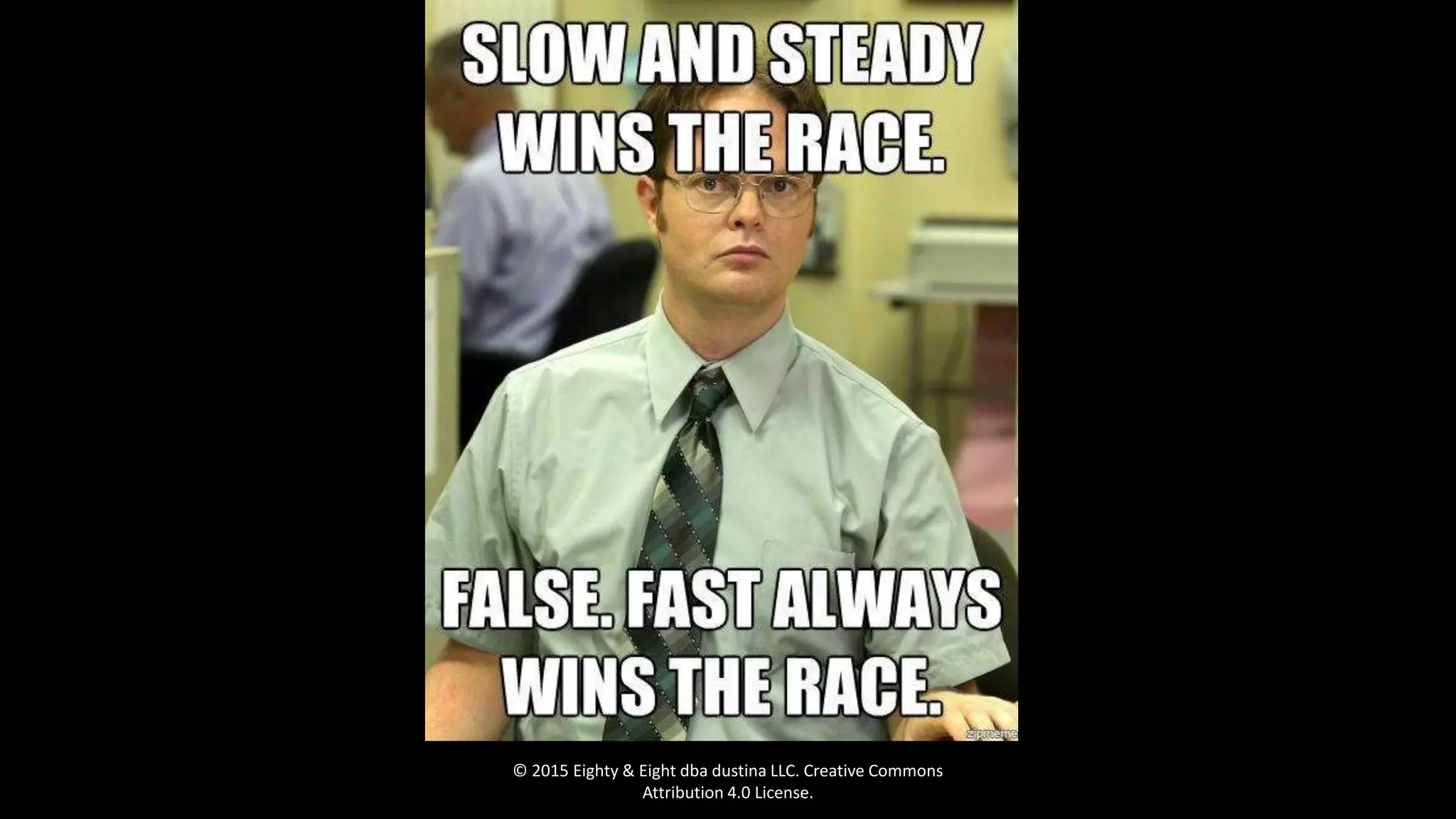
  • #18 Slow and steady never wins the race online. No philosophical arguments here.
  • #19 PNG for graphics, jpg for pictures, only use gif for animations (SPARINGLY) Photoshop is THE BEST for optimizing images. A little trick in illustrator: turn your picture into a high-fidelity illustration, which reduces the number of colors, gradients, and shadows, thereby reducing file size. Then “Save for web.”
  • #20 Tinypng is my favorite of these. Links in my notes at the end.
  • #21 These install on your own server (VPS or dedicated), and allow you to create custom processes to reduce file size.
  • #23 WP Smushit has no free option, but the other two do. I have tried all of these, though I haven’t tested extensively. In my experience, they all work well. Eventually I will run some extensive tests on these to see how they perform more exactly.
  • #24 The BEST option. GIMP works OK, but not as well as Photoshop. Unfortunately. Adobe maintains its chokehold on the market (and my continued reliance on Windows).
  • #25 Manual is the best. Period.
  • #26 Mt. Timpanogos, creative commons license. Used as background behind some content on a WordPress site.
  • #27 Can you tell?
  • #28 Obviously I did a lot more than just compress one image, but this is to show you that crazy things can happen. And that 10-17 second load time was on a dedicated WordPress host… so yes, this stuff matters, and a properly configured server won’t always save you.
  • #29 Not many people say this… but then older people or more likely to patiently wait for a page load than others.
  • #30 If you’re not using a plugin, deactivate it and delete it. If you have inactive plugins installed but not used, and you don’t plan on using it any time soon, remove it (this won’t speed up your site, but it may help prevent security vulnerabilities from being exploited on out-of-date plugins). Optimize your database – this really means cleaning up all the auto-drafts, and other “garbage” that tends to pile up in WordPress databases. Use a light theme with a mobile theme switcher, or a mobile theme. Responsive is great, but sometimes it can’t get you to 1 second or less. There are always tradeoffs. I’ll talk more about javascript in a moment. This could be a presentation unto itself. There are tons of resource links in the notes about this page.
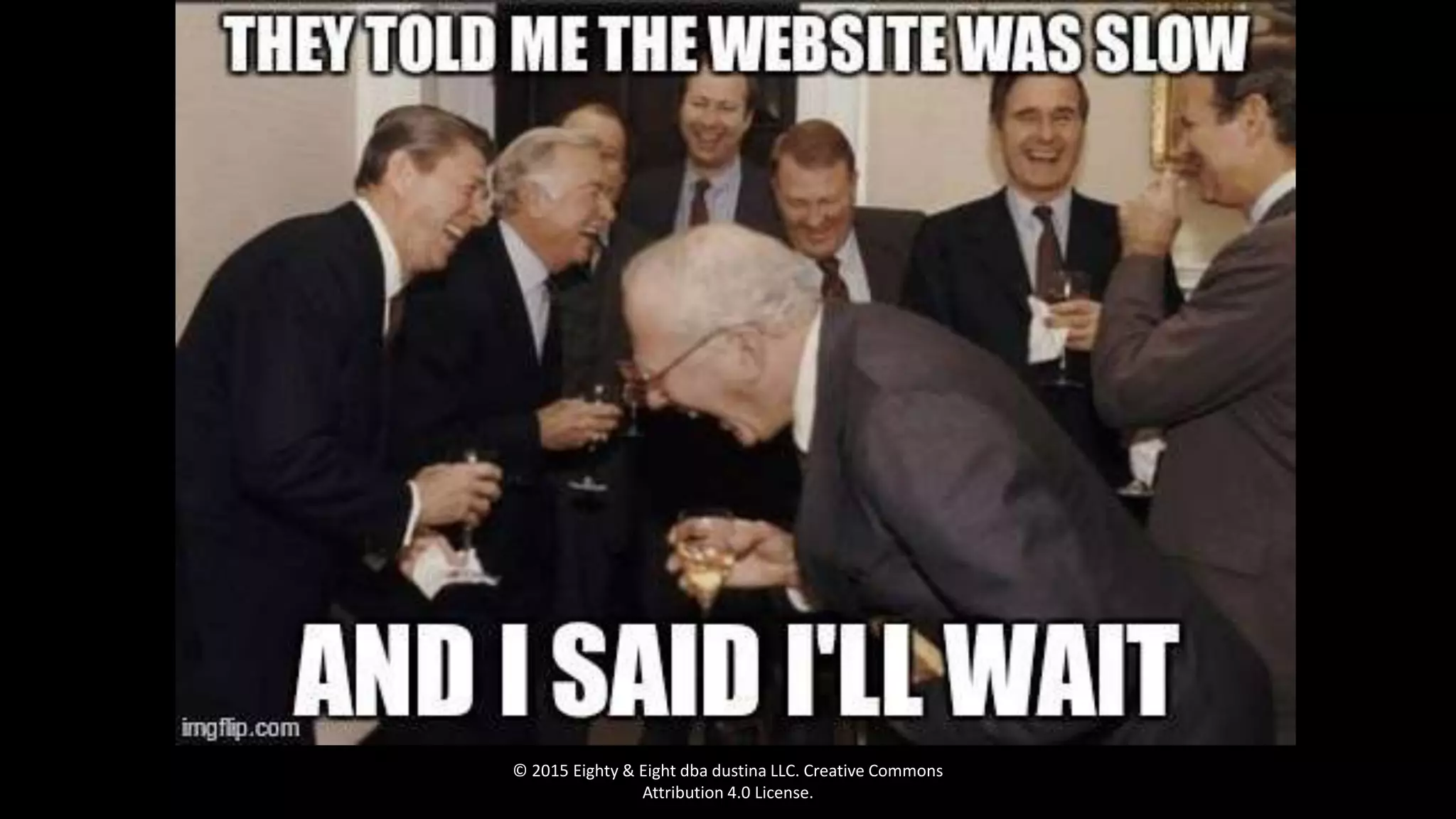
  • #31 I’ll be selling ibuprofen after the presentation. :P
  • #32 But wait, this real website is a successful business, and loads in 2 seconds with over 200 image files on that home page. What?!?
  • #33 Caution: don’t combine your JS unless you really know what you’re doing, and be careful about minification. Some files won’t work properly if minified. Sometimes it’s a trial/error method to see what works and doesn’t. You are generally safe to combine and minify CSS, but keep on eye on it. HTML: please combine and minify.
  • #34 These just cause the server to do extra work before it renders processes (CSS and JS particularly). There is a plugin for this to make it simple (in Notes).
  • #35 This can be very complex, and depends entirely on your hosting plan and server configuration. As a general rule among WordPress plugins, my favorite plugin for caching is WP Rocket, but my favorite caching method is using the native cache within Nginx. WP Super Cache and WP Total Cache are also good alternatives, but if configured incorrectly can significantly slow down your site (instead of speeding it up).
  • #37 Just don’t use Flash. ‘nuf said. As always, your 1 second is a budget. If you can justify a larger budget, or justify why you need JS and make up for speed in other areas, by all means. Just avoid using JS unjustifiably. Just because you can doesn’t always mean you should.
  • #38 Not fast enough yet? We’ve still got a little work to do.
  • #39  Tons of embedded video? This may cause you problems. YouTube’s embedded videos create a few HTTP requests per embed instance. If you have 10 videos, that’s 30+ HTTP requests, which definitely adds some load time. Embedded Twitter feed? Not only does nobody care, it slows down your site. Delete it. Gone. Google Fonts add some extra time to load your site. It’s miniscule (usually only a few milliseconds), but if you’re loading 3 different Google Fonts, now we’re talking 50 milliseconds. Look at your budget. If you’re using multiple ad networks, bless your heart. There really is no hope for you. Never hotlink from someone else’ site. Then you rely on their (possibly) slow server to load your image. Stupid. Plus you’re stealing bandwidth. Use a CDN.
  • #41 This is a BIG issue. CSS has to fully load into the browser before it starts to render. Minification and combining the files helps, but you really need to make sure CSS is in the header. It should never be queued anywhere else. Ever. Period. Javascript should always be in the footer, unless it’s important to content rendering on the page, or is a tracking code and loads asynchronously. Otherwise, footer. Period. If you have tons of images (like lingscars.com), use the Lazy Load script so images load as a user scrolls down the page, rather than loading when the page loads. This reduces HTTP requests and load time significantly. Even if you only have 10 image files on your page, this makes a difference.
  • #42 Faster now?
  • #44 Thank you, thank you. Questions?