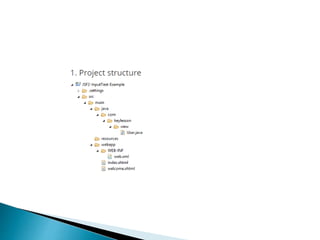
 JSF 2 Hello World using Maven
 Java Server Faces (JSF) is a standard Java
framework for building user interfaces for Java
Web
applications. It combines an MVC design
approach with a standard component based UI
development framework.
 In this tutorial, we will create our first JSF 2
application using Maven. We will have a web page
with a text box and a submit button, so when the
user types a value inside the text field and click
the button, he will be forwarded to another page
that will display the submitted text field value.
 JavaServer Faces (JSF) is a Java-based web
application framework intended to simplify
development integration of web-based user
interfaces. JavaServer Faces is a standardized
display technology which was formalized in a
specification through the Java Community
Process.
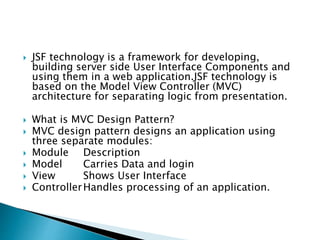
 JSF technology is a framework for developing,
building server side User Interface Components and
using them in a web application.JSF technology is
based on the Model View Controller (MVC)
architecture for separating logic from presentation.
 What is MVC Design Pattern?
 MVC design pattern designs an application using
three separate modules:
 Module Description
 Model Carries Data and login
 View Shows User Interface
 ControllerHandles processing of an application.
 JSF Architecture
 A JSF application is similar to any other Java technology-based
web application; it runs in a Java servlet container, and contains
 JavaBeans components as models containing application-specific
functionality and data
 A custom tag library for representing event handlers and
validators
 A custom tag library for rendering UI components
 UI components represented as stateful objects on the server
 Server-side helper classes
 Validators, event handlers, and navigation handlers
 Application configuration resource file for configuring
application resources
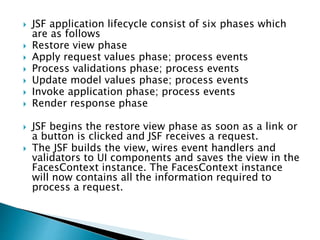
 JSF application lifecycle consist of six phases which
are as follows
 Restore view phase
 Apply request values phase; process events
 Process validations phase; process events
 Update model values phase; process events
 Invoke application phase; process events
 Render response phase
 JSF begins the restore view phase as soon as a link or
a button is clicked and JSF receives a request.
 The JSF builds the view, wires event handlers and
validators to UI components and saves the view in the
FacesContext instance. The FacesContext instance
will now contains all the information required to
process a request.
 File : index.xhtml
 <?xml version="1.0" encoding="UTF-8"?>
 <!DOCTYPE html PUBLIC "-//W3C//DTD XHTML 1.0
Transitional//EN"
 "http://www.w3.org/TR/xhtml1/DTD/xhtml1-transitional.dtd">
 <html xmlns="http://www.w3.org/1999/xhtml"
 xmlns:h="http://java.sun.com/jsf/html">
 <h:body>
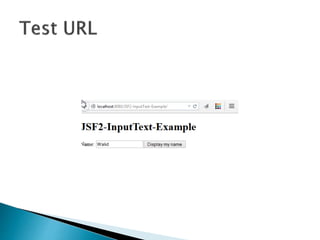
 <h1>JSF2-InputText-Example</h1>
 <h:form>
 Name: <h:inputText value="#{user.name}" />
 <h:commandButton action="welcome" value="Display my
name" />
 </h:form>
 </h:body>
 </html>
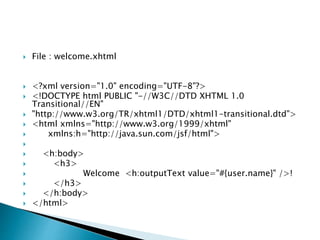
 File : welcome.xhtml
 <?xml version="1.0" encoding="UTF-8"?>
 <!DOCTYPE html PUBLIC "-//W3C//DTD XHTML 1.0
Transitional//EN"
 "http://www.w3.org/TR/xhtml1/DTD/xhtml1-transitional.dtd">
 <html xmlns="http://www.w3.org/1999/xhtml"
 xmlns:h="http://java.sun.com/jsf/html">

 <h:body>
 <h3>
 Welcome <h:outputText value="#{user.name}" />!
 </h3>
 </h:body>
 </html>
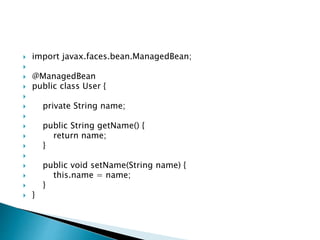
 import javax.faces.bean.ManagedBean;

 @ManagedBean
 public class User {

 private String name;

 public String getName() {
 return name;
 }

 public void setName(String name) {
 this.name = name;
 }
 }
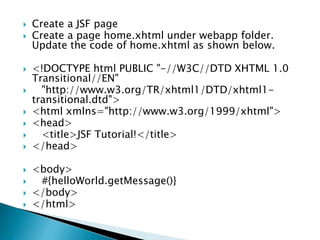
 Create a JSF page
 Create a page home.xhtml under webapp folder.
Update the code of home.xhtml as shown below.
 <!DOCTYPE html PUBLIC "-//W3C//DTD XHTML 1.0
Transitional//EN"
 "http://www.w3.org/TR/xhtml1/DTD/xhtml1-
transitional.dtd">
 <html xmlns="http://www.w3.org/1999/xhtml">
 <head>
 <title>JSF Tutorial!</title>
 </head>
 <body>
 #{helloWorld.getMessage()}
 </body>
 </html>
Jsf 2

Jsf 2

  • 2.
     JSF 2Hello World using Maven  Java Server Faces (JSF) is a standard Java framework for building user interfaces for Java Web applications. It combines an MVC design approach with a standard component based UI development framework.  In this tutorial, we will create our first JSF 2 application using Maven. We will have a web page with a text box and a submit button, so when the user types a value inside the text field and click the button, he will be forwarded to another page that will display the submitted text field value.
  • 3.
     JavaServer Faces(JSF) is a Java-based web application framework intended to simplify development integration of web-based user interfaces. JavaServer Faces is a standardized display technology which was formalized in a specification through the Java Community Process.
  • 4.
     JSF technologyis a framework for developing, building server side User Interface Components and using them in a web application.JSF technology is based on the Model View Controller (MVC) architecture for separating logic from presentation.  What is MVC Design Pattern?  MVC design pattern designs an application using three separate modules:  Module Description  Model Carries Data and login  View Shows User Interface  ControllerHandles processing of an application.
  • 5.
     JSF Architecture A JSF application is similar to any other Java technology-based web application; it runs in a Java servlet container, and contains  JavaBeans components as models containing application-specific functionality and data  A custom tag library for representing event handlers and validators  A custom tag library for rendering UI components  UI components represented as stateful objects on the server  Server-side helper classes  Validators, event handlers, and navigation handlers  Application configuration resource file for configuring application resources
  • 6.
     JSF applicationlifecycle consist of six phases which are as follows  Restore view phase  Apply request values phase; process events  Process validations phase; process events  Update model values phase; process events  Invoke application phase; process events  Render response phase  JSF begins the restore view phase as soon as a link or a button is clicked and JSF receives a request.  The JSF builds the view, wires event handlers and validators to UI components and saves the view in the FacesContext instance. The FacesContext instance will now contains all the information required to process a request.
  • 8.
     File :index.xhtml  <?xml version="1.0" encoding="UTF-8"?>  <!DOCTYPE html PUBLIC "-//W3C//DTD XHTML 1.0 Transitional//EN"  "http://www.w3.org/TR/xhtml1/DTD/xhtml1-transitional.dtd">  <html xmlns="http://www.w3.org/1999/xhtml"  xmlns:h="http://java.sun.com/jsf/html">  <h:body>  <h1>JSF2-InputText-Example</h1>  <h:form>  Name: <h:inputText value="#{user.name}" />  <h:commandButton action="welcome" value="Display my name" />  </h:form>  </h:body>  </html>
  • 9.
     File :welcome.xhtml  <?xml version="1.0" encoding="UTF-8"?>  <!DOCTYPE html PUBLIC "-//W3C//DTD XHTML 1.0 Transitional//EN"  "http://www.w3.org/TR/xhtml1/DTD/xhtml1-transitional.dtd">  <html xmlns="http://www.w3.org/1999/xhtml"  xmlns:h="http://java.sun.com/jsf/html">   <h:body>  <h3>  Welcome <h:outputText value="#{user.name}" />!  </h3>  </h:body>  </html>
  • 10.
     import javax.faces.bean.ManagedBean;  @ManagedBean  public class User {   private String name;   public String getName() {  return name;  }   public void setName(String name) {  this.name = name;  }  }
  • 11.
     Create aJSF page  Create a page home.xhtml under webapp folder. Update the code of home.xhtml as shown below.  <!DOCTYPE html PUBLIC "-//W3C//DTD XHTML 1.0 Transitional//EN"  "http://www.w3.org/TR/xhtml1/DTD/xhtml1- transitional.dtd">  <html xmlns="http://www.w3.org/1999/xhtml">  <head>  <title>JSF Tutorial!</title>  </head>  <body>  #{helloWorld.getMessage()}  </body>  </html>