Oliver Kempkens 08. – 09. April a service of
Design Thinking
DESIGN
THINKING 2
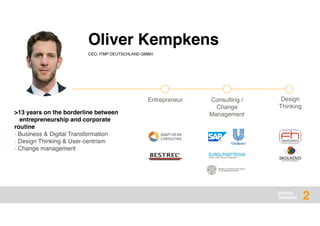
Oliver Kempkens
CEO, ITMP DEUTSCHLAND GMBH
>13 years on the borderline between
entrepreneurship and corporate
routine
› Business & Digital Transformation
› Design Thinking & User-centrism
› Change management
Entrepreneur Consulting /
Change
Management
Design
Thinking
DESIGN
THINKING
??What is Design Thinking
3
DESIGN
THINKING
warm-
6
DESIGN
THINKING
your
thoughts
??What is Design Thinking
7
DESIGN
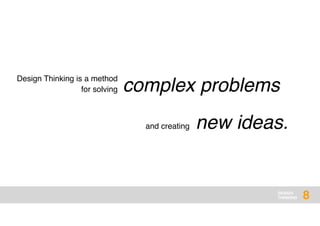
THINKING 8
complex problems
Design Thinking is a method
for solving
new ideas.and creating
DESIGN
THINKING
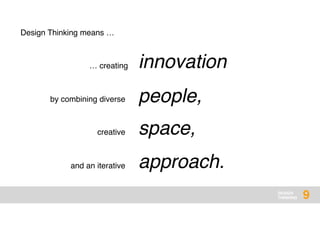
innovation
people,
space,
approach.
9
Design Thinking means …
… creating
by combining diverse
creative
and an iterative
DESIGN
THINKING 10
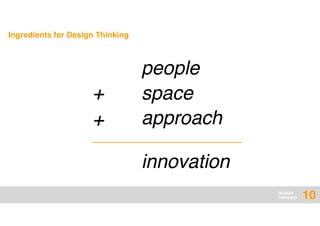
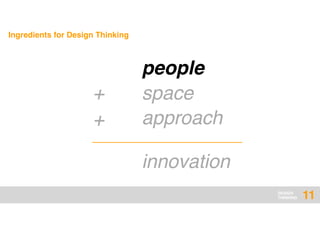
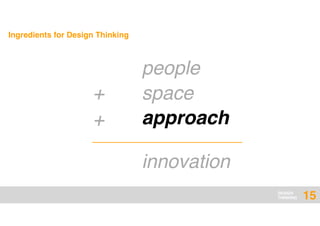
Ingredients for Design Thinking
innovation
people
space
approach
+
+
DESIGN
THINKING 11
Ingredients for Design Thinking
innovation
people
space
approach
+
+
DESIGN
THINKING
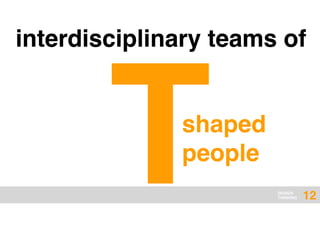
interdisciplinary teams of
12
shaped
people
T
DESIGN
THINKING 13
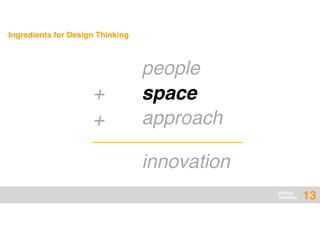
Ingredients for Design Thinking
innovation
people
space
approach
+
+
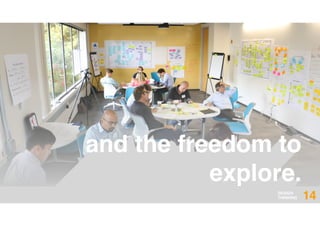
and the freedom to
explore.
DESIGN
THINKING 14
DESIGN
THINKING 15
Ingredients for Design Thinking
innovation
people
space
approach
+
+
DESIGN
THINKING
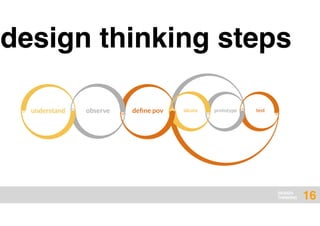
design thinking steps
16
ideate prototypeunderstand define povobserve test
DESIGN
THINKING
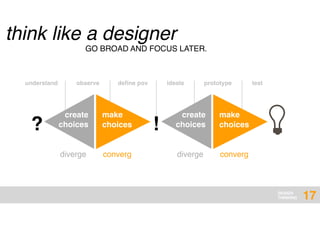
think like a designer
17
GO BROAD AND FOCUS LATER.
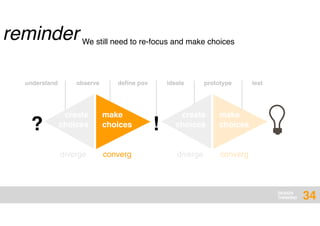
? !
create
choices
make
choices
diverge converg
create
choices
make
choices
diverge converg
understand observe define pov ideate prototype test
DESIGN
THINKING
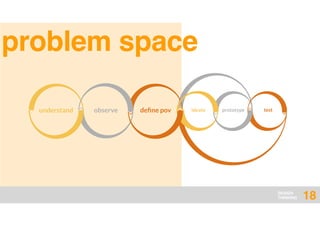
problem space
18
ideate prototypeunderstand define povobserve test
understand
DESIGN
THINKING 19
DESIGN
THINKING
your
thoughts
??Understand
20
DESIGN
THINKING
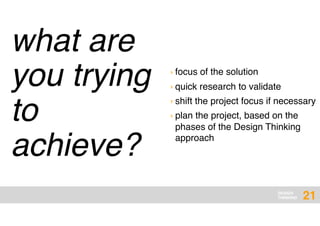
what are
you trying
to
achieve?
21
› focus of the solution
› quick research to validate
› shift the project focus if necessary
› plan the project, based on the
phases of the Design Thinking
approach
DESIGN
THINKING
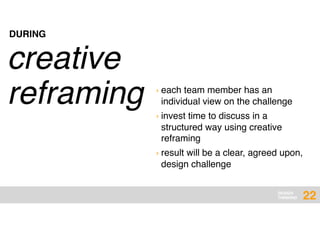
creative
reframing › each team member has an
individual view on the challenge
› invest time to discuss in a
structured way using creative
reframing
› result will be a clear, agreed upon,
design challenge
DURING
22
DESIGN
THINKING
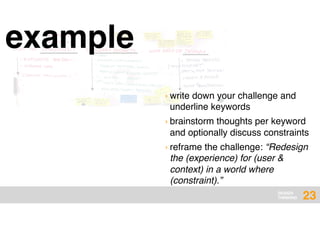
example
23
› write down your challenge and
underline keywords
› brainstorm thoughts per keyword
and optionally discuss constraints
› reframe the challenge: “Redesign
the (experience) for (user &
context) in a world where
(constraint).”
DESIGN
THINKING
DESIGN
THINKING 24
observe
DESIGN
THINKING
your
thoughts
??observ
e
25
DESIGN
THINKING
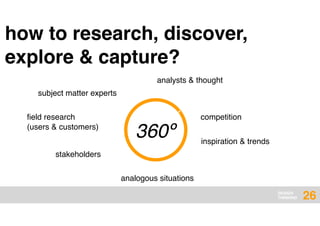
360º
subject matter experts
how to research, discover,
explore & capture?
field research
(users & customers)
stakeholders
analogous situations
›
analysts & thought
competition
inspiration & trends
26
DESIGN
THINKING
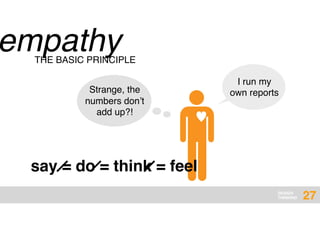
empathy
I run my
own reports
THE BASIC PRINCIPLE
Strange, the
numbers don’t
add up?!
say = do = think = feel
♥
27
DESIGN
THINKING
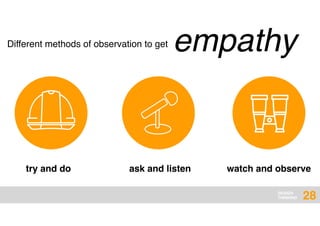
empathyDifferent methods of observation to get
try and do ask and listen watch and observe
28
DESIGN
THINKING
try and do
29
› develop empathy
› see through the eyes of your
users
› define your task and really do it
› state your impressions
› mention all enablers and
constraints
› take it seriously
DESIGN
THINKING
ask and listen
30
› ask open-ended questions
› ask 5 times why
› be aware of body
language (own and
interviewee)
› LISTEN – you are the
student (20-80)
› Be curious!
› take photos
› collect artifacts
› pair up for interviews,
interviewer and note taker
› write down your impressions
› say thank you in the end
› debrief and make the next
interview even better
DESIGN
THINKING
watch and observe
31
› look for details
› capture the atmosphere
› be curious and talk to people
› take photos and notes
› speculate: what if...?
› buy things, do things
› collect artifacts
› write down your impressions
› be polite and do not disturb
› act as a guest
DESIGN
THINKING
DESIGN
THINKING 32
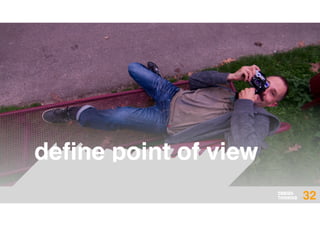
define point of view
DESIGN
THINKING
your
thoughts
??point of view
33
DESIGN
THINKING 34
? !
create
choices
make
choices
diverge converg
create
choices
make
choices
diverge converg
understand observe define pov ideate prototype test
We still need to re-focus and make choices
reminder
DESIGN
THINKING
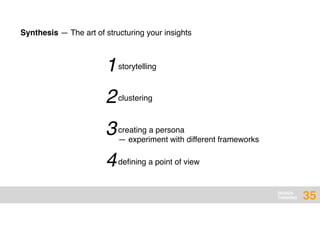
1
Synthesis — The art of structuring your insights
storytelling
2clustering
3creating a persona
— experiment with different frameworks
4defining a point of view
35
DESIGN
THINKING
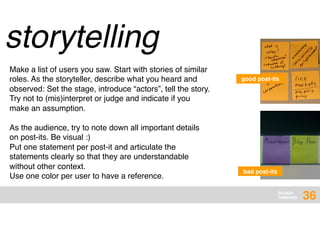
storytelling
Make a list of users you saw. Start with stories of similar
roles. As the storyteller, describe what you heard and
observed: Set the stage, introduce “actors”, tell the story.
Try not to (mis)interpret or judge and indicate if you
make an assumption.
bad post-its
good post-its
As the audience, try to note down all important details
on post-its. Be visual :)
Put one statement per post-it and articulate the
statements clearly so that they are understandable
without other context.
Use one color per user to have a reference.
36
DESIGN
THINKING
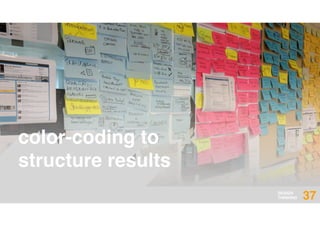
color-coding to
structure results
37
DESIGN
THINKING
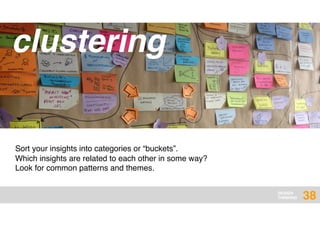
clustering
Sort your insights into categories or “buckets”.
Which insights are related to each other in some way?
Look for common patterns and themes.
38
DESIGN
THINKING
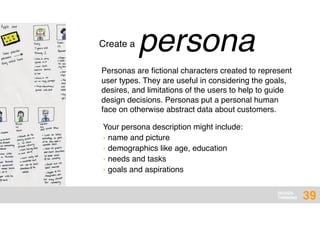
personaCreate a
Personas are fictional characters created to represent
user types. They are useful in considering the goals,
desires, and limitations of the users to help to guide
design decisions. Personas put a personal human
face on otherwise abstract data about customers.
Your persona description might include:
› name and picture
› demographics like age, education
› needs and tasks
› goals and aspirations
39
DESIGN
THINKING
point of viewComing up with a
The Point of View is one sentence that creates an
image in your mind. Based on an understanding of a
user group and an insight into a specific need, it
narrows the focus and makes the problem specific.
Template: 

[User] needs (to) [Need] because [Insight]
Example: 

The Department Supervisor needs time with
customers, since knowing who they are enables her
to optimize her ordering plan.
POV = USER + NEED + INSIGHT
40
DESIGN
THINKING
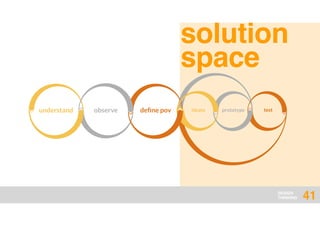
solution
space
41
ideate prototypeunderstand define povobserve test
DESIGN
THINKING
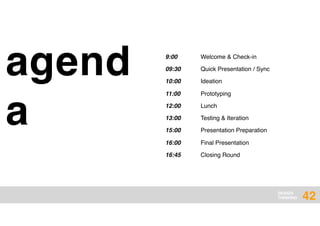
agend
a
42
9:00 Welcome & Check-in
09:30 Quick Presentation / Sync
10:00 Ideation
11:00 Prototyping
12:00 Lunch
13:00 Testing & Iteration
15:00 Presentation Preparation
16:00 Final Presentation
16:45 Closing Round
DESIGN
THINKING
DESIGN
THINKING 43
ideate
DESIGN
THINKING
your
thoughts
??ideate
44
DESIGN
THINKING 45
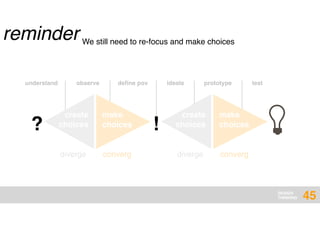
? !
create
choices
make
choices
diverge converg
create
choices
make
choices
diverge converg
understand observe define pov ideate prototype test
We still need to re-focus and make choices
reminder
DESIGN
THINKING 46
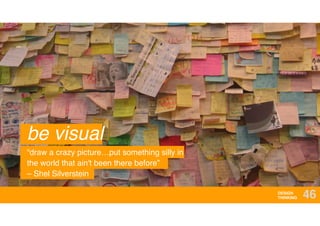
be visual
“draw a crazy picture…put something silly in
the world that ain't been there before” 

– Shel Silverstein
DESIGN
THINKING 47
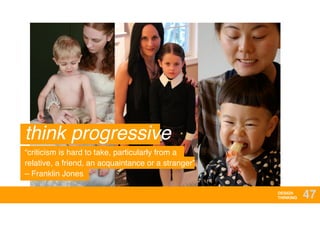
think progressive
“criticism is hard to take, particularly from a
relative, a friend, an acquaintance or a stranger”

– Franklin Jones
DESIGN
THINKING 48
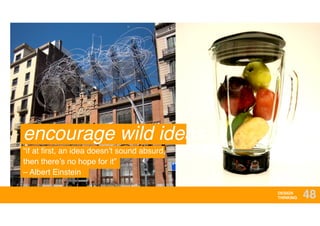
encourage wild ideas
“if at first, an idea doesn’t sound absurd,
then there’s no hope for it”

– Albert Einstein
DESIGN
THINKING 49
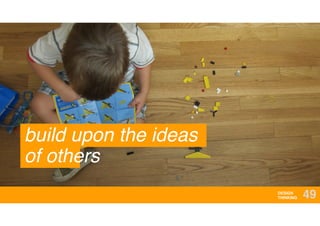
build upon the ideas
of others
DESIGN
THINKING 50
go for quantity
“the best way to get a good idea
is to get a lot of ideas”

– Linus Pauling
DESIGN
THINKING 51
one conversation at a time
“it takes a great man to be
a good listener”

– Calvin Coolidge
DESIGN
THINKING 52
stay focused on
topic
DESIGN
THINKING 53
reframing
DESIGN
THINKING 54
goal stretching
DESIGN
THINKING 55
prototype
DESIGN
THINKING
your
thoughts
??prototype
56
DESIGN
THINKING
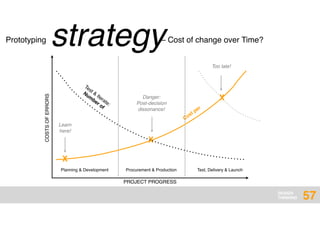
strategyPrototyping – Cost of change over Time?
COSTSOFERRORS
PROJECT PROGRESS
X
X
X
Test &
Iterate:
Num
ber of
Cost per
Danger:
Post-decision
dissonance!
Too late!
Learn
here!
Procurement & ProductionPlanning & Development Test, Delivery & Launch
57
DESIGN
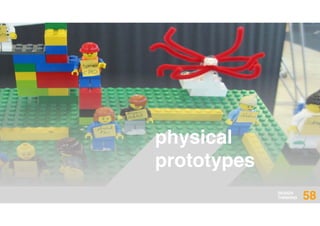
THINKING 58
physical
prototypes
DESIGN
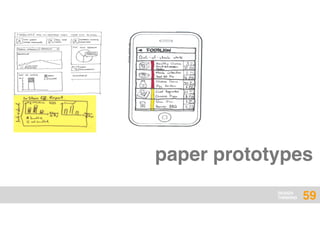
THINKING 59
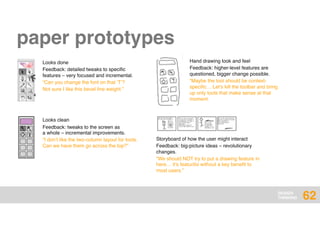
paper prototypes
DESIGN
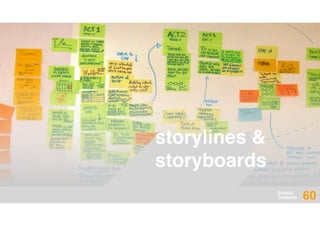
THINKING 60
storylines &
storyboards
DESIGN
THINKING 61
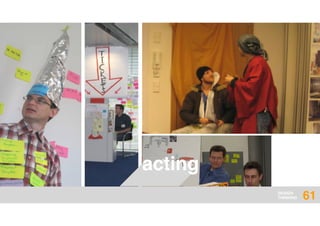
acting
DESIGN
THINKING
Storyboard of how the user might interact
Feedback: big-picture ideas – revolutionary
changes.
“We should NOT try to put a drawing feature in
here… it’s featuritis without a key benefit to
most users.”
62
Hand drawing look and feel
Feedback: higher-level features are
questioned, bigger change possible.
“Maybe the tool should be context-
specific… Let’s kill the toolbar and bring
up only tools that make sense at that
moment.
Looks done
Feedback: detailed tweaks to specific
features – very focused and incremental.
“Can you change the font on that ‘T’?
Not sure I like this bevel line weight.”
Looks clean
Feedback: tweaks to the screen as 

a whole – incremental improvements.
“I don’t like the two-column layout for tools.
Can we have them go across the top?”
paper prototypes
DESIGN
THINKING
DESIGN
THINKING 63
test
DESIGN
THINKING
your
thoughts
??test
64
DESIGN
THINKING 65
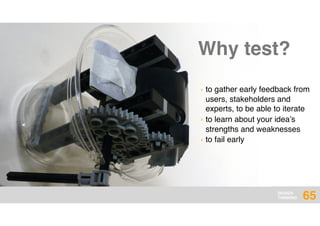
› to gather early feedback from
users, stakeholders and
experts, to be able to iterate
› to learn about your idea’s
strengths and weaknesses
› to fail early
Why test?
DESIGN
THINKING
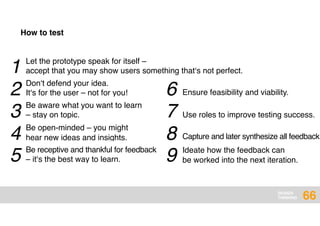
1 Let the prototype speak for itself –
accept that you may show users something that‘s not perfect.
Don‘t defend your idea.
It‘s for the user – not for you!
Be aware what you want to learn
– stay on topic.
Be open-minded – you might
hear new ideas and insights.
Be receptive and thankful for feedback
– it‘s the best way to learn.
Ensure feasibility and viability.
Use roles to improve testing success.
Capture and later synthesize all feedback.
Ideate how the feedback can
be worked into the next iteration.
66
How to test
2
3
4
5
6
7
8
9
DESIGN
THINKING
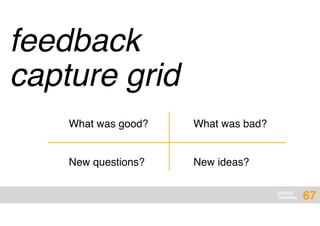
feedback
capture grid
What was good?
New questions?
What was bad?
New ideas?
67
DESIGN
THINKING 68
get feedback
from your users
DESIGN
THINKING
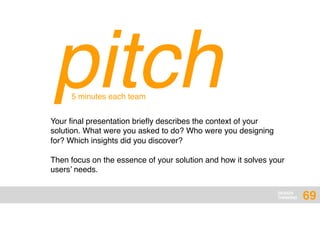
pitchYour final presentation briefly describes the context of your
solution. What were you asked to do? Who were you designing
for? Which insights did you discover?
Then focus on the essence of your solution and how it solves your
users’ needs.
5 minutes each team
69
DESIGN
THINKING
i like, i wish
70
DESIGN
THINKING 71
Oliver Kempkensthank you

ITMP Design Thinking Summit Graz 2016