
Introduction to Google Analytics A.K.A.
“We don’t need no stinkin’ Google Analytics”
Mary Kay Lofurno, MBA, Sunesis Marketing, Inc.
Overview
• Introduction
• What is Google Analytics & How
Does Google Analytics Work?
• How to Install It and Links to
Other Resources
• Web Data Primer
• The Basics
• Audience
• Acquisition
• Behavior
• Conversions
• Customizations
• UI Reporting Features
• GA Administration
• Resources
• Getting the most out of Google
Analytics
• Review
Introduction: A little bit about me…
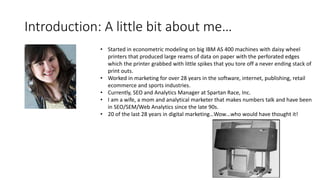
• Started in econometric modeling on big IBM AS 400 machines with daisy wheel
printers that produced large reams of data on paper with the perforated edges
which the printer grabbed with little spikes that you tore off a never ending stack of
print outs.
• Worked in marketing for over 28 years in the software, internet, publishing, retail
ecommerce and sports industries.
• Currently, SEO and Analytics Manager at Spartan Race, Inc.
• I am a wife, a mom and analytical marketer that makes numbers talk and have been
in SEO/SEM/Web Analytics since the late 90s.
• 20 of the last 28 years in digital marketing…Wow…who would have thought it!
• How I felt when I realized I had to learn this stuff.
• It took me 8 years of working 2 and 3 jobs to pay off a 69K of
educational debt and I am not doing that again!
Why Learn Google Analytics (GA)?
• Easy. GA possesses 69% market share web analytics market place today for the of
the Fortune 500.*
• 54% off all web sites in the entire world use Google Analytics.*
• Almost all viable companies today have a web site.
• Web analytics is not just for IT professionals and Marketers any more.
• Today more than ever, more functions across an organization touch web data in
some way, whether it’s marketing, IT, operations, accounting, tech support or any
other department.
• It makes you more employable!
• Sources:
• https://www.e-nor.com/blog/google-analytics/google-analytics-and-google-tag-manager-
dominate-fortune-500-in-2015
• https://w3techs.com/technologies/overview/traffic_analysis/all
Why Do I Teach Google Analytics?
Source: Deuteronomy Rabbah
• It keeps me sharp on the technology as it’s the #1 web analytics
platform in the world.
• I get to meet new people and help them.
• Its fun and:
What is Google Analytics?
• GA is a software as a service application (SaaS) that is connected to
your website through a piece of tracking code.
• Google Analytics comes in ‘Freeware’ i.e. no cost and Google 360,
their premium product.
• Google Analytics ‘Freeware’ limits are 10 million hits a month.
• Its a small piece of JavaScript [JS] code that is made within your
analytics account.
• The account holder generates this code and then places it into the
HTML back end of their site.
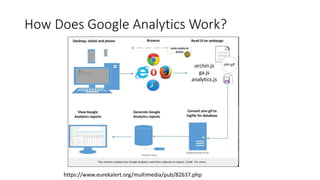
How Does Google Analytics Work?
https://www.eurekalert.org/multimedia/pub/82637.php
FYI: JS vs. Server Side Web Analytics Applications
• JS based web analytics platforms in general, will render anywhere from 95
to 98% of your web site data depending upon application and the traffic
volume of the site.
• Server Side Analytics applications send their tracking calls from behind the
server on which your web site is run.
• The data from a Server Side Analytics application is usually crunched on its
own server.
• Server Side Analytics applications generally capture 99 to 100% of your
data and are more comprehensive in terms of capturing all your data.
• Often companies will use a JS based web analytics application in tandem
with a Server Side Web Analytics application for various business reasons
• Examples of server side web analytics applications are IBM Coremetrics,
Adobe Analytics, Site Core Digital Marketing Suite, Web Trends, etc.
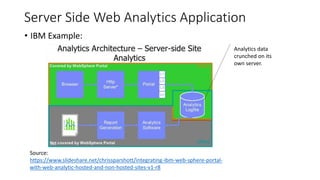
Server Side Web Analytics Application
• IBM Example:
Source:
https://www.slideshare.net/chrissparshott/integrating-ibm-web-sphere-portal-
with-web-analytic-hosted-and-non-hosted-sites-v1-r8
Analytics data
crunched on its
own server.
How Does Google Analytics Work? Continued.
• The Google Analytics JS code on the web site captures the data and sends
it back to Google to process and render into reports.
How To Install Google Analytics?
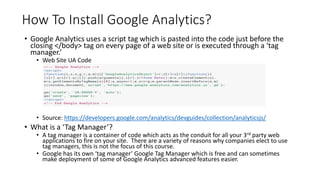
• Google Analytics uses a script tag which is pasted into the code just before the
closing </body> tag on every page of a web site or is executed through a ‘tag
manager.’
• Web Site UA Code
• Source: https://developers.google.com/analytics/devguides/collection/analyticsjs/
• What is a ‘Tag Manager’?
• A tag manager is a container of code which acts as the conduit for all your 3rd party web
applications to fire on your site. There are a variety of reasons why companies elect to use
tag managers, this is not the focus of this course.
• Google has its own ‘tag manager’ Google Tag Manager which is free and can sometimes
make deployment of some of Google Analytics advanced features easier.
How To Install Google Analytics? Continued.
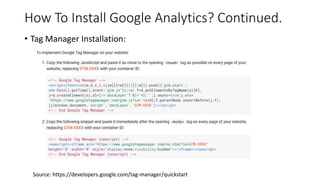
• Tag Manager Installation:
Source: https://developers.google.com/tag-manager/quickstart
Google Analytics Installation Resources
• Google Analytics Set Up
• https://support.google.com/analytics/answer/1008080?hl=en
• How To: Google Analytics Installation For Novices & Beginners,
Source: Search Engine Land
http://searchengineland.com/google-analytics-installation-for-novices-and-
beginners-133384
• Google Tag Manager Set Up & Installation
• https://support.google.com/tagmanager/answer/6103696?hl=en
Web Data Primer
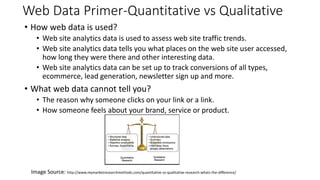
Web Data Primer-Quantitative vs Qualitative
• How web data is used?
• Web site analytics data is used to assess web site traffic trends.
• Web site analytics data tells you what places on the web site user accessed,
how long they were there and other interesting data.
• Web site analytics data can be set up to track conversions of all types,
ecommerce, lead generation, newsletter sign up and more.
• What web data cannot tell you?
• The reason why someone clicks on your link or a link.
• How someone feels about your brand, service or product.
Image Source: http://www.mymarketresearchmethods.com/quantitative-vs-qualitative-research-whats-the-difference/
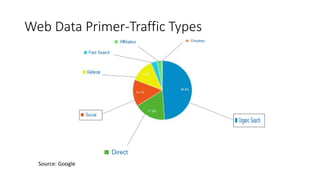
Web Data Primer-Traffic Types
Source: Google
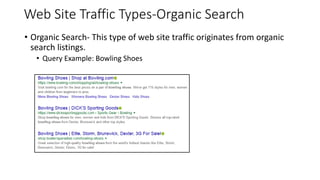
Web Site Traffic Types-Organic Search
• Organic Search- This type of web site traffic originates from organic
search listings.
• Query Example: Bowling Shoes
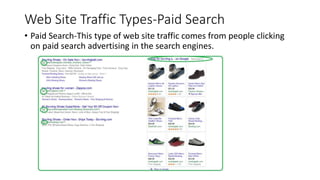
Web Site Traffic Types-Paid Search
• Paid Search-This type of web site traffic comes from people clicking
on paid search advertising in the search engines.
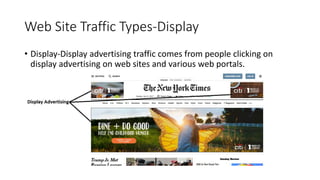
Web Site Traffic Types-Display
• Display-Display advertising traffic comes from people clicking on
display advertising on web sites and various web portals.
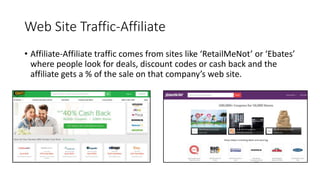
Web Site Traffic-Affiliate
• Affiliate-Affiliate traffic comes from sites like ‘RetailMeNot’ or ‘Ebates’
where people look for deals, discount codes or cash back and the
affiliate gets a % of the sale on that company’s web site.
Web Traffic Types-Social
• Social-Social traffic comes from sites like Facebook, Linkedin or other
types of social sites.
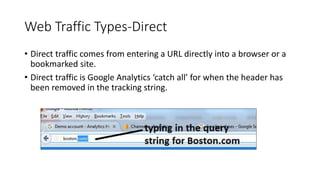
Web Traffic Types-Direct
• Direct traffic comes from entering a URL directly into a browser or a
bookmarked site.
• Direct traffic is Google Analytics ‘catch all’ for when the header has
been removed in the tracking string.
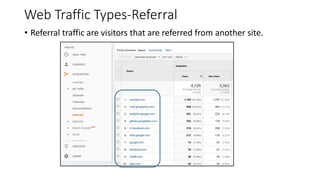
Web Traffic Types-Referral
• Referral traffic are visitors that are referred from another site.
25
The Basics-Sessions
• Sessions
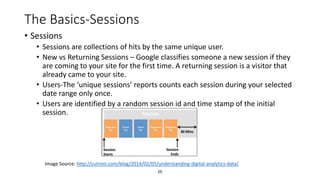
• Sessions are collections of hits by the same unique user.
• New vs Returning Sessions – Google classifies someone a new session if they
are coming to your site for the first time. A returning session is a visitor that
already came to your site.
• Users-The ‘unique sessions’ reports counts each session during your selected
date range only once.
• Users are identified by a random session id and time stamp of the initial
session.
Image Source: http://cutroni.com/blog/2014/02/05/understanding-digital-analytics-data/
26
The Basics-Pageviews
• Pageviews
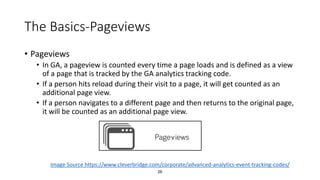
• In GA, a pageview is counted every time a page loads and is defined as a view
of a page that is tracked by the GA analytics tracking code.
• If a person hits reload during their visit to a page, it will get counted as an
additional page view.
• If a person navigates to a different page and then returns to the original page,
it will be counted as an additional page view.
Image Source https://www.cleverbridge.com/corporate/advanced-analytics-event-tracking-codes/
27
The Basics-Unique Pageviews
• Unique Pageviews
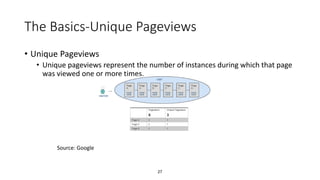
• Unique pageviews represent the number of instances during which that page
was viewed one or more times.
Source: Google
28
The Basics-Time on Page
• Time on page
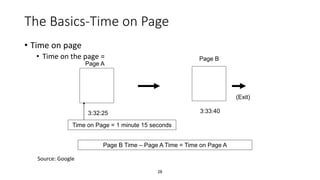
• Time on the page =
Page A
Page B
3:32:25 3:33:40
Page B Time – Page A Time = Time on Page A
Time on Page = 1 minute 15 seconds
(Exit)
Source: Google
29
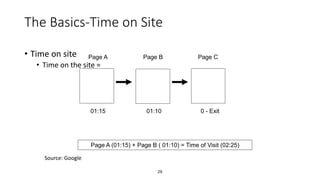
The Basics-Time on Site
• Time on site
• Time on the site =
Page A Page B
Page A (01:15) + Page B ( 01:10) = Time of Visit (02:25)
Page C
01:15 01:10 0 - Exit
Source: Google
30
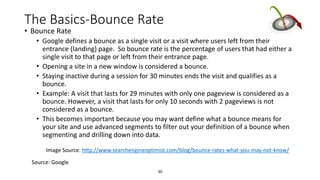
The Basics-Bounce Rate
• Bounce Rate
• Google defines a bounce as a single visit or a visit where users left from their
entrance (landing) page. So bounce rate is the percentage of users that had either a
single visit to that page or left from their entrance page.
• Opening a site in a new window is considered a bounce.
• Staying inactive during a session for 30 minutes ends the visit and qualifies as a
bounce.
• Example: A visit that lasts for 29 minutes with only one pageview is considered as a
bounce. However, a visit that lasts for only 10 seconds with 2 pageviews is not
considered as a bounce.
• This becomes important because you may want define what a bounce means for
your site and use advanced segments to filter out your definition of a bounce when
segmenting and drilling down into data.
Image Source: http://www.searchengineoptimist.com/blog/bounce-rates-what-you-may-not-know/
Source: Google
31
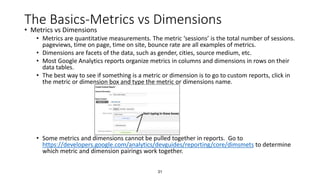
The Basics-Metrics vs Dimensions
• Metrics vs Dimensions
• Metrics are quantitative measurements. The metric ‘sessions’ is the total number of sessions.
pageviews, time on page, time on site, bounce rate are all examples of metrics.
• Dimensions are facets of the data, such as gender, cities, source medium, etc.
• Most Google Analytics reports organize metrics in columns and dimensions in rows on their
data tables.
• The best way to see if something is a metric or dimension is to go to custom reports, click in
the metric or dimension box and type the metric or dimensions name.
• Some metrics and dimensions cannot be pulled together in reports. Go to
https://developers.google.com/analytics/devguides/reporting/core/dimsmets to determine
which metric and dimension pairings work together.
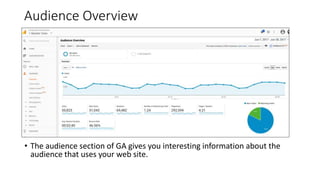
Audience Overview
• The audience section of GA gives you interesting information about the
audience that uses your web site.
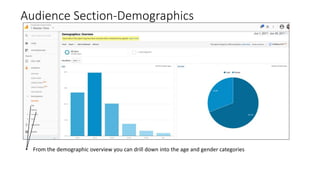
Audience Section-Demographics
• From the demographic overview you can drill down into the age and gender categories
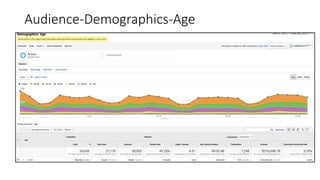
Audience-Demographics-Age
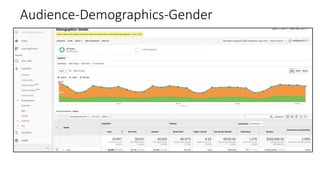
Audience-Demographics-Gender
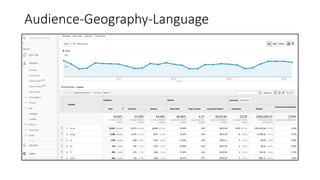
Audience-Geography-Language
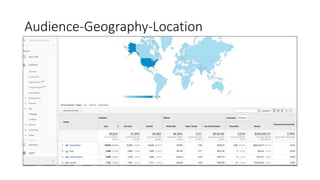
Audience-Geography-Location
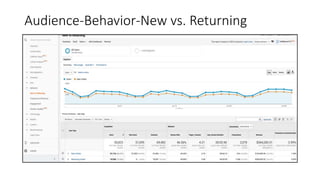
Audience-Behavior-New vs. Returning
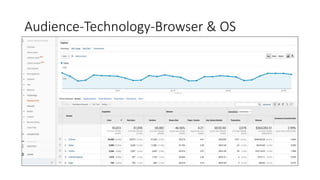
Audience-Technology-Browser & OS
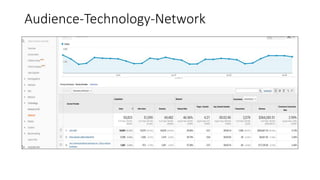
Audience-Technology-Network
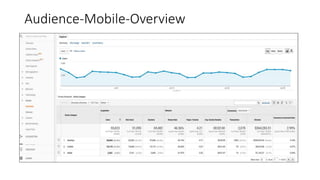
Audience-Mobile-Overview
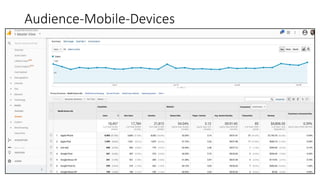
Audience-Mobile-Devices
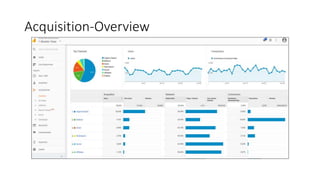
Acquisition-Overview
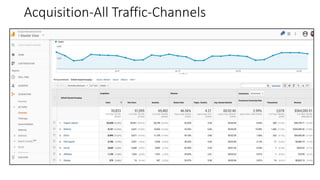
Acquisition-All Traffic-Channels
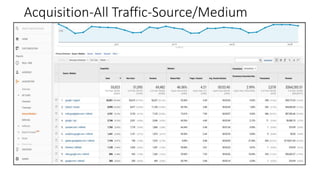
Acquisition-All Traffic-Source/Medium
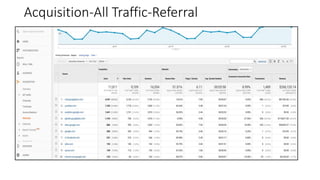
Acquisition-All Traffic-Referral
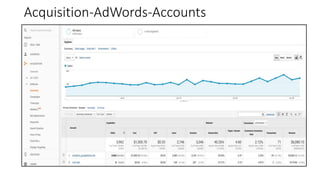
Acquisition-AdWords-Accounts
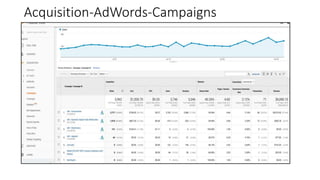
Acquisition-AdWords-Campaigns
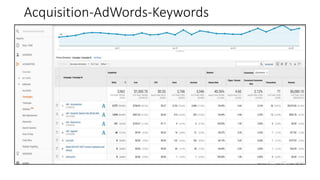
Acquisition-AdWords-Keywords
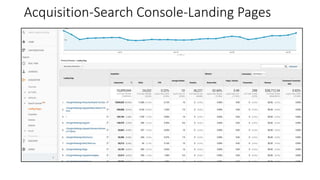
Acquisition-Search Console-Landing Pages
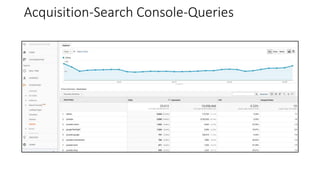
Acquisition-Search Console-Queries
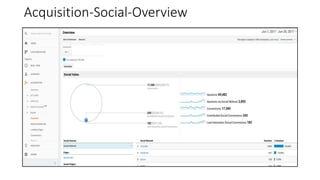
Acquisition-Social-Overview
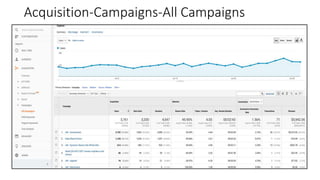
Acquisition-Campaigns-All Campaigns
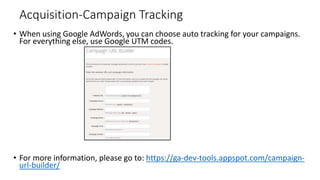
Acquisition-Campaign Tracking
• When using Google AdWords, you can choose auto tracking for your campaigns.
For everything else, use Google UTM codes.
• For more information, please go to: https://ga-dev-tools.appspot.com/campaign-
url-builder/
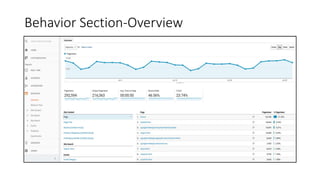
Behavior Section-Overview
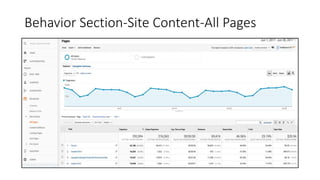
Behavior Section-Site Content-All Pages
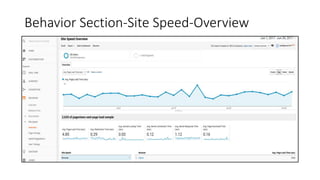
Behavior Section-Site Speed-Overview
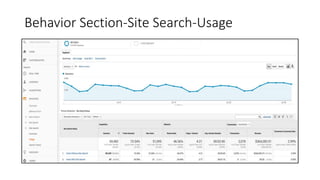
Behavior Section-Site Search-Usage
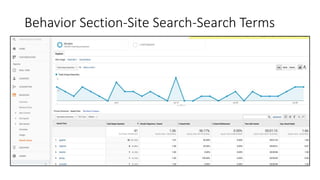
Behavior Section-Site Search-Search Terms
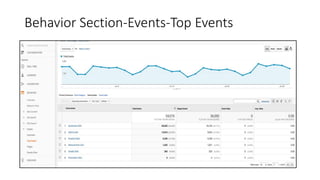
Behavior Section-Events-Top Events
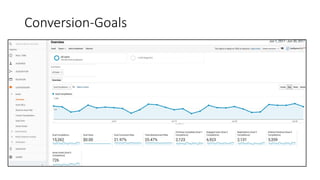
Conversion-Goals
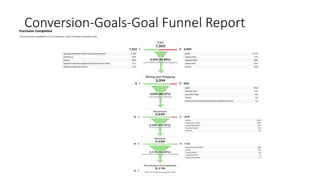
Conversion-Goals-Goal Funnel Report
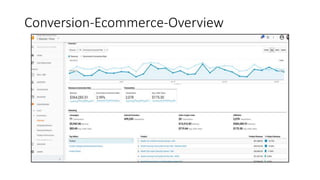
Conversion-Ecommerce-Overview
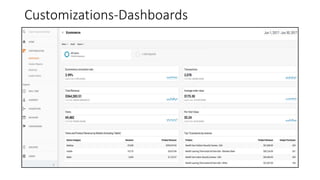
Customizations-Dashboards
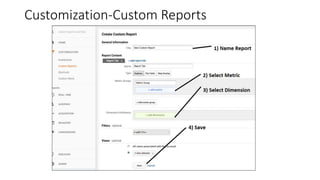
Customization-Custom Reports
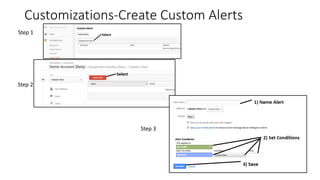
Customizations-Create Custom Alerts
Step 1
Step 2
Step 3
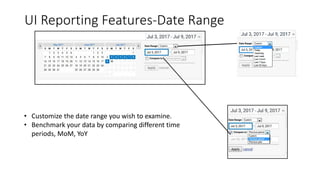
UI Reporting Features-Date Range
• Customize the date range you wish to examine.
• Benchmark your data by comparing different time
periods, MoM, YoY
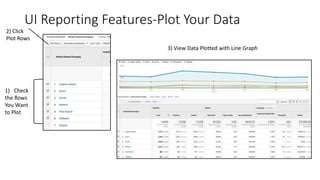
UI Reporting Features-Plot Your Data
1) Check
the Rows
You Want
to Plot
2) Click
Plot Rows
3) View Data Plotted with Line Graph
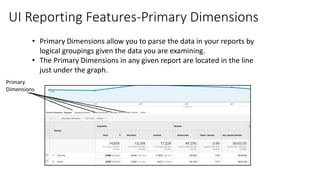
UI Reporting Features-Primary Dimensions
• Primary Dimensions allow you to parse the data in your reports by
logical groupings given the data you are examining.
• The Primary Dimensions in any given report are located in the line
just under the graph.
Primary
Dimensions
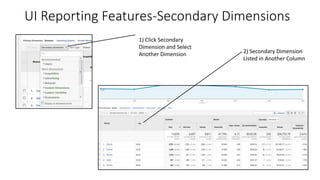
UI Reporting Features-Secondary Dimensions
1) Click Secondary
Dimension and Select
Another Dimension 2) Secondary Dimension
Listed in Another Column
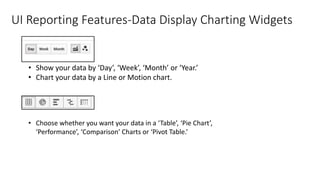
UI Reporting Features-Data Display Charting Widgets
• Show your data by ‘Day’, ‘Week’, ‘Month’ or ‘Year.’
• Chart your data by a Line or Motion chart.
• Choose whether you want your data in a ‘Table’, ‘Pie Chart’,
‘Performance’, ‘Comparison’ Charts or ‘Pivot Table.’
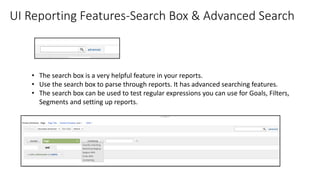
UI Reporting Features-Search Box & Advanced Search
• The search box is a very helpful feature in your reports.
• Use the search box to parse through reports. It has advanced searching features.
• The search box can be used to test regular expressions you can use for Goals, Filters,
Segments and setting up reports.
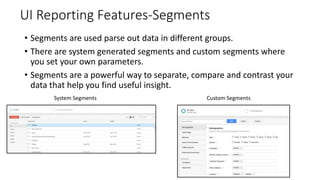
UI Reporting Features-Segments
• Segments are used parse out data in different groups.
• There are system generated segments and custom segments where
you set your own parameters.
• Segments are a powerful way to separate, compare and contrast your
data that help you find useful insight.
System Segments Custom Segments
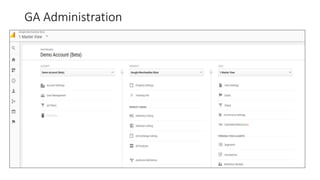
GA Administration
GA Administration
• Configuration-Google Analytics is a powerful tool. It can be set up in
different ways to meet a variety of business situations and environments.
For more information on configuration, please go
to:https://support.google.com/analytics/answer/1008080?hl=en
• User Permissions- GA lets you set up various levels of user permissions for
more information please go to:
https://support.google.com/analytics/answer/2884495?hl=en
• Goal Set Up-GA lets you set up goals using templates, custom goals and
smart goals. For more information go to:
https://support.google.com/analytics/answer/1032415?hl=en
• Filters-Filters serve a variety of purposes from filtering out traffic from a
corporate location, to pulling out traffic from various sub-domains or
domains if cross-domain tracking is configured. For more information,
please go to: https://support.google.com/analytics/answer/1033162?hl=en
Resources:
• Sign up for Free GA Demo Account:
• https://support.google.com/analytics/answer/6367342?hl=en
• GA Free eLearning:
https://analytics.google.com/analytics/academy/
• The Google Analytics Individual Qualification Exam [GAIQ] Certification
• https://support.google.com/partners/answer/6089738?hl=en
• Its FREE,
• 70 Questions.
• 90 Minutes to take test.
• 80% Passing grade.
• Additional Test Preparation Resources:
• http://www.googleanalyticstest.com/ - Free
• iPassexam.com
Getting the Most Out of Google Analytics!
• Google AdWords
• Google Search Console and
AdSense if necessary
• Enhanced Ecommerce
• User Id/User Explorer
• Social
• Importing Data into GA &
Measurement Protocol
• And More!
Other products:
• Google AdWords
• Google Search Console
• Google AdSense
• Google Optimize
• Google Data Studio
• Google Docs/Sheets
• Big Query and More!
Review: Google Analytics Jeopardy
• Divide into 4 Teams

Introduction to Google Analytics

  • 1.
    Introduction to GoogleAnalytics A.K.A. “We don’t need no stinkin’ Google Analytics” Mary Kay Lofurno, MBA, Sunesis Marketing, Inc.
  • 2.
    Overview • Introduction • Whatis Google Analytics & How Does Google Analytics Work? • How to Install It and Links to Other Resources • Web Data Primer • The Basics • Audience • Acquisition • Behavior • Conversions • Customizations • UI Reporting Features • GA Administration • Resources • Getting the most out of Google Analytics • Review
  • 3.
    Introduction: A littlebit about me… • Started in econometric modeling on big IBM AS 400 machines with daisy wheel printers that produced large reams of data on paper with the perforated edges which the printer grabbed with little spikes that you tore off a never ending stack of print outs. • Worked in marketing for over 28 years in the software, internet, publishing, retail ecommerce and sports industries. • Currently, SEO and Analytics Manager at Spartan Race, Inc. • I am a wife, a mom and analytical marketer that makes numbers talk and have been in SEO/SEM/Web Analytics since the late 90s. • 20 of the last 28 years in digital marketing…Wow…who would have thought it!
  • 4.
    • How Ifelt when I realized I had to learn this stuff. • It took me 8 years of working 2 and 3 jobs to pay off a 69K of educational debt and I am not doing that again!
  • 5.
    Why Learn GoogleAnalytics (GA)? • Easy. GA possesses 69% market share web analytics market place today for the of the Fortune 500.* • 54% off all web sites in the entire world use Google Analytics.* • Almost all viable companies today have a web site. • Web analytics is not just for IT professionals and Marketers any more. • Today more than ever, more functions across an organization touch web data in some way, whether it’s marketing, IT, operations, accounting, tech support or any other department. • It makes you more employable! • Sources: • https://www.e-nor.com/blog/google-analytics/google-analytics-and-google-tag-manager- dominate-fortune-500-in-2015 • https://w3techs.com/technologies/overview/traffic_analysis/all
  • 6.
    Why Do ITeach Google Analytics? Source: Deuteronomy Rabbah • It keeps me sharp on the technology as it’s the #1 web analytics platform in the world. • I get to meet new people and help them. • Its fun and:
  • 7.
    What is GoogleAnalytics? • GA is a software as a service application (SaaS) that is connected to your website through a piece of tracking code. • Google Analytics comes in ‘Freeware’ i.e. no cost and Google 360, their premium product. • Google Analytics ‘Freeware’ limits are 10 million hits a month. • Its a small piece of JavaScript [JS] code that is made within your analytics account. • The account holder generates this code and then places it into the HTML back end of their site.
  • 8.
    How Does GoogleAnalytics Work? https://www.eurekalert.org/multimedia/pub/82637.php
  • 9.
    FYI: JS vs.Server Side Web Analytics Applications • JS based web analytics platforms in general, will render anywhere from 95 to 98% of your web site data depending upon application and the traffic volume of the site. • Server Side Analytics applications send their tracking calls from behind the server on which your web site is run. • The data from a Server Side Analytics application is usually crunched on its own server. • Server Side Analytics applications generally capture 99 to 100% of your data and are more comprehensive in terms of capturing all your data. • Often companies will use a JS based web analytics application in tandem with a Server Side Web Analytics application for various business reasons • Examples of server side web analytics applications are IBM Coremetrics, Adobe Analytics, Site Core Digital Marketing Suite, Web Trends, etc.
  • 10.
    Server Side WebAnalytics Application • IBM Example: Source: https://www.slideshare.net/chrissparshott/integrating-ibm-web-sphere-portal- with-web-analytic-hosted-and-non-hosted-sites-v1-r8 Analytics data crunched on its own server.
  • 11.
    How Does GoogleAnalytics Work? Continued. • The Google Analytics JS code on the web site captures the data and sends it back to Google to process and render into reports.
  • 12.
    How To InstallGoogle Analytics? • Google Analytics uses a script tag which is pasted into the code just before the closing </body> tag on every page of a web site or is executed through a ‘tag manager.’ • Web Site UA Code • Source: https://developers.google.com/analytics/devguides/collection/analyticsjs/ • What is a ‘Tag Manager’? • A tag manager is a container of code which acts as the conduit for all your 3rd party web applications to fire on your site. There are a variety of reasons why companies elect to use tag managers, this is not the focus of this course. • Google has its own ‘tag manager’ Google Tag Manager which is free and can sometimes make deployment of some of Google Analytics advanced features easier.
  • 13.
    How To InstallGoogle Analytics? Continued. • Tag Manager Installation: Source: https://developers.google.com/tag-manager/quickstart
  • 14.
    Google Analytics InstallationResources • Google Analytics Set Up • https://support.google.com/analytics/answer/1008080?hl=en • How To: Google Analytics Installation For Novices & Beginners, Source: Search Engine Land http://searchengineland.com/google-analytics-installation-for-novices-and- beginners-133384 • Google Tag Manager Set Up & Installation • https://support.google.com/tagmanager/answer/6103696?hl=en
  • 15.
  • 16.
    Web Data Primer-Quantitativevs Qualitative • How web data is used? • Web site analytics data is used to assess web site traffic trends. • Web site analytics data tells you what places on the web site user accessed, how long they were there and other interesting data. • Web site analytics data can be set up to track conversions of all types, ecommerce, lead generation, newsletter sign up and more. • What web data cannot tell you? • The reason why someone clicks on your link or a link. • How someone feels about your brand, service or product. Image Source: http://www.mymarketresearchmethods.com/quantitative-vs-qualitative-research-whats-the-difference/
  • 17.
    Web Data Primer-TrafficTypes Source: Google
  • 18.
    Web Site TrafficTypes-Organic Search • Organic Search- This type of web site traffic originates from organic search listings. • Query Example: Bowling Shoes
  • 19.
    Web Site TrafficTypes-Paid Search • Paid Search-This type of web site traffic comes from people clicking on paid search advertising in the search engines.
  • 20.
    Web Site TrafficTypes-Display • Display-Display advertising traffic comes from people clicking on display advertising on web sites and various web portals.
  • 21.
    Web Site Traffic-Affiliate •Affiliate-Affiliate traffic comes from sites like ‘RetailMeNot’ or ‘Ebates’ where people look for deals, discount codes or cash back and the affiliate gets a % of the sale on that company’s web site.
  • 22.
    Web Traffic Types-Social •Social-Social traffic comes from sites like Facebook, Linkedin or other types of social sites.
  • 23.
    Web Traffic Types-Direct •Direct traffic comes from entering a URL directly into a browser or a bookmarked site. • Direct traffic is Google Analytics ‘catch all’ for when the header has been removed in the tracking string.
  • 24.
    Web Traffic Types-Referral •Referral traffic are visitors that are referred from another site.
  • 25.
    25 The Basics-Sessions • Sessions •Sessions are collections of hits by the same unique user. • New vs Returning Sessions – Google classifies someone a new session if they are coming to your site for the first time. A returning session is a visitor that already came to your site. • Users-The ‘unique sessions’ reports counts each session during your selected date range only once. • Users are identified by a random session id and time stamp of the initial session. Image Source: http://cutroni.com/blog/2014/02/05/understanding-digital-analytics-data/
  • 26.
    26 The Basics-Pageviews • Pageviews •In GA, a pageview is counted every time a page loads and is defined as a view of a page that is tracked by the GA analytics tracking code. • If a person hits reload during their visit to a page, it will get counted as an additional page view. • If a person navigates to a different page and then returns to the original page, it will be counted as an additional page view. Image Source https://www.cleverbridge.com/corporate/advanced-analytics-event-tracking-codes/
  • 27.
    27 The Basics-Unique Pageviews •Unique Pageviews • Unique pageviews represent the number of instances during which that page was viewed one or more times. Source: Google
  • 28.
    28 The Basics-Time onPage • Time on page • Time on the page = Page A Page B 3:32:25 3:33:40 Page B Time – Page A Time = Time on Page A Time on Page = 1 minute 15 seconds (Exit) Source: Google
  • 29.
    29 The Basics-Time onSite • Time on site • Time on the site = Page A Page B Page A (01:15) + Page B ( 01:10) = Time of Visit (02:25) Page C 01:15 01:10 0 - Exit Source: Google
  • 30.
    30 The Basics-Bounce Rate •Bounce Rate • Google defines a bounce as a single visit or a visit where users left from their entrance (landing) page. So bounce rate is the percentage of users that had either a single visit to that page or left from their entrance page. • Opening a site in a new window is considered a bounce. • Staying inactive during a session for 30 minutes ends the visit and qualifies as a bounce. • Example: A visit that lasts for 29 minutes with only one pageview is considered as a bounce. However, a visit that lasts for only 10 seconds with 2 pageviews is not considered as a bounce. • This becomes important because you may want define what a bounce means for your site and use advanced segments to filter out your definition of a bounce when segmenting and drilling down into data. Image Source: http://www.searchengineoptimist.com/blog/bounce-rates-what-you-may-not-know/ Source: Google
  • 31.
    31 The Basics-Metrics vsDimensions • Metrics vs Dimensions • Metrics are quantitative measurements. The metric ‘sessions’ is the total number of sessions. pageviews, time on page, time on site, bounce rate are all examples of metrics. • Dimensions are facets of the data, such as gender, cities, source medium, etc. • Most Google Analytics reports organize metrics in columns and dimensions in rows on their data tables. • The best way to see if something is a metric or dimension is to go to custom reports, click in the metric or dimension box and type the metric or dimensions name. • Some metrics and dimensions cannot be pulled together in reports. Go to https://developers.google.com/analytics/devguides/reporting/core/dimsmets to determine which metric and dimension pairings work together.
  • 32.
    Audience Overview • Theaudience section of GA gives you interesting information about the audience that uses your web site.
  • 33.
    Audience Section-Demographics • Fromthe demographic overview you can drill down into the age and gender categories
  • 34.
  • 35.
  • 36.
  • 37.
  • 38.
  • 39.
  • 40.
  • 41.
  • 42.
  • 43.
  • 44.
  • 45.
  • 46.
  • 47.
  • 48.
  • 49.
  • 50.
  • 51.
  • 52.
  • 53.
  • 54.
    Acquisition-Campaign Tracking • Whenusing Google AdWords, you can choose auto tracking for your campaigns. For everything else, use Google UTM codes. • For more information, please go to: https://ga-dev-tools.appspot.com/campaign- url-builder/
  • 55.
  • 56.
  • 57.
  • 58.
  • 59.
  • 60.
  • 61.
  • 62.
  • 63.
  • 64.
  • 65.
  • 66.
  • 67.
    UI Reporting Features-DateRange • Customize the date range you wish to examine. • Benchmark your data by comparing different time periods, MoM, YoY
  • 68.
    UI Reporting Features-PlotYour Data 1) Check the Rows You Want to Plot 2) Click Plot Rows 3) View Data Plotted with Line Graph
  • 69.
    UI Reporting Features-PrimaryDimensions • Primary Dimensions allow you to parse the data in your reports by logical groupings given the data you are examining. • The Primary Dimensions in any given report are located in the line just under the graph. Primary Dimensions
  • 70.
    UI Reporting Features-SecondaryDimensions 1) Click Secondary Dimension and Select Another Dimension 2) Secondary Dimension Listed in Another Column
  • 71.
    UI Reporting Features-DataDisplay Charting Widgets • Show your data by ‘Day’, ‘Week’, ‘Month’ or ‘Year.’ • Chart your data by a Line or Motion chart. • Choose whether you want your data in a ‘Table’, ‘Pie Chart’, ‘Performance’, ‘Comparison’ Charts or ‘Pivot Table.’
  • 72.
    UI Reporting Features-SearchBox & Advanced Search • The search box is a very helpful feature in your reports. • Use the search box to parse through reports. It has advanced searching features. • The search box can be used to test regular expressions you can use for Goals, Filters, Segments and setting up reports.
  • 73.
    UI Reporting Features-Segments •Segments are used parse out data in different groups. • There are system generated segments and custom segments where you set your own parameters. • Segments are a powerful way to separate, compare and contrast your data that help you find useful insight. System Segments Custom Segments
  • 74.
  • 75.
    GA Administration • Configuration-GoogleAnalytics is a powerful tool. It can be set up in different ways to meet a variety of business situations and environments. For more information on configuration, please go to:https://support.google.com/analytics/answer/1008080?hl=en • User Permissions- GA lets you set up various levels of user permissions for more information please go to: https://support.google.com/analytics/answer/2884495?hl=en • Goal Set Up-GA lets you set up goals using templates, custom goals and smart goals. For more information go to: https://support.google.com/analytics/answer/1032415?hl=en • Filters-Filters serve a variety of purposes from filtering out traffic from a corporate location, to pulling out traffic from various sub-domains or domains if cross-domain tracking is configured. For more information, please go to: https://support.google.com/analytics/answer/1033162?hl=en
  • 76.
    Resources: • Sign upfor Free GA Demo Account: • https://support.google.com/analytics/answer/6367342?hl=en • GA Free eLearning: https://analytics.google.com/analytics/academy/ • The Google Analytics Individual Qualification Exam [GAIQ] Certification • https://support.google.com/partners/answer/6089738?hl=en • Its FREE, • 70 Questions. • 90 Minutes to take test. • 80% Passing grade. • Additional Test Preparation Resources: • http://www.googleanalyticstest.com/ - Free • iPassexam.com
  • 77.
    Getting the MostOut of Google Analytics! • Google AdWords • Google Search Console and AdSense if necessary • Enhanced Ecommerce • User Id/User Explorer • Social • Importing Data into GA & Measurement Protocol • And More! Other products: • Google AdWords • Google Search Console • Google AdSense • Google Optimize • Google Data Studio • Google Docs/Sheets • Big Query and More!
  • 78.
    Review: Google AnalyticsJeopardy • Divide into 4 Teams