Introduction to Adobe
ILLUSTRATOR
Jean Michael Castor
adobe illustrator is a program developed and
marketed by Adobe Systems which is used
by both artists and graphic designers to
create vector images.
These images will then be used for company
logos, promotional uses or even personal
work, both in print and digital form.
what we will learn
• Raster and Vector images
• Illustrator's environment
• Illustrator's tools and palettes
• The power of illustrator
• Infographics
the world of computer graphics, there are
two types of images
- raster and vector.
Some programs that create raster images
(also known as pixel or paint images) are
Photoshop or Paintbrush.
Some programs that create vector art (also
known as object-oriented art) are Illustrator
and FreeHand.
Other programs, such as CorelDRAW, have
tools to create both raster and vector
images.
raster images
Raster images are made up of a whole lot of
tiny dots, called pixels.
The number of pixels determines the
resolution of your file.
The computer stores this file by recording
the exact placement and colour of each
pixel.
vector images
vector art is different in that instead of
creating individual pixels, you create objects,
such as rectangles and circles.
By noting the mathematical coordinates of
these shapes, a vector program can store
files in a fraction of the space as raster
images, and more importantly, be able to
scale images to virtually any size without
any loss in detail.
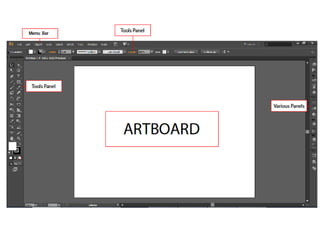
the illustrator environment
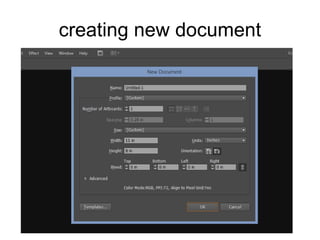
creating new document
Illustrator tools and palettes
selection tool gallery
• selection tool
• direct selection tool
• magic wand tool
• lasso tool
selection tool
selects entire objects.
direct selection tool
selects points or path segments within
objects
magic wand tool
selects objects with similar attributes
lasso tool
selects points or path segments within
objects
drawing tool gallery
• Pen tool
• Add Anchor Point
• Delete Anchor Point tool
• Convert Anchor Point tool
• Line Segment tool
• Rectangle tool
• Rounded Rectangle tool
• Ellipse tool
• Pencil tool
Pen tool
draws straight and curved lines to create
objects.
Add Anchor Point tool
adds anchor points to paths.
Delete Anchor Point tool
deletes anchor points from paths.
Convert Anchor Point tool
changes smooth points to corner points and
vice versa.
The Line Segment tool
draws individual straight line segments
Rectangle tool
draws squares and rectangles
Rounded Rectangle tool
draws squares and rectangles with rounded
corners
The Ellipse tool
draws circles and ovals.
Pencil tool
draws and edits freehand lines
Type tool gallery
• Type tool
• Area type tool
• Type on path
Type tool
creates individual type and type containers
and lets you enter and edit type
Area Type tool
The changes closed paths to type
containers and lets you enter and edit type
within them
Type On A Path tool
changes paths to type paths, and lets you
enter and edit type on them
the power of illustrator
• Converting raster to vector
• Converting text/fonts to points
• Work with different softwares
(photoshop/flash/indesign/etc…)
• Suggested software for creating
infographics
infographics
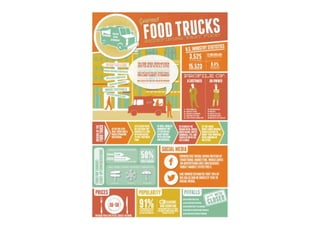
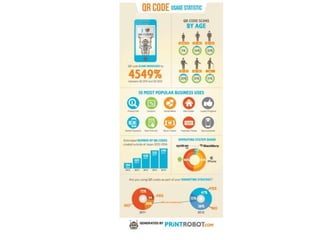
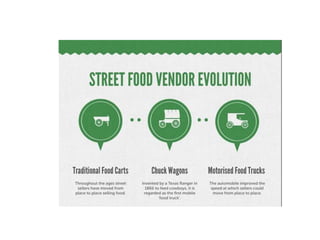
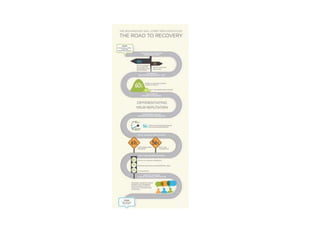
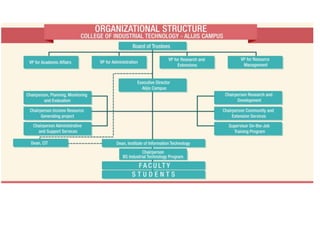
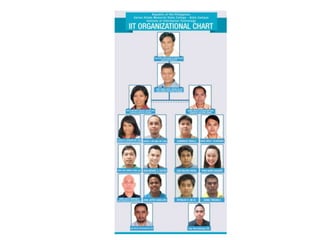
An infographic (information graphic) is a
representation of information in a graphic
format designed to make the data easily
understandable at a glance.
Infographics abound in almost any public
environment -- traffic signs, maps, tag
clouds, musical scores and weather charts
are just a few examples, among a huge
number of possibilities.
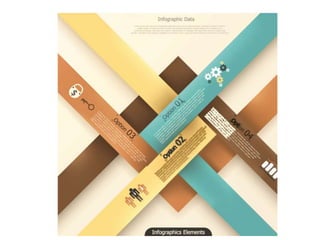
How to create infographics
• Use subtle/light colors
• Use full colors/pantone colors
• Make artwork informative
• Use shapes
conclusion
Creativity is allowing yourself to make
mistakes…
Art is knowing which ones to keep.
end.

Introduction to Adobe Illustrator