What is Photoshop?
• Adobe Photoshop is a raster graphics editor developed and
published by Adobe Systems for Windows and OS X.
• Photoshop was created in 1988 by Thomas and John Knoll.
Who uses Photoshop?
- Photographer
Photographers just don’t take stunning pictures; they create them using the help of
Photoshop.
- Web Designer
As a web designer, you will be creating logos, navigational bars, backgrounds,
headers and additional images to help create a webpage.
- Graphic Designer
Graphic designers are the people who design fancy intricate images, graphics, and
even your favorite comic book character
- Advertiser
As an advertiser you will be using Photoshop to create logos and branding icons,
product packaging, company advertisements and more.
Burn Tool- It darkens areas and can be used to work on highlight, midtone or shadowed areas.
History - Complete list of tasks performed on an image. Allows to perform, undo or the deletion of a
previous step.
Gamut – The range of colors that a color system can display or print.
Crop Tool -The Crop tool is used to shave off unwanted areas at the edge of a digital image.
Sharpen - The Sharpen tool increases the sharpness (focus) of an image, by increasing the contrast of
neighboring pixels.
Smudge - The Smudge tool spreads color in an image, displacing pixels of corresponding colors.
Blur - The Blur tool reduces the sharpness (focus) of an image. It does this by reducing the color contrast
of neighboring pixels.
Dodge- This tool lightens a part of an image, if the cursor is dragged across it.
Sponge- The Sponge tool affects the saturation and contrast of an image.
Popular Tools of Photoshop?
Popular File Formats to Save images in Photoshop
In Photoshop there are 3 popular File formats to save your images:
• JPEG – Joint Photographic Experts Group
• GIF – Graphics Interchange Format
• PNG – Portable Network Graphics
• Best for photos of continuous tone, full-color images
• Uses 16 million colors
• Browsers use reasonable approximations
• Work in RGB mode
• Uses lossy compression
• Saving (Standard, Optimized, Progressive)
JPEG
• Best for solid color images (buttons, logos)
• Uses 256 colors
• Browsers use 216 colors
• Work in Indexed mode
• Good compression
• Interlaced
GIF
PNG (8-bit)
• Best for line art (logos)
• Compresses solid areas of color well and maintains sharp detail
• Generally, has better compression than GIF (10-30% smaller)
• If considering saving as GIF, also consider saving as PNG (8-bit)
• Not supported by older browsers
PNG (24-bit)
• Best for continuous-tone images
• Compresses well, but can be larger than JPEGs
• If considering saving as JPEG, could also consider PNG (24-bit)
• Not supported by older browsers
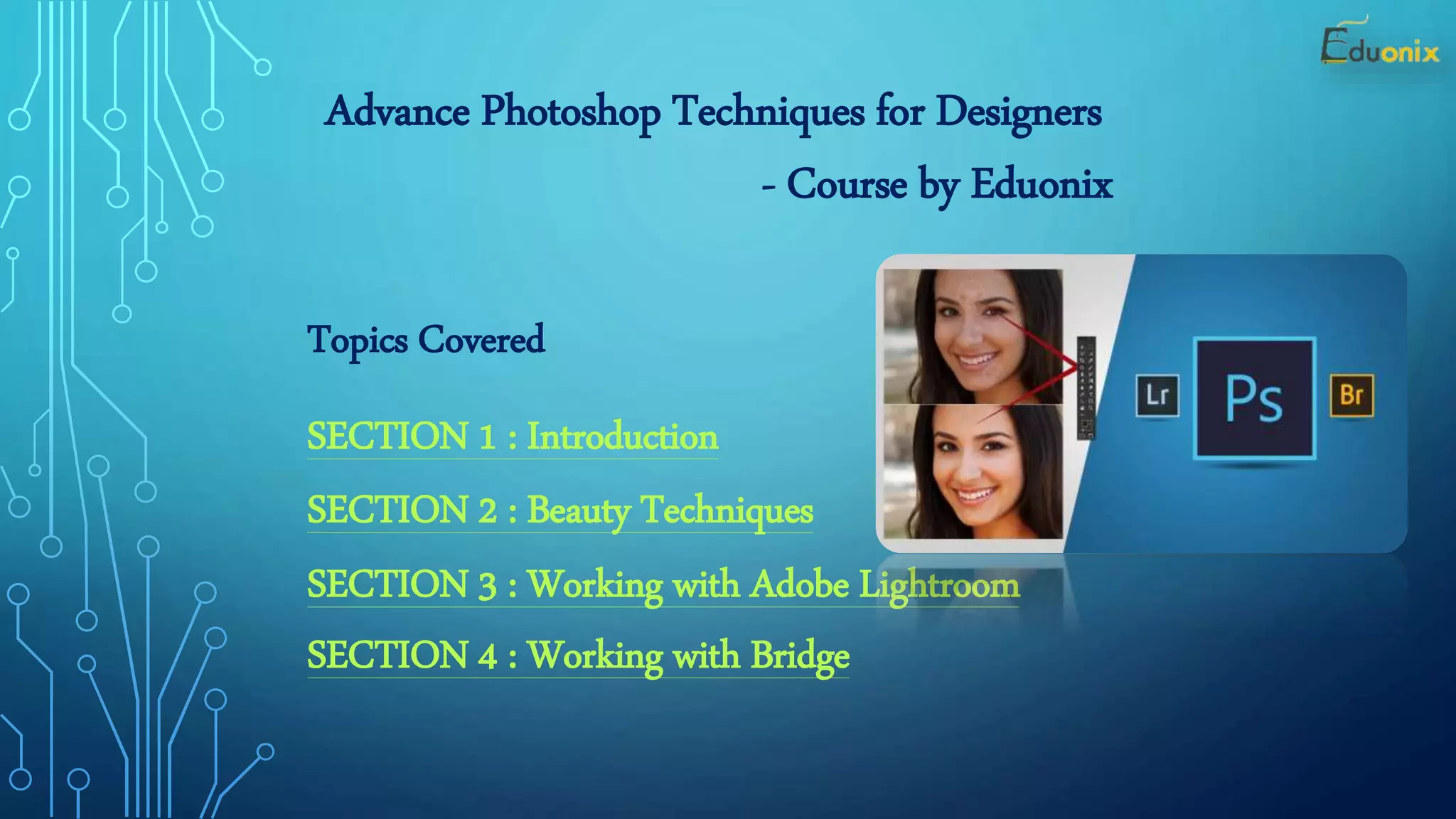
Advance Photoshop Techniques for Designers
- Course by Eduonix
Topics Covered
SECTION 1 : Introduction
SECTION 2 : Beauty Techniques
SECTION 3 : Working with Adobe Lightroom
SECTION 4 : Working with Bridge
What Will You Learn From this Course
• How to use and manipulate advance Photoshop techniques to produce more
interesting photos
• How to retouch beauty photos including retouching hair, face, skin, lips and
even teeth
• How to work with Adobe extensions such as Lightroom, Bridge and Camera
Raw
• Quick retouching techniques for men and women
• How to retouch photos to accentuate lighting
• Understanding the difference between lighting photos for portrait, product,
fashion and creative
Connect with us on Social Platforms
Reference Link :
https://www.eduonix.com/courses/Graphic-Design/advance-photoshop-techniques-for-designers
Use Coupon Code = OFFER10 To Get this Course for Just $10
Thank You

PPT on Photoshop

  • 1.
    What is Photoshop? •Adobe Photoshop is a raster graphics editor developed and published by Adobe Systems for Windows and OS X. • Photoshop was created in 1988 by Thomas and John Knoll.
  • 2.
    Who uses Photoshop? -Photographer Photographers just don’t take stunning pictures; they create them using the help of Photoshop. - Web Designer As a web designer, you will be creating logos, navigational bars, backgrounds, headers and additional images to help create a webpage. - Graphic Designer Graphic designers are the people who design fancy intricate images, graphics, and even your favorite comic book character - Advertiser As an advertiser you will be using Photoshop to create logos and branding icons, product packaging, company advertisements and more.
  • 3.
    Burn Tool- Itdarkens areas and can be used to work on highlight, midtone or shadowed areas. History - Complete list of tasks performed on an image. Allows to perform, undo or the deletion of a previous step. Gamut – The range of colors that a color system can display or print. Crop Tool -The Crop tool is used to shave off unwanted areas at the edge of a digital image. Sharpen - The Sharpen tool increases the sharpness (focus) of an image, by increasing the contrast of neighboring pixels. Smudge - The Smudge tool spreads color in an image, displacing pixels of corresponding colors. Blur - The Blur tool reduces the sharpness (focus) of an image. It does this by reducing the color contrast of neighboring pixels. Dodge- This tool lightens a part of an image, if the cursor is dragged across it. Sponge- The Sponge tool affects the saturation and contrast of an image. Popular Tools of Photoshop?
  • 4.
    Popular File Formatsto Save images in Photoshop In Photoshop there are 3 popular File formats to save your images: • JPEG – Joint Photographic Experts Group • GIF – Graphics Interchange Format • PNG – Portable Network Graphics
  • 5.
    • Best forphotos of continuous tone, full-color images • Uses 16 million colors • Browsers use reasonable approximations • Work in RGB mode • Uses lossy compression • Saving (Standard, Optimized, Progressive) JPEG
  • 6.
    • Best forsolid color images (buttons, logos) • Uses 256 colors • Browsers use 216 colors • Work in Indexed mode • Good compression • Interlaced GIF
  • 7.
    PNG (8-bit) • Bestfor line art (logos) • Compresses solid areas of color well and maintains sharp detail • Generally, has better compression than GIF (10-30% smaller) • If considering saving as GIF, also consider saving as PNG (8-bit) • Not supported by older browsers PNG (24-bit) • Best for continuous-tone images • Compresses well, but can be larger than JPEGs • If considering saving as JPEG, could also consider PNG (24-bit) • Not supported by older browsers
  • 8.
    Advance Photoshop Techniquesfor Designers - Course by Eduonix Topics Covered SECTION 1 : Introduction SECTION 2 : Beauty Techniques SECTION 3 : Working with Adobe Lightroom SECTION 4 : Working with Bridge
  • 9.
    What Will YouLearn From this Course • How to use and manipulate advance Photoshop techniques to produce more interesting photos • How to retouch beauty photos including retouching hair, face, skin, lips and even teeth • How to work with Adobe extensions such as Lightroom, Bridge and Camera Raw • Quick retouching techniques for men and women • How to retouch photos to accentuate lighting • Understanding the difference between lighting photos for portrait, product, fashion and creative
  • 10.
    Connect with uson Social Platforms Reference Link : https://www.eduonix.com/courses/Graphic-Design/advance-photoshop-techniques-for-designers Use Coupon Code = OFFER10 To Get this Course for Just $10
  • 11.