Quick	
  Start	
  to	
  iOS	
  Development	
  

                Jussi	
  Pohjolainen	
  
    Tampere	
  University	
  of	
  Applied	
  Sciences	
  
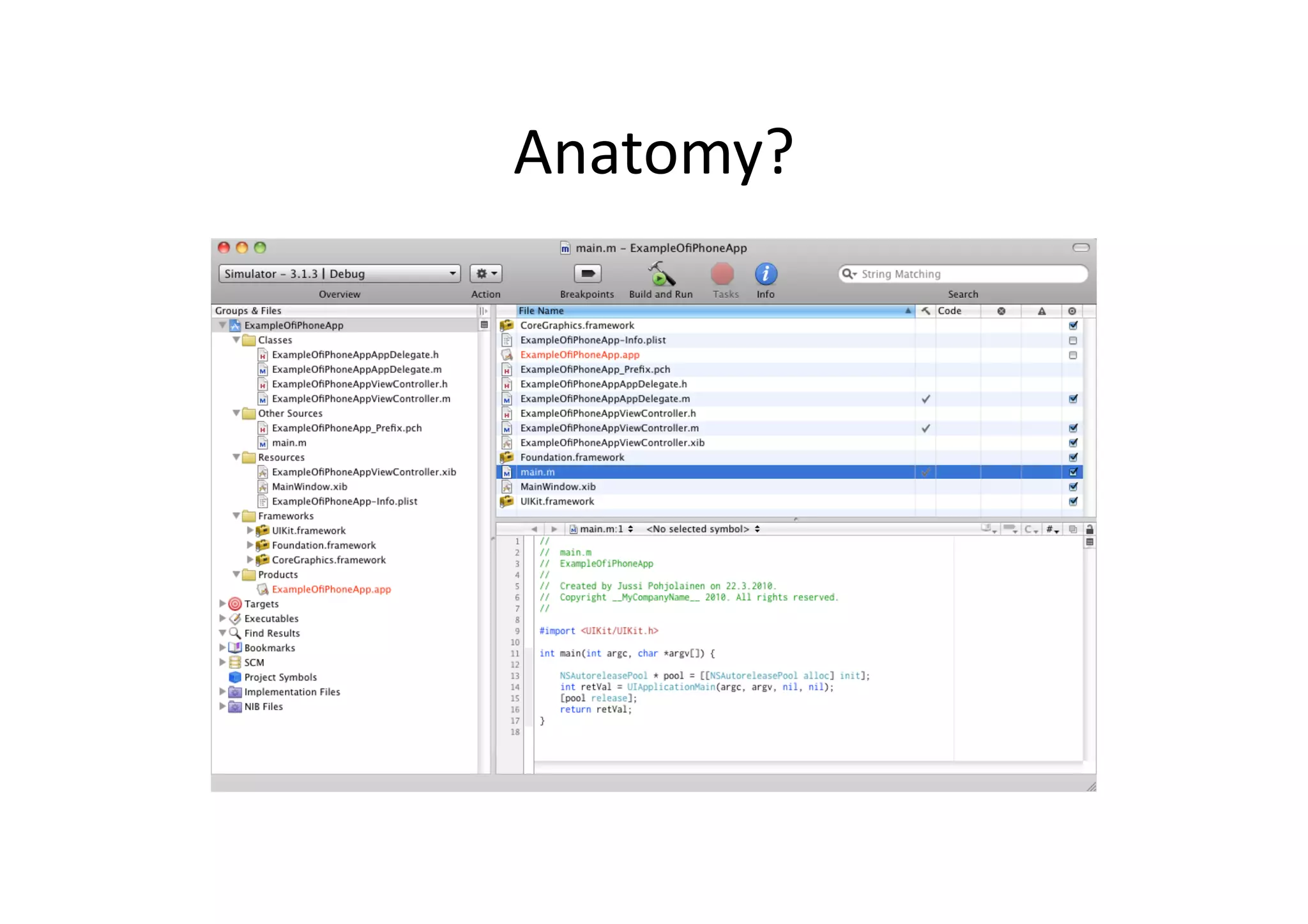
Anatomy?	
  
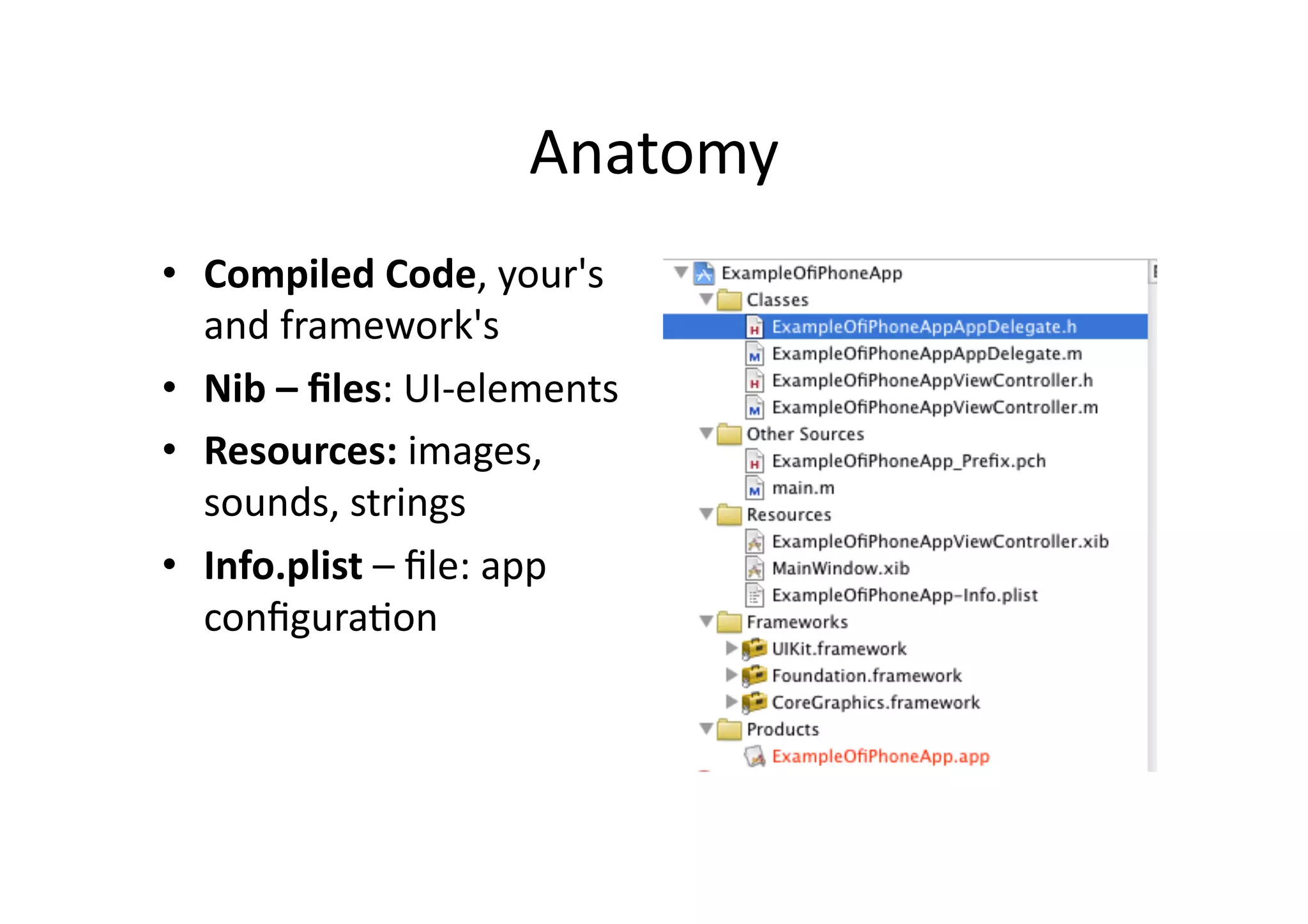
Anatomy	
  
•  Compiled	
  Code,	
  your's	
  
   and	
  framework's	
  
•  Nib	
  –	
  files:	
  UI-­‐elements	
  
•  Resources:	
  images,	
  
   sounds,	
  strings	
  
•  Info.plist	
  –	
  file:	
  app	
  
   configuraIon	
  	
  
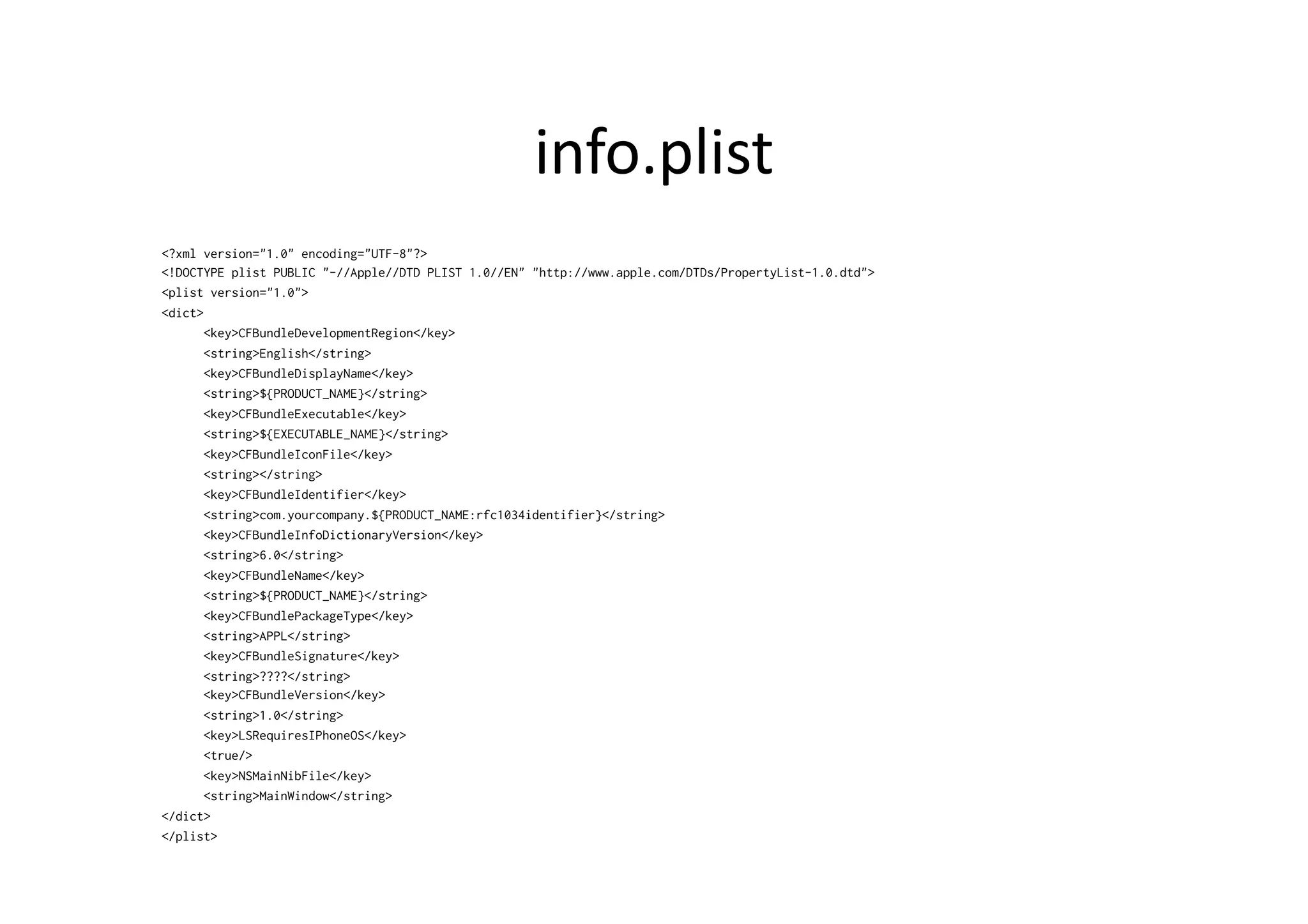
info.plist	
  
<?xml version="1.0" encoding="UTF-8"?>
<!DOCTYPE plist PUBLIC "-//Apple//DTD PLIST 1.0//EN" "http://www.apple.com/DTDs/PropertyList-1.0.dtd">
<plist version="1.0">
<dict>
       <key>CFBundleDevelopmentRegion</key>
       <string>English</string>
       <key>CFBundleDisplayName</key>
       <string>${PRODUCT_NAME}</string>
       <key>CFBundleExecutable</key>
       <string>${EXECUTABLE_NAME}</string>
       <key>CFBundleIconFile</key>
       <string></string>
       <key>CFBundleIdentifier</key>
       <string>com.yourcompany.${PRODUCT_NAME:rfc1034identifier}</string>
       <key>CFBundleInfoDictionaryVersion</key>
       <string>6.0</string>
       <key>CFBundleName</key>
       <string>${PRODUCT_NAME}</string>
       <key>CFBundlePackageType</key>
       <string>APPL</string>
       <key>CFBundleSignature</key>
       <string>????</string>
       <key>CFBundleVersion</key>
       <string>1.0</string>
       <key>LSRequiresIPhoneOS</key>
       <true/>
       <key>NSMainNibFile</key>
       <string>MainWindow</string>
</dict>
</plist>
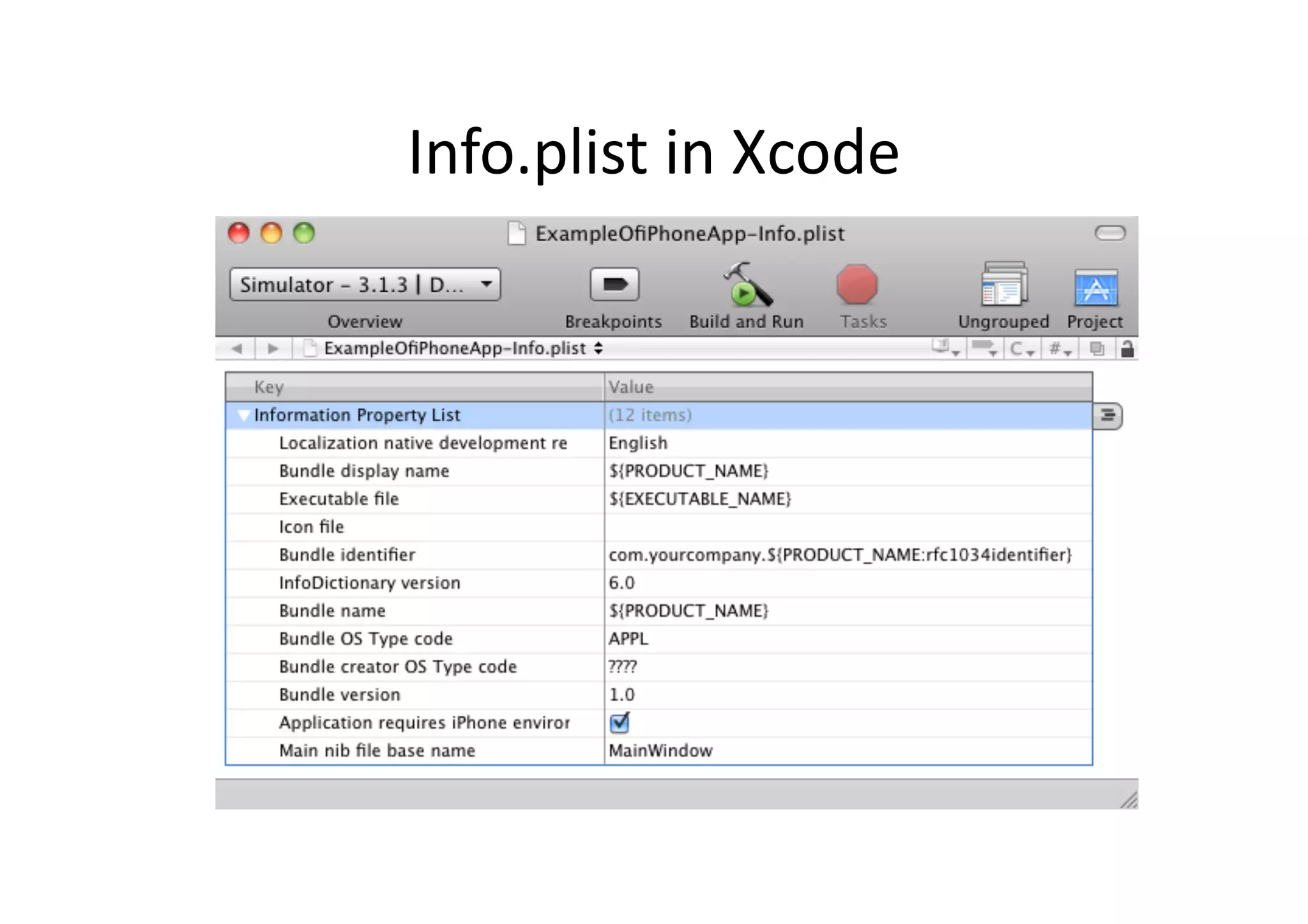
Info.plist	
  in	
  Xcode	
  
nib-­‐file?	
  
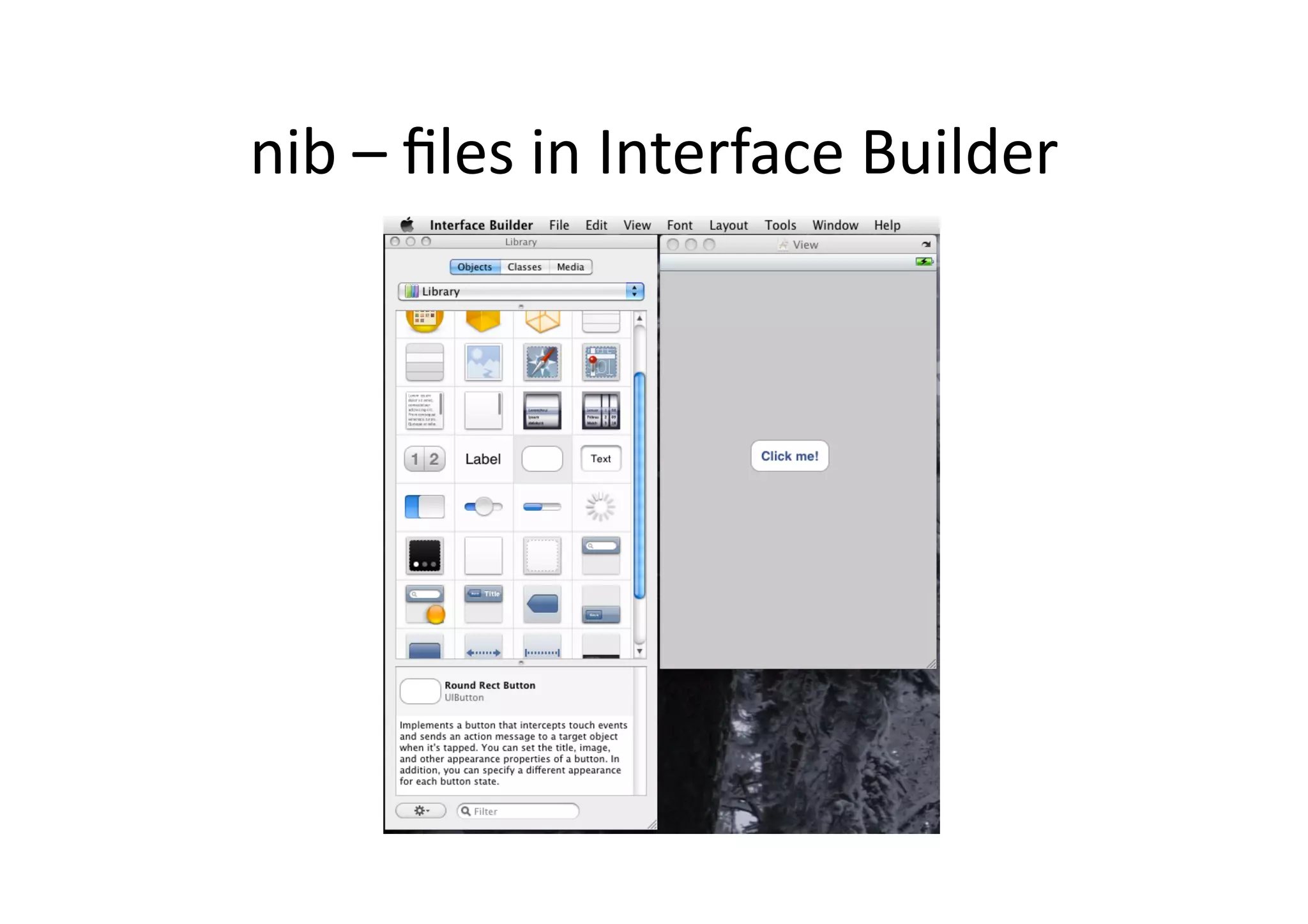
•  Interface	
  Builder	
  is	
  used	
  for	
  creaIng	
  Uis	
  
•  The	
  interface	
  is	
  stored	
  in	
  a	
  file	
  .n/xib	
  
    –  .nib	
  =	
  Next	
  Interface	
  Builder	
  
    –  .xib	
  =	
  new	
  version	
  (Interface	
  Builder	
  3)	
  of	
  nib	
  
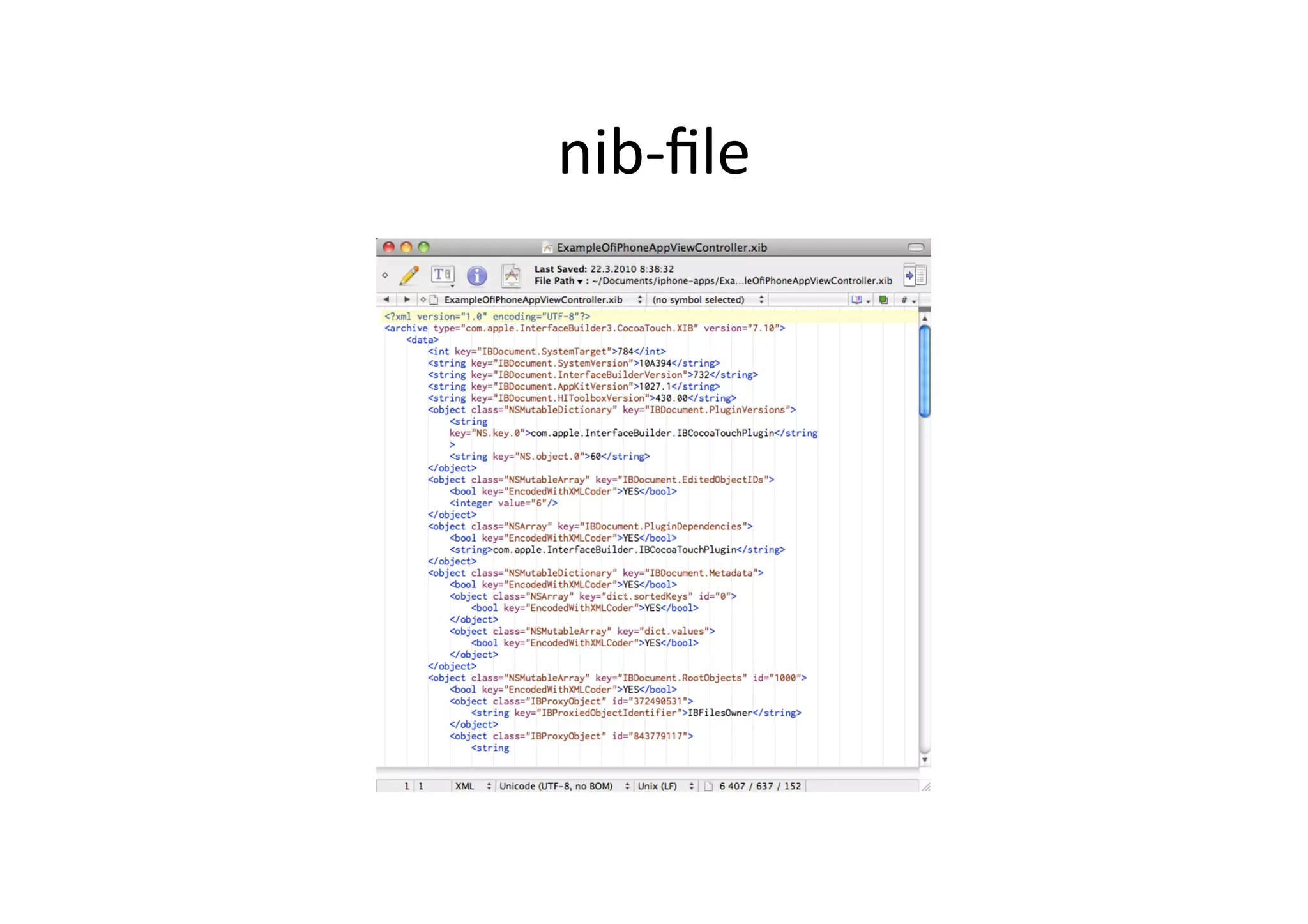
•  The	
  xib	
  file	
  is	
  xml!	
  
•  By	
  conven)on,	
  refer	
  to	
  nib	
  
nib-­‐file	
  
nib	
  –	
  files	
  in	
  Interface	
  Builder	
  
main.m	
  
//
//   main.m
//   ExampleOfiPhoneApp
//
//   Created by Jussi Pohjolainen on 22.3.2010.
//   Copyright TAMK 2010. All rights reserved.
//

#import <UIKit/UIKit.h>

int main(int argc, char *argv[]) {

     NSAutoreleasePool * pool = [[NSAutoreleasePool alloc] init];
     int retVal = UIApplicationMain(argc, argv, nil, nil);
     [pool release];
     return retVal;
}
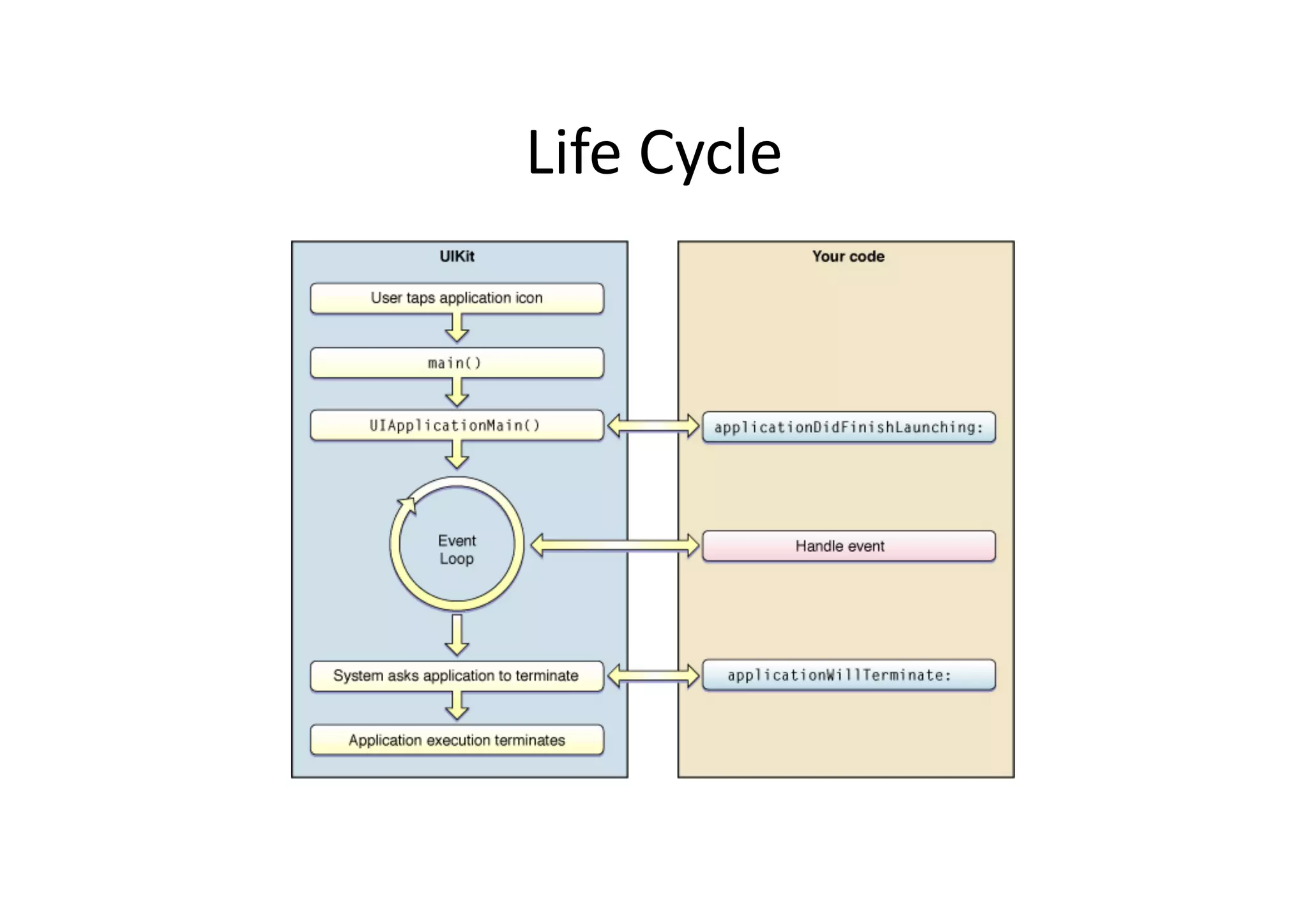
UIApplicaIonMain?	
  
•  Creates	
  instance	
  of	
  UIApplicaIon	
  
•  Scans	
  info.plist	
  
•  Opens	
  the	
  UI	
  –	
  file	
  (xib)	
  that	
  is	
  defined	
  in	
  
     info.plist	
  (mainwindow.xib)	
  
•  Connects	
  to	
  window	
  server	
  
•  Establishes	
  run	
  loop	
  
•  Calls	
  method's	
  from	
  it's	
  delegate	


Life	
  Cycle	
  
Design	
  PaYern:	
  DelegaIon	
  
•  One	
  object	
  sends	
  periodically	
  messages	
  to	
  
   another	
  object	
  specified	
  as	
  its	
  delegate	
  
•  Delegate	
  methods	
  are	
  grouped	
  together	
  with	
  
   protocol	
  (Java:	
  Interface)	
  
Delegate?	
  
•  Xcode	
  project	
  template	
  has	
  provided	
  
   UIApplicaIonDelegate	
  for	
  you	
  
•  Can	
  implement:	
  
   - applicationDidFinishLaunching
   -  applicationWillTerminate
   –  applicationDidReceiveMemoryWarning
   –  ...
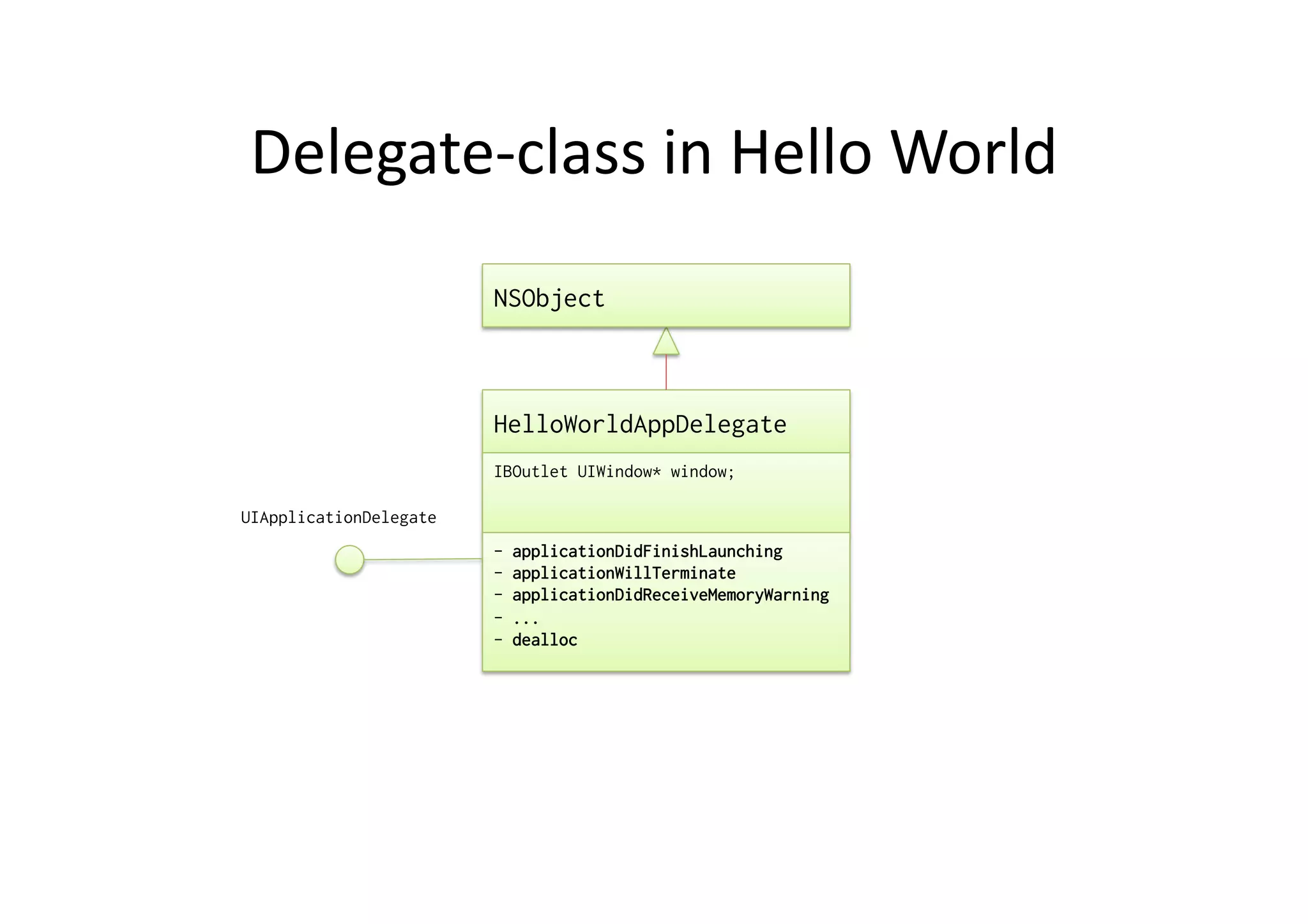
Delegate-­‐class	
  in	
  Hello	
  World	
  
                        NSObject


                        HelloWorldAppDelegate
                        IBOutlet UIWindow* window;

UIApplicationDelegate
                        -    applicationDidFinishLaunching
                        -    applicationWillTerminate
                        -    applicationDidReceiveMemoryWarning
                        -    ...
                        -    dealloc
Delegate	
  
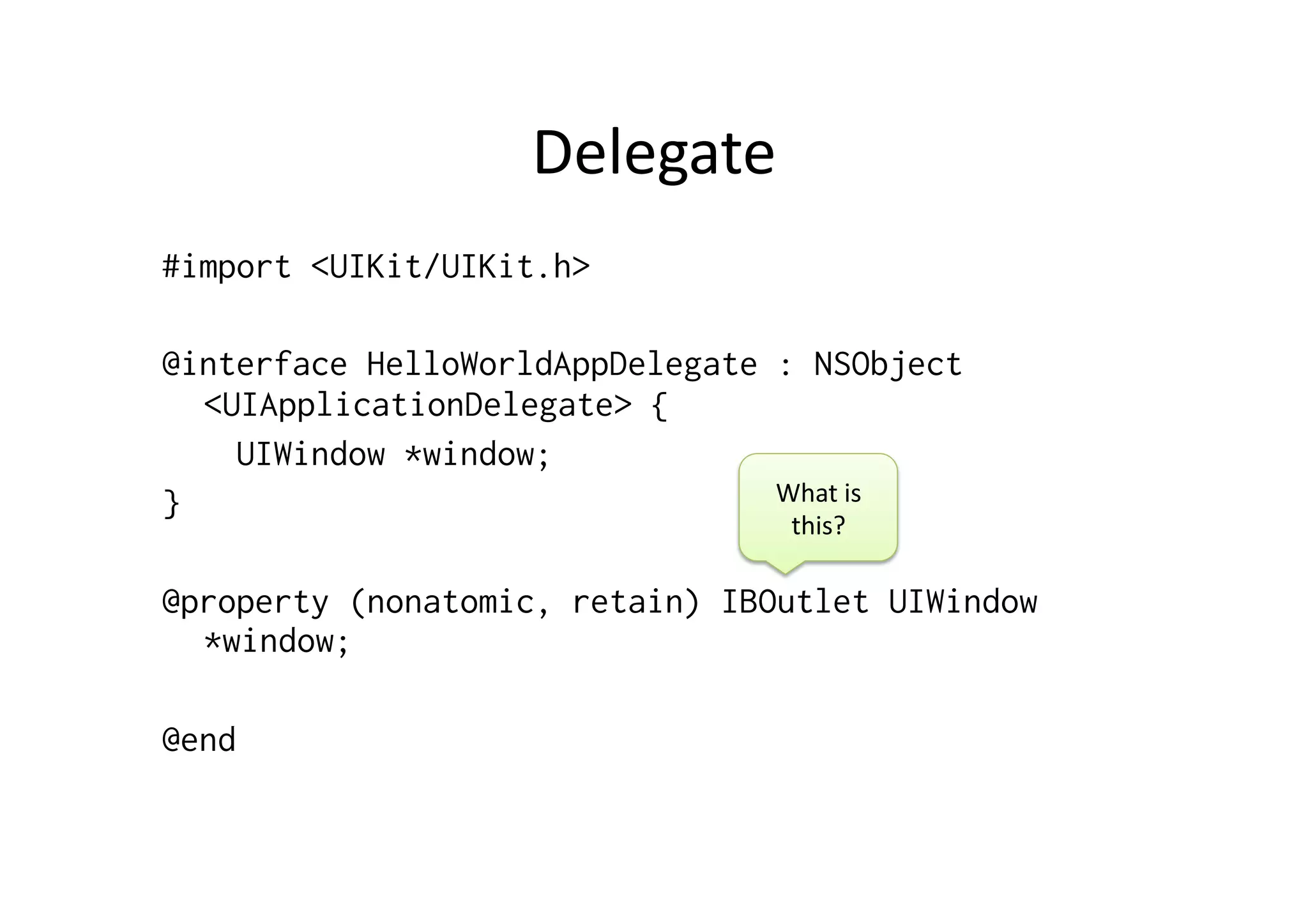
#import <UIKit/UIKit.h>

@interface HelloWorldAppDelegate : NSObject
  <UIApplicationDelegate> {
    UIWindow *window;
}                                What	
  is	
  
                                    this?	
  

@property (nonatomic, retain) IBOutlet UIWindow
  *window;

@end
Outlet?	
  
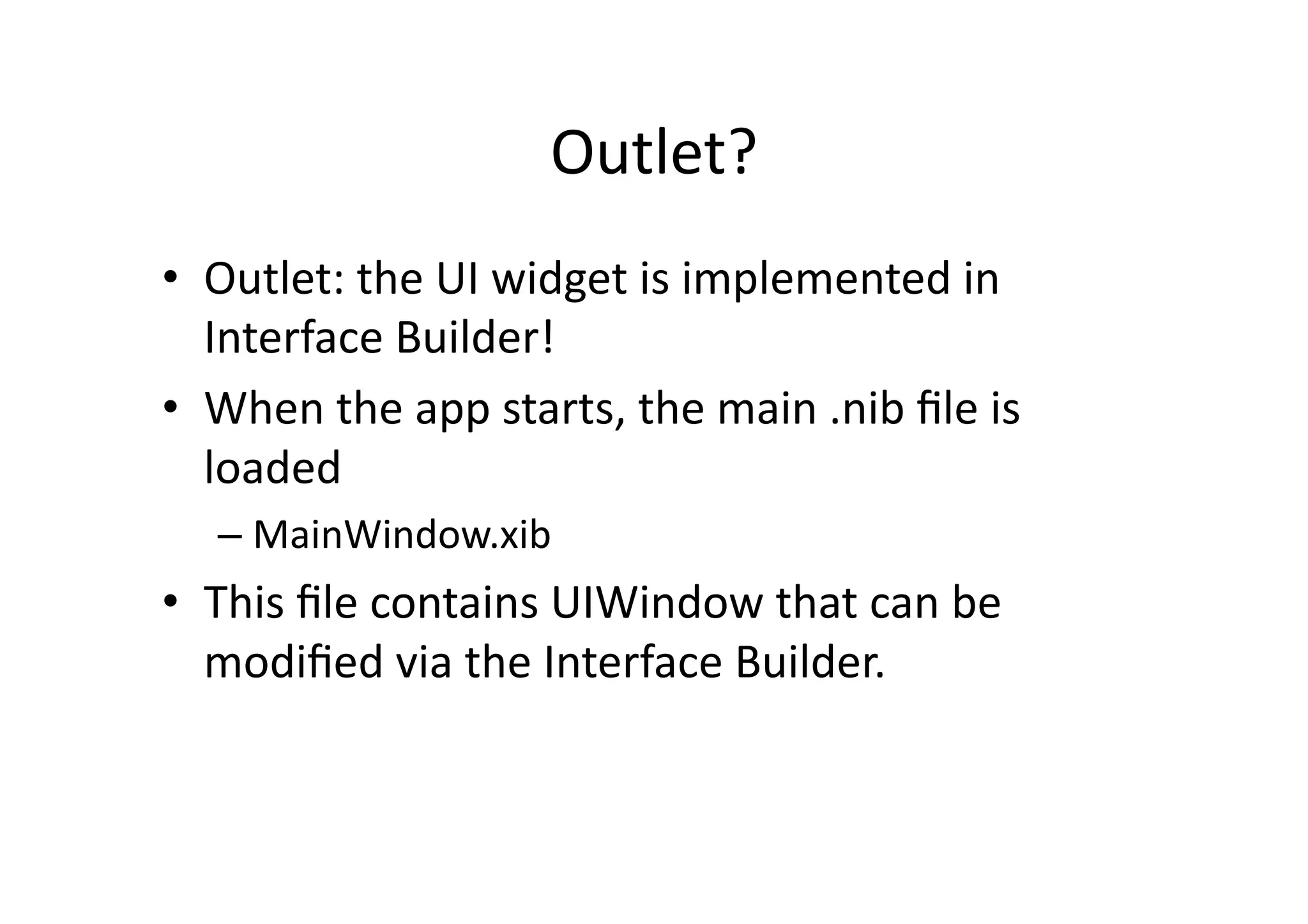
•  Outlet:	
  the	
  UI	
  widget	
  is	
  implemented	
  in	
  
   Interface	
  Builder!	
  
•  When	
  the	
  app	
  starts,	
  the	
  main	
  .nib	
  file	
  is	
  
   loaded	
  
       –  MainWindow.xib	
  
•  This	
  file	
  contains	
  UIWindow	
  that	
  can	
  be	
  
   modified	
  via	
  the	
  Interface	
  Builder.	


Delegate	
  classes	
  implementaIon	
  
#import "HelloWorldAppDelegate.h"

@implementation HelloWorldAppDelegate

@synthesize window;


- (void)applicationDidFinishLaunching:(UIApplication *)application {

    // Override point for customization after application launch
    [window makeKeyAndVisible];
}


- (void)dealloc {
    [window release];
    [super dealloc];
}


@end
Windows,	
  Views	
  
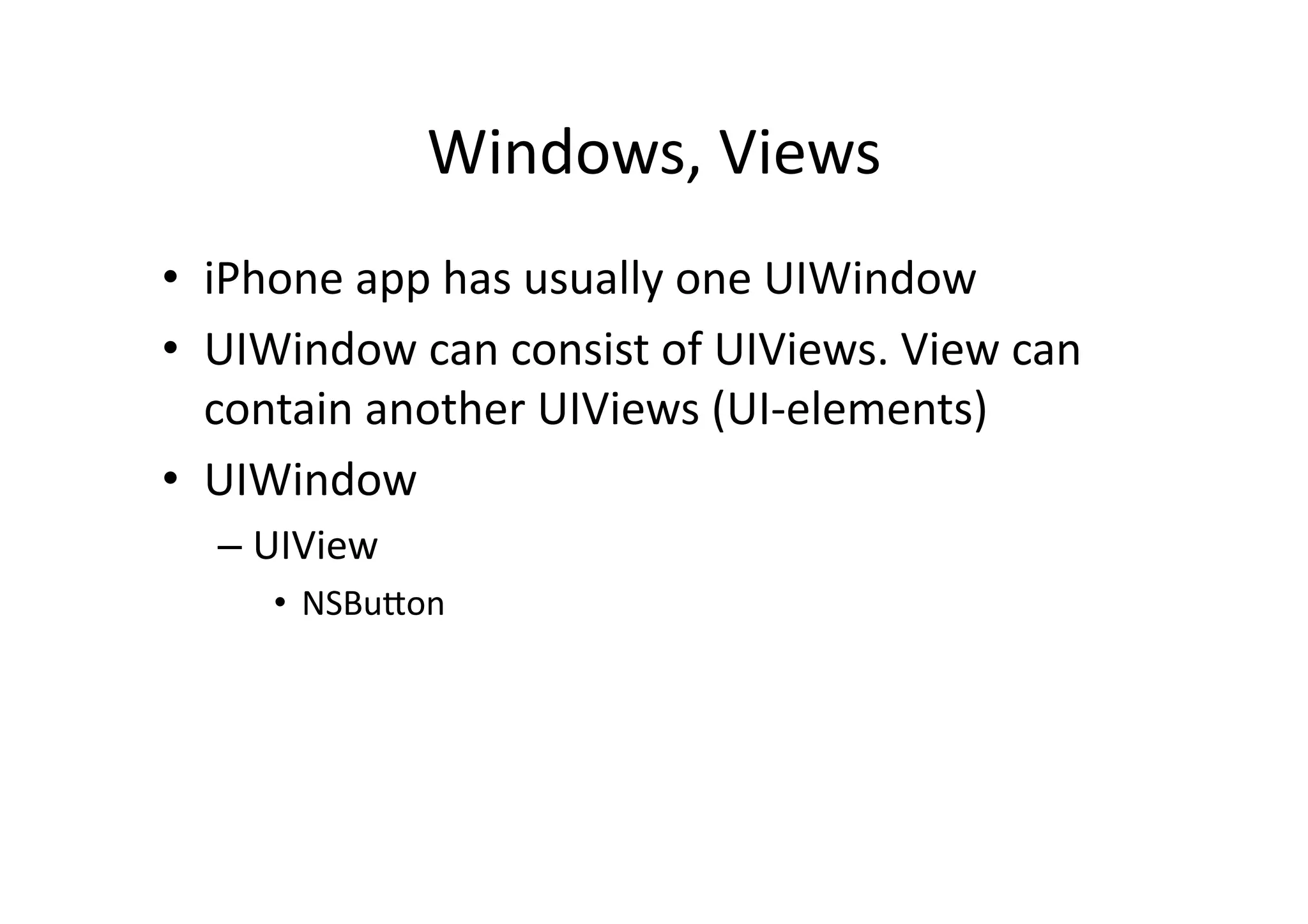
•  iPhone	
  app	
  has	
  usually	
  one	
  UIWindow	
  
•  UIWindow	
  can	
  consist	
  of	
  UIViews.	
  View	
  can	
  
   contain	
  another	
  UIViews	
  (UI-­‐elements)	
  
•  UIWindow	
  
   –  UIView	
  
       •  NSBuYon	
  
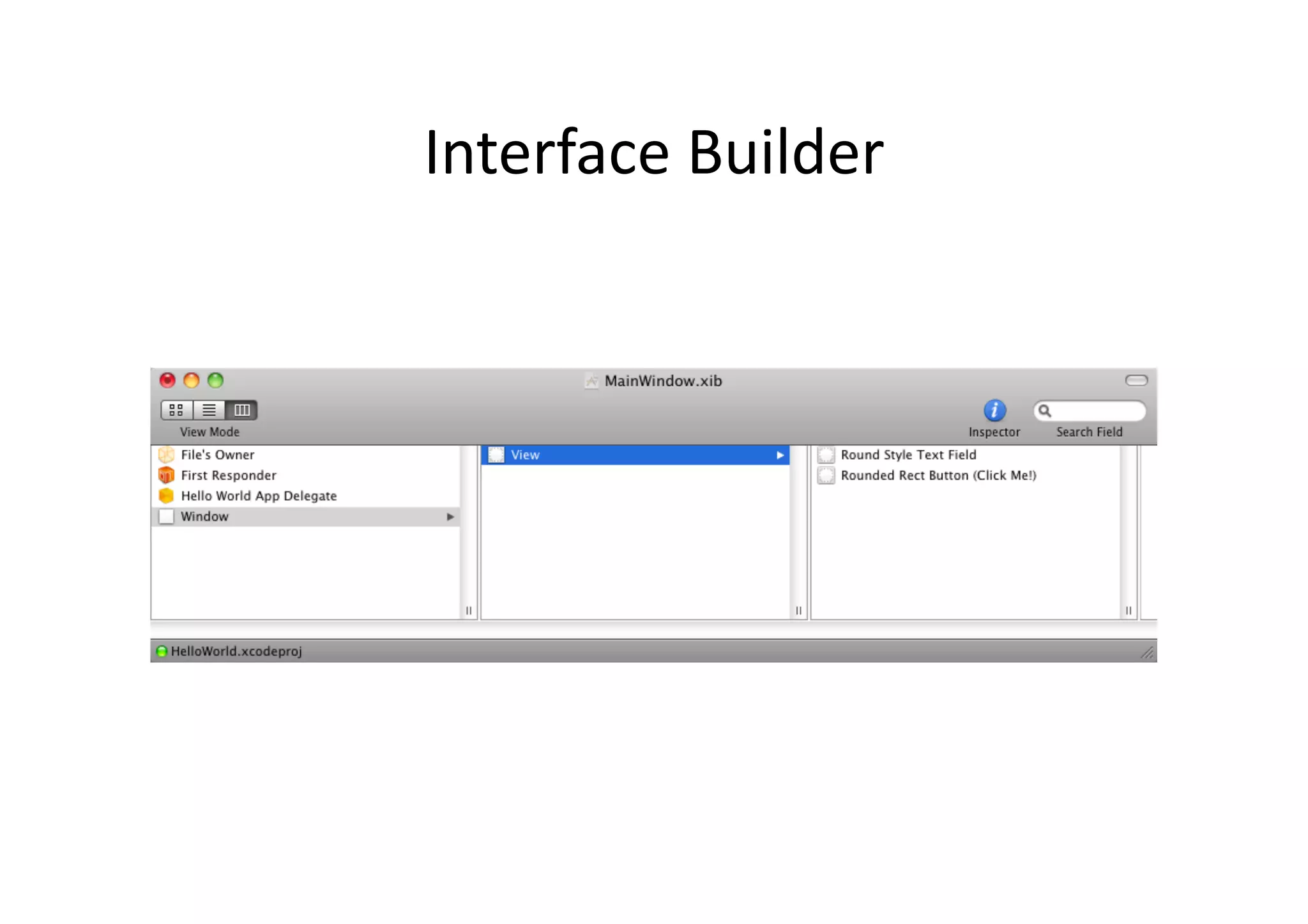
Interface	
  Builder	
  
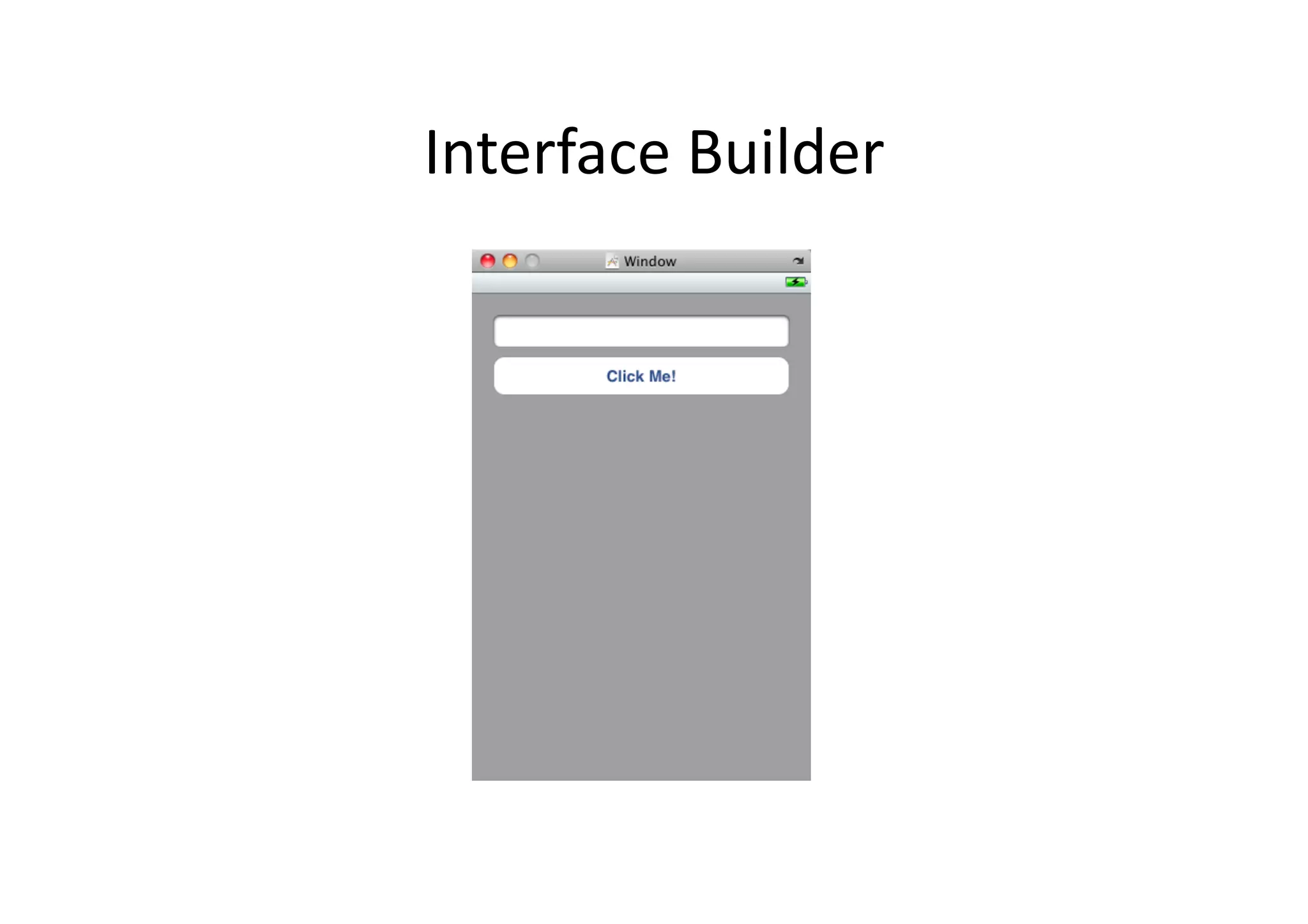
Interface	
  Builder	
  
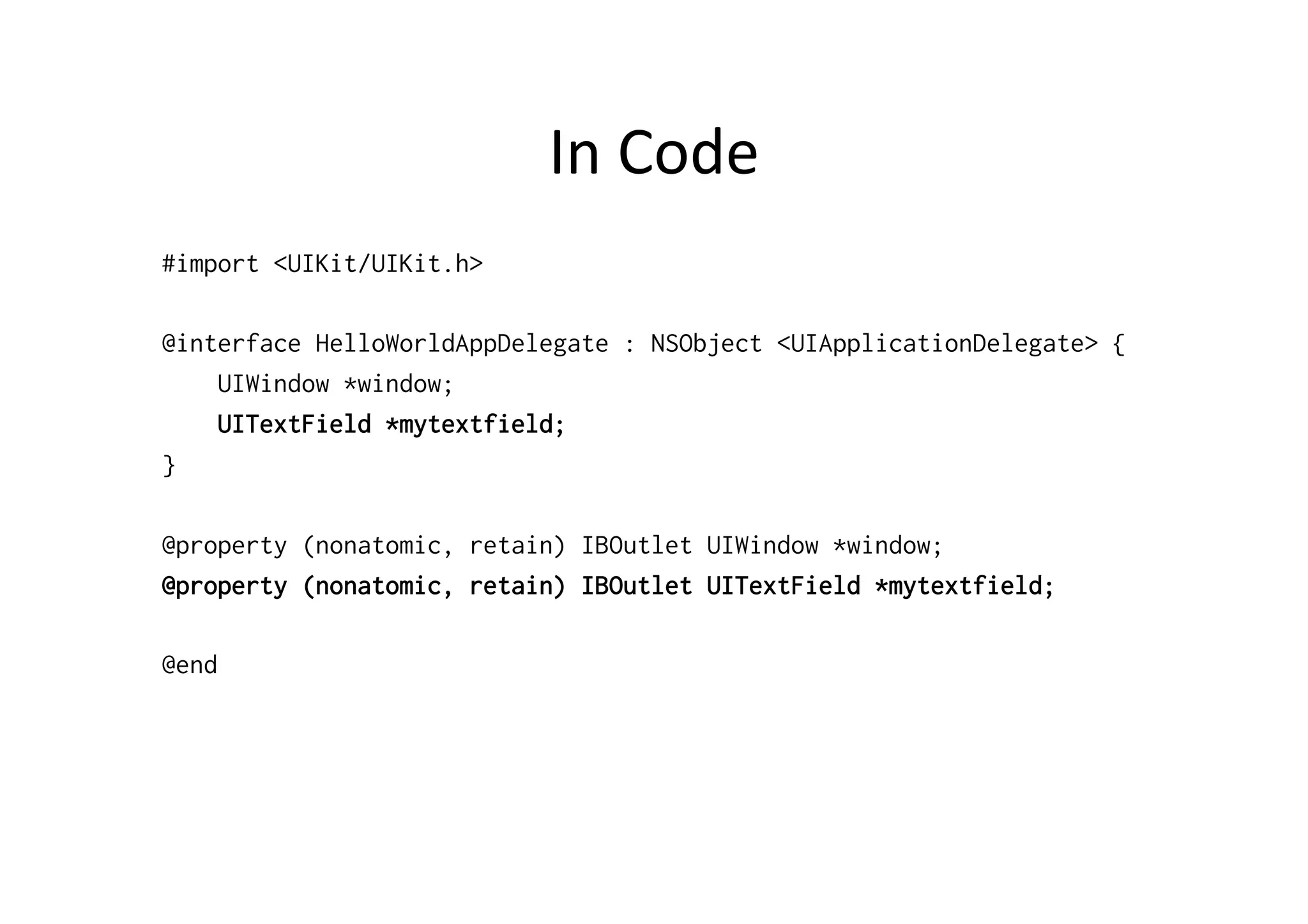
In	
  Code	
  
#import <UIKit/UIKit.h>

@interface HelloWorldAppDelegate : NSObject <UIApplicationDelegate> {
    UIWindow *window;
    UITextField *mytextfield;
}

@property (nonatomic, retain) IBOutlet UIWindow *window;
@property (nonatomic, retain) IBOutlet UITextField *mytextfield;

@end
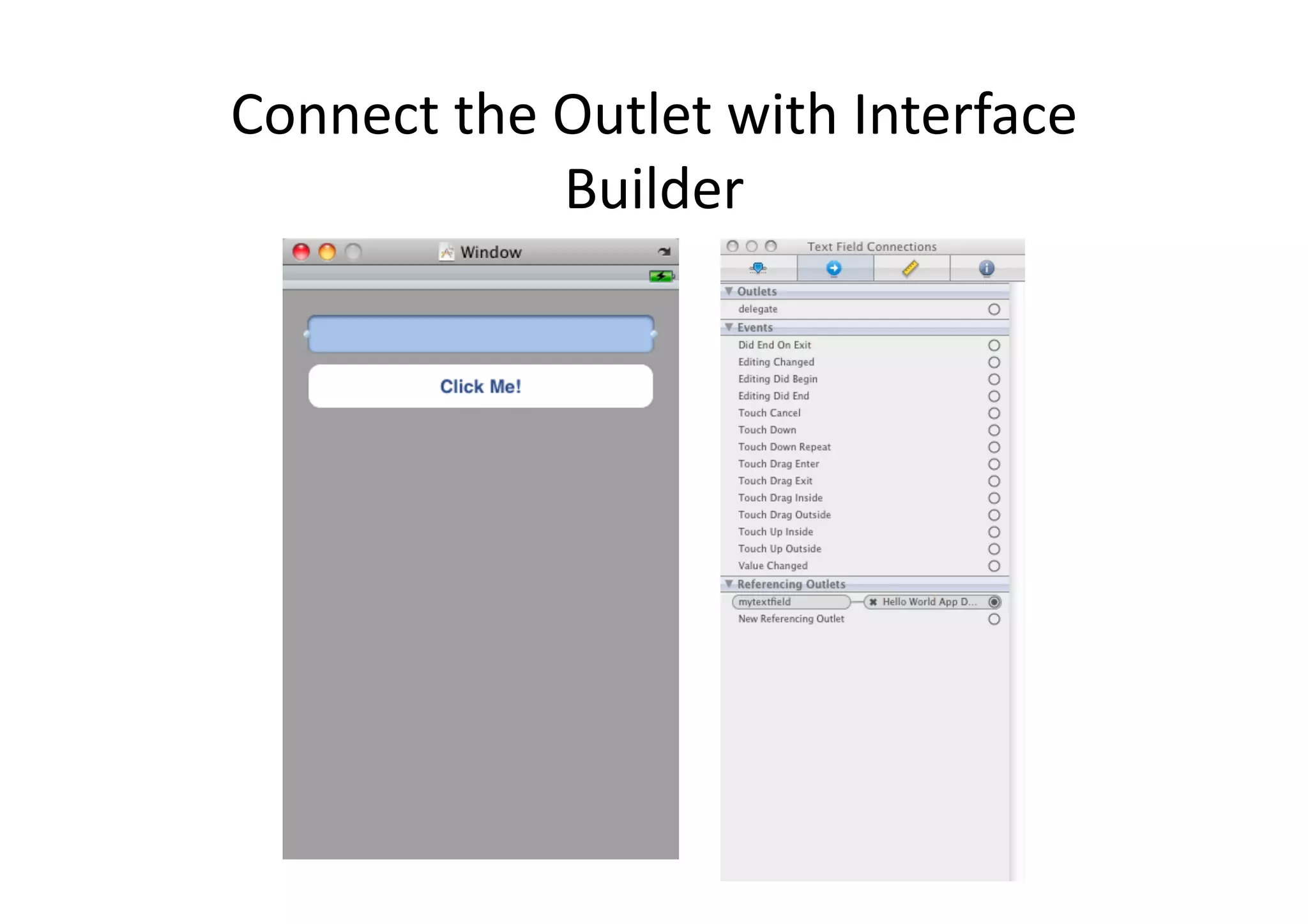
Connect	
  the	
  Outlet	
  with	
  Interface	
  
                  Builder	
  
AcIons	
  
•  AcIons:	
  what	
  method	
  is	
  called	
  when	
  
     something	
  happens?	


In	
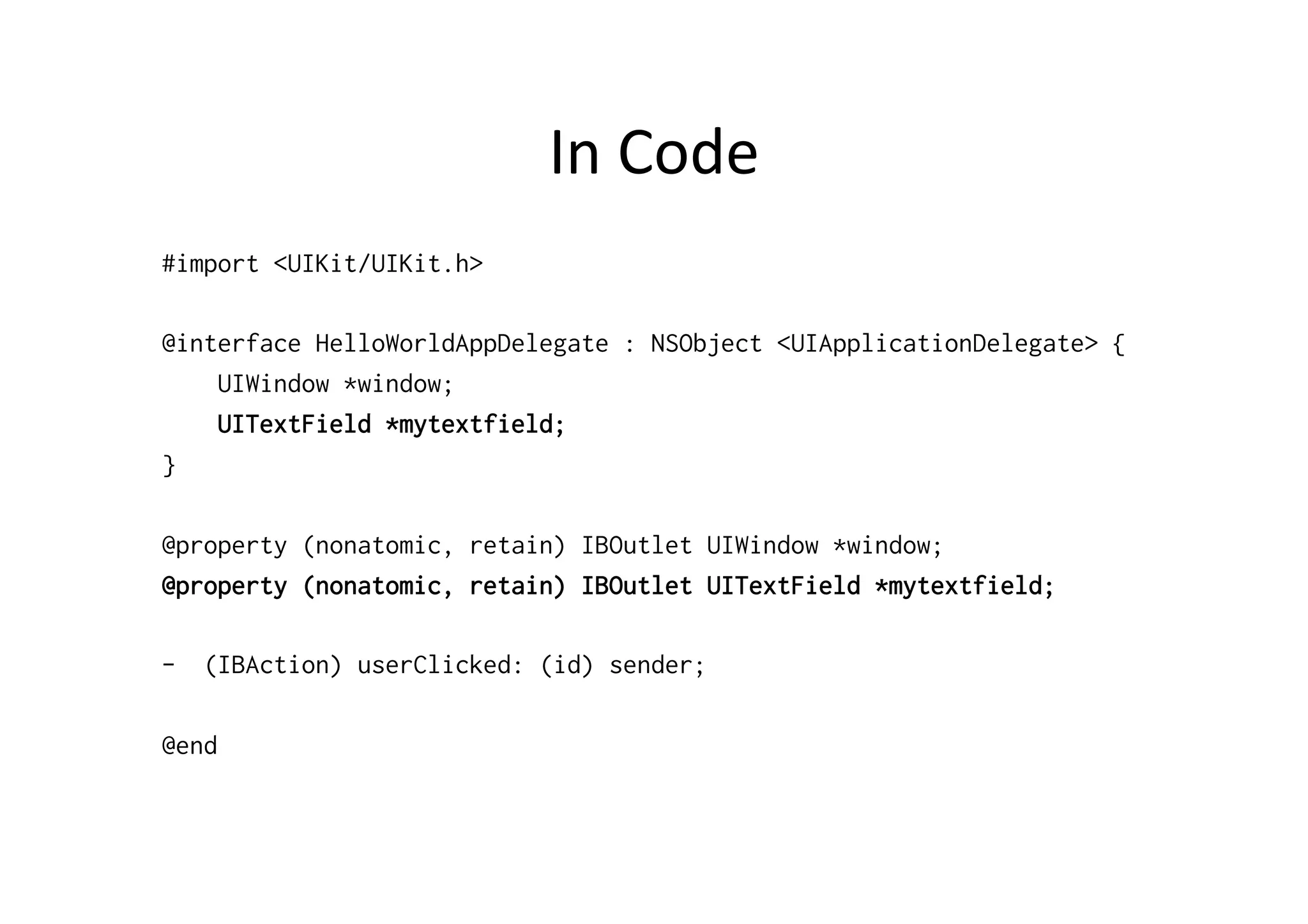
  Code	
  
#import <UIKit/UIKit.h>

@interface HelloWorldAppDelegate : NSObject <UIApplicationDelegate> {
    UIWindow *window;
    UITextField *mytextfield;
}

@property (nonatomic, retain) IBOutlet UIWindow *window;
@property (nonatomic, retain) IBOutlet UITextField *mytextfield;

-  (IBAction) userClicked: (id) sender;

@end
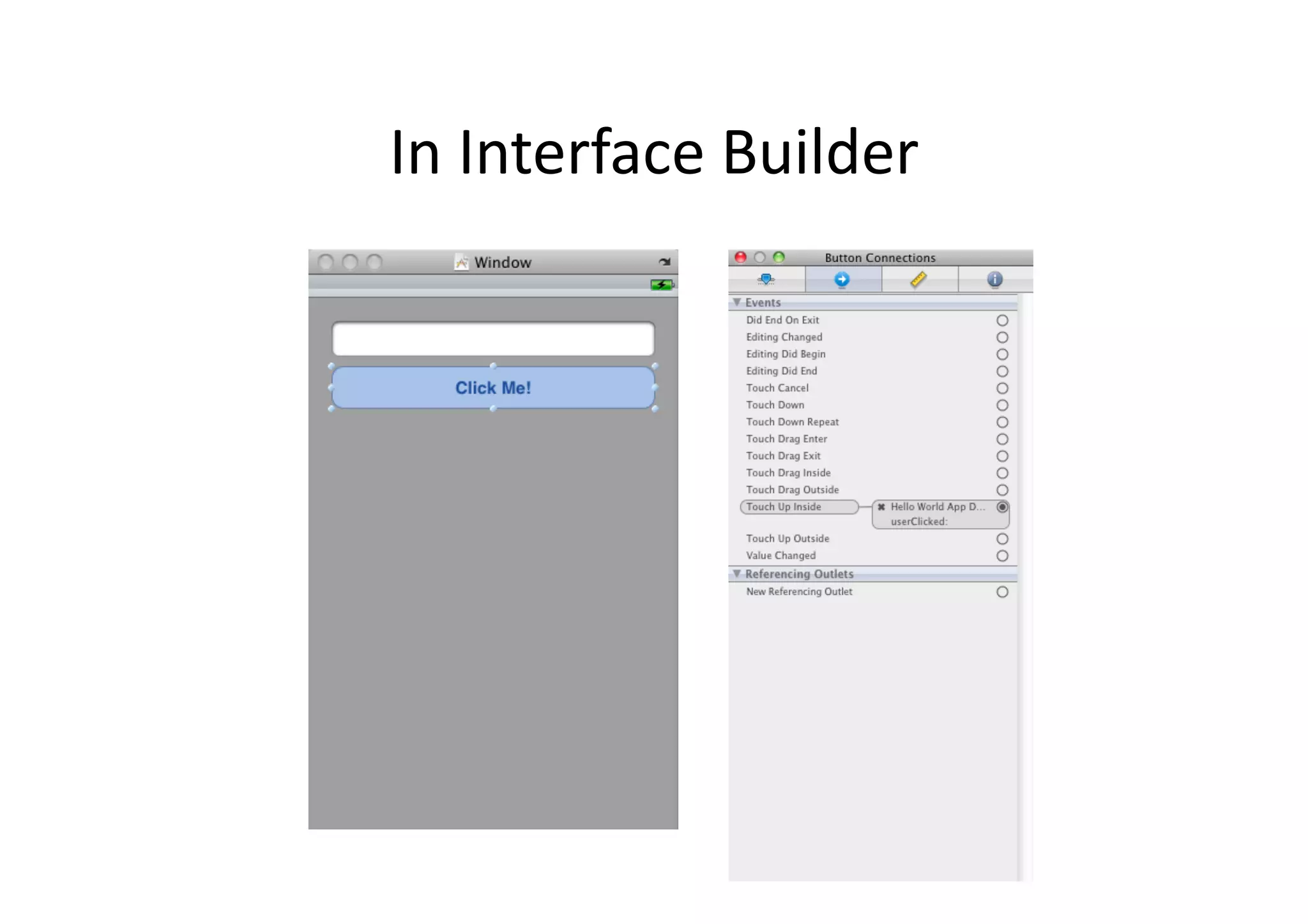
In	
  Interface	
  Builder	
  
In	
  Code	
  
#import "HelloWorldAppDelegate.h"

@implementation HelloWorldAppDelegate

@synthesize window;
@synthesize mytextfield;

- (IBAction) userClicked: (id) sender
{
    NSString* text = [mytextfield text];
    NSLog(text);
}
...
In	
  Code:	
  Using	
  Alert	
  
#import "HelloWorldAppDelegate.h"

@implementation HelloWorldAppDelegate

@synthesize window;
@synthesize mytextfield;

- (IBAction) userClicked: (id) sender
{
    NSString* text = [mytextfield text];
    UIAlertView *alert   = [[UIAlertView alloc]
                            initWithTitle:@"Hello"
                            message:text
                            delegate:nil
                            cancelButtonTitle:@"Ok"
                            otherButtonTitles:nil];
    [alert show];
    [alert release];
}
...
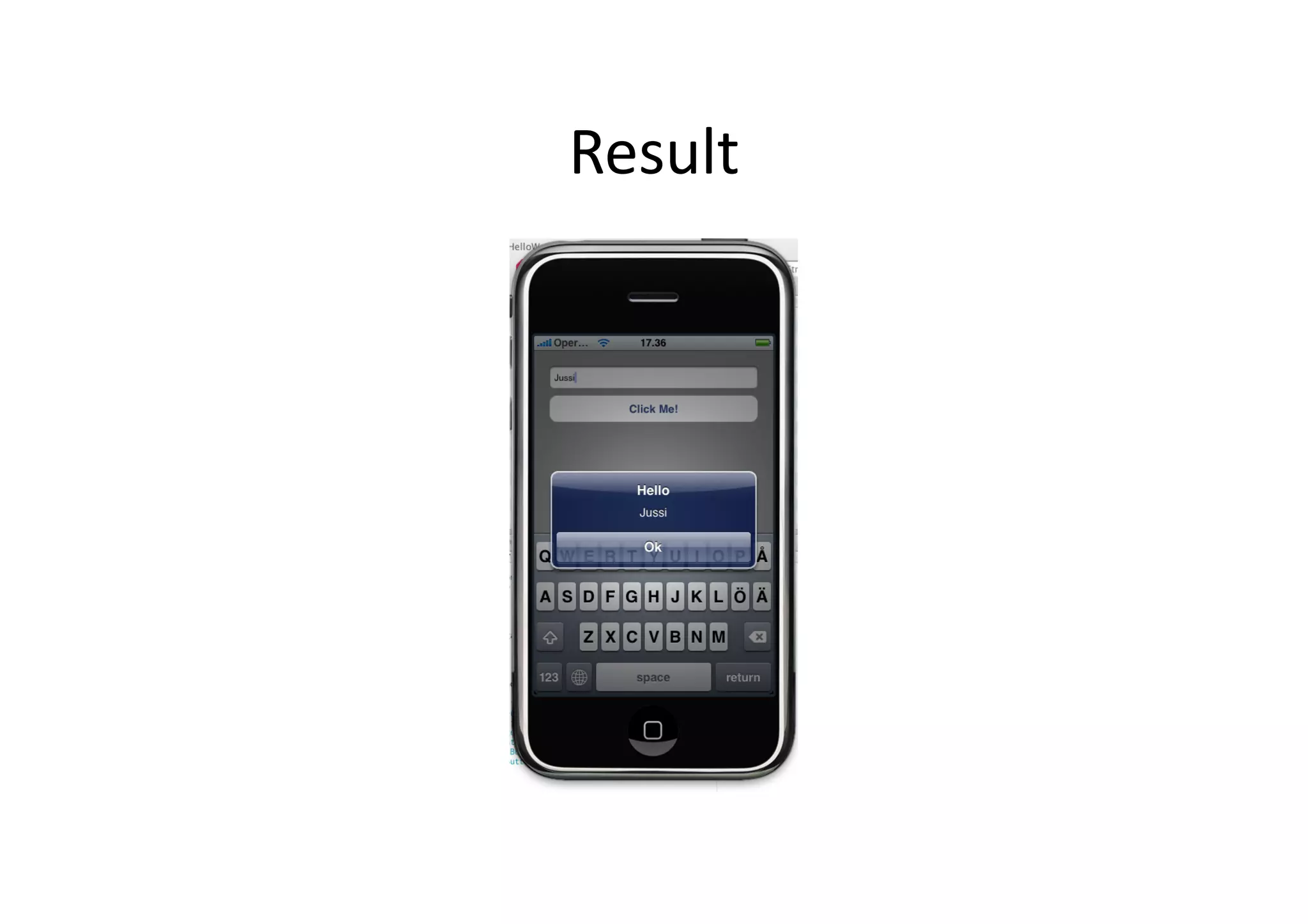
Result	
  

Quick Start to iOS Development

  • 1.
    Quick  Start  to  iOS  Development   Jussi  Pohjolainen   Tampere  University  of  Applied  Sciences  
  • 2.
  • 3.
    Anatomy   •  Compiled  Code,  your's   and  framework's   •  Nib  –  files:  UI-­‐elements   •  Resources:  images,   sounds,  strings   •  Info.plist  –  file:  app   configuraIon    
  • 4.
    info.plist   <?xml version="1.0"encoding="UTF-8"?> <!DOCTYPE plist PUBLIC "-//Apple//DTD PLIST 1.0//EN" "http://www.apple.com/DTDs/PropertyList-1.0.dtd"> <plist version="1.0"> <dict> <key>CFBundleDevelopmentRegion</key> <string>English</string> <key>CFBundleDisplayName</key> <string>${PRODUCT_NAME}</string> <key>CFBundleExecutable</key> <string>${EXECUTABLE_NAME}</string> <key>CFBundleIconFile</key> <string></string> <key>CFBundleIdentifier</key> <string>com.yourcompany.${PRODUCT_NAME:rfc1034identifier}</string> <key>CFBundleInfoDictionaryVersion</key> <string>6.0</string> <key>CFBundleName</key> <string>${PRODUCT_NAME}</string> <key>CFBundlePackageType</key> <string>APPL</string> <key>CFBundleSignature</key> <string>????</string> <key>CFBundleVersion</key> <string>1.0</string> <key>LSRequiresIPhoneOS</key> <true/> <key>NSMainNibFile</key> <string>MainWindow</string> </dict> </plist>
  • 5.
  • 6.
    nib-­‐file?   •  Interface  Builder  is  used  for  creaIng  Uis   •  The  interface  is  stored  in  a  file  .n/xib   –  .nib  =  Next  Interface  Builder   –  .xib  =  new  version  (Interface  Builder  3)  of  nib   •  The  xib  file  is  xml!   •  By  conven)on,  refer  to  nib  
  • 7.
  • 8.
    nib  –  files  in  Interface  Builder  
  • 9.
    main.m   // // main.m // ExampleOfiPhoneApp // // Created by Jussi Pohjolainen on 22.3.2010. // Copyright TAMK 2010. All rights reserved. // #import <UIKit/UIKit.h> int main(int argc, char *argv[]) { NSAutoreleasePool * pool = [[NSAutoreleasePool alloc] init]; int retVal = UIApplicationMain(argc, argv, nil, nil); [pool release]; return retVal; }
  • 10.
    UIApplicaIonMain?   •  Creates  instance  of  UIApplicaIon   •  Scans  info.plist   •  Opens  the  UI  –  file  (xib)  that  is  defined  in   info.plist  (mainwindow.xib)   •  Connects  to  window  server   •  Establishes  run  loop   •  Calls  method's  from  it's  delegate    
  • 11.
  • 12.
    Design  PaYern:  DelegaIon   •  One  object  sends  periodically  messages  to   another  object  specified  as  its  delegate   •  Delegate  methods  are  grouped  together  with   protocol  (Java:  Interface)  
  • 13.
    Delegate?   •  Xcode  project  template  has  provided   UIApplicaIonDelegate  for  you   •  Can  implement:   - applicationDidFinishLaunching -  applicationWillTerminate –  applicationDidReceiveMemoryWarning –  ...
  • 14.
    Delegate-­‐class  in  Hello  World   NSObject HelloWorldAppDelegate IBOutlet UIWindow* window; UIApplicationDelegate -  applicationDidFinishLaunching -  applicationWillTerminate -  applicationDidReceiveMemoryWarning -  ... -  dealloc
  • 15.
    Delegate   #import <UIKit/UIKit.h> @interfaceHelloWorldAppDelegate : NSObject <UIApplicationDelegate> { UIWindow *window; } What  is   this?   @property (nonatomic, retain) IBOutlet UIWindow *window; @end
  • 16.
    Outlet?   •  Outlet:  the  UI  widget  is  implemented  in   Interface  Builder!   •  When  the  app  starts,  the  main  .nib  file  is   loaded   –  MainWindow.xib   •  This  file  contains  UIWindow  that  can  be   modified  via  the  Interface  Builder.    
  • 17.
    Delegate  classes  implementaIon   #import "HelloWorldAppDelegate.h" @implementation HelloWorldAppDelegate @synthesize window; - (void)applicationDidFinishLaunching:(UIApplication *)application { // Override point for customization after application launch [window makeKeyAndVisible]; } - (void)dealloc { [window release]; [super dealloc]; } @end
  • 18.
    Windows,  Views   • iPhone  app  has  usually  one  UIWindow   •  UIWindow  can  consist  of  UIViews.  View  can   contain  another  UIViews  (UI-­‐elements)   •  UIWindow   –  UIView   •  NSBuYon  
  • 19.
  • 20.
  • 21.
    In  Code   #import<UIKit/UIKit.h> @interface HelloWorldAppDelegate : NSObject <UIApplicationDelegate> { UIWindow *window; UITextField *mytextfield; } @property (nonatomic, retain) IBOutlet UIWindow *window; @property (nonatomic, retain) IBOutlet UITextField *mytextfield; @end
  • 22.
    Connect  the  Outlet  with  Interface   Builder  
  • 23.
    AcIons   •  AcIons:  what  method  is  called  when   something  happens?    
  • 24.
    In  Code   #import<UIKit/UIKit.h> @interface HelloWorldAppDelegate : NSObject <UIApplicationDelegate> { UIWindow *window; UITextField *mytextfield; } @property (nonatomic, retain) IBOutlet UIWindow *window; @property (nonatomic, retain) IBOutlet UITextField *mytextfield; -  (IBAction) userClicked: (id) sender; @end
  • 25.
  • 26.
    In  Code   #import"HelloWorldAppDelegate.h" @implementation HelloWorldAppDelegate @synthesize window; @synthesize mytextfield; - (IBAction) userClicked: (id) sender { NSString* text = [mytextfield text]; NSLog(text); } ...
  • 27.
    In  Code:  Using  Alert   #import "HelloWorldAppDelegate.h" @implementation HelloWorldAppDelegate @synthesize window; @synthesize mytextfield; - (IBAction) userClicked: (id) sender { NSString* text = [mytextfield text]; UIAlertView *alert = [[UIAlertView alloc] initWithTitle:@"Hello" message:text delegate:nil cancelButtonTitle:@"Ok" otherButtonTitles:nil]; [alert show]; [alert release]; } ...
  • 28.