iOS
        Scott
      Leberknight
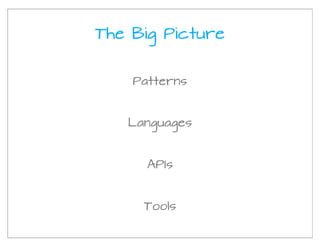
The Big Picture


    Patterns


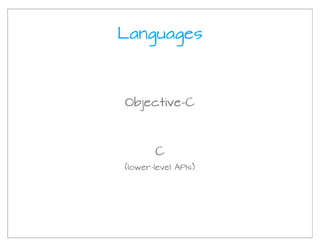
   Languages


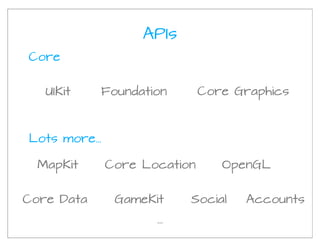
      APIs


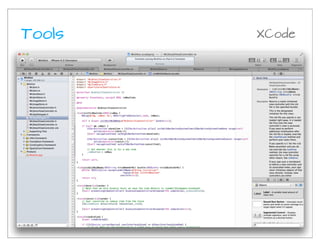
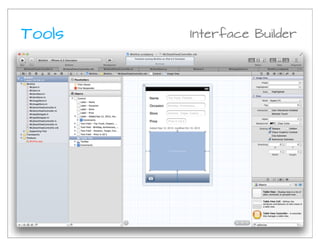
     Tools
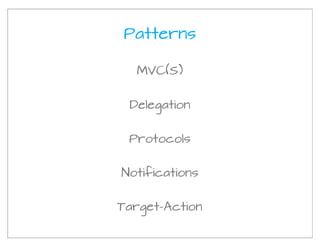
Patterns

  MVC(S)


 Delegation


 Protocols


Notifications


Target-Action
Languages


Objective-C


       C
(lower-level APIs)
APIs
Core


   UIKit    Foundation         Core Graphics


Lots more...

  MapKit       Core Location      OpenGL


Core Data       GameKit     Social   Accounts
                      ...
Tools   XCode
Tools   Interface Builder
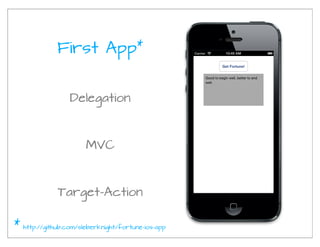
First App*


                   Delegation


                        MVC


               Target-Action

*   http://github.com/sleberknight/fortune-ios-app
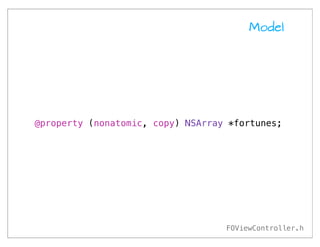
Model


@property (nonatomic, copy) NSArray *fortunes;


                                   FOViewController.h
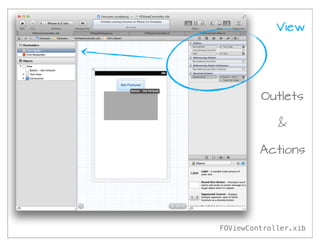
View


         Outlets

             &

         Actions


FOViewController.xib
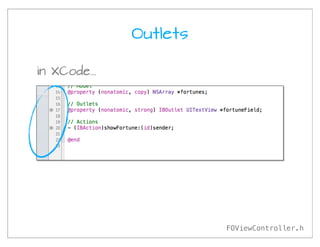
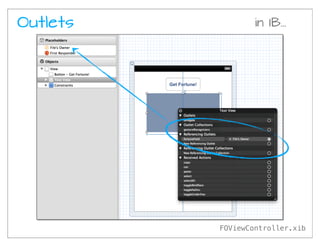
Outlets

in XCode...


                        FOViewController.h
Outlets           in IB...


          FOViewController.xib
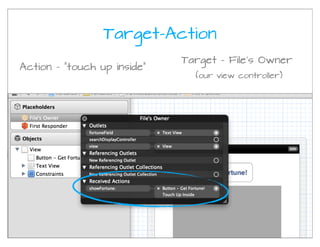
Target-Action
                             Target - File’s Owner
Action - “touch up inside”
                               (our view controller)
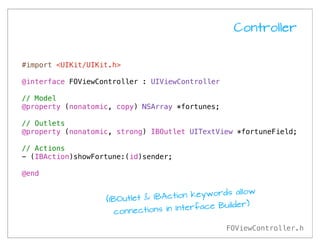
Controller


#import <UIKit/UIKit.h>

@interface FOViewController : UIViewController

// Model
@property (nonatomic, copy) NSArray *fortunes;

// Outlets
@property (nonatomic, strong) IBOutlet UITextView *fortuneField;

// Actions
- (IBAction)showFortune:(id)sender;

@end

                                            words allow
                   (IBOutlet & IBAction key
                                                 ilder)
                      connections in Interface Bu

                                                 FOViewController.h
Controller
#import "FOViewController.h"

@implementation FOViewController

- (id)initWithNibName:(NSString *)nibNameOrNil bundle:(NSBundle *)nibBundleOrNil {
    self = [super initWithNibName:nibNameOrNil bundle:nibBundleOrNil];

    if (self) {
        _fortunes = @[
            @"A dubious friend may be an enemy in camouflage.",
            @"A feather in the hand is better than a bird in the air.",
            @"A friend asks only for your time not your money.",
            // ...
        ];
    }
    return self;
}

- (IBAction)showFortune:(id)sender {
    int fortuneIndex = arc4random() % [_fortunes count];
    NSLog(@"fortuneIndex: %d", fortuneIndex);
    NSString *fortune = [_fortunes objectAtIndex:fortuneIndex];
    [_fortuneField setText:fortune];
}

@end


                                                              FOViewController.m
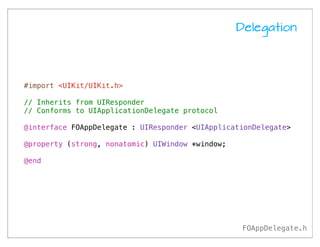
Delegation


#import <UIKit/UIKit.h>

// Inherits from UIResponder
// Conforms to UIApplicationDelegate protocol

@interface FOAppDelegate : UIResponder <UIApplicationDelegate>

@property (strong, nonatomic) UIWindow *window;

@end


                                                   FOAppDelegate.h
Delegation

#import "FOAppDelegate.h"
#import "FOViewController.h"

@implementation FOAppDelegate

- (BOOL)application:(UIApplication *)application
        didFinishLaunchingWithOptions:(NSDictionary *)launchOptions
{
    self.window = [[UIWindow alloc] initWithFrame:[[UIScreen mainScreen] bounds]];

    // Create our view controller; set it as the root view controller
    FOViewController *viewController = [[FOViewController alloc]
                                        initWithNibName:@"FOViewController"
                                        bundle:nil];
    [[self window] setRootViewController:viewController];

    self.window.backgroundColor = [UIColor whiteColor];
    [self.window makeKeyAndVisible];
    return YES;
}

@end


                                                                    FOAppDelegate.m
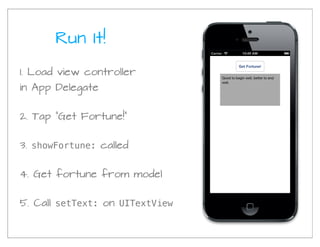
Run It!

1. Load view controller
in App Delegate


2. Tap “Get Fortune!”


3. showFortune: called


4. Get fortune from model


5. Call setText: on UITextView
Objective-C


    Object-oriented
    (layered on top of C)


   Single-inheritance


Protocols   (like Java interfaces)


   Message sending
Objective-C (continued)

         Properties


      Blocks   (like closures)


          Selectors


ARC   (automatic reference counting)


 GCD     (Grand Central Dispatch)
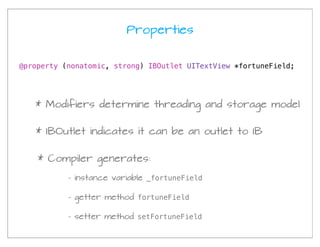
Properties


@property (nonatomic, strong) IBOutlet UITextView *fortuneField;


   * Modifiers determine threading and storage model


   * IBOutlet indicates it can be an outlet to IB


    * Compiler generates:

           - instance variable _fortuneField

           - getter method fortuneField

           - setter method setFortuneField
Sending Messages


                          selector


[detailViewController setItem:newItem];


 receiver                      argument
Sending Messages


receiver


[self presentViewController:navigationController
                   animated:YES
                 completion:nil];


   selector                          arguments
Creating Objects


WLItemsViewController *itemsViewController =
    [[WLItemsViewController alloc] init];


                                   initialize
      allocate                      object
     memory
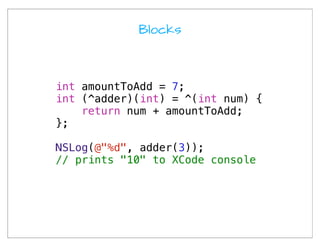
Blocks


int amountToAdd = 7;
int (^adder)(int) = ^(int num) {
    return num + amountToAdd;
};

NSLog(@"%d", adder(3));
// prints "10" to XCode console
Blocks - inline


[detailViewController setDismissBlock:^{
    [[self tableView] reloadData];
}];


           [self tableView] is captured
            from scope defining block!
Objective-C really is an OK language,
 once you get used to its quirks,
      and it keeps improving...
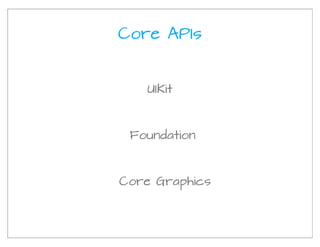
Core APIs


   UIKit


 Foundation


Core Graphics
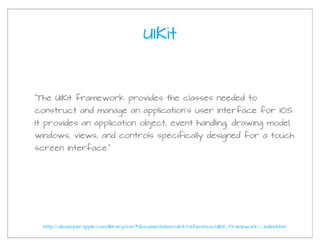
UIKit


“The UIKit framework provides the classes needed to
construct and manage an application’s user interface for iOS.
It provides an application object, event handling, drawing model,
windows, views, and controls specifically designed for a touch
screen interface.”


  http://developer.apple.com/library/ios/#documentation/uikit/reference/UIKit_Framework/_index.html
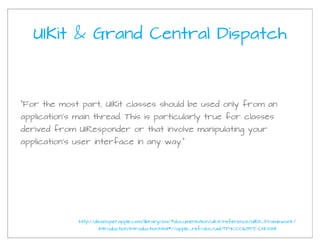
UIKit & Grand Central Dispatch


"For the most part, UIKit classes should be used only from an
application’s main thread. This is particularly true for classes
derived from UIResponder or that involve manipulating your
application’s user interface in any way."


              http://developer.apple.com/library/ios/#documentation/uikit/reference/UIKit_Framework/
                     Introduction/Introduction.html#//apple_ref/doc/uid/TP40006955-CH1-SW1
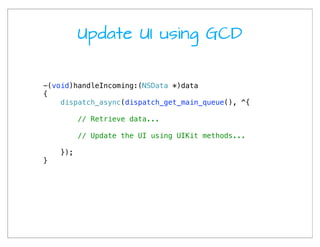
Update UI using GCD


-(void)handleIncoming:(NSData *)data
{
    dispatch_async(dispatch_get_main_queue(), ^{

          // Retrieve data...

          // Update the UI using UIKit methods...

    });
}
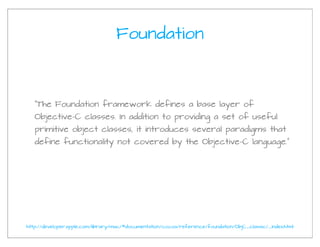
Foundation


   “The Foundation framework defines a base layer of
   Objective-C classes. In addition to providing a set of useful
   primitive object classes, it introduces several paradigms that
   define functionality not covered by the Objective-C language.”


http://developer.apple.com/library/mac/#documentation/cocoa/reference/foundation/ObjC_classic/_index.html
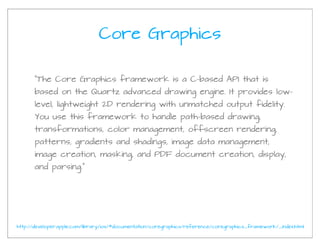
Core Graphics

      “The Core Graphics framework is a C-based API that is
      based on the Quartz advanced drawing engine. It provides low-
      level, lightweight 2D rendering with unmatched output fidelity.
      You use this framework to handle path-based drawing,
      transformations, color management, offscreen rendering,
      patterns, gradients and shadings, image data management,
      image creation, masking, and PDF document creation, display,
      and parsing.”


http://developer.apple.com/library/ios/#documentation/coregraphics/reference/coregraphics_framework/_index.html
Many, Many More APIs


Core Location      MapKit


   Quartz       Core Animation


Core Motion      AdSupport...
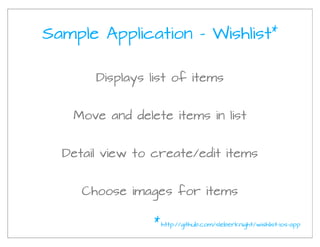
Sample Application - Wishlist                           *


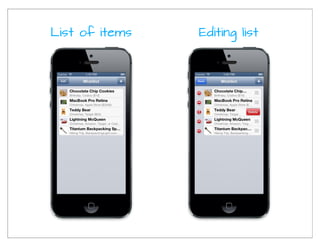
       Displays list of items


   Move and delete items in list


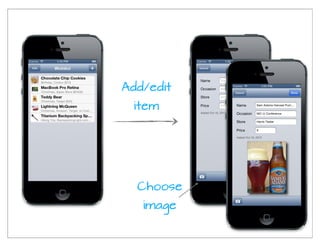
  Detail view to create/edit items


     Choose images for items

                 * http://github.com/sleberknight/wishlist-ios-app
List of items   Editing list
Add/edit
 item


  Choose
   image
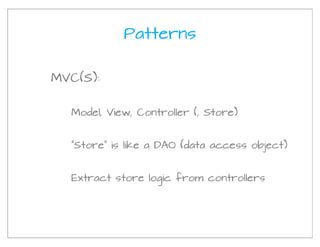
Patterns


MVC(S):


  Model, View, Controller (, Store)


  “Store” is like a DAO (data access object)


  Extract store logic from controllers
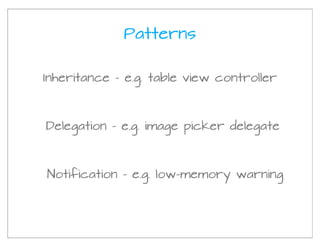
Patterns

Inheritance - e.g. table view controller


Delegation - e.g. image picker delegate


Notification - e.g. low-memory warning
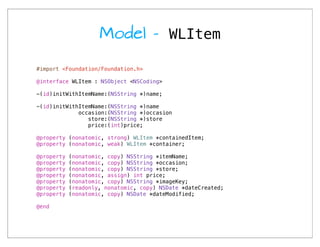
Model - WLItem

#import <Foundation/Foundation.h>

@interface WLItem : NSObject <NSCoding>

-(id)initWithItemName:(NSString *)name;

-(id)initWithItemName:(NSString *)name
             occasion:(NSString *)occasion
                store:(NSString *)store
                price:(int)price;

@property (nonatomic, strong) WLItem *containedItem;
@property (nonatomic, weak) WLItem *container;

@property   (nonatomic, copy) NSString *itemName;
@property   (nonatomic, copy) NSString *occasion;
@property   (nonatomic, copy) NSString *store;
@property   (nonatomic, assign) int price;
@property   (nonatomic, copy) NSString *imageKey;
@property   (readonly, nonatomic, copy) NSDate *dateCreated;
@property   (nonatomic, copy) NSDate *dateModified;

@end
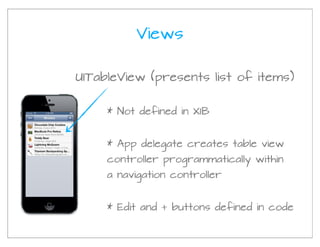
Views

UITableView (presents list of items)


     * Not defined in XIB


     * App delegate creates table view
     controller programmatically within
     a navigation controller


     * Edit and + buttons defined in code
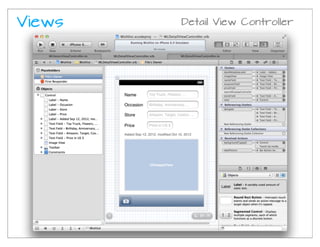
Views   Detail View Controller
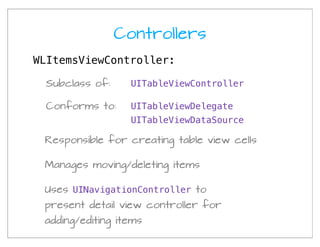
Controllers
WLItemsViewController:

 Subclass of:     UITableViewController

 Conforms to:     UITableViewDelegate
                  UITableViewDataSource

 Responsible for creating table view cells

 Manages moving/deleting items

 Uses UINavigationController to
 present detail view controller for
 adding/editing items
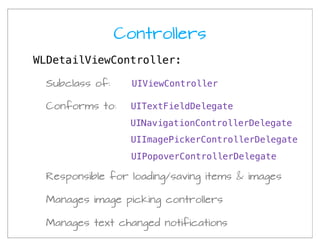
Controllers
WLDetailViewController:

 Subclass of:     UIViewController

 Conforms to:     UITextFieldDelegate
                  UINavigationControllerDelegate
                  UIImagePickerControllerDelegate
                  UIPopoverControllerDelegate

 Responsible for loading/saving items & images

 Manages image picking controllers

 Manages text changed notifications
Stores


WLItemStore
   Stores WLItem objects


WLImageStore
  Stores UIImage objects
Application Flow
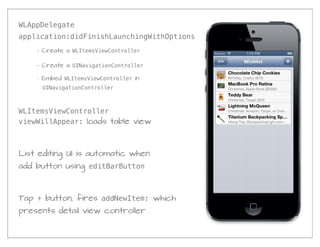
WLAppDelegate
application:didFinishLaunchingWithOptions
    - Create a WLItemsViewController

    - Create a UINavigationController

    - Embed WLItemsViewController in
     UINavigationController


WLItemsViewController
viewWillAppear: loads table view


List editing UI is automatic when
add button using editBarButton


Tap + button, fires addNewItem: which
presents detail view controller
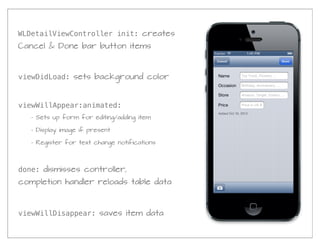
WLDetailViewController init: creates
Cancel & Done bar button items


viewDidLoad: sets background color


viewWillAppear:animated:
   - Sets up form for editing/adding item

   - Display image if present

   - Register for text change notifications


done: dismisses controller,
completion handler reloads table data


viewWillDisappear: saves item data
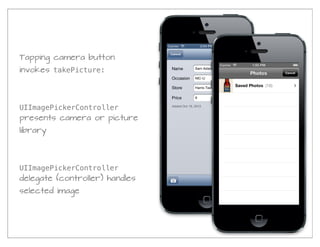
Tapping camera button
invokes takePicture:


UIImagePickerController
presents camera or picture
library


UIImagePickerController
delegate (controller) handles
selected image
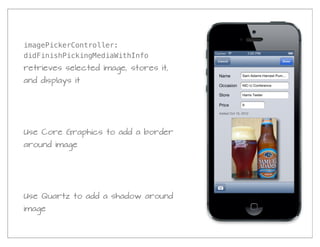
imagePickerController:
didFinishPickingMediaWithInfo
retrieves selected image, stores it,
and displays it


Use Core Graphics to add a border
around image


Use Quartz to add a shadow around
image
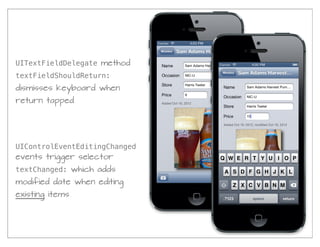
UITextFieldDelegate method
textFieldShouldReturn:
dismisses keyboard when
return tapped


UIControlEventEditingChanged
events trigger selector
textChanged: which adds
modified date when editing
existing items
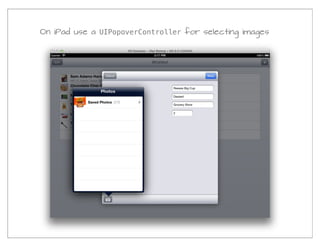
On iPad use a UIPopoverController for selecting images
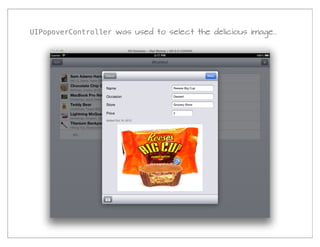
UIPopoverController was used to select the delicious image...
One more thing...
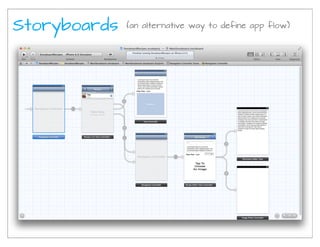
Storyboards   (an alternative way to define app flow)
Summary

Patterns, Languages, APIs, Tools

 MVC(S), Delegation, Protocols

          Objective-C

Lots of APIs to use (and learn)

XCode / Interface Builder (IB)

Connect outlets & actions in IB
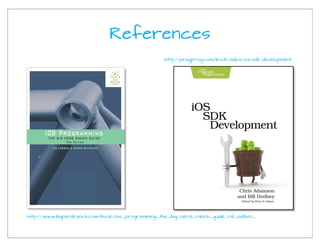
References
                                                   http://pragprog.com/book/adios/ios-sdk-development


http://www.bignerdranch.com/book/ios_programming_the_big_nerd_ranch_guide_rd_edition_
Sample Code


   Fortunes:

       http://github.com/sleberknight/fortune-ios-app


   Wishlist:

        http://github.com/sleberknight/wishlist-ios-app


Fortunes:
My Info


scott.leberknight at nearinfinity.com

twitter.com/sleberknight

www.sleberknight.com/blog


www.nearinfinity.com/blogs/scott_leberknight/all/

iOS

  • 1.
    iOS Scott Leberknight
  • 2.
    The Big Picture Patterns Languages APIs Tools
  • 3.
    Patterns MVC(S) Delegation Protocols Notifications Target-Action
  • 4.
    Languages Objective-C C (lower-level APIs)
  • 5.
    APIs Core UIKit Foundation Core Graphics Lots more... MapKit Core Location OpenGL Core Data GameKit Social Accounts ...
  • 6.
    Tools XCode
  • 7.
    Tools Interface Builder
  • 8.
    First App* Delegation MVC Target-Action * http://github.com/sleberknight/fortune-ios-app
  • 9.
    Model @property (nonatomic, copy)NSArray *fortunes; FOViewController.h
  • 10.
    View Outlets & Actions FOViewController.xib
  • 11.
    Outlets in XCode... FOViewController.h
  • 12.
    Outlets in IB... FOViewController.xib
  • 13.
    Target-Action Target - File’s Owner Action - “touch up inside” (our view controller)
  • 14.
    Controller #import <UIKit/UIKit.h> @interface FOViewController: UIViewController // Model @property (nonatomic, copy) NSArray *fortunes; // Outlets @property (nonatomic, strong) IBOutlet UITextView *fortuneField; // Actions - (IBAction)showFortune:(id)sender; @end words allow (IBOutlet & IBAction key ilder) connections in Interface Bu FOViewController.h
  • 15.
    Controller #import "FOViewController.h" @implementation FOViewController -(id)initWithNibName:(NSString *)nibNameOrNil bundle:(NSBundle *)nibBundleOrNil { self = [super initWithNibName:nibNameOrNil bundle:nibBundleOrNil]; if (self) { _fortunes = @[ @"A dubious friend may be an enemy in camouflage.", @"A feather in the hand is better than a bird in the air.", @"A friend asks only for your time not your money.", // ... ]; } return self; } - (IBAction)showFortune:(id)sender { int fortuneIndex = arc4random() % [_fortunes count]; NSLog(@"fortuneIndex: %d", fortuneIndex); NSString *fortune = [_fortunes objectAtIndex:fortuneIndex]; [_fortuneField setText:fortune]; } @end FOViewController.m
  • 16.
    Delegation #import <UIKit/UIKit.h> // Inheritsfrom UIResponder // Conforms to UIApplicationDelegate protocol @interface FOAppDelegate : UIResponder <UIApplicationDelegate> @property (strong, nonatomic) UIWindow *window; @end FOAppDelegate.h
  • 17.
    Delegation #import "FOAppDelegate.h" #import "FOViewController.h" @implementationFOAppDelegate - (BOOL)application:(UIApplication *)application didFinishLaunchingWithOptions:(NSDictionary *)launchOptions { self.window = [[UIWindow alloc] initWithFrame:[[UIScreen mainScreen] bounds]]; // Create our view controller; set it as the root view controller FOViewController *viewController = [[FOViewController alloc] initWithNibName:@"FOViewController" bundle:nil]; [[self window] setRootViewController:viewController]; self.window.backgroundColor = [UIColor whiteColor]; [self.window makeKeyAndVisible]; return YES; } @end FOAppDelegate.m
  • 18.
    Run It! 1. Loadview controller in App Delegate 2. Tap “Get Fortune!” 3. showFortune: called 4. Get fortune from model 5. Call setText: on UITextView
  • 19.
    Objective-C Object-oriented (layered on top of C) Single-inheritance Protocols (like Java interfaces) Message sending
  • 20.
    Objective-C (continued) Properties Blocks (like closures) Selectors ARC (automatic reference counting) GCD (Grand Central Dispatch)
  • 21.
    Properties @property (nonatomic, strong)IBOutlet UITextView *fortuneField; * Modifiers determine threading and storage model * IBOutlet indicates it can be an outlet to IB * Compiler generates: - instance variable _fortuneField - getter method fortuneField - setter method setFortuneField
  • 22.
    Sending Messages selector [detailViewController setItem:newItem]; receiver argument
  • 23.
  • 24.
    Creating Objects WLItemsViewController *itemsViewController= [[WLItemsViewController alloc] init]; initialize allocate object memory
  • 25.
    Blocks int amountToAdd =7; int (^adder)(int) = ^(int num) { return num + amountToAdd; }; NSLog(@"%d", adder(3)); // prints "10" to XCode console
  • 26.
    Blocks - inline [detailViewControllersetDismissBlock:^{ [[self tableView] reloadData]; }]; [self tableView] is captured from scope defining block!
  • 27.
    Objective-C really isan OK language, once you get used to its quirks, and it keeps improving...
  • 28.
    Core APIs UIKit Foundation Core Graphics
  • 29.
    UIKit “The UIKit frameworkprovides the classes needed to construct and manage an application’s user interface for iOS. It provides an application object, event handling, drawing model, windows, views, and controls specifically designed for a touch screen interface.” http://developer.apple.com/library/ios/#documentation/uikit/reference/UIKit_Framework/_index.html
  • 30.
    UIKit & GrandCentral Dispatch "For the most part, UIKit classes should be used only from an application’s main thread. This is particularly true for classes derived from UIResponder or that involve manipulating your application’s user interface in any way." http://developer.apple.com/library/ios/#documentation/uikit/reference/UIKit_Framework/ Introduction/Introduction.html#//apple_ref/doc/uid/TP40006955-CH1-SW1
  • 31.
    Update UI usingGCD -(void)handleIncoming:(NSData *)data { dispatch_async(dispatch_get_main_queue(), ^{ // Retrieve data... // Update the UI using UIKit methods... }); }
  • 32.
    Foundation “The Foundation framework defines a base layer of Objective-C classes. In addition to providing a set of useful primitive object classes, it introduces several paradigms that define functionality not covered by the Objective-C language.” http://developer.apple.com/library/mac/#documentation/cocoa/reference/foundation/ObjC_classic/_index.html
  • 33.
    Core Graphics “The Core Graphics framework is a C-based API that is based on the Quartz advanced drawing engine. It provides low- level, lightweight 2D rendering with unmatched output fidelity. You use this framework to handle path-based drawing, transformations, color management, offscreen rendering, patterns, gradients and shadings, image data management, image creation, masking, and PDF document creation, display, and parsing.” http://developer.apple.com/library/ios/#documentation/coregraphics/reference/coregraphics_framework/_index.html
  • 34.
    Many, Many MoreAPIs Core Location MapKit Quartz Core Animation Core Motion AdSupport...
  • 35.
    Sample Application -Wishlist * Displays list of items Move and delete items in list Detail view to create/edit items Choose images for items * http://github.com/sleberknight/wishlist-ios-app
  • 36.
    List of items Editing list
  • 37.
    Add/edit item Choose image
  • 38.
    Patterns MVC(S): Model,View, Controller (, Store) “Store” is like a DAO (data access object) Extract store logic from controllers
  • 39.
    Patterns Inheritance - e.g.table view controller Delegation - e.g. image picker delegate Notification - e.g. low-memory warning
  • 40.
    Model - WLItem #import<Foundation/Foundation.h> @interface WLItem : NSObject <NSCoding> -(id)initWithItemName:(NSString *)name; -(id)initWithItemName:(NSString *)name occasion:(NSString *)occasion store:(NSString *)store price:(int)price; @property (nonatomic, strong) WLItem *containedItem; @property (nonatomic, weak) WLItem *container; @property (nonatomic, copy) NSString *itemName; @property (nonatomic, copy) NSString *occasion; @property (nonatomic, copy) NSString *store; @property (nonatomic, assign) int price; @property (nonatomic, copy) NSString *imageKey; @property (readonly, nonatomic, copy) NSDate *dateCreated; @property (nonatomic, copy) NSDate *dateModified; @end
  • 41.
    Views UITableView (presents listof items) * Not defined in XIB * App delegate creates table view controller programmatically within a navigation controller * Edit and + buttons defined in code
  • 42.
    Views Detail View Controller
  • 43.
    Controllers WLItemsViewController: Subclass of: UITableViewController Conforms to: UITableViewDelegate UITableViewDataSource Responsible for creating table view cells Manages moving/deleting items Uses UINavigationController to present detail view controller for adding/editing items
  • 44.
    Controllers WLDetailViewController: Subclass of: UIViewController Conforms to: UITextFieldDelegate UINavigationControllerDelegate UIImagePickerControllerDelegate UIPopoverControllerDelegate Responsible for loading/saving items & images Manages image picking controllers Manages text changed notifications
  • 45.
    Stores WLItemStore Stores WLItem objects WLImageStore Stores UIImage objects
  • 46.
  • 47.
    WLAppDelegate application:didFinishLaunchingWithOptions - Create a WLItemsViewController - Create a UINavigationController - Embed WLItemsViewController in UINavigationController WLItemsViewController viewWillAppear: loads table view List editing UI is automatic when add button using editBarButton Tap + button, fires addNewItem: which presents detail view controller
  • 48.
    WLDetailViewController init: creates Cancel& Done bar button items viewDidLoad: sets background color viewWillAppear:animated: - Sets up form for editing/adding item - Display image if present - Register for text change notifications done: dismisses controller, completion handler reloads table data viewWillDisappear: saves item data
  • 49.
    Tapping camera button invokestakePicture: UIImagePickerController presents camera or picture library UIImagePickerController delegate (controller) handles selected image
  • 50.
    imagePickerController: didFinishPickingMediaWithInfo retrieves selected image,stores it, and displays it Use Core Graphics to add a border around image Use Quartz to add a shadow around image
  • 51.
    UITextFieldDelegate method textFieldShouldReturn: dismisses keyboardwhen return tapped UIControlEventEditingChanged events trigger selector textChanged: which adds modified date when editing existing items
  • 52.
    On iPad usea UIPopoverController for selecting images
  • 53.
    UIPopoverController was usedto select the delicious image...
  • 54.
  • 55.
    Storyboards (an alternative way to define app flow)
  • 56.
    Summary Patterns, Languages, APIs,Tools MVC(S), Delegation, Protocols Objective-C Lots of APIs to use (and learn) XCode / Interface Builder (IB) Connect outlets & actions in IB
  • 57.
    References http://pragprog.com/book/adios/ios-sdk-development http://www.bignerdranch.com/book/ios_programming_the_big_nerd_ranch_guide_rd_edition_
  • 58.
    Sample Code Fortunes: http://github.com/sleberknight/fortune-ios-app Wishlist: http://github.com/sleberknight/wishlist-ios-app Fortunes:
  • 59.
    My Info scott.leberknight atnearinfinity.com twitter.com/sleberknight www.sleberknight.com/blog www.nearinfinity.com/blogs/scott_leberknight/all/