Internal Library
Dependency Management
@KellyShuster
@KellyShuster
@KellyShuster
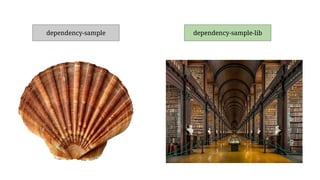
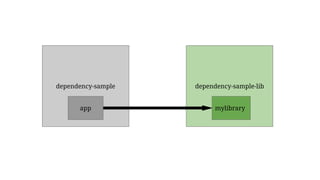
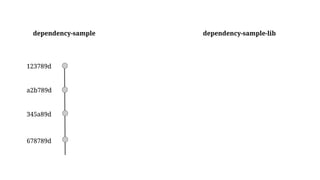
dependency-sample dependency-sample-lib
Git Submodules
Google’s Repo Tool
Artifactory
Jitpack
Git Submodules
dependency-sample dependency-sample-lib
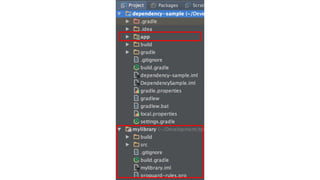
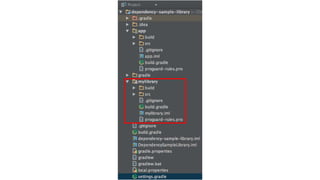
app mylibrary
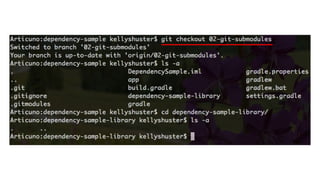
02-git-submodules
How do you set it up?
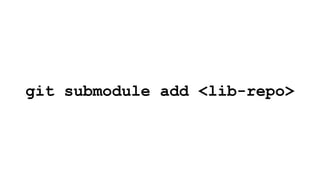
git submodule add <lib-repo>
123789d
a2b789d
345a89d
678789d
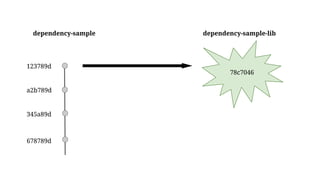
dependency-sample dependency-sample-lib
78c7046
123789d
a2b789d
345a89d
678789d
dependency-sample dependency-sample-lib
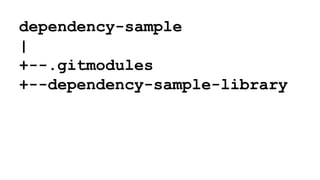
dependency-sample
|
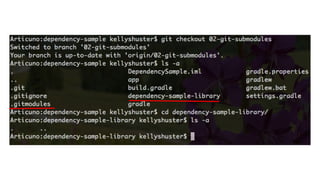
+--.gitmodules
+--dependency-sample-library
[submodule "dependency-sample-library"]
path = dependency-sample-library
url = https://github.com/KioKrofovitch/dependency-sample-library.git
.gitmodules
Add Gradle References
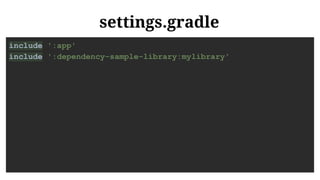
settings.gradle
include ':app'
include ':dependency-sample-library:mylibrary'
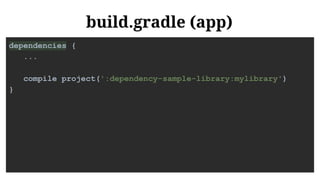
build.gradle (app)
dependencies {
...
compile project(':dependency-sample-library:mylibrary')

}
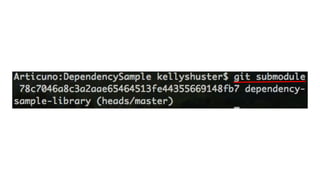
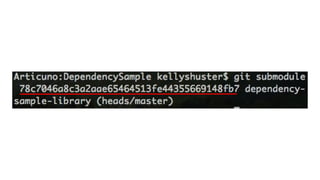
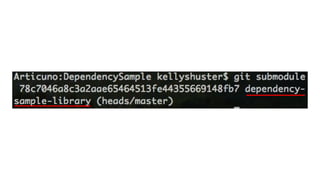
Check Submodule Status
git submodule
How do you get code?
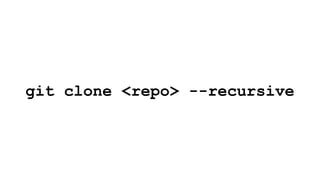
git clone <repo> --recursive
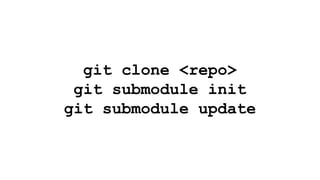
git clone <repo>
git submodule init
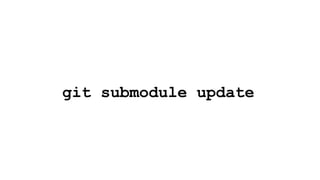
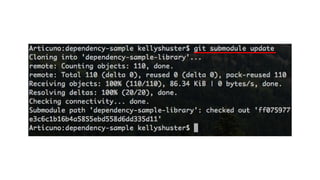
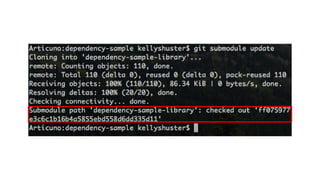
git submodule update
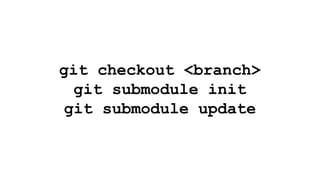
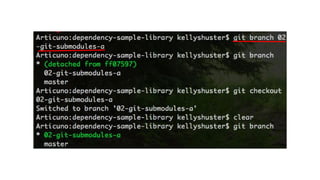
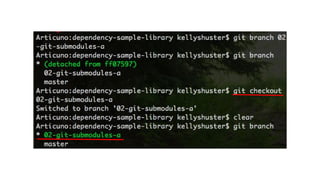
git checkout <branch>
git submodule init
git submodule update
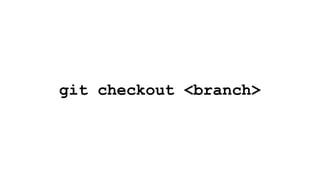
git checkout <branch>
git submodule init
git submodule update
Upstream changes
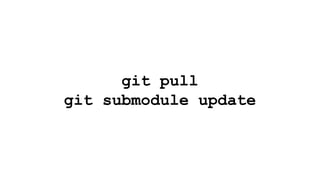
git pull
git submodule update
Changing the library
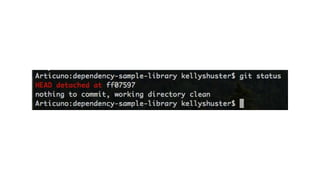
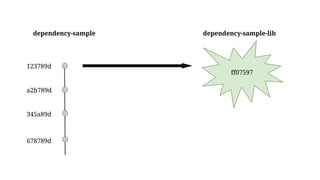
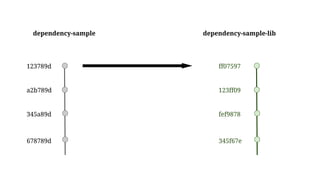
ff07597
123789d
a2b789d
345a89d
678789d
dependency-sample dependency-sample-lib
123789d
a2b789d
345a89d
678789d
dependency-sample dependency-sample-lib
ff07597
123ff09
fef9878
345f67e
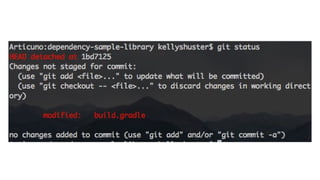
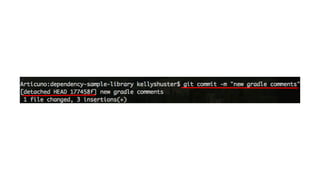
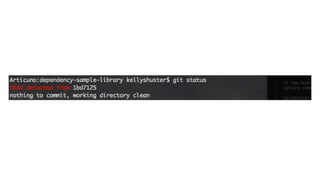
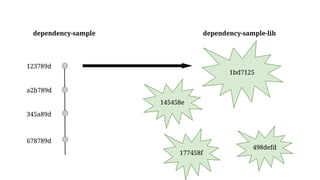
Committing on a Detached Head
How it happens
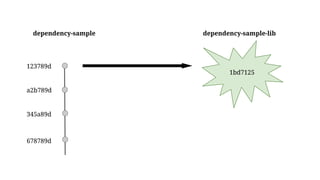
1bd7125
123789d
a2b789d
345a89d
678789d
dependency-sample dependency-sample-lib
1bd7125
123789d
a2b789d
345a89d
678789d
dependency-sample dependency-sample-lib
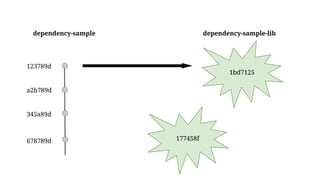
177458f
1bd7125
123789d
a2b789d
345a89d
678789d
dependency-sample dependency-sample-lib
177458f
498defd
145458e
1bd7125
177458f
498defd
145458e
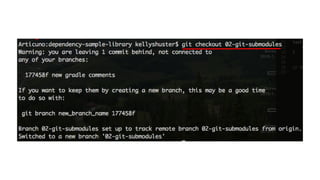
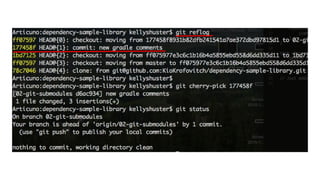
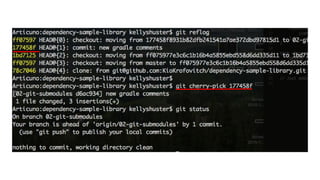
How to recover
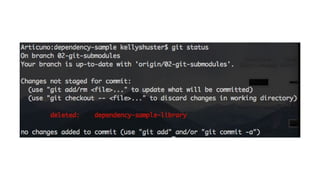
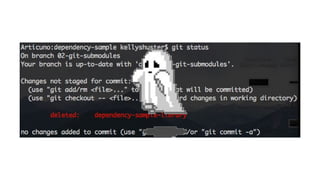
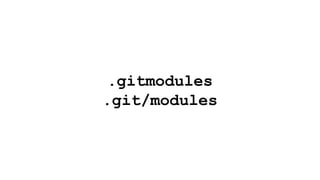
Removing Submodules
.gitmodules
.git/modules
Pros
Versioning brought to you by git
Pros
Versioning brought to you by git
Versioning is specific and repeatable
Pros
Versioning brought to you by git
Versioning is specific and repeatable
One Android Studio Project
Pros
Versioning brought to you by git
Versioning is specific and repeatable
One Android Studio Project
Code access
Cons
Magic is involved:
Cons
Magic is involved:
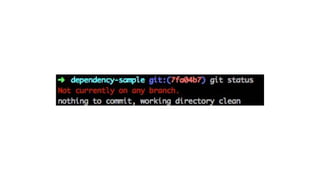
Working with a detached head
Cons
Magic is involved:
Working with a detached head
Pulling down latest submodule
Cons
Magic is involved:
Working with a detached head
Pulling down latest submodule
Adding & tracking submodule reference
Cons
Magic is involved:
Working with a detached head
Pulling down latest submodule
Adding & tracking submodule reference
Library versions are commit SHAs
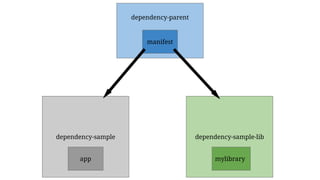
Google’s Repo Tool
dependency-sample dependency-sample-lib
app mylibrary
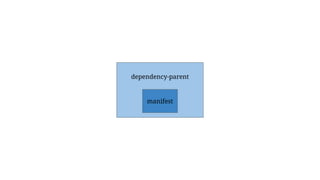
dependency-parent
manifest
04-repo-tool
How do you set it up?
dependency-parent
manifest
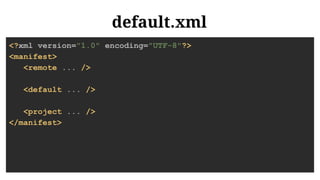
default.xml
<?xml version="1.0" encoding="UTF-8"?>
<manifest>
<remote ... />
<default ... />
<project ... />
</manifest>
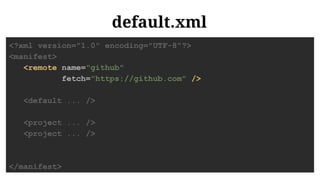
default.xml
<?xml version="1.0" encoding="UTF-8"?>
<manifest>
<remote name="github"
fetch="https://github.com" />
<default ... />
<project ... />
<project ... />
</manifest>
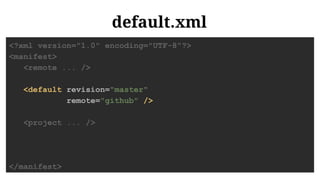
default.xml
<?xml version="1.0" encoding="UTF-8"?>
<manifest>
<remote ... />
<default revision="master"
remote="github" />
<project ... />
</manifest>
default.xml
<?xml version="1.0" encoding="UTF-8"?>
<manifest>
<remote ... />
<default ... />
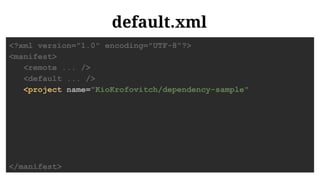
<project name="KioKrofovitch/dependency-sample"
</manifest>
default.xml
<?xml version="1.0" encoding="UTF-8"?>
<manifest>
<remote ... />
<default ... />
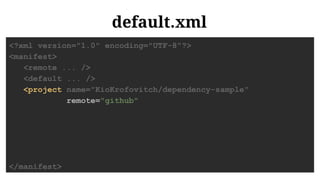
<project name="KioKrofovitch/dependency-sample"
remote="github"
</manifest>
default.xml
<?xml version="1.0" encoding="UTF-8"?>
<manifest>
<remote ... />
<default ... />
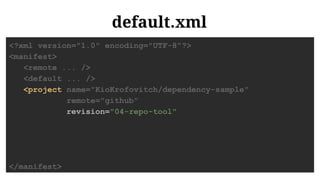
<project name="KioKrofovitch/dependency-sample"
remote="github"
revision="04-repo-tool"
</manifest>
default.xml
<?xml version="1.0" encoding="UTF-8"?>
<manifest>
<remote ... />
<default ... />
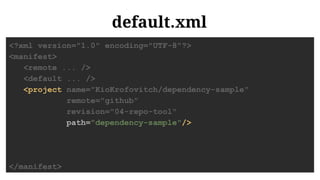
<project name="KioKrofovitch/dependency-sample"
remote="github"
revision="04-repo-tool"
path="dependency-sample"/>
</manifest>
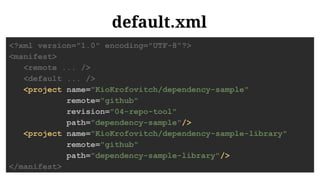
default.xml
<?xml version="1.0" encoding="UTF-8"?>
<manifest>
<remote ... />
<default ... />
<project name="KioKrofovitch/dependency-sample"
remote="github"
revision="04-repo-tool"
path="dependency-sample"/>
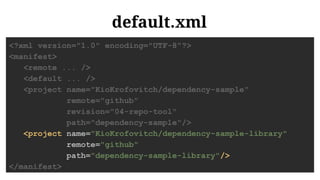
<project name="KioKrofovitch/dependency-sample-library"
remote="github"
path="dependency-sample-library"/>
</manifest>
default.xml
<?xml version="1.0" encoding="UTF-8"?>
<manifest>
<remote ... />
<default ... />
<project name="KioKrofovitch/dependency-sample"
remote="github"
revision="04-repo-tool"
path="dependency-sample"/>
<project name="KioKrofovitch/dependency-sample-library"
remote="github"
path="dependency-sample-library"/>
</manifest>
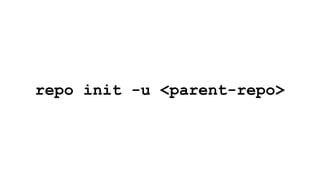
repo init -u <parent-repo>
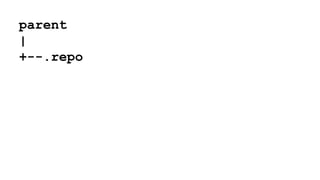
parent
|
+--.repo
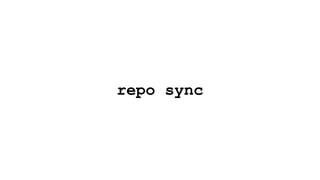
repo sync
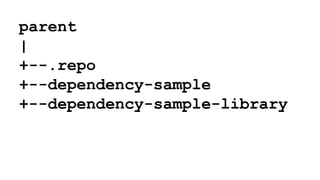
parent
|
+--.repo
+--dependency-sample
+--dependency-sample-library
Add Gradle References
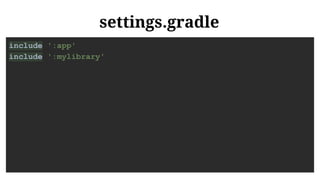
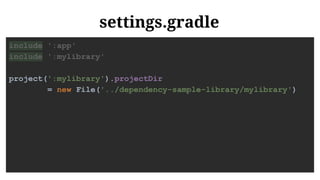
settings.gradle
include ':app'
include ':mylibrary'
settings.gradle
include ':app'
include ':mylibrary'
project(':mylibrary').projectDir
= new File('../dependency-sample-library/mylibrary')
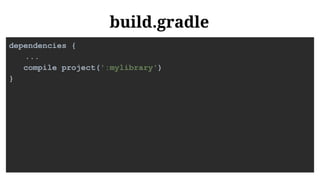
build.gradle
dependencies {
...
compile project(':mylibrary')
}
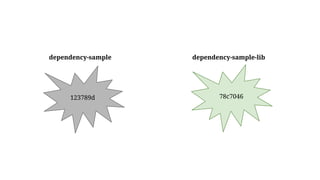
78c7046
dependency-sample dependency-sample-lib
123789d
Pros
Versioning is a “flexible” version of git
Pros
Versioning is a “flexible” version of git
Versions are clearly defined in one place
Pros
Versioning is a “flexible” version of git
Versions are clearly defined in one place
One Android Studio project
Pros
Versioning is a “flexible” version of git
Versions are clearly defined in one place
One Android Studio project
Code access
Pros
Versioning is a “flexible” version of git
Versions are clearly defined in one place
One Android Studio project
Code access
It’s cool because AOSP uses it
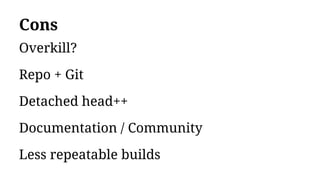
Cons
Overkill?
Cons
Overkill?
Repo + Git
Cons
Overkill?
Repo + Git
Detached head++
Cons
Overkill?
Repo + Git
Detached head++
Documentation / Community
Cons
Overkill?
Repo + Git
Detached head++
Documentation / Community
Less repeatable builds
Multiple Repositories,
Linked Using Maven
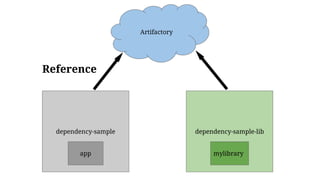
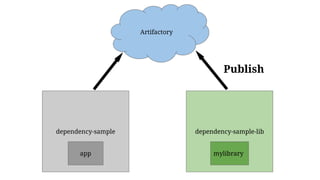
Artifactory
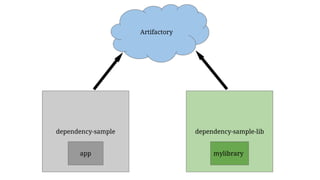
dependency-sample dependency-sample-lib
app
Artifactory
mylibrary
dependency-sample dependency-sample-lib
app mylibrary
Artifactory
Reference
dependency-sample dependency-sample-lib
app
Artifactory
Publish
mylibrary
03-artifactory
Publishing
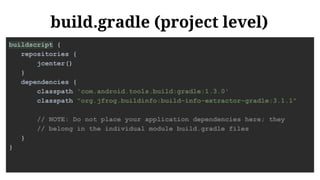
build.gradle (project level)
buildscript {
repositories {
jcenter()
}
dependencies {
classpath 'com.android.tools.build:gradle:1.3.0'
classpath "org.jfrog.buildinfo:build-info-extractor-gradle:3.1.1"
// NOTE: Do not place your application dependencies here; they
// belong in the individual module build.gradle files
}
}
build.gradle (project level)
buildscript {
repositories {
jcenter()
}
dependencies {
classpath 'com.android.tools.build:gradle:1.3.0'
classpath "org.jfrog.buildinfo:build-info-extractor-gradle:3.1.1"
// NOTE: Do not place your application dependencies here; they
// belong in the individual module build.gradle files
}
}
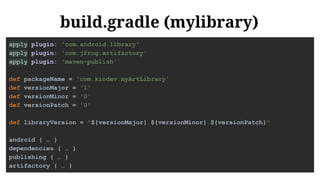
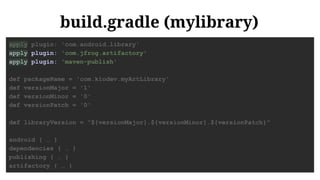
build.gradle (mylibrary)
apply plugin: 'com.android.library'
apply plugin: 'com.jfrog.artifactory'
apply plugin: 'maven-publish'
def packageName = 'com.kiodev.myArtLibrary'
def versionMajor = '1'
def versionMinor = '0'
def versionPatch = '0'
def libraryVersion = "${versionMajor}.${versionMinor}.${versionPatch}"
android { … }
dependencies { … }
publishing { … }
artifactory { … }
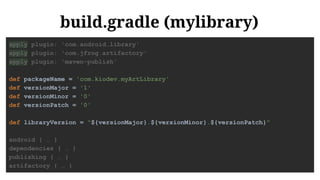
build.gradle (mylibrary)
apply plugin: 'com.android.library'
apply plugin: 'com.jfrog.artifactory'
apply plugin: 'maven-publish'
def packageName = 'com.kiodev.myArtLibrary'
def versionMajor = '1'
def versionMinor = '0'
def versionPatch = '0'
def libraryVersion = "${versionMajor}.${versionMinor}.${versionPatch}"
android { … }
dependencies { … }
publishing { … }
artifactory { … }
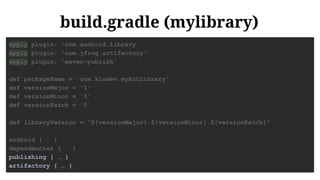
build.gradle (mylibrary)
apply plugin: 'com.android.library'
apply plugin: 'com.jfrog.artifactory'
apply plugin: 'maven-publish'
def packageName = 'com.kiodev.myArtLibrary'
def versionMajor = '1'
def versionMinor = '0'
def versionPatch = '0'
def libraryVersion = "${versionMajor}.${versionMinor}.${versionPatch}"
android { … }
dependencies { … }
publishing { … }
artifactory { … }
build.gradle (mylibrary)
apply plugin: 'com.android.library'
apply plugin: 'com.jfrog.artifactory'
apply plugin: 'maven-publish'
def packageName = 'com.kiodev.myArtLibrary'
def versionMajor = '1'
def versionMinor = '0'
def versionPatch = '0'
def libraryVersion = "${versionMajor}.${versionMinor}.${versionPatch}"
android { … }
dependencies { … }
publishing { … }
artifactory { … }
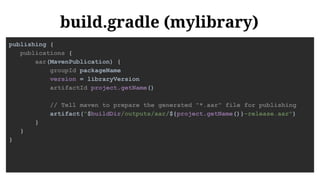
build.gradle (mylibrary)
publishing {
publications {
aar(MavenPublication) {
groupId packageName
version = libraryVersion
artifactId project.getName()
// Tell maven to prepare the generated "*.aar" file for publishing
artifact("$buildDir/outputs/aar/${project.getName()}-release.aar")
}
}
}
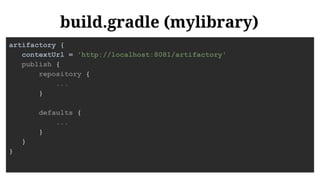
build.gradle (mylibrary)
artifactory {
contextUrl = 'http://localhost:8081/artifactory'
publish {
repository {
...
}
defaults {
...
}
}
}
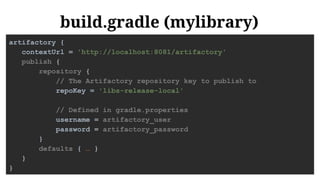
build.gradle (mylibrary)
artifactory {
contextUrl = 'http://localhost:8081/artifactory'
publish {
repository {
// The Artifactory repository key to publish to
repoKey = 'libs-release-local'
// Defined in gradle.properties
username = artifactory_user
password = artifactory_password
}
defaults { … }
}
}
build.gradle (mylibrary)
artifactory {
contextUrl = 'http://localhost:8081/artifactory'
publish {
repository { ... }
defaults {
// Tell the Artifactory Plugin which artifacts to publish
publications('aar')
publishArtifacts = true
// Properties to be attached to the published artifacts.
properties = ['qa.level': 'basic', 'dev.team': 'core']
// Publish generated POM files to Artifactory (true by default)
publishPom = true
}
}
}
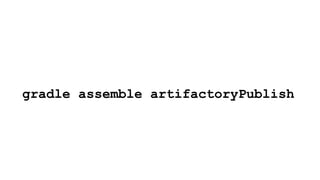
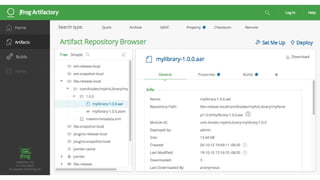
gradle assemble artifactoryPublish
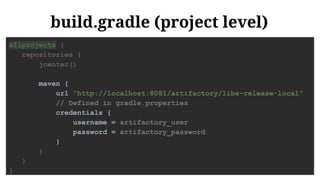
Referencing
build.gradle (project level)
allprojects {
repositories {
jcenter()
maven {
url "http://localhost:8081/artifactory/libs-release-local"
// Defined in gradle.properties
credentials {
username = artifactory_user
password = artifactory_password
}
}
}
}
build.gradle (app)
android {
…
}
dependencies {
compile fileTree(dir: 'libs', include: ['*.jar'])
testCompile 'junit:junit:4.12'
compile 'com.android.support:appcompat-v7:23.0.1'
compile 'com.android.support:design:23.0.1'
compile(group: 'com.kiodev.myArtLibrary', name: 'mylibrary',
version: '1.0.0', ext: 'aar')
}
build.gradle (app)
android {
…
}
dependencies {
compile fileTree(dir: 'libs', include: ['*.jar'])
testCompile 'junit:junit:4.12'
compile 'com.android.support:appcompat-v7:23.0.1'
compile 'com.android.support:design:23.0.1'
compile(group: 'com.kiodev.myArtLibrary', name: 'mylibrary',
version: '1.0.0', ext: 'aar')
}
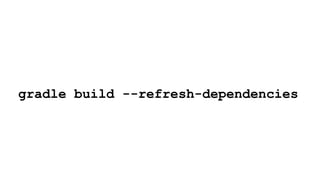
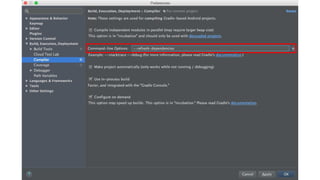
gradle build --refresh-dependencies
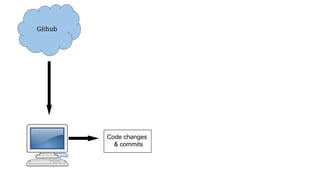
Github
Code changes
& commits
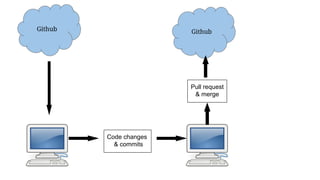
Github Github
Code changes
& commits
Pull request
& merge
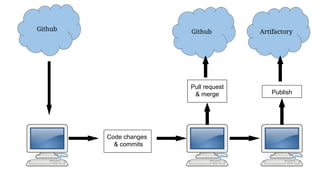
Github Github Artifactory
Code changes
& commits
Pull request
& merge Publish
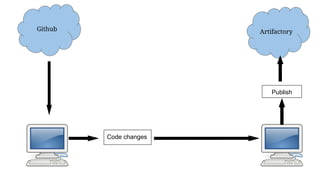
Github Artifactory
Code changes
Publish
Pros
Versioning is human readable / determined
Pros
Versioning is human readable / determined
Benefits of JAR / AAR
Pros
Versioning is human readable / determined
Benefits of JAR / AAR
Potential to be highly automated
Cons
Versioning has zero tie to git
Cons
Versioning has zero tie to git
Low security
Cons
Versioning has zero tie to git
Low security
2 Android Studio Projects
Cons
Versioning has zero tie to git
Low security
2 Android Studio Projects
Stepping through code is harder
Cons
Versioning has zero tie to git
Low security
2 Android Studio Projects
Stepping through code is harder
Extra step of publishing
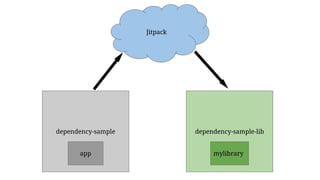
Jitpack
dependency-sample dependency-sample-lib
app
Jitpack
mylibrary
05-jitpack
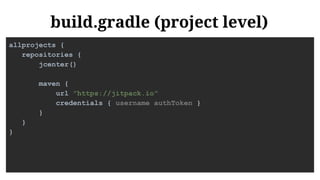
build.gradle (project level)
allprojects {
repositories {
jcenter()
maven {
url "https://jitpack.io"
credentials { username authToken }
}
}
}
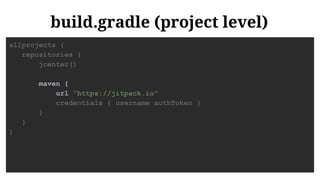
build.gradle (project level)
allprojects {
repositories {
jcenter()
maven {
url "https://jitpack.io"
credentials { username authToken }
}
}
}
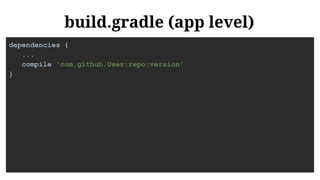
build.gradle (app level)
dependencies {
...
compile 'com.github.User:repo:version'
}
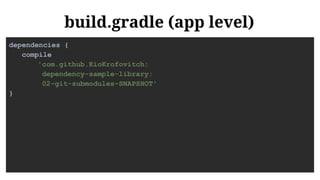
build.gradle (app level)
dependencies {
compile
'com.github.KioKrofovitch:
dependency-sample-library:
02-git-submodules-SNAPSHOT'
}
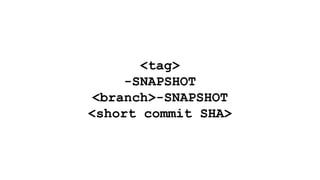
<tag>
-SNAPSHOT
<branch>-SNAPSHOT
<short commit SHA>
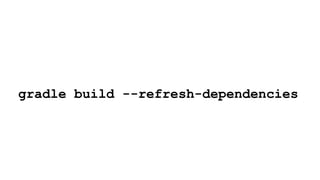
gradle build --refresh-dependencies
Pros
Versioning:
Human readable AND managed by Git
Pros
Versioning:
Human readable AND managed by Git
Benefits of JAR / AAR
Pros
Versioning:
Human readable AND managed by Git
Benefits of JAR / AAR
No publishing stress
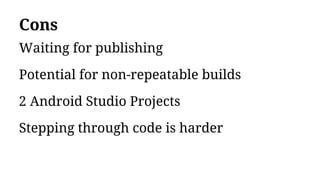
Cons
Waiting for publishing
Cons
Waiting for publishing
Potential for non-repeatable builds
Cons
Waiting for publishing
Potential for non-repeatable builds
2 Android Studio Projects
Cons
Waiting for publishing
Potential for non-repeatable builds
2 Android Studio Projects
Stepping through code is harder
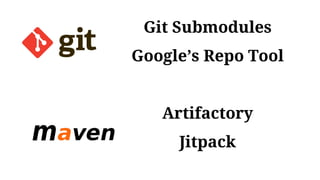
Git Submodules
Google’s Repo Tool
Artifactory
Jitpack
@KellyShuster
https://github.com/KioKrofovitch/
dependency-sample
dependency-sample-library
dependency-parent
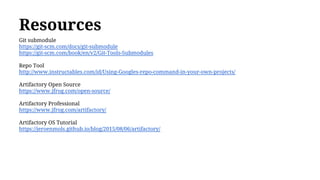
Resources
Git submodule
https://git-scm.com/docs/git-submodule
https://git-scm.com/book/en/v2/Git-Tools-Submodules
Repo Tool
http://www.instructables.com/id/Using-Googles-repo-command-in-your-own-projects/
Artifactory Open Source
https://www.jfrog.com/open-source/
Artifactory Professional
https://www.jfrog.com/artifactory/
Artifactory OS Tutorial
https://jeroenmols.github.io/blog/2015/08/06/artifactory/
Photo Credits
Android Robot
https://commons.wikimedia.org/wiki/File:Android_robot.svg
Trinity College Library
https://en.wikipedia.org/wiki/Trinity_College,_Dublin#/media/File:Long_Room_Interior,
_Trinity_College_Dublin,_Ireland_-_Diliff.jpg
Ruby
http://nicholasjohnson.com/ruby/
Clean Desk
http://www.levo.com/articles/career-advice/what-your-desk-says-about-you
Messy Desk
http://www.telegraph.co.uk/news/newstopics/howaboutthat/10225664/Having-a-messy-desk-makes-you-more-
creative.html
Headless Horseman Gif
https://www.lovethisgif.com/tag/headless+horseman
Ghost
http://38.media.tumblr.com/d30fe069cc48e11eeb31ae08293a159e/tumblr_nbtdxg9d6n1szf0nzo1_250.gif
Photo Credits
Neverending Story Book
http://www.dailyrecord.co.uk/entertainment/tv-radio/flashback-friday-neverending-story-proves-4948514
Unicorn w/ Rainbows
http://souloftruth.com/the-race-to-nowhere/
John Wayne
http://patch.com/california/sanclemente/best-ways-recycle-water-during-californias-dry-spell
Space Pic
http://wallpapershidef.com/outer-space-desktop-wallpaper.html
Computer
https://commons.wikimedia.org/wiki/File:Gnome-computer.svg
Crying Pikachu
http://gifrific.com/wp-content/uploads/2012/06/Picachu-crying-pokemon.gif
Branch
http://townhack.github.io/git-101/img/git-branch.png
Photo Credits
Maven Logo
https://commons.wikimedia.org/wiki/File:Maven_logo.svg

Internal Android Library Management (DroidCon SF 2016, Droidcon Italy 2016)