iPhone
         Objective-C, UIKit


                              bofeng@corp.netease.com
                                             @vonbo
Agenda

• overview
• objective-c
• iPhone UIKit
overview
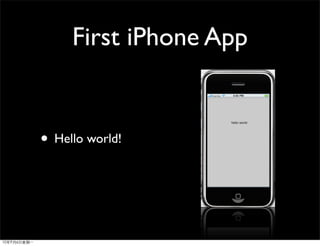
First iPhone App


• Hello world!
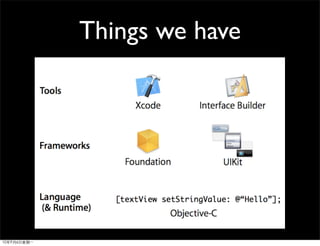
Things we have


• Hello world!
• xcode SDK
•       & test with Simulator

• test with iPhone/iPod touch ($99)

•         appstore

•
iPhone VS Android
objective-c
Objective C
•
•
•   runtime
•   foudation framework: values and collection classes
•
•   category
•   protocol
Sample Code
   hello world
objective c
•   @

    •   @interface, @implementation, @class

    •   @property, @synthesize

    •   @protocol

    •   NSString* str = @”hello world”

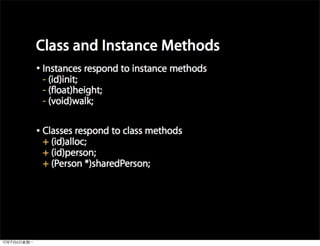
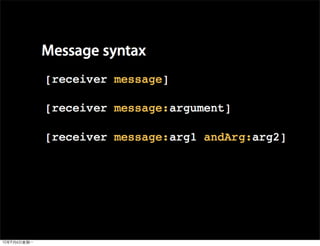
•                       [receiver message]

•           C                 C++
Sample Code
  class and message
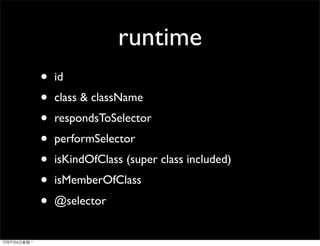
runtime
•   id
•   class & className
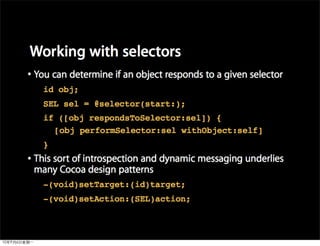
•   respondsToSelector
•   performSelector
•   isKindOfClass (super class included)
•   isMemberOfClass
•   @selector
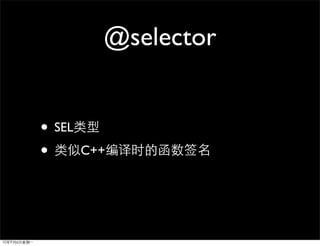
@selector


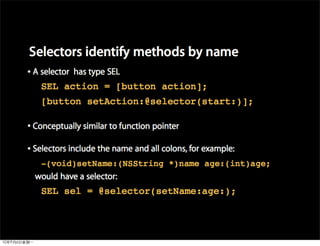
• SEL
•       C++
action
CGRect rect = CGRectMake(20, 20, 100, 30);
UIButton* myButton = [UIButton
buttonWithType:UIButtonTypeRoundedRect];
myButton.frame = rect;
[myButton setTitle:@"my button"
forState:UIControlStateNormal];
[myButton addTarget:self action:@selector(btnClick:)
forControlEvents : UIControlEventTouchUpInside];
[self.view addSubview:myButton];
Sample
runtime & selector
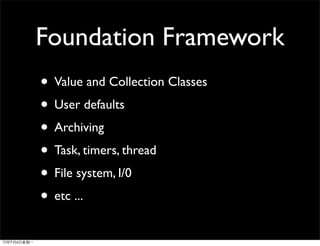
Foundation Framework
• Value and Collection Classes
• User defaults
• Archiving
• Task, timers, thread
• File system, I/0
• etc ...
Value and Collection
           Classes
•   NSString & NSMutableString
•   NSArray & NSMutableArray
•   NSDictionary & NSMutableDictionary
•   NSSet & NSMutableSet
•   NSNumber [a obj-c object wrapper for basic C
    type]
    •   (NSNumber* num = [NSNumber
        numberWithInt:3])
Sample Code
  collection classes
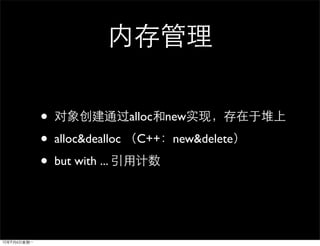
•                   alloc   new

•   alloc&dealloc    C++ new&delete

•   but with ...
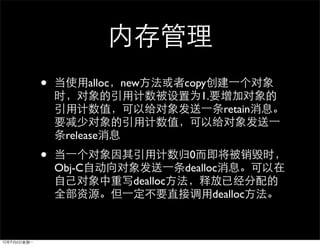
•           alloc   new         copy
                                   1.
                                          retain

     release
•                                0
    Obj-C                       dealloc
                      dealloc
                                        dealloc
Sample Code
  “           ”      ...
 memory management
Getter & Setter
  @property & @synthesize
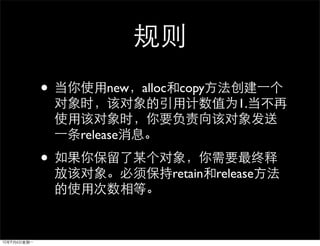
•       new   alloc    copy
                                 1.

    release

•
                      retain release
but how to solve this ?
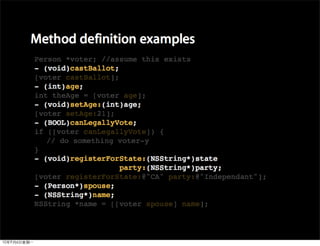
- (Person*) getChild {
    Person* child = [[Person alloc] init];
    [child setName:@”xxxx”];
    ....
    // will return ... [child release] or not ?
    return child;
}
Autorelease
• NSAutoreleasePool* pool ...
• [object autorelease]
•                     autorelease

  NSAutoreleasePool

  release
That’s why create pool
            first ...
int main(int argc, char* argv[]) {
    NSAutoreleasePool* pool = [[NSAutoreleasePool alloc] init];
    // put your own code here ...
    [pool release];
}
how to solve this ?
- (Person*) getChild {
    Person* child = [[Person alloc] init];
    [child setName:@”xxxx”];
    ....
    // will return ... [child release] or not ?
    return [child autorelease];
}
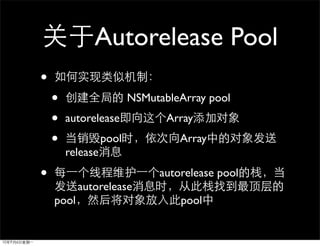
Autorelease Pool
•
    •                    NSMutableArray pool
    •   autorelease             Array
    •             pool            Array
        release

•                             autorelease pool
           autorelease
    pool                          pool
Autorelease Pool Stack
NSAutoreleasePool* poolFirst ..
for (int i=0; i < 10000; i++) {
    NSAutoreleasePool* poolSecond ...
    // have some autorelease object
    // [object autorelease]
    [poolSecond release];
}
// other code
[poolFirst release];
Autorelease Pool
•
    •   NSAutoreleasePool


    •                 alloc            release
    •               Autorelease pool      retain
        autorelease   [pool retain] or [pool autorelease]
    •   AutoreleasePool                                     “
                   ”
    •               pool             pool
                    iphone
          release        autorelease
•   new   alloc    copy
                  1.
                     release autorelease
•
                    1

     [NSString stringWithString:@”objc”]
•
                  retain release
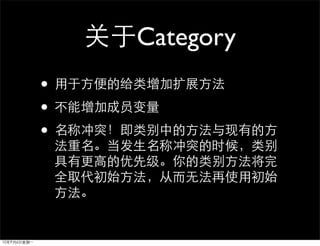
Category
Sample Code
   category
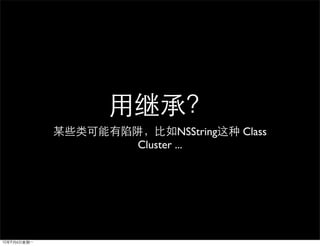
NSString   Class
Cluster ...
Sample Code
something about class cluster ...
Category
•
•
•
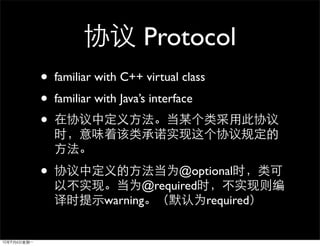
Protocol
•   familiar with C++ virtual class
•   familiar with Java’s interface
•

•                          @optional
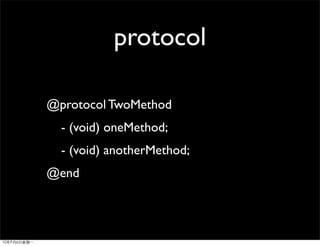
                     @required
              warning          required
protocol

@protocol TwoMethod
  - (void) oneMethod;
  - (void) anotherMethod;
@end
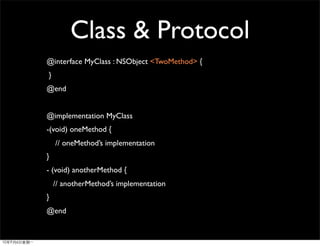
Class & Protocol
@interface MyClass : NSObject <TwoMethod> {
}
@end


@implementation MyClass
-(void) oneMethod {
    // oneMethod’s implementation
}
- (void) anotherMethod {
    // anotherMethod’s implementation
}
@end
Sample Code
   protocol
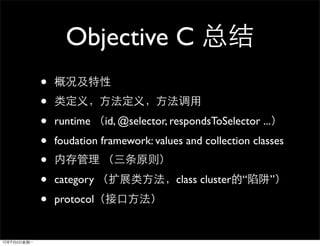
Objective C
•
•
•   runtime    id, @selector, respondsToSelector ...
•   foudation framework: values and collection classes
•
•   category                  class cluster “      ”
•   protocol
Using Objective-C Now !

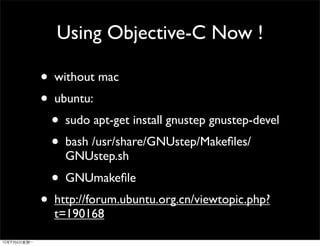
• without mac
• ubuntu:
  • sudo apt-get install gnustep gnustep-devel
  • bash /usr/share/GNUstep/Makefiles/
    GNUstep.sh
  • GNUmakefile
• http://forum.ubuntu.org.cn/viewtopic.php?
  t=190168
iPhone UIKit
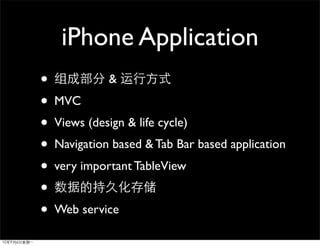
iPhone Application
•           &
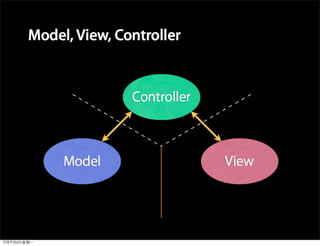
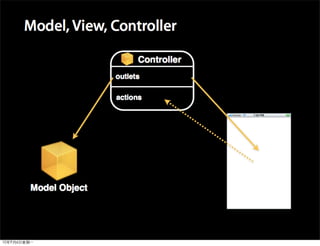
• MVC
• Views (design & life cycle)
• Navigation based & Tab Bar based application
• very important TableView
•
• Web service
UIApplication
•   Every application must have exactly one instance of
    UIApplication (or a subclass of UIApplication). When
    an application is launched, the UIApplicationMain
    function is called; among its other tasks, this
    function create a singleton UIApplication object.

•   The application object is typically assigned a
    delegate, an object that the application informs of
    significant runtime events—for example, application
    launch, low-memory warnings, and application
    termination—giving it an opportunity to respond
    appropriately.
UIApplicationMain

• delegateClassName
 • Specify nil if you load the delegate object
    from your application’s main nib file.
• from Info.plist get main nib file
• from main nib file get the application’s
  delegate
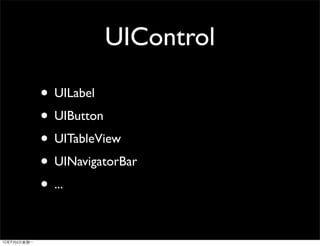
UIControl

• UILabel
• UIButton
• UITableView
• UINavigatorBar
• ...
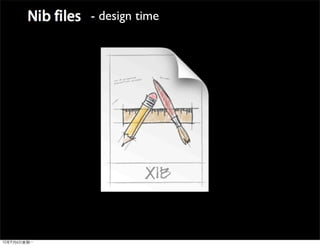
- design time
Demo
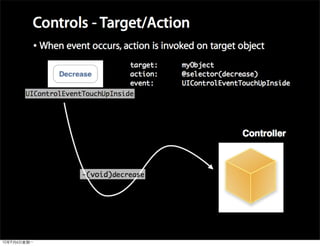
button click
Without IB ?
create a button and bind event by code
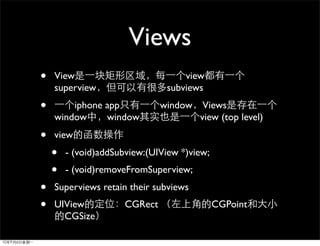
Views
•   View                            view
    superview                   subviews
•       iphone app             window    Views
    window     window                   view (top level)

•   view
    •   - (void)addSubview:(UIView *)view;
    •   - (void)removeFromSuperview;
•   Superviews retain their subviews
•   UIView            CGRect                 CGPoint
      CGSize
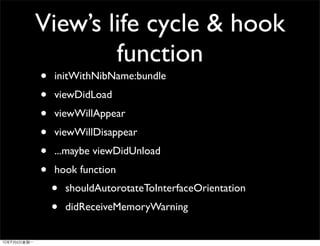
View’s life cycle & hook
        function
•   initWithNibName:bundle
•   viewDidLoad
•   viewWillAppear
•   viewWillDisappear
•   ...maybe viewDidUnload
•   hook function
    •   shouldAutorotateToInterfaceOrientation
    •   didReceiveMemoryWarning
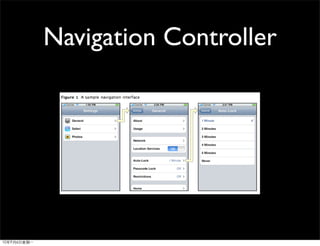
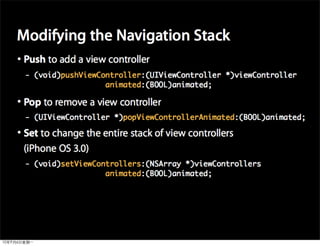
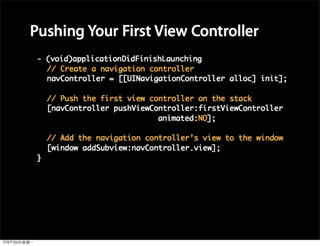
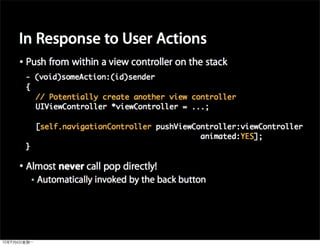
Navigation Controller
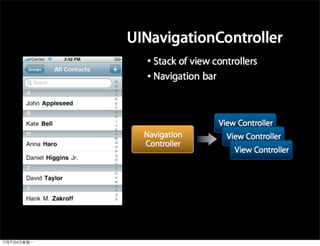
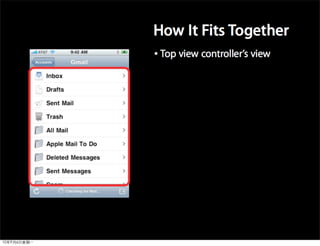
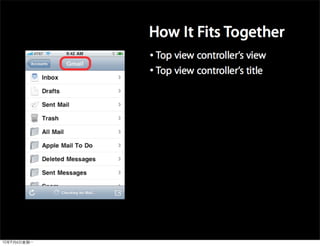
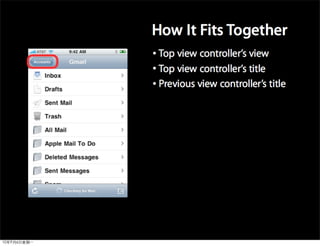
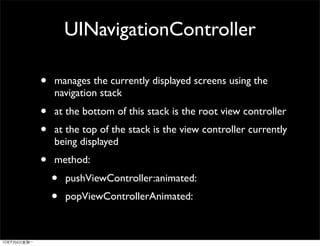
UINavigationController

•   manages the currently displayed screens using the
    navigation stack
•   at the bottom of this stack is the root view controller
•   at the top of the stack is the view controller currently
    being displayed
•   method:
    •   pushViewController:animated:
    •   popViewControllerAnimated:
Demo
UINavigationController
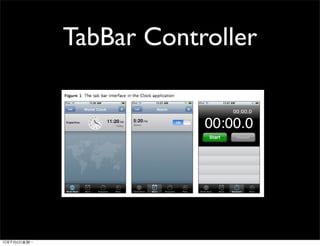
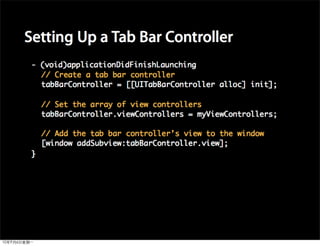
TabBar Controller
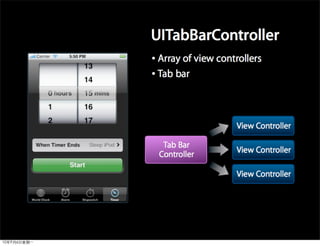
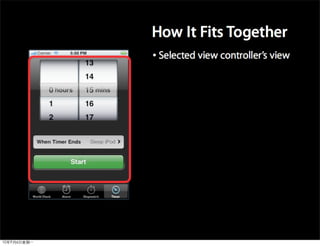
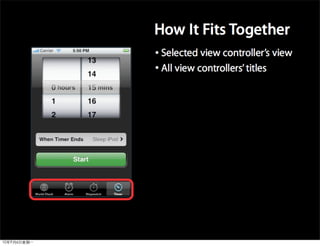
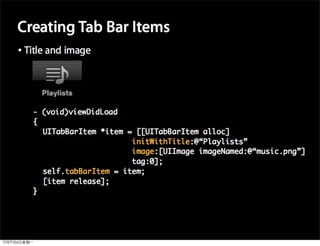
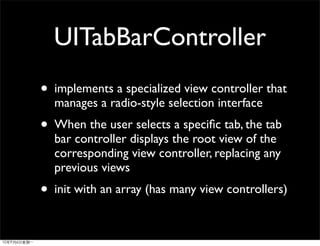
UITabBarController
• implements a specialized view controller that
  manages a radio-style selection interface
• When the user selects a specific tab, the tab
  bar controller displays the root view of the
  corresponding view controller, replacing any
  previous views
• init with an array (has many view controllers)
Demo
UITabBarController
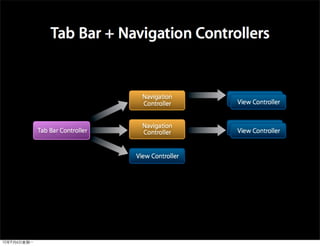
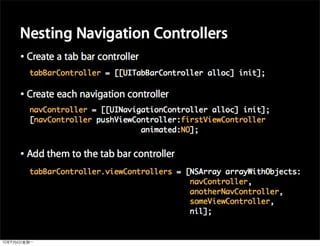
Combine


•              UI

    • TabBarController Based +
      NavigationController
Demo
Combine UITabBarController &
   UINavigationController
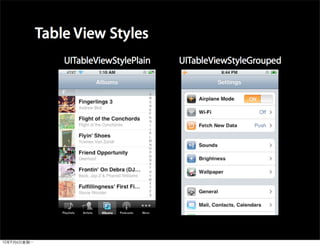
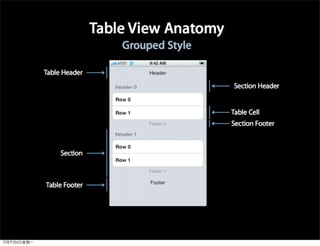
TableView

• display a list of data
 • Single column, multiple rows
 • Vertical scrolling
• Powerful and ubiquitous in iPhone
  applications
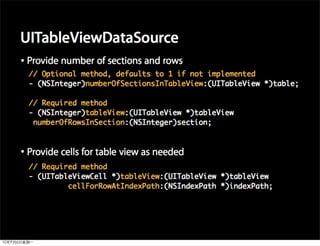
Display data in Table View
•
    •    Table views display a list of data, so use an array
    •    [myTableView setList:myListOfStuff];
    •
        •   All data is loaded upfront
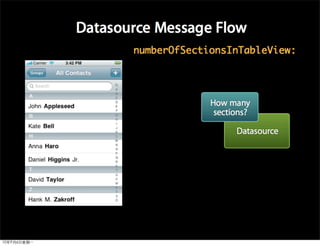
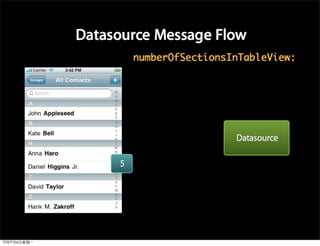
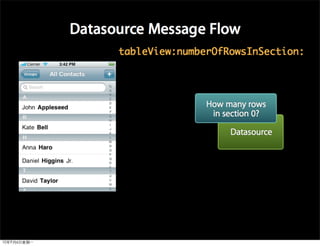
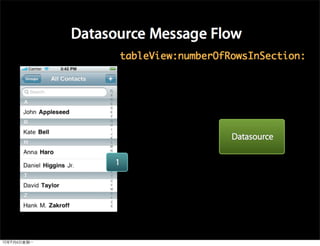
        •   All data stays in memory
•
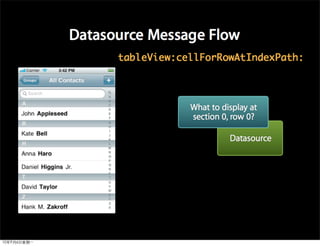
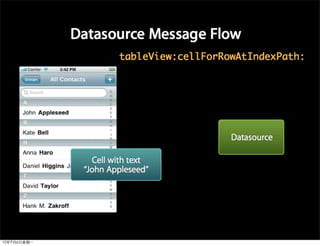
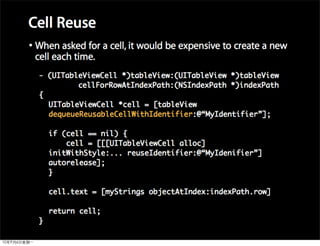
    •    Another object provides data to the table view
        •   Not all at once
        •   Just as it’s needed for display
    •    Like a delegate, but purely data-oriented
Demo
UITableView <UITableViewDataSource>
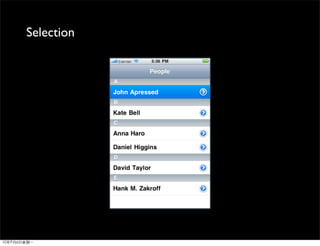
Selection
Demo
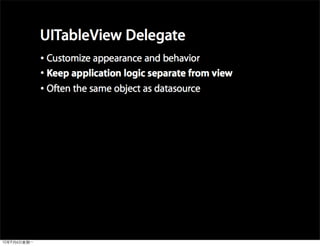
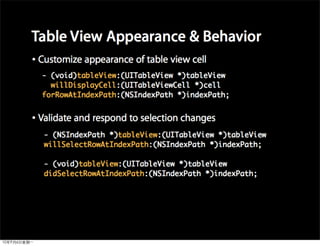
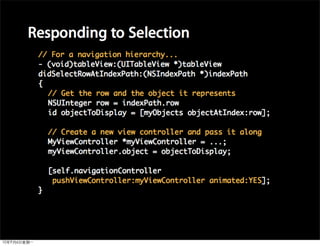
UITableView <UITableViewDelegate>
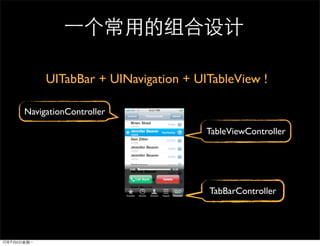
UITabBar + UINavigation + UITableView !

NavigationController

                                 TableViewController


                                 TabBarController
Demo
UITabBar + UINavigation + UITableView
• Propery Lists, NSUserDefaults
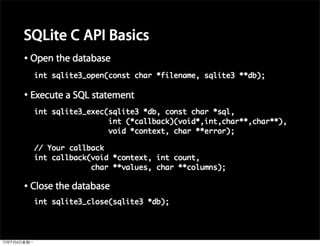
• SQLite
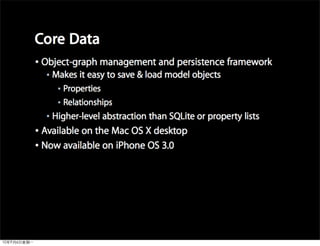
• Core Data
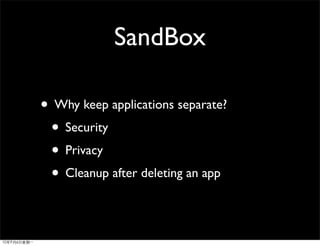
SandBox

• Why keep applications separate?
 • Security
 • Privacy
 • Cleanup after deleting an app
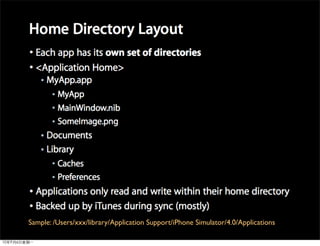
Sample: /Users/xxx/library/Application Support/iPhone Simulator/4.0/Applications
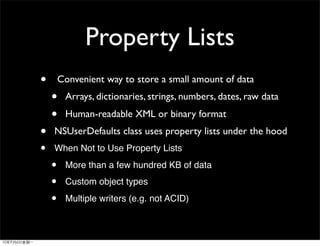
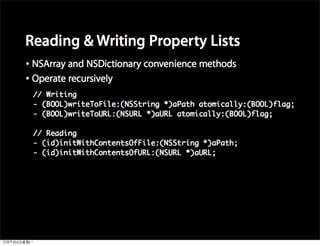
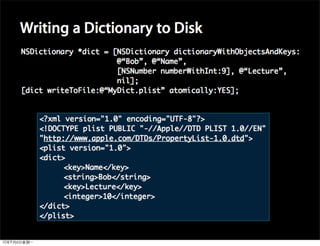
Property Lists
•       Convenient way to store a small amount of data
    •    Arrays, dictionaries, strings, numbers, dates, raw data
    •    Human-readable XML or binary format
•   NSUserDefaults class uses property lists under the hood
•   When Not to Use Property Lists

    •    More than a few hundred KB of data

    •    Custom object types

    •    Multiple writers (e.g. not ACID)
Demo
Save data with NSUserDefaults
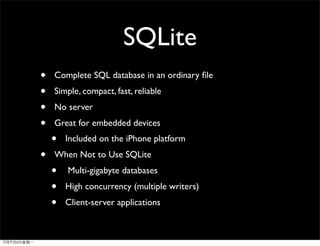
SQLite
•   Complete SQL database in an ordinary file
•   Simple, compact, fast, reliable
•   No server
•   Great for embedded devices
    •   Included on the iPhone platform
•   When Not to Use SQLite
    •   Multi-gigabyte databases
    •   High concurrency (multiple writers)
    •   Client-server applications
SQLite Obj-C Wrapper

•   http://code.google.com/p/flycode/source/browse/
    trunk/fmdb

•   A query maybe like this:

    •   [dbconn executeQuery:@"select * from call"]
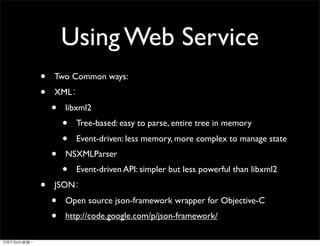
Using Web Service
•   Two Common ways:
•   XML
    •   libxml2
        •   Tree-based: easy to parse, entire tree in memory
        •   Event-driven: less memory, more complex to manage state
    •   NSXMLParser
        •   Event-driven API: simpler but less powerful than libxml2
•   JSON
    •   Open source json-framework wrapper for Objective-C
    •   http://code.google.com/p/json-framework/
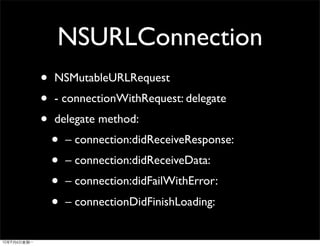
NSURLConnection
•   NSMutableURLRequest
•   - connectionWithRequest: delegate
•   delegate method:
    •   – connection:didReceiveResponse:
    •   – connection:didReceiveData:
    •   – connection:didFailWithError:
    •   – connectionDidFinishLoading:
Demo
use json-framework and NSURLConnection with hi-api
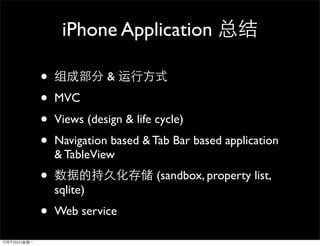
iPhone Application

•              &
•   MVC
•   Views (design & life cycle)
•   Navigation based & Tab Bar based application
    & TableView
•                        (sandbox, property list,
    sqlite)
•   Web service
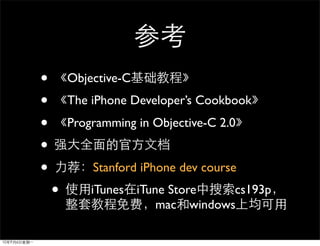
•       Objective-C
•       The iPhone Developer’s Cookbook
•       Programming in Objective-C 2.0
•
•           Stanford iPhone dev course
    •       iTunes iTune Store    cs193p
                       mac windows
Q &A
The End

iPhone dev intro

  • 1.
    iPhone Objective-C, UIKit bofeng@corp.netease.com @vonbo
  • 2.
  • 3.
  • 4.
  • 5.
    Things we have •Hello world!
  • 6.
    • xcode SDK • & test with Simulator • test with iPhone/iPod touch ($99) • appstore •
  • 7.
  • 8.
  • 9.
    Objective C • • • runtime • foudation framework: values and collection classes • • category • protocol
  • 10.
    Sample Code hello world
  • 12.
    objective c • @ • @interface, @implementation, @class • @property, @synthesize • @protocol • NSString* str = @”hello world” • [receiver message] • C C++
  • 17.
    Sample Code class and message
  • 18.
    runtime • id • class & className • respondsToSelector • performSelector • isKindOfClass (super class included) • isMemberOfClass • @selector
  • 19.
  • 22.
    action CGRect rect =CGRectMake(20, 20, 100, 30); UIButton* myButton = [UIButton buttonWithType:UIButtonTypeRoundedRect]; myButton.frame = rect; [myButton setTitle:@"my button" forState:UIControlStateNormal]; [myButton addTarget:self action:@selector(btnClick:) forControlEvents : UIControlEventTouchUpInside]; [self.view addSubview:myButton];
  • 23.
  • 24.
    Foundation Framework • Valueand Collection Classes • User defaults • Archiving • Task, timers, thread • File system, I/0 • etc ...
  • 25.
    Value and Collection Classes • NSString & NSMutableString • NSArray & NSMutableArray • NSDictionary & NSMutableDictionary • NSSet & NSMutableSet • NSNumber [a obj-c object wrapper for basic C type] • (NSNumber* num = [NSNumber numberWithInt:3])
  • 26.
    Sample Code collection classes
  • 27.
    alloc new • alloc&dealloc C++ new&delete • but with ...
  • 28.
    alloc new copy 1. retain release • 0 Obj-C dealloc dealloc dealloc
  • 29.
    Sample Code “ ” ... memory management
  • 30.
    Getter & Setter @property & @synthesize
  • 31.
    new alloc copy 1. release • retain release
  • 32.
    but how tosolve this ? - (Person*) getChild { Person* child = [[Person alloc] init]; [child setName:@”xxxx”]; .... // will return ... [child release] or not ? return child; }
  • 33.
    Autorelease • NSAutoreleasePool* pool... • [object autorelease] • autorelease NSAutoreleasePool release
  • 34.
    That’s why createpool first ... int main(int argc, char* argv[]) { NSAutoreleasePool* pool = [[NSAutoreleasePool alloc] init]; // put your own code here ... [pool release]; }
  • 35.
    how to solvethis ? - (Person*) getChild { Person* child = [[Person alloc] init]; [child setName:@”xxxx”]; .... // will return ... [child release] or not ? return [child autorelease]; }
  • 36.
    Autorelease Pool • • NSMutableArray pool • autorelease Array • pool Array release • autorelease pool autorelease pool pool
  • 37.
    Autorelease Pool Stack NSAutoreleasePool*poolFirst .. for (int i=0; i < 10000; i++) { NSAutoreleasePool* poolSecond ... // have some autorelease object // [object autorelease] [poolSecond release]; } // other code [poolFirst release];
  • 38.
    Autorelease Pool • • NSAutoreleasePool • alloc release • Autorelease pool retain autorelease [pool retain] or [pool autorelease] • AutoreleasePool “ ” • pool pool iphone release autorelease
  • 39.
    new alloc copy 1. release autorelease • 1 [NSString stringWithString:@”objc”] • retain release
  • 40.
  • 41.
    Sample Code category
  • 42.
    NSString Class Cluster ...
  • 43.
    Sample Code something aboutclass cluster ...
  • 44.
  • 45.
    Protocol • familiar with C++ virtual class • familiar with Java’s interface • • @optional @required warning required
  • 46.
    protocol @protocol TwoMethod - (void) oneMethod; - (void) anotherMethod; @end
  • 47.
    Class & Protocol @interfaceMyClass : NSObject <TwoMethod> { } @end @implementation MyClass -(void) oneMethod { // oneMethod’s implementation } - (void) anotherMethod { // anotherMethod’s implementation } @end
  • 48.
    Sample Code protocol
  • 49.
    Objective C • • • runtime id, @selector, respondsToSelector ... • foudation framework: values and collection classes • • category class cluster “ ” • protocol
  • 50.
    Using Objective-C Now! • without mac • ubuntu: • sudo apt-get install gnustep gnustep-devel • bash /usr/share/GNUstep/Makefiles/ GNUstep.sh • GNUmakefile • http://forum.ubuntu.org.cn/viewtopic.php? t=190168
  • 51.
  • 52.
    iPhone Application • & • MVC • Views (design & life cycle) • Navigation based & Tab Bar based application • very important TableView • • Web service
  • 54.
    UIApplication • Every application must have exactly one instance of UIApplication (or a subclass of UIApplication). When an application is launched, the UIApplicationMain function is called; among its other tasks, this function create a singleton UIApplication object. • The application object is typically assigned a delegate, an object that the application informs of significant runtime events—for example, application launch, low-memory warnings, and application termination—giving it an opportunity to respond appropriately.
  • 57.
    UIApplicationMain • delegateClassName •Specify nil if you load the delegate object from your application’s main nib file. • from Info.plist get main nib file • from main nib file get the application’s delegate
  • 61.
    UIControl • UILabel • UIButton •UITableView • UINavigatorBar • ...
  • 62.
  • 63.
  • 64.
    Without IB ? createa button and bind event by code
  • 67.
    Views • View view superview subviews • iphone app window Views window window view (top level) • view • - (void)addSubview:(UIView *)view; • - (void)removeFromSuperview; • Superviews retain their subviews • UIView CGRect CGPoint CGSize
  • 68.
    View’s life cycle& hook function • initWithNibName:bundle • viewDidLoad • viewWillAppear • viewWillDisappear • ...maybe viewDidUnload • hook function • shouldAutorotateToInterfaceOrientation • didReceiveMemoryWarning
  • 69.
  • 77.
    UINavigationController • manages the currently displayed screens using the navigation stack • at the bottom of this stack is the root view controller • at the top of the stack is the view controller currently being displayed • method: • pushViewController:animated: • popViewControllerAnimated:
  • 78.
  • 79.
  • 85.
    UITabBarController • implements aspecialized view controller that manages a radio-style selection interface • When the user selects a specific tab, the tab bar controller displays the root view of the corresponding view controller, replacing any previous views • init with an array (has many view controllers)
  • 86.
  • 87.
    Combine • UI • TabBarController Based + NavigationController
  • 90.
    Demo Combine UITabBarController & UINavigationController
  • 91.
    TableView • display alist of data • Single column, multiple rows • Vertical scrolling • Powerful and ubiquitous in iPhone applications
  • 94.
    Display data inTable View • • Table views display a list of data, so use an array • [myTableView setList:myListOfStuff]; • • All data is loaded upfront • All data stays in memory • • Another object provides data to the table view • Not all at once • Just as it’s needed for display • Like a delegate, but purely data-oriented
  • 103.
  • 106.
  • 108.
  • 109.
    UITabBar + UINavigation+ UITableView ! NavigationController TableViewController TabBarController
  • 110.
  • 111.
    • Propery Lists,NSUserDefaults • SQLite • Core Data
  • 112.
    SandBox • Why keepapplications separate? • Security • Privacy • Cleanup after deleting an app
  • 113.
  • 116.
    Property Lists • Convenient way to store a small amount of data • Arrays, dictionaries, strings, numbers, dates, raw data • Human-readable XML or binary format • NSUserDefaults class uses property lists under the hood • When Not to Use Property Lists • More than a few hundred KB of data • Custom object types • Multiple writers (e.g. not ACID)
  • 119.
    Demo Save data withNSUserDefaults
  • 120.
    SQLite • Complete SQL database in an ordinary file • Simple, compact, fast, reliable • No server • Great for embedded devices • Included on the iPhone platform • When Not to Use SQLite • Multi-gigabyte databases • High concurrency (multiple writers) • Client-server applications
  • 122.
    SQLite Obj-C Wrapper • http://code.google.com/p/flycode/source/browse/ trunk/fmdb • A query maybe like this: • [dbconn executeQuery:@"select * from call"]
  • 124.
    Using Web Service • Two Common ways: • XML • libxml2 • Tree-based: easy to parse, entire tree in memory • Event-driven: less memory, more complex to manage state • NSXMLParser • Event-driven API: simpler but less powerful than libxml2 • JSON • Open source json-framework wrapper for Objective-C • http://code.google.com/p/json-framework/
  • 125.
    NSURLConnection • NSMutableURLRequest • - connectionWithRequest: delegate • delegate method: • – connection:didReceiveResponse: • – connection:didReceiveData: • – connection:didFailWithError: • – connectionDidFinishLoading:
  • 126.
    Demo use json-framework andNSURLConnection with hi-api
  • 127.
    iPhone Application • & • MVC • Views (design & life cycle) • Navigation based & Tab Bar based application & TableView • (sandbox, property list, sqlite) • Web service
  • 128.
    Objective-C • The iPhone Developer’s Cookbook • Programming in Objective-C 2.0 • • Stanford iPhone dev course • iTunes iTune Store cs193p mac windows
  • 129.