iOS – let’s start
Basic introduction to mobile app development
And
Apple iOS
Harit Kothari
@harit
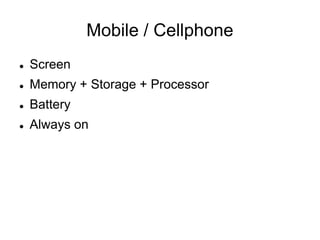
Mobile / Cellphone
 Screen
 Memory + Storage + Processor
 Battery
 Always on
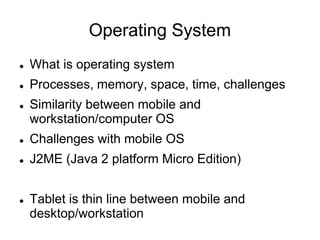
Operating System
 What is operating system
 Processes, memory, space, time, challenges
 Similarity between mobile and
workstation/computer OS
 Challenges with mobile OS
 J2ME (Java 2 platform Micro Edition)
 Tablet is thin line between mobile and
desktop/workstation
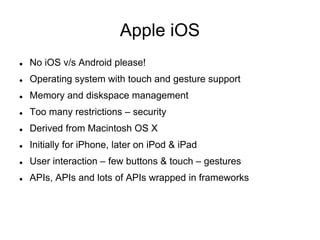
Apple iOS
 No iOS v/s Android please!
 Operating system with touch and gesture support
 Memory and diskspace management
 Too many restrictions – security
 Derived from Macintosh OS X
 Initially for iPhone, later on iPod & iPad
 User interaction – few buttons & touch – gestures
 APIs, APIs and lots of APIs wrapped in frameworks
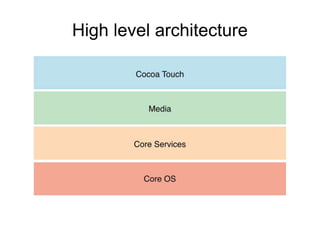
High level architecture
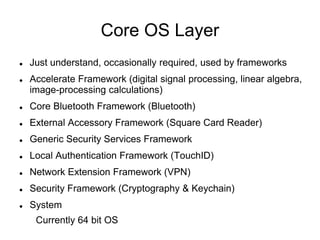
Core OS Layer
 Just understand, occasionally required, used by frameworks
 Accelerate Framework (digital signal processing, linear algebra,
image-processing calculations)
 Core Bluetooth Framework (Bluetooth)
 External Accessory Framework (Square Card Reader)
 Generic Security Services Framework
 Local Authentication Framework (TouchID)
 Network Extension Framework (VPN)
 Security Framework (Cryptography & Keychain)
 System
Currently 64 bit OS
Core Services Layer
 Peer-to-Peer Services (Bluetooth connectivity)
 iCloud Storage
 Block Objects (programming - blocks)
 Data Protection (encryption & restricting access to shared data)
 File-Sharing Support (/Documents directory accessible)
 Grand Central Dispatch
 In-App Purchase
 SQLite
 XML Support
 Frameworks - provides APIs to operate iCloud, CoreData,
AddressBook, Location, Media, HomeKit etc
Media Layer
 Graphics & Image
 Animation
 OpenGL ES – 2D & 3D rendering
 Metal – advanced level graphic rendering & manipulation
 Text
 Photo Library
 Audio
 Video
 Frameworks provide APIs to operate on images, photos,
animation, audio-video playback & capture etc.
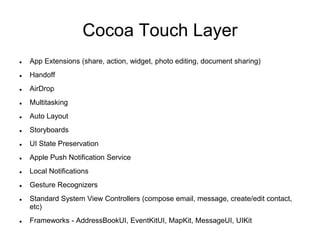
Cocoa Touch Layer
 App Extensions (share, action, widget, photo editing, document sharing)
 Handoff
 AirDrop
 Multitasking
 Auto Layout
 Storyboards
 UI State Preservation
 Apple Push Notification Service
 Local Notifications
 Gesture Recognizers
 Standard System View Controllers (compose email, message, create/edit contact,
etc)
 Frameworks - AddressBookUI, EventKitUI, MapKit, MessageUI, UIKit
Where’s application
 Few apps shipped with iDevices like Contacts,
Maps, App Store, Camera, Calendar, Photos
and others
 App Store is an app – marketplace to purchase
and install apps
 And your own!
 .app is compiled application, .ipa is archieved
and code signed app
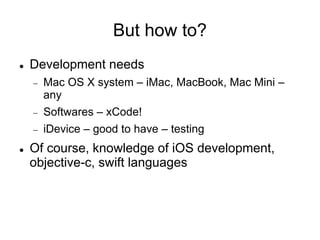
But how to?
 Development needs
 Mac OS X system – iMac, MacBook, Mac Mini –
any
 Softwares – xCode!
 iDevice – good to have – testing
 Of course, knowledge of iOS development,
objective-c, swift languages
Terminologies
 Many terminologies, covering few
 IBOutlet
 IBAction
 Classe
 Function
 Delegate
 Block
 Notification
 ViewController
UI
 Again, many ready made components available, covering few
 Button
 Label
 Navigation
 View
 ImageView
 ScrollView
 Slider
 Switch
 ActionSheet
 Alert
 No ComboBox/DropDown, Radio Buttons, CheckBoxes – its Apple world
 Your own custom UI component with your own behavior
How to put the controls
 Storyboard / XIB
 View Transition / Segue
 Connect them with code
Application Lifecycle
Main(), UIApplicationMain, AppDelegate
Events
 Touch
 Remote – shake, motion
 Accelerometer, Magnetometer, Gyroscope
 Location
 Redraw
Application state
 Execution states of an app
 Not running
 Inactive
 Active
 Background
 Suspended
Apple World
 Mac OS X application development
 iWatch
 tvOS – apple TV
 Swift – open source
Other side...
 Very rapid development & frequent changes
 New trends and technologies – innovations
 Compatibility & updates
Resources & help
 iOS Developer Library -
https://developer.apple.com/library/ios/documentation/
 Ray Wenderlich Tutorials
 Envato tut+ Tutorials
 Stackoverflow best buddy
 GitHub & cocoacontrols – custom components & libraries
 https://developer.apple.com/
 WWDC Sessions
Thank you!

Basic Intro to iOS

  • 1.
    iOS – let’sstart Basic introduction to mobile app development And Apple iOS Harit Kothari @harit
  • 2.
    Mobile / Cellphone Screen  Memory + Storage + Processor  Battery  Always on
  • 3.
    Operating System  Whatis operating system  Processes, memory, space, time, challenges  Similarity between mobile and workstation/computer OS  Challenges with mobile OS  J2ME (Java 2 platform Micro Edition)  Tablet is thin line between mobile and desktop/workstation
  • 4.
    Apple iOS  NoiOS v/s Android please!  Operating system with touch and gesture support  Memory and diskspace management  Too many restrictions – security  Derived from Macintosh OS X  Initially for iPhone, later on iPod & iPad  User interaction – few buttons & touch – gestures  APIs, APIs and lots of APIs wrapped in frameworks
  • 5.
  • 6.
    Core OS Layer Just understand, occasionally required, used by frameworks  Accelerate Framework (digital signal processing, linear algebra, image-processing calculations)  Core Bluetooth Framework (Bluetooth)  External Accessory Framework (Square Card Reader)  Generic Security Services Framework  Local Authentication Framework (TouchID)  Network Extension Framework (VPN)  Security Framework (Cryptography & Keychain)  System Currently 64 bit OS
  • 7.
    Core Services Layer Peer-to-Peer Services (Bluetooth connectivity)  iCloud Storage  Block Objects (programming - blocks)  Data Protection (encryption & restricting access to shared data)  File-Sharing Support (/Documents directory accessible)  Grand Central Dispatch  In-App Purchase  SQLite  XML Support  Frameworks - provides APIs to operate iCloud, CoreData, AddressBook, Location, Media, HomeKit etc
  • 8.
    Media Layer  Graphics& Image  Animation  OpenGL ES – 2D & 3D rendering  Metal – advanced level graphic rendering & manipulation  Text  Photo Library  Audio  Video  Frameworks provide APIs to operate on images, photos, animation, audio-video playback & capture etc.
  • 9.
    Cocoa Touch Layer App Extensions (share, action, widget, photo editing, document sharing)  Handoff  AirDrop  Multitasking  Auto Layout  Storyboards  UI State Preservation  Apple Push Notification Service  Local Notifications  Gesture Recognizers  Standard System View Controllers (compose email, message, create/edit contact, etc)  Frameworks - AddressBookUI, EventKitUI, MapKit, MessageUI, UIKit
  • 10.
    Where’s application  Fewapps shipped with iDevices like Contacts, Maps, App Store, Camera, Calendar, Photos and others  App Store is an app – marketplace to purchase and install apps  And your own!  .app is compiled application, .ipa is archieved and code signed app
  • 11.
    But how to? Development needs  Mac OS X system – iMac, MacBook, Mac Mini – any  Softwares – xCode!  iDevice – good to have – testing  Of course, knowledge of iOS development, objective-c, swift languages
  • 12.
    Terminologies  Many terminologies,covering few  IBOutlet  IBAction  Classe  Function  Delegate  Block  Notification  ViewController
  • 13.
    UI  Again, manyready made components available, covering few  Button  Label  Navigation  View  ImageView  ScrollView  Slider  Switch  ActionSheet  Alert  No ComboBox/DropDown, Radio Buttons, CheckBoxes – its Apple world  Your own custom UI component with your own behavior
  • 14.
    How to putthe controls  Storyboard / XIB  View Transition / Segue  Connect them with code
  • 15.
  • 16.
    Events  Touch  Remote– shake, motion  Accelerometer, Magnetometer, Gyroscope  Location  Redraw
  • 17.
    Application state  Executionstates of an app  Not running  Inactive  Active  Background  Suspended
  • 18.
    Apple World  MacOS X application development  iWatch  tvOS – apple TV  Swift – open source
  • 19.
    Other side...  Veryrapid development & frequent changes  New trends and technologies – innovations  Compatibility & updates
  • 20.
    Resources & help iOS Developer Library - https://developer.apple.com/library/ios/documentation/  Ray Wenderlich Tutorials  Envato tut+ Tutorials  Stackoverflow best buddy  GitHub & cocoacontrols – custom components & libraries  https://developer.apple.com/  WWDC Sessions Thank you!