libGDX: 
Implemen.ng 
a 
Simple 
Game 
Jussi 
Pohjolainen 
Tampere 
University 
of 
Applied 
Sciences
Starter 
Class: 
Desktop 
public class Main { 
public static void main(String[] args) { 
LwjglApplicationConfiguration config = new 
LwjglApplicationConfiguration(); 
config.title = "Gorba's Revenge"; 
config.width = 800; 
config.height = 480; 
new LwjglApplication(new MyGame(), config); 
} 
} 
// In Android, the resolution is set by operating system!
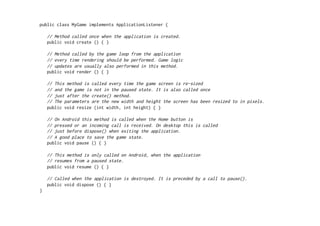
public class MyGame implements ApplicationListener { 
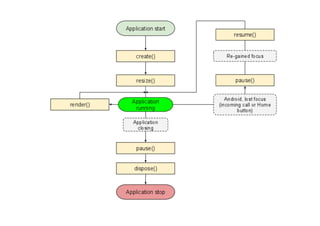
// Method called once when the application is created. 
public void create () { } 
// Method called by the game loop from the application 
// every time rendering should be performed. Game logic 
// updates are usually also performed in this method. 
public void render () { } 
// This method is called every time the game screen is re-sized 
// and the game is not in the paused state. It is also called once 
// just after the create() method. 
// The parameters are the new width and height the screen has been resized to in pixels. 
public void resize (int width, int height) { } 
// On Android this method is called when the Home button is 
// pressed or an incoming call is received. On desktop this is called 
// just before dispose() when exiting the application. 
// A good place to save the game state. 
public void pause () { } 
// This method is only called on Android, when the application 
// resumes from a paused state. 
public void resume () { } 
// Called when the application is destroyed. It is preceded by a call to pause(). 
public void dispose () { } 
}
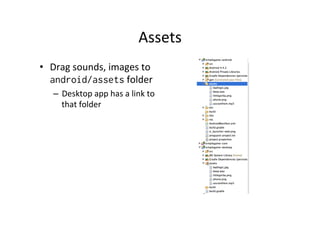
Assets 
• Drag 
sounds, 
images 
to 
android/assets 
folder 
– Desktop 
app 
has 
a 
link 
to 
that 
folder
Asset 
loading 
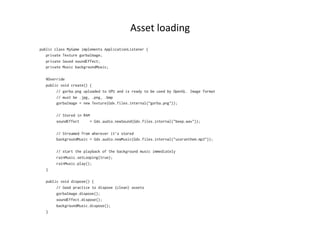
public class MyGame implements ApplicationListener { 
private Texture gorbaImage; 
private Sound soundEffect; 
private Music backgroundMusic; 
@Override 
public void create() { 
// gorba.png uploaded to GPU and is ready to be used by OpenGL. Image format 
// must be .jpg, .png, .bmp 
gorbaImage = new Texture(Gdx.files.internal(”gorba.png")); 
// Stored in RAM 
soundEffect = Gdx.audio.newSound(Gdx.files.internal("beep.wav")); 
// Streamed from wherever it’s stored 
backgroundMusic = Gdx.audio.newMusic(Gdx.files.internal("ussranthem.mp3")); 
// start the playback of the background music immediately 
rainMusic.setLooping(true); 
rainMusic.play(); 
} 
public void dispose() { 
// Good practice to dispose (clean) assets 
gorbaImage.dispose(); 
soundEffect.dispose(); 
backgroundMusic.dispose(); 
}
Rendering: 
Camera 
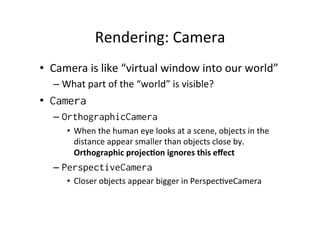
• Camera 
is 
like 
“virtual 
window 
into 
our 
world” 
– What 
part 
of 
the 
“world” 
is 
visible? 
• Camera 
– OrthographicCamera 
• When 
the 
human 
eye 
looks 
at 
a 
scene, 
objects 
in 
the 
distance 
appear 
smaller 
than 
objects 
close 
by. 
Orthographic 
projec.on 
ignores 
this 
effect 
– PerspectiveCamera 
• Closer 
objects 
appear 
bigger 
in 
Perspec.veCamera
Using 
Camera 
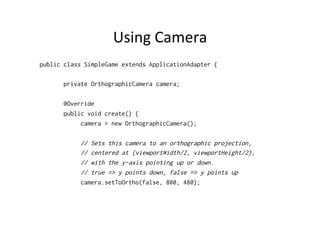
public class SimpleGame extends ApplicationAdapter { 
private OrthographicCamera camera; 
@Override 
public void create() { 
camera = new OrthographicCamera(); 
// Sets this camera to an orthographic projection, 
// centered at (viewportWidth/2, viewportHeight/2), 
// with the y-axis pointing up or down. 
// true => y points down, false => y points up 
camera.setToOrtho(false, 800, 480);
Word 
about 
OpenGL 
• OpenGL 
(Open 
Graphics 
Library) 
is 
a 
cross-­‐language, 
mul.-­‐plaRorm 
applica.on 
programming 
interface 
(API) 
for 
rendering 
2D 
and 
3D 
vector 
graphics. 
• The 
API 
is 
typically 
used 
to 
interact 
with 
a 
graphics 
processing 
unit 
(GPU), 
to 
achieve 
hardware-­‐ 
accelerated 
rendering. 
• Widely 
used 
in 
CAD, 
virtual 
reality, 
scien.fic 
visualiza.on, 
informa.on 
visualiza.on, 
flight 
simula.on, 
and 
video 
games. 
• libGDX 
uses 
OpenGL 
ES 
and 
has 
interface 
also 
for 
direct 
access 
for 
OpenGL
Texture 
Mapping 
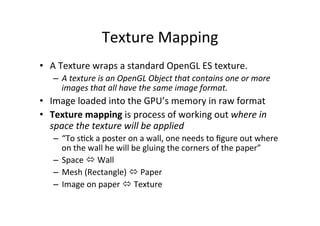
• A 
Texture 
wraps 
a 
standard 
OpenGL 
ES 
texture. 
– A 
texture 
is 
an 
OpenGL 
Object 
that 
contains 
one 
or 
more 
images 
that 
all 
have 
the 
same 
image 
format. 
• Image 
loaded 
into 
the 
GPU’s 
memory 
in 
raw 
format 
• Texture 
mapping 
is 
process 
of 
working 
out 
where 
in 
space 
the 
texture 
will 
be 
applied 
– “To 
s.ck 
a 
poster 
on 
a 
wall, 
one 
needs 
to 
figure 
out 
where 
on 
the 
wall 
he 
will 
be 
gluing 
the 
corners 
of 
the 
paper” 
– Space 
ó 
Wall 
– Mesh 
(Rectangle) 
ó 
Paper 
– Image 
on 
paper 
ó 
Texture
SpriteBatch 
• SpriteBatch 
class 
takes 
care 
of 
texture 
mapping 
• Convenience 
class 
which 
makes 
drawing 
onto 
the 
screen 
easy
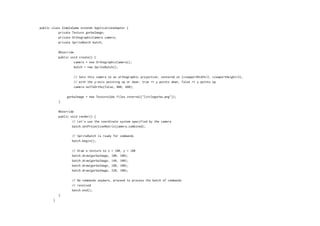
public class SimpleGame extends ApplicationAdapter { 
private Texture gorbaImage; 
private OrthographicCamera camera; 
private SpriteBatch batch; 
@Override 
public void create() { 
camera = new OrthographicCamera(); 
batch = new SpriteBatch(); 
// Sets this camera to an orthographic projection, centered at (viewportWidth/2, viewportHeight/2), 
// with the y-axis pointing up or down. true => y points down, false => y points up 
camera.setToOrtho(false, 800, 480); 
gorbaImage = new Texture(Gdx.files.internal("littlegorba.png")); 
} 
@Override 
public void render() { 
// Let's use the coordinate system specified by the camera 
batch.setProjectionMatrix(camera.combined); 
// SpriteBatch is ready for commands 
batch.begin(); 
// Draw a texture to x = 100, y = 100 
batch.draw(gorbaImage, 100, 100); 
batch.draw(gorbaImage, 140, 100); 
batch.draw(gorbaImage, 180, 100); 
batch.draw(gorbaImage, 220, 100); 
// No commands anymore, proceed to process the batch of commands 
// received 
batch.end(); 
} 
}
Clear 
Screen 
@Override 
public void render() { 
// Direct OpenGL call 
// float red [0,1] 
// green 
// blue 
// alpha 
// https://www.opengl.org/sdk/docs/man/html/glClearColor.xhtml 
Gdx.gl.glClearColor(0, 0, 0.2f, 1); 
// Clear the screen with the color chosen 
// http://www.opengl.org/sdk/docs/man/html/glClear.xhtml 
Gdx.gl.glClear(GL20.GL_COLOR_BUFFER_BIT); 
// SpriteBatch is ready for commands 
batch.begin(); 
// Draw a texture to x = 100, y = 100 
batch.draw(gorbaImage, 100, 100); 
batch.draw(gorbaImage, 140, 100); 
batch.draw(gorbaImage, 180, 100); 
batch.draw(gorbaImage, 220, 100); 
// No commands anymore, proceed to process the batch of commands 
// received 
batch.end(); 
}
Gdx.input 
• Ge]ng 
input 
from 
user 
is 
very 
easy 
• Touch 
– Gdx.input.isTouched() 
– Gdx.input.getX() 
– Gdx.input.getY() 
• Accelerometer 
– Gdx.input.getAccelerometerX() 
– Gdx.input.getAccelerometerY() 
– Gdx.input.getAccelerometerZ()
About 
Resolu.on 
• Game 
can 
be 
cross-­‐plaRorm, 
what 
is 
the 
resolu.on? 
• We 
have 
two 
resolu.ons 
– The 
real 
resolu.on 
– The 
world 
resolu.on 
• Mapping 
must 
be 
done 
between 
these 
two!
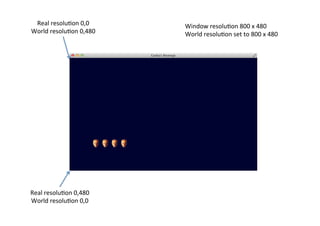
Real 
resolu.on 
0,0 
World 
resolu.on 
0,480 
Real 
resolu.on 
0,480 
World 
resolu.on 
0,0 
Window 
resolu.on 
800 
x 
480 
World 
resolu.on 
set 
to 
800 
x 
480
Real 
resolu.on 
0,0 
World 
resolu.on 
0,480 
Real 
resolu.on 
0,384 
World 
resolu.on 
0,0 
Window 
width 
640 
x 
384 
World 
resolu.on 
set 
to 
800 
x 
480
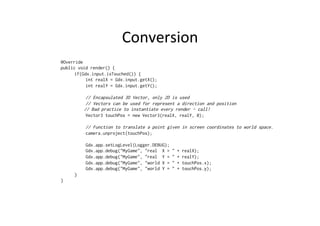
Conversion 
@Override 
public void render() { 
if(Gdx.input.isTouched()) { 
int realX = Gdx.input.getX(); 
int realY = Gdx.input.getY(); 
// Encapsulated 3D Vector, only 2D is used 
// Vectors can be used for represent a direction and position 
// Bad practice to instantiate every render – call! 
Vector3 touchPos = new Vector3(realX, realY, 0); 
// Function to translate a point given in screen coordinates to world space. 
camera.unproject(touchPos); 
Gdx.app.setLogLevel(Logger.DEBUG); 
Gdx.app.debug("MyGame", "real X = " + realX); 
Gdx.app.debug("MyGame", "real Y = " + realY); 
Gdx.app.debug("MyGame", "world X = " + touchPos.x); 
Gdx.app.debug("MyGame", "world Y = " + touchPos.y); 
} 
}
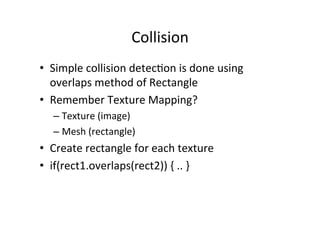
Collision 
• Simple 
collision 
detec.on 
is 
done 
using 
overlaps 
method 
of 
Rectangle 
• Remember 
Texture 
Mapping? 
– Texture 
(image) 
– Mesh 
(rectangle) 
• Create 
rectangle 
for 
each 
texture 
• if(rect1.overlaps(rect2)) 
{ 
.. 
}
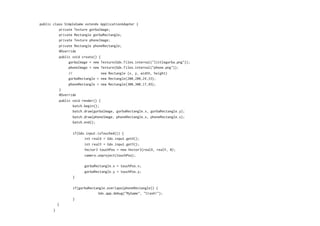
public class SimpleGame extends ApplicationAdapter { 
private Texture gorbaImage; 
private Rectangle gorbaRectangle; 
private Texture phoneImage; 
private Rectangle phoneRectangle; 
@Override 
public void create() { 
gorbaImage = new Texture(Gdx.files.internal("littlegorba.png")); 
phoneImage = new Texture(Gdx.files.internal("phone.png")); 
// new Rectangle (x, y, width, height) 
gorbaRectangle = new Rectangle(200,200,24,33); 
phoneRectangle = new Rectangle(300,300,17,45); 
} 
@Override 
public void render() { 
batch.begin(); 
batch.draw(gorbaImage, gorbaRectangle.x, gorbaRectangle.y); 
batch.draw(phoneImage, phoneRectangle.x, phoneRectangle.x); 
batch.end(); 
if(Gdx.input.isTouched()) { 
int realX = Gdx.input.getX(); 
int realY = Gdx.input.getY(); 
Vector3 touchPos = new Vector3(realX, realY, 0); 
camera.unproject(touchPos); 
gorbaRectangle.x = touchPos.x; 
gorbaRectangle.y = touchPos.y; 
} 
if(gorbaRectangle.overlaps(phoneRectangle)) { 
Gdx.app.debug("MyGame", "Crash!"); 
} 
} 
}
Texture 
+ 
Rectangle 
• Texture 
(image) 
and 
Rectangle 
(“paper”) 
go 
hand 
in 
hand 
• It 
would 
be 
great 
to 
map 
these 
into 
one 
class, 
for 
example 
Sprite 
– Don’t 
implement 
one, 
libgdx 
has 
Sprite 
J 
• hfp://libgdx.badlogicgames.com/nightlies/ 
docs/api/com/badlogic/gdx/graphics/g2d/ 
Sprite.html
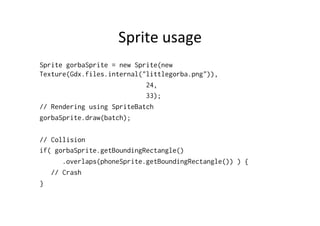
Sprite 
usage 
Sprite gorbaSprite = new Sprite(new 
Texture(Gdx.files.internal("littlegorba.png")), 
24, 
33); 
// Rendering using SpriteBatch 
gorbaSprite.draw(batch); 
// Collision 
if( gorbaSprite.getBoundingRectangle() 
.overlaps(phoneSprite.getBoundingRectangle()) ) { 
// Crash 
}

Implementing a Simple Game using libGDX

  • 1.
    libGDX: Implemen.ng a Simple Game Jussi Pohjolainen Tampere University of Applied Sciences
  • 2.
    Starter Class: Desktop public class Main { public static void main(String[] args) { LwjglApplicationConfiguration config = new LwjglApplicationConfiguration(); config.title = "Gorba's Revenge"; config.width = 800; config.height = 480; new LwjglApplication(new MyGame(), config); } } // In Android, the resolution is set by operating system!
  • 3.
    public class MyGameimplements ApplicationListener { // Method called once when the application is created. public void create () { } // Method called by the game loop from the application // every time rendering should be performed. Game logic // updates are usually also performed in this method. public void render () { } // This method is called every time the game screen is re-sized // and the game is not in the paused state. It is also called once // just after the create() method. // The parameters are the new width and height the screen has been resized to in pixels. public void resize (int width, int height) { } // On Android this method is called when the Home button is // pressed or an incoming call is received. On desktop this is called // just before dispose() when exiting the application. // A good place to save the game state. public void pause () { } // This method is only called on Android, when the application // resumes from a paused state. public void resume () { } // Called when the application is destroyed. It is preceded by a call to pause(). public void dispose () { } }
  • 5.
    Assets • Drag sounds, images to android/assets folder – Desktop app has a link to that folder
  • 6.
    Asset loading publicclass MyGame implements ApplicationListener { private Texture gorbaImage; private Sound soundEffect; private Music backgroundMusic; @Override public void create() { // gorba.png uploaded to GPU and is ready to be used by OpenGL. Image format // must be .jpg, .png, .bmp gorbaImage = new Texture(Gdx.files.internal(”gorba.png")); // Stored in RAM soundEffect = Gdx.audio.newSound(Gdx.files.internal("beep.wav")); // Streamed from wherever it’s stored backgroundMusic = Gdx.audio.newMusic(Gdx.files.internal("ussranthem.mp3")); // start the playback of the background music immediately rainMusic.setLooping(true); rainMusic.play(); } public void dispose() { // Good practice to dispose (clean) assets gorbaImage.dispose(); soundEffect.dispose(); backgroundMusic.dispose(); }
  • 7.
    Rendering: Camera •Camera is like “virtual window into our world” – What part of the “world” is visible? • Camera – OrthographicCamera • When the human eye looks at a scene, objects in the distance appear smaller than objects close by. Orthographic projec.on ignores this effect – PerspectiveCamera • Closer objects appear bigger in Perspec.veCamera
  • 8.
    Using Camera publicclass SimpleGame extends ApplicationAdapter { private OrthographicCamera camera; @Override public void create() { camera = new OrthographicCamera(); // Sets this camera to an orthographic projection, // centered at (viewportWidth/2, viewportHeight/2), // with the y-axis pointing up or down. // true => y points down, false => y points up camera.setToOrtho(false, 800, 480);
  • 9.
    Word about OpenGL • OpenGL (Open Graphics Library) is a cross-­‐language, mul.-­‐plaRorm applica.on programming interface (API) for rendering 2D and 3D vector graphics. • The API is typically used to interact with a graphics processing unit (GPU), to achieve hardware-­‐ accelerated rendering. • Widely used in CAD, virtual reality, scien.fic visualiza.on, informa.on visualiza.on, flight simula.on, and video games. • libGDX uses OpenGL ES and has interface also for direct access for OpenGL
  • 10.
    Texture Mapping •A Texture wraps a standard OpenGL ES texture. – A texture is an OpenGL Object that contains one or more images that all have the same image format. • Image loaded into the GPU’s memory in raw format • Texture mapping is process of working out where in space the texture will be applied – “To s.ck a poster on a wall, one needs to figure out where on the wall he will be gluing the corners of the paper” – Space ó Wall – Mesh (Rectangle) ó Paper – Image on paper ó Texture
  • 11.
    SpriteBatch • SpriteBatch class takes care of texture mapping • Convenience class which makes drawing onto the screen easy
  • 12.
    public class SimpleGameextends ApplicationAdapter { private Texture gorbaImage; private OrthographicCamera camera; private SpriteBatch batch; @Override public void create() { camera = new OrthographicCamera(); batch = new SpriteBatch(); // Sets this camera to an orthographic projection, centered at (viewportWidth/2, viewportHeight/2), // with the y-axis pointing up or down. true => y points down, false => y points up camera.setToOrtho(false, 800, 480); gorbaImage = new Texture(Gdx.files.internal("littlegorba.png")); } @Override public void render() { // Let's use the coordinate system specified by the camera batch.setProjectionMatrix(camera.combined); // SpriteBatch is ready for commands batch.begin(); // Draw a texture to x = 100, y = 100 batch.draw(gorbaImage, 100, 100); batch.draw(gorbaImage, 140, 100); batch.draw(gorbaImage, 180, 100); batch.draw(gorbaImage, 220, 100); // No commands anymore, proceed to process the batch of commands // received batch.end(); } }
  • 14.
    Clear Screen @Override public void render() { // Direct OpenGL call // float red [0,1] // green // blue // alpha // https://www.opengl.org/sdk/docs/man/html/glClearColor.xhtml Gdx.gl.glClearColor(0, 0, 0.2f, 1); // Clear the screen with the color chosen // http://www.opengl.org/sdk/docs/man/html/glClear.xhtml Gdx.gl.glClear(GL20.GL_COLOR_BUFFER_BIT); // SpriteBatch is ready for commands batch.begin(); // Draw a texture to x = 100, y = 100 batch.draw(gorbaImage, 100, 100); batch.draw(gorbaImage, 140, 100); batch.draw(gorbaImage, 180, 100); batch.draw(gorbaImage, 220, 100); // No commands anymore, proceed to process the batch of commands // received batch.end(); }
  • 15.
    Gdx.input • Ge]ng input from user is very easy • Touch – Gdx.input.isTouched() – Gdx.input.getX() – Gdx.input.getY() • Accelerometer – Gdx.input.getAccelerometerX() – Gdx.input.getAccelerometerY() – Gdx.input.getAccelerometerZ()
  • 16.
    About Resolu.on •Game can be cross-­‐plaRorm, what is the resolu.on? • We have two resolu.ons – The real resolu.on – The world resolu.on • Mapping must be done between these two!
  • 17.
    Real resolu.on 0,0 World resolu.on 0,480 Real resolu.on 0,480 World resolu.on 0,0 Window resolu.on 800 x 480 World resolu.on set to 800 x 480
  • 18.
    Real resolu.on 0,0 World resolu.on 0,480 Real resolu.on 0,384 World resolu.on 0,0 Window width 640 x 384 World resolu.on set to 800 x 480
  • 19.
    Conversion @Override publicvoid render() { if(Gdx.input.isTouched()) { int realX = Gdx.input.getX(); int realY = Gdx.input.getY(); // Encapsulated 3D Vector, only 2D is used // Vectors can be used for represent a direction and position // Bad practice to instantiate every render – call! Vector3 touchPos = new Vector3(realX, realY, 0); // Function to translate a point given in screen coordinates to world space. camera.unproject(touchPos); Gdx.app.setLogLevel(Logger.DEBUG); Gdx.app.debug("MyGame", "real X = " + realX); Gdx.app.debug("MyGame", "real Y = " + realY); Gdx.app.debug("MyGame", "world X = " + touchPos.x); Gdx.app.debug("MyGame", "world Y = " + touchPos.y); } }
  • 20.
    Collision • Simple collision detec.on is done using overlaps method of Rectangle • Remember Texture Mapping? – Texture (image) – Mesh (rectangle) • Create rectangle for each texture • if(rect1.overlaps(rect2)) { .. }
  • 21.
    public class SimpleGameextends ApplicationAdapter { private Texture gorbaImage; private Rectangle gorbaRectangle; private Texture phoneImage; private Rectangle phoneRectangle; @Override public void create() { gorbaImage = new Texture(Gdx.files.internal("littlegorba.png")); phoneImage = new Texture(Gdx.files.internal("phone.png")); // new Rectangle (x, y, width, height) gorbaRectangle = new Rectangle(200,200,24,33); phoneRectangle = new Rectangle(300,300,17,45); } @Override public void render() { batch.begin(); batch.draw(gorbaImage, gorbaRectangle.x, gorbaRectangle.y); batch.draw(phoneImage, phoneRectangle.x, phoneRectangle.x); batch.end(); if(Gdx.input.isTouched()) { int realX = Gdx.input.getX(); int realY = Gdx.input.getY(); Vector3 touchPos = new Vector3(realX, realY, 0); camera.unproject(touchPos); gorbaRectangle.x = touchPos.x; gorbaRectangle.y = touchPos.y; } if(gorbaRectangle.overlaps(phoneRectangle)) { Gdx.app.debug("MyGame", "Crash!"); } } }
  • 22.
    Texture + Rectangle • Texture (image) and Rectangle (“paper”) go hand in hand • It would be great to map these into one class, for example Sprite – Don’t implement one, libgdx has Sprite J • hfp://libgdx.badlogicgames.com/nightlies/ docs/api/com/badlogic/gdx/graphics/g2d/ Sprite.html
  • 23.
    Sprite usage SpritegorbaSprite = new Sprite(new Texture(Gdx.files.internal("littlegorba.png")), 24, 33); // Rendering using SpriteBatch gorbaSprite.draw(batch); // Collision if( gorbaSprite.getBoundingRectangle() .overlaps(phoneSprite.getBoundingRectangle()) ) { // Crash }