


Text
Content tactics
executing your strategy on the page
@Wedge — kilobox.net
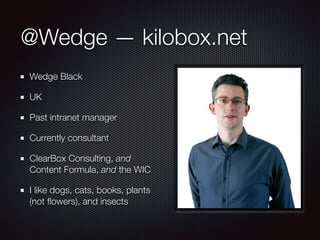
Wedge Black
UK
Past intranet manager
Currently consultant
ClearBox Consulting, and
Content Formula, and the WIC
I like dogs, cats, books, plants
(not flowers), and insects
Text
Beyond the technical
Beyond features
Creating
intranet content
Effective headlines
Images
Links
Layout
Search
Writing
Documents vs pages
Engagement
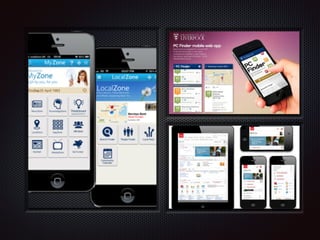
Channels
Mobile
Creating
intranet content
Free guide to everyone
who attends my
workshop tomorrow
Content strategy
“Content strategy plans for the creation, publication, and
governance of useful, usable content.”

Kristina Halvorson
“The main goal of content strategy is to use words and
data to create unambiguous content that supports
meaningful, interactive experiences. We have to be
experts in all aspects of communication in order to do
this effectively.”

Rachel Lovinger
Content tactics
Micro-content strategy
Page-level / interaction-level content strategy
UX + UI + ID + communications
A matter of scale and focus
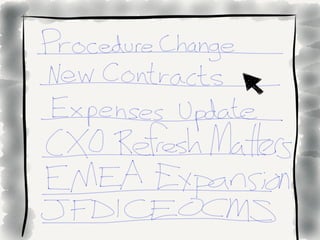
Effective headlines
Help people choose what to read
Short and clear
Help people know what's relevant to them
Summaries help convey further detail
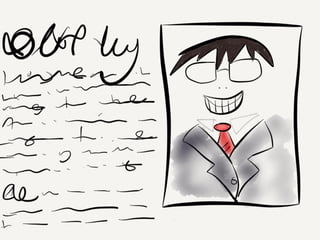
Effective headlines
Present tense
Succinct
Informative, detailing the who and what
direct and to the point
statements, not questions
Images
Attract interest and conveying meaning
Format images so they look consistent and pleasing
alongside your content
Chose your file-type and file-size carefully, to make sure
the image loads quickly
Put the image on the right-side of the content, unless
the image is the main focus
Images
Crop photos to focus on people or relevant detail
Use photographs taken inside the organisation or by colleagues
Avoid clip-art
Permission from the owner, and preferably from anyone shown
Use fresh images
.jpg / .png
Alt text
Links
Embed links in meaningful text within your sentences
Let people know if you're linking to a file
Read navigation design using card sorting [PDF; 425KB] to assess
if helpful.
Never say 'click here'
Links for navigation
Avoid using the term ‘Quick links’
Avoid ordering items by ‘importance’
Avoid alphabetising a long list of links
Group lists of links by function
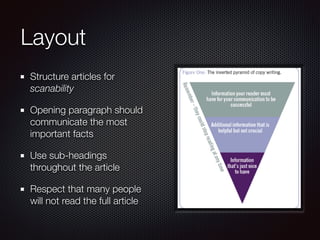
Layout
Structure articles for
scanability
Opening paragraph should
communicate the most
important facts
Use sub-headings
throughout the article
Respect that many people
will not read the full article
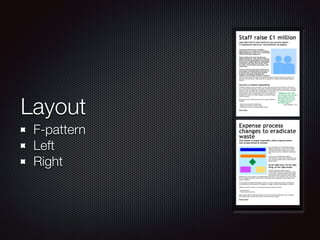
Layout
F-pattern
Left
Right
Layout
In-page menu links (for long pages) – a topic menu at the top
that links to content further down
Lots of sub-headings to break up the content and define topics
In-page links to return readers to the top of the page
Bullet points – people love the simplicity and richness
Multiple paragraphs
Short sentences, in the active voice
Writing
Write for your audience, not for your boss
Get the formality level right for your company culture
and the topic
Use short, simple sentences and be as clear and direct
as possible
Avoid humour, metaphors, acronyms and jargon unless
you know your audience very well
Text
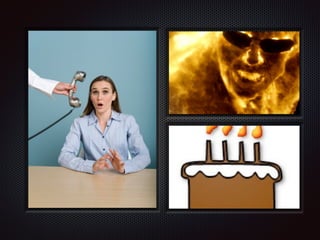
The equation for good comms
http://d.pr/hrV5
Documents vs. pages
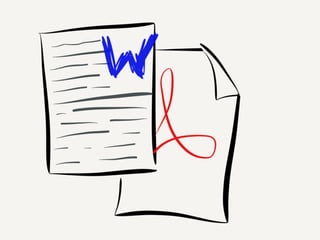
When to use PDF, Word, and other formats
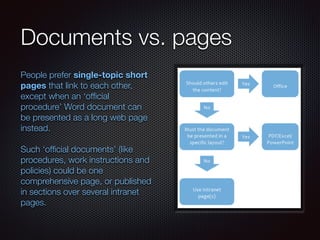
Use intranet pages rather than Office documents
unless there's a specific reason not to
Consider replacing policies and guides in PDF with a
collection of intranet pages
If linking to a PDF or Office file, let people know
explicitly [Word; 300KB]
Documents vs. pages
People prefer single-topic short
pages that link to each other,
except when an ‘official
procedure’ Word document can
be presented as a long web page
instead.
!
Such ‘official documents’ (like
procedures, work instructions and
policies) could be one
comprehensive page, or published
in sections over several intranet
pages.
Engagement
Writing to start a conversation
Some content serves its purpose merely by being read,
other content is only truly valuable if people engage with
it in more active ways
Comments, social sharing and the creation of new
observations and ideas can unlock the knowledge within
your organisation
An informal tone can encourage feedback
Engagement
Share progress, not just results
Share ideas, not just results
Blogs
Discussion forums
ESN
Channels
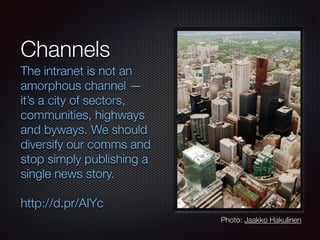
The intranet is not an
amorphous channel —
it’s a city of sectors,
communities, highways
and byways. We should
diversify our comms and
stop simply publishing a
single news story.
!
http://d.pr/AIYc
Photo: Jaakko Hakulinen
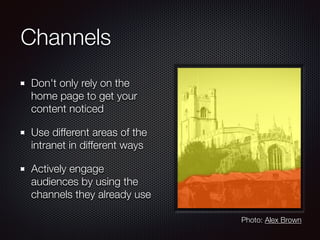
Channels
Don't only rely on the
home page to get your
content noticed
Use different areas of the
intranet in different ways
Actively engage
audiences by using the
channels they already use
Photo: Alex Brown
Creating
intranet content
Effective headlines
Images
Links
Layout
Search
Writing
Documents vs pages
Engagement
Channels
Mobile
Text
@Wedge — kilobox.net/3285
Thank you - Intranätverk, May 2014

Intranet content tactics

  • 1.
  • 2.
    @Wedge — kilobox.net WedgeBlack UK Past intranet manager Currently consultant ClearBox Consulting, and Content Formula, and the WIC I like dogs, cats, books, plants (not flowers), and insects
  • 3.
  • 6.
  • 7.
    Creating intranet content Free guideto everyone who attends my workshop tomorrow
  • 8.
    Content strategy “Content strategyplans for the creation, publication, and governance of useful, usable content.”
 Kristina Halvorson “The main goal of content strategy is to use words and data to create unambiguous content that supports meaningful, interactive experiences. We have to be experts in all aspects of communication in order to do this effectively.”
 Rachel Lovinger
  • 9.
    Content tactics Micro-content strategy Page-level/ interaction-level content strategy UX + UI + ID + communications A matter of scale and focus
  • 12.
    Effective headlines Help peoplechoose what to read Short and clear Help people know what's relevant to them Summaries help convey further detail
  • 13.
    Effective headlines Present tense Succinct Informative,detailing the who and what direct and to the point statements, not questions
  • 16.
    Images Attract interest andconveying meaning Format images so they look consistent and pleasing alongside your content Chose your file-type and file-size carefully, to make sure the image loads quickly Put the image on the right-side of the content, unless the image is the main focus
  • 17.
    Images Crop photos tofocus on people or relevant detail Use photographs taken inside the organisation or by colleagues Avoid clip-art Permission from the owner, and preferably from anyone shown Use fresh images .jpg / .png Alt text
  • 22.
    Links Embed links inmeaningful text within your sentences Let people know if you're linking to a file Read navigation design using card sorting [PDF; 425KB] to assess if helpful. Never say 'click here'
  • 23.
    Links for navigation Avoidusing the term ‘Quick links’ Avoid ordering items by ‘importance’ Avoid alphabetising a long list of links Group lists of links by function
  • 26.
    Layout Structure articles for scanability Openingparagraph should communicate the most important facts Use sub-headings throughout the article Respect that many people will not read the full article
  • 27.
  • 28.
    Layout In-page menu links(for long pages) – a topic menu at the top that links to content further down Lots of sub-headings to break up the content and define topics In-page links to return readers to the top of the page Bullet points – people love the simplicity and richness Multiple paragraphs Short sentences, in the active voice
  • 31.
    Writing Write for youraudience, not for your boss Get the formality level right for your company culture and the topic Use short, simple sentences and be as clear and direct as possible Avoid humour, metaphors, acronyms and jargon unless you know your audience very well
  • 32.
    Text The equation forgood comms http://d.pr/hrV5
  • 35.
    Documents vs. pages Whento use PDF, Word, and other formats Use intranet pages rather than Office documents unless there's a specific reason not to Consider replacing policies and guides in PDF with a collection of intranet pages If linking to a PDF or Office file, let people know explicitly [Word; 300KB]
  • 36.
    Documents vs. pages Peopleprefer single-topic short pages that link to each other, except when an ‘official procedure’ Word document can be presented as a long web page instead. ! Such ‘official documents’ (like procedures, work instructions and policies) could be one comprehensive page, or published in sections over several intranet pages.
  • 39.
    Engagement Writing to starta conversation Some content serves its purpose merely by being read, other content is only truly valuable if people engage with it in more active ways Comments, social sharing and the creation of new observations and ideas can unlock the knowledge within your organisation An informal tone can encourage feedback
  • 40.
    Engagement Share progress, notjust results Share ideas, not just results Blogs Discussion forums ESN
  • 43.
    Channels The intranet isnot an amorphous channel — it’s a city of sectors, communities, highways and byways. We should diversify our comms and stop simply publishing a single news story. ! http://d.pr/AIYc Photo: Jaakko Hakulinen
  • 44.
    Channels Don't only relyon the home page to get your content noticed Use different areas of the intranet in different ways Actively engage audiences by using the channels they already use Photo: Alex Brown
  • 47.
  • 49.
    Text @Wedge — kilobox.net/3285 Thankyou - Intranätverk, May 2014