K. Lakshmi Kalpana Roy
Session 1 – Focal areaSession 1 – Focal area
• Network
• Internet
– The History
– Terminologies
– Services
• Facilities for communication over internet
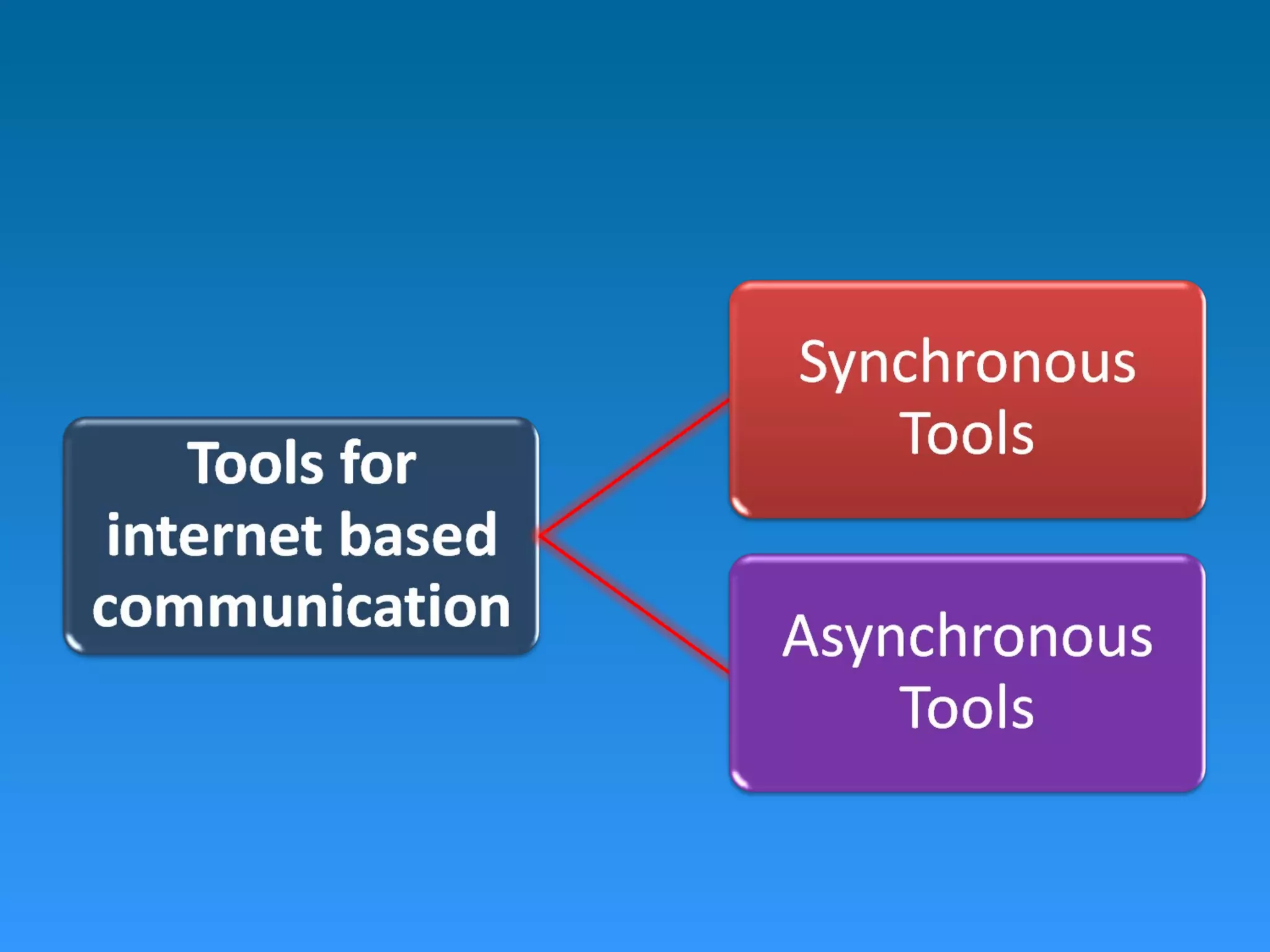
– Tools for Communication over internet
• Synchronous Tools  Chat, Videoconference
• Asynchronous Tools  Email, Blog, News group
NetworkNetwork
• A group of computers and associated devices
that are connected by communications
facilities
More about networksMore about networks
• Involve permanent connections or temporary
connections.
• centralized network 
– a central computer  a server
– other computers nodes
• Small or large
• Provide the means of communicating and
transferring information electronically
• Communication  simple user-to-user
messages or distributed processes
InternetInternet
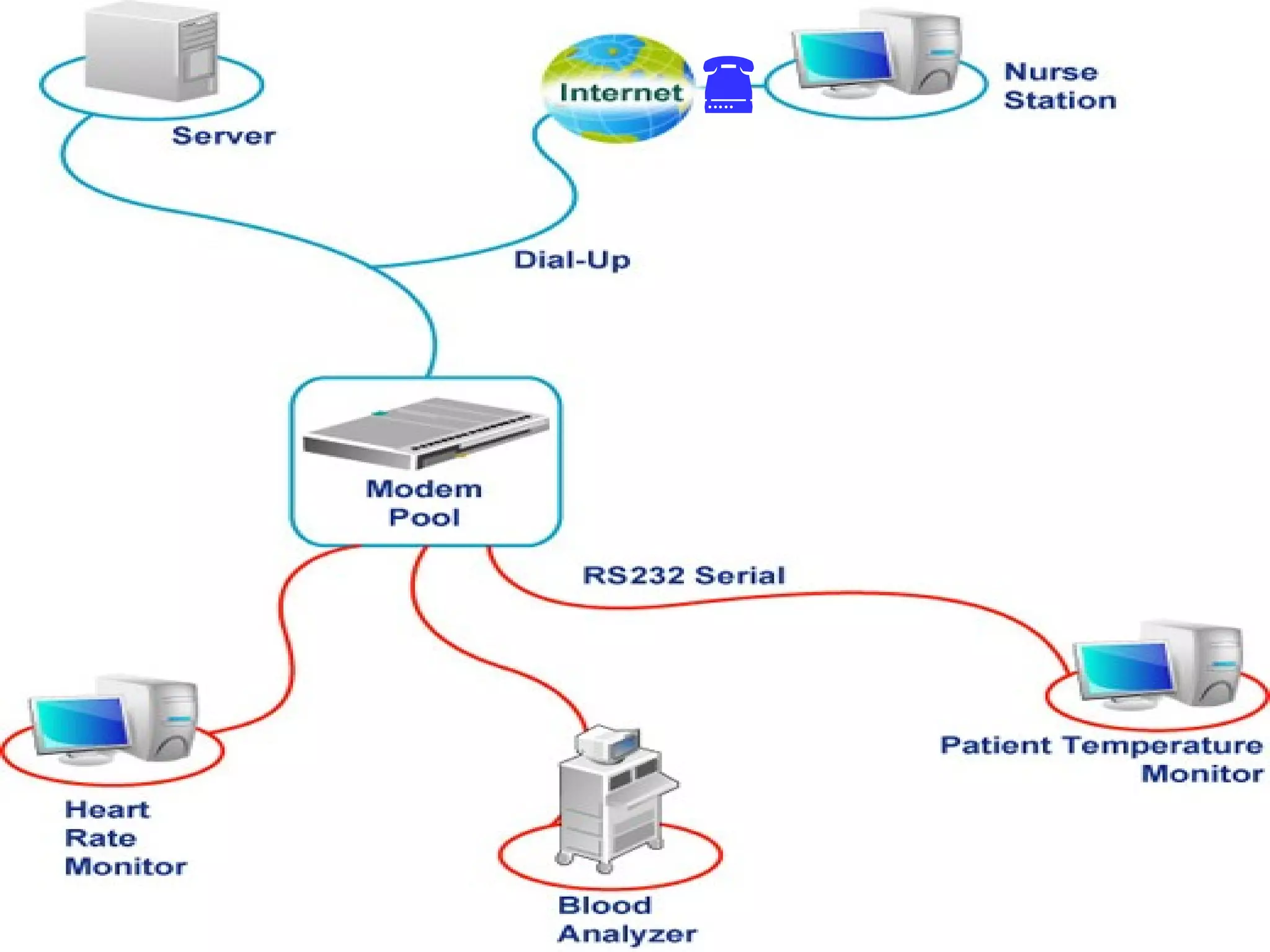
• network of networks that are
– interconnected physically;
– capable of communicating and sharing data with
each other; and
– able to act together as a single network
• largest network  communication can take
place even though computers are physically
apart.

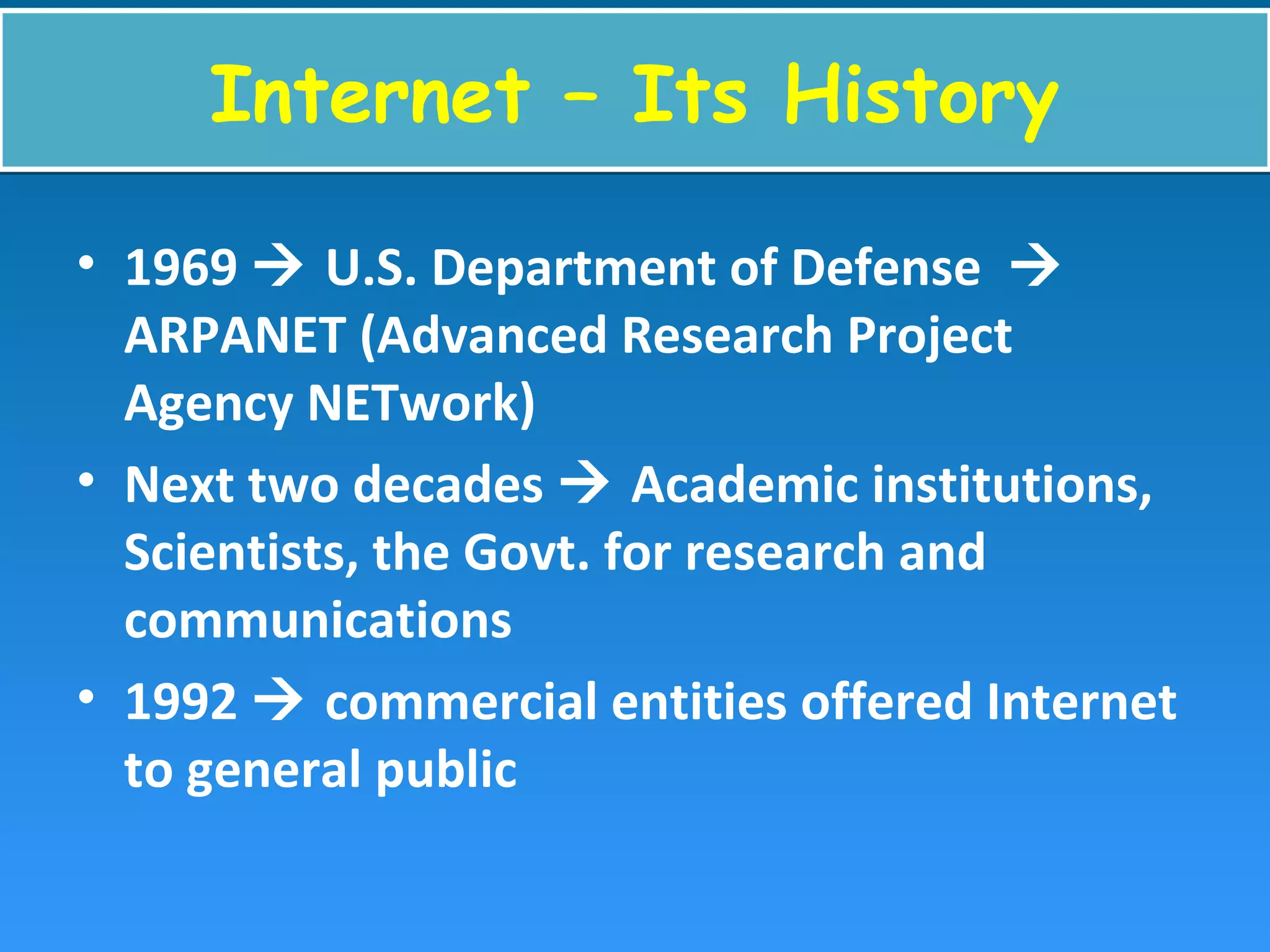
Internet – Its HistoryInternet – Its History
• 1969  U.S. Department of Defense 
ARPANET (Advanced Research Project
Agency NETwork)
• Next two decades  Academic institutions,
Scientists, the Govt. for research and
communications
• 1992  commercial entities offered Internet
to general public
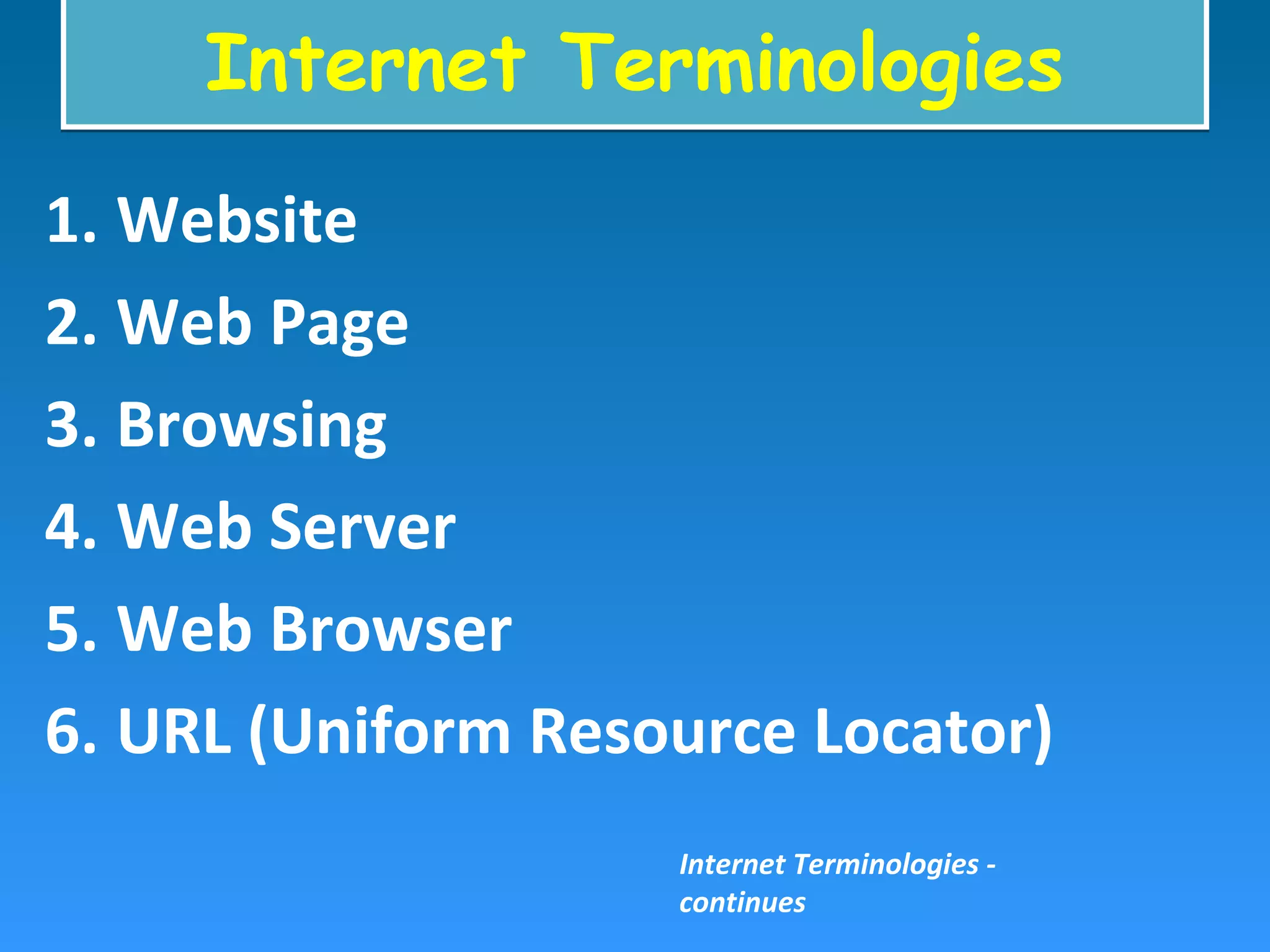
Internet TerminologiesInternet Terminologies
1. Website
2. Web Page
3. Browsing
4. Web Server
5. Web Browser
6. URL (Uniform Resource Locator)
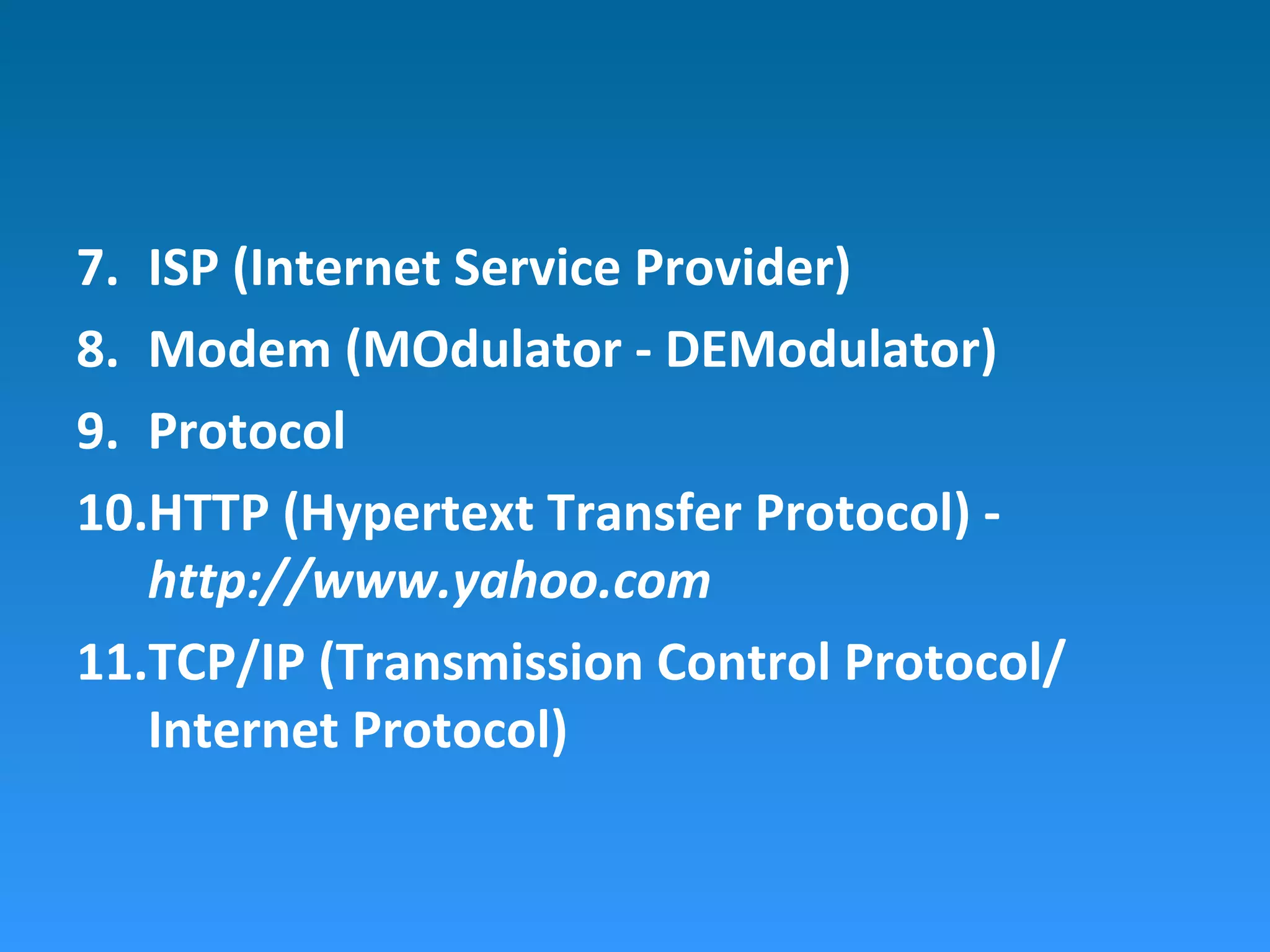
Internet Terminologies -
continues
7. ISP (Internet Service Provider)
8. Modem (MOdulator - DEModulator)
9. Protocol
10.HTTP (Hypertext Transfer Protocol) -
http://www.yahoo.com
11.TCP/IP (Transmission Control Protocol/
Internet Protocol)
Services offered by the InternetServices offered by the Internet
• E-mail (Electronic mail)
• WWW (World Wide Web)
• Gopher
• FTP (File Transfer Protocol)
• Usenet
• Telnet
Facilities for
Communication over the
Internet
Facilities for
Communication over the
Internet
CommunicationCommunication
• A process of exchanging information, ideas,
thoughts, opinion and emotions through
speech, signals, writing or behavior
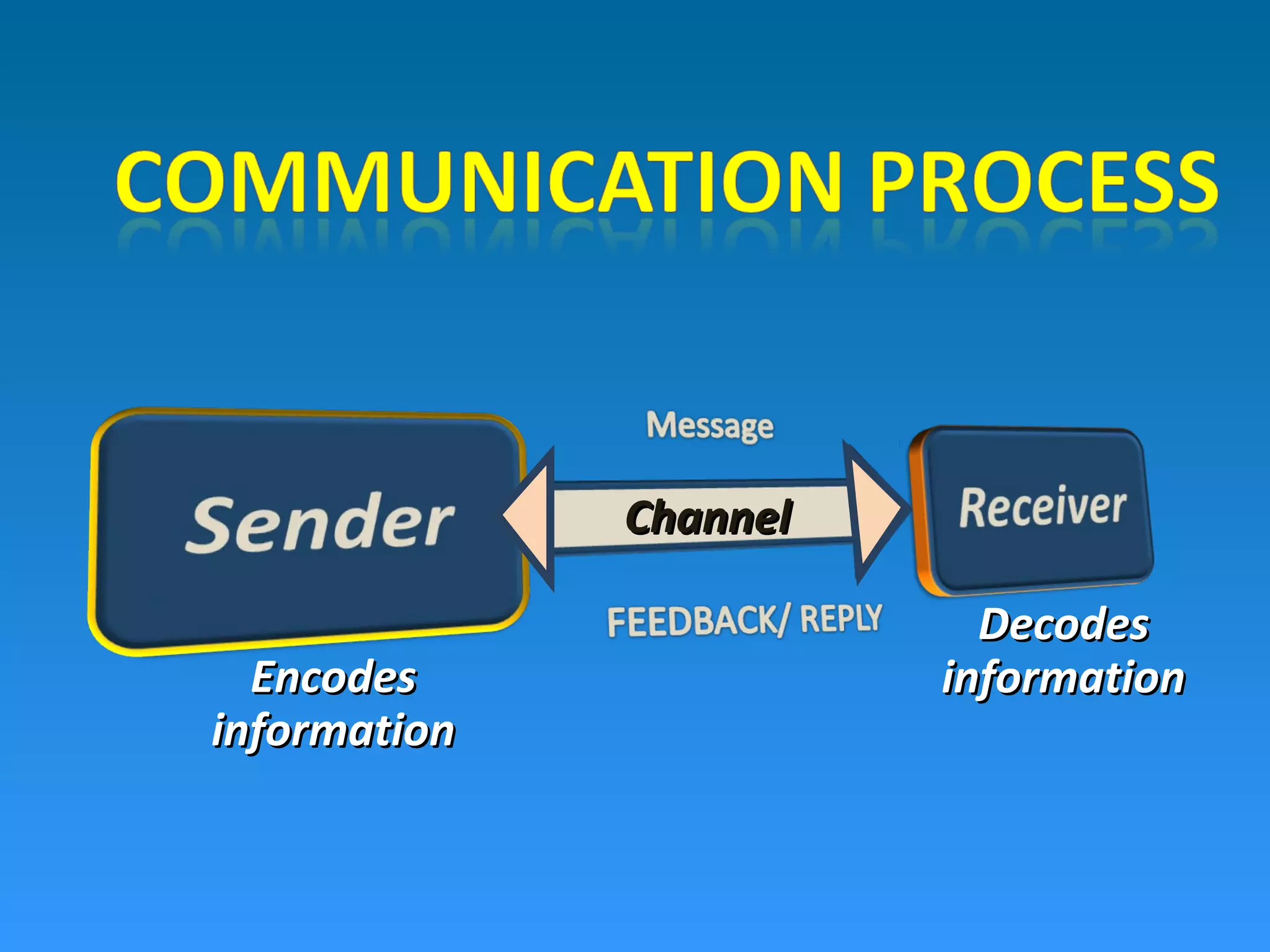
ChannelChannel
EncodesEncodes
informationinformation
DecodesDecodes
informationinformation
• Real time communication; same time but
different places
• Advantage  engage people directly at same
time.
• Disadvantages
– requires same time participation.
– Conflict in time schedule; different time zone
– Costly
– Significant bandwidth
ChatChat
• any kind of communication over internet
• offers an instantaneous transmission of text-
based messages from sender to receiver.
More about ChatMore about Chat
• a service offered by some ISPs & some internet
sites
• Sets space in which two or more users can meet
in a real time
• point-to-point communications or multicast
communications
• Public and private chat rooms  multiple
participants
• Some chat rooms use both text and voice
simultaneously
Instant Messaging (IM)Instant Messaging (IM)
• another form of chat.
• one-to-one communication
• started when the users are simultaneously
online
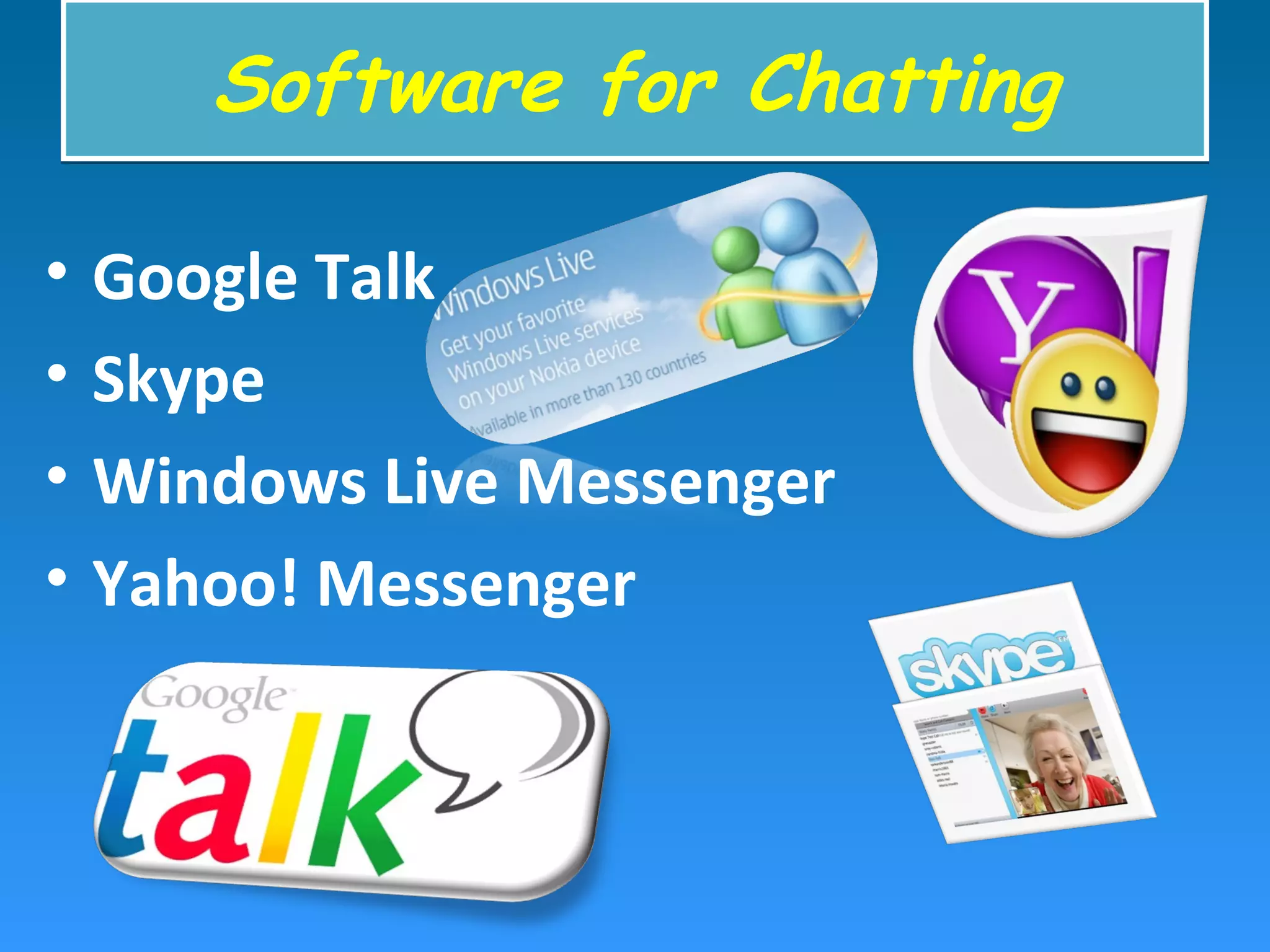
• Google Talk
• Skype
• Windows Live Messenger
• Yahoo! Messenger
Software for ChattingSoftware for Chatting
Graphical multi-user environmentsGraphical multi-user environments
• add graphical background  2D or 3D
(employing virtual reality technology)
• users to create or build their own spaces
• visual chat rooms  audio and video
communications
TeleconferencingTeleconferencing
• use of electronic transmission to permit
same time, different place meeting.
• live exchange of information
• persons and machines linked by a
telecommunications system
• Teleconferencing  Audio conferencing,
Video Conferencing and Audio graphic
Conferencing
VideoconferencingVideoconferencing
• The conduct of a videoconference (also
known as video teleconference) by a set of
telecommunication technologies which allow
two or more locations to communicate by
simultaneous two-way video and audio
transmissions.
• interactive meeting
• two or more groups of people see using
television screens
• simulates a face-to-face meeting
• no travel
• Saves time and energy
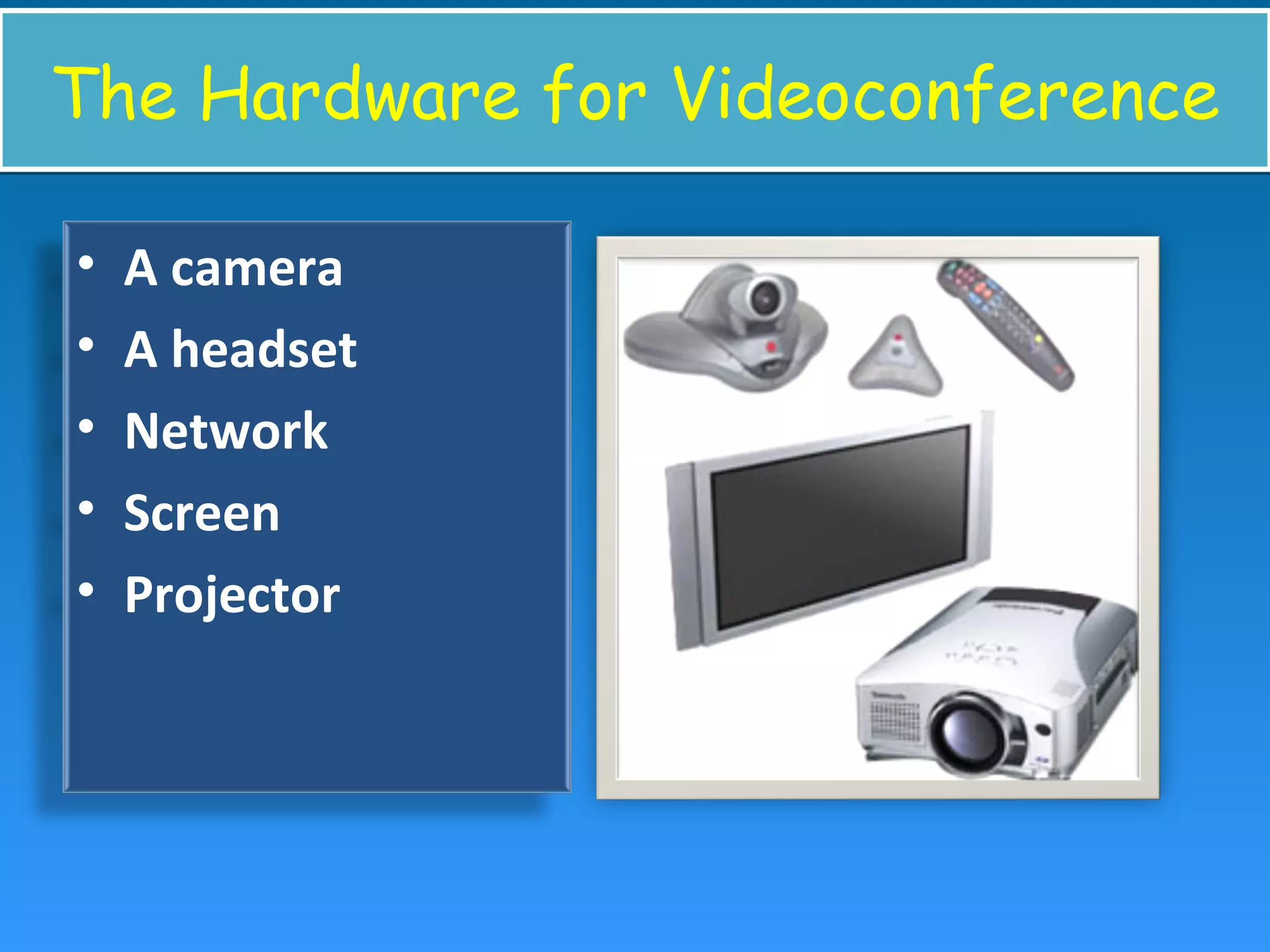
The Hardware for VideoconferenceThe Hardware for Videoconference
• A camera
• A headset
• Network
• Screen
• Projector
What are possible through video
conference?
What are possible through video
conference?
• Conducting interview
• Organising meeting and lectures
• Business marketing
• Teaching
• Discussion
Video Conferencing in EducationVideo Conferencing in Education
• connects remote students to teachers
• leads students on virtual tours
• Video conferencing lessons ignite interest
and enthusiasm for learning
• Different time- different place mode
• User’s own convenience and schedule
• Advantage  involve people from multiple time
zones.
• Disadvantages
– No immediate feedback is possible.
– Difficult to keep track of collaboration
– Technology can be costly.
– Information must be organized and searchable or it is
lost.
E-mail (Electronic mail)E-mail (Electronic mail)
• One of the first services offered by internet
• Allows sending information from one person
to another, or to many others through
computer.
• Login name  network user
• Electronic mail box with that name
• E-mail standards
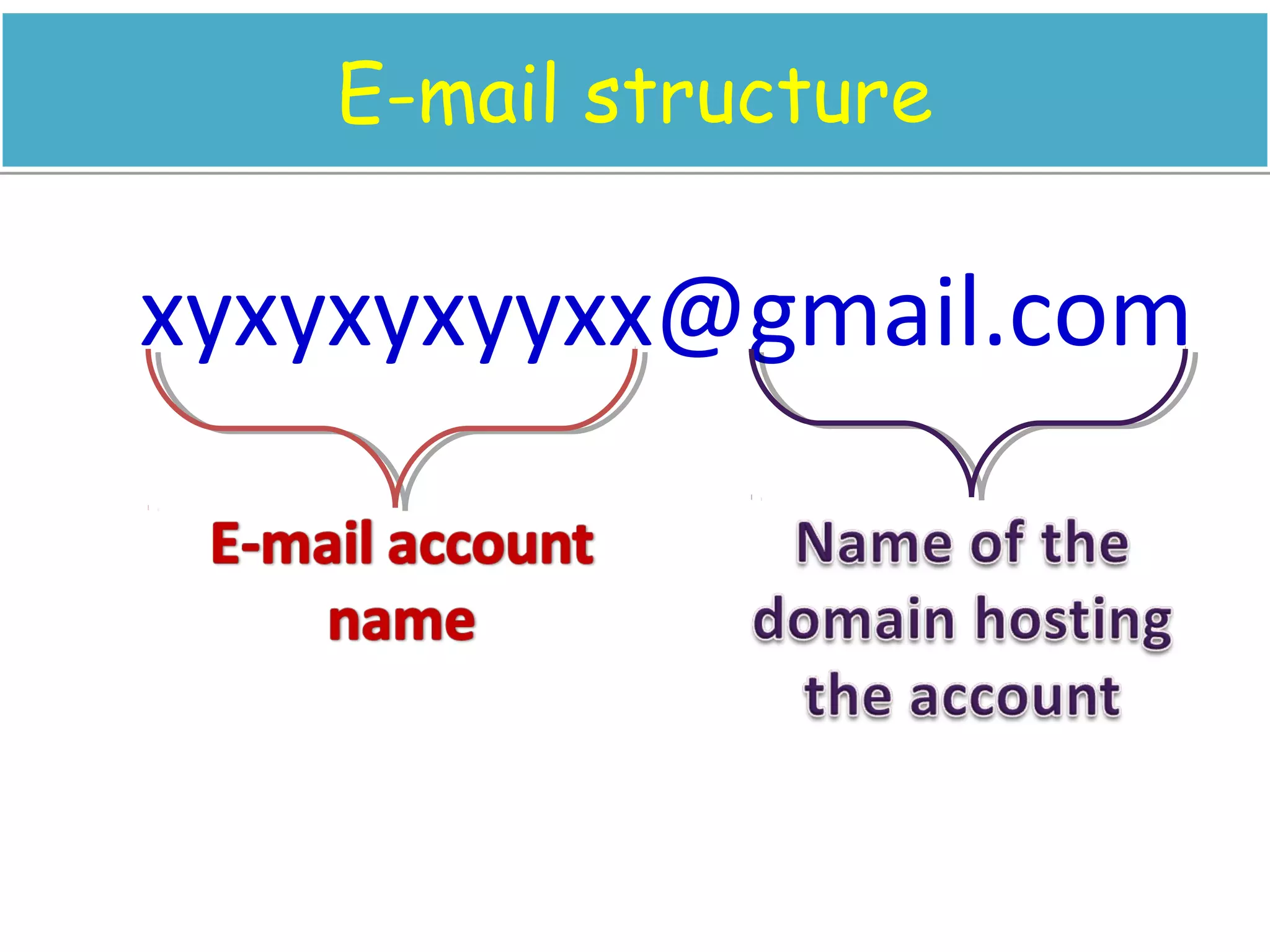
E-mail structureE-mail structure
xyxyxyxyyxx@gmail.com
Discussion on e-mailDiscussion on e-mail
• Group e-mail account  create collaborative
groups
• Reflectors/ exploders
• Redistribute mail automatically
• Any user can join the mailing list
• Receive announcement/ advertisements/ e-
journals/ newsletters
• Rich learning experience
• Communicate with tutor
• Interact and explore on topics
• Feedback mechanism
Advantages of E-mailAdvantages of E-mail
• Fast and cheap
• compose & review message before sending
• Ideal for international communications
• check from anywhere in the world;
• include all or part of previous messages.
• send same message to predefined.
• include attached files
• paste from other applications directly
Disadvantages of e-mailDisadvantages of e-mail
• don't know when/if your message has been
read
• Privacy issues
• Easy to get swamped
E-mail for EducationE-mail for Education
• feedback and communication tool
• Case Study: The Open University, UK
– Faster assignment return; immediate feedback
– Robust model for queries, with greater reliability
– Increased interaction with tutor and students;
– Extending learning experiences beyond tutorial
– Communication
• Student-Student
• Student-Teacher
• Teacher-Parent
BlogBlog
• Web Log
• Web site on which individual/ group of users
record opinions, information, etc. on a
regular basis.
• Entries  journal style
• reverse chronological order (Latest first)
• commentary or news on a particular subject
• text, images, links to other blogs, web pages
• one-way communication
• Photoblog  photographs
• Vlog  video
• Podcasting  audio
Educational blogsEducational blogs
• communication space  teachers utilise
with students
• share ideas, reflect on work done in the
classroom
• empowers the students to write and
communicate.
News groupNews group
• a discussion about a particular subject
consisting of information hosted on a central
website and redistributed through Usenet, a
worldwide network of news discussion
groups
• like an electronic public notice board
• post or read a message
• Subscribe to news groups
• newsreader automatically downloads new
messages or "posts"
News group for EducationNews group for Education
• electronic discussion groups for course
subjects
• local and distance students
PostPost
• message on a newsgroup
• Article
• Any new post or a response to previous post
• Reply to a post  creates a thread
Who supervise the news group?Who supervise the news group?
• moderated by an instructor or student
monitor
• previews all postings
• decides and chooses which postings are valid
and appropriate
• provide input to the discussions
• leads discussions in a certain direction
Website on news group for
education
Website on news group for
education
• misc.education - educational system.
• misc.education.adult - Adult education and adult literacy
practice/research
• misc.education.home-school.misc - anything about home-
schooling.
• misc.education.medical - medical education.
• misc.education.multimedia - Multimedia for education
• misc.education.science - science education.
• edu.school.el.th101 - Education school electronics theory
101
Session 2 – Focal areaSession 2 – Focal area
• INFLIBNET
• N-LIST
• Shodhganga
• Digital Library Consortium
• SOUL
• E-Learning
• Web Search Engine
INFormation and LIbrary NETwork
(INFLIBNET)
INFormation and LIbrary NETwork
(INFLIBNET)
• 1991  a major National Programme by UGC
• Head Quarters  Gujarat University,
Ahmedabad.
• Started as a project under IUCAA (Inter
University Centre for Astronomy and
Astrophysics)
• 1996  independent Inter-University Centre
(IUC)
• creating infrastructure to share library and
information resources and services
• Academic and Research Institutions
Objectives of INFLIBNETObjectives of INFLIBNET
• promote and establish communication facilities
• Improve information transfer, access, that provide
support to scholarship, learning, research and
academic pursuit through cooperation and
involvement of agencies
• facilitate academic communication
• collaborate with institutions, libraries, information
centres
• promote R&D
• generate revenue by providing consultancies and
information services
• To establish INFLIBNET
– promote and implement computerization of operations ;
follow a uniform standard
– evolve a national network interconnecting ; improve
information handling and service
– provide reliable access to document collection of libraries
 on-line union catalogue of serials, theses/
dissertations, books, monographs and non-book
materials, etc.
– develop new methods and techniques for documentation
of valuable information ; digital media (Indian languages)
– optimize information resource utilization 
shared cataloguing, , inter-library loan service,
catalogue production, collection development
 avoid duplication.
– create databases of projects, institutions,
specialists, etc. to provide on-line information
service
– train and develop human resources 
computerized library network
N-LISTN-LIST
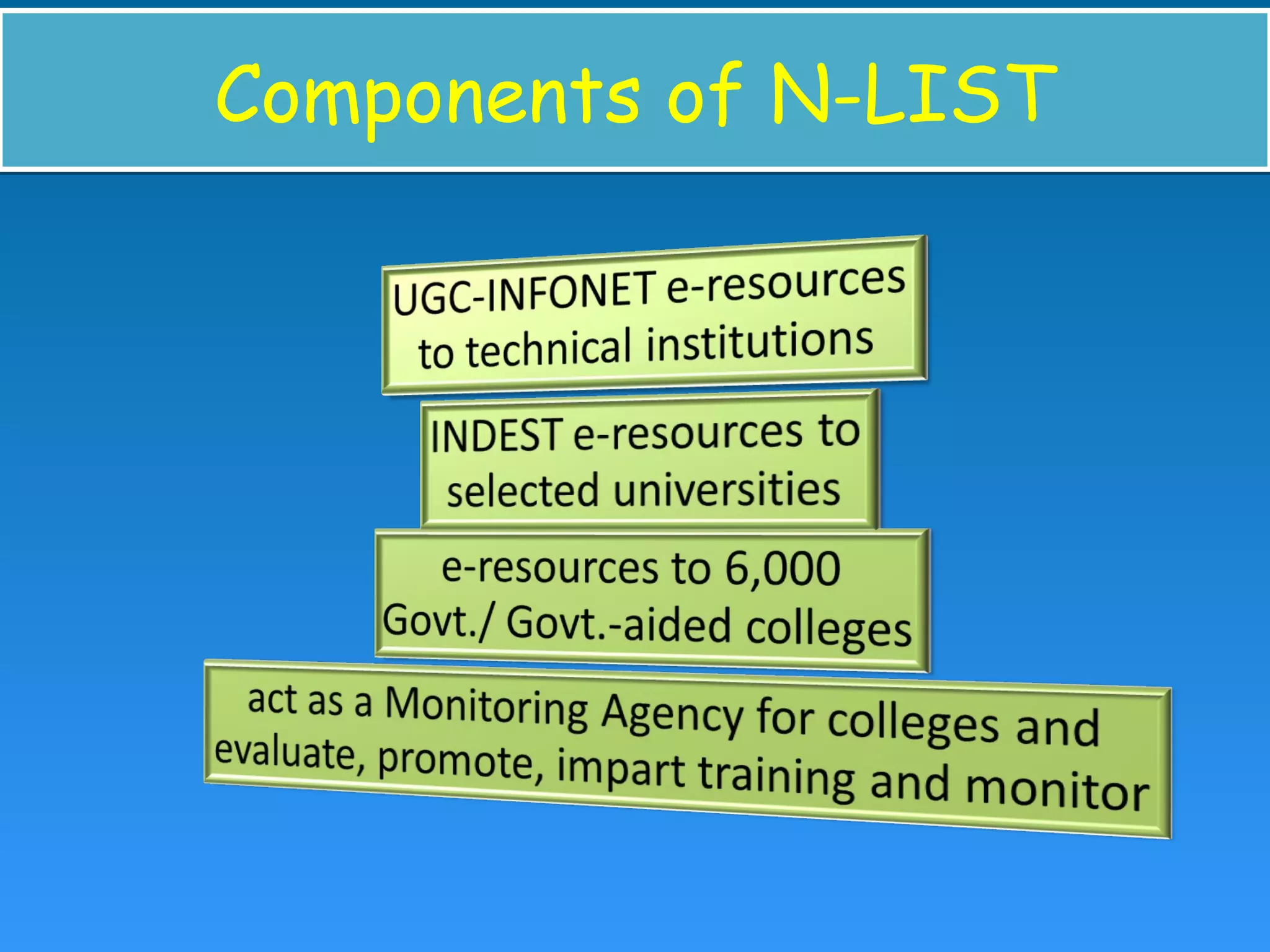
• UGC-INFONET Digital Library Consortium
• INFLIBNET Centre
• INDEST-AICTE Consortium, IIT Delhi
• cross-subscription to e-resources (INDEST-
AICTE  universities & UGC INFONET
technical institutions)
• access to selected e-resources to colleges
Components of N-LISTComponents of N-LIST
ShodhgangaShodhganga
• a reservoir of Indian Electronic Theses by
INFLIBNET
• Theses and dissertations  rich & unique
source of information  for research work
• "Shodh"  Sanskrit  research and discovery
• "Ganga“  the holiest, largest, longest of all
rivers in Indian subcontinent
 symbol of India’s age-long culture and
civilization
• Shodhganga reservoir of Indian
intellectual output stored in a repository
• hosted and maintained by INFLIBNET Centre
• a platform for research students deposit
Ph.D. theses; make it available to entire
scholarly community in open access
Digital Library ConsortiumDigital Library Consortium
• Access to E-resources on Additional IPs
• Universities  encouraged to purchase
additional IP based Internet bandwidth from
ISP
• E-resources  IP address of BSNL & also on
additional IP
• Not on broad band connectivity
UGC-Infonet UGC-Infonet 
• ambitious programme of UGC to interlink all
the Universities in the country with state-of-
art technology
• w.e.f 1st April 2010
• 10 Mbps(1:1) Leased line was being
established in 182 universities by using Fiber
to provide Internet Services
• INFLIBNET  executing and monitoring the
entire project.
SOUL
Software for University Libraries
SOUL
Software for University Libraries
• state-of-the-art integrated library
management software
• Designed and developed by INFLIBNET
• user-friendly software developed to work
under client-server environment
• compliant to international standards for
bibliographic formats, networking and
circulation protocols
• to automate all house keeping operations in library
• The latest version of the software i.e. SOUL 2.0 was
released in January 2009
• compliant to international standards such as MARC
21 bibliographic format, Unicode based Universal
Character Sets for multilingual bibliographic records
and NCIP 2.0 and SIP 2 based protocols for
electronic surveillance and control
E-libraryE-library
• digital library
• Type of retrieval system
• organized and structured collection of digital
objects in a distributed environment
• Assists users  search, evaluate, utilize
resources in any format
• Content storage  locally or remote
Advantages of e-libraryAdvantages of e-library
• No physical boundary
• Round the clock availability
• Multiple access
• Information retrieval
• Preservation and conservation
• Space:
• Added value
• Easily accessible
Web search engineWeb search engine
• web sites that store information and
distribute information based on key words
• different from subject directories
• spiders or robots  computer programs 
crawl the Web and log the words on each
page
• Search information on the WWW and FTP
servers
Search engine – The ConceptSearch engine – The Concept
• automated software programs
• spiders or bots
• build their databases  by surveying web
pages
• Data collected  added to the search engine
index
• enter a query (input)  checked in search
engine's index
• best URLs are returned
Basic searching tipsBasic searching tips
• Keep it simple
• Add relevant words
• Try words that a website would use
• Use only the important words
• Let Google do the work  special type of
search (calculations, weather, etc)
The KeywordsThe Keywords
• search engine  an online directory of the
websites
• words which describe these websites
• Words typed by users
• most popular relevant keywords
• Take care in selecting or choosing a keyword 
good keywords make the website popular and
famous
bad keywords may cause the site to be
banned.
Advantages of Search EngineAdvantages of Search Engine
• Indexes  vast
• sophistication of software  to precisely describe the
information that we seek.
• variety of search engines  enriches the Internet
• drawn to research-oriented sites.
• Wikipedia  an open-source online reference site
• Used for shopping; Amazon, eBay, and Shopping.com
• generate a variety of sources for information.
• Results  online encyclopedias, news stories, university
studies, discussion boards, personal blogs
• aid in organizing information into an organized list.
• provide refined or more precise results.
Internet and its application in education

Internet and its application in education

  • 1.
  • 2.
    Session 1 –Focal areaSession 1 – Focal area • Network • Internet – The History – Terminologies – Services • Facilities for communication over internet – Tools for Communication over internet • Synchronous Tools  Chat, Videoconference • Asynchronous Tools  Email, Blog, News group
  • 3.
    NetworkNetwork • A groupof computers and associated devices that are connected by communications facilities
  • 4.
    More about networksMoreabout networks • Involve permanent connections or temporary connections. • centralized network  – a central computer  a server – other computers nodes • Small or large • Provide the means of communicating and transferring information electronically • Communication  simple user-to-user messages or distributed processes
  • 5.
    InternetInternet • network ofnetworks that are – interconnected physically; – capable of communicating and sharing data with each other; and – able to act together as a single network • largest network  communication can take place even though computers are physically apart. 
  • 6.
    Internet – ItsHistoryInternet – Its History • 1969  U.S. Department of Defense  ARPANET (Advanced Research Project Agency NETwork) • Next two decades  Academic institutions, Scientists, the Govt. for research and communications • 1992  commercial entities offered Internet to general public
  • 7.
    Internet TerminologiesInternet Terminologies 1.Website 2. Web Page 3. Browsing 4. Web Server 5. Web Browser 6. URL (Uniform Resource Locator) Internet Terminologies - continues
  • 8.
    7. ISP (InternetService Provider) 8. Modem (MOdulator - DEModulator) 9. Protocol 10.HTTP (Hypertext Transfer Protocol) - http://www.yahoo.com 11.TCP/IP (Transmission Control Protocol/ Internet Protocol)
  • 9.
    Services offered bythe InternetServices offered by the Internet • E-mail (Electronic mail) • WWW (World Wide Web) • Gopher • FTP (File Transfer Protocol) • Usenet • Telnet
  • 10.
    Facilities for Communication overthe Internet Facilities for Communication over the Internet
  • 11.
    CommunicationCommunication • A processof exchanging information, ideas, thoughts, opinion and emotions through speech, signals, writing or behavior
  • 12.
  • 14.
    • Real timecommunication; same time but different places • Advantage  engage people directly at same time. • Disadvantages – requires same time participation. – Conflict in time schedule; different time zone – Costly – Significant bandwidth
  • 15.
    ChatChat • any kindof communication over internet • offers an instantaneous transmission of text- based messages from sender to receiver.
  • 16.
    More about ChatMoreabout Chat • a service offered by some ISPs & some internet sites • Sets space in which two or more users can meet in a real time • point-to-point communications or multicast communications • Public and private chat rooms  multiple participants • Some chat rooms use both text and voice simultaneously
  • 17.
    Instant Messaging (IM)InstantMessaging (IM) • another form of chat. • one-to-one communication • started when the users are simultaneously online
  • 18.
    • Google Talk •Skype • Windows Live Messenger • Yahoo! Messenger Software for ChattingSoftware for Chatting
  • 19.
    Graphical multi-user environmentsGraphicalmulti-user environments • add graphical background  2D or 3D (employing virtual reality technology) • users to create or build their own spaces • visual chat rooms  audio and video communications
  • 20.
    TeleconferencingTeleconferencing • use ofelectronic transmission to permit same time, different place meeting. • live exchange of information • persons and machines linked by a telecommunications system • Teleconferencing  Audio conferencing, Video Conferencing and Audio graphic Conferencing
  • 21.
    VideoconferencingVideoconferencing • The conductof a videoconference (also known as video teleconference) by a set of telecommunication technologies which allow two or more locations to communicate by simultaneous two-way video and audio transmissions.
  • 22.
    • interactive meeting •two or more groups of people see using television screens • simulates a face-to-face meeting • no travel • Saves time and energy
  • 23.
    The Hardware forVideoconferenceThe Hardware for Videoconference • A camera • A headset • Network • Screen • Projector
  • 24.
    What are possiblethrough video conference? What are possible through video conference? • Conducting interview • Organising meeting and lectures • Business marketing • Teaching • Discussion
  • 25.
    Video Conferencing inEducationVideo Conferencing in Education • connects remote students to teachers • leads students on virtual tours • Video conferencing lessons ignite interest and enthusiasm for learning
  • 26.
    • Different time-different place mode • User’s own convenience and schedule • Advantage  involve people from multiple time zones. • Disadvantages – No immediate feedback is possible. – Difficult to keep track of collaboration – Technology can be costly. – Information must be organized and searchable or it is lost.
  • 27.
    E-mail (Electronic mail)E-mail(Electronic mail) • One of the first services offered by internet • Allows sending information from one person to another, or to many others through computer. • Login name  network user • Electronic mail box with that name • E-mail standards
  • 28.
  • 29.
    Discussion on e-mailDiscussionon e-mail • Group e-mail account  create collaborative groups • Reflectors/ exploders • Redistribute mail automatically • Any user can join the mailing list • Receive announcement/ advertisements/ e- journals/ newsletters
  • 30.
    • Rich learningexperience • Communicate with tutor • Interact and explore on topics • Feedback mechanism
  • 31.
    Advantages of E-mailAdvantagesof E-mail • Fast and cheap • compose & review message before sending • Ideal for international communications • check from anywhere in the world; • include all or part of previous messages. • send same message to predefined. • include attached files • paste from other applications directly
  • 32.
    Disadvantages of e-mailDisadvantagesof e-mail • don't know when/if your message has been read • Privacy issues • Easy to get swamped
  • 33.
    E-mail for EducationE-mailfor Education • feedback and communication tool • Case Study: The Open University, UK – Faster assignment return; immediate feedback – Robust model for queries, with greater reliability – Increased interaction with tutor and students; – Extending learning experiences beyond tutorial – Communication • Student-Student • Student-Teacher • Teacher-Parent
  • 34.
    BlogBlog • Web Log •Web site on which individual/ group of users record opinions, information, etc. on a regular basis. • Entries  journal style • reverse chronological order (Latest first) • commentary or news on a particular subject • text, images, links to other blogs, web pages • one-way communication
  • 35.
    • Photoblog photographs • Vlog  video • Podcasting  audio
  • 36.
    Educational blogsEducational blogs •communication space  teachers utilise with students • share ideas, reflect on work done in the classroom • empowers the students to write and communicate.
  • 37.
    News groupNews group •a discussion about a particular subject consisting of information hosted on a central website and redistributed through Usenet, a worldwide network of news discussion groups
  • 38.
    • like anelectronic public notice board • post or read a message • Subscribe to news groups • newsreader automatically downloads new messages or "posts"
  • 39.
    News group forEducationNews group for Education • electronic discussion groups for course subjects • local and distance students
  • 40.
    PostPost • message ona newsgroup • Article • Any new post or a response to previous post • Reply to a post  creates a thread
  • 41.
    Who supervise thenews group?Who supervise the news group? • moderated by an instructor or student monitor • previews all postings • decides and chooses which postings are valid and appropriate • provide input to the discussions • leads discussions in a certain direction
  • 42.
    Website on newsgroup for education Website on news group for education • misc.education - educational system. • misc.education.adult - Adult education and adult literacy practice/research • misc.education.home-school.misc - anything about home- schooling. • misc.education.medical - medical education. • misc.education.multimedia - Multimedia for education • misc.education.science - science education. • edu.school.el.th101 - Education school electronics theory 101
  • 43.
    Session 2 –Focal areaSession 2 – Focal area • INFLIBNET • N-LIST • Shodhganga • Digital Library Consortium • SOUL • E-Learning • Web Search Engine
  • 44.
    INFormation and LIbraryNETwork (INFLIBNET) INFormation and LIbrary NETwork (INFLIBNET) • 1991  a major National Programme by UGC • Head Quarters  Gujarat University, Ahmedabad. • Started as a project under IUCAA (Inter University Centre for Astronomy and Astrophysics) • 1996  independent Inter-University Centre (IUC)
  • 45.
    • creating infrastructureto share library and information resources and services • Academic and Research Institutions
  • 46.
    Objectives of INFLIBNETObjectivesof INFLIBNET • promote and establish communication facilities • Improve information transfer, access, that provide support to scholarship, learning, research and academic pursuit through cooperation and involvement of agencies • facilitate academic communication • collaborate with institutions, libraries, information centres • promote R&D • generate revenue by providing consultancies and information services
  • 47.
    • To establishINFLIBNET – promote and implement computerization of operations ; follow a uniform standard – evolve a national network interconnecting ; improve information handling and service – provide reliable access to document collection of libraries  on-line union catalogue of serials, theses/ dissertations, books, monographs and non-book materials, etc. – develop new methods and techniques for documentation of valuable information ; digital media (Indian languages)
  • 48.
    – optimize informationresource utilization  shared cataloguing, , inter-library loan service, catalogue production, collection development  avoid duplication. – create databases of projects, institutions, specialists, etc. to provide on-line information service – train and develop human resources  computerized library network
  • 49.
    N-LISTN-LIST • UGC-INFONET DigitalLibrary Consortium • INFLIBNET Centre • INDEST-AICTE Consortium, IIT Delhi
  • 50.
    • cross-subscription toe-resources (INDEST- AICTE  universities & UGC INFONET technical institutions) • access to selected e-resources to colleges
  • 51.
  • 52.
    ShodhgangaShodhganga • a reservoirof Indian Electronic Theses by INFLIBNET • Theses and dissertations  rich & unique source of information  for research work • "Shodh"  Sanskrit  research and discovery • "Ganga“  the holiest, largest, longest of all rivers in Indian subcontinent  symbol of India’s age-long culture and civilization
  • 53.
    • Shodhganga reservoirof Indian intellectual output stored in a repository • hosted and maintained by INFLIBNET Centre • a platform for research students deposit Ph.D. theses; make it available to entire scholarly community in open access
  • 54.
    Digital Library ConsortiumDigitalLibrary Consortium • Access to E-resources on Additional IPs • Universities  encouraged to purchase additional IP based Internet bandwidth from ISP • E-resources  IP address of BSNL & also on additional IP • Not on broad band connectivity
  • 55.
    UGC-Infonet UGC-Infonet  • ambitious programmeof UGC to interlink all the Universities in the country with state-of- art technology • w.e.f 1st April 2010 • 10 Mbps(1:1) Leased line was being established in 182 universities by using Fiber to provide Internet Services • INFLIBNET  executing and monitoring the entire project.
  • 56.
    SOUL Software for UniversityLibraries SOUL Software for University Libraries • state-of-the-art integrated library management software • Designed and developed by INFLIBNET • user-friendly software developed to work under client-server environment • compliant to international standards for bibliographic formats, networking and circulation protocols
  • 57.
    • to automateall house keeping operations in library • The latest version of the software i.e. SOUL 2.0 was released in January 2009 • compliant to international standards such as MARC 21 bibliographic format, Unicode based Universal Character Sets for multilingual bibliographic records and NCIP 2.0 and SIP 2 based protocols for electronic surveillance and control
  • 58.
    E-libraryE-library • digital library •Type of retrieval system • organized and structured collection of digital objects in a distributed environment • Assists users  search, evaluate, utilize resources in any format • Content storage  locally or remote
  • 59.
    Advantages of e-libraryAdvantagesof e-library • No physical boundary • Round the clock availability • Multiple access • Information retrieval • Preservation and conservation • Space: • Added value • Easily accessible
  • 60.
    Web search engineWebsearch engine • web sites that store information and distribute information based on key words • different from subject directories • spiders or robots  computer programs  crawl the Web and log the words on each page • Search information on the WWW and FTP servers
  • 61.
    Search engine –The ConceptSearch engine – The Concept • automated software programs • spiders or bots • build their databases  by surveying web pages • Data collected  added to the search engine index • enter a query (input)  checked in search engine's index • best URLs are returned
  • 62.
    Basic searching tipsBasicsearching tips • Keep it simple • Add relevant words • Try words that a website would use • Use only the important words • Let Google do the work  special type of search (calculations, weather, etc)
  • 63.
    The KeywordsThe Keywords •search engine  an online directory of the websites • words which describe these websites • Words typed by users • most popular relevant keywords • Take care in selecting or choosing a keyword  good keywords make the website popular and famous bad keywords may cause the site to be banned.
  • 64.
    Advantages of SearchEngineAdvantages of Search Engine • Indexes  vast • sophistication of software  to precisely describe the information that we seek. • variety of search engines  enriches the Internet • drawn to research-oriented sites. • Wikipedia  an open-source online reference site • Used for shopping; Amazon, eBay, and Shopping.com • generate a variety of sources for information. • Results  online encyclopedias, news stories, university studies, discussion boards, personal blogs • aid in organizing information into an organized list. • provide refined or more precise results.