Israel Ferrer
  Android Lover since 2008
     cofounder bubiloop
    cofounder android.es
  Barcelona GTUG Leader
   Android Dev at Fever
Head Mobile Dept. at ASMWS
 Computer Science at LaSalle
INTENTS
ARE AWESOME
   really, trust me!


                       Israel Ferrer
                            14th March
WHAT ARE

INTENTS
    ?
intent |inˈtent| noun
 intention or purpose:
with alarm she realized his
intent | a real intent to cut back
on social programs.


                                     flickr: chinesetealover
OK... WHAT DOES THIS REALLY MEAN?
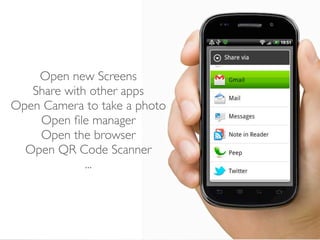
Open new Screens
   Share with other apps
Open Camera to take a photo
    Open file manager
    Open the browser
  Open QR Code Scanner
             ...
HOW INTENTS

WORK
     ?
Explicit Intent


Implicit Intent


                  theatricalintelligence
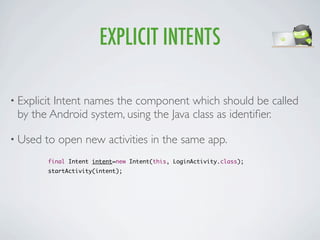
EXPLICIT INTENTS

• Explicit
         Intent names the component which should be called
 by the Android system, using the Java class as identifier.

• Used   to open new activities in the same app.
         final Intent intent=new Intent(this, LoginActivity.class);
         startActivity(intent);
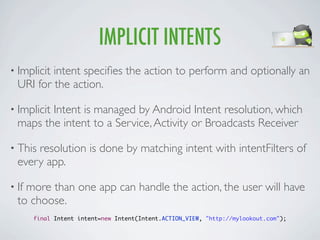
IMPLICIT INTENTS
• Implicitintent specifies the action to perform and optionally an
  URI for the action.

• Implicit
         Intent is managed by Android Intent resolution, which
  maps the intent to a Service, Activity or Broadcasts Receiver

• Thisresolution is done by matching intent with intentFilters of
  every app.

• Ifmore than one app can handle the action, the user will have
  to choose.
       final Intent intent=new Intent(Intent.ACTION_VIEW, "http://mylookout.com");
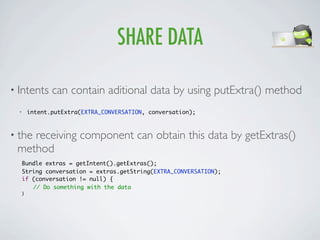
SHARE DATA

• Intents        can contain aditional data by using putExtra() method
  •       intent.putExtra(EXTRA_CONVERSATION, conversation);


• the
    receiving component can obtain this data by getExtras()
 method
      Bundle extras = getIntent().getExtras();
      String conversation = extras.getString(EXTRA_CONVERSATION);
      if (conversation != null) {
      	 // Do something with the data
      }
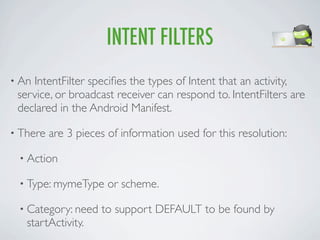
INTENT FILTERS
• AnIntentFilter specifies the types of Intent that an activity,
 service, or broadcast receiver can respond to. IntentFilters are
 declared in the Android Manifest.

• There   are 3 pieces of information used for this resolution:

 • Action

 • Type: mymeType      or scheme.

 • Category: need    to support DEFAULT to be found by
   startActivity.
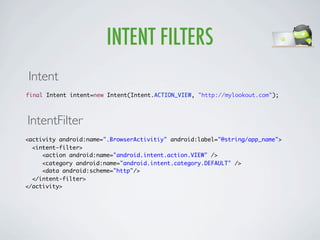
INTENT FILTERS
Intent
final Intent intent=new Intent(Intent.ACTION_VIEW, "http://mylookout.com");


IntentFilter
<activity android:name=".BrowserActivitiy" android:label="@string/app_name">
  <intent-filter>
     <action android:name="android.intent.action.VIEW" />
     <category android:name="android.intent.category.DEFAULT" />
     <data android:scheme="http"/>
  </intent-filter>
</activity>
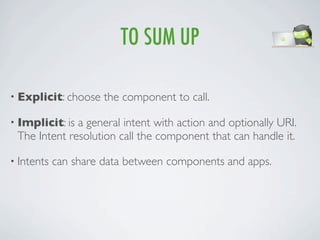
TO SUM UP

• Explicit: choose    the component to call.

• Implicit: isa general intent with action and optionally URI.
 The Intent resolution call the component that can handle it.

• Intents   can share data between components and apps.
HOW TO

USE
INTENTS
   ?
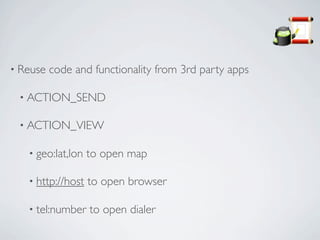
• Reuse   code and functionality from 3rd party apps

 • ACTION_SEND

 • ACTION_VIEW

   • geo:lat,lon   to open map

   • http://host   to open browser

   • tel:number    to open dialer
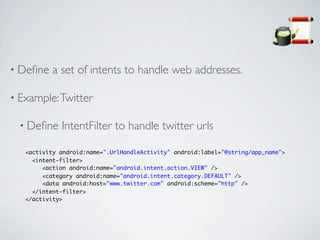
• Define    a set of intents to handle web addresses.

• Example: Twitter

  • Define    IntentFilter to handle twitter urls

   <activity android:name=".UrlHandleActivity" android:label="@string/app_name">
     <intent-filter>
        <action android:name="android.intent.action.VIEW" />
        <category android:name="android.intent.category.DEFAULT" />
        <data android:host="www.twitter.com" android:scheme="http" />
     </intent-filter>
   </activity>
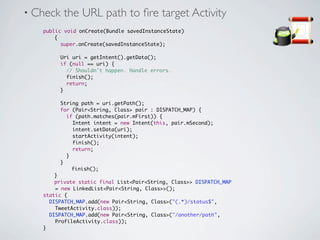
• Check   the URL path to fire target Activity
   public void onCreate(Bundle savedInstanceState)
   	   {
   	     super.onCreate(savedInstanceState);
   	
   	     Uri uri = getIntent().getData();
   	     if (null == uri) {
   	       // Shouldn't happen. Handle errors.
   	       finish();
   	       return;
   	     }

   	    String path = uri.getPath();
   	    for (Pair<String, Class> pair : DISPATCH_MAP) {
   	      if (path.matches(pair.mFirst)) {
   	        Intent intent = new Intent(this, pair.mSecond);
   	        intent.setData(uri);
   	        startActivity(intent);
   	        finish();
   	        return;
   	      }
   	    }
   	   	    finish();
   	   }
   	   private static final List<Pair<String, Class>> DISPATCH_MAP
       = new LinkedList<Pair<String, Class>>();
   static {
     DISPATCH_MAP.add(new Pair<String, Class>("(.*)/status$",
       TweetActivity.class));
     DISPATCH_MAP.add(new Pair<String, Class>("/another/path",
       ProfileActivity.class));
   }
• Exposeintents to 3rd party apps. Example: Lookout public
 backup intent.
CONCLUSIONS
A core component of Android.
 A way to reuse functionality between apps.
         The glue between activities.
The mashup concept into a mobile platform
Intents are Awesome for users & developers
QUESTIONS?
Intents are Awesome

Intents are Awesome

  • 1.
    Israel Ferrer Android Lover since 2008 cofounder bubiloop cofounder android.es Barcelona GTUG Leader Android Dev at Fever Head Mobile Dept. at ASMWS Computer Science at LaSalle
  • 2.
    INTENTS ARE AWESOME really, trust me! Israel Ferrer 14th March
  • 3.
  • 4.
    intent |inˈtent| noun intention or purpose: with alarm she realized his intent | a real intent to cut back on social programs. flickr: chinesetealover
  • 5.
    OK... WHAT DOESTHIS REALLY MEAN?
  • 6.
    Open new Screens Share with other apps Open Camera to take a photo Open file manager Open the browser Open QR Code Scanner ...
  • 7.
  • 8.
    Explicit Intent Implicit Intent theatricalintelligence
  • 9.
    EXPLICIT INTENTS • Explicit Intent names the component which should be called by the Android system, using the Java class as identifier. • Used to open new activities in the same app. final Intent intent=new Intent(this, LoginActivity.class); startActivity(intent);
  • 10.
    IMPLICIT INTENTS • Implicitintentspecifies the action to perform and optionally an URI for the action. • Implicit Intent is managed by Android Intent resolution, which maps the intent to a Service, Activity or Broadcasts Receiver • Thisresolution is done by matching intent with intentFilters of every app. • Ifmore than one app can handle the action, the user will have to choose. final Intent intent=new Intent(Intent.ACTION_VIEW, "http://mylookout.com");
  • 11.
    SHARE DATA • Intents can contain aditional data by using putExtra() method • intent.putExtra(EXTRA_CONVERSATION, conversation); • the receiving component can obtain this data by getExtras() method Bundle extras = getIntent().getExtras(); String conversation = extras.getString(EXTRA_CONVERSATION); if (conversation != null) { // Do something with the data }
  • 12.
    INTENT FILTERS • AnIntentFilterspecifies the types of Intent that an activity, service, or broadcast receiver can respond to. IntentFilters are declared in the Android Manifest. • There are 3 pieces of information used for this resolution: • Action • Type: mymeType or scheme. • Category: need to support DEFAULT to be found by startActivity.
  • 13.
    INTENT FILTERS Intent final Intentintent=new Intent(Intent.ACTION_VIEW, "http://mylookout.com"); IntentFilter <activity android:name=".BrowserActivitiy" android:label="@string/app_name"> <intent-filter> <action android:name="android.intent.action.VIEW" /> <category android:name="android.intent.category.DEFAULT" /> <data android:scheme="http"/> </intent-filter> </activity>
  • 14.
    TO SUM UP •Explicit: choose the component to call. • Implicit: isa general intent with action and optionally URI. The Intent resolution call the component that can handle it. • Intents can share data between components and apps.
  • 15.
  • 16.
    • Reuse code and functionality from 3rd party apps • ACTION_SEND • ACTION_VIEW • geo:lat,lon to open map • http://host to open browser • tel:number to open dialer
  • 17.
    • Define a set of intents to handle web addresses. • Example: Twitter • Define IntentFilter to handle twitter urls <activity android:name=".UrlHandleActivity" android:label="@string/app_name"> <intent-filter> <action android:name="android.intent.action.VIEW" /> <category android:name="android.intent.category.DEFAULT" /> <data android:host="www.twitter.com" android:scheme="http" /> </intent-filter> </activity>
  • 18.
    • Check the URL path to fire target Activity public void onCreate(Bundle savedInstanceState) { super.onCreate(savedInstanceState); Uri uri = getIntent().getData(); if (null == uri) { // Shouldn't happen. Handle errors. finish(); return; } String path = uri.getPath(); for (Pair<String, Class> pair : DISPATCH_MAP) { if (path.matches(pair.mFirst)) { Intent intent = new Intent(this, pair.mSecond); intent.setData(uri); startActivity(intent); finish(); return; } } finish(); } private static final List<Pair<String, Class>> DISPATCH_MAP = new LinkedList<Pair<String, Class>>(); static { DISPATCH_MAP.add(new Pair<String, Class>("(.*)/status$", TweetActivity.class)); DISPATCH_MAP.add(new Pair<String, Class>("/another/path", ProfileActivity.class)); }
  • 19.
    • Exposeintents to3rd party apps. Example: Lookout public backup intent.
  • 20.
  • 21.
    A core componentof Android. A way to reuse functionality between apps. The glue between activities. The mashup concept into a mobile platform Intents are Awesome for users & developers
  • 22.