
Group :3
Batch :34/E
Roll :1702,1674,1688
Date :24-3-2017
WORLD UNIVERSITY OF BANGLADESH
Flow of presentation
 Introduction
 Types of peripherals devices .
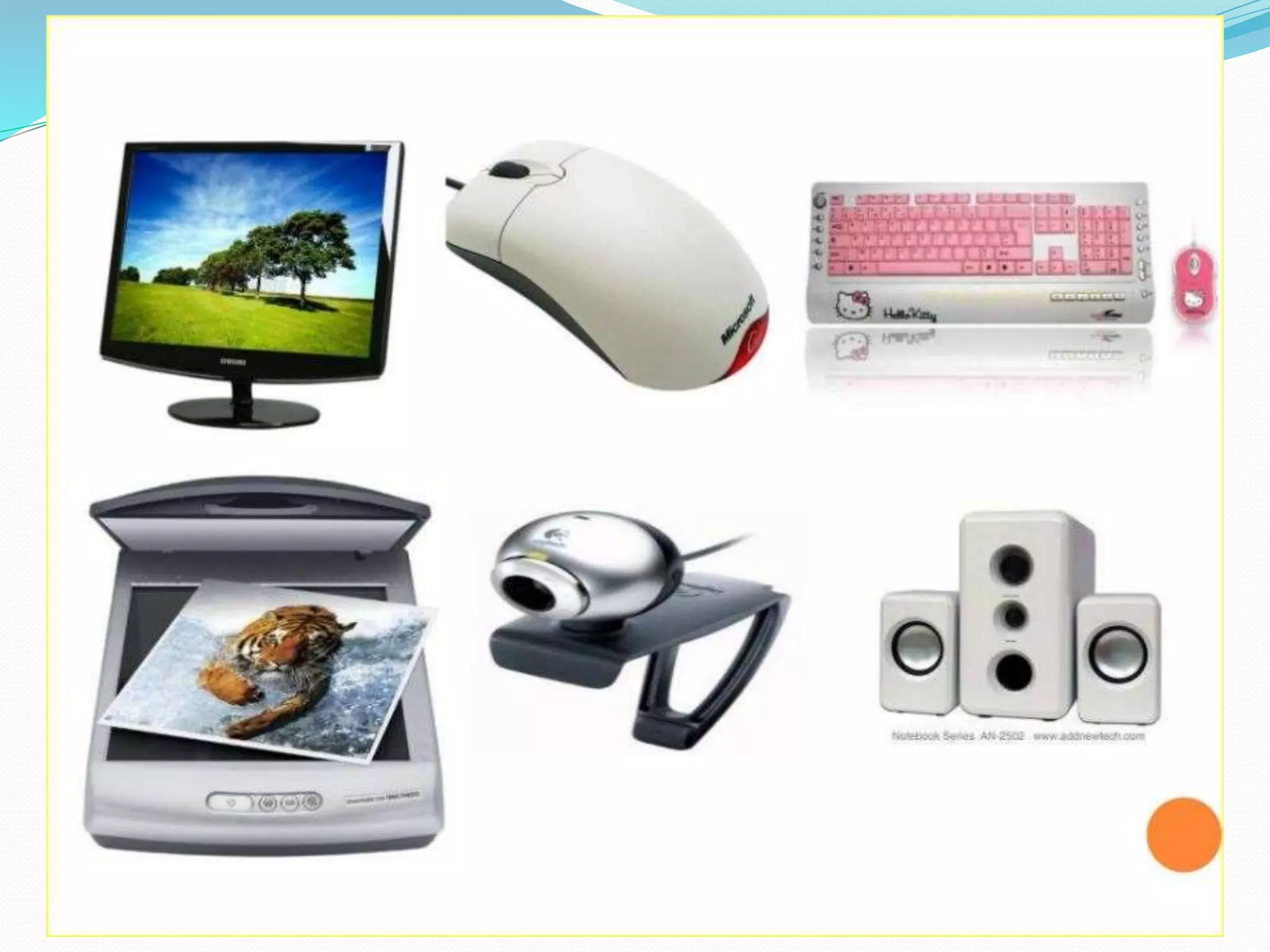
Introduction
Types of Input device
 Keyboard
 Mouse
 Scanner
 Digital camera
Keyboard
 Keyboard is the most commonly used input devices.
 They allow data entry into a computer system by pressing a set of keys
neatly mounted on a keyboard
 Contains some extra command keys and function keys that affect the
operation of computer or keyboard itself
 Types of keyboard:
(1).Standard keyboard
(2).Multimedia keyboard
(3).Wireless keyboard
Mouse
 Mouse is the most popular point and draw device
 It is a must have input device on modern personal computers
 Has 2 or 3 buttons and can be clicked or double-clicked to perform tasks
 Optical mouse doesn’t have a ball but uses a laser to sense the motion
 Types of mouse:
(1).Serial mouse
(2).Ps/2 mouse
(3).Optical mouse
(4)Wireless mouse
Scanner
 Data scanning devices are input devices used for direct data entry into a computer system from source
documents
 Common scanner devices are:
(1)Magnetic Ink character Recognition(MICR)
Reader:-used by banks to process large volumes of cheques and drafts
(2).Optical Mark Reader (OMR) scanner:-scanning the answer sheet of an objective
type test in which answer are marked by darkening a square or circle space by pencil
(3).Optical character Recognition (OCR) scanner:-used for direct reading of any printed
character
DIGITAL CAMERA
 A computer with a vision input device consists of
digital camera
 The camera creates an image of the objects in digital
form so that It can stored and interpreted by the
computer
 The digital image of the object is matched against
similarly formed pre-stored images in the computer’s
image database
Types of output device:
 Monitor
 Printer
 Projector
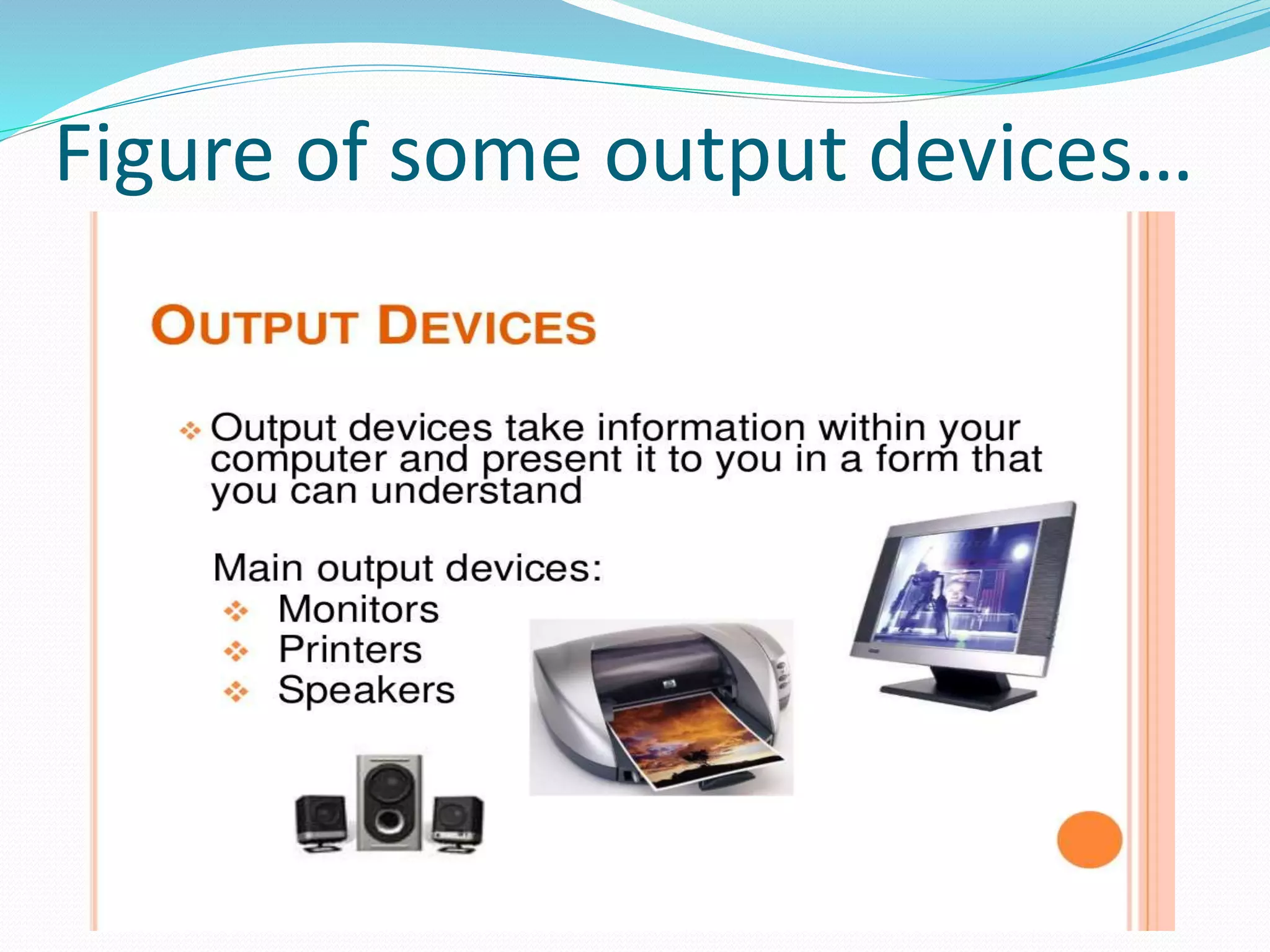
Figure of some output devices…
Monitor
 Monitor are the most popular output device used today for producing soft copy output
 A monitor is associated usually with a keyboard and together they form a video display
terminal
 Two basic types of monitor:-
(1).Cathode Ray Tube(CRT):-The CRT monitor displays images with color that are consistent and
can be viewed with different angles
(2).Liquid Crystal Display (LCD):-The LCD monitor are thin and they use little space. They are
light in weight, consume less energy.
Printer
 The printer is a device that print text document and image on paper
 There are different types of printers:-
(1) .Dot-matrix:-Dot matrix printers are character printer that print one character at a time. They
form character and all kind of images as patterns of dots.
(2). Inkjet:-Inkjet printers are character printers that form characters and all kinds of images by
spraying small drops of ink on a paper .
(3) . Laser printer:- The laser printer uses a beam of laser for the purpose of printing and it is
consists of a revolving cylinder that is made up of photoconductive material
Projector:
 Screen image projector is an output device used to project information from a computer on a
large screen
 Additionally, a full-fledged multimedia presentation with audio, video, image and animation
can be prepared and made by using this facility
 Like monitor, screen image projectors provide a temporary , soft- copy output
Thank you
Thank you for your patience and understanding our presentation.

A presentation on input and output device

  • 1.
    Group :3 Batch :34/E Roll:1702,1674,1688 Date :24-3-2017 WORLD UNIVERSITY OF BANGLADESH
  • 2.
    Flow of presentation Introduction  Types of peripherals devices .
  • 3.
  • 5.
    Types of Inputdevice  Keyboard  Mouse  Scanner  Digital camera
  • 6.
    Keyboard  Keyboard isthe most commonly used input devices.  They allow data entry into a computer system by pressing a set of keys neatly mounted on a keyboard  Contains some extra command keys and function keys that affect the operation of computer or keyboard itself  Types of keyboard: (1).Standard keyboard (2).Multimedia keyboard (3).Wireless keyboard
  • 7.
    Mouse  Mouse isthe most popular point and draw device  It is a must have input device on modern personal computers  Has 2 or 3 buttons and can be clicked or double-clicked to perform tasks  Optical mouse doesn’t have a ball but uses a laser to sense the motion  Types of mouse: (1).Serial mouse (2).Ps/2 mouse (3).Optical mouse (4)Wireless mouse
  • 8.
    Scanner  Data scanningdevices are input devices used for direct data entry into a computer system from source documents  Common scanner devices are: (1)Magnetic Ink character Recognition(MICR) Reader:-used by banks to process large volumes of cheques and drafts (2).Optical Mark Reader (OMR) scanner:-scanning the answer sheet of an objective type test in which answer are marked by darkening a square or circle space by pencil (3).Optical character Recognition (OCR) scanner:-used for direct reading of any printed character
  • 9.
    DIGITAL CAMERA  Acomputer with a vision input device consists of digital camera  The camera creates an image of the objects in digital form so that It can stored and interpreted by the computer  The digital image of the object is matched against similarly formed pre-stored images in the computer’s image database
  • 10.
    Types of outputdevice:  Monitor  Printer  Projector
  • 11.
    Figure of someoutput devices…
  • 12.
    Monitor  Monitor arethe most popular output device used today for producing soft copy output  A monitor is associated usually with a keyboard and together they form a video display terminal  Two basic types of monitor:- (1).Cathode Ray Tube(CRT):-The CRT monitor displays images with color that are consistent and can be viewed with different angles (2).Liquid Crystal Display (LCD):-The LCD monitor are thin and they use little space. They are light in weight, consume less energy.
  • 13.
    Printer  The printeris a device that print text document and image on paper  There are different types of printers:- (1) .Dot-matrix:-Dot matrix printers are character printer that print one character at a time. They form character and all kind of images as patterns of dots. (2). Inkjet:-Inkjet printers are character printers that form characters and all kinds of images by spraying small drops of ink on a paper . (3) . Laser printer:- The laser printer uses a beam of laser for the purpose of printing and it is consists of a revolving cylinder that is made up of photoconductive material
  • 14.
    Projector:  Screen imageprojector is an output device used to project information from a computer on a large screen  Additionally, a full-fledged multimedia presentation with audio, video, image and animation can be prepared and made by using this facility  Like monitor, screen image projectors provide a temporary , soft- copy output
  • 15.
    Thank you Thank youfor your patience and understanding our presentation.