LEARNING OBJECTIVES
• To learn the common input devices and their basic
characteristics.
How do we communicate to the computer ?
AND
• To learn the common output devices and their
basic characteristics.
How the computer communicate to us?
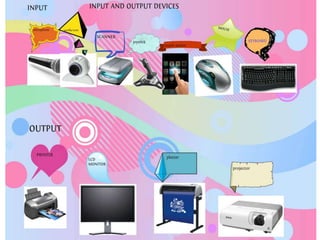
INPUT DEVICES
• Entering data or instructions into a
computer is called an input. Therefore
an input device is device which enters a
data or instructions into a computer.
• Input devices are necessary to convert
data into a form which can be
understood by computers.
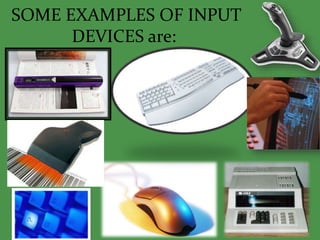
SOME EXAMPLES OF INPUT
DEVICES are:
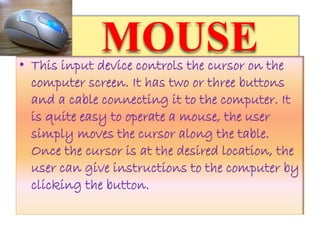
MOUSE• This input device controls the cursor on the
computer screen. It has two or three buttons
and a cable connecting it to the computer. It
is quite easy to operate a mouse, the user
simply moves the cursor along the table.
Once the cursor is at the desired location, the
user can give instructions to the computer by
clicking the button.
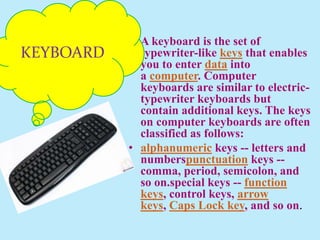
• A keyboard is the set of
typewriter-like keys that enables
you to enter data into
a computer. Computer
keyboards are similar to electric-
typewriter keyboards but
contain additional keys. The keys
on computer keyboards are often
classified as follows:
• alphanumeric keys -- letters and
numberspunctuation keys --
comma, period, semicolon, and
so on.special keys -- function
keys, control keys, arrow
keys, Caps Lock key, and so on.
KEYBOARD
JOYSTICK
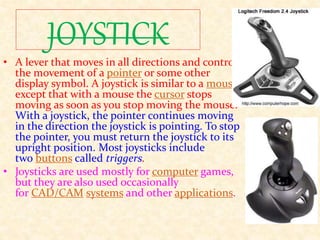
• A lever that moves in all directions and controls
the movement of a pointer or some other
display symbol. A joystick is similar to a mouse,
except that with a mouse the cursor stops
moving as soon as you stop moving the mouse.
With a joystick, the pointer continues moving
in the direction the joystick is pointing. To stop
the pointer, you must return the joystick to its
upright position. Most joysticks include
two buttons called triggers.
• Joysticks are used mostly for computer games,
but they are also used occasionally
for CAD/CAM systems and other applications.
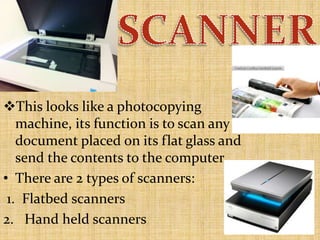
This looks like a photocopying
machine, its function is to scan any
document placed on its flat glass and
send the contents to the computer.
• There are 2 types of scanners:
1. Flatbed scanners
2. Hand held scanners
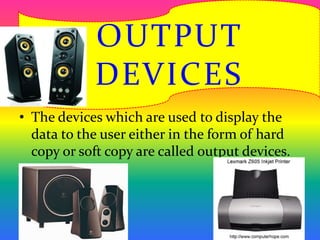
• The devices which are used to display the
data to the user either in the form of hard
copy or soft copy are called output devices.
OUTPUT
DEVICES
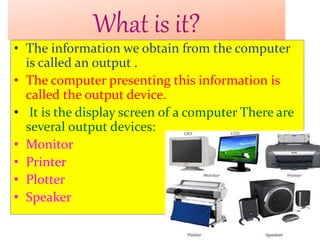
What is it?
• The information we obtain from the computer
is called an output .
• The computer presenting this information is
called the output device.
• It is the display screen of a computer There are
several output devices:
• Monitor
• Printer
• Plotter
• Speaker
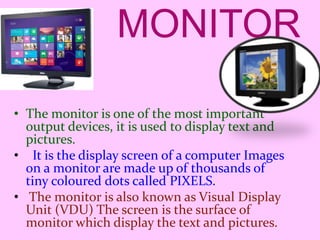
MONITOR
• The monitor is one of the most important
output devices, it is used to display text and
pictures.
• It is the display screen of a computer Images
on a monitor are made up of thousands of
tiny coloured dots called PIXELS.
• The monitor is also known as Visual Display
Unit (VDU) The screen is the surface of
monitor which display the text and pictures.
PRINTERS
• They are use to create a hard copy of your work.
• Most printer produce work on paper.
• These are in different types.
• Impact - Have mechanical contact in between paper &
printing head.
• Non Impact - No mechanical contact between paper &
printing head.
• There are 4 type of printer :
 Laser printers
 Ink-jet printers
 Dot-matrix printers
 Plotters
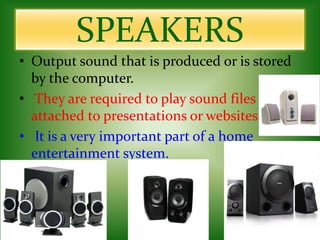
SPEAKERS
• Output sound that is produced or is stored
by the computer.
• They are required to play sound files
attached to presentations or websites.
• It is a very important part of a home
entertainment system.
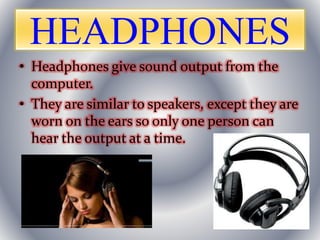
HEADPHONES
• Headphones give sound output from the
computer.
• They are similar to speakers, except they are
worn on the ears so only one person can
hear the output at a time.
PREPARED BY:
GEETU
IX- B

comp. devices

  • 1.
    LEARNING OBJECTIVES • Tolearn the common input devices and their basic characteristics. How do we communicate to the computer ? AND • To learn the common output devices and their basic characteristics. How the computer communicate to us?
  • 2.
    INPUT DEVICES • Enteringdata or instructions into a computer is called an input. Therefore an input device is device which enters a data or instructions into a computer. • Input devices are necessary to convert data into a form which can be understood by computers.
  • 3.
    SOME EXAMPLES OFINPUT DEVICES are:
  • 4.
    MOUSE• This inputdevice controls the cursor on the computer screen. It has two or three buttons and a cable connecting it to the computer. It is quite easy to operate a mouse, the user simply moves the cursor along the table. Once the cursor is at the desired location, the user can give instructions to the computer by clicking the button.
  • 5.
    • A keyboardis the set of typewriter-like keys that enables you to enter data into a computer. Computer keyboards are similar to electric- typewriter keyboards but contain additional keys. The keys on computer keyboards are often classified as follows: • alphanumeric keys -- letters and numberspunctuation keys -- comma, period, semicolon, and so on.special keys -- function keys, control keys, arrow keys, Caps Lock key, and so on. KEYBOARD
  • 6.
    JOYSTICK • A leverthat moves in all directions and controls the movement of a pointer or some other display symbol. A joystick is similar to a mouse, except that with a mouse the cursor stops moving as soon as you stop moving the mouse. With a joystick, the pointer continues moving in the direction the joystick is pointing. To stop the pointer, you must return the joystick to its upright position. Most joysticks include two buttons called triggers. • Joysticks are used mostly for computer games, but they are also used occasionally for CAD/CAM systems and other applications.
  • 7.
    This looks likea photocopying machine, its function is to scan any document placed on its flat glass and send the contents to the computer. • There are 2 types of scanners: 1. Flatbed scanners 2. Hand held scanners
  • 9.
    • The deviceswhich are used to display the data to the user either in the form of hard copy or soft copy are called output devices. OUTPUT DEVICES
  • 10.
    What is it? •The information we obtain from the computer is called an output . • The computer presenting this information is called the output device. • It is the display screen of a computer There are several output devices: • Monitor • Printer • Plotter • Speaker
  • 11.
    MONITOR • The monitoris one of the most important output devices, it is used to display text and pictures. • It is the display screen of a computer Images on a monitor are made up of thousands of tiny coloured dots called PIXELS. • The monitor is also known as Visual Display Unit (VDU) The screen is the surface of monitor which display the text and pictures.
  • 12.
    PRINTERS • They areuse to create a hard copy of your work. • Most printer produce work on paper. • These are in different types. • Impact - Have mechanical contact in between paper & printing head. • Non Impact - No mechanical contact between paper & printing head. • There are 4 type of printer :  Laser printers  Ink-jet printers  Dot-matrix printers  Plotters
  • 13.
    SPEAKERS • Output soundthat is produced or is stored by the computer. • They are required to play sound files attached to presentations or websites. • It is a very important part of a home entertainment system.
  • 14.
    HEADPHONES • Headphones givesound output from the computer. • They are similar to speakers, except they are worn on the ears so only one person can hear the output at a time.
  • 15.