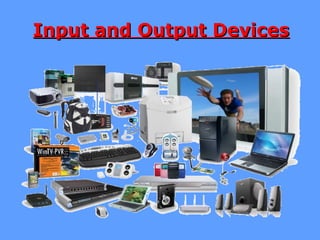
Input and Output DevicesInput and Output Devices
What Is An Input Device.
Entering data or instructions into a
computer is called input. Therefore, an
input device is a device which enters data
or instructions into a computer.
Input devices are necessary to convert
data into a form which can be understood
by computers.
Input Devices
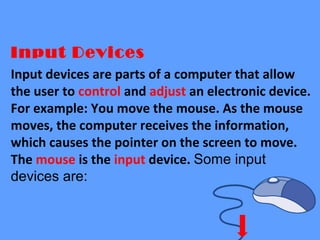
Input devices are parts of a computer that allow
the user to control and adjust an electronic device.
For example: You move the mouse. As the mouse
moves, the computer receives the information,
which causes the pointer on the screen to move.
The mouse is the input device. Some input
devices are:
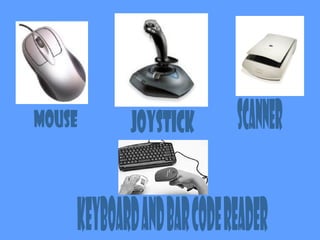
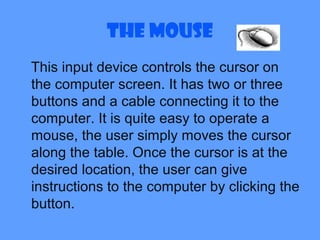
The Mouse
This input device controls the cursor on
the computer screen. It has two or three
buttons and a cable connecting it to the
computer. It is quite easy to operate a
mouse, the user simply moves the cursor
along the table. Once the cursor is at the
desired location, the user can give
instructions to the computer by clicking the
button.
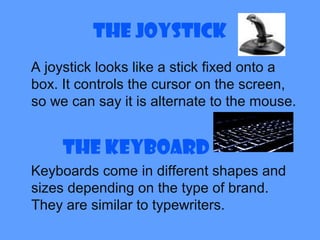
The Joystick
A joystick looks like a stick fixed onto a
box. It controls the cursor on the screen,
so we can say it is alternate to the mouse.
The Keyboard
Keyboards come in different shapes and
sizes depending on the type of brand.
They are similar to typewriters.
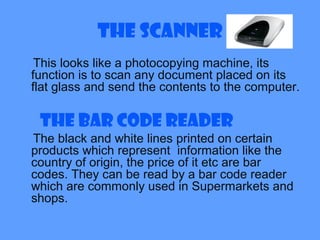
The Scanner
This looks like a photocopying machine, its
function is to scan any document placed on its
flat glass and send the contents to the computer.
The Bar Code Reader
The black and white lines printed on certain
products which represent information like the
country of origin, the price of it etc are bar
codes. They can be read by a bar code reader
which are commonly used in Supermarkets and
shops.
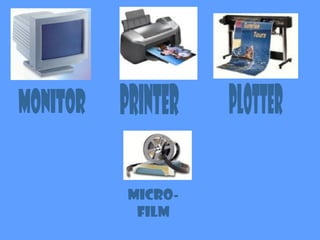
What is an Output device?
The information we get from the computer
is known as output. The computer
presents this information through these
devices such as:
Micro-
film
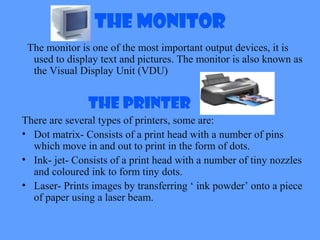
The Monitor
The monitor is one of the most important output devices, it is
used to display text and pictures. The monitor is also known as
the Visual Display Unit (VDU)
The Printer
There are several types of printers, some are:
• Dot matrix- Consists of a print head with a number of pins
which move in and out to print in the form of dots.
• Ink- jet- Consists of a print head with a number of tiny nozzles
and coloured ink to form tiny dots.
• Laser- Prints images by transferring ‘ ink powder’ onto a piece
of paper using a laser beam.
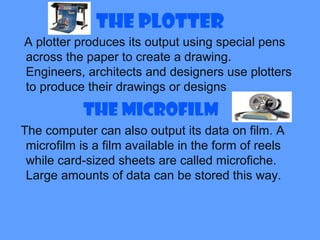
The Plotter
A plotter produces its output using special pens
across the paper to create a drawing.
Engineers, architects and designers use plotters
to produce their drawings or designs.
The Microfilm
The computer can also output its data on film. A
microfilm is a film available in the form of reels
while card-sized sheets are called microfiche.
Large amounts of data can be stored this way.
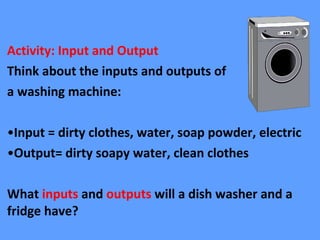
Activity: Input and Output
Think about the inputs and outputs of
a washing machine:
•Input = dirty clothes, water, soap powder, electric
•Output= dirty soapy water, clean clothes
What inputs and outputs will a dish washer and a
fridge have?
THANKYOU.

Input a-nd-output-devices2883

  • 1.
    Input and OutputDevicesInput and Output Devices
  • 2.
    What Is AnInput Device. Entering data or instructions into a computer is called input. Therefore, an input device is a device which enters data or instructions into a computer. Input devices are necessary to convert data into a form which can be understood by computers.
  • 3.
    Input Devices Input devicesare parts of a computer that allow the user to control and adjust an electronic device. For example: You move the mouse. As the mouse moves, the computer receives the information, which causes the pointer on the screen to move. The mouse is the input device. Some input devices are:
  • 5.
    The Mouse This inputdevice controls the cursor on the computer screen. It has two or three buttons and a cable connecting it to the computer. It is quite easy to operate a mouse, the user simply moves the cursor along the table. Once the cursor is at the desired location, the user can give instructions to the computer by clicking the button.
  • 6.
    The Joystick A joysticklooks like a stick fixed onto a box. It controls the cursor on the screen, so we can say it is alternate to the mouse. The Keyboard Keyboards come in different shapes and sizes depending on the type of brand. They are similar to typewriters.
  • 7.
    The Scanner This lookslike a photocopying machine, its function is to scan any document placed on its flat glass and send the contents to the computer. The Bar Code Reader The black and white lines printed on certain products which represent information like the country of origin, the price of it etc are bar codes. They can be read by a bar code reader which are commonly used in Supermarkets and shops.
  • 8.
    What is anOutput device? The information we get from the computer is known as output. The computer presents this information through these devices such as:
  • 9.
  • 10.
    The Monitor The monitoris one of the most important output devices, it is used to display text and pictures. The monitor is also known as the Visual Display Unit (VDU) The Printer There are several types of printers, some are: • Dot matrix- Consists of a print head with a number of pins which move in and out to print in the form of dots. • Ink- jet- Consists of a print head with a number of tiny nozzles and coloured ink to form tiny dots. • Laser- Prints images by transferring ‘ ink powder’ onto a piece of paper using a laser beam.
  • 11.
    The Plotter A plotterproduces its output using special pens across the paper to create a drawing. Engineers, architects and designers use plotters to produce their drawings or designs. The Microfilm The computer can also output its data on film. A microfilm is a film available in the form of reels while card-sized sheets are called microfiche. Large amounts of data can be stored this way.
  • 12.
    Activity: Input andOutput Think about the inputs and outputs of a washing machine: •Input = dirty clothes, water, soap powder, electric •Output= dirty soapy water, clean clothes What inputs and outputs will a dish washer and a fridge have?
  • 13.

Editor's Notes

  • #4  portable  easy to use  don’t take up much space  connected to the Internet