




Name ID Batch
Tarek Aziz M21221111049 28th
Input Devices
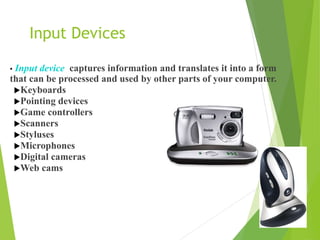
• Input device captures information and translates it into a form
that can be processed and used by other parts of your computer.
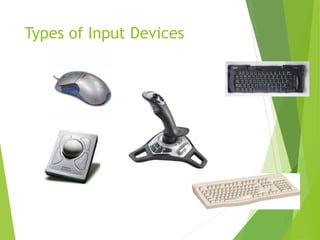
Keyboards
Pointing devices
Game controllers
Scanners
Styluses
Microphones
Digital cameras
Web cams
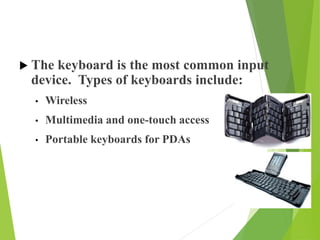
 The keyboard is the most common input
device. Types of keyboards include:
• Wireless
• Multimedia and one-touch access
• Portable keyboards for PDAs
Types of Input Devices
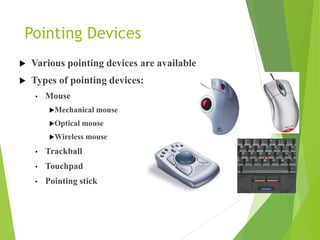
Pointing Devices
 Various pointing devices are available
 Types of pointing devices:
• Mouse
Mechanical mouse
Optical mouse
Wireless mouse
• Trackball
• Touchpad
• Pointing stick
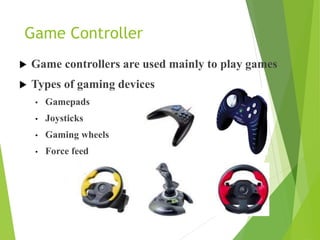
Game Controller
 Game controllers are used mainly to play games
 Types of gaming devices
• Gamepads
• Joysticks
• Gaming wheels
• Force feed
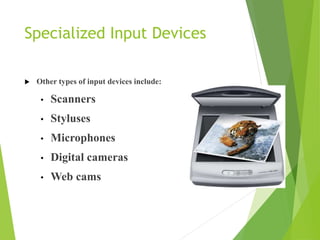
Specialized Input Devices
 Other types of input devices include:
• Scanners
• Styluses
• Microphones
• Digital cameras
• Web cams
Scanner
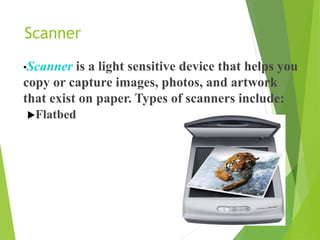
•Scanner is a light sensitive device that helps you
copy or capture images, photos, and artwork
that exist on paper. Types of scanners include:
Flatbed
Styluses
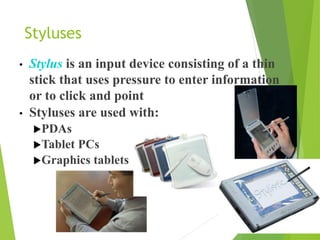
• Stylus is an input device consisting of a thin
stick that uses pressure to enter information
or to click and point
• Styluses are used with:
PDAs
Tablet PCs
Graphics tablets
Microphones
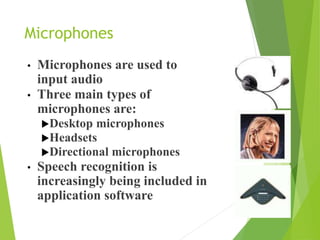
• Microphones are used to
input audio
• Three main types of
microphones are:
Desktop microphones
Headsets
Directional microphones
• Speech recognition is
increasingly being included in
application software
Output Devices
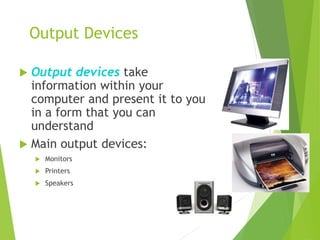
 Output devices take
information within your
computer and present it to you
in a form that you can
understand
 Main output devices:
 Monitors
 Printers
 Speakers
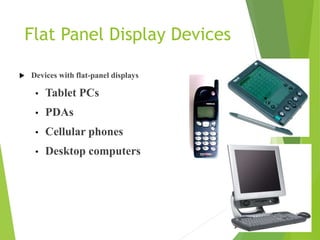
Flat Panel Display Devices
 Devices with flat-panel displays
• Tablet PCs
• PDAs
• Cellular phones
• Desktop computers
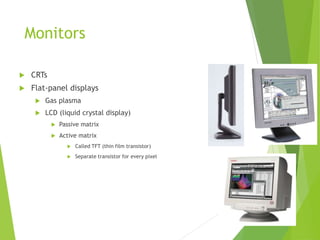
Monitors
 CRTs
 Flat-panel displays
 Gas plasma
 LCD (liquid crystal display)
 Passive matrix
 Active matrix
 Called TFT (thin film transistor)
 Separate transistor for every pixel
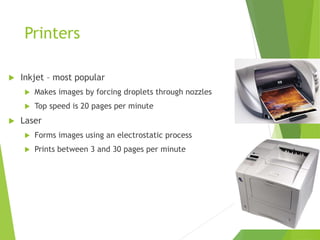
Printers
 Inkjet – most popular
 Makes images by forcing droplets through nozzles
 Top speed is 20 pages per minute
 Laser
 Forms images using an electrostatic process
 Prints between 3 and 30 pages per minute
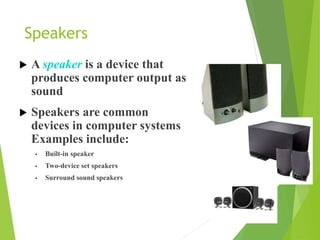
Speakers
 A speaker is a device that
produces computer output as
sound
 Speakers are common
devices in computer systems
Examples include:
• Built-in speaker
• Two-device set speakers
• Surround sound speakers
The End

INPUT AND OUTPUT DEVICES

  • 2.
    Name ID Batch TarekAziz M21221111049 28th
  • 5.
    Input Devices • Inputdevice captures information and translates it into a form that can be processed and used by other parts of your computer. Keyboards Pointing devices Game controllers Scanners Styluses Microphones Digital cameras Web cams
  • 7.
     The keyboardis the most common input device. Types of keyboards include: • Wireless • Multimedia and one-touch access • Portable keyboards for PDAs
  • 8.
  • 9.
    Pointing Devices  Variouspointing devices are available  Types of pointing devices: • Mouse Mechanical mouse Optical mouse Wireless mouse • Trackball • Touchpad • Pointing stick
  • 10.
    Game Controller  Gamecontrollers are used mainly to play games  Types of gaming devices • Gamepads • Joysticks • Gaming wheels • Force feed
  • 11.
    Specialized Input Devices Other types of input devices include: • Scanners • Styluses • Microphones • Digital cameras • Web cams
  • 12.
    Scanner •Scanner is alight sensitive device that helps you copy or capture images, photos, and artwork that exist on paper. Types of scanners include: Flatbed
  • 13.
    Styluses • Stylus isan input device consisting of a thin stick that uses pressure to enter information or to click and point • Styluses are used with: PDAs Tablet PCs Graphics tablets
  • 14.
    Microphones • Microphones areused to input audio • Three main types of microphones are: Desktop microphones Headsets Directional microphones • Speech recognition is increasingly being included in application software
  • 16.
    Output Devices  Outputdevices take information within your computer and present it to you in a form that you can understand  Main output devices:  Monitors  Printers  Speakers
  • 18.
    Flat Panel DisplayDevices  Devices with flat-panel displays • Tablet PCs • PDAs • Cellular phones • Desktop computers
  • 19.
    Monitors  CRTs  Flat-paneldisplays  Gas plasma  LCD (liquid crystal display)  Passive matrix  Active matrix  Called TFT (thin film transistor)  Separate transistor for every pixel
  • 20.
    Printers  Inkjet –most popular  Makes images by forcing droplets through nozzles  Top speed is 20 pages per minute  Laser  Forms images using an electrostatic process  Prints between 3 and 30 pages per minute
  • 21.
    Speakers  A speakeris a device that produces computer output as sound  Speakers are common devices in computer systems Examples include: • Built-in speaker • Two-device set speakers • Surround sound speakers
  • 22.