Input and Output Devices
Presented by: M. Hamza
Presented to: Mam Mira
Assigement : Lab assigent (1)
gmail:xyzgmail.com
 What is input devices ?
• An input device is a hardware component that lets users enter data,
commands, or instructions into a computer system. It acts as a way for
people to communicate with the machine. Common examples include the
keyboard for typing text, the mouse for pointing and selecting, the
microphone for recording sound, the scanner for digitizing documents,
and the webcam for capturing images or video.
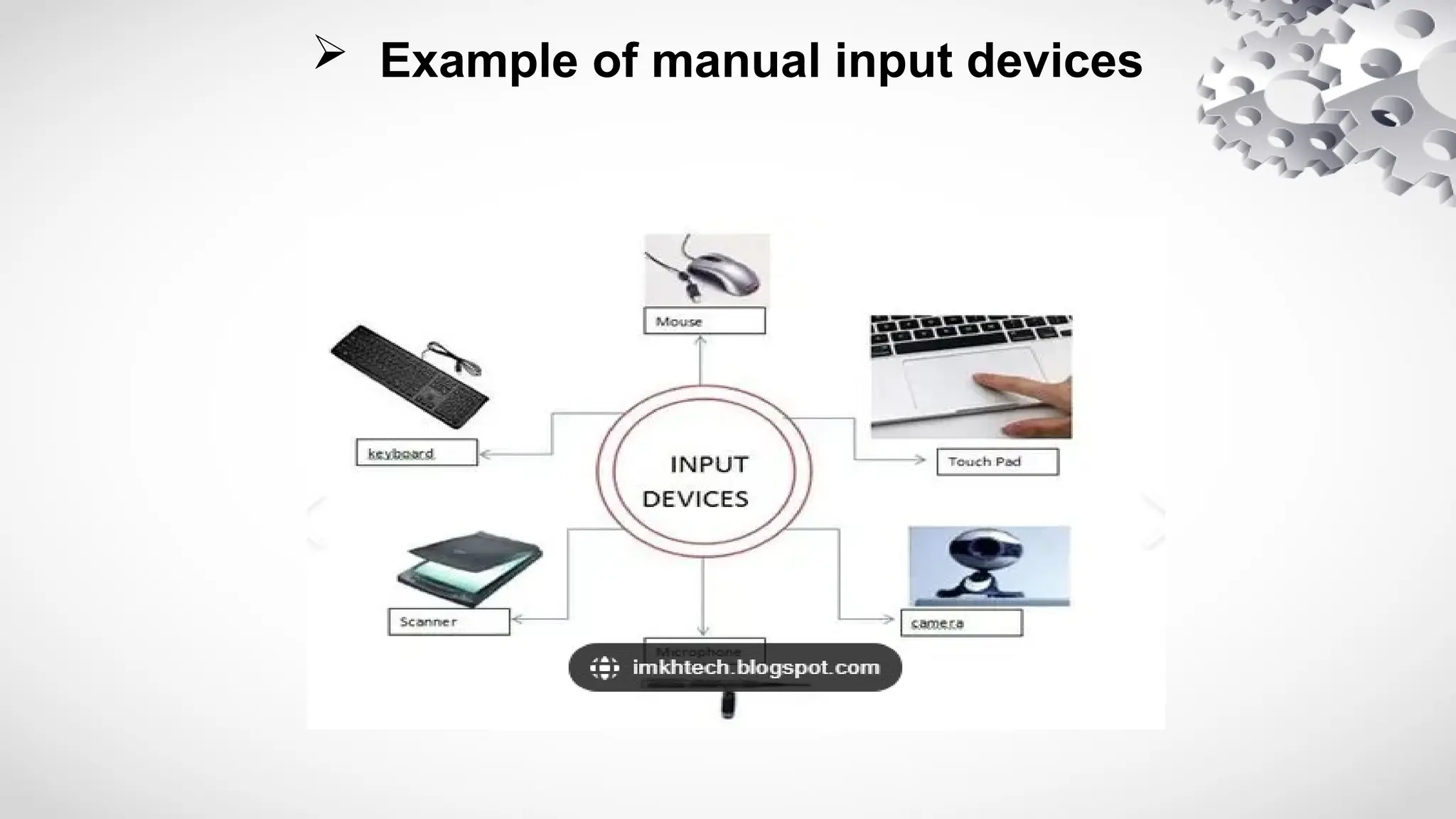
 Example of manual input devices
 Input Devices
• Keyboaard
• Mouse
• Microphone
• scanner
• Joystick
• Touch screen
• Microphone
• Webcam
 Outout Devices
• Plotter – Prints large drawings,
maps, and designs.
• LED Display Boards – Show
information in public places.
• Smart Boards – Output information
on interactive boards.
• Projector – Displays enlarged images
or videos on a big screen.
• Plotter – Prints large drawings, maps,
and designs.
• LED Display Boards – Show
information in public places.
• Smart Boards – Output information on
interactive boards.
 Keyboard
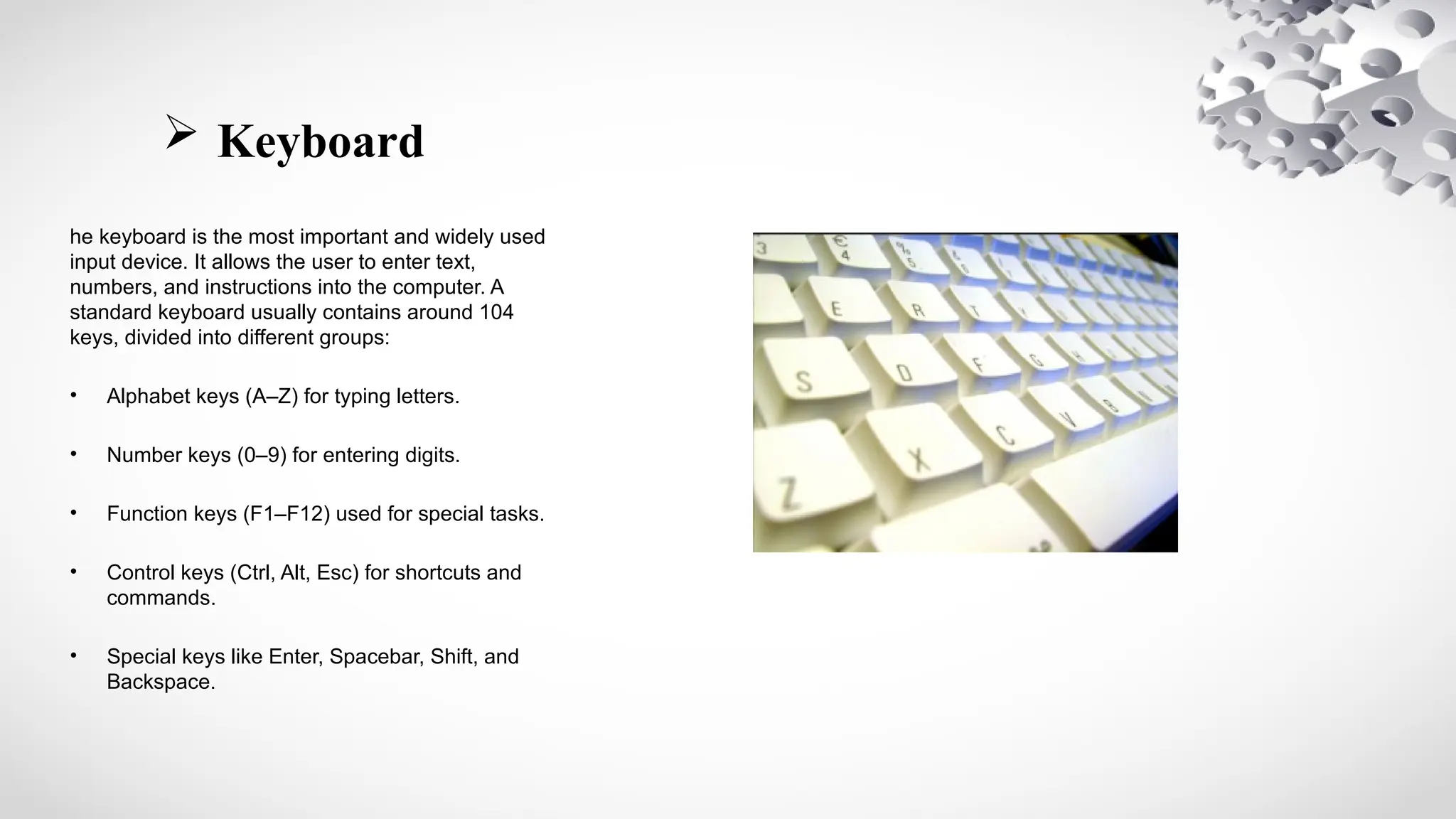
he keyboard is the most important and widely used
input device. It allows the user to enter text,
numbers, and instructions into the computer. A
standard keyboard usually contains around 104
keys, divided into different groups:
• Alphabet keys (A–Z) for typing letters.
• Number keys (0–9) for entering digits.
• Function keys (F1–F12) used for special tasks.
• Control keys (Ctrl, Alt, Esc) for shortcuts and
commands.
• Special keys like Enter, Spacebar, Shift, and
Backspace.
 Mouse
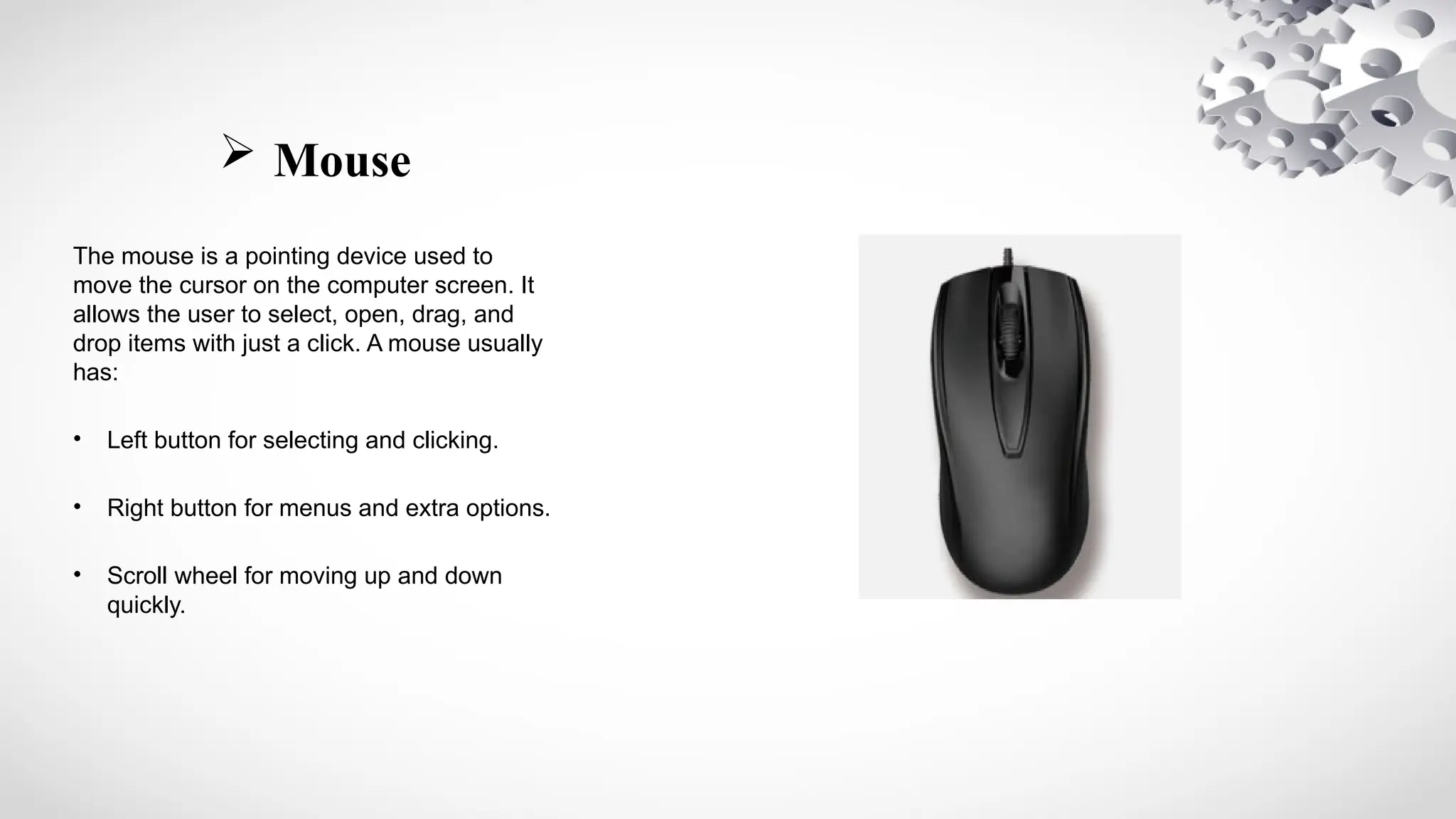
The mouse is a pointing device used to
move the cursor on the computer screen. It
allows the user to select, open, drag, and
drop items with just a click. A mouse usually
has:
• Left button for selecting and clicking.
• Right button for menus and extra options.
• Scroll wheel for moving up and down
quickly.
 Microphone
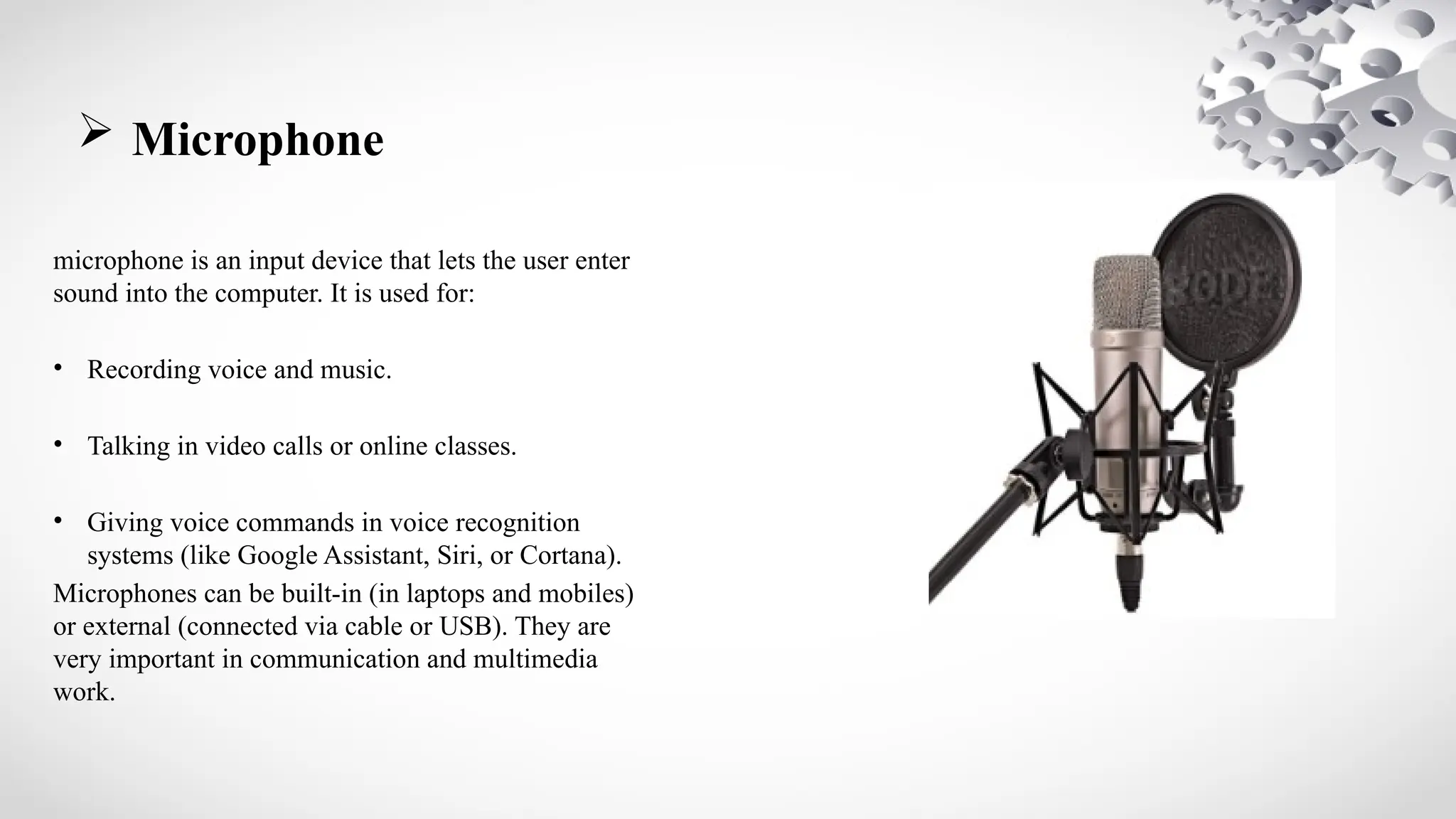
microphone is an input device that lets the user enter
sound into the computer. It is used for:
• Recording voice and music.
• Talking in video calls or online classes.
• Giving voice commands in voice recognition
systems (like Google Assistant, Siri, or Cortana).
Microphones can be built-in (in laptops and mobiles)
or external (connected via cable or USB). They are
very important in communication and multimedia
work.
 Joystick
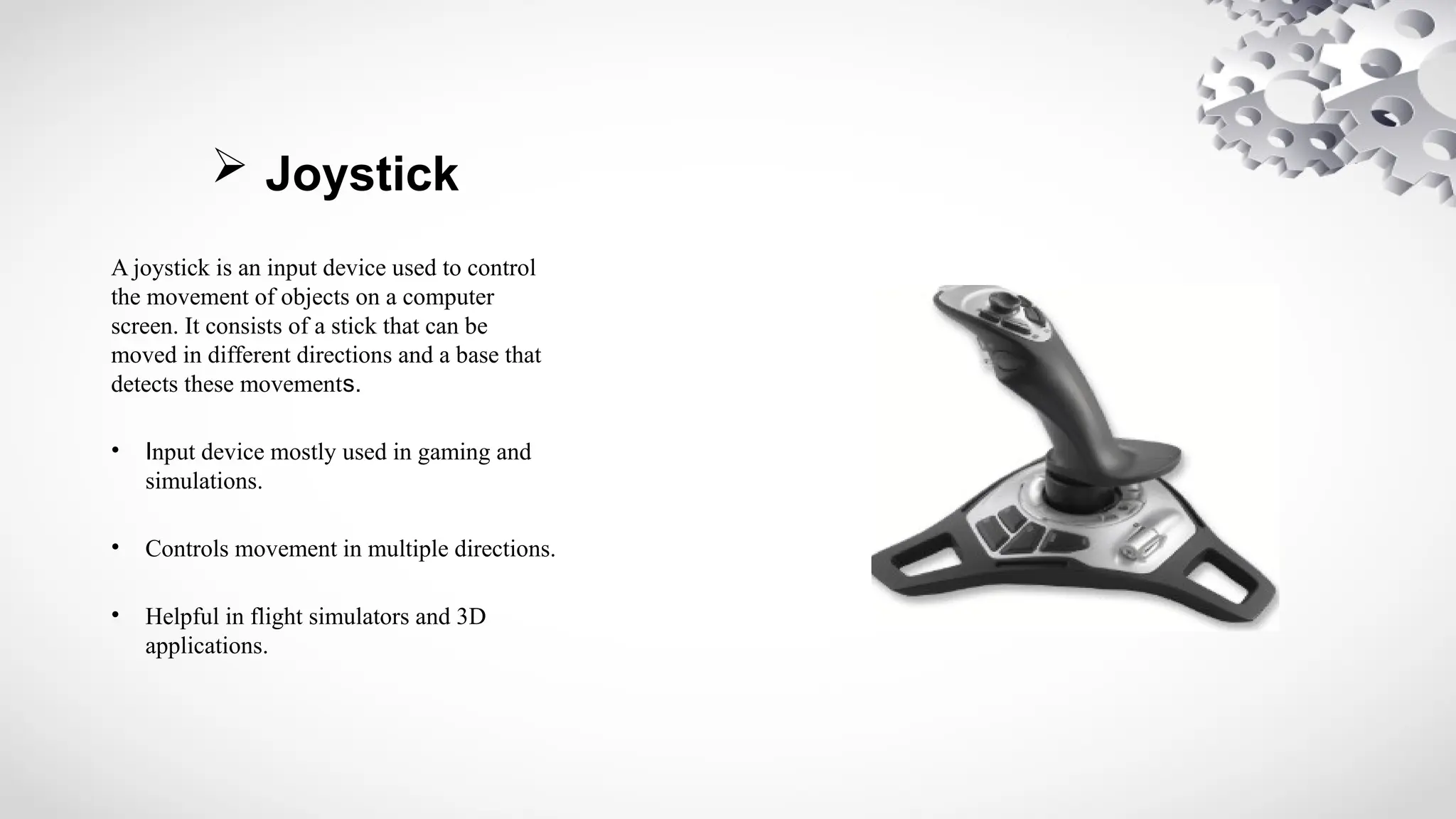
A joystick is an input device used to control
the movement of objects on a computer
screen. It consists of a stick that can be
moved in different directions and a base that
detects these movements.
• Input device mostly used in gaming and
simulations.
• Controls movement in multiple directions.
• Helpful in flight simulators and 3D
applications.
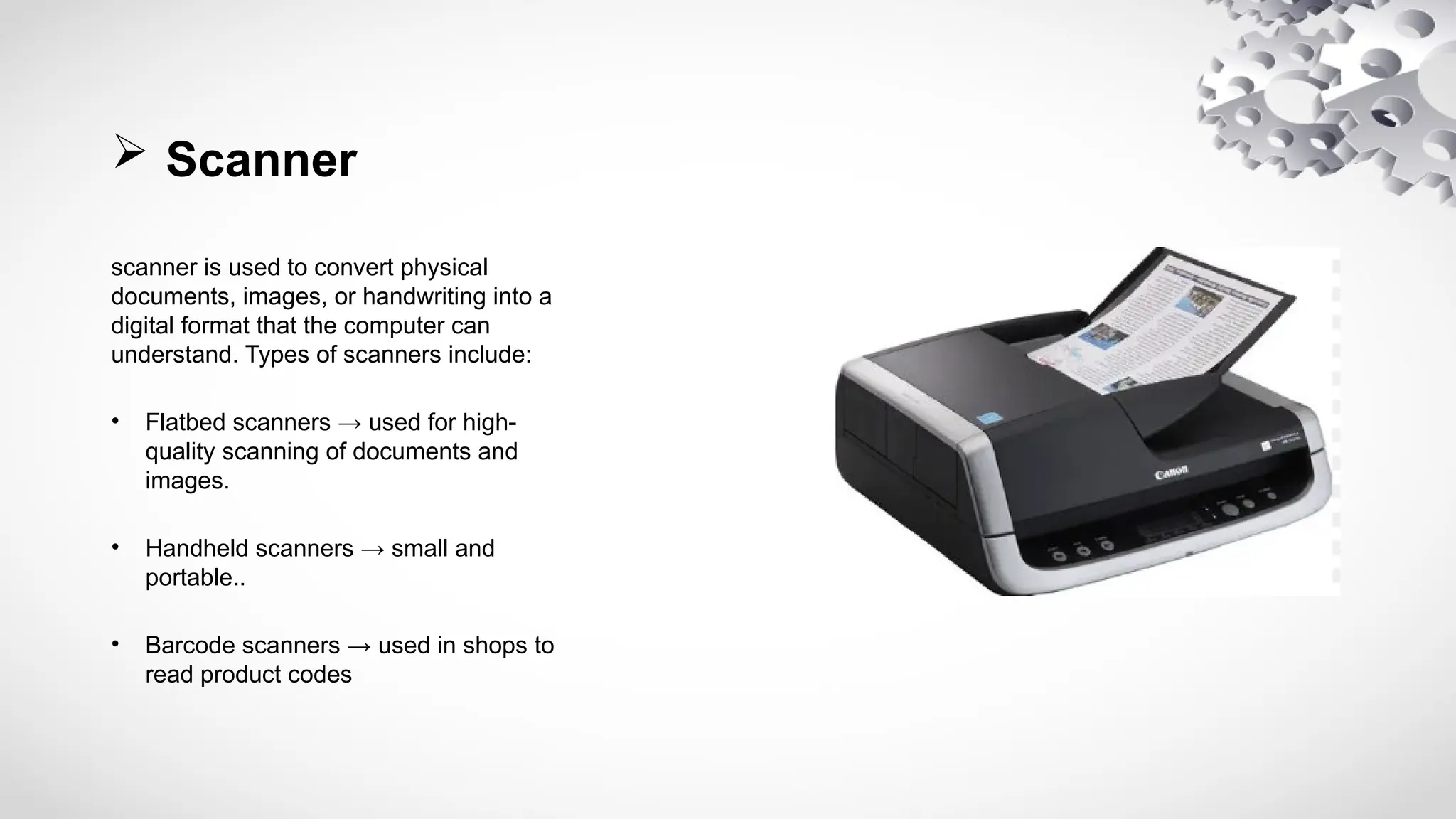
 Scanner
scanner is used to convert physical
documents, images, or handwriting into a
digital format that the computer can
understand. Types of scanners include:
• Flatbed scanners → used for high-
quality scanning of documents and
images.
• Handheld scanners → small and
portable..
• Barcode scanners → used in shops to
read product codes
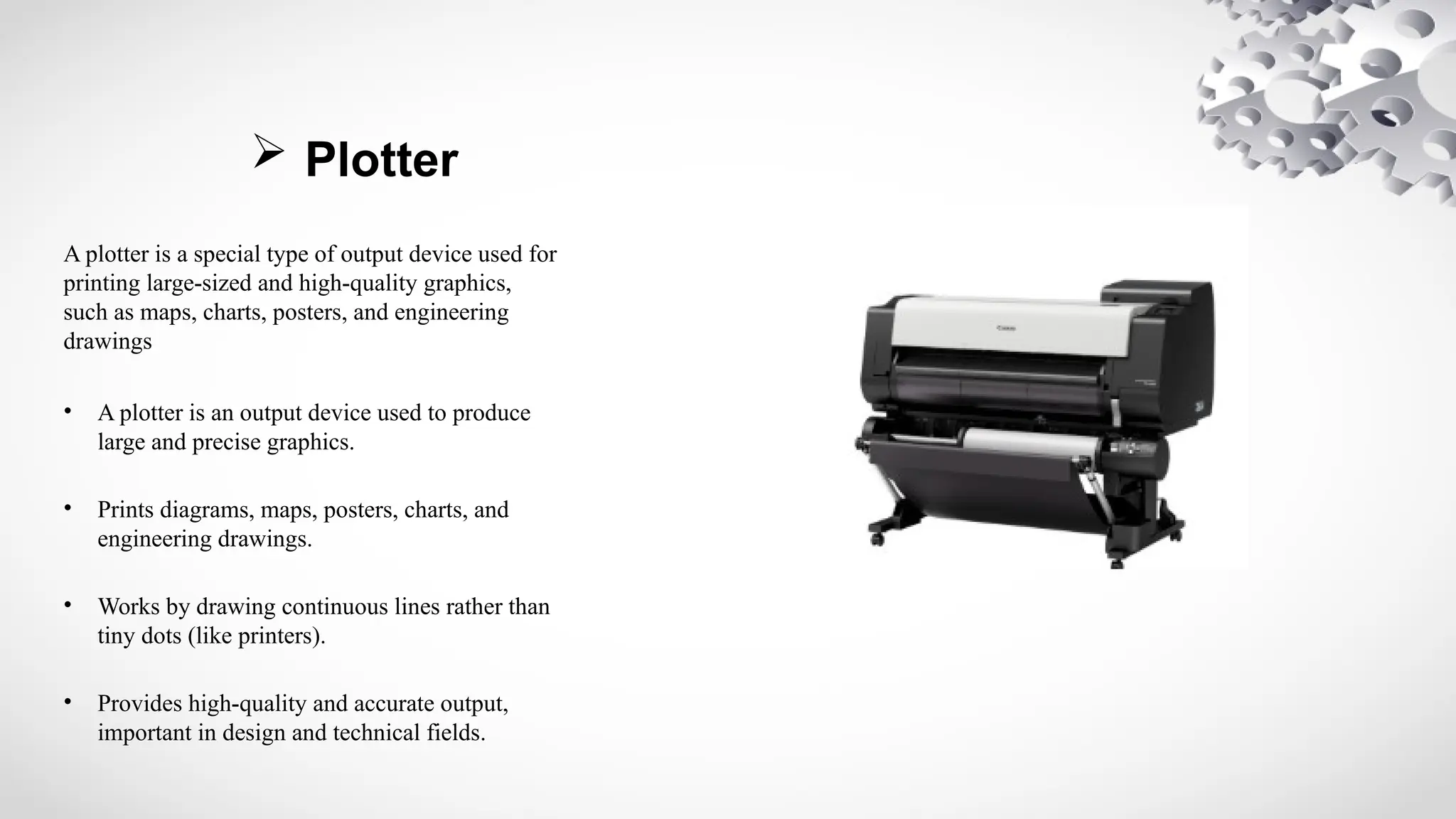
 Plotter
A plotter is a special type of output device used for
printing large-sized and high-quality graphics,
such as maps, charts, posters, and engineering
drawings
• A plotter is an output device used to produce
large and precise graphics.
• Prints diagrams, maps, posters, charts, and
engineering drawings.
• Works by drawing continuous lines rather than
tiny dots (like printers).
• Provides high-quality and accurate output,
important in design and technical fields.
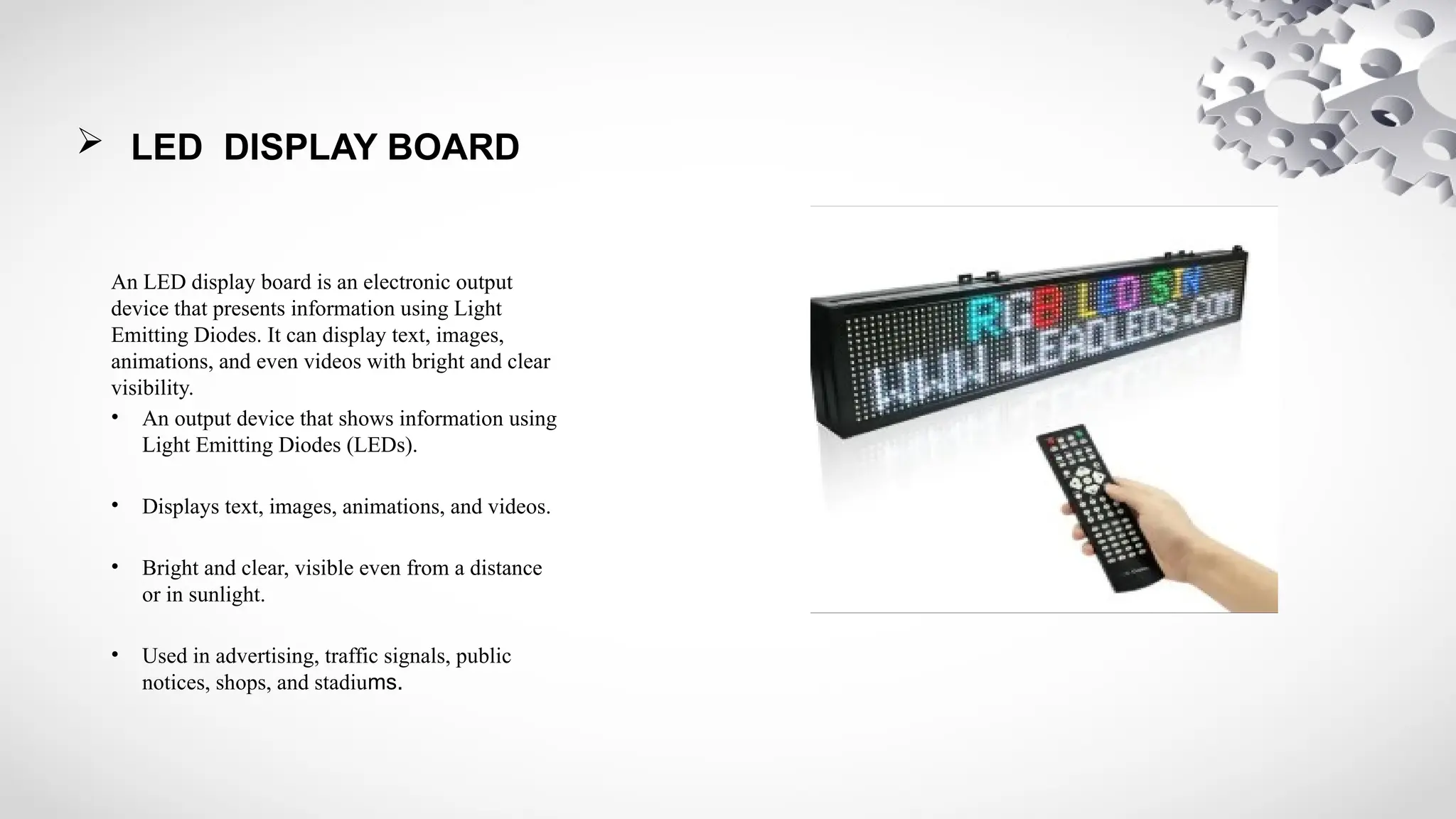
 LED DISPLAY BOARD
An LED display board is an electronic output
device that presents information using Light
Emitting Diodes. It can display text, images,
animations, and even videos with bright and clear
visibility.
• An output device that shows information using
Light Emitting Diodes (LEDs).
• Displays text, images, animations, and videos.
• Bright and clear, visible even from a distance
or in sunlight.
• Used in advertising, traffic signals, public
notices, shops, and stadiums.
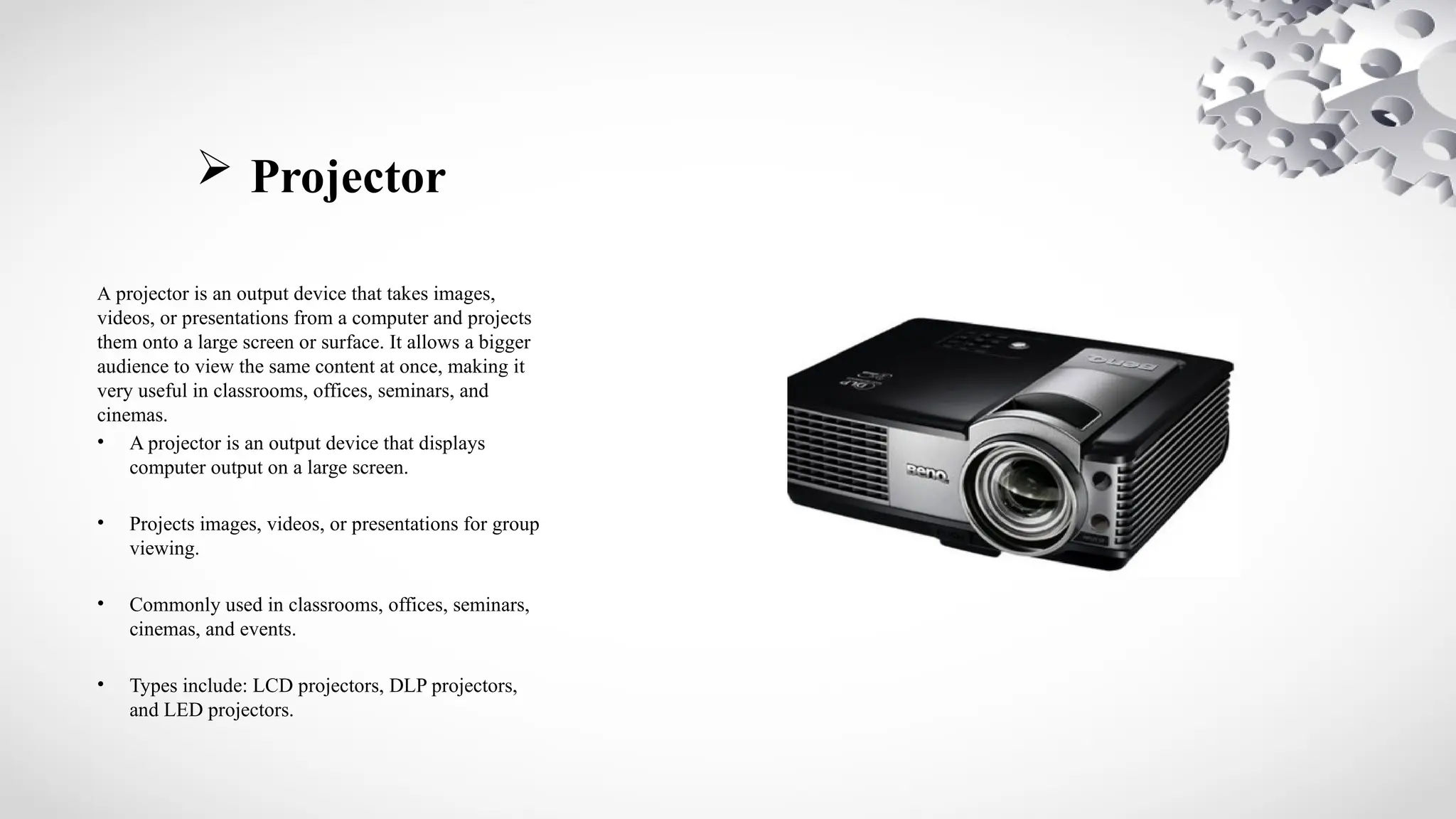
 Projector
A projector is an output device that takes images,
videos, or presentations from a computer and projects
them onto a large screen or surface. It allows a bigger
audience to view the same content at once, making it
very useful in classrooms, offices, seminars, and
cinemas.
• A projector is an output device that displays
computer output on a large screen.
• Projects images, videos, or presentations for group
viewing.
• Commonly used in classrooms, offices, seminars,
cinemas, and events.
• Types include: LCD projectors, DLP projectors,
and LED projectors.
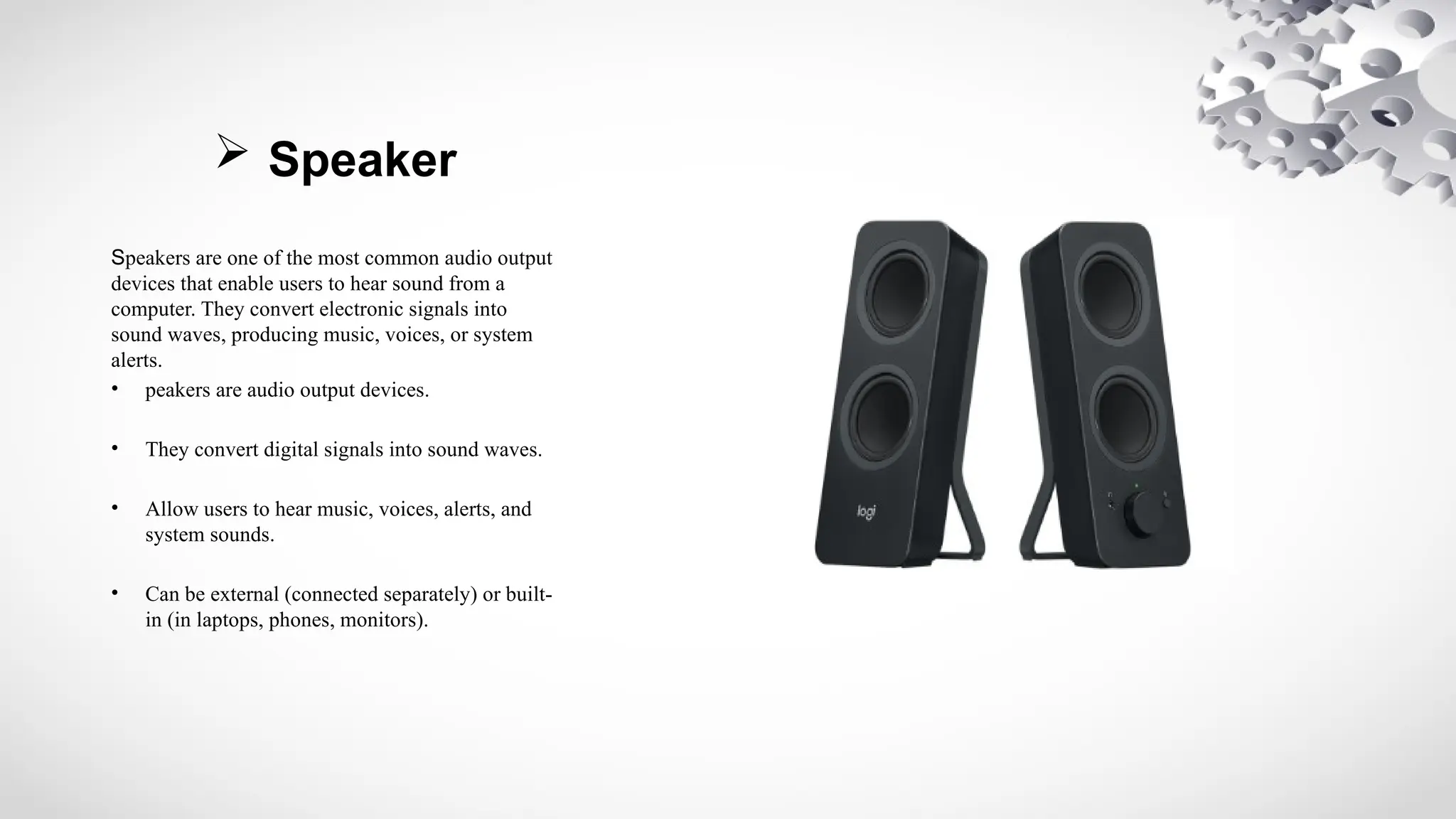
 Speaker
Speakers are one of the most common audio output
devices that enable users to hear sound from a
computer. They convert electronic signals into
sound waves, producing music, voices, or system
alerts.
• peakers are audio output devices.
• They convert digital signals into sound waves.
• Allow users to hear music, voices, alerts, and
system sounds.
• Can be external (connected separately) or built-
in (in laptops, phones, monitors).
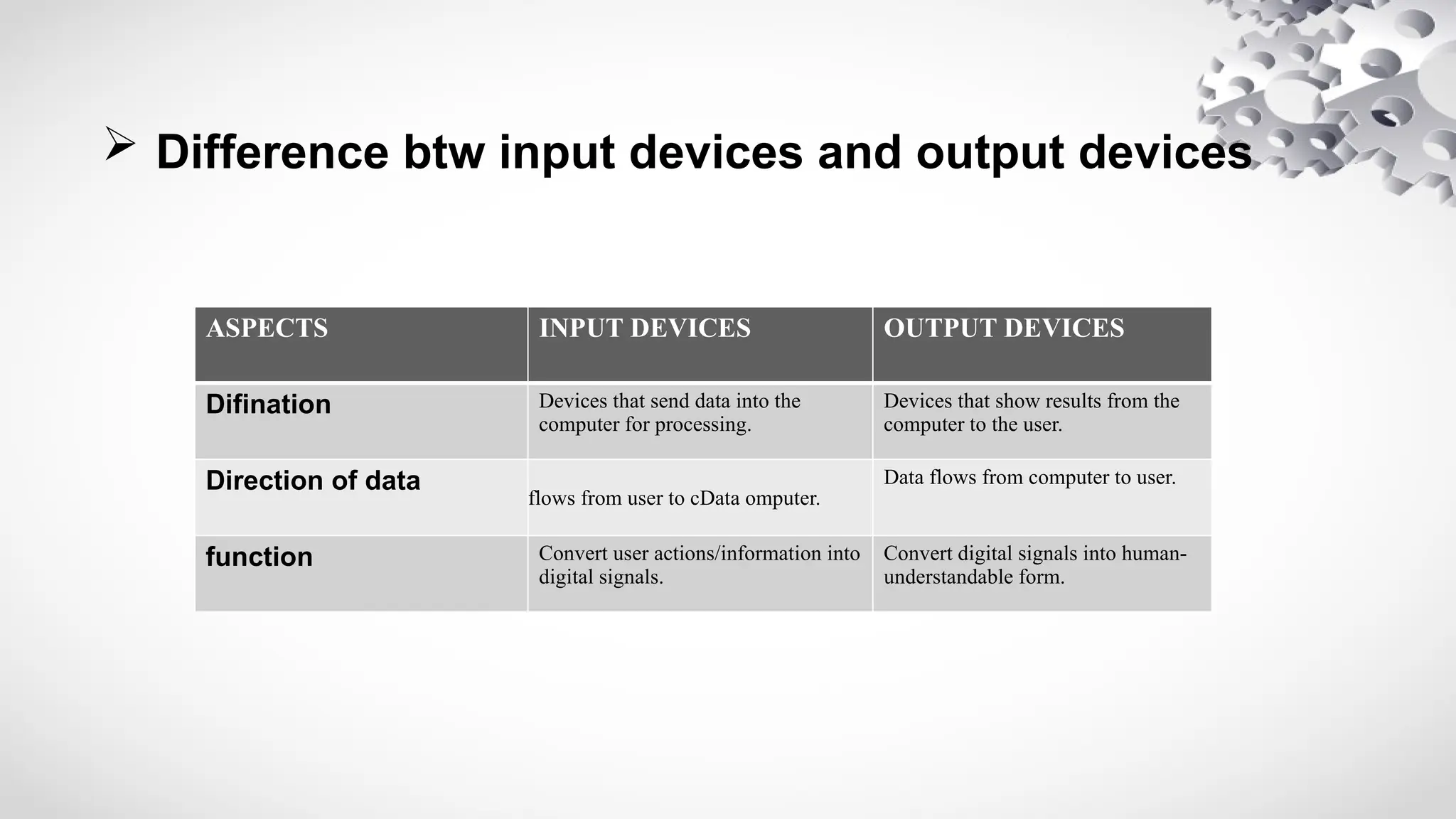
 Difference btw input devices and output devices
ASPECTS INPUT DEVICES OUTPUT DEVICES
Difination Devices that send data into the
computer for processing.
Devices that show results from the
computer to the user.
Direction of data
flows from user to cData omputer.
Data flows from computer to user.
function Convert user actions/information into
digital signals.
Convert digital signals into human-
understandable form.
“Thank you very much for giving me the opportunity to present today.
I sincerely appreciate your valuable time, attention, and support, and
I hope this presentation added value to your knowledge.”
Input and Output Devices.pptx .......................

Input and Output Devices.pptx .......................

  • 1.
    Input and OutputDevices Presented by: M. Hamza Presented to: Mam Mira Assigement : Lab assigent (1) gmail:xyzgmail.com
  • 2.
     What isinput devices ? • An input device is a hardware component that lets users enter data, commands, or instructions into a computer system. It acts as a way for people to communicate with the machine. Common examples include the keyboard for typing text, the mouse for pointing and selecting, the microphone for recording sound, the scanner for digitizing documents, and the webcam for capturing images or video.
  • 3.
     Example ofmanual input devices
  • 4.
     Input Devices •Keyboaard • Mouse • Microphone • scanner • Joystick • Touch screen • Microphone • Webcam
  • 5.
     Outout Devices •Plotter – Prints large drawings, maps, and designs. • LED Display Boards – Show information in public places. • Smart Boards – Output information on interactive boards. • Projector – Displays enlarged images or videos on a big screen. • Plotter – Prints large drawings, maps, and designs. • LED Display Boards – Show information in public places. • Smart Boards – Output information on interactive boards.
  • 6.
     Keyboard he keyboardis the most important and widely used input device. It allows the user to enter text, numbers, and instructions into the computer. A standard keyboard usually contains around 104 keys, divided into different groups: • Alphabet keys (A–Z) for typing letters. • Number keys (0–9) for entering digits. • Function keys (F1–F12) used for special tasks. • Control keys (Ctrl, Alt, Esc) for shortcuts and commands. • Special keys like Enter, Spacebar, Shift, and Backspace.
  • 7.
     Mouse The mouseis a pointing device used to move the cursor on the computer screen. It allows the user to select, open, drag, and drop items with just a click. A mouse usually has: • Left button for selecting and clicking. • Right button for menus and extra options. • Scroll wheel for moving up and down quickly.
  • 8.
     Microphone microphone isan input device that lets the user enter sound into the computer. It is used for: • Recording voice and music. • Talking in video calls or online classes. • Giving voice commands in voice recognition systems (like Google Assistant, Siri, or Cortana). Microphones can be built-in (in laptops and mobiles) or external (connected via cable or USB). They are very important in communication and multimedia work.
  • 9.
     Joystick A joystickis an input device used to control the movement of objects on a computer screen. It consists of a stick that can be moved in different directions and a base that detects these movements. • Input device mostly used in gaming and simulations. • Controls movement in multiple directions. • Helpful in flight simulators and 3D applications.
  • 10.
     Scanner scanner isused to convert physical documents, images, or handwriting into a digital format that the computer can understand. Types of scanners include: • Flatbed scanners → used for high- quality scanning of documents and images. • Handheld scanners → small and portable.. • Barcode scanners → used in shops to read product codes
  • 11.
     Plotter A plotteris a special type of output device used for printing large-sized and high-quality graphics, such as maps, charts, posters, and engineering drawings • A plotter is an output device used to produce large and precise graphics. • Prints diagrams, maps, posters, charts, and engineering drawings. • Works by drawing continuous lines rather than tiny dots (like printers). • Provides high-quality and accurate output, important in design and technical fields.
  • 12.
     LED DISPLAYBOARD An LED display board is an electronic output device that presents information using Light Emitting Diodes. It can display text, images, animations, and even videos with bright and clear visibility. • An output device that shows information using Light Emitting Diodes (LEDs). • Displays text, images, animations, and videos. • Bright and clear, visible even from a distance or in sunlight. • Used in advertising, traffic signals, public notices, shops, and stadiums.
  • 13.
     Projector A projectoris an output device that takes images, videos, or presentations from a computer and projects them onto a large screen or surface. It allows a bigger audience to view the same content at once, making it very useful in classrooms, offices, seminars, and cinemas. • A projector is an output device that displays computer output on a large screen. • Projects images, videos, or presentations for group viewing. • Commonly used in classrooms, offices, seminars, cinemas, and events. • Types include: LCD projectors, DLP projectors, and LED projectors.
  • 14.
     Speaker Speakers areone of the most common audio output devices that enable users to hear sound from a computer. They convert electronic signals into sound waves, producing music, voices, or system alerts. • peakers are audio output devices. • They convert digital signals into sound waves. • Allow users to hear music, voices, alerts, and system sounds. • Can be external (connected separately) or built- in (in laptops, phones, monitors).
  • 15.
     Difference btwinput devices and output devices ASPECTS INPUT DEVICES OUTPUT DEVICES Difination Devices that send data into the computer for processing. Devices that show results from the computer to the user. Direction of data flows from user to cData omputer. Data flows from computer to user. function Convert user actions/information into digital signals. Convert digital signals into human- understandable form.
  • 16.
    “Thank you verymuch for giving me the opportunity to present today. I sincerely appreciate your valuable time, attention, and support, and I hope this presentation added value to your knowledge.”