AMITY UNIVERSITY KOLKATA
 Name : Saheli Aich
 Enrollment No. : A920131919001
 Semester : 1
 Course : Bachelor of Fashion Technology (2019-2023)
 Subject : (FASH 101) Computer Application in Fashion Industry - I
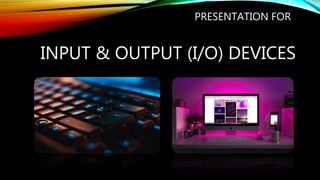
INPUT & OUTPUT (I/O) DEVICES
PRESENTATION FOR
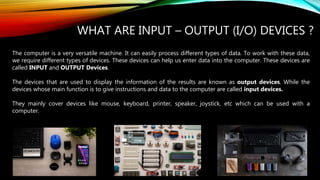
WHAT ARE INPUT – OUTPUT (I/O) DEVICES ?
The computer is a very versatile machine. It can easily process different types of data. To work with these data,
we require different types of devices. These devices can help us enter data into the computer. These devices are
called INPUT and OUTPUT Devices.
The devices that are used to display the information of the results are known as output devices. While the
devices whose main function is to give instructions and data to the computer are called input devices.
They mainly cover devices like mouse, keyboard, printer, speaker, joystick, etc which can be used with a
computer.
 I N P U T D E V I C E S
In computing, an input device is a piece of computer hardware equipment
used to provide data and control signals to an information processing
system such as a computer or information appliance. Examples of input
devices include keyboards, mouse, scanners, digital cameras, joysticks,
and microphones.
Input devices can be categorized based on:
modality of input (e.g. mechanical motion, audio, visual, etc.)
whether the input is discrete (e.g. pressing of key) or continuous (e.g. a
mouse's position, though digitized into a discrete quantity, is fast enough to
be considered continuous)
the number of degrees of freedom involved (e.g. two-dimensional traditional
mice, or three-dimensional navigators designed for CAD applications)
TYPES OF INPUT DEVICES:
 KEYBOARD : ‘
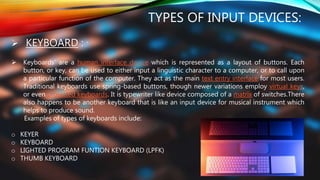
 Keyboards' are a human interface device which is represented as a layout of buttons. Each
button, or key, can be used to either input a linguistic character to a computer, or to call upon
a particular function of the computer. They act as the main text entry interface for most users.
Traditional keyboards use spring-based buttons, though newer variations employ virtual keys,
or even projected keyboards. It is typewriter like device composed of a matrix of switches.There
also happens to be another keyboard that is like an input device for musical instrument which
helps to produce sound.
Examples of types of keyboards include:
o KEYER
o KEYBOARD
o LIGHTED PROGRAM FUNTION KEYBOARD (LPFK)
o THUMB KEYBOARD
 MOUSE :
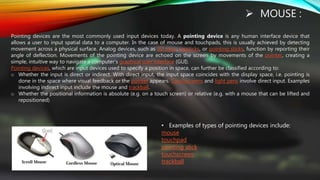
Pointing devices are the most commonly used input devices today. A pointing device is any human interface device that
allows a user to input spatial data to a computer. In the case of mouse and touchpads, this is usually achieved by detecting
movement across a physical surface. Analog devices, such as 3D mice, joysticks, or pointing sticks, function by reporting their
angle of deflection. Movements of the pointing device are echoed on the screen by movements of the pointer, creating a
simple, intuitive way to navigate a computer's graphical user interface (GUI).
Pointing devices, which are input devices used to specify a position in space, can further be classified according to:
o Whether the input is direct or indirect. With direct input, the input space coincides with the display space, i.e. pointing is
done in the space where visual feedback or the pointer appears. Touchscreens and light pens involve direct input. Examples
involving indirect input include the mouse and trackball.
o Whether the positional information is absolute (e.g. on a touch screen) or relative (e.g. with a mouse that can be lifted and
repositioned)
• Examples of types of pointing devices include:
mouse
touchpad
pointing stick
touchscreen
trackball
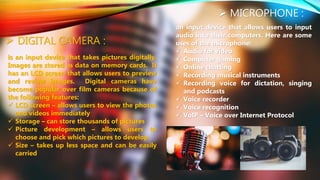
 MICROPHONE :
an input device that allows users to input
audio into their computers. Here are some
uses of the microphone:
 Audio for video
 Computer gaming
 Online chatting
 Recording musical instruments
 Recording voice for dictation, singing
and podcasts
 Voice recorder
 Voice recognition
 VoIP – Voice over Internet Protocol
 DIGITAL CAMERA :
is an input device that takes pictures digitally.
Images are stored as data on memory cards. It
has an LCD screen that allows users to preview
and review images. Digital cameras have
become popular over film cameras because of
the following features:
 LCD screen – allows users to view the photos
and videos immediately
 Storage – can store thousands of pictures
 Picture development – allows users to
choose and pick which pictures to develop
 Size – takes up less space and can be easily
carried
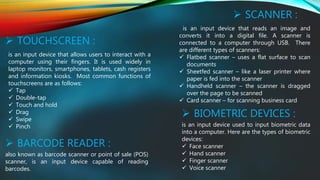
 SCANNER :
is an input device that reads an image and
converts it into a digital file. A scanner is
connected to a computer through USB. There
are different types of scanners:
 Flatbed scanner – uses a flat surface to scan
documents
 Sheetfed scanner – like a laser printer where
paper is fed into the scanner
 Handheld scanner – the scanner is dragged
over the page to be scanned
 Card scanner – for scanning business card
 TOUCHSCREEN :
is an input device that allows users to interact with a
computer using their fingers. It is used widely in
laptop monitors, smartphones, tablets, cash registers
and information kiosks. Most common functions of
touchscreens are as follows:
 Tap
 Double-tap
 Touch and hold
 Drag
 Swipe
 Pinch
 BARCODE READER :
also known as barcode scanner or point of sale (POS)
scanner, is an input device capable of reading
barcodes.
 BIOMETRIC DEVICES :
is an input device used to input biometric data
into a computer. Here are the types of biometric
devices:
 Face scanner
 Hand scanner
 Finger scanner
 Voice scanner
 TYPES OF OUTPUT DEVICES :
Computer output devices are all peripheral hardware, and
are connected to a computer by cables, or by wireless
networking.
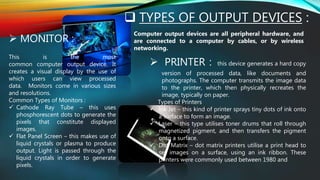
 MONITOR :
This is the most
common computer output device. It
creates a visual display by the use of
which users can view processed
data. Monitors come in various sizes
and resolutions.
Common Types of Monitors :
 Cathode Ray Tube – this uses
phosphorescent dots to generate the
pixels that constitute displayed
images.
 Flat Panel Screen – this makes use of
liquid crystals or plasma to produce
output. Light is passed through the
liquid crystals in order to generate
pixels.
 PRINTER : this device generates a hard copy
version of processed data, like documents and
photographs. The computer transmits the image data
to the printer, which then physically recreates the
image, typically on paper.
Types of Printers
 Ink Jet – this kind of printer sprays tiny dots of ink onto
a surface to form an image.
 Laser – this type utilises toner drums that roll through
magnetized pigment, and then transfers the pigment
onto a surface.
 Dot Matrix – dot matrix printers utilise a print head to
set images on a surface, using an ink ribbon. These
printers were commonly used between 1980 and
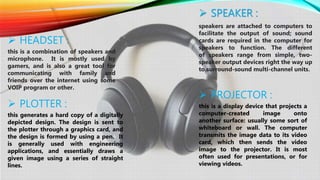
 SPEAKER :
speakers are attached to computers to
facilitate the output of sound; sound
cards are required in the computer for
speakers to function. The different
of speakers range from simple, two-
speaker output devices right the way up
to surround-sound multi-channel units.
 HEADSET :
this is a combination of speakers and
microphone. It is mostly used by
gamers, and is also a great tool for
communicating with family and
friends over the internet using some
VOIP program or other.
 PROJECTOR :
this is a display device that projects a
computer-created image onto
another surface: usually some sort of
whiteboard or wall. The computer
transmits the image data to its video
card, which then sends the video
image to the projector. It is most
often used for presentations, or for
viewing videos.
 PLOTTER :
this generates a hard copy of a digitally
depicted design. The design is sent to
the plotter through a graphics card, and
the design is formed by using a pen. It
is generally used with engineering
applications, and essentially draws a
given image using a series of straight
lines.
 INPUT – OUTPUT (I/O) DEVICES :
Input/Output devices don’t only produce output, but can also be used
as storage and input devices. The computer transmits data to the drive,
where it is saved and can be later accessed.
Examples of I/O devices are CD drives, DVD drives, USB drives, hard disk
drives (HDDs), and floppy disk drives.
CDs and DVDs are two kinds of optical disc which save data in a digital
format. Data is written onto the disc using a laser writer that embeds the
data directly into the disc’s coating.
A floppy disk is a magnetic storage device. A layer of magnetised material
is placed within a proactive plastic casing. The computer then embeds the
data into the magnetized material, by using a writing head.
: : T H A N K Y O U : :

Input output devices

  • 1.
    AMITY UNIVERSITY KOLKATA Name : Saheli Aich  Enrollment No. : A920131919001  Semester : 1  Course : Bachelor of Fashion Technology (2019-2023)  Subject : (FASH 101) Computer Application in Fashion Industry - I
  • 2.
    INPUT & OUTPUT(I/O) DEVICES PRESENTATION FOR
  • 3.
    WHAT ARE INPUT– OUTPUT (I/O) DEVICES ? The computer is a very versatile machine. It can easily process different types of data. To work with these data, we require different types of devices. These devices can help us enter data into the computer. These devices are called INPUT and OUTPUT Devices. The devices that are used to display the information of the results are known as output devices. While the devices whose main function is to give instructions and data to the computer are called input devices. They mainly cover devices like mouse, keyboard, printer, speaker, joystick, etc which can be used with a computer.
  • 4.
     I NP U T D E V I C E S In computing, an input device is a piece of computer hardware equipment used to provide data and control signals to an information processing system such as a computer or information appliance. Examples of input devices include keyboards, mouse, scanners, digital cameras, joysticks, and microphones. Input devices can be categorized based on: modality of input (e.g. mechanical motion, audio, visual, etc.) whether the input is discrete (e.g. pressing of key) or continuous (e.g. a mouse's position, though digitized into a discrete quantity, is fast enough to be considered continuous) the number of degrees of freedom involved (e.g. two-dimensional traditional mice, or three-dimensional navigators designed for CAD applications)
  • 5.
    TYPES OF INPUTDEVICES:  KEYBOARD : ‘  Keyboards' are a human interface device which is represented as a layout of buttons. Each button, or key, can be used to either input a linguistic character to a computer, or to call upon a particular function of the computer. They act as the main text entry interface for most users. Traditional keyboards use spring-based buttons, though newer variations employ virtual keys, or even projected keyboards. It is typewriter like device composed of a matrix of switches.There also happens to be another keyboard that is like an input device for musical instrument which helps to produce sound. Examples of types of keyboards include: o KEYER o KEYBOARD o LIGHTED PROGRAM FUNTION KEYBOARD (LPFK) o THUMB KEYBOARD
  • 6.
     MOUSE : Pointingdevices are the most commonly used input devices today. A pointing device is any human interface device that allows a user to input spatial data to a computer. In the case of mouse and touchpads, this is usually achieved by detecting movement across a physical surface. Analog devices, such as 3D mice, joysticks, or pointing sticks, function by reporting their angle of deflection. Movements of the pointing device are echoed on the screen by movements of the pointer, creating a simple, intuitive way to navigate a computer's graphical user interface (GUI). Pointing devices, which are input devices used to specify a position in space, can further be classified according to: o Whether the input is direct or indirect. With direct input, the input space coincides with the display space, i.e. pointing is done in the space where visual feedback or the pointer appears. Touchscreens and light pens involve direct input. Examples involving indirect input include the mouse and trackball. o Whether the positional information is absolute (e.g. on a touch screen) or relative (e.g. with a mouse that can be lifted and repositioned) • Examples of types of pointing devices include: mouse touchpad pointing stick touchscreen trackball
  • 7.
     MICROPHONE : aninput device that allows users to input audio into their computers. Here are some uses of the microphone:  Audio for video  Computer gaming  Online chatting  Recording musical instruments  Recording voice for dictation, singing and podcasts  Voice recorder  Voice recognition  VoIP – Voice over Internet Protocol  DIGITAL CAMERA : is an input device that takes pictures digitally. Images are stored as data on memory cards. It has an LCD screen that allows users to preview and review images. Digital cameras have become popular over film cameras because of the following features:  LCD screen – allows users to view the photos and videos immediately  Storage – can store thousands of pictures  Picture development – allows users to choose and pick which pictures to develop  Size – takes up less space and can be easily carried
  • 8.
     SCANNER : isan input device that reads an image and converts it into a digital file. A scanner is connected to a computer through USB. There are different types of scanners:  Flatbed scanner – uses a flat surface to scan documents  Sheetfed scanner – like a laser printer where paper is fed into the scanner  Handheld scanner – the scanner is dragged over the page to be scanned  Card scanner – for scanning business card  TOUCHSCREEN : is an input device that allows users to interact with a computer using their fingers. It is used widely in laptop monitors, smartphones, tablets, cash registers and information kiosks. Most common functions of touchscreens are as follows:  Tap  Double-tap  Touch and hold  Drag  Swipe  Pinch  BARCODE READER : also known as barcode scanner or point of sale (POS) scanner, is an input device capable of reading barcodes.  BIOMETRIC DEVICES : is an input device used to input biometric data into a computer. Here are the types of biometric devices:  Face scanner  Hand scanner  Finger scanner  Voice scanner
  • 9.
     TYPES OFOUTPUT DEVICES : Computer output devices are all peripheral hardware, and are connected to a computer by cables, or by wireless networking.  MONITOR : This is the most common computer output device. It creates a visual display by the use of which users can view processed data. Monitors come in various sizes and resolutions. Common Types of Monitors :  Cathode Ray Tube – this uses phosphorescent dots to generate the pixels that constitute displayed images.  Flat Panel Screen – this makes use of liquid crystals or plasma to produce output. Light is passed through the liquid crystals in order to generate pixels.  PRINTER : this device generates a hard copy version of processed data, like documents and photographs. The computer transmits the image data to the printer, which then physically recreates the image, typically on paper. Types of Printers  Ink Jet – this kind of printer sprays tiny dots of ink onto a surface to form an image.  Laser – this type utilises toner drums that roll through magnetized pigment, and then transfers the pigment onto a surface.  Dot Matrix – dot matrix printers utilise a print head to set images on a surface, using an ink ribbon. These printers were commonly used between 1980 and
  • 10.
     SPEAKER : speakersare attached to computers to facilitate the output of sound; sound cards are required in the computer for speakers to function. The different of speakers range from simple, two- speaker output devices right the way up to surround-sound multi-channel units.  HEADSET : this is a combination of speakers and microphone. It is mostly used by gamers, and is also a great tool for communicating with family and friends over the internet using some VOIP program or other.  PROJECTOR : this is a display device that projects a computer-created image onto another surface: usually some sort of whiteboard or wall. The computer transmits the image data to its video card, which then sends the video image to the projector. It is most often used for presentations, or for viewing videos.  PLOTTER : this generates a hard copy of a digitally depicted design. The design is sent to the plotter through a graphics card, and the design is formed by using a pen. It is generally used with engineering applications, and essentially draws a given image using a series of straight lines.
  • 11.
     INPUT –OUTPUT (I/O) DEVICES : Input/Output devices don’t only produce output, but can also be used as storage and input devices. The computer transmits data to the drive, where it is saved and can be later accessed. Examples of I/O devices are CD drives, DVD drives, USB drives, hard disk drives (HDDs), and floppy disk drives. CDs and DVDs are two kinds of optical disc which save data in a digital format. Data is written onto the disc using a laser writer that embeds the data directly into the disc’s coating. A floppy disk is a magnetic storage device. A layer of magnetised material is placed within a proactive plastic casing. The computer then embeds the data into the magnetized material, by using a writing head.
  • 12.
    : : TH A N K Y O U : :