Introduction
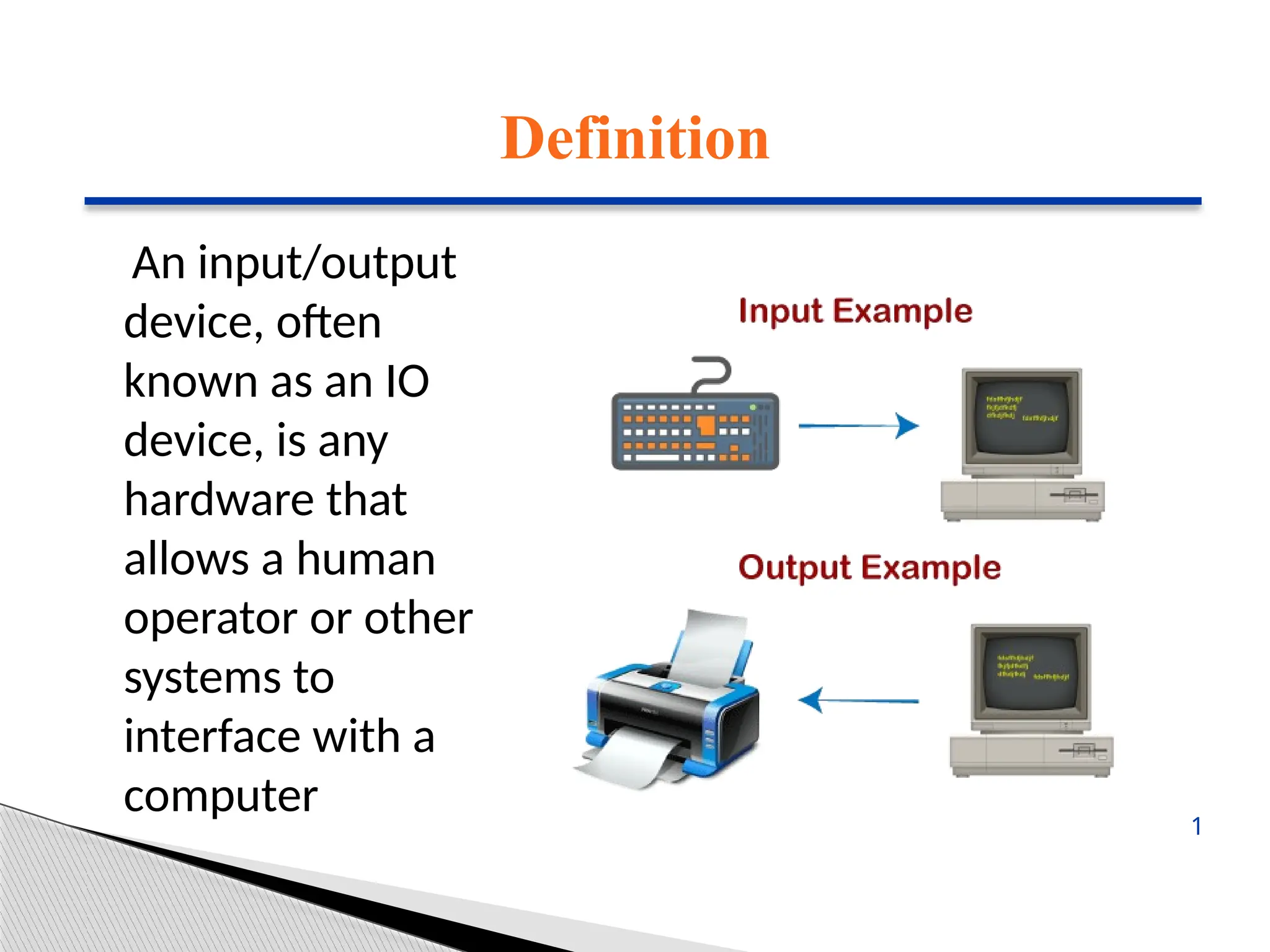
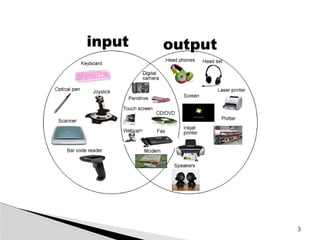
• Input/output devices,as the name implies,
are capable of delivering data (output) to
and receiving data from a computer (input).
• An input/output (I/O) device is a piece of
hardware that can take, output, or process
data. It receives data as input and provides it
to a computer, as well as sends computer
data to storage media as a storage output.
2
INPUT DEVICES
Keyboard
• Thekeyboard is the most frequent and widely used
input device for entering data into a computer.
Although there are some additional keys for
performing other operations, the keyboard layout is
similar to that of a typical typewriter.
• Generally, keyboards come in two sizes: 84 keys or
101/102 keys, but currently keyboards with 104 keys
or 108 keys are also available for Windows and the
Internet.
●●●
4
5.
INPUT DEVICES
Numeric Keys:It is used to enter numeric data or move
the cursor.
Typing Keys: The letter keys (A-Z) and number keys (09)
are among these keys.
Control Keys: These keys control the pointer and the
screen.
Special Keys: Enter, Shift, Caps Lock, NumLk, Tab, etc.,
and Print Screen
Function Keys: The 12 keys from F1 to F12 on the
topmost row of the keyboard.
●●●
5
6.
INPUT DEVICES
Mouse
• Themost common pointing device is the mouse. The
mouse is used to move a little cursor across the
screen while clicking and dragging.
• A mouse is an input device that lets you move the
mouse on a flat surface to control the coordinates
and movement of the on-screen cursor/pointer.
• The left mouse button can be used to select or move
items, while the right mouse button when clicked
displays extra menus.
●●●
6
7.
INPUT DEVICES
Joystick
• Ajoystick is a pointing device that is used to move
the cursor on a computer screen.
• A spherical ball is attached to both the bottom and
top ends of the stick. In a socket, the lower spherical
ball slides. You can move the joystick in all four
directions.
• The joystick’s function is comparable to that of a
mouse. It is primarily used in CAD (Computer-Aided
Design) and playing video games on the computer.
●●●
7
8.
INPUT DEVICES
Light Pen
•A light pen is a type of pointing device that looks like
a pen. It can be used to select a menu item or to
draw on the monitor screen. A photocell and an
optical system are enclosed in a tiny tube.
• When the tip of a light pen is moved across a
monitor screen while the pen button is pushed, the
photocell sensor element identifies the screen
location and provides a signal to the CPU.
●●●
8
9.
INPUT DEVICES
Scanner
• Ascanner is an input device that functions similarly
to a photocopier. It’s employed when there’s
information on paper that needs to be transferred to
the computer’s hard disc for subsequent
manipulation.
• Scanner collects images from the source and
converts them to a digital format that may be saved
on a disc. Before they are printed, these images can
be modified.
●●●
9
10.
INPUT DEVICES
OCR
• OCRstands for optical character recognition, and
it is a device that reads printed text.
• OCR optically scans the text, character by
character, turns it into a machine-readable code,
and saves it to the system memory.
●●●
10
11.
INPUT DEVICES
Bar CodeReader
• A bar code reader is a device that reads data that is
bar-coded (data that is represented by light and dark
lines).
• Bar-coded data is commonly used to mark things,
number books, and so on. It could be a handheld
scanner or part of a stationary scanner.
11
12.
OUTPUT DEVICES
Monitor
• Monitors,also known as Visual Display Units
(VDUs), are a computer’s primary output
device.
• It creates images by arranging small dots,
known as pixels, in a rectangular pattern. The
amount of pixels determines the image’s
sharpness.
●●●
12
13.
OUTPUT DEVICES
The twokinds of viewing screen used for monitors
are:
(1) Cathode-Ray Tube (CRT): Pixels are minuscule
visual elements that make up a CRT display. The
higher the image quality or resolution, the smaller
the pixels.
(2) Flat-Panel Display Cathode-Ray Tube Monitor:
In comparison to the CRT, a flat-panel display is a
type of video display with less volume, weight, and
power consumption.
●●●
13
14.
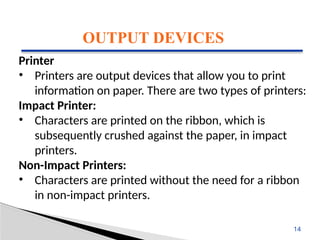
OUTPUT DEVICES
Printer
• Printersare output devices that allow you to print
information on paper. There are two types of printers:
Impact Printer:
• Characters are printed on the ribbon, which is
subsequently crushed against the paper, in impact
printers.
Non-Impact Printers:
• Characters are printed without the need for a ribbon
in non-impact printers.
14
15.
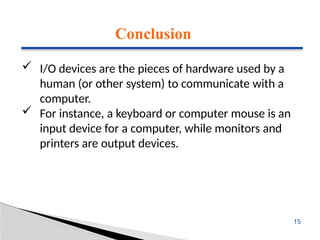
Conclusion
I/O devicesare the pieces of hardware used by a
human (or other system) to communicate with a
computer.
For instance, a keyboard or computer mouse is an
input device for a computer, while monitors and
printers are output devices.
15
Editor's Notes
#1 SAY:
Before we wrap up the course, let’s review what we have learned today.
During this course, we have
<READ the bullets from the slide.>
GO to next slide.
#2 SAY:
Before we wrap up the course, let’s review what we have learned today.
During this course, we have
<READ the bullets from the slide.>
GO to next slide.
#3 SAY:
Before we wrap up the course, let’s review what we have learned today.
During this course, we have
<READ the bullets from the slide.>
GO to next slide.
#4 SAY:
The purpose of epidemiology in public health practice is to
discover the agent, host, and environmental factors that affect health;
determine the relative importance of causes of illness, disability, and death;
identify those segments of the population that have the greatest risk from specific causes of ill health; and
evaluate the effectiveness of health programs and services in improving population health.
GO to next slide.
#5 SAY:
The purpose of epidemiology in public health practice is to
discover the agent, host, and environmental factors that affect health;
determine the relative importance of causes of illness, disability, and death;
identify those segments of the population that have the greatest risk from specific causes of ill health; and
evaluate the effectiveness of health programs and services in improving population health.
GO to next slide.
#6 SAY:
The purpose of epidemiology in public health practice is to
discover the agent, host, and environmental factors that affect health;
determine the relative importance of causes of illness, disability, and death;
identify those segments of the population that have the greatest risk from specific causes of ill health; and
evaluate the effectiveness of health programs and services in improving population health.
GO to next slide.
#7 SAY:
The purpose of epidemiology in public health practice is to
discover the agent, host, and environmental factors that affect health;
determine the relative importance of causes of illness, disability, and death;
identify those segments of the population that have the greatest risk from specific causes of ill health; and
evaluate the effectiveness of health programs and services in improving population health.
GO to next slide.
#8 SAY:
The purpose of epidemiology in public health practice is to
discover the agent, host, and environmental factors that affect health;
determine the relative importance of causes of illness, disability, and death;
identify those segments of the population that have the greatest risk from specific causes of ill health; and
evaluate the effectiveness of health programs and services in improving population health.
GO to next slide.
#9 SAY:
The purpose of epidemiology in public health practice is to
discover the agent, host, and environmental factors that affect health;
determine the relative importance of causes of illness, disability, and death;
identify those segments of the population that have the greatest risk from specific causes of ill health; and
evaluate the effectiveness of health programs and services in improving population health.
GO to next slide.
#10 SAY:
The purpose of epidemiology in public health practice is to
discover the agent, host, and environmental factors that affect health;
determine the relative importance of causes of illness, disability, and death;
identify those segments of the population that have the greatest risk from specific causes of ill health; and
evaluate the effectiveness of health programs and services in improving population health.
GO to next slide.
#11 SAY:
The purpose of epidemiology in public health practice is to
discover the agent, host, and environmental factors that affect health;
determine the relative importance of causes of illness, disability, and death;
identify those segments of the population that have the greatest risk from specific causes of ill health; and
evaluate the effectiveness of health programs and services in improving population health.
GO to next slide.
#12 SAY:
The purpose of epidemiology in public health practice is to
discover the agent, host, and environmental factors that affect health;
determine the relative importance of causes of illness, disability, and death;
identify those segments of the population that have the greatest risk from specific causes of ill health; and
evaluate the effectiveness of health programs and services in improving population health.
GO to next slide.
#13 SAY:
The purpose of epidemiology in public health practice is to
discover the agent, host, and environmental factors that affect health;
determine the relative importance of causes of illness, disability, and death;
identify those segments of the population that have the greatest risk from specific causes of ill health; and
evaluate the effectiveness of health programs and services in improving population health.
GO to next slide.
#14 SAY:
The purpose of epidemiology in public health practice is to
discover the agent, host, and environmental factors that affect health;
determine the relative importance of causes of illness, disability, and death;
identify those segments of the population that have the greatest risk from specific causes of ill health; and
evaluate the effectiveness of health programs and services in improving population health.
GO to next slide.
#15 SAY:
The purpose of epidemiology in public health practice is to
discover the agent, host, and environmental factors that affect health;
determine the relative importance of causes of illness, disability, and death;
identify those segments of the population that have the greatest risk from specific causes of ill health; and
evaluate the effectiveness of health programs and services in improving population health.
GO to next slide.