Dhaka International University
WELCOME
TO OUR PRESENTATION
DEPARTMENT OF CIVIL
BATCH : 55 (2nd)
Name Roll
Masuda Parvin 9
Md Saiful Islam 10
Abir Hossan 11
Tanvir Niloy 12
Nusrat Jahan Barsha 52
Code :0611-1101
Fundamental of Computer
Presented To : Presented by:
Md Ariful Islam
Lecturar
Department of CSE
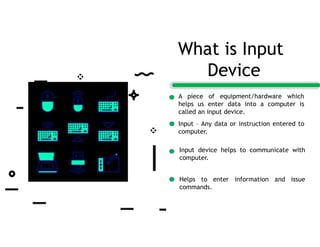
A piece of equipment/hardware which
helps us enter data into a computer is
called an input device.
Input – Any data or instruction entered to
computer.
Input device helps to communicate with
computer.
Helps to enter information and issue
commands.
What is Input
Device
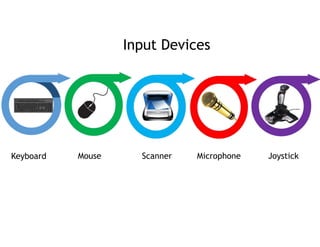
Input Devices
Keyboard Mouse Scanner Microphone Joystick
A computer keyboard is an input device that allows a person to enter letters, numbers, and
other symbols into a computer. It is one of the most used input devices for computers
Most common and widely
used
Made up of buttons called
[KEYS] .
Keys are arranged to
sections
1. Alphabet keys
2. Function keys
3. Numeric keys
4. Arrow keys
5. Command keys
Keyboard
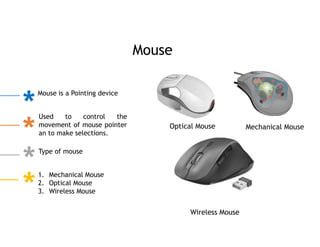
Mouse is a Pointing device
Used to control the
movement of mouse pointer
an to make selections.
Type of mouse
1. Mechanical Mouse
2. Optical Mouse
3. Wireless Mouse
Optical Mouse Mechanical Mouse
Wireless Mouse
Mouse
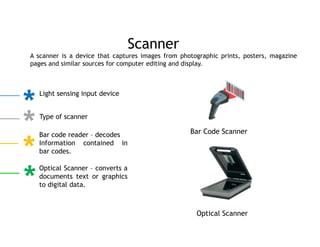
A scanner is a device that captures images from photographic prints, posters, magazine
pages and similar sources for computer editing and display.
Scanner
Light sensing input device
Type of scanner
Bar code reader – decodes
Information contained in
bar codes.
Optical Scanner – converts a
documents text or graphics
to digital data.
Bar Code Scanner
Optical Scanner
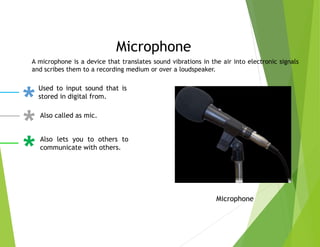
Microphone
A microphone is a device that translates sound vibrations in the air into electronic signals
and scribes them to a recording medium or over a loudspeaker.
Microphone
Used to input sound that is
stored in digital from.
Also called as mic.
Also lets you to others to
communicate with others.
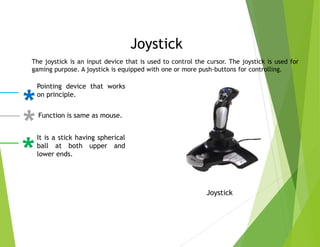
Joystick
The joystick is an input device that is used to control the cursor. The joystick is used for
gaming purpose. A joystick is equipped with one or more push-buttons for controlling.
Pointing device that works
on principle.
Function is same as mouse.
It is a stick having spherical
ball at both upper and
lower ends.
Joystick
What is Output
Device
An output device is a piece of hardware
used to receive data from the computer.
The results of data processing.
Converts the electronically generated
information tinto human readable form.
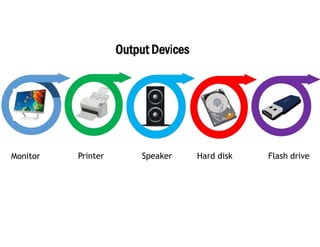
Monitor Printer Speaker Hard disk Flash drive
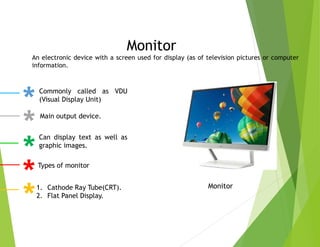
Monitor
Monitor
Commonly called as VDU
(Visual Display Unit)
Main output device.
Can display text as well as
graphic images.
Types of monitor
1. Cathode Ray Tube(CRT).
2. Flat Panel Display.
An electronic device with a screen used for display (as of television pictures or computer
information.
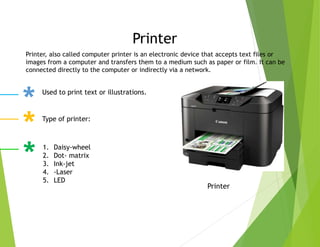
Printer
Printer
Printer, also called computer printer is an electronic device that accepts text files or
images from a computer and transfers them to a medium such as paper or film. It can be
connected directly to the computer or indirectly via a network.
Used to print text or illustrations.
Type of printer:
1. Daisy-wheel
2. Dot- matrix
3. Ink-jet
4. -Laser
5. LED
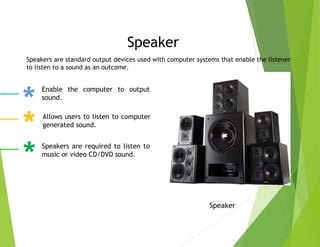
Speaker
Speaker
Speakers are standard output devices used with computer systems that enable the listener
to listen to a sound as an outcome.
Enable the computer to output
sound.
Allows users to listen to computer
generated sound.
Speakers are required to listen to
music or video CD/DVD sound.
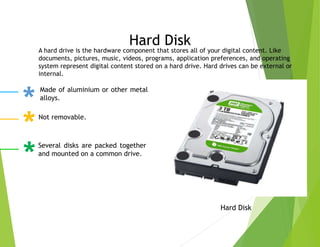
Hard Disk
Hard Disk
Made of aluminium or other metal
alloys.
Not removable.
Several disks are packed together
and mounted on a common drive.
A hard drive is the hardware component that stores all of your digital content. Like
documents, pictures, music, videos, programs, application preferences, and operating
system represent digital content stored on a hard drive. Hard drives can be external or
internal.
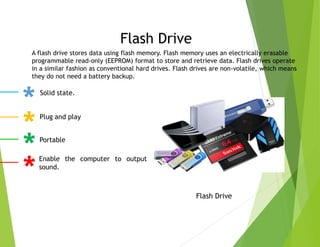
Flash Drive
Flash Drive
Solid state.
Plug and play
Portable
Enable the computer to output
sound.
A flash drive stores data using flash memory. Flash memory uses an electrically erasable
programmable read-only (EEPROM) format to store and retrieve data. Flash drives operate
in a similar fashion as conventional hard drives. Flash drives are non-volatile, which means
they do not need a battery backup.
Thank You

computer_fundamental_presentation(1).pptx

  • 1.
    Dhaka International University WELCOME TOOUR PRESENTATION DEPARTMENT OF CIVIL BATCH : 55 (2nd)
  • 2.
    Name Roll Masuda Parvin9 Md Saiful Islam 10 Abir Hossan 11 Tanvir Niloy 12 Nusrat Jahan Barsha 52 Code :0611-1101 Fundamental of Computer Presented To : Presented by: Md Ariful Islam Lecturar Department of CSE
  • 3.
    A piece ofequipment/hardware which helps us enter data into a computer is called an input device. Input – Any data or instruction entered to computer. Input device helps to communicate with computer. Helps to enter information and issue commands. What is Input Device
  • 4.
    Input Devices Keyboard MouseScanner Microphone Joystick
  • 5.
    A computer keyboardis an input device that allows a person to enter letters, numbers, and other symbols into a computer. It is one of the most used input devices for computers Most common and widely used Made up of buttons called [KEYS] . Keys are arranged to sections 1. Alphabet keys 2. Function keys 3. Numeric keys 4. Arrow keys 5. Command keys Keyboard
  • 6.
    Mouse is aPointing device Used to control the movement of mouse pointer an to make selections. Type of mouse 1. Mechanical Mouse 2. Optical Mouse 3. Wireless Mouse Optical Mouse Mechanical Mouse Wireless Mouse Mouse
  • 7.
    A scanner isa device that captures images from photographic prints, posters, magazine pages and similar sources for computer editing and display. Scanner Light sensing input device Type of scanner Bar code reader – decodes Information contained in bar codes. Optical Scanner – converts a documents text or graphics to digital data. Bar Code Scanner Optical Scanner
  • 8.
    Microphone A microphone isa device that translates sound vibrations in the air into electronic signals and scribes them to a recording medium or over a loudspeaker. Microphone Used to input sound that is stored in digital from. Also called as mic. Also lets you to others to communicate with others.
  • 9.
    Joystick The joystick isan input device that is used to control the cursor. The joystick is used for gaming purpose. A joystick is equipped with one or more push-buttons for controlling. Pointing device that works on principle. Function is same as mouse. It is a stick having spherical ball at both upper and lower ends. Joystick
  • 10.
    What is Output Device Anoutput device is a piece of hardware used to receive data from the computer. The results of data processing. Converts the electronically generated information tinto human readable form.
  • 11.
    Monitor Printer SpeakerHard disk Flash drive
  • 12.
    Monitor Monitor Commonly called asVDU (Visual Display Unit) Main output device. Can display text as well as graphic images. Types of monitor 1. Cathode Ray Tube(CRT). 2. Flat Panel Display. An electronic device with a screen used for display (as of television pictures or computer information.
  • 13.
    Printer Printer Printer, also calledcomputer printer is an electronic device that accepts text files or images from a computer and transfers them to a medium such as paper or film. It can be connected directly to the computer or indirectly via a network. Used to print text or illustrations. Type of printer: 1. Daisy-wheel 2. Dot- matrix 3. Ink-jet 4. -Laser 5. LED
  • 14.
    Speaker Speaker Speakers are standardoutput devices used with computer systems that enable the listener to listen to a sound as an outcome. Enable the computer to output sound. Allows users to listen to computer generated sound. Speakers are required to listen to music or video CD/DVD sound.
  • 15.
    Hard Disk Hard Disk Madeof aluminium or other metal alloys. Not removable. Several disks are packed together and mounted on a common drive. A hard drive is the hardware component that stores all of your digital content. Like documents, pictures, music, videos, programs, application preferences, and operating system represent digital content stored on a hard drive. Hard drives can be external or internal.
  • 16.
    Flash Drive Flash Drive Solidstate. Plug and play Portable Enable the computer to output sound. A flash drive stores data using flash memory. Flash memory uses an electrically erasable programmable read-only (EEPROM) format to store and retrieve data. Flash drives operate in a similar fashion as conventional hard drives. Flash drives are non-volatile, which means they do not need a battery backup.
  • 17.