Import web data
Using readLines(), read.csv(), xml(), jsonlite(),
readHTMLtable() and more.
Rupak Roy
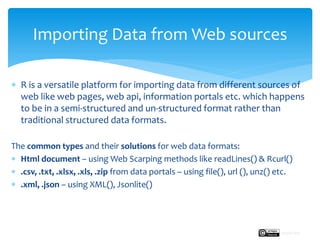
 R is a versatile platform for importing data from different sources of
web like web pages, web api, information portals etc. which happens
to be in a semi-structured and un-structured format rather than
traditional structured data formats.
The common types and their solutions for web data formats:
 Html document – using Web Scarping methods like readLines() & Rcurl()
 .csv, .txt, .xlsx, .xls, .zip from data portals – using file(), url (), unz() etc.
 .xml, .json – using XML(), Jsonlite()
Importing Data from Web sources
Rupak Roy
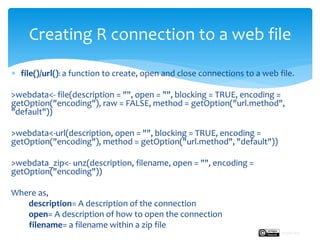
 file()/url(): a function to create, open and close connections to a web file.
>webdata<- file(description = "", open = "", blocking = TRUE, encoding =
getOption("encoding"), raw = FALSE, method = getOption("url.method",
"default"))
>webdata<-url(description, open = "", blocking = TRUE, encoding =
getOption("encoding"), method = getOption("url.method", "default"))
>webdata_zip<- unz(description, filename, open = "", encoding =
getOption("encoding"))
Where as,
description= A description of the connection
open= A description of how to open the connection
filename= a filename within a zip file
Creating R connection to a web file
Rupak Roy
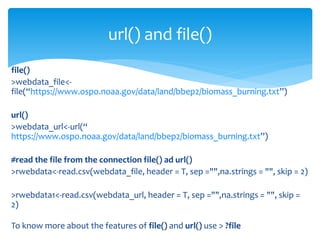
file()
>webdata_file<-
file(“https://www.ospo.noaa.gov/data/land/bbep2/biomass_burning.txt”)
url()
>webdata_url<-url(“
https://www.ospo.noaa.gov/data/land/bbep2/biomass_burning.txt”)
#read the file from the connection file() ad url()
>rwebdata<-read.csv(webdata_file, header = T, sep ="",na.strings = "", skip = 2)
>rwebdata1<-read.csv(webdata_url, header = T, sep ="",na.strings = "", skip =
2)
To know more about the features of file() and url() use > ?file
url() and file()
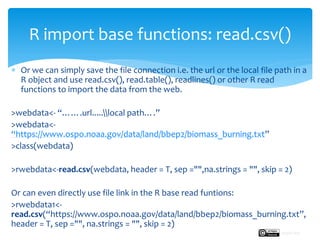
 Or we can simply save the file connection i.e. the url or the local file path in a
R object and use read.csv(), read.table(), readlines() or other R read
functions to import the data from the web.
>webdata<- “…….url.....local path….”
>webdata<-
“https://www.ospo.noaa.gov/data/land/bbep2/biomass_burning.txt”
>class(webdata)
>rwebdata<-read.csv(webdata, header = T, sep ="",na.strings = "", skip = 2)
Or can even directly use file link in the R base read funtions:
>rwebdata1<-
read.csv(“https://www.ospo.noaa.gov/data/land/bbep2/biomass_burning.txt”,
header = T, sep ="", na.strings = "", skip = 2)
R import base functions: read.csv()
Rupak Roy
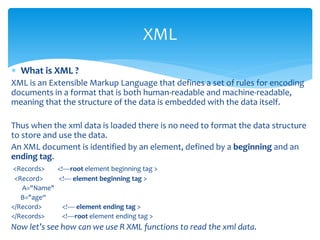
 What is XML ?
XML is an Extensible Markup Language that defines a set of rules for encoding
documents in a format that is both human-readable and machine-readable,
meaning that the structure of the data is embedded with the data itself.
Thus when the xml data is loaded there is no need to format the data structure
to store and use the data.
An XML document is identified by an element, defined by a beginning and an
ending tag.
<Records> <!----root element beginning tag >
<Record> <!---- element beginning tag >
A="Name"
B="age“
</Record> <!---- element ending tag >
</Records> <!----root element ending tag >
Now let’s see how can we use R XML functions to read the xml data.
XML
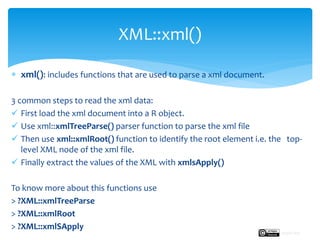
 xml(): includes functions that are used to parse a xml document.
3 common steps to read the xml data:
 First load the xml document into a R object.
 Use xml::xmlTreeParse() parser function to parse the xml file
 Then use xml::xmlRoot() function to identify the root element i.e. the top-
level XML node of the xml file.
 Finally extract the values of the XML with xmlsApply()
To know more about this functions use
> ?XML::xmlTreeParse
> ?XML::xmlRoot
> ?XML::xmlSApply
XML::xml()
Rupak Roy
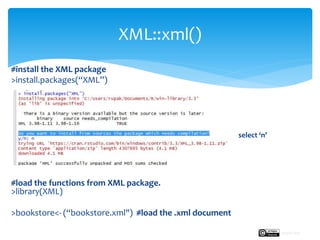
#install the XML package
>install.packages(“XML”)
select ‘n’
#load the functions from XML package.
>library(XML)
>bookstore<- (“bookstore.xml") #load the .xml document
XML::xml()
Rupak Roy
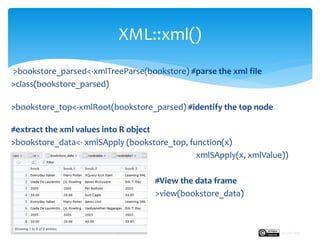
>bookstore_parsed<-xmlTreeParse(bookstore) #parse the xml file
>class(bookstore_parsed)
>bookstore_top<-xmlRoot(bookstore_parsed) #identify the top node
#extract the xml values into R object
>bookstore_data<- xmlSApply (bookstore_top, function(x)
xmlSApply(x, xmlValue))
#View the data frame
>view(bookstore_data)
XML::xml()
Rupak Roy
 What is a JSON file?
JavaScript Object Notation in short JSON stores data structures and objects in
a format originally based on a subset of JavaScript.
It is primarily used for transmitting data between web application and a server.
It becoming popular as an alternative to xml.
JSON .json file format example:
[
{
"@category": "cooking",
"title": {
"@lang": "en",
"#text": "Everyday Italian"
},
"author": "Giada De Laurentiis",
"year": "2005",
"price": "30.00"
},
{
.json
Rupak Roy
 Now to handle the json file format one can leverage the simple yet rich
features of jsonlite package for R
 jsonlite(): Converts R objects to/from JSON using fromJSON()/toJSON().
1. fromJSON(txt, simplifyVector = TRUE, simplifyDataFrame = simplifyVector,
simplifyMatrix = simplifyVector, flatten = FALSE, ...)
2. toJSON(x, dataframe = c("rows", "columns", "values"), matrix =
c("rowmajor", "columnmajor"), Date = c("ISO8601", "epoch"), POSIXt =
c("string", "ISO8601", "epoch", "mongo"), factor = c("string", "integer"),
raw = c("base64", "hex", "mongo"), null = c("list", "null"), na = c("null",
"string"), ...)
 To know more about other functions of jsonlite() using ?jsonlite::
jsonlite()
#install the jsonlite package
>install.packages(“jsonlite”)
#load the functions from jsonlite package.
>library(jsonlite)
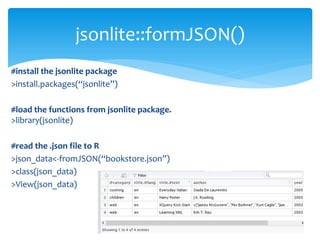
#read the .json file to R
>json_data<-fromJSON(“bookstore.json”)
>class(json_data)
>View(json_data)
jsonlite::formJSON()
To understand the Web API, first let’s understand what is an Application
Programming Interface, API in short.
API is a interface of an application, data or other services that allows
programmers to access without being explicitly visiting the application.
So a Web API is an API over the web which can be accessed using web
protocols like http.
For example twitter’s API that provides programmatic access to read and write
data using which we can integrate twitter’s capabilities into our own
application.
Now the tools for accessing Web API’s from R:
acs, RGoogleAnalytics, aws.s3 etc. for a vendor specific service.
httr() for making request
jsonlie, xml2 for parsing the response
Web API
Rupak Roy
 Steps involved for applying Web API in R:
Follow the vendor based API documentation
Requires a developer account for API authentication.
Insert the API authentication credentials and the API key into R
Web API’s packages and start receiving the data.
However there is an another easy way of gathering web data is
through Web Scraping.
So let’s see what is Web Scraping.
Web API
Rupak Roy
 Web Scraping: We often do come across tables on a website in
a HTML format and the method of extracting that data is often
term as Web Scraping. It also popularly known as Screen
Scraping, Web Harvesting, Web Data Extraction.
Common methods used for web scarping in R –
readLines(), xml(), RCurl(), rvest()
?XML: we have already discussed xml package facilitates working
with xml data. Let’s perform an example on this.
readLines(), XML(), Rcurl()
Rupak Roy
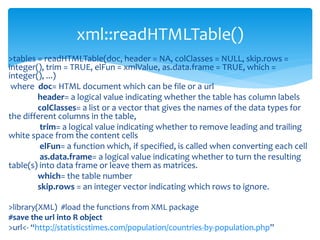
>tables = readHTMLTable(doc, header = NA, colClasses = NULL, skip.rows =
integer(), trim = TRUE, elFun = xmlValue, as.data.frame = TRUE, which =
integer(), ...)
where doc= HTML document which can be file or a url
header= a logical value indicating whether the table has column labels
colClasses= a list or a vector that gives the names of the data types for
the different columns in the table,
trim= a logical value indicating whether to remove leading and trailing
white space from the content cells
elFun= a function which, if specified, is called when converting each cell
as.data.frame= a logical value indicating whether to turn the resulting
table(s) into data frame or leave them as matrices.
which= the table number
skip.rows = an integer vector indicating which rows to ignore.
>library(XML) #load the functions from XML package
#save the url into R object
>url<- “http://statisticstimes.com/population/countries-by-population.php”
xml::readHTMLTable()
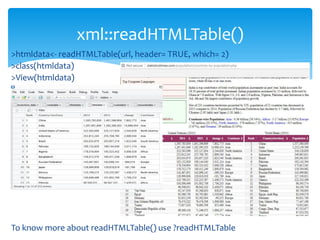
>htmldata<- readHTMLTable(url, header= TRUE, which= 2)
>class(htmldata)
>View(htmldata)
To know more about readHTMLTable() use ?readHTMLTable
xml::readHTMLTable()
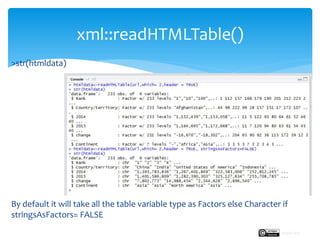
>str(htmldata)
By default it will take all the table variable type as Factors else Character if
stringsAsFactors= FALSE
xml::readHTMLTable()
Rupak Roy
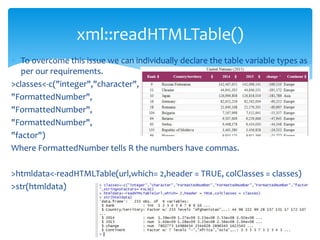
 To overcome this issue we can individually declare the table variable types as
per our requirements.
>classes<-c("integer","character",
"FormattedNumber",
"FormattedNumber",
"FormattedNumber",
"factor")
Where FormattedNumber tells R the numbers have commas.
>htmldata<-readHTMLTable(url,which= 2,header = TRUE, colClasses = classes)
>str(htmldata)
xml::readHTMLTable()
 For basic web scraping tasks the readLines() and the read.csv functions are
usually sufficient. However this functions allow simple access to webpage
source data on a non-secure servers i.e. http.
 For example: web_page <- read.csv("http://www.vulture.com/2018/09/the-best-movies-
of-2018.html")
#grab the required line starting with <em> tag using grep()
>movie_lines <- web_page[grep("<em>", web_page$children)]
#now delete unwanted characters i.e. <em> tag in the lines
>movies2018 <- gsub("<em>", "", author_lines, fixed = TRUE)
#view the best 2018 movie list
>View(movies2018)
readLines() and read.csv()
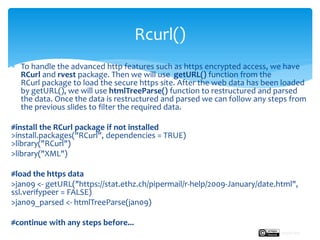
 To handle the advanced http features such as https encrypted access, we have
RCurl and rvest package. Then we will use getURL() function from the
RCurl package to load the secure https site. After the web data has been loaded
by getURL(), we will use htmlTreeParse() function to restructured and parsed
the data. Once the data is restructured and parsed we can follow any steps from
the previous slides to filter the required data.
#install the RCurl package if not installed
>install.packages("RCurl", dependencies = TRUE)
>library("RCurl")
>library("XML")
#load the https data
>jan09 <- getURL("https://stat.ethz.ch/pipermail/r-help/2009-January/date.html",
ssl.verifypeer = FALSE)
>jan09_parsed <- htmlTreeParse(jan09)
#continue with any steps before...
Rcurl()
Rupak Roy
Next:
We will learn how to manipulate data using R base
functions.
Import web data
Rupak Roy

Import web resources using R Studio

  • 1.
    Import web data UsingreadLines(), read.csv(), xml(), jsonlite(), readHTMLtable() and more. Rupak Roy
  • 2.
     R isa versatile platform for importing data from different sources of web like web pages, web api, information portals etc. which happens to be in a semi-structured and un-structured format rather than traditional structured data formats. The common types and their solutions for web data formats:  Html document – using Web Scarping methods like readLines() & Rcurl()  .csv, .txt, .xlsx, .xls, .zip from data portals – using file(), url (), unz() etc.  .xml, .json – using XML(), Jsonlite() Importing Data from Web sources Rupak Roy
  • 3.
     file()/url(): afunction to create, open and close connections to a web file. >webdata<- file(description = "", open = "", blocking = TRUE, encoding = getOption("encoding"), raw = FALSE, method = getOption("url.method", "default")) >webdata<-url(description, open = "", blocking = TRUE, encoding = getOption("encoding"), method = getOption("url.method", "default")) >webdata_zip<- unz(description, filename, open = "", encoding = getOption("encoding")) Where as, description= A description of the connection open= A description of how to open the connection filename= a filename within a zip file Creating R connection to a web file Rupak Roy
  • 4.
    file() >webdata_file<- file(“https://www.ospo.noaa.gov/data/land/bbep2/biomass_burning.txt”) url() >webdata_url<-url(“ https://www.ospo.noaa.gov/data/land/bbep2/biomass_burning.txt”) #read the filefrom the connection file() ad url() >rwebdata<-read.csv(webdata_file, header = T, sep ="",na.strings = "", skip = 2) >rwebdata1<-read.csv(webdata_url, header = T, sep ="",na.strings = "", skip = 2) To know more about the features of file() and url() use > ?file url() and file()
  • 5.
     Or wecan simply save the file connection i.e. the url or the local file path in a R object and use read.csv(), read.table(), readlines() or other R read functions to import the data from the web. >webdata<- “…….url.....local path….” >webdata<- “https://www.ospo.noaa.gov/data/land/bbep2/biomass_burning.txt” >class(webdata) >rwebdata<-read.csv(webdata, header = T, sep ="",na.strings = "", skip = 2) Or can even directly use file link in the R base read funtions: >rwebdata1<- read.csv(“https://www.ospo.noaa.gov/data/land/bbep2/biomass_burning.txt”, header = T, sep ="", na.strings = "", skip = 2) R import base functions: read.csv() Rupak Roy
  • 6.
     What isXML ? XML is an Extensible Markup Language that defines a set of rules for encoding documents in a format that is both human-readable and machine-readable, meaning that the structure of the data is embedded with the data itself. Thus when the xml data is loaded there is no need to format the data structure to store and use the data. An XML document is identified by an element, defined by a beginning and an ending tag. <Records> <!----root element beginning tag > <Record> <!---- element beginning tag > A="Name" B="age“ </Record> <!---- element ending tag > </Records> <!----root element ending tag > Now let’s see how can we use R XML functions to read the xml data. XML
  • 7.
     xml(): includesfunctions that are used to parse a xml document. 3 common steps to read the xml data:  First load the xml document into a R object.  Use xml::xmlTreeParse() parser function to parse the xml file  Then use xml::xmlRoot() function to identify the root element i.e. the top- level XML node of the xml file.  Finally extract the values of the XML with xmlsApply() To know more about this functions use > ?XML::xmlTreeParse > ?XML::xmlRoot > ?XML::xmlSApply XML::xml() Rupak Roy
  • 8.
    #install the XMLpackage >install.packages(“XML”) select ‘n’ #load the functions from XML package. >library(XML) >bookstore<- (“bookstore.xml") #load the .xml document XML::xml() Rupak Roy
  • 9.
    >bookstore_parsed<-xmlTreeParse(bookstore) #parse thexml file >class(bookstore_parsed) >bookstore_top<-xmlRoot(bookstore_parsed) #identify the top node #extract the xml values into R object >bookstore_data<- xmlSApply (bookstore_top, function(x) xmlSApply(x, xmlValue)) #View the data frame >view(bookstore_data) XML::xml() Rupak Roy
  • 10.
     What isa JSON file? JavaScript Object Notation in short JSON stores data structures and objects in a format originally based on a subset of JavaScript. It is primarily used for transmitting data between web application and a server. It becoming popular as an alternative to xml. JSON .json file format example: [ { "@category": "cooking", "title": { "@lang": "en", "#text": "Everyday Italian" }, "author": "Giada De Laurentiis", "year": "2005", "price": "30.00" }, { .json Rupak Roy
  • 11.
     Now tohandle the json file format one can leverage the simple yet rich features of jsonlite package for R  jsonlite(): Converts R objects to/from JSON using fromJSON()/toJSON(). 1. fromJSON(txt, simplifyVector = TRUE, simplifyDataFrame = simplifyVector, simplifyMatrix = simplifyVector, flatten = FALSE, ...) 2. toJSON(x, dataframe = c("rows", "columns", "values"), matrix = c("rowmajor", "columnmajor"), Date = c("ISO8601", "epoch"), POSIXt = c("string", "ISO8601", "epoch", "mongo"), factor = c("string", "integer"), raw = c("base64", "hex", "mongo"), null = c("list", "null"), na = c("null", "string"), ...)  To know more about other functions of jsonlite() using ?jsonlite:: jsonlite()
  • 12.
    #install the jsonlitepackage >install.packages(“jsonlite”) #load the functions from jsonlite package. >library(jsonlite) #read the .json file to R >json_data<-fromJSON(“bookstore.json”) >class(json_data) >View(json_data) jsonlite::formJSON()
  • 13.
    To understand theWeb API, first let’s understand what is an Application Programming Interface, API in short. API is a interface of an application, data or other services that allows programmers to access without being explicitly visiting the application. So a Web API is an API over the web which can be accessed using web protocols like http. For example twitter’s API that provides programmatic access to read and write data using which we can integrate twitter’s capabilities into our own application. Now the tools for accessing Web API’s from R: acs, RGoogleAnalytics, aws.s3 etc. for a vendor specific service. httr() for making request jsonlie, xml2 for parsing the response Web API Rupak Roy
  • 14.
     Steps involvedfor applying Web API in R: Follow the vendor based API documentation Requires a developer account for API authentication. Insert the API authentication credentials and the API key into R Web API’s packages and start receiving the data. However there is an another easy way of gathering web data is through Web Scraping. So let’s see what is Web Scraping. Web API Rupak Roy
  • 15.
     Web Scraping:We often do come across tables on a website in a HTML format and the method of extracting that data is often term as Web Scraping. It also popularly known as Screen Scraping, Web Harvesting, Web Data Extraction. Common methods used for web scarping in R – readLines(), xml(), RCurl(), rvest() ?XML: we have already discussed xml package facilitates working with xml data. Let’s perform an example on this. readLines(), XML(), Rcurl() Rupak Roy
  • 16.
    >tables = readHTMLTable(doc,header = NA, colClasses = NULL, skip.rows = integer(), trim = TRUE, elFun = xmlValue, as.data.frame = TRUE, which = integer(), ...) where doc= HTML document which can be file or a url header= a logical value indicating whether the table has column labels colClasses= a list or a vector that gives the names of the data types for the different columns in the table, trim= a logical value indicating whether to remove leading and trailing white space from the content cells elFun= a function which, if specified, is called when converting each cell as.data.frame= a logical value indicating whether to turn the resulting table(s) into data frame or leave them as matrices. which= the table number skip.rows = an integer vector indicating which rows to ignore. >library(XML) #load the functions from XML package #save the url into R object >url<- “http://statisticstimes.com/population/countries-by-population.php” xml::readHTMLTable()
  • 17.
    >htmldata<- readHTMLTable(url, header=TRUE, which= 2) >class(htmldata) >View(htmldata) To know more about readHTMLTable() use ?readHTMLTable xml::readHTMLTable()
  • 18.
    >str(htmldata) By default itwill take all the table variable type as Factors else Character if stringsAsFactors= FALSE xml::readHTMLTable() Rupak Roy
  • 19.
     To overcomethis issue we can individually declare the table variable types as per our requirements. >classes<-c("integer","character", "FormattedNumber", "FormattedNumber", "FormattedNumber", "factor") Where FormattedNumber tells R the numbers have commas. >htmldata<-readHTMLTable(url,which= 2,header = TRUE, colClasses = classes) >str(htmldata) xml::readHTMLTable()
  • 20.
     For basicweb scraping tasks the readLines() and the read.csv functions are usually sufficient. However this functions allow simple access to webpage source data on a non-secure servers i.e. http.  For example: web_page <- read.csv("http://www.vulture.com/2018/09/the-best-movies- of-2018.html") #grab the required line starting with <em> tag using grep() >movie_lines <- web_page[grep("<em>", web_page$children)] #now delete unwanted characters i.e. <em> tag in the lines >movies2018 <- gsub("<em>", "", author_lines, fixed = TRUE) #view the best 2018 movie list >View(movies2018) readLines() and read.csv()
  • 21.
     To handlethe advanced http features such as https encrypted access, we have RCurl and rvest package. Then we will use getURL() function from the RCurl package to load the secure https site. After the web data has been loaded by getURL(), we will use htmlTreeParse() function to restructured and parsed the data. Once the data is restructured and parsed we can follow any steps from the previous slides to filter the required data. #install the RCurl package if not installed >install.packages("RCurl", dependencies = TRUE) >library("RCurl") >library("XML") #load the https data >jan09 <- getURL("https://stat.ethz.ch/pipermail/r-help/2009-January/date.html", ssl.verifypeer = FALSE) >jan09_parsed <- htmlTreeParse(jan09) #continue with any steps before... Rcurl() Rupak Roy
  • 22.
    Next: We will learnhow to manipulate data using R base functions. Import web data Rupak Roy