Network
Analysis
Using 3D Interactive Plots
Network analysis
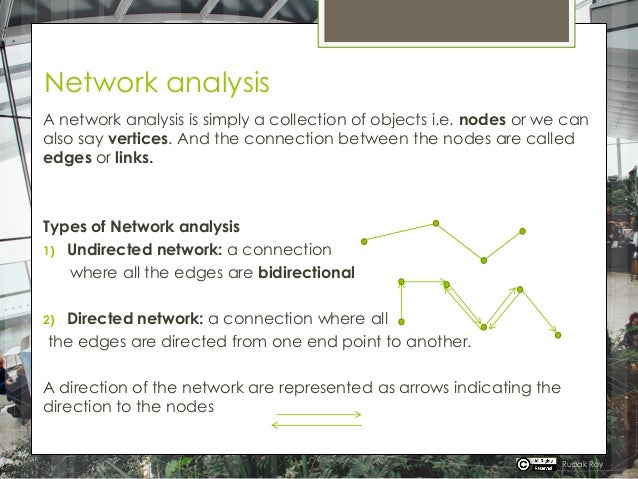
A network analysis is simply a collection of objects i.e. nodes or we can
also say vertices. And the connection between the nodes are called
edges or links.
Types of Network analysis
1) Undirected network: a connection
where all the edges are bidirectional
2) Directed network: a connection where all
the edges are directed from one end point to another.
A direction of the network are represented as arrows indicating the
direction to the nodes
Rupak Roy
Network analysis
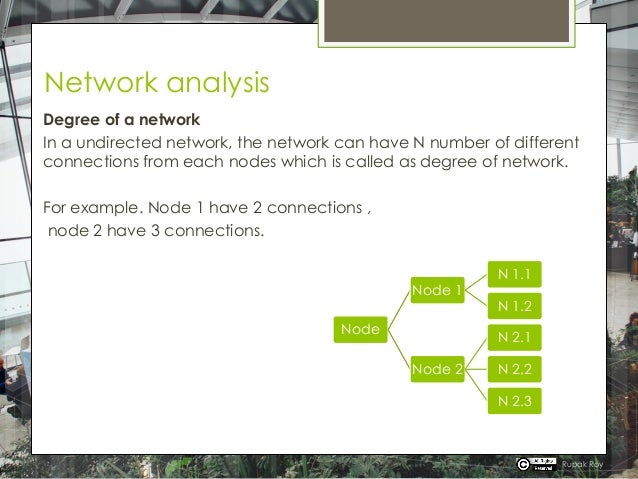
Degree of a network
In a undirected network, the network can have N number of different
connections from each nodes which is called as degree of network.
For example. Node 1 have 2 connections ,
node 2 have 3 connections.
Rupak Roy
Node
Node 1
N 1.1
N 1.2
Node 2
N 2.1
N 2.2
N 2.3
Network analysis
#Network analysis now will help us to understand how many
connections a specific word has with other words.
#The keywords will be the “node”s in the network, and the
#Connections are will be called as edges
#read the data
reviews<-read.csv(file.choose(),stringsAsFactors=FALSE,nrows = 500)
View(reviews)
names(reviews)
reviews1<-data.frame(reviews$reviews.text)
names(reviews1)
dim(reviews1)
names(reviews1)[1]<-"reviews"
Rupak Roy
Network analysis
#Build a Text Corpus
library(tm)
review.corpus<-Corpus(VectorSource(reviews1$reviews))
summary(review.corpus)
inspect(review.corpus[1:5]) #Inspecting elements in Corpus
#Data Transformations -Cleaning
#Converting to lower case
review.corpus<-tm_map(review.corpus,tolower)
#Removing extra white space
review.corpus<-tm_map(review.corpus,stripWhitespace)
#Removing punctuations
review.corpus<-tm_map(review.corpus,removePunctuation)
#Removing numbers
review.corpus<-tm_map(review.corpus,removeNumbers)
#Can add more words apart from standard list
my_stopwords<-c(stopwords('english'),'@','http*','url','www*')
review.corpus<-tm_map(review.corpus,removeWords,my_stopwords)
Rupak Roy
Network analysis
library(igraph)
# Convert to tdm
reviews.tdm <-
TermDocumentMatrix(tweets.corpus,control=list(wordLengths=c(1, Inf)))
#Remove sparse terms
reviews.tdm.rm <- removeSparseTerms(reviews.tdm, sparse=0.95)
inspect(obama.tdm.rm[1:10,1:10])
#Transform the tdm to a matrix format.
reviews.m <- as.matrix(reviews.tdm.rm)
#convert the matrix values to 2 level factor 1/0(i.e. 'Yes' or 'No')
indicating 1 for existng values other than zero
reviews.m[reviews.m>=1] <- 1
Rupak Roy
Network analysis
#Build Term Adjacency matrix which will show us how many
connections each TERM has.
#This is done by using the product of 2 matrices and the output will be
the number of times each term appears together in a document
reviews.m2 <- reviews.m %*% t(reviews.m)
reviews.m2[1:10,1:10]
#We can see the times each term/word occurred with other words.
Rupak Roy
Network analysis
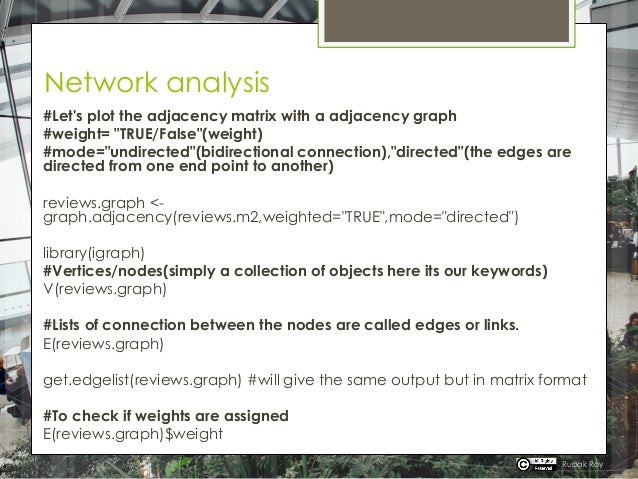
#Let's plot the adjacency matrix with a adjacency graph
#weight= "TRUE/False"(weight)
#mode="undirected"(bidirectional connection),"directed"(the edges are
directed from one end point to another)
reviews.graph <-
graph.adjacency(reviews.m2,weighted="TRUE",mode="directed")
library(igraph)
#Vertices/nodes(simply a collection of objects here its our keywords)
V(reviews.graph)
#Lists of connection between the nodes are called edges or links.
E(reviews.graph)
get.edgelist(reviews.graph) #will give the same output but in matrix format
#To check if weights are assigned
E(reviews.graph)$weight
Rupak Roy
Network analysis
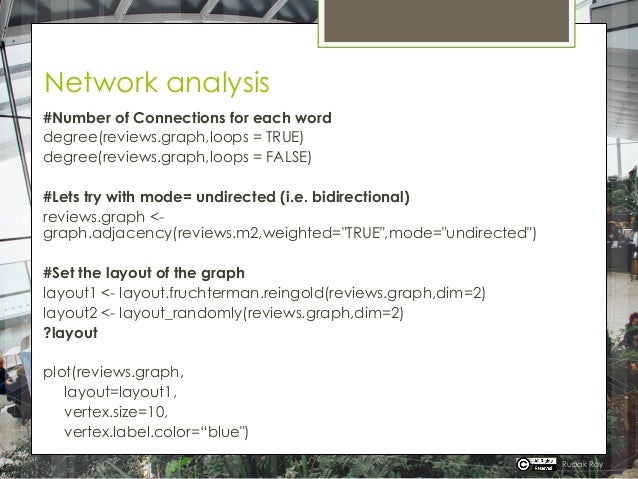
#Number of Connections for each word
degree(reviews.graph,loops = TRUE)
degree(reviews.graph,loops = FALSE)
#Lets try with mode= undirected (i.e. bidirectional)
reviews.graph <-
graph.adjacency(reviews.m2,weighted="TRUE",mode="undirected")
#Set the layout of the graph
layout1 <- layout.fruchterman.reingold(reviews.graph,dim=2)
layout2 <- layout_randomly(reviews.graph,dim=2)
?layout
plot(reviews.graph,
layout=layout1,
vertex.size=10,
vertex.label.color=“blue")
Rupak Roy
Network analysis
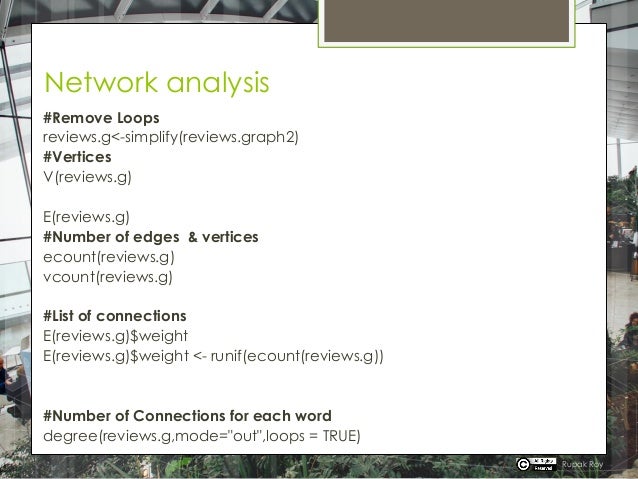
#Remove Loops
reviews.g<-simplify(reviews.graph2)
#Vertices
V(reviews.g)
E(reviews.g)
#Number of edges & vertices
ecount(reviews.g)
vcount(reviews.g)
#List of connections
E(reviews.g)$weight
E(reviews.g)$weight <- runif(ecount(reviews.g))
#Number of Connections for each word
degree(reviews.g,mode="out",loops = TRUE)
Rupak Roy
Network analysis
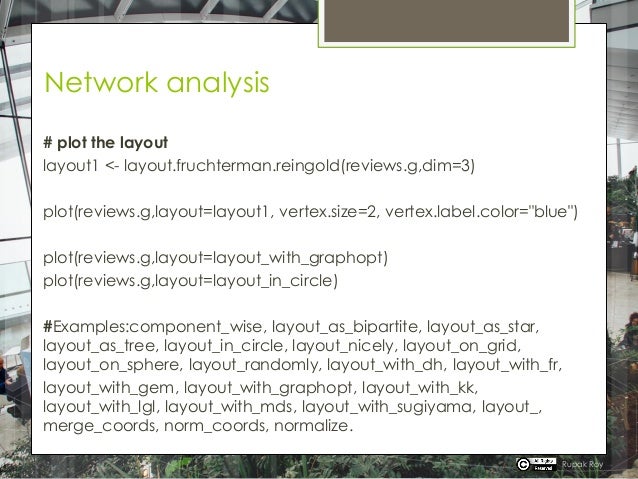
# plot the layout
layout1 <- layout.fruchterman.reingold(reviews.g,dim=3)
plot(reviews.g,layout=layout1, vertex.size=2, vertex.label.color="blue")
plot(reviews.g,layout=layout_with_graphopt)
plot(reviews.g,layout=layout_in_circle)
#Examples:component_wise, layout_as_bipartite, layout_as_star,
layout_as_tree, layout_in_circle, layout_nicely, layout_on_grid,
layout_on_sphere, layout_randomly, layout_with_dh, layout_with_fr,
layout_with_gem, layout_with_graphopt, layout_with_kk,
layout_with_lgl, layout_with_mds, layout_with_sugiyama, layout_,
merge_coords, norm_coords, normalize.
Rupak Roy
Network analysis
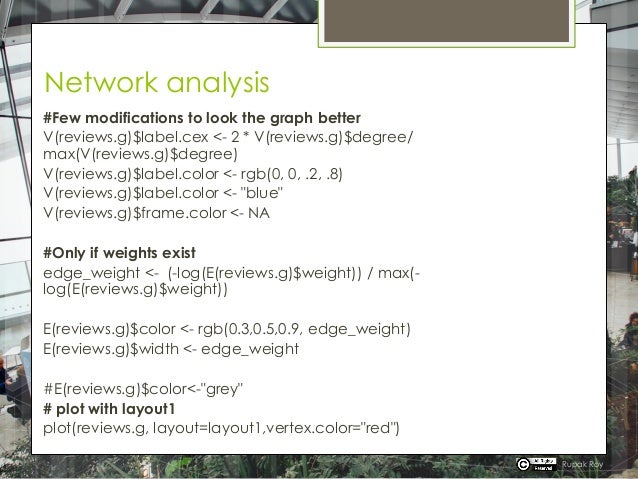
#Few modifications to look the graph better
V(reviews.g)$label.cex <- 2 * V(reviews.g)$degree/
max(V(reviews.g)$degree)
V(reviews.g)$label.color <- rgb(0, 0, .2, .8)
V(reviews.g)$label.color <- "blue"
V(reviews.g)$frame.color <- NA
#Only if weights exist
edge_weight <- (-log(E(reviews.g)$weight)) / max(-
log(E(reviews.g)$weight))
E(reviews.g)$color <- rgb(0.3,0.5,0.9, edge_weight)
E(reviews.g)$width <- edge_weight
#E(reviews.g)$color<-"grey"
# plot with layout1
plot(reviews.g, layout=layout1,vertex.color="red")
Rupak Roy
Network analysis
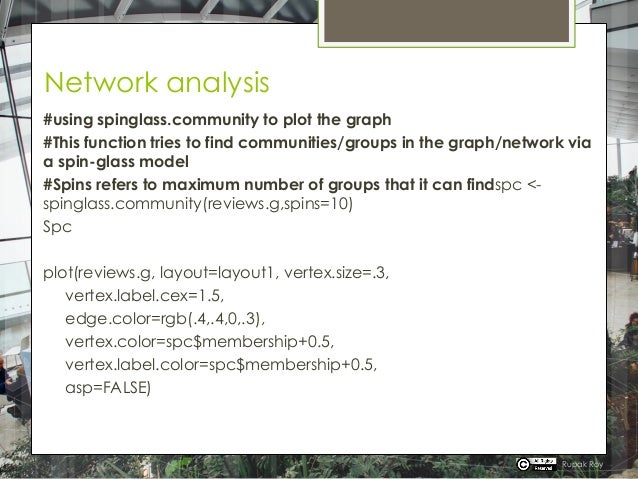
#using spinglass.community to plot the graph
#This function tries to find communities/groups in the graph/network via
a spin-glass model
#Spins refers to maximum number of groups that it can findspc <-
spinglass.community(reviews.g,spins=10)
Spc
plot(reviews.g, layout=layout1, vertex.size=.3,
vertex.label.cex=1.5,
edge.color=rgb(.4,.4,0,.3),
vertex.color=spc$membership+0.5,
vertex.label.color=spc$membership+0.5,
asp=FALSE)
Rupak Roy
Network analysis
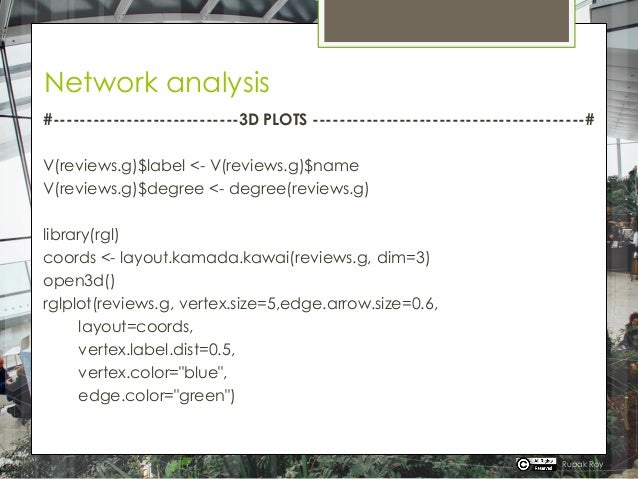
#----------------------------3D PLOTS -----------------------------------------#
V(reviews.g)$label <- V(reviews.g)$name
V(reviews.g)$degree <- degree(reviews.g)
library(rgl)
coords <- layout.kamada.kawai(reviews.g, dim=3)
open3d()
rglplot(reviews.g, vertex.size=5,edge.arrow.size=0.6,
layout=coords,
vertex.label.dist=0.5,
vertex.color="blue",
edge.color="green")
Rupak Roy
Network analysis
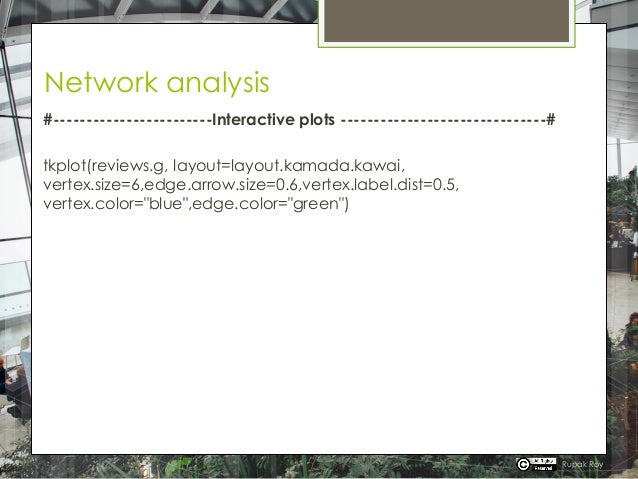
#------------------------Interactive plots -------------------------------#
tkplot(reviews.g, layout=layout.kamada.kawai,
vertex.size=6,edge.arrow.size=0.6,vertex.label.dist=0.5,
vertex.color="blue",edge.color="green")
Rupak Roy
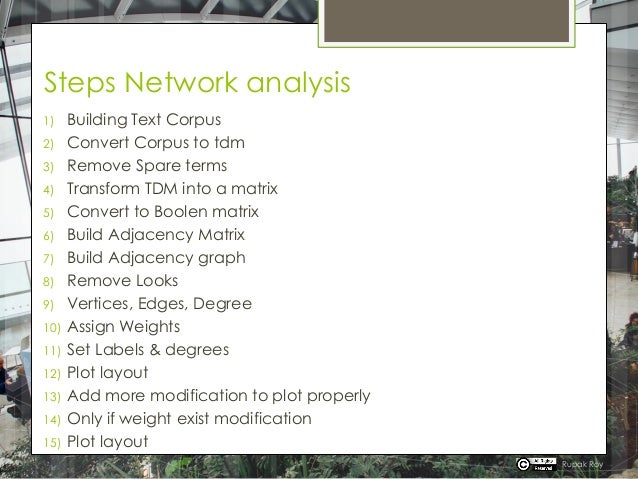
Steps Network analysis
1) Building Text Corpus
2) Convert Corpus to tdm
3) Remove Spare terms
4) Transform TDM into a matrix
5) Convert to Boolen matrix
6) Build Adjacency Matrix
7) Build Adjacency graph
8) Remove Looks
9) Vertices, Edges, Degree
10) Assign Weights
11) Set Labels & degrees
12) Plot layout
13) Add more modification to plot properly
14) Only if weight exist modification
15) Plot layout
Rupak Roy

Network Analysis - NLP

  • 1.
  • 2.
    Network analysis A networkanalysis is simply a collection of objects i.e. nodes or we can also say vertices. And the connection between the nodes are called edges or links. Types of Network analysis 1) Undirected network: a connection where all the edges are bidirectional 2) Directed network: a connection where all the edges are directed from one end point to another. A direction of the network are represented as arrows indicating the direction to the nodes Rupak Roy
  • 3.
    Network analysis Degree ofa network In a undirected network, the network can have N number of different connections from each nodes which is called as degree of network. For example. Node 1 have 2 connections , node 2 have 3 connections. Rupak Roy Node Node 1 N 1.1 N 1.2 Node 2 N 2.1 N 2.2 N 2.3
  • 4.
    Network analysis #Network analysisnow will help us to understand how many connections a specific word has with other words. #The keywords will be the “node”s in the network, and the #Connections are will be called as edges #read the data reviews<-read.csv(file.choose(),stringsAsFactors=FALSE,nrows = 500) View(reviews) names(reviews) reviews1<-data.frame(reviews$reviews.text) names(reviews1) dim(reviews1) names(reviews1)[1]<-"reviews" Rupak Roy
  • 5.
    Network analysis #Build aText Corpus library(tm) review.corpus<-Corpus(VectorSource(reviews1$reviews)) summary(review.corpus) inspect(review.corpus[1:5]) #Inspecting elements in Corpus #Data Transformations -Cleaning #Converting to lower case review.corpus<-tm_map(review.corpus,tolower) #Removing extra white space review.corpus<-tm_map(review.corpus,stripWhitespace) #Removing punctuations review.corpus<-tm_map(review.corpus,removePunctuation) #Removing numbers review.corpus<-tm_map(review.corpus,removeNumbers) #Can add more words apart from standard list my_stopwords<-c(stopwords('english'),'@','http*','url','www*') review.corpus<-tm_map(review.corpus,removeWords,my_stopwords) Rupak Roy
  • 6.
    Network analysis library(igraph) # Convertto tdm reviews.tdm <- TermDocumentMatrix(tweets.corpus,control=list(wordLengths=c(1, Inf))) #Remove sparse terms reviews.tdm.rm <- removeSparseTerms(reviews.tdm, sparse=0.95) inspect(obama.tdm.rm[1:10,1:10]) #Transform the tdm to a matrix format. reviews.m <- as.matrix(reviews.tdm.rm) #convert the matrix values to 2 level factor 1/0(i.e. 'Yes' or 'No') indicating 1 for existng values other than zero reviews.m[reviews.m>=1] <- 1 Rupak Roy
  • 7.
    Network analysis #Build TermAdjacency matrix which will show us how many connections each TERM has. #This is done by using the product of 2 matrices and the output will be the number of times each term appears together in a document reviews.m2 <- reviews.m %*% t(reviews.m) reviews.m2[1:10,1:10] #We can see the times each term/word occurred with other words. Rupak Roy
  • 8.
    Network analysis #Let's plotthe adjacency matrix with a adjacency graph #weight= "TRUE/False"(weight) #mode="undirected"(bidirectional connection),"directed"(the edges are directed from one end point to another) reviews.graph <- graph.adjacency(reviews.m2,weighted="TRUE",mode="directed") library(igraph) #Vertices/nodes(simply a collection of objects here its our keywords) V(reviews.graph) #Lists of connection between the nodes are called edges or links. E(reviews.graph) get.edgelist(reviews.graph) #will give the same output but in matrix format #To check if weights are assigned E(reviews.graph)$weight Rupak Roy
  • 9.
    Network analysis #Number ofConnections for each word degree(reviews.graph,loops = TRUE) degree(reviews.graph,loops = FALSE) #Lets try with mode= undirected (i.e. bidirectional) reviews.graph <- graph.adjacency(reviews.m2,weighted="TRUE",mode="undirected") #Set the layout of the graph layout1 <- layout.fruchterman.reingold(reviews.graph,dim=2) layout2 <- layout_randomly(reviews.graph,dim=2) ?layout plot(reviews.graph, layout=layout1, vertex.size=10, vertex.label.color=“blue") Rupak Roy
  • 10.
    Network analysis #Remove Loops reviews.g<-simplify(reviews.graph2) #Vertices V(reviews.g) E(reviews.g) #Numberof edges & vertices ecount(reviews.g) vcount(reviews.g) #List of connections E(reviews.g)$weight E(reviews.g)$weight <- runif(ecount(reviews.g)) #Number of Connections for each word degree(reviews.g,mode="out",loops = TRUE) Rupak Roy
  • 11.
    Network analysis # plotthe layout layout1 <- layout.fruchterman.reingold(reviews.g,dim=3) plot(reviews.g,layout=layout1, vertex.size=2, vertex.label.color="blue") plot(reviews.g,layout=layout_with_graphopt) plot(reviews.g,layout=layout_in_circle) #Examples:component_wise, layout_as_bipartite, layout_as_star, layout_as_tree, layout_in_circle, layout_nicely, layout_on_grid, layout_on_sphere, layout_randomly, layout_with_dh, layout_with_fr, layout_with_gem, layout_with_graphopt, layout_with_kk, layout_with_lgl, layout_with_mds, layout_with_sugiyama, layout_, merge_coords, norm_coords, normalize. Rupak Roy
  • 12.
    Network analysis #Few modificationsto look the graph better V(reviews.g)$label.cex <- 2 * V(reviews.g)$degree/ max(V(reviews.g)$degree) V(reviews.g)$label.color <- rgb(0, 0, .2, .8) V(reviews.g)$label.color <- "blue" V(reviews.g)$frame.color <- NA #Only if weights exist edge_weight <- (-log(E(reviews.g)$weight)) / max(- log(E(reviews.g)$weight)) E(reviews.g)$color <- rgb(0.3,0.5,0.9, edge_weight) E(reviews.g)$width <- edge_weight #E(reviews.g)$color<-"grey" # plot with layout1 plot(reviews.g, layout=layout1,vertex.color="red") Rupak Roy
  • 13.
    Network analysis #using spinglass.communityto plot the graph #This function tries to find communities/groups in the graph/network via a spin-glass model #Spins refers to maximum number of groups that it can findspc <- spinglass.community(reviews.g,spins=10) Spc plot(reviews.g, layout=layout1, vertex.size=.3, vertex.label.cex=1.5, edge.color=rgb(.4,.4,0,.3), vertex.color=spc$membership+0.5, vertex.label.color=spc$membership+0.5, asp=FALSE) Rupak Roy
  • 14.
    Network analysis #----------------------------3D PLOTS-----------------------------------------# V(reviews.g)$label <- V(reviews.g)$name V(reviews.g)$degree <- degree(reviews.g) library(rgl) coords <- layout.kamada.kawai(reviews.g, dim=3) open3d() rglplot(reviews.g, vertex.size=5,edge.arrow.size=0.6, layout=coords, vertex.label.dist=0.5, vertex.color="blue", edge.color="green") Rupak Roy
  • 15.
    Network analysis #------------------------Interactive plots-------------------------------# tkplot(reviews.g, layout=layout.kamada.kawai, vertex.size=6,edge.arrow.size=0.6,vertex.label.dist=0.5, vertex.color="blue",edge.color="green") Rupak Roy
  • 16.
    Steps Network analysis 1)Building Text Corpus 2) Convert Corpus to tdm 3) Remove Spare terms 4) Transform TDM into a matrix 5) Convert to Boolen matrix 6) Build Adjacency Matrix 7) Build Adjacency graph 8) Remove Looks 9) Vertices, Edges, Degree 10) Assign Weights 11) Set Labels & degrees 12) Plot layout 13) Add more modification to plot properly 14) Only if weight exist modification 15) Plot layout Rupak Roy