How to scrape Data as
Economics Student
Nikolay Tretyakov
04.12.2018
Department of Economics
University of Ioannina
Agenda
1. Introduction
2. Theoretical Background
2.1. Language behind HTML code
2.2. Navigate HTML using XPATH
3. No coding Tricks
3.1. Extensions Chrome/Firefox
3.2. Using Google Spreadsheets functions
3.3. Scraping static pages using Python
3.4. Urllib, Requests
3.5. Beautiful Soup
4. Scraping dynamic pages using Python
4.1. Selenium Web Driver
5. Conclusion
6. References
1
Introduction
- Erasmus trainee from Otto-von-Guericke Universität, Magdeburg,
Germany
- Making research about tourism industry in Epirus, Greece
- Scrapping is 70 percent of work
- Big variety of scraped data analysis:
- Descriptive statistics
- Sentiment analysis
- Seasonality
2
Theoretical Background
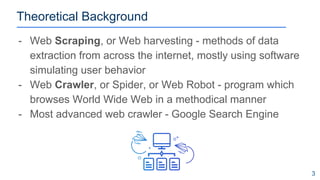
- Web Scraping, or Web harvesting - methods of data
extraction from across the internet, mostly using software
simulating user behavior
- Web Crawler, or Spider, or Web Robot - program which
browses World Wide Web in a methodical manner
- Most advanced web crawler - Google Search Engine
3
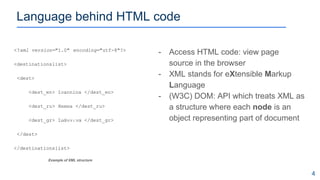
- Access HTML code: view page
source in the browser
- XML stands for eXtensible Markup
Language
- (W3C) DOM: API which treats XML as
a structure where each node is an
object representing part of document
<?xml version="1.0" encoding="utf-8"?>
<destinationslist>
<dest>
<dest_en> Ioannina </dest_en>
<dest_ru> Янина </dest_ru>
<dest_gr> Ιωάννινα </dest_gr>
</dest>
</destinationslist>
Language behind HTML code
4
Example of XML structure
Navigating HTML using XPATH
5
/html[@class='js bootstrap-anchors-processed']/body[@class='html not-front not-logged-in one-sidebar sidebar-first
page-traineeships navbar-is-fixed-top']/div[@class='main-container container']/div[@class='row']/div[@class='region
region-content col-sm-9']/section[@id='block-system-main']/div[@class='view view-erasmusintern-traineeships-search
view-id-erasmusintern_traineeships_search view-display-id-page media-list-container
view-dom-id-bfcb6580db560c43fd748355dce05662']/div[@class='view-content']/div[1]/div[@class='node node-traineeship
view-mode-media_list clearfix']/div[@class='row media-list-items']/div[@class='col-md-12']/div[@class='ds-header
inline-header-content']/div[@class='field field-name-title field-type-ds field-label-hidden
pull-left']/div[@class='field-items']/div[@class='field-item even']/h3[@class='dot-title']/a
XPath Query:
Navigating HTML using XPATH
6
Key Characters:
/ : starts the root,leads to children`s
node;
// : starts wherever (relative path);
@ : select attributes;
[] : answers question Which one?
[*] : grabs everything
XPATH: “//div[@class='field-item even']/h3[@class='dot-title']/a[1]”
Types of nodes:
- element
- attribute
- text
- namespace
- processing instructions
- comment
- document node
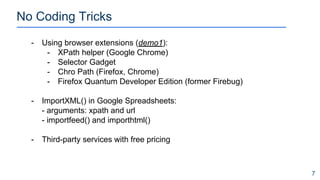
No Coding Tricks
7
- Using browser extensions (demo1):
- XPath helper (Google Chrome)
- Selector Gadget
- Chro Path (Firefox, Chrome)
- Firefox Quantum Developer Edition (former Firebug)
- ImportXML() in Google Spreadsheets:
- arguments: xpath and url
- importfeed() and importhtml()
- Third-party services with free pricing
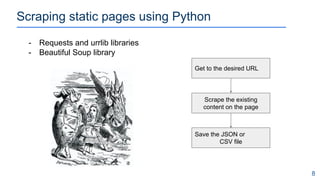
Scraping static pages using Python
8
- Requests and urrlib libraries
- Beautiful Soup library
Get to the desired URL
Scrape the existing
content on the page
Save the JSON or
CSV file
Scraping static pages using BS4 + Requests
9
Python Source Code example of JSON file
import requests
import BeautifulSoup as BS
def save_the_JSON :***
url = requests.get(erasmus_intern_url )
soup = BS(url, "lxml")
scrape_results = soup.find_all("div", class_="field-item even" )
for element in scrape_results :
title = element.find("h3",
class_='dot-title' ).find_next('a').get_text()
save_the_JSON ()
“results”:[
{
“id” : 1
“city” : “Berlin”,
“company” : “UIZ”,
“title” : “Manager”
}
]
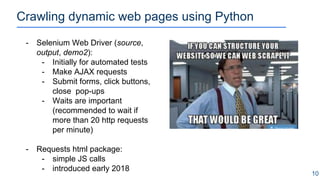
Crawling dynamic web pages using Python
10
- Selenium Web Driver (source,
output, demo2):
- Initially for automated tests
- Make AJAX requests
- Submit forms, click buttons,
close pop-ups
- Waits are important
(recommended to wait if
more than 20 http requests
per minute)
- Requests html package:
- simple JS calls
- introduced early 2018
Web-etiquette and cat-mouse game
11
- Websites protect themselves!
- crawling brings extra load to servers
- copyright issues
- loss of income
- Sanctions vary from IP temporary ban to
opening a case
- Respect robots.txt and Terms and Conditions (ToS)
- Try to obtain API
- Do not publish obtained copyrighted information
Conclusion
12
- Automate the boring stuff
https://automatetheboringstuff.com/
- Apply scrapping only if it is worth it
- Try Erasmus!
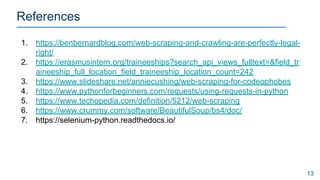
References
13
1. https://benbernardblog.com/web-scraping-and-crawling-are-perfectly-legal-
right/
2. https://erasmusintern.org/traineeships?search_api_views_fulltext=&field_tr
aineeship_full_location_field_traineeship_location_count=242
3. https://www.slideshare.net/anniecushing/web-scraping-for-codeophobes
4. https://www.pythonforbeginners.com/requests/using-requests-in-python
5. https://www.techopedia.com/definition/5212/web-scraping
6. https://www.crummy.com/software/BeautifulSoup/bs4/doc/
7. https://selenium-python.readthedocs.io/

How to scrape data as economics student

  • 1.
    How to scrapeData as Economics Student Nikolay Tretyakov 04.12.2018 Department of Economics University of Ioannina
  • 2.
    Agenda 1. Introduction 2. TheoreticalBackground 2.1. Language behind HTML code 2.2. Navigate HTML using XPATH 3. No coding Tricks 3.1. Extensions Chrome/Firefox 3.2. Using Google Spreadsheets functions 3.3. Scraping static pages using Python 3.4. Urllib, Requests 3.5. Beautiful Soup 4. Scraping dynamic pages using Python 4.1. Selenium Web Driver 5. Conclusion 6. References 1
  • 3.
    Introduction - Erasmus traineefrom Otto-von-Guericke Universität, Magdeburg, Germany - Making research about tourism industry in Epirus, Greece - Scrapping is 70 percent of work - Big variety of scraped data analysis: - Descriptive statistics - Sentiment analysis - Seasonality 2
  • 4.
    Theoretical Background - WebScraping, or Web harvesting - methods of data extraction from across the internet, mostly using software simulating user behavior - Web Crawler, or Spider, or Web Robot - program which browses World Wide Web in a methodical manner - Most advanced web crawler - Google Search Engine 3
  • 5.
    - Access HTMLcode: view page source in the browser - XML stands for eXtensible Markup Language - (W3C) DOM: API which treats XML as a structure where each node is an object representing part of document <?xml version="1.0" encoding="utf-8"?> <destinationslist> <dest> <dest_en> Ioannina </dest_en> <dest_ru> Янина </dest_ru> <dest_gr> Ιωάννινα </dest_gr> </dest> </destinationslist> Language behind HTML code 4 Example of XML structure
  • 6.
    Navigating HTML usingXPATH 5 /html[@class='js bootstrap-anchors-processed']/body[@class='html not-front not-logged-in one-sidebar sidebar-first page-traineeships navbar-is-fixed-top']/div[@class='main-container container']/div[@class='row']/div[@class='region region-content col-sm-9']/section[@id='block-system-main']/div[@class='view view-erasmusintern-traineeships-search view-id-erasmusintern_traineeships_search view-display-id-page media-list-container view-dom-id-bfcb6580db560c43fd748355dce05662']/div[@class='view-content']/div[1]/div[@class='node node-traineeship view-mode-media_list clearfix']/div[@class='row media-list-items']/div[@class='col-md-12']/div[@class='ds-header inline-header-content']/div[@class='field field-name-title field-type-ds field-label-hidden pull-left']/div[@class='field-items']/div[@class='field-item even']/h3[@class='dot-title']/a XPath Query:
  • 7.
    Navigating HTML usingXPATH 6 Key Characters: / : starts the root,leads to children`s node; // : starts wherever (relative path); @ : select attributes; [] : answers question Which one? [*] : grabs everything XPATH: “//div[@class='field-item even']/h3[@class='dot-title']/a[1]” Types of nodes: - element - attribute - text - namespace - processing instructions - comment - document node
  • 8.
    No Coding Tricks 7 -Using browser extensions (demo1): - XPath helper (Google Chrome) - Selector Gadget - Chro Path (Firefox, Chrome) - Firefox Quantum Developer Edition (former Firebug) - ImportXML() in Google Spreadsheets: - arguments: xpath and url - importfeed() and importhtml() - Third-party services with free pricing
  • 9.
    Scraping static pagesusing Python 8 - Requests and urrlib libraries - Beautiful Soup library Get to the desired URL Scrape the existing content on the page Save the JSON or CSV file
  • 10.
    Scraping static pagesusing BS4 + Requests 9 Python Source Code example of JSON file import requests import BeautifulSoup as BS def save_the_JSON :*** url = requests.get(erasmus_intern_url ) soup = BS(url, "lxml") scrape_results = soup.find_all("div", class_="field-item even" ) for element in scrape_results : title = element.find("h3", class_='dot-title' ).find_next('a').get_text() save_the_JSON () “results”:[ { “id” : 1 “city” : “Berlin”, “company” : “UIZ”, “title” : “Manager” } ]
  • 11.
    Crawling dynamic webpages using Python 10 - Selenium Web Driver (source, output, demo2): - Initially for automated tests - Make AJAX requests - Submit forms, click buttons, close pop-ups - Waits are important (recommended to wait if more than 20 http requests per minute) - Requests html package: - simple JS calls - introduced early 2018
  • 12.
    Web-etiquette and cat-mousegame 11 - Websites protect themselves! - crawling brings extra load to servers - copyright issues - loss of income - Sanctions vary from IP temporary ban to opening a case - Respect robots.txt and Terms and Conditions (ToS) - Try to obtain API - Do not publish obtained copyrighted information
  • 13.
    Conclusion 12 - Automate theboring stuff https://automatetheboringstuff.com/ - Apply scrapping only if it is worth it - Try Erasmus!
  • 14.
    References 13 1. https://benbernardblog.com/web-scraping-and-crawling-are-perfectly-legal- right/ 2. https://erasmusintern.org/traineeships?search_api_views_fulltext=&field_tr aineeship_full_location_field_traineeship_location_count=242 3.https://www.slideshare.net/anniecushing/web-scraping-for-codeophobes 4. https://www.pythonforbeginners.com/requests/using-requests-in-python 5. https://www.techopedia.com/definition/5212/web-scraping 6. https://www.crummy.com/software/BeautifulSoup/bs4/doc/ 7. https://selenium-python.readthedocs.io/