
DataHandlinginRDataHandlinginR
Getting,ReadingandCleaningdata
Abhik Seal
Indiana University School of Informatics and Computing(dsdht.wikispaces.com)
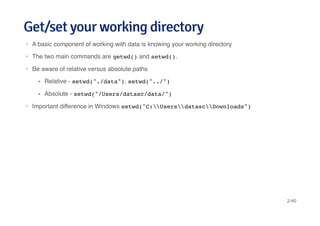
Get/set your working directoryGet/set your working directory
A basic component of working with data is knowing your working directory
The two main commands are getwd() and setwd().
Be aware of relative versus absolute paths
Important difference in Windows setwd("C:UsersdatascDownloads")
·
·
·
Relative - setwd("./data"), setwd("../")
Absolute - setwd("/Users/datasc/data/")
-
-
·
2/40
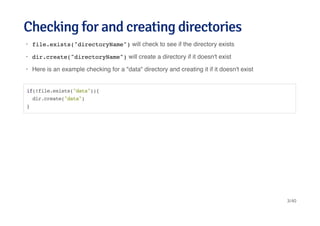
Checking for and creating directoriesChecking for and creating directories
file.exists("directoryName") will check to see if the directory exists
dir.create("directoryName") will create a directory if it doesn't exist
Here is an example checking for a "data" directory and creating it if it doesn't exist
·
·
·
if(!file.exists("data")){
dir.create("data")
}
3/40
Reading data filesReading data files
We wil look at each of the methods
From Internet
Reading local files
Reading Excel Files
Reading XML
Reading JSON
Reading MySQL
Reading HDF5
Reading from other resources
·
·
·
·
·
·
·
·
4/40
Getting data from InternetGetting data from Internet
Data from Healthit.gov
Use of download.file()
Useful for downloading tab-delimited, csv, and other files
·
·
fileUrl <- "http://dashboard.healthit.gov/data/data/NAMCS_2008-2013.csv"
download.file(fileUrl,destfile="./data/NAMCS.csv",method="curl")
list.files("./data")
## [1] "NAMCS.csv"
5/40
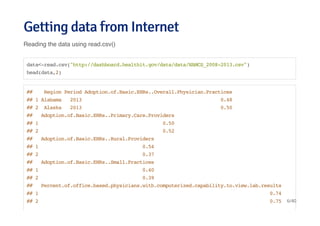
Getting data from InternetGetting data from Internet
Reading the data using read.csv()
data<-read.csv("http://dashboard.healthit.gov/data/data/NAMCS_2008-2013.csv")
head(data,2)
## Region Period Adoption.of.Basic.EHRs..Overall.Physician.Practices
## 1 Alabama 2013 0.48
## 2 Alaska 2013 0.50
## Adoption.of.Basic.EHRs..Primary.Care.Providers
## 1 0.50
## 2 0.52
## Adoption.of.Basic.EHRs..Rural.Providers
## 1 0.54
## 2 0.37
## Adoption.of.Basic.EHRs..Small.Practices
## 1 0.40
## 2 0.39
## Percent.of.office.based.physicians.with.computerized.capability.to.view.lab.results
## 1 0.74
## 2 0.75 6/40
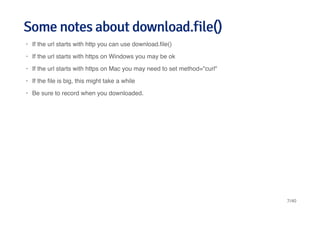
Some notes about download.file()Some notes about download.file()
If the url starts with http you can use download.file()
If the url starts with https on Windows you may be ok
If the url starts with https on Mac you may need to set method="curl"
If the file is big, this might take a while
Be sure to record when you downloaded.
·
·
·
·
·
7/40
Loading flat files - read.table()Loading flat files - read.table()
This is the main function for reading data into R
Flexible and robust but requires more parameters
Reads the data into RAM - big data can cause problems
Important parameters file, header, sep, row.names, nrows
Related: read.csv(), read.csv2()
Both read.table() and read.fwf() use scan to read the file, and then process the results of scan.
They are very convenient, but sometimes it is better to use scan directly
·
·
·
·
·
·
8/40
Example dataExample data
fileUrl <- "http://dashboard.healthit.gov/data/data/NAMCS_2008-2013.csv"
download.file(fileUrl,destfile="./data/NAMCS.csv",method="curl")
list.files("./data")
## [1] "NAMCS.csv"
Data <- read.table("./data/NAMCS.csv")
## Error: line 2 did not have 87 elements
head(Data,2)
## Error: object 'Data' not found
9/40
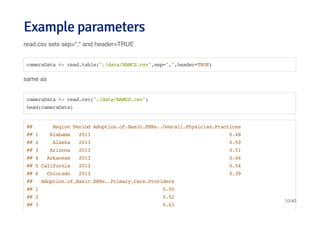
Example parametersExample parameters
read.csv sets sep="," and header=TRUE
same as
cameraData <- read.table("./data/NAMCS.csv",sep=",",header=TRUE)
cameraData <- read.csv("./data/NAMCS.csv")
head(cameraData)
## Region Period Adoption.of.Basic.EHRs..Overall.Physician.Practices
## 1 Alabama 2013 0.48
## 2 Alaska 2013 0.50
## 3 Arizona 2013 0.51
## 4 Arkansas 2013 0.46
## 5 California 2013 0.54
## 6 Colorado 2013 0.39
## Adoption.of.Basic.EHRs..Primary.Care.Providers
## 1 0.50
## 2 0.52
## 3 0.63
10/40
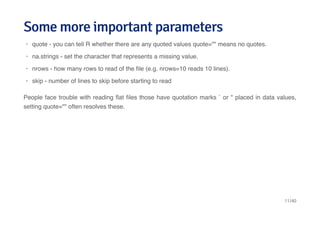
Some more important parametersSome more important parameters
People face trouble with reading flat files those have quotation marks ` or " placed in data values,
setting quote="" often resolves these.
quote - you can tell R whether there are any quoted values quote="" means no quotes.
na.strings - set the character that represents a missing value.
nrows - how many rows to read of the file (e.g. nrows=10 reads 10 lines).
skip - number of lines to skip before starting to read
·
·
·
·
11/40
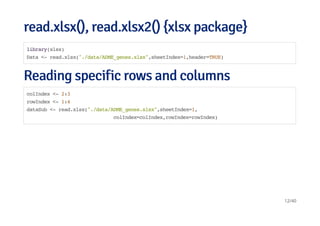
read.xlsx(), read.xlsx2() {xlsx package}read.xlsx(), read.xlsx2() {xlsx package}
Reading specific rows and columnsReading specific rows and columns
library(xlsx)
Data <- read.xlsx("./data/ADME_genes.xlsx",sheetIndex=1,header=TRUE)
colIndex <- 2:3
rowIndex <- 1:4
dataSub <- read.xlsx("./data/ADME_genes.xlsx",sheetIndex=1,
colIndex=colIndex,rowIndex=rowIndex)
12/40
Further notesFurther notes
The write.xlsx function will write out an Excel file with similar arguments.
read.xlsx2 is much faster than read.xlsx but for reading subsets of rows may be slightly unstable.
The XLConnect is a Java-based solution, so it is cross platform and returns satisfactory results.
For large data sets it may be very slow.
xlsReadWrite is very fast: it doesn't support .xlsx files
gdata package provides a good cross platform solutions. It is available for Windows, Mac or
Linux. gdata requires you to install additional Perl libraries. Perl is usually already installed in
Linux and Mac, but sometimes require more effort in Windows platforms.
In general it is advised to store your data in either a database or in comma separated files (.csv)
or tab separated files (.tab/.txt) as they are easier to distribute.
I found on the web a self made function to easily import xlsx files. It should work in all platforms
and use XML
·
·
·
·
·
·
·
source("https://gist.github.com/schaunwheeler/5825002/raw/3526a15b032c06392740e20b6c9a179add2cee49/
xlsxToR = function("myfile.xlsx", header = TRUE)
13/40
Working with XMLWorking with XML
http://en.wikipedia.org/wiki/XML
Extensible markup language
Frequently used to store structured data
Particularly widely used in internet applications
Extracting XML is the basis for most web scraping
Components
·
·
·
·
·
Markup - labels that give the text structure
Content - the actual text of the document
-
-
14/40
Read the file into RRead the file into R
library(XML)
fileUrl <- "http://www.w3schools.com/xml/simple.xml"
doc <- xmlTreeParse(fileUrl,useInternal=TRUE)
rootNode <- xmlRoot(doc)
xmlName(rootNode)
## [1] "breakfast_menu"
names(rootNode)
## food food food food food
## "food" "food" "food" "food" "food"
15/40
Directly access parts of the XML documentDirectly access parts of the XML document
rootNode[[1]]
## <food>
## <name>Belgian Waffles</name>
## <price>$5.95</price>
## <description>Two of our famous Belgian Waffles with plenty of real maple syrup</description>
## <calories>650</calories>
## </food>
rootNode[[1]][[1]]
## <name>Belgian Waffles</name>
Go for a tour of XML package
Official XML tutorials short, long
An outstanding guide to the XML package
·
·
·
16/40
JSONJSON
http://en.wikipedia.org/wiki/JSON
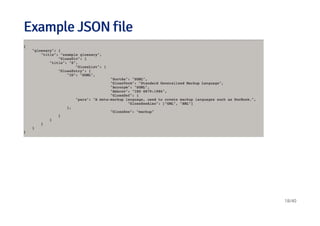
Javascript Object Notation
Lightweight data storage
Common format for data from application programming interfaces (APIs)
Similar structure to XML but different syntax/format
Data stored as
·
·
·
·
·
Numbers (double)
Strings (double quoted)
Boolean (true or false)
Array (ordered, comma separated enclosed in square brackets [])
Object (unorderd, comma separated collection of key:value pairs in curley brackets {})
-
-
-
-
-
17/40
Example JSON fileExample JSON file
18/40
Reading data from JSON {jsonlite package}Reading data from JSON {jsonlite package}
library(jsonlite)
# Using chembl api
jsonData <- fromJSON("https://www.ebi.ac.uk/chemblws/compounds/CHEMBL1.json")
names(jsonData)
## [1] "compound"
jsonData$compound$chemblId
## [1] "CHEMBL1"
jsonData$compound$stdInChiKey
## [1] "GHBOEFUAGSHXPO-XZOTUCIWSA-N"
19/40
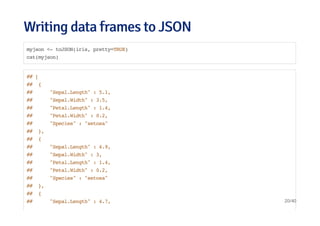
Writing data frames to JSONWriting data frames to JSON
myjson <- toJSON(iris, pretty=TRUE)
cat(myjson)
## [
## {
## "Sepal.Length" : 5.1,
## "Sepal.Width" : 3.5,
## "Petal.Length" : 1.4,
## "Petal.Width" : 0.2,
## "Species" : "setosa"
## },
## {
## "Sepal.Length" : 4.9,
## "Sepal.Width" : 3,
## "Petal.Length" : 1.4,
## "Petal.Width" : 0.2,
## "Species" : "setosa"
## },
## {
## "Sepal.Length" : 4.7, 20/40
Further resourcesFurther resources
http://www.json.org/
A good tutorial on jsonlite - http://www.r-bloggers.com/new-package-jsonlite-a-smarter-json-
encoderdecoder/
jsonlite vignette
·
·
·
21/40
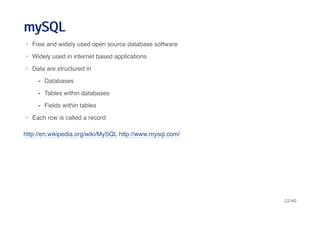
mySQLmySQL
http://en.wikipedia.org/wiki/MySQL http://www.mysql.com/
Free and widely used open source database software
Widely used in internet based applications
Data are structured in
Each row is called a record
·
·
·
Databases
Tables within databases
Fields within tables
-
-
-
·
22/40
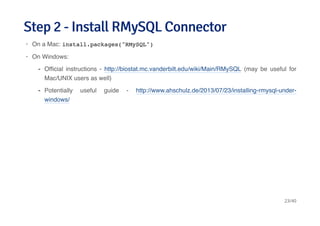
Step 2 - Install RMySQL ConnectorStep 2 - Install RMySQL Connector
On a Mac: install.packages("RMySQL")
On Windows:
·
·
Official instructions - http://biostat.mc.vanderbilt.edu/wiki/Main/RMySQL (may be useful for
Mac/UNIX users as well)
Potentially useful guide - http://www.ahschulz.de/2013/07/23/installing-rmysql-under-
windows/
-
-
23/40
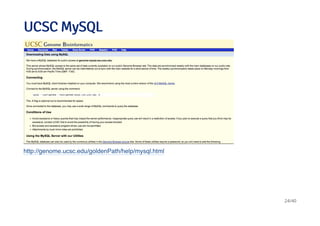
UCSC MySQLUCSC MySQL
http://genome.ucsc.edu/goldenPath/help/mysql.html
24/40
Connecting and listing databasesConnecting and listing databases
library(DBI)
library(RMySQL)
ucscDb <- dbConnect(MySQL(),user="genome",
host="genome-mysql.cse.ucsc.edu")
result <- dbGetQuery(ucscDb,"show databases;"); dbDisconnect(ucscDb);
## [1] TRUE
head(result)
## Database
## 1 information_schema
## 2 ailMel1
## 3 allMis1
## 4 anoCar1
## 5 anoCar2
## 6 anoGam1
25/40
Connecting to hg19 and listing tablesConnecting to hg19 and listing tables
library(RMySQL)
hg19 <- dbConnect(MySQL(),user="genome", db="hg19",
host="genome-mysql.cse.ucsc.edu")
allTables <- dbListTables(hg19)
length(allTables)
## [1] 11006
allTables[1:5]
## [1] "HInv" "HInvGeneMrna" "acembly" "acemblyClass"
## [5] "acemblyPep"
26/40
Get dimensions of a specific tableGet dimensions of a specific table
dbListFields(hg19,"affyU133Plus2")
## [1] "bin" "matches" "misMatches" "repMatches" "nCount"
## [6] "qNumInsert" "qBaseInsert" "tNumInsert" "tBaseInsert" "strand"
## [11] "qName" "qSize" "qStart" "qEnd" "tName"
## [16] "tSize" "tStart" "tEnd" "blockCount" "blockSizes"
## [21] "qStarts" "tStarts"
dbGetQuery(hg19, "select count(*) from affyU133Plus2")
## count(*)
## 1 58463
27/40
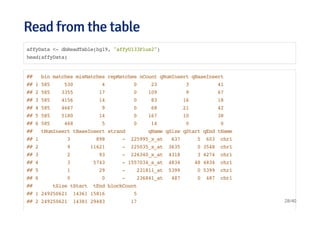
Read from the tableRead from the table
affyData <- dbReadTable(hg19, "affyU133Plus2")
head(affyData)
## bin matches misMatches repMatches nCount qNumInsert qBaseInsert
## 1 585 530 4 0 23 3 41
## 2 585 3355 17 0 109 9 67
## 3 585 4156 14 0 83 16 18
## 4 585 4667 9 0 68 21 42
## 5 585 5180 14 0 167 10 38
## 6 585 468 5 0 14 0 0
## tNumInsert tBaseInsert strand qName qSize qStart qEnd tName
## 1 3 898 - 225995_x_at 637 5 603 chr1
## 2 9 11621 - 225035_x_at 3635 0 3548 chr1
## 3 2 93 - 226340_x_at 4318 3 4274 chr1
## 4 3 5743 - 1557034_s_at 4834 48 4834 chr1
## 5 1 29 - 231811_at 5399 0 5399 chr1
## 6 0 0 - 236841_at 487 0 487 chr1
## tSize tStart tEnd blockCount
## 1 249250621 14361 15816 5
## 2 249250621 14381 29483 17 28/40
Select a specific subsetSelect a specific subset
query <- dbSendQuery(hg19, "select * from affyU133Plus2 where misMatches between 1 and 3")
affyMis <- fetch(query); quantile(affyMis$misMatches)
## 0% 25% 50% 75% 100%
## 1 1 2 2 3
affyMisSmall <- fetch(query,n=10); dbClearResult(query);
## [1] TRUE
dim(affyMisSmall)
## [1] 10 22
# close connection
dbDisconnect(hg19)
29/40
Further resourcesFurther resources
RMySQL vignette http://cran.r-project.org/web/packages/RMySQL/RMySQL.pdf
R data import and export
Set up R odbc with postgres
A nice blog post summarizing some other commands http://www.r-bloggers.com/mysql-and-r/
·
·
·
·
30/40
HDF5HDF5
http://www.hdfgroup.org/
Used for storing large data sets
Supports storing a range of data types
Heirarchical data format
groups containing zero or more data sets and metadata
datasets multidimensional array of data elements with metadata
·
·
·
·
Have a group header with group name and list of attributes
Have a group symbol table with a list of objects in group
-
-
·
Have a header with name, datatype, dataspace, and storage layout
Have a data array with the data
-
-
31/40
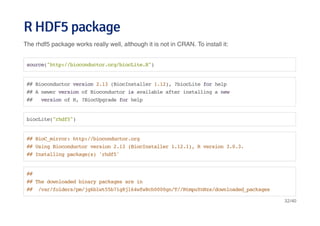
R HDF5 packageR HDF5 package
The rhdf5 package works really well, although it is not in CRAN. To install it:
source("http://bioconductor.org/biocLite.R")
## Bioconductor version 2.13 (BiocInstaller 1.12), ?biocLite for help
## A newer version of Bioconductor is available after installing a new
## version of R, ?BiocUpgrade for help
biocLite("rhdf5")
## BioC_mirror: http://bioconductor.org
## Using Bioconductor version 2.13 (BiocInstaller 1.12.1), R version 3.0.3.
## Installing package(s) 'rhdf5'
##
## The downloaded binary packages are in
## /var/folders/pm/jg6blwt55b71g8jl64wfw8ch0000gn/T//RtmpuYnNzs/downloaded_packages
32/40
Creating an HDF5 file and group hierarchyCreating an HDF5 file and group hierarchy
library(rhdf5)
h5createFile("myhdf5.h5")
## [1] TRUE
h5createGroup("myhdf5.h5","foo")
## [1] TRUE
h5createGroup("myhdf5.h5","baa")
## [1] TRUE
h5createGroup("myhdf5.h5","foo/foobaa")
## [1] TRUE
33/40
hdf5 continuedhdf5 continued
Saving multiple objects to an HDF5 file
h5ls("myhdf5.h5")
## group name otype dclass dim
## 0 / baa H5I_GROUP
## 1 / foo H5I_GROUP
## 2 /foo foobaa H5I_GROUP
A = 1:7; B = 1:18; D = seq(0,1,by=0.1)
h5save(A, B, D, file="newfile2.h5")
h5dump("newfile2.h5")
## $A
## [1] 1 2 3 4 5 6 7
##
## $B
## [1] 1 2 3 4 5 6 7 8 9 10 11 12 13 14 15 16 17 18
## 34/40
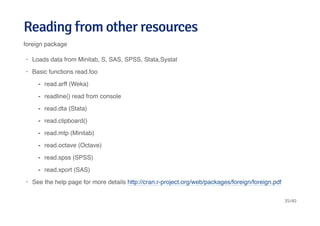
Reading from other resourcesReading from other resources
foreign package
Loads data from Minitab, S, SAS, SPSS, Stata,Systat
Basic functions read.foo
See the help page for more details http://cran.r-project.org/web/packages/foreign/foreign.pdf
·
·
read.arff (Weka)
readline() read from console
read.dta (Stata)
read.clipboard()
read.mtp (Minitab)
read.octave (Octave)
read.spss (SPSS)
read.xport (SAS)
-
-
-
-
-
-
-
-
·
35/40
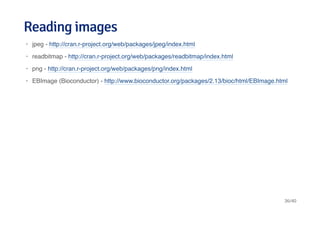
Reading imagesReading images
jpeg - http://cran.r-project.org/web/packages/jpeg/index.html
readbitmap - http://cran.r-project.org/web/packages/readbitmap/index.html
png - http://cran.r-project.org/web/packages/png/index.html
EBImage (Bioconductor) - http://www.bioconductor.org/packages/2.13/bioc/html/EBImage.html
·
·
·
·
36/40
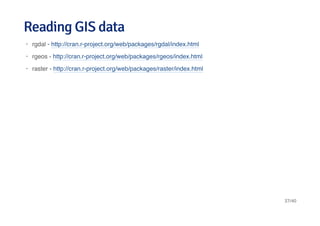
Reading GIS dataReading GIS data
rgdal - http://cran.r-project.org/web/packages/rgdal/index.html
rgeos - http://cran.r-project.org/web/packages/rgeos/index.html
raster - http://cran.r-project.org/web/packages/raster/index.html
·
·
·
37/40
Reading music dataReading music data
tuneR - http://cran.r-project.org/web/packages/tuneR/
seewave - http://rug.mnhn.fr/seewave/
·
·
38/40
AcknowledgemntAcknowledgemnt
Jeff Leek University of Washington and Coursera Getting and Cleaning data
R For Natural Resources Course
R Data import comprehensive guide
·
·
·
39/40
40/40

Data handling in r

  • 1.
  • 2.
    Get/set your workingdirectoryGet/set your working directory A basic component of working with data is knowing your working directory The two main commands are getwd() and setwd(). Be aware of relative versus absolute paths Important difference in Windows setwd("C:UsersdatascDownloads") · · · Relative - setwd("./data"), setwd("../") Absolute - setwd("/Users/datasc/data/") - - · 2/40
  • 3.
    Checking for andcreating directoriesChecking for and creating directories file.exists("directoryName") will check to see if the directory exists dir.create("directoryName") will create a directory if it doesn't exist Here is an example checking for a "data" directory and creating it if it doesn't exist · · · if(!file.exists("data")){ dir.create("data") } 3/40
  • 4.
    Reading data filesReadingdata files We wil look at each of the methods From Internet Reading local files Reading Excel Files Reading XML Reading JSON Reading MySQL Reading HDF5 Reading from other resources · · · · · · · · 4/40
  • 5.
    Getting data fromInternetGetting data from Internet Data from Healthit.gov Use of download.file() Useful for downloading tab-delimited, csv, and other files · · fileUrl <- "http://dashboard.healthit.gov/data/data/NAMCS_2008-2013.csv" download.file(fileUrl,destfile="./data/NAMCS.csv",method="curl") list.files("./data") ## [1] "NAMCS.csv" 5/40
  • 6.
    Getting data fromInternetGetting data from Internet Reading the data using read.csv() data<-read.csv("http://dashboard.healthit.gov/data/data/NAMCS_2008-2013.csv") head(data,2) ## Region Period Adoption.of.Basic.EHRs..Overall.Physician.Practices ## 1 Alabama 2013 0.48 ## 2 Alaska 2013 0.50 ## Adoption.of.Basic.EHRs..Primary.Care.Providers ## 1 0.50 ## 2 0.52 ## Adoption.of.Basic.EHRs..Rural.Providers ## 1 0.54 ## 2 0.37 ## Adoption.of.Basic.EHRs..Small.Practices ## 1 0.40 ## 2 0.39 ## Percent.of.office.based.physicians.with.computerized.capability.to.view.lab.results ## 1 0.74 ## 2 0.75 6/40
  • 7.
    Some notes aboutdownload.file()Some notes about download.file() If the url starts with http you can use download.file() If the url starts with https on Windows you may be ok If the url starts with https on Mac you may need to set method="curl" If the file is big, this might take a while Be sure to record when you downloaded. · · · · · 7/40
  • 8.
    Loading flat files- read.table()Loading flat files - read.table() This is the main function for reading data into R Flexible and robust but requires more parameters Reads the data into RAM - big data can cause problems Important parameters file, header, sep, row.names, nrows Related: read.csv(), read.csv2() Both read.table() and read.fwf() use scan to read the file, and then process the results of scan. They are very convenient, but sometimes it is better to use scan directly · · · · · · 8/40
  • 9.
    Example dataExample data fileUrl<- "http://dashboard.healthit.gov/data/data/NAMCS_2008-2013.csv" download.file(fileUrl,destfile="./data/NAMCS.csv",method="curl") list.files("./data") ## [1] "NAMCS.csv" Data <- read.table("./data/NAMCS.csv") ## Error: line 2 did not have 87 elements head(Data,2) ## Error: object 'Data' not found 9/40
  • 10.
    Example parametersExample parameters read.csvsets sep="," and header=TRUE same as cameraData <- read.table("./data/NAMCS.csv",sep=",",header=TRUE) cameraData <- read.csv("./data/NAMCS.csv") head(cameraData) ## Region Period Adoption.of.Basic.EHRs..Overall.Physician.Practices ## 1 Alabama 2013 0.48 ## 2 Alaska 2013 0.50 ## 3 Arizona 2013 0.51 ## 4 Arkansas 2013 0.46 ## 5 California 2013 0.54 ## 6 Colorado 2013 0.39 ## Adoption.of.Basic.EHRs..Primary.Care.Providers ## 1 0.50 ## 2 0.52 ## 3 0.63 10/40
  • 11.
    Some more importantparametersSome more important parameters People face trouble with reading flat files those have quotation marks ` or " placed in data values, setting quote="" often resolves these. quote - you can tell R whether there are any quoted values quote="" means no quotes. na.strings - set the character that represents a missing value. nrows - how many rows to read of the file (e.g. nrows=10 reads 10 lines). skip - number of lines to skip before starting to read · · · · 11/40
  • 12.
    read.xlsx(), read.xlsx2() {xlsxpackage}read.xlsx(), read.xlsx2() {xlsx package} Reading specific rows and columnsReading specific rows and columns library(xlsx) Data <- read.xlsx("./data/ADME_genes.xlsx",sheetIndex=1,header=TRUE) colIndex <- 2:3 rowIndex <- 1:4 dataSub <- read.xlsx("./data/ADME_genes.xlsx",sheetIndex=1, colIndex=colIndex,rowIndex=rowIndex) 12/40
  • 13.
    Further notesFurther notes Thewrite.xlsx function will write out an Excel file with similar arguments. read.xlsx2 is much faster than read.xlsx but for reading subsets of rows may be slightly unstable. The XLConnect is a Java-based solution, so it is cross platform and returns satisfactory results. For large data sets it may be very slow. xlsReadWrite is very fast: it doesn't support .xlsx files gdata package provides a good cross platform solutions. It is available for Windows, Mac or Linux. gdata requires you to install additional Perl libraries. Perl is usually already installed in Linux and Mac, but sometimes require more effort in Windows platforms. In general it is advised to store your data in either a database or in comma separated files (.csv) or tab separated files (.tab/.txt) as they are easier to distribute. I found on the web a self made function to easily import xlsx files. It should work in all platforms and use XML · · · · · · · source("https://gist.github.com/schaunwheeler/5825002/raw/3526a15b032c06392740e20b6c9a179add2cee49/ xlsxToR = function("myfile.xlsx", header = TRUE) 13/40
  • 14.
    Working with XMLWorkingwith XML http://en.wikipedia.org/wiki/XML Extensible markup language Frequently used to store structured data Particularly widely used in internet applications Extracting XML is the basis for most web scraping Components · · · · · Markup - labels that give the text structure Content - the actual text of the document - - 14/40
  • 15.
    Read the fileinto RRead the file into R library(XML) fileUrl <- "http://www.w3schools.com/xml/simple.xml" doc <- xmlTreeParse(fileUrl,useInternal=TRUE) rootNode <- xmlRoot(doc) xmlName(rootNode) ## [1] "breakfast_menu" names(rootNode) ## food food food food food ## "food" "food" "food" "food" "food" 15/40
  • 16.
    Directly access partsof the XML documentDirectly access parts of the XML document rootNode[[1]] ## <food> ## <name>Belgian Waffles</name> ## <price>$5.95</price> ## <description>Two of our famous Belgian Waffles with plenty of real maple syrup</description> ## <calories>650</calories> ## </food> rootNode[[1]][[1]] ## <name>Belgian Waffles</name> Go for a tour of XML package Official XML tutorials short, long An outstanding guide to the XML package · · · 16/40
  • 17.
    JSONJSON http://en.wikipedia.org/wiki/JSON Javascript Object Notation Lightweightdata storage Common format for data from application programming interfaces (APIs) Similar structure to XML but different syntax/format Data stored as · · · · · Numbers (double) Strings (double quoted) Boolean (true or false) Array (ordered, comma separated enclosed in square brackets []) Object (unorderd, comma separated collection of key:value pairs in curley brackets {}) - - - - - 17/40
  • 18.
    Example JSON fileExampleJSON file 18/40
  • 19.
    Reading data fromJSON {jsonlite package}Reading data from JSON {jsonlite package} library(jsonlite) # Using chembl api jsonData <- fromJSON("https://www.ebi.ac.uk/chemblws/compounds/CHEMBL1.json") names(jsonData) ## [1] "compound" jsonData$compound$chemblId ## [1] "CHEMBL1" jsonData$compound$stdInChiKey ## [1] "GHBOEFUAGSHXPO-XZOTUCIWSA-N" 19/40
  • 20.
    Writing data framesto JSONWriting data frames to JSON myjson <- toJSON(iris, pretty=TRUE) cat(myjson) ## [ ## { ## "Sepal.Length" : 5.1, ## "Sepal.Width" : 3.5, ## "Petal.Length" : 1.4, ## "Petal.Width" : 0.2, ## "Species" : "setosa" ## }, ## { ## "Sepal.Length" : 4.9, ## "Sepal.Width" : 3, ## "Petal.Length" : 1.4, ## "Petal.Width" : 0.2, ## "Species" : "setosa" ## }, ## { ## "Sepal.Length" : 4.7, 20/40
  • 21.
    Further resourcesFurther resources http://www.json.org/ Agood tutorial on jsonlite - http://www.r-bloggers.com/new-package-jsonlite-a-smarter-json- encoderdecoder/ jsonlite vignette · · · 21/40
  • 22.
    mySQLmySQL http://en.wikipedia.org/wiki/MySQL http://www.mysql.com/ Free andwidely used open source database software Widely used in internet based applications Data are structured in Each row is called a record · · · Databases Tables within databases Fields within tables - - - · 22/40
  • 23.
    Step 2 -Install RMySQL ConnectorStep 2 - Install RMySQL Connector On a Mac: install.packages("RMySQL") On Windows: · · Official instructions - http://biostat.mc.vanderbilt.edu/wiki/Main/RMySQL (may be useful for Mac/UNIX users as well) Potentially useful guide - http://www.ahschulz.de/2013/07/23/installing-rmysql-under- windows/ - - 23/40
  • 24.
  • 25.
    Connecting and listingdatabasesConnecting and listing databases library(DBI) library(RMySQL) ucscDb <- dbConnect(MySQL(),user="genome", host="genome-mysql.cse.ucsc.edu") result <- dbGetQuery(ucscDb,"show databases;"); dbDisconnect(ucscDb); ## [1] TRUE head(result) ## Database ## 1 information_schema ## 2 ailMel1 ## 3 allMis1 ## 4 anoCar1 ## 5 anoCar2 ## 6 anoGam1 25/40
  • 26.
    Connecting to hg19and listing tablesConnecting to hg19 and listing tables library(RMySQL) hg19 <- dbConnect(MySQL(),user="genome", db="hg19", host="genome-mysql.cse.ucsc.edu") allTables <- dbListTables(hg19) length(allTables) ## [1] 11006 allTables[1:5] ## [1] "HInv" "HInvGeneMrna" "acembly" "acemblyClass" ## [5] "acemblyPep" 26/40
  • 27.
    Get dimensions ofa specific tableGet dimensions of a specific table dbListFields(hg19,"affyU133Plus2") ## [1] "bin" "matches" "misMatches" "repMatches" "nCount" ## [6] "qNumInsert" "qBaseInsert" "tNumInsert" "tBaseInsert" "strand" ## [11] "qName" "qSize" "qStart" "qEnd" "tName" ## [16] "tSize" "tStart" "tEnd" "blockCount" "blockSizes" ## [21] "qStarts" "tStarts" dbGetQuery(hg19, "select count(*) from affyU133Plus2") ## count(*) ## 1 58463 27/40
  • 28.
    Read from thetableRead from the table affyData <- dbReadTable(hg19, "affyU133Plus2") head(affyData) ## bin matches misMatches repMatches nCount qNumInsert qBaseInsert ## 1 585 530 4 0 23 3 41 ## 2 585 3355 17 0 109 9 67 ## 3 585 4156 14 0 83 16 18 ## 4 585 4667 9 0 68 21 42 ## 5 585 5180 14 0 167 10 38 ## 6 585 468 5 0 14 0 0 ## tNumInsert tBaseInsert strand qName qSize qStart qEnd tName ## 1 3 898 - 225995_x_at 637 5 603 chr1 ## 2 9 11621 - 225035_x_at 3635 0 3548 chr1 ## 3 2 93 - 226340_x_at 4318 3 4274 chr1 ## 4 3 5743 - 1557034_s_at 4834 48 4834 chr1 ## 5 1 29 - 231811_at 5399 0 5399 chr1 ## 6 0 0 - 236841_at 487 0 487 chr1 ## tSize tStart tEnd blockCount ## 1 249250621 14361 15816 5 ## 2 249250621 14381 29483 17 28/40
  • 29.
    Select a specificsubsetSelect a specific subset query <- dbSendQuery(hg19, "select * from affyU133Plus2 where misMatches between 1 and 3") affyMis <- fetch(query); quantile(affyMis$misMatches) ## 0% 25% 50% 75% 100% ## 1 1 2 2 3 affyMisSmall <- fetch(query,n=10); dbClearResult(query); ## [1] TRUE dim(affyMisSmall) ## [1] 10 22 # close connection dbDisconnect(hg19) 29/40
  • 30.
    Further resourcesFurther resources RMySQLvignette http://cran.r-project.org/web/packages/RMySQL/RMySQL.pdf R data import and export Set up R odbc with postgres A nice blog post summarizing some other commands http://www.r-bloggers.com/mysql-and-r/ · · · · 30/40
  • 31.
    HDF5HDF5 http://www.hdfgroup.org/ Used for storinglarge data sets Supports storing a range of data types Heirarchical data format groups containing zero or more data sets and metadata datasets multidimensional array of data elements with metadata · · · · Have a group header with group name and list of attributes Have a group symbol table with a list of objects in group - - · Have a header with name, datatype, dataspace, and storage layout Have a data array with the data - - 31/40
  • 32.
    R HDF5 packageRHDF5 package The rhdf5 package works really well, although it is not in CRAN. To install it: source("http://bioconductor.org/biocLite.R") ## Bioconductor version 2.13 (BiocInstaller 1.12), ?biocLite for help ## A newer version of Bioconductor is available after installing a new ## version of R, ?BiocUpgrade for help biocLite("rhdf5") ## BioC_mirror: http://bioconductor.org ## Using Bioconductor version 2.13 (BiocInstaller 1.12.1), R version 3.0.3. ## Installing package(s) 'rhdf5' ## ## The downloaded binary packages are in ## /var/folders/pm/jg6blwt55b71g8jl64wfw8ch0000gn/T//RtmpuYnNzs/downloaded_packages 32/40
  • 33.
    Creating an HDF5file and group hierarchyCreating an HDF5 file and group hierarchy library(rhdf5) h5createFile("myhdf5.h5") ## [1] TRUE h5createGroup("myhdf5.h5","foo") ## [1] TRUE h5createGroup("myhdf5.h5","baa") ## [1] TRUE h5createGroup("myhdf5.h5","foo/foobaa") ## [1] TRUE 33/40
  • 34.
    hdf5 continuedhdf5 continued Savingmultiple objects to an HDF5 file h5ls("myhdf5.h5") ## group name otype dclass dim ## 0 / baa H5I_GROUP ## 1 / foo H5I_GROUP ## 2 /foo foobaa H5I_GROUP A = 1:7; B = 1:18; D = seq(0,1,by=0.1) h5save(A, B, D, file="newfile2.h5") h5dump("newfile2.h5") ## $A ## [1] 1 2 3 4 5 6 7 ## ## $B ## [1] 1 2 3 4 5 6 7 8 9 10 11 12 13 14 15 16 17 18 ## 34/40
  • 35.
    Reading from otherresourcesReading from other resources foreign package Loads data from Minitab, S, SAS, SPSS, Stata,Systat Basic functions read.foo See the help page for more details http://cran.r-project.org/web/packages/foreign/foreign.pdf · · read.arff (Weka) readline() read from console read.dta (Stata) read.clipboard() read.mtp (Minitab) read.octave (Octave) read.spss (SPSS) read.xport (SAS) - - - - - - - - · 35/40
  • 36.
    Reading imagesReading images jpeg- http://cran.r-project.org/web/packages/jpeg/index.html readbitmap - http://cran.r-project.org/web/packages/readbitmap/index.html png - http://cran.r-project.org/web/packages/png/index.html EBImage (Bioconductor) - http://www.bioconductor.org/packages/2.13/bioc/html/EBImage.html · · · · 36/40
  • 37.
    Reading GIS dataReadingGIS data rgdal - http://cran.r-project.org/web/packages/rgdal/index.html rgeos - http://cran.r-project.org/web/packages/rgeos/index.html raster - http://cran.r-project.org/web/packages/raster/index.html · · · 37/40
  • 38.
    Reading music dataReadingmusic data tuneR - http://cran.r-project.org/web/packages/tuneR/ seewave - http://rug.mnhn.fr/seewave/ · · 38/40
  • 39.
    AcknowledgemntAcknowledgemnt Jeff Leek Universityof Washington and Coursera Getting and Cleaning data R For Natural Resources Course R Data import comprehensive guide · · · 39/40
  • 40.