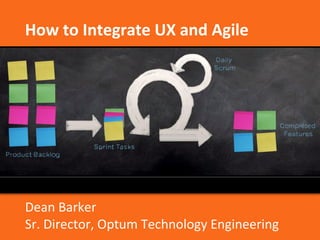
How to Integrate UX and Agile 
Dean Barker 
Sr. Director, Optum Technology Engineering
Dean T. Barker 
Sr. Director of User Experience 
Optum 
Speaker 
Alfonso de la Nuez 
Co-Founder and Co-CEO 
UserZoom 
Moderator 
Speakers
Quick Housekeeping 
• Chat box is available if you have any questions 
• There will be time for Q&A at the end 
• We will be recording the webinar for future viewing 
• All attendees will receive a copy of the 
slides/recording 
• Twitter hashtag: #uzwebinar 
3
Meet UserZoom 
All-in-One Software Solution to Cost-effectively 
Measure the Digital Customer Experience and Conduct 
4 
Remote User Testing
Meet UserZoom 
• Increase conversion rates by conducting cost-effective UX 
research, remote usability testing and voice of the customer 
studies 
• Test any web-based products (live or prototype) and mobile apps, 
on a unified software platform. 
• Founded in 2007; launched SaaS platform in 2009 
• Our mission: To go beyond the Lab! 
• International company: Silicon Valley, Spain, U.K., Germany 
• > 200 Enterprise customers, 50% of Fortune’s Most Admired Brands
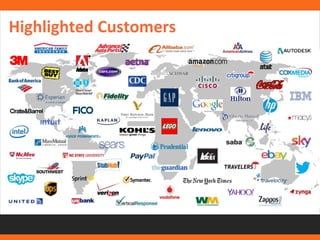
Highlighted Customers
7 
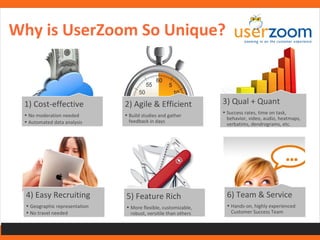
1) Cost-effective 
• No moderation needed 
• Automated data analysis 
2) Agile & Efficient 
• Build studies and gather 
feedback in days 
3) Qual + Quant 
• Success rates, time on task, 
behavior, video, audio, heatmaps, 
verbatims, dendrograms, etc. 
4) Easy Recruiting 
• Geographic representation 
• No travel needed 
5) Feature Rich 
• More flexible, customizable, 
robust, versitile than others 
6) Team & Service 
• Hands-on, highly experienced 
Customer Success Team 
Why is UserZoom So Unique?
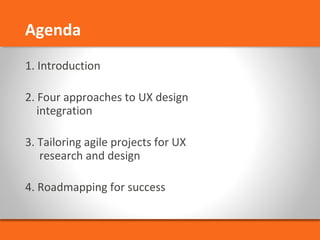
Agenda 
1. Introduction 
2. Four approaches to UX design 
integration 
3. Tailoring agile projects for UX 
research and design 
4. Roadmapping for success
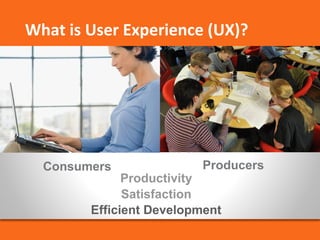
What is User Experience (UX)? 
Consumers Producers 
Productivity 
Satisfaction 
Efficient Development
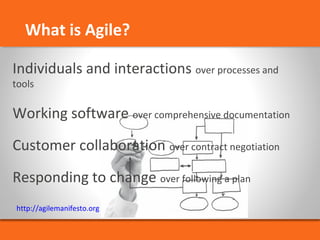
What is Agile? 
Individuals and interactions over processes and 
tools 
Working software over comprehensive documentation 
Customer collaboration over contract negotiation 
Responding to change over following a plan 
http://agilemanifesto.org
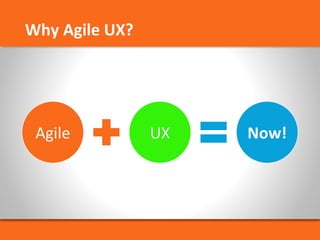
Why Agile UX?
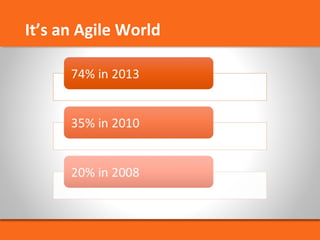
It’s an Agile World
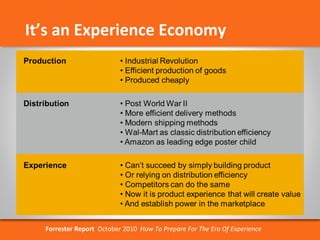
It’s an Experience Economy 
Forrester Report October 2010 How To Prepare For The Era Of Experience
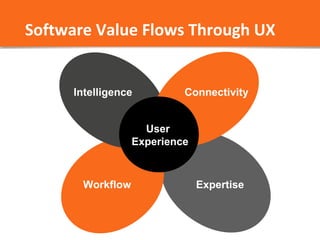
Software Value Flows Through UX 
Connectivity 
Intelligence 
Workflow 
User 
Experience 
Expertise
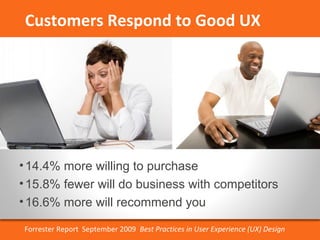
Customers Respond to Good UX 
• 14.4% more willing to purchase 
• 15.8% fewer will do business with competitors 
• 16.6% more will recommend you 
Forrester Report September 2009 Best Practices in User Experience (UX) Design
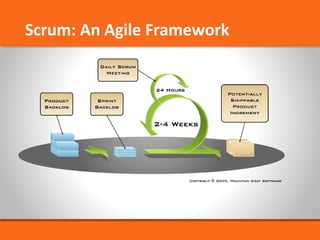
Scrum: An Agile Framework
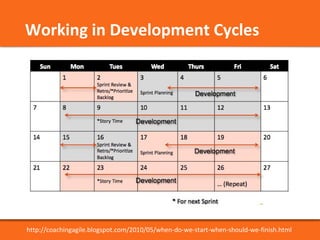
Working in Development Cycles 
http://coachingagile.blogspot.com/2010/05/when-do-we-start-when-should-we-finish.html
All work is a process and all processes can 
be designed, measured, and improved. 
Phillip Crosby, Quality Management Guru 
Even the best professionals need a structured 
and disciplined environment in which to 
do cooperative work 
Watts Humphrey 
Managing the Software Process
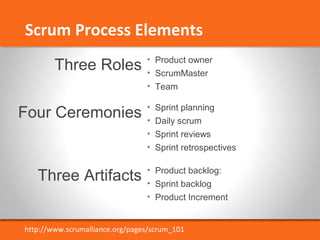
Scrum Process Elements 
• Product owner 
• ScrumMaster 
• Team 
Three Roles 
Four Ceremonies 
Three Artifacts 
• Sprint planning 
• Daily scrum 
• Sprint reviews 
• Sprint retrospectives 
• Product backlog: 
• Sprint backlog 
• Product Increment 
http://www.scrumalliance.org/pages/scrum_101
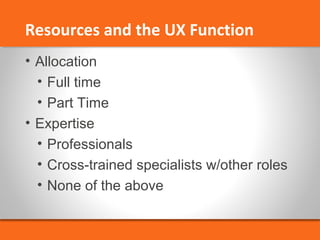
Resources and the UX Function 
• Allocation 
• Full time 
• Part Time 
• Expertise 
• Professionals 
• Cross-trained specialists w/other roles 
• None of the above
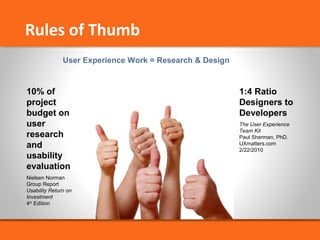
10% of 
project 
budget on 
user 
research 
and 
usability 
evaluation 
Nielsen Norman 
Group Report 
Usability Return on 
Investment 
4th Edition 
1:4 Ratio 
Designers to 
Developers 
The User Experience 
Team Kit 
Paul Sherman, PhD. 
UXmatters.com 
2/22/2010 
Rules of Thumb 
User Experience Work = Research & Design
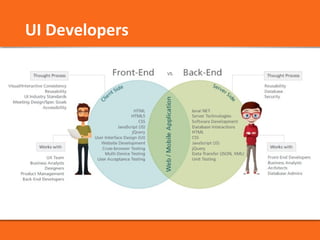
UI Developers
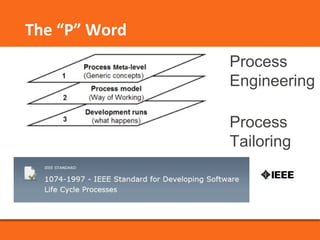
Process 
Engineering 
Process 
Tailoring 
The “P” Word
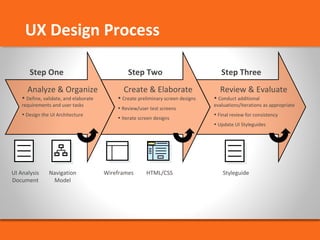
UX Design Process 
Step One Step Two Step Three 
Analyze & Organize Create & Elaborate Review & Evaluate 
• Define, validate, and elaborate 
requirements and user tasks 
• Design the UI Architecture 
UI Analysis 
Document 
• Create preliminary screen designs 
• Review/user test screens 
• Iterate screen designs 
• Conduct additional 
evaluations/iterations as appropriate 
• Final review for consistency 
• Update UI Styleguides 
Navigation 
Model 
Wireframes HTML/CSS Styleguide
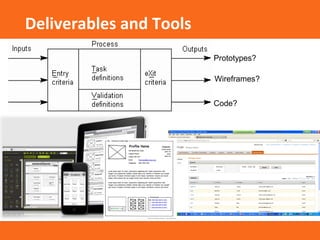
Prototypes? 
Wireframes? 
Code? 
Deliverables and Tools
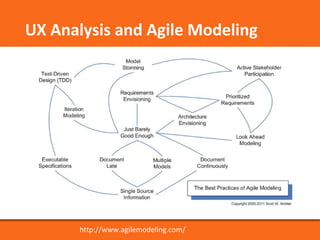
UX Analysis and Agile Modeling 
http://www.agilemodeling.com/
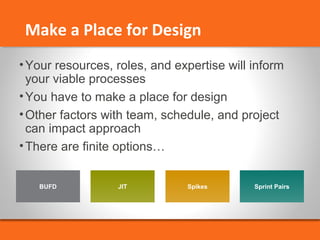
Make a Place for Design 
•Your resources, roles, and expertise will inform 
your viable processes 
•You have to make a place for design 
•Other factors with team, schedule, and project 
can impact approach 
•There are finite options… 
BUFD JIT Spikes Sprint Pairs
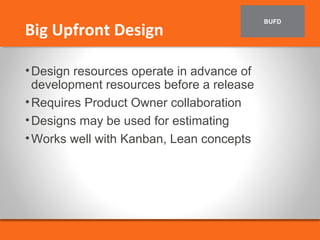
BUFD Big Upfront Design 
•Design resources operate in advance of 
development resources before a release 
•Requires Product Owner collaboration 
•Designs may be used for estimating 
•Works well with Kanban, Lean concepts
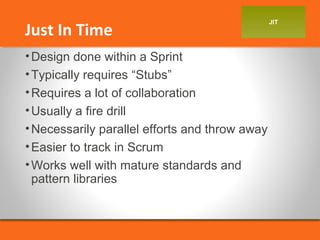
JIT Just In Time 
•Design done within a Sprint 
•Typically requires “Stubs” 
•Requires a lot of collaboration 
•Usually a fire drill 
•Necessarily parallel efforts and throw away 
•Easier to track in Scrum 
•Works well with mature standards and 
pattern libraries
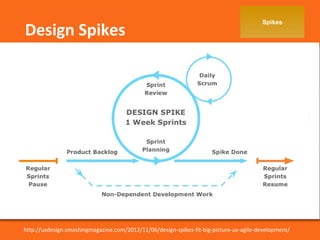
Spikes Design Spikes 
http://uxdesign.smashingmagazine.com/2012/11/06/design-spikes-fit-big-picture-ux-agile-development/
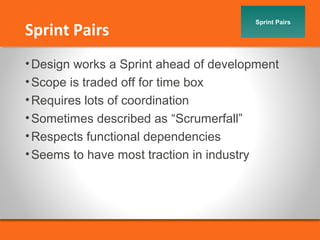
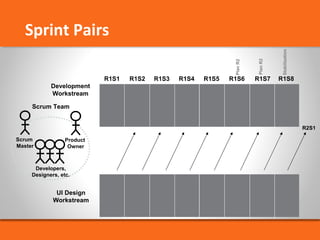
Sprint Pairs Sprint Pairs 
•Design works a Sprint ahead of development 
•Scope is traded off for time box 
•Requires lots of coordination 
•Sometimes described as “Scrumerfall” 
•Respects functional dependencies 
•Seems to have most traction in industry
Sprint Pairs 
Scrum Team 
Scrum 
Master 
Product 
Owner 
Developers, 
Designers, etc. 
R2S1 
Plan R2 
Stabilization 
Plan R2 
R1S1 R1S2 R1S3 R1S4 R1S5 R1S6 R1S7 R1S8 
Development 
Workstream 
UI Design 
Workstream
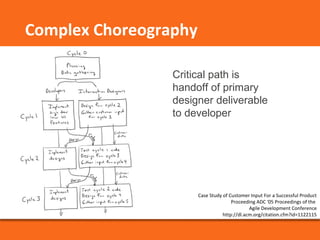
Critical path is 
handoff of primary 
designer deliverable 
to developer 
Case Study of Customer Input For a Successful Product 
Proceeding ADC '05 Proceedings of the 
Agile Development Conference 
http://dl.acm.org/citation.cfm?id=1122115 
Complex Choreography
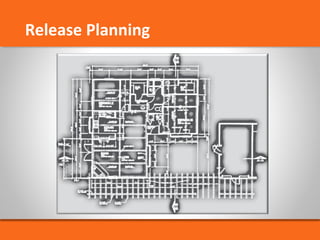
Release Planning
UX Release Plans 
•Critical path is a “sprint-focused” UI design 
workplan 
•Add Phase 0 work as appropriate 
and feasible 
• Include iteration within release 
•Define UX metrics 
•Develop usability issues backlog
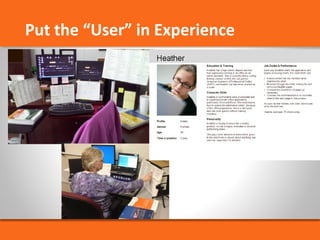
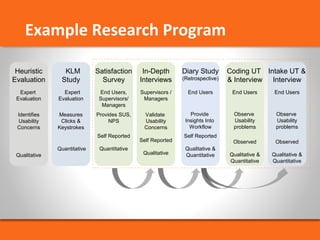
Put the “User” in Experience
Satisfaction 
Survey 
End Users, 
Supervisors/ 
Managers 
Provides SUS, 
NPS 
Self Reported 
Quantitative 
Heuristic 
Evaluation 
Expert 
Evaluation 
Identifies 
Usability 
Concerns 
Qualitative 
KLM 
Study 
Expert 
Evaluation 
Measures 
Clicks & 
Keystrokes 
Quantitative 
In-Depth 
Interviews 
Supervisors / 
Managers 
Validate 
Usability 
Concerns 
Self Reported 
Qualitative 
Diary Study 
(Retrospective) 
End Users 
Provide 
Insights Into 
Workflow 
Self Reported 
Qualitative & 
Quantitative 
Coding UT 
& Interview 
End Users 
Observe 
Usability 
problems 
Observed 
Qualitative & 
Quantitative 
Intake UT & 
Interview 
End Users 
Observe 
Usability 
problems 
Observed 
Qualitative & 
Quantitative 
Example Research Program
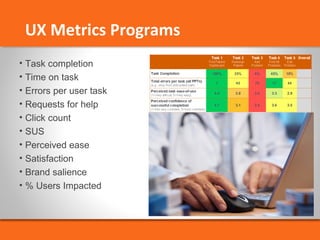
UX Metrics Programs 
• Task completion 
• Time on task 
• Errors per user task 
• Requests for help 
• Click count 
• SUS 
• Perceived ease 
• Satisfaction 
• Brand salience 
• % Users Impacted
Roadmaps
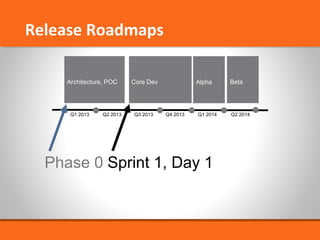
Release Roadmaps 
Architecture, POC 
R1 Arch & 
Research 
Alpha 
Q1 2013 Q2 2013 Q3 2013 Q4 2013 Q1 2014 Q2 2014 
POC 
Core Dev Beta 
Phase 0 Sprint 1, Day 1
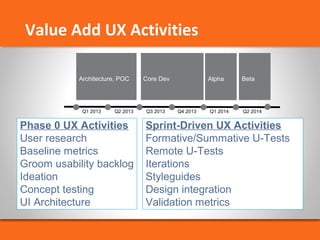
Value Add UX Activities 
Architecture, POC Core Dev Alpha Beta 
R1 Arch & 
Research 
Q1 2013 Q2 2013 Q3 2013 Q4 2013 Q1 2014 Q2 2014 
POC 
Sprint-Driven UX Activities 
Formative/Summative U-Tests 
Remote U-Tests 
Iterations 
Styleguides 
Design integration 
Validation metrics 
Phase 0 UX Activities 
User research 
Baseline metrics 
Groom usability backlog 
Ideation 
Concept testing 
UI Architecture
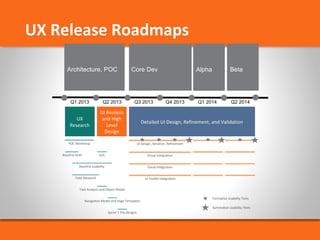
UX Release Roadmaps 
Architecture, POC Core Dev Alpha Beta 
Q1 2013 Q2 2013 Q3 2013 Q4 2013 Q1 2014 Q2 2014 
POC 
UX 
Research 
UI Analysis 
and High 
Level 
Design 
Detailed UI Design, Refinement, and Validation 
POC Workshop 
Baseline KLM Visual Integration 
Field Research 
SUS 
Baseline Usability 
Task Analysis and Object Model 
Navigation Model and Page Templates 
Sprint 1 Pre-designs 
UI Design, Iteration, Refinement 
Cloud Integration 
UI Toolkit Integration 
Formative Usability Tests 
Summative Usability Tests 
R1 Arch & 
Research
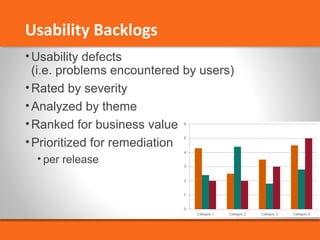
Usability Backlogs 
•Usability defects 
(i.e. problems encountered by users) 
•Rated by severity 
•Analyzed by theme 
•Ranked for business value 
•Prioritized for remediation 
• per release
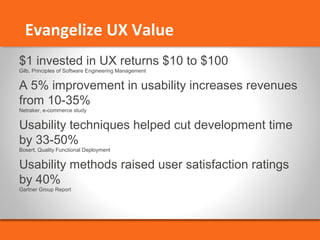
Evangelize UX Value 
$1 invested in UX returns $10 to $100 
Gilb, Principles of Software Engineering Management 
A 5% improvement in usability increases revenues 
from 10-35% 
Netraker, e-commerce study 
Usability techniques helped cut development time 
by 33-50% 
Bosert, Quality Functional Deployment 
Usability methods raised user satisfaction ratings 
by 40% 
Gartner Group Report
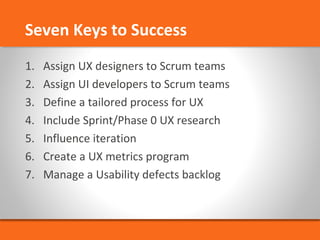
Seven Keys to Success 
1. Assign UX designers to Scrum teams 
2. Assign UI developers to Scrum teams 
3. Define a tailored process for UX 
4. Include Sprint/Phase 0 UX research 
5. Influence iteration 
6. Create a UX metrics program 
7. Manage a Usability defects backlog