

Joy Hawkins
Imprezzio Marketing
@JoyanneHawkins
How to Approach Google
My Business (GMB) in 2016
Where to Start?
Presenter Name : Company Name : Twitter Handle
@JoyanneHawkins
Find all Your GMB Listings!
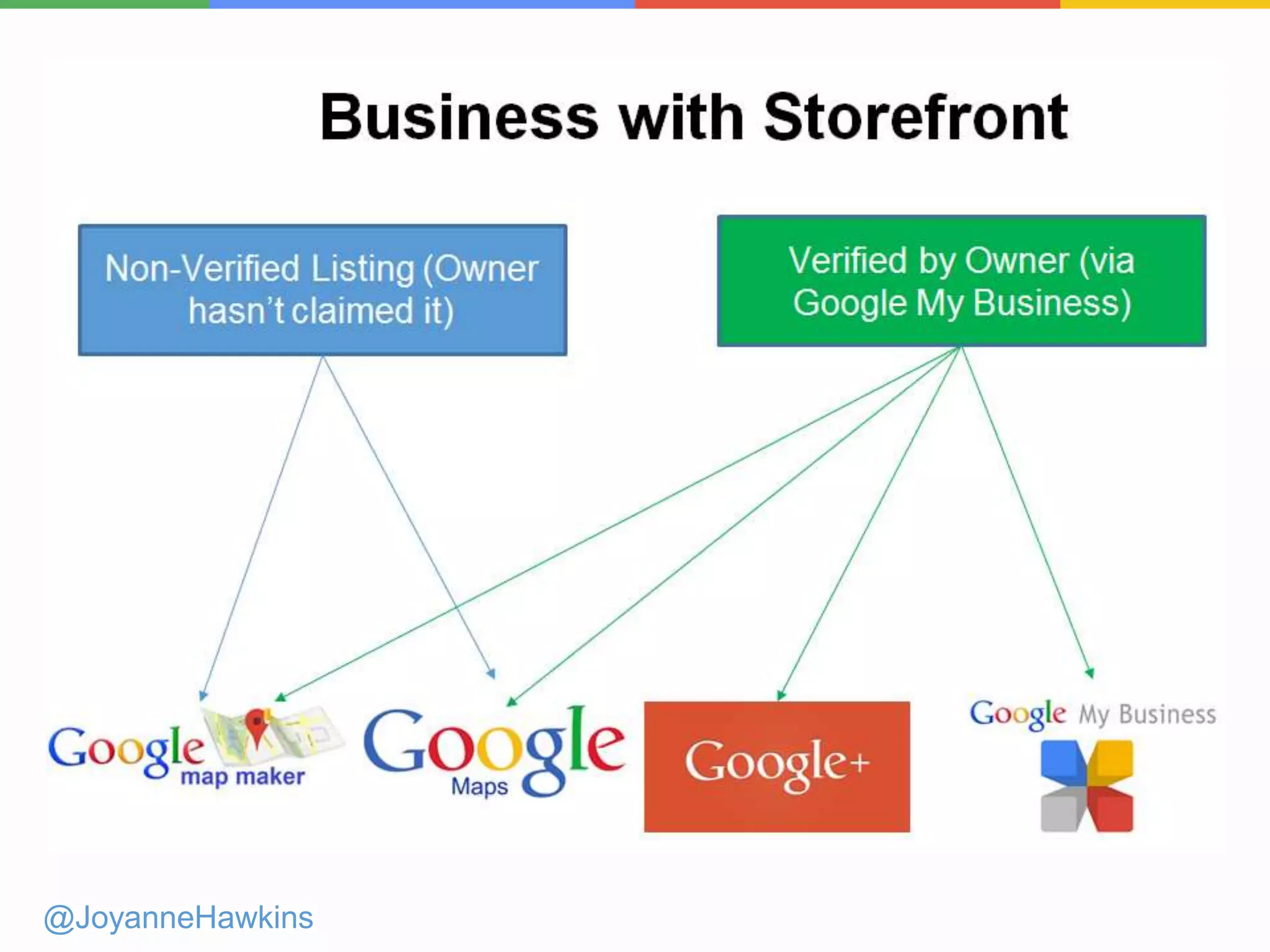
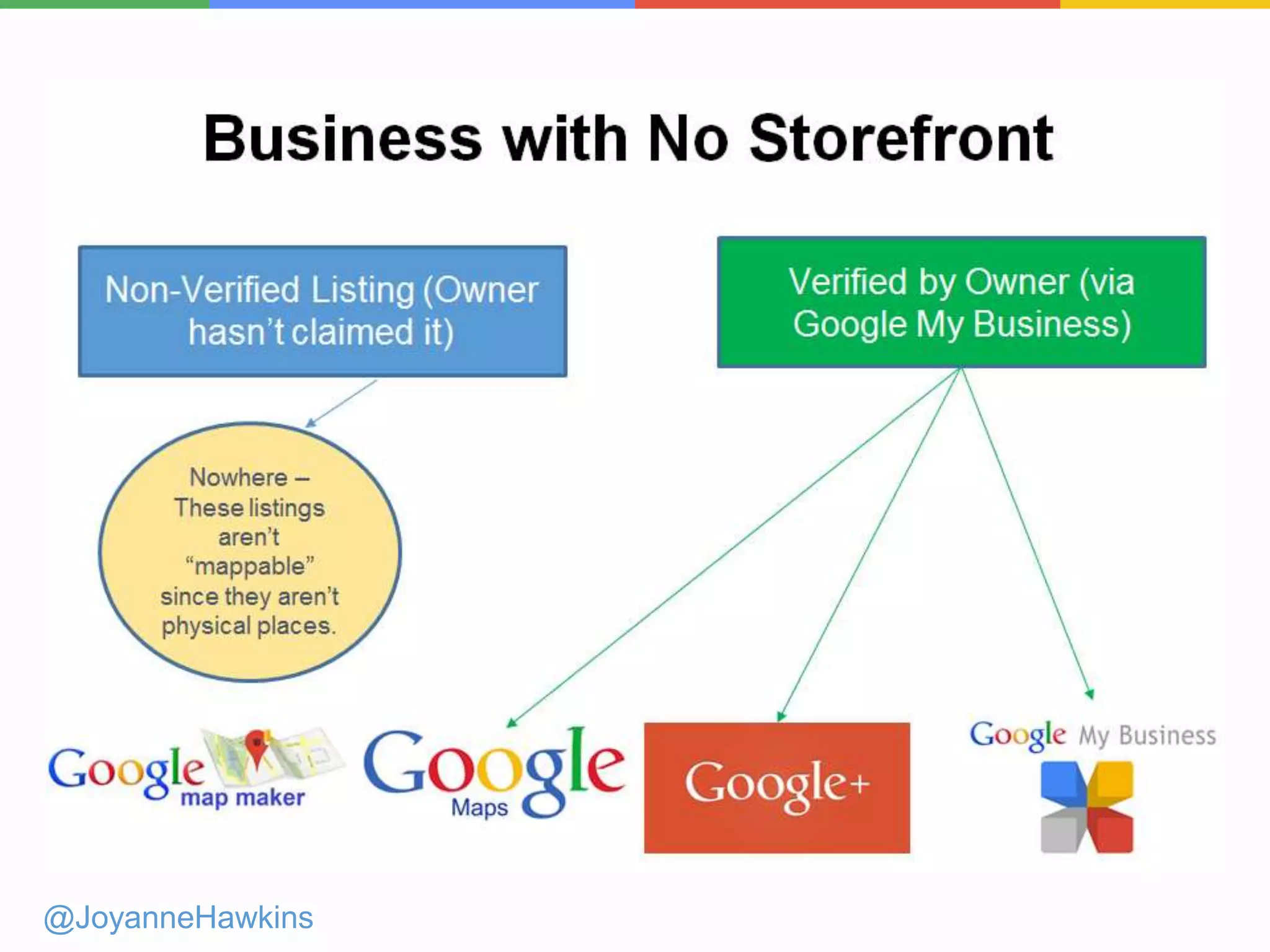
How Does a Listing End up on Google?
@JoyanneHawkins
● Google creates listings based on data
providers (Ex: ExpressUpdate, Acxiom)
● Google users through Google Maps or
MapMaker
● Business owners/marketing companies
via Google My Business
@JoyanneHawkins
@JoyanneHawkins
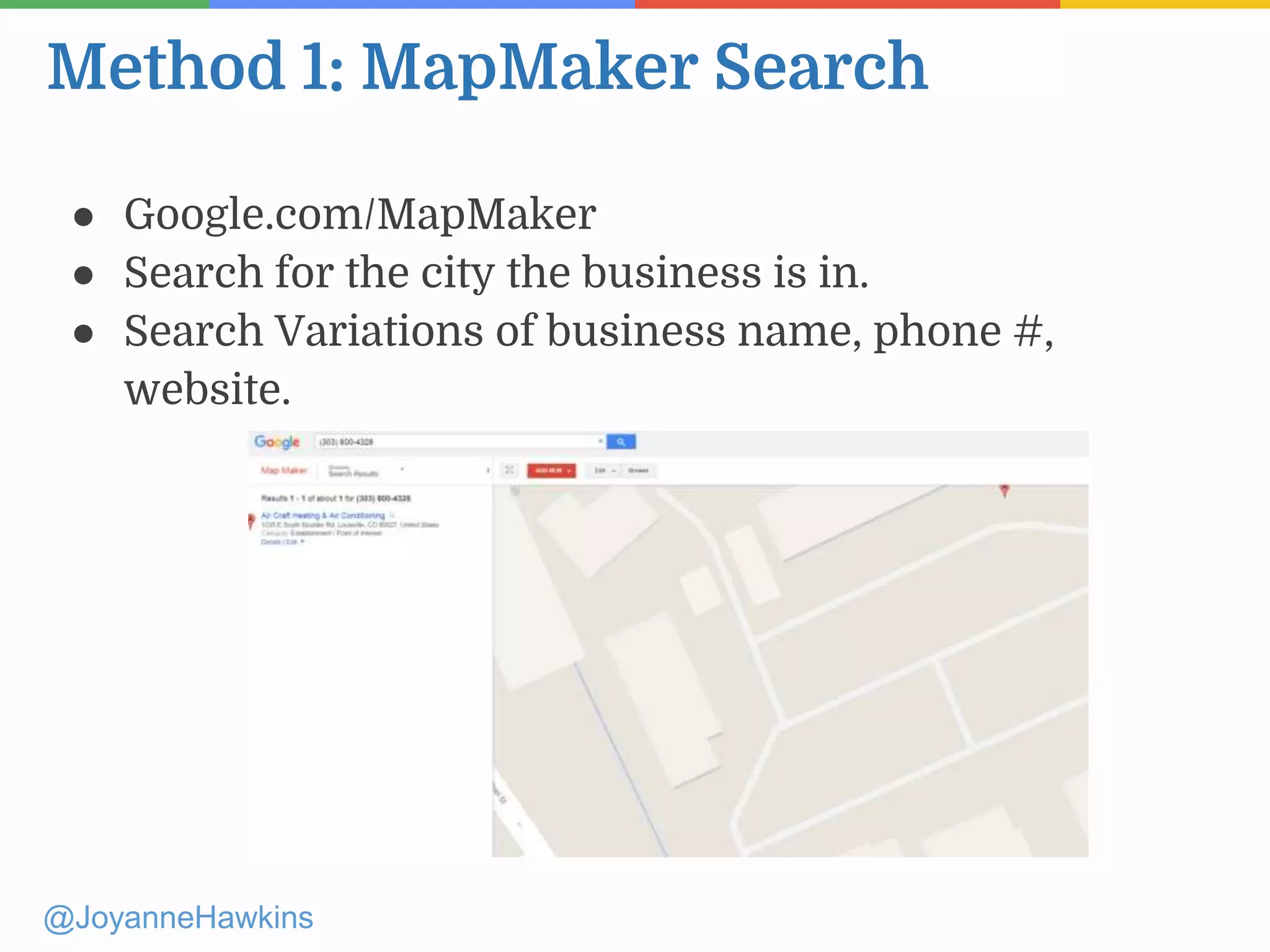
Method 1: MapMaker Search
@JoyanneHawkins
● Google.com/MapMaker
● Search for the city the business is in.
● Search Variations of business name, phone #,
website.
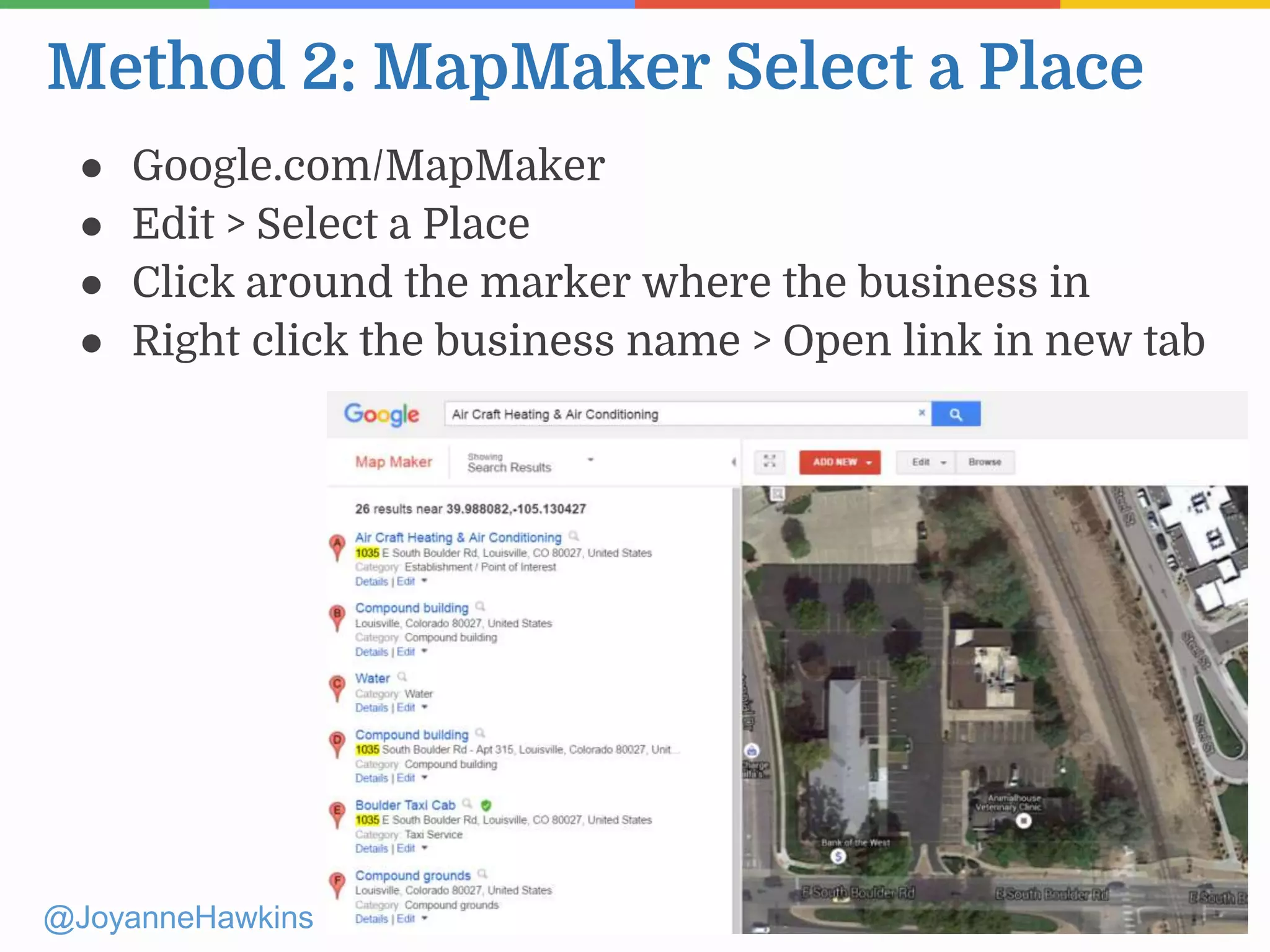
Method 2: MapMaker Select a Place
@JoyanneHawkins
● Google.com/MapMaker
● Edit > Select a Place
● Click around the marker where the business in
● Right click the business name > Open link in new tab
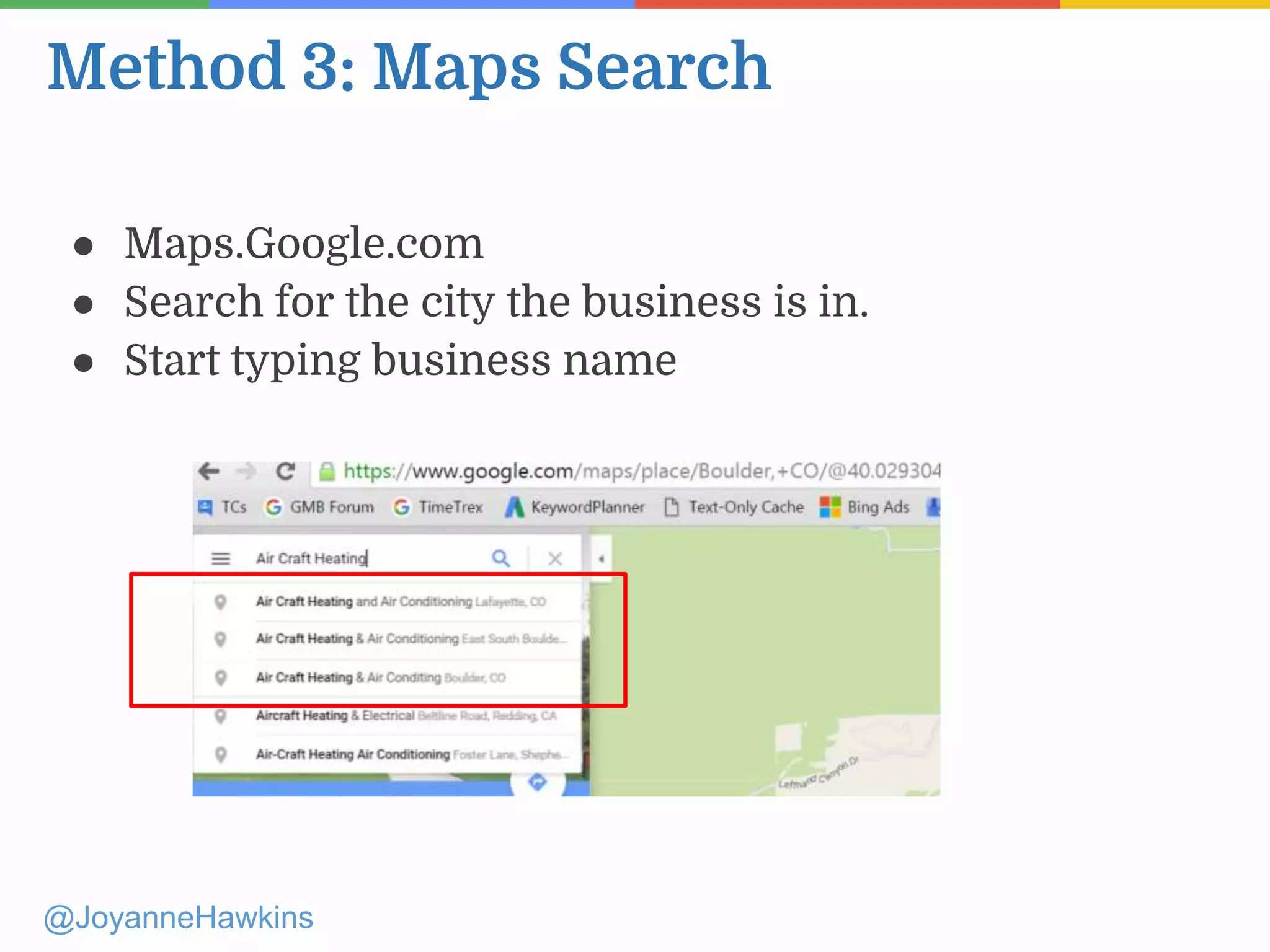
Method 3: Maps Search
@JoyanneHawkins
● Maps.Google.com
● Search for the city the business is in.
● Start typing business name
Method 4: Google Search
@JoyanneHawkins
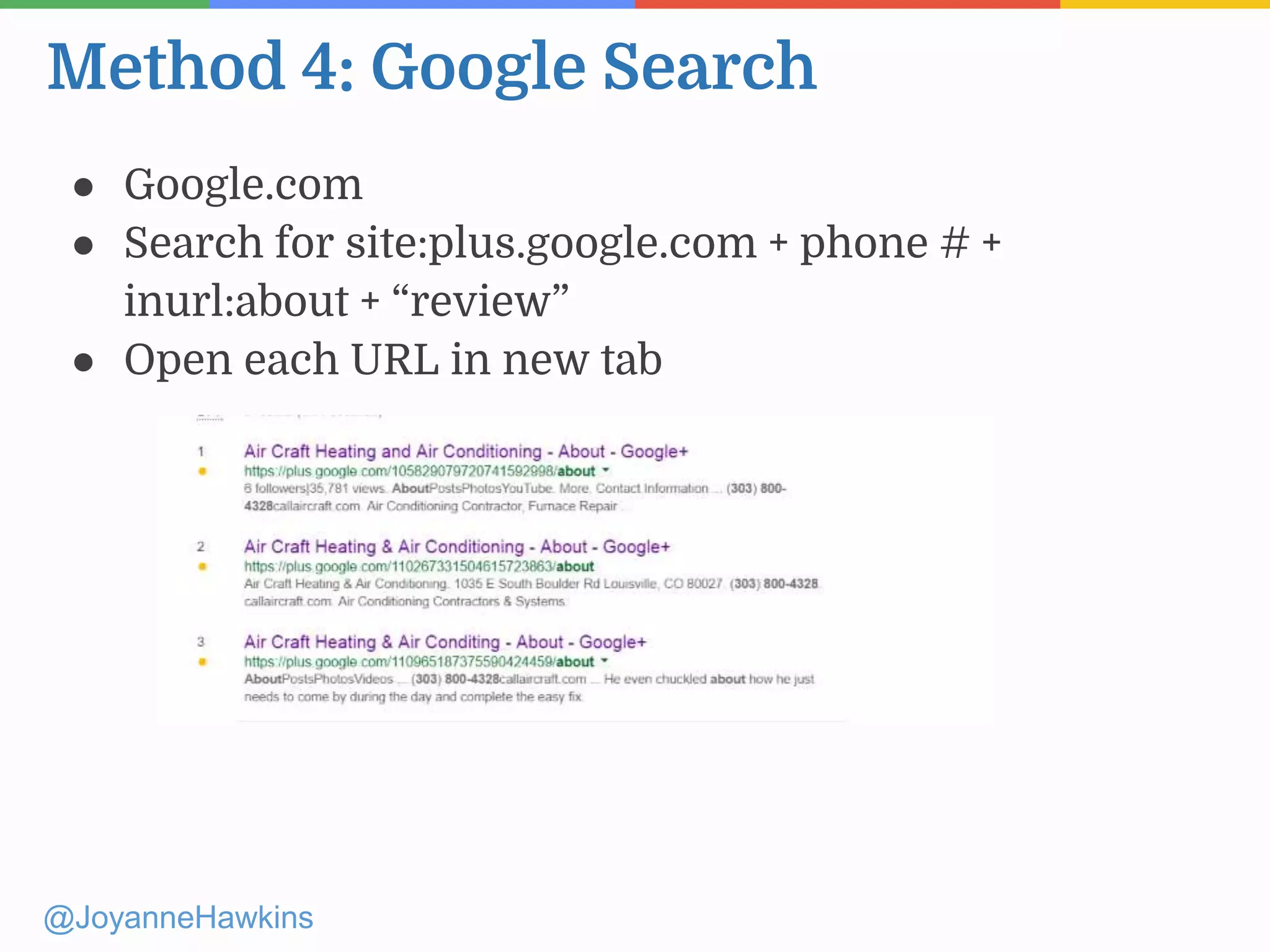
● Google.com
● Search for site:plus.google.com + phone # +
inurl:about + “review”
● Open each URL in new tab
Method 4: (Brand New Addition)
@JoyanneHawkins
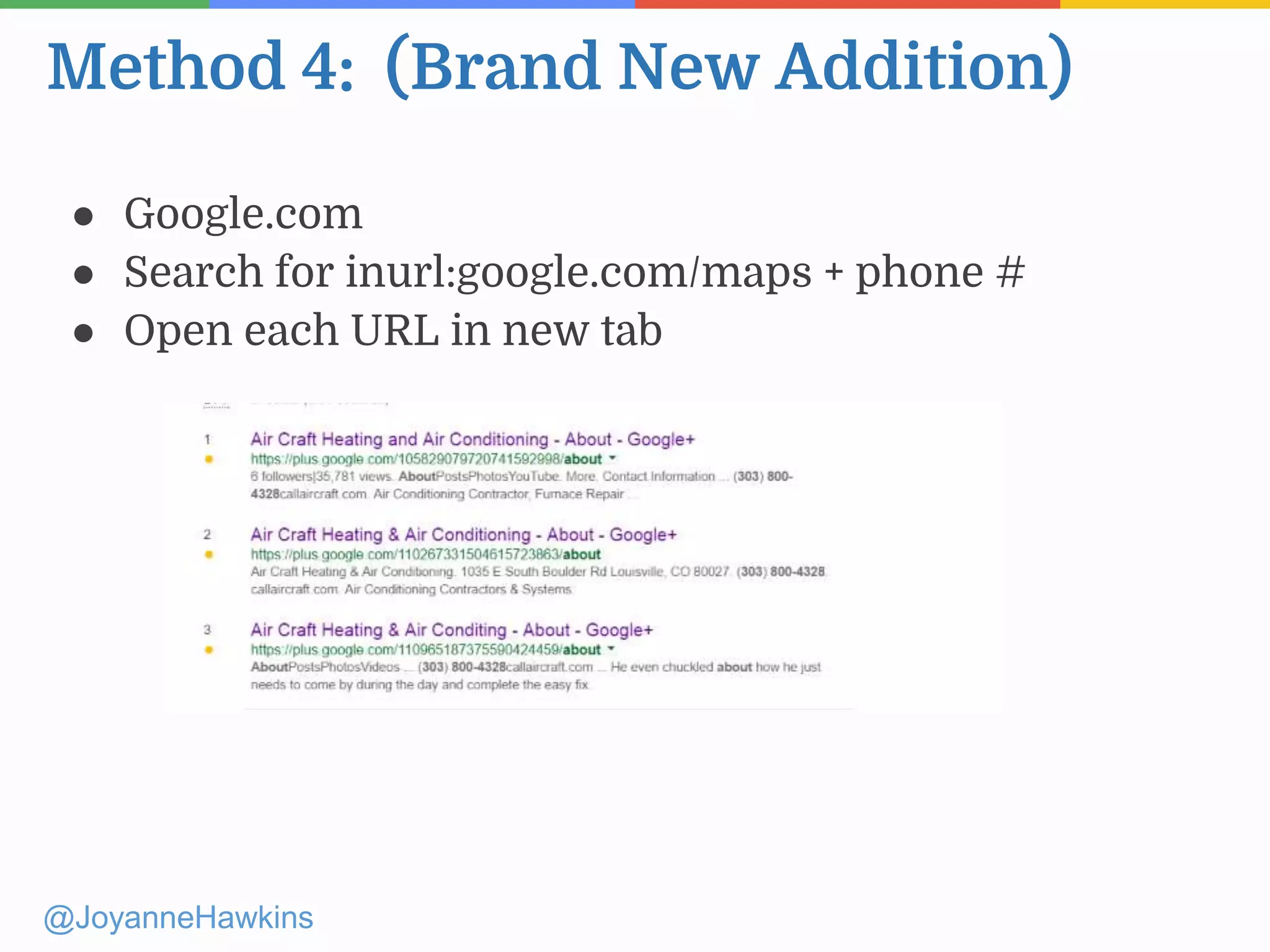
● Google.com
● Search for inurl:google.com/maps + phone #
● Open each URL in new tab
Why Both?
@JoyanneHawkins
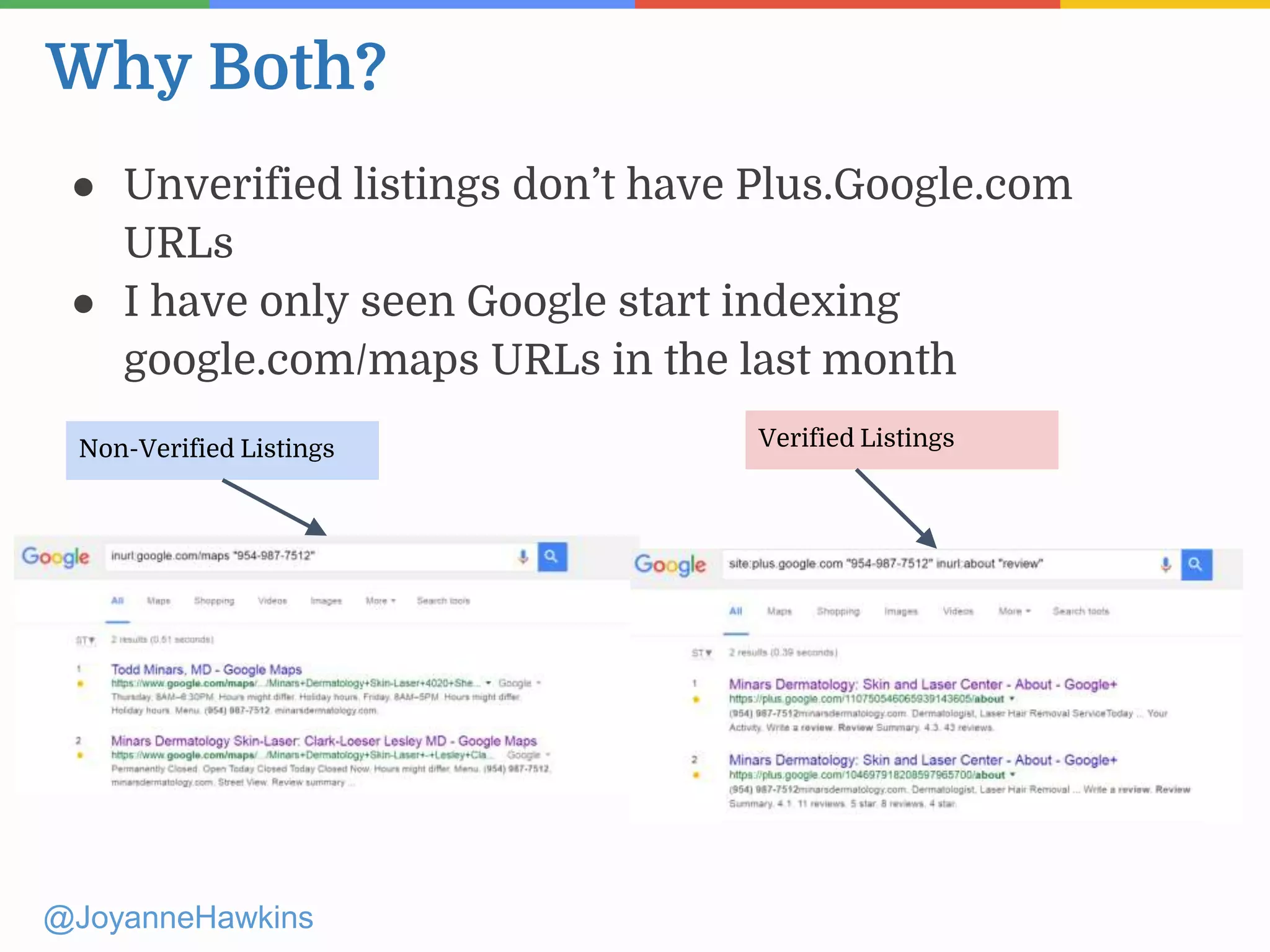
● Unverified listings don’t have Plus.Google.com
URLs
● I have only seen Google start indexing
google.com/maps URLs in the last month
Non-Verified Listings Verified Listings
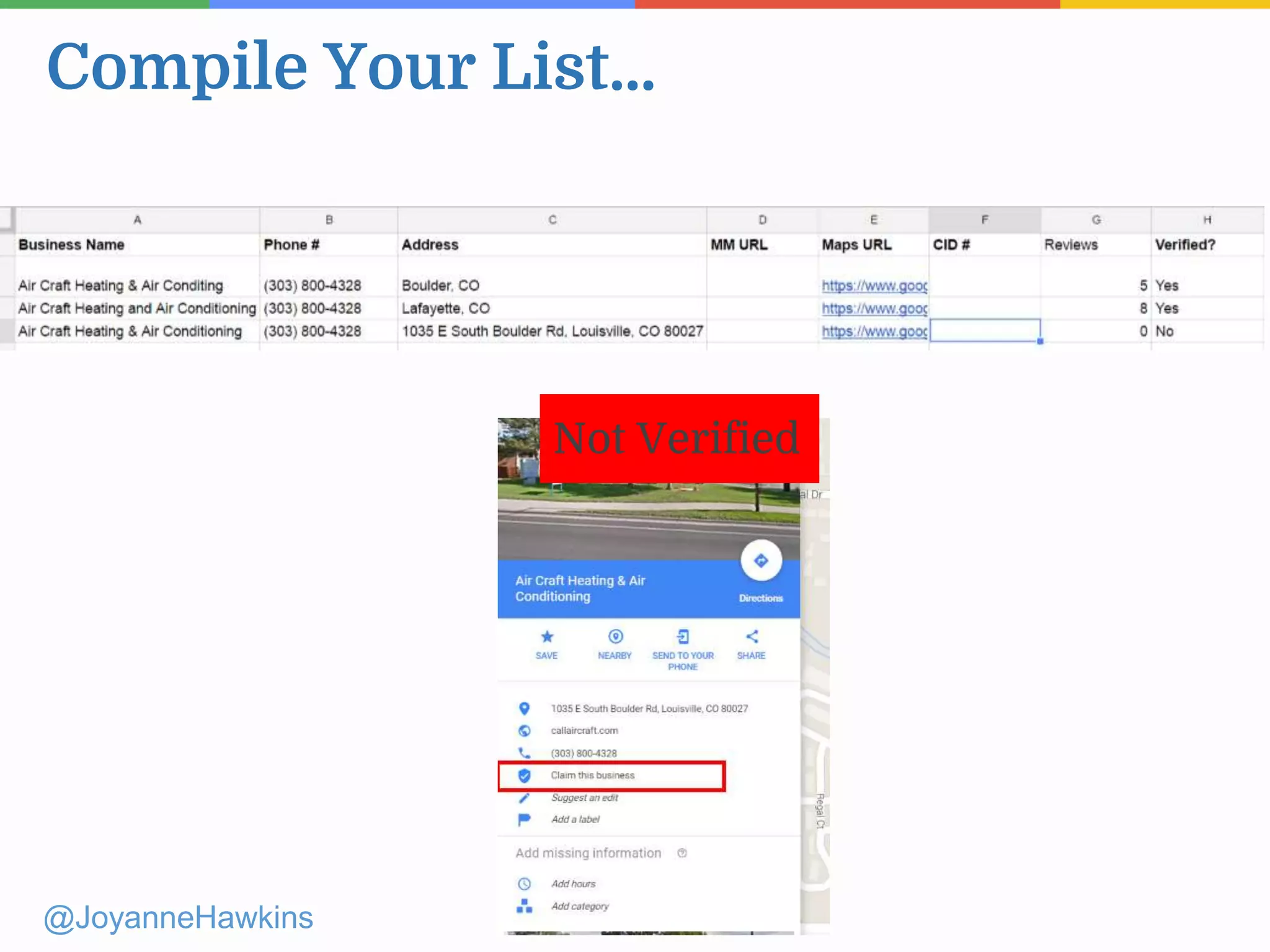
Compile Your List...
@JoyanneHawkins
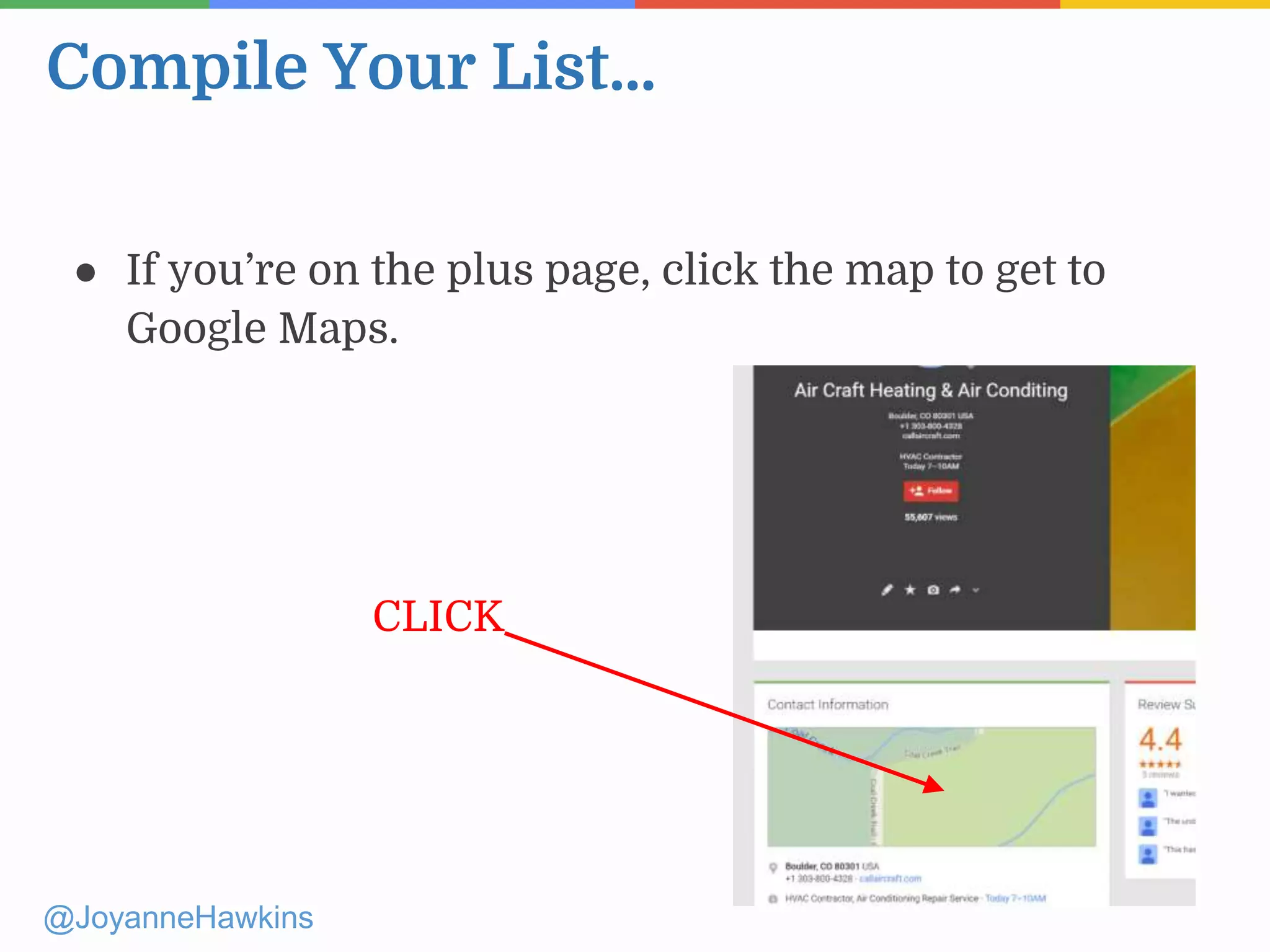
● If you’re on the plus page, click the map to get to
Google Maps.
CLICK
Compile Your List...
@JoyanneHawkins
Not Verified
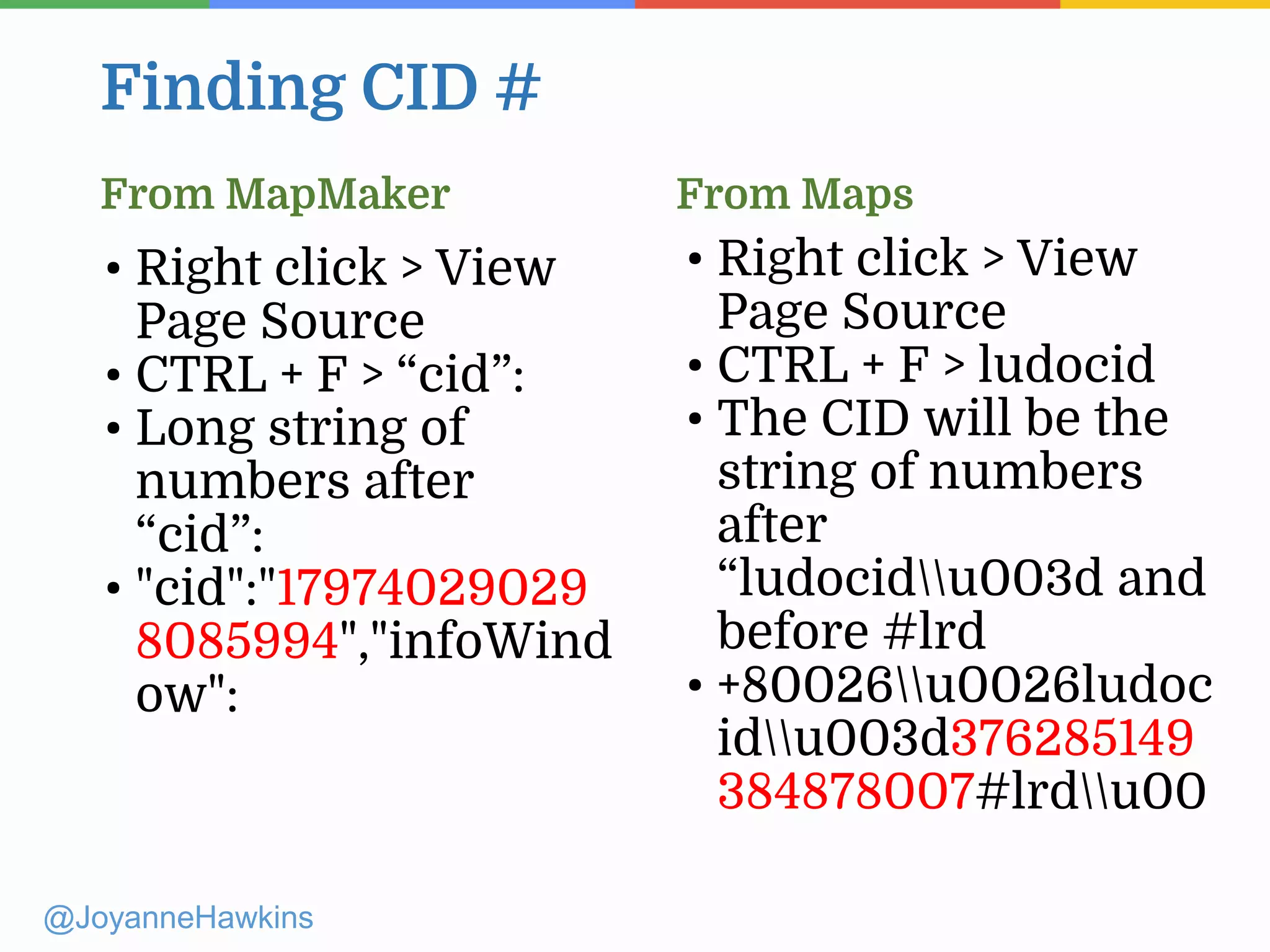
Finding CID #
@JoyanneHawkins
• Right click > View
Page Source
• CTRL + F > “cid”:
• Long string of
numbers after
“cid”:
• "cid":"17974029029
8085994","infoWind
ow":
• Right click > View
Page Source
• CTRL + F > ludocid
• The CID will be the
string of numbers
after
“ludocidu003d and
before #lrd
• +80026u0026ludoc
idu003d376285149
384878007#lrdu00
From MapMaker From Maps
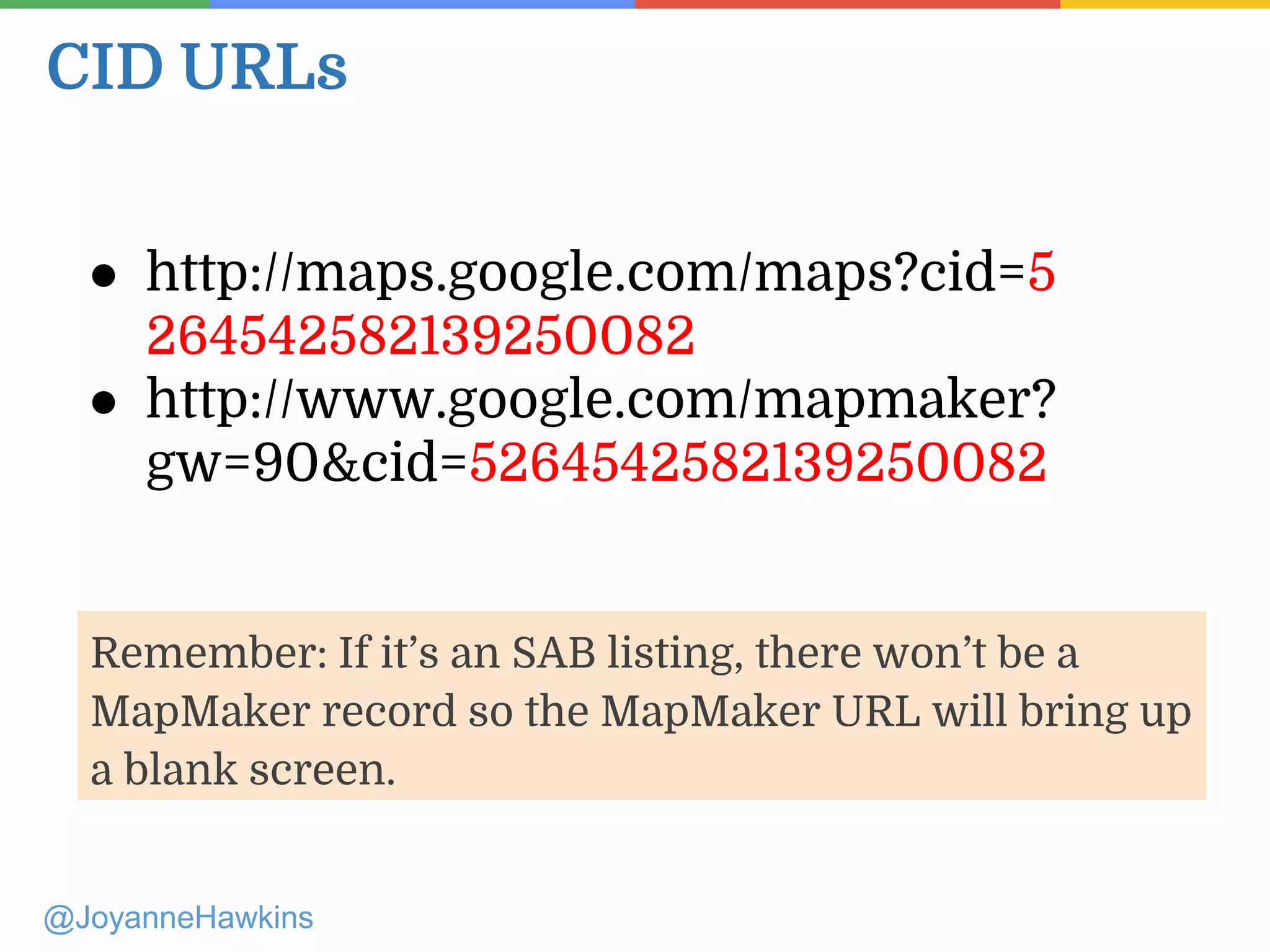
CID URLs
@JoyanneHawkins
● http://maps.google.com/maps?cid=5
264542582139250082
● http://www.google.com/mapmaker?
gw=90&cid=5264542582139250082
Remember: If it’s an SAB listing, there won’t be a
MapMaker record so the MapMaker URL will bring up
a blank screen.
@JoyanneHawkins
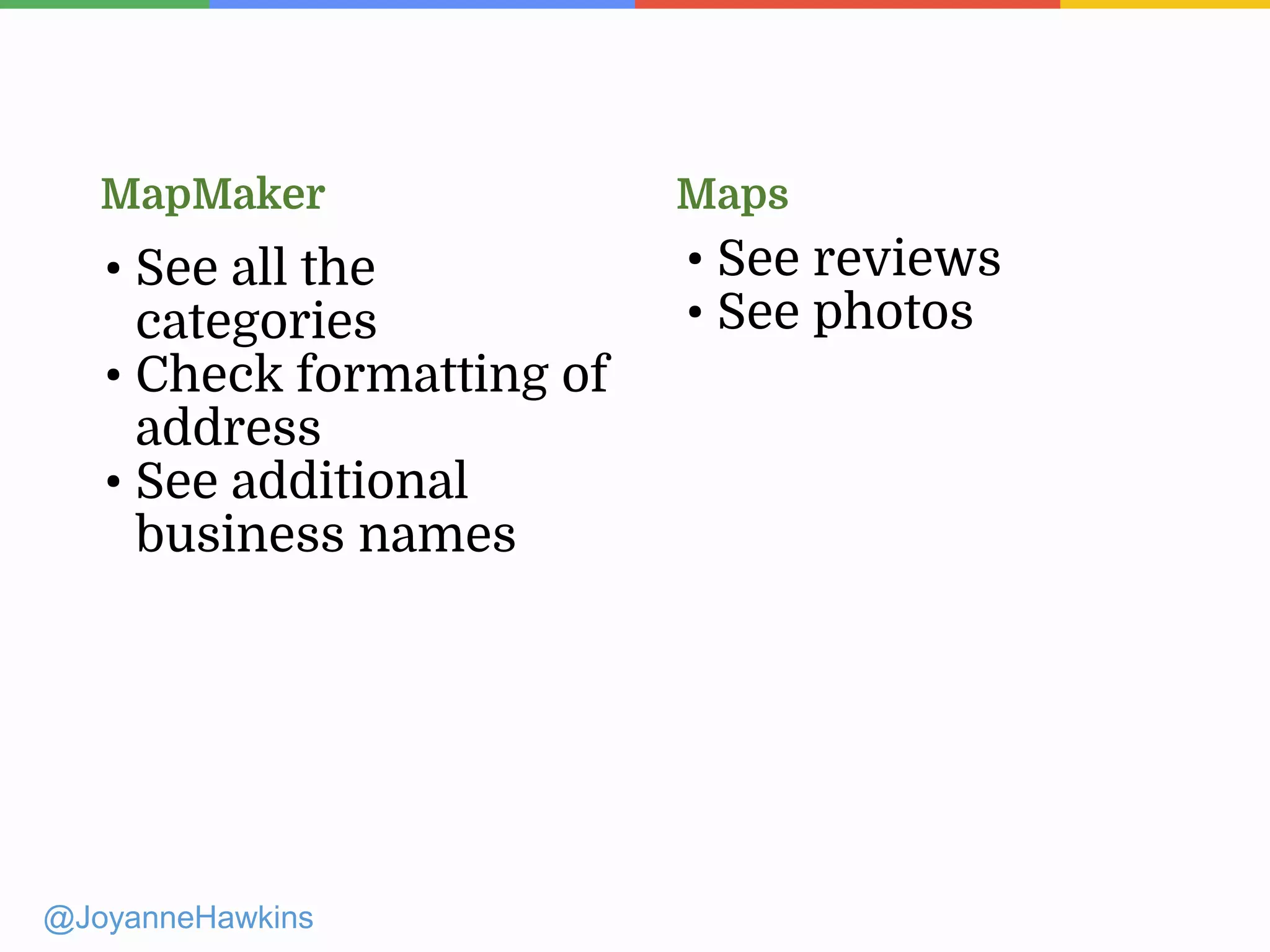
• See all the
categories
• Check formatting of
address
• See additional
business names
• See reviews
• See photos
MapMaker Maps
GMB Rules
Presenter Name : Company Name : Twitter Handle
@JoyanneHawkins
● Multiple listings for the same
business. (unless you have multiple
actual storefronts that customers visit)
● Keyword stuffing in the business
name.
@JoyanneHawkins
Common Rules People Break
• URL is a redirect
• Business name contains keyword stuffing
• Multiple listings for the same business
Common Reasons why Listings get
Suspended
Soft Suspension = Listing Becomes Unverified
Create new Google account, re-verify the listing, stop breaking the rules
@JoyanneHawkins
• Address is virtual
• Business doesn’t exist (pure spam/lead generating
company)
Common Reasons why Listings get
Suspended
Hard Suspension = Listing No Longer Exists in Maps/Mapmaker
Further Reading:
@JoyanneHawkins
http://searchengineland.com/top-9-reasons-
google-suspends-local-listings-247394
Fighting Spam
@JoyanneHawkins
Presenter Name : Company Name : Twitter Handle
@JoyanneHawkins
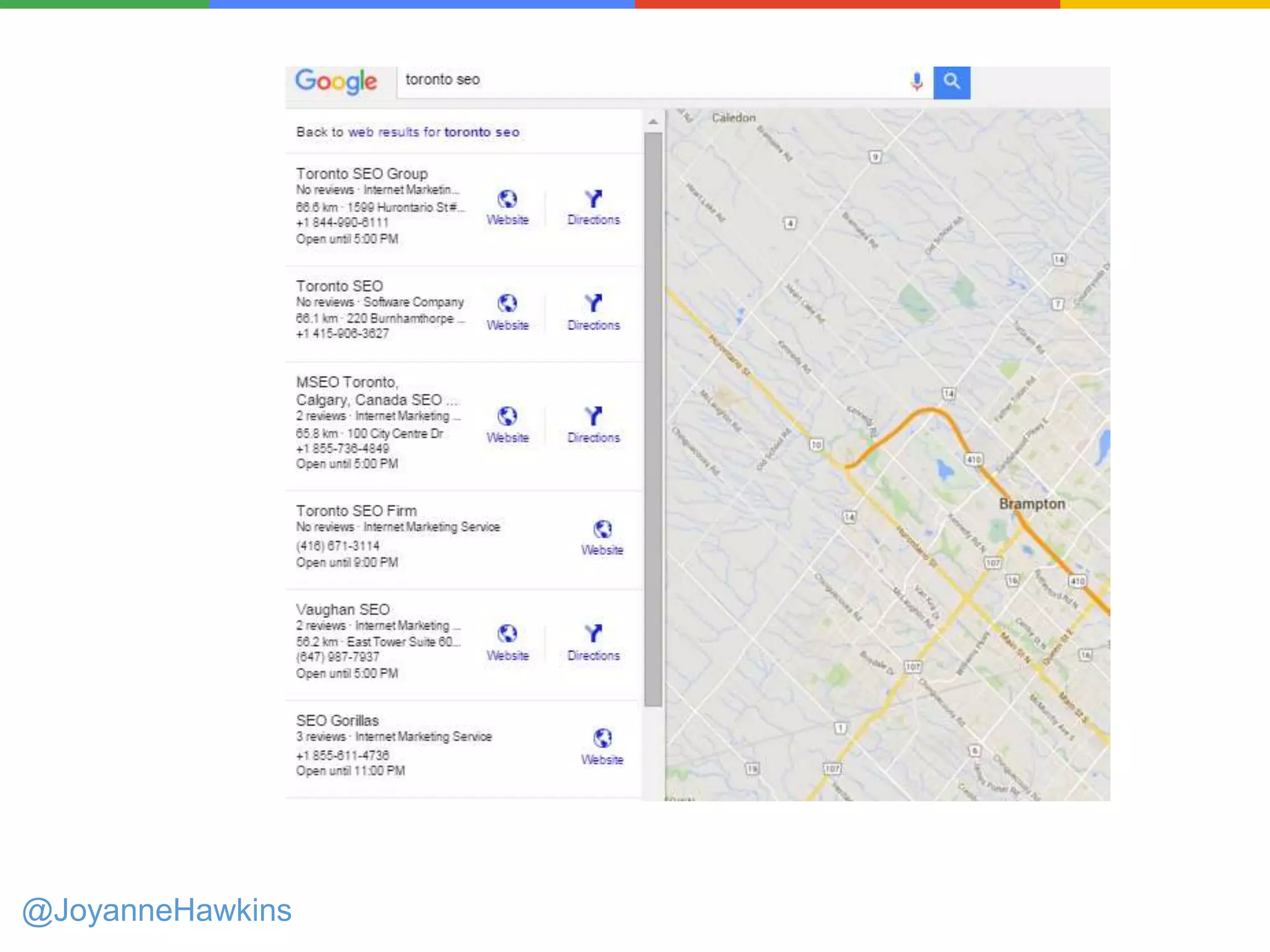
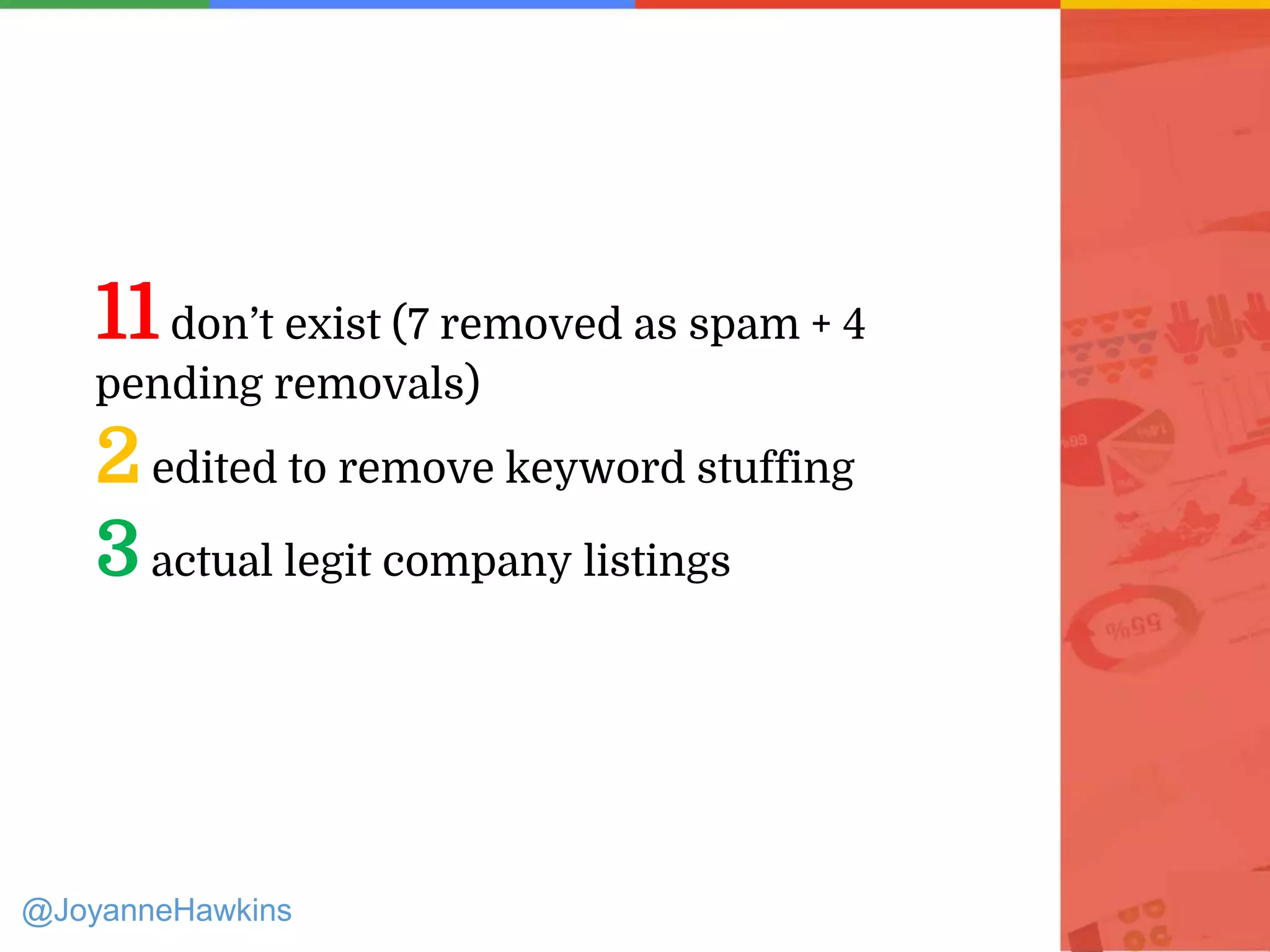
11don’t exist (7 removed as spam + 4
pending removals)
2edited to remove keyword stuffing
3actual legit company listings
@JoyanneHawkins
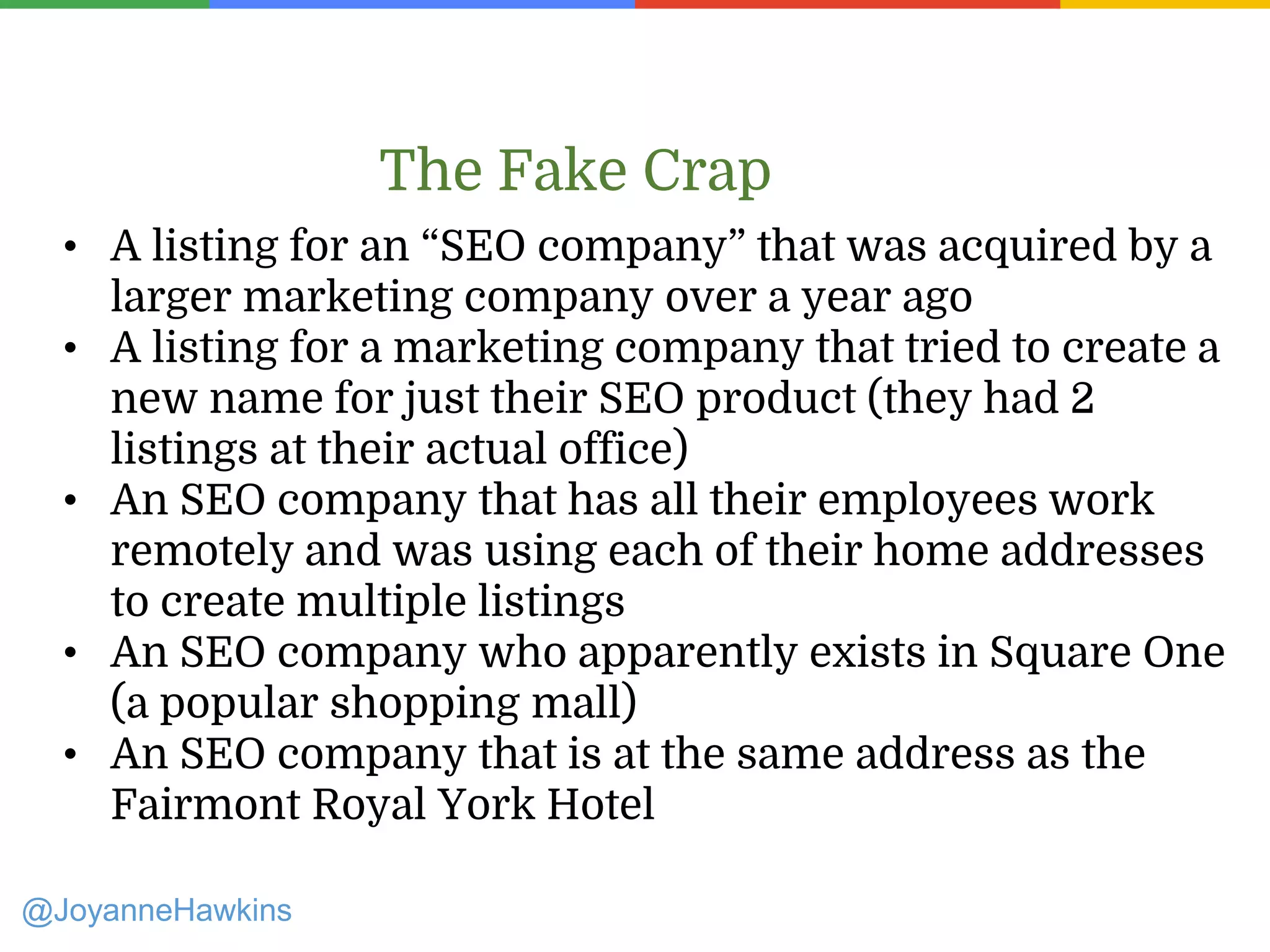
• A listing for an “SEO company” that was acquired by a
larger marketing company over a year ago
• A listing for a marketing company that tried to create a
new name for just their SEO product (they had 2
listings at their actual office)
• An SEO company that has all their employees work
remotely and was using each of their home addresses
to create multiple listings
• An SEO company who apparently exists in Square One
(a popular shopping mall)
• An SEO company that is at the same address as the
Fairmont Royal York Hotel
The Fake Crap
@JoyanneHawkins
Address
● Does what’s listed match the website?
● Check Street View. Does it show a UPS store or a
residential address? Is there any signage for the
business?
● Search the address on Google to see who else is using
it
Phone
● Call the phone number, see how they answer the
phone. Say you’re calling to get directions.
• Call from Gmail so they can’t call back
Investigating
@JoyanneHawkins
Investigating
Business Name
● Check what’s on signage (street view, drive there take
pics)
● How do they answer the phone?
● Check the Secretary of State Website to see what their
business license says
○ NPPES is great for medical industry
@JoyanneHawkins
Where to Report?
✓ Make Edits in Google Maps (email
confirmation)
✓ MapMaker Forum (after 7 days).
Better for unverified listings
✓ Google My Business Forum
Better for verified listings
@JoyanneHawkins
How to Edit
● If listing is fake (address doesn’t exist) or a verified
duplicate > Places is Closed > Spam
● Unverified duplicate > Place is Closed > Duplicate
● Keyword Stuffing > submit edit to correct business
name
@JoyanneHawkins
Further Reading:
http://www.joyannehawkins.com/ultimate-
guide-fighting-spam-google-maps/
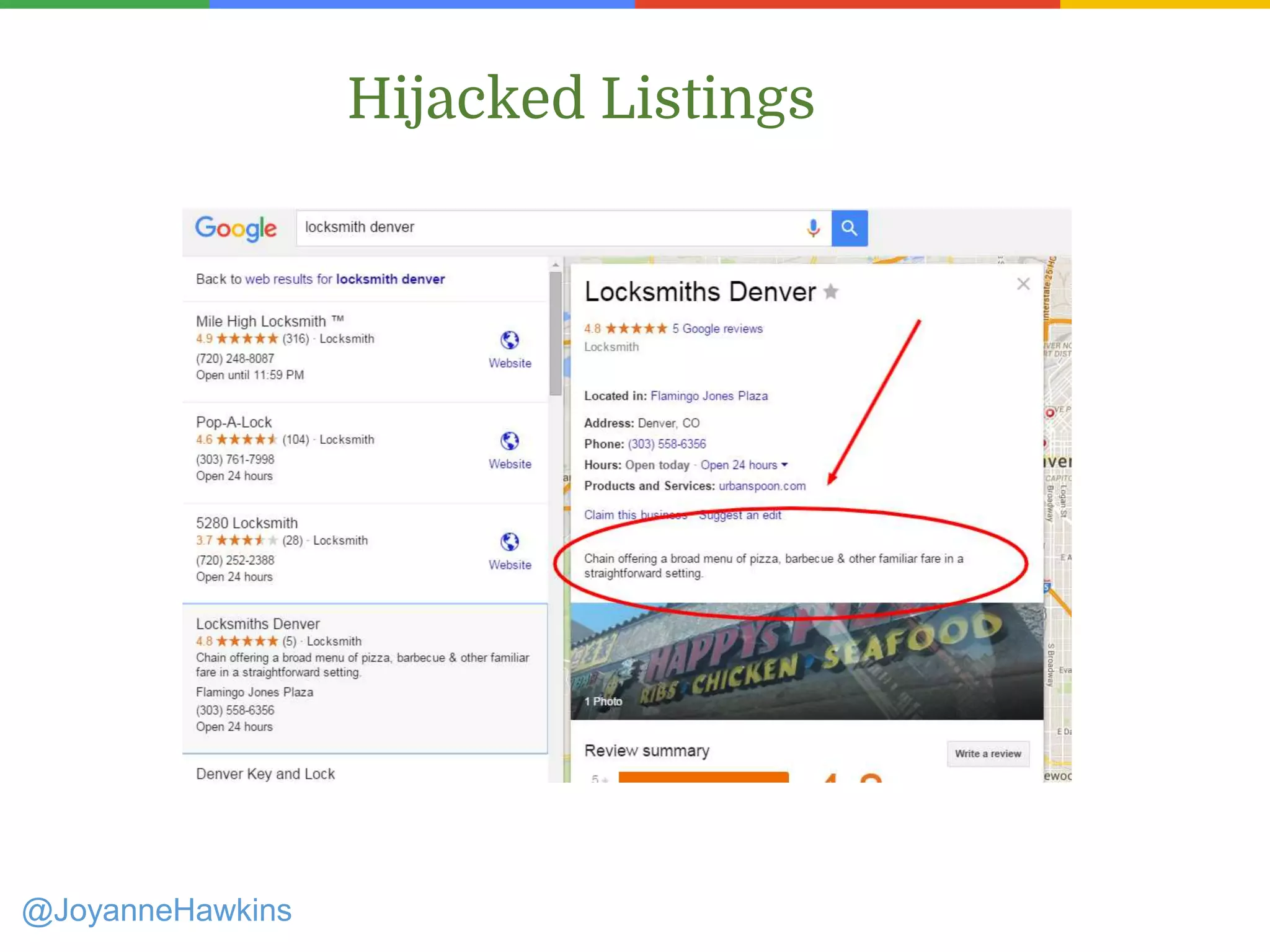
Hijacked Listings
@JoyanneHawkins
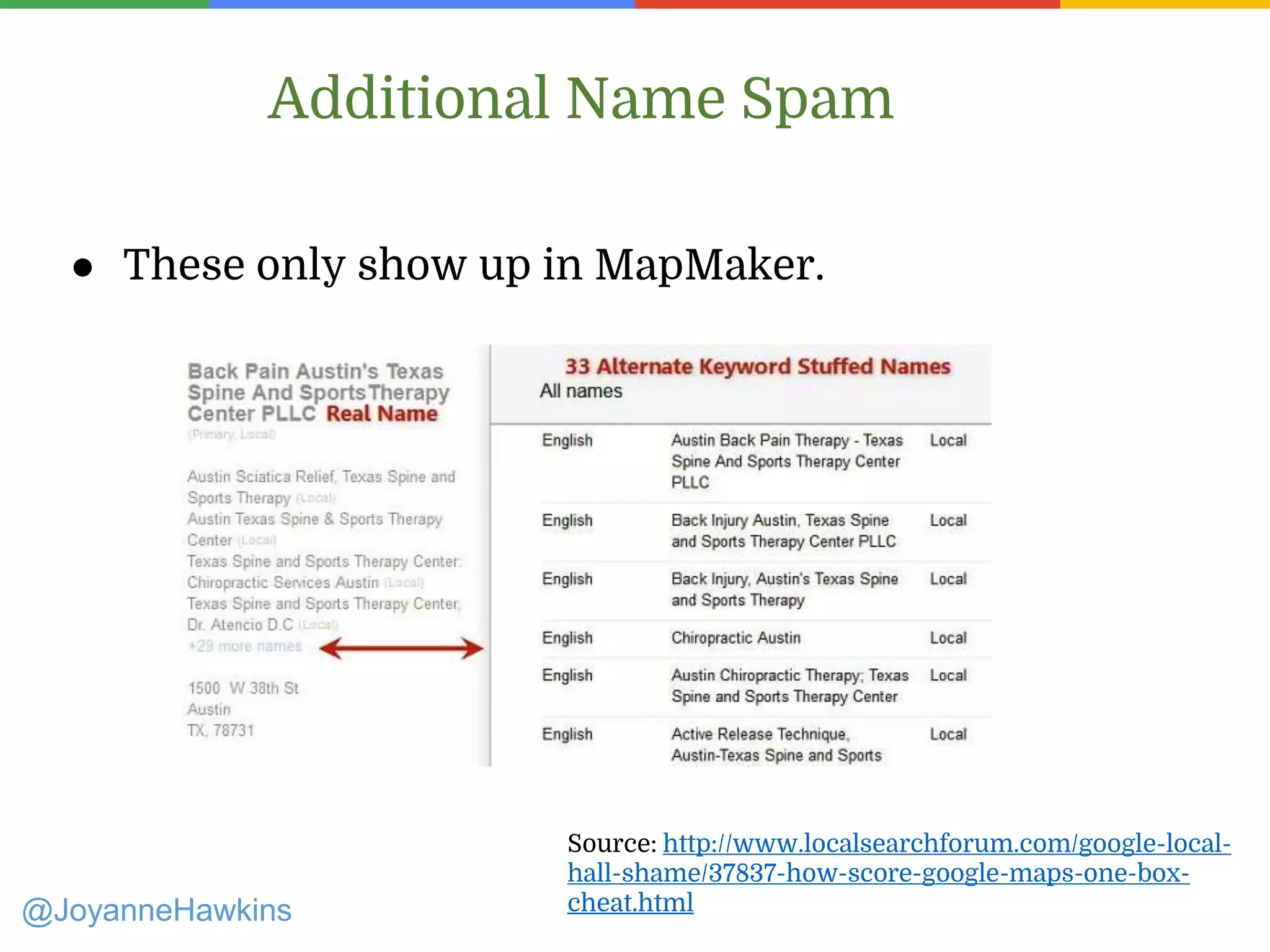
Additional Name Spam
@JoyanneHawkins
Source: http://www.localsearchforum.com/google-local-
hall-shame/37837-how-score-google-maps-one-box-
cheat.html
● These only show up in MapMaker.
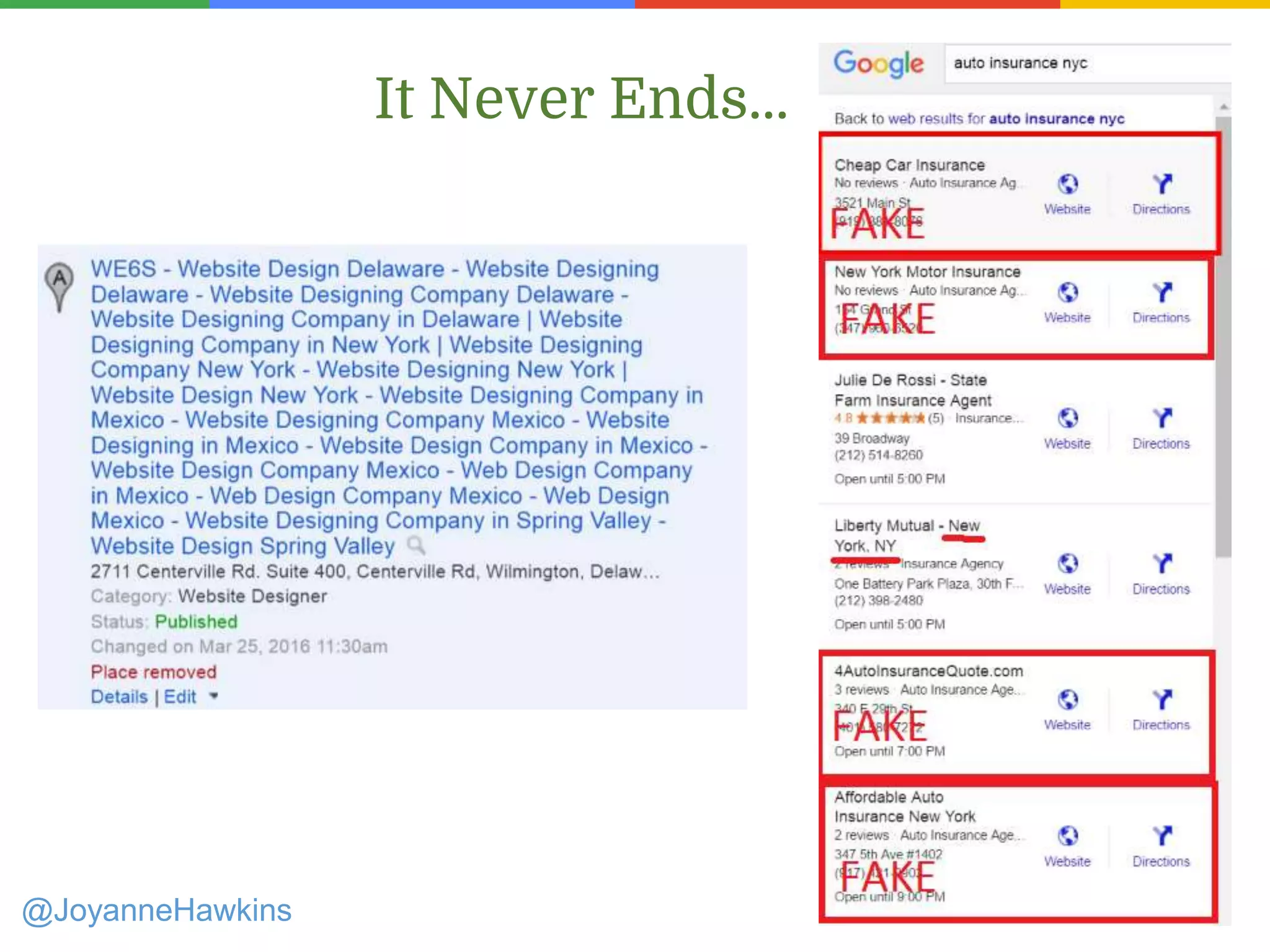
It Never Ends...
@JoyanneHawkins
It Never Ends...
@JoyanneHawkins
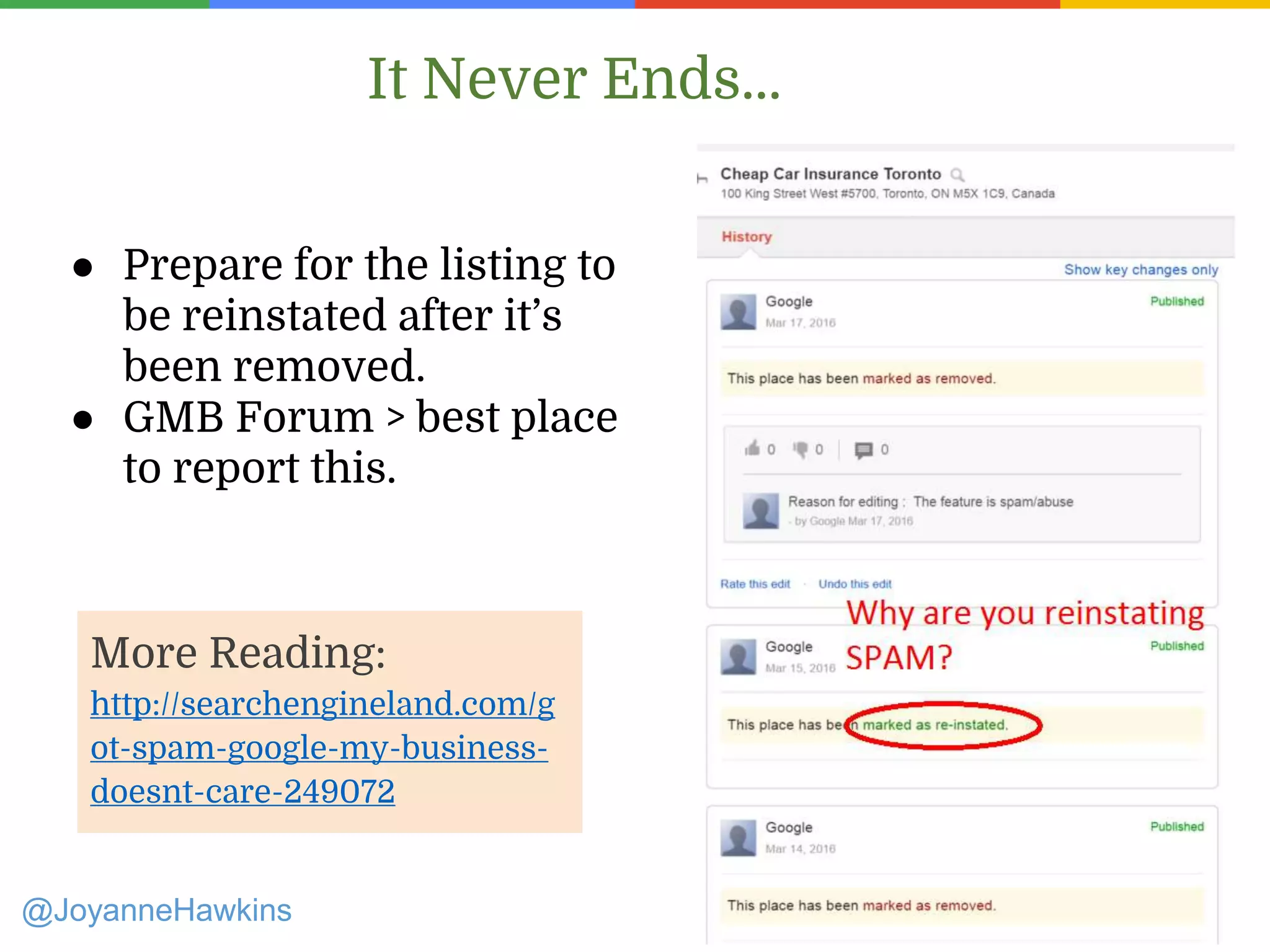
● Prepare for the listing to
be reinstated after it’s
been removed.
● GMB Forum > best place
to report this.
More Reading:
http://searchengineland.com/g
ot-spam-google-my-business-
doesnt-care-249072
Contacting GMB
Presenter Name : Company Name : Twitter Handle
@JoyanneHawkins
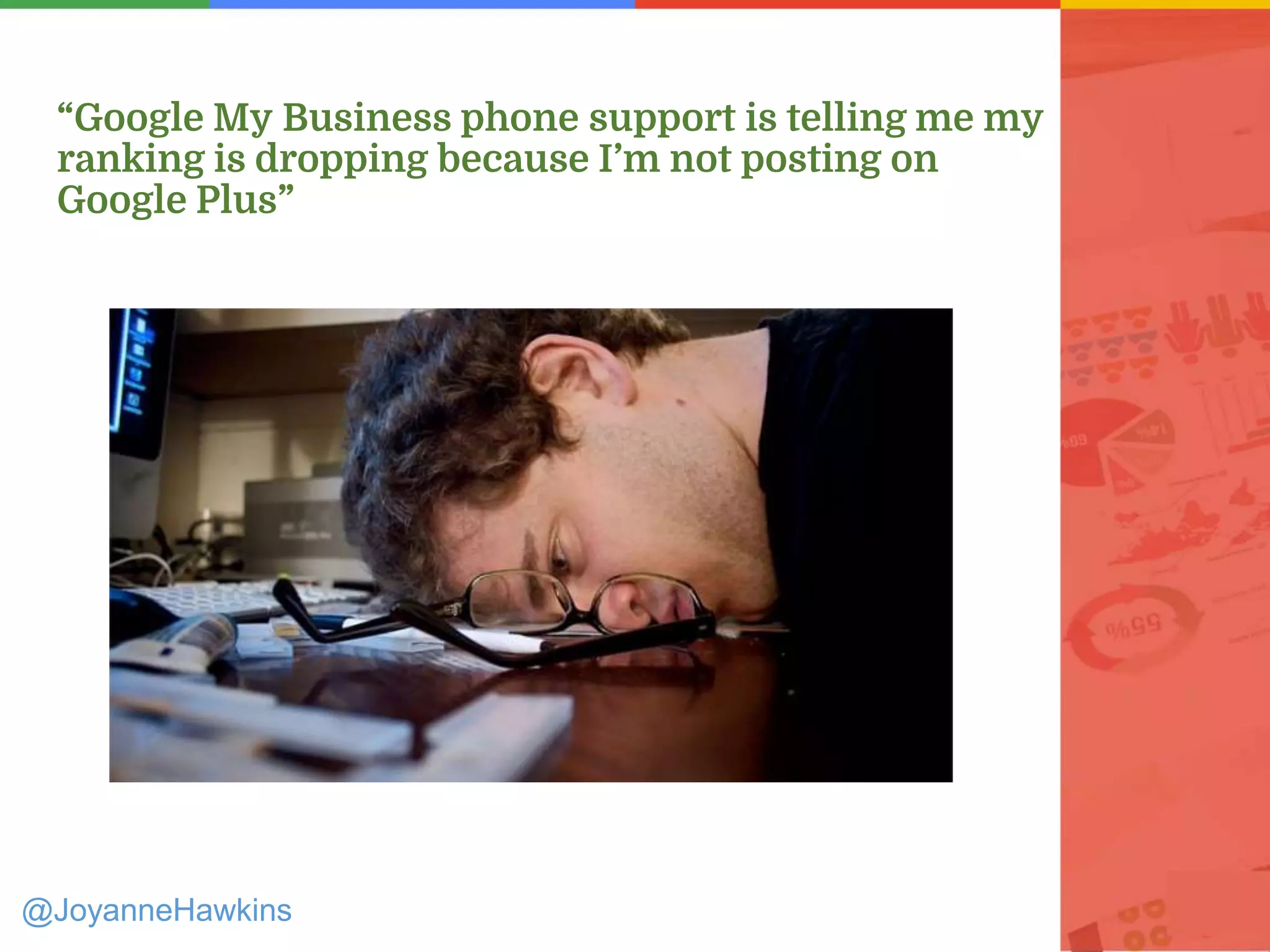
“Google My Business phone support is telling me my
ranking is dropping because I’m not posting on
Google Plus”
@JoyanneHawkins
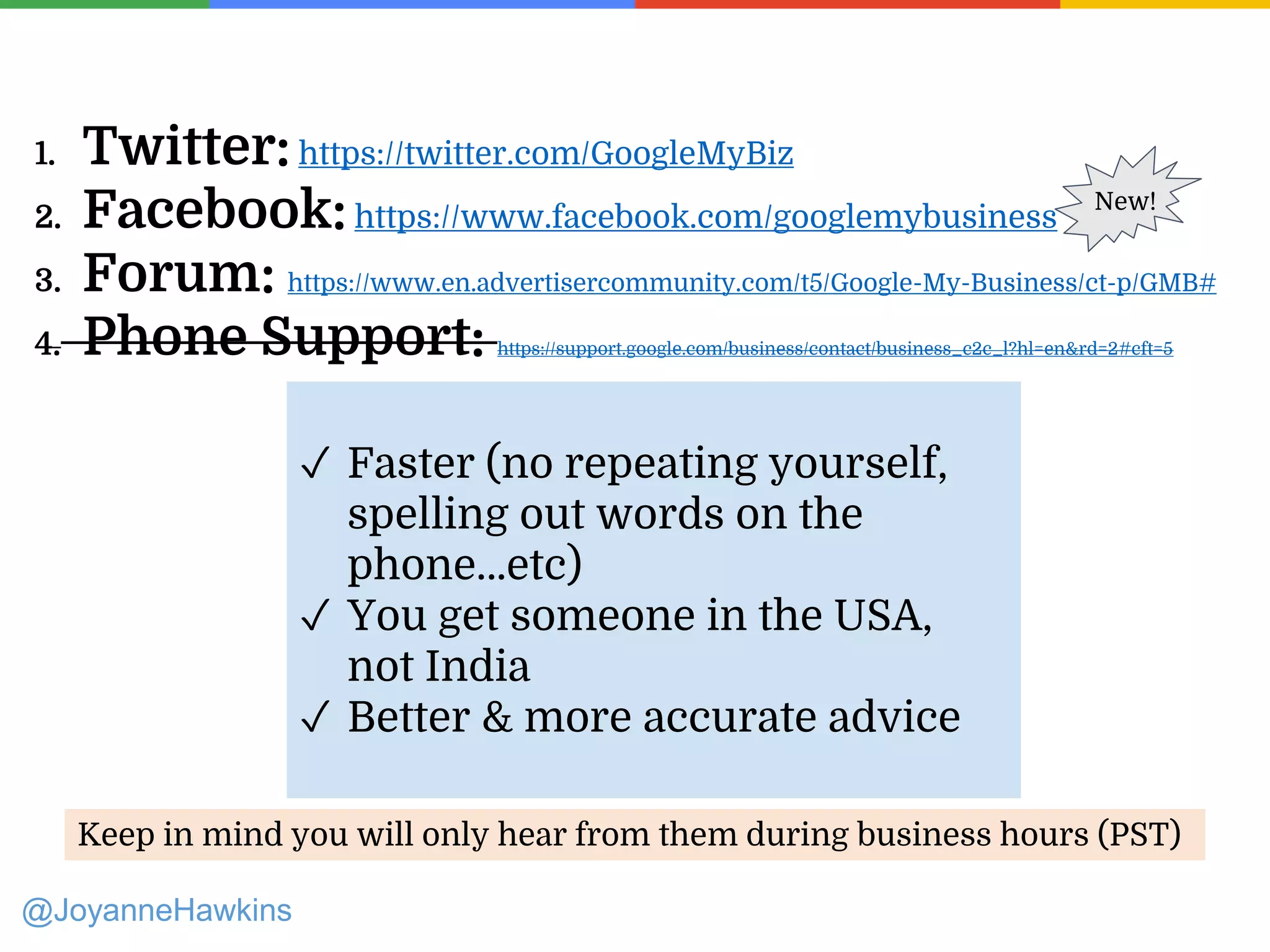
1. Twitter: https://twitter.com/GoogleMyBiz
2. Facebook:https://www.facebook.com/googlemybusiness
3. Forum: https://www.en.advertisercommunity.com/t5/Google-My-Business/ct-p/GMB#
4. Phone Support: https://support.google.com/business/contact/business_c2c_l?hl=en&rd=2#cft=5
@JoyanneHawkins
New!
Keep in mind you will only hear from them during business hours (PST)
✓ Faster (no repeating yourself,
spelling out words on the
phone…etc)
✓ You get someone in the USA,
not India
✓ Better & more accurate advice
Practitioner Listings
Presenter Name : Company Name : Twitter Handle
@JoyanneHawkins
Presenter Name : Company Name : Twitter Handle
@JoyanneHawkins
Presenter Name : Company Name : Twitter Handle
What Listings are Allowed?
• Solo-practitioners are only allowed
one listing total
• Allstate: Bob Smith
• ABC Dental: Dr Bob Smith
• Public-facing professionals are
allowed their own listing (ex:
lawyers, doctors, realtors)
• Support staff should not have
listings
• If a professional works out of more
than 1 office, they can have 1 listing
per location
Best Scenario
@JoyanneHawkins
Presenter Name : Company Name : Twitter Handle
Strategies to Use
• Find out which listing is currently ranking highest and
make it the primary listing you try to get reviews on.
• Try to keep categories from overlapping as much as
possible
• When categories do overlap (ex: 2 dentists), minimize
the profile that ranks lowest.
• Removing the website is a great way to minimize
@JoyanneHawkins
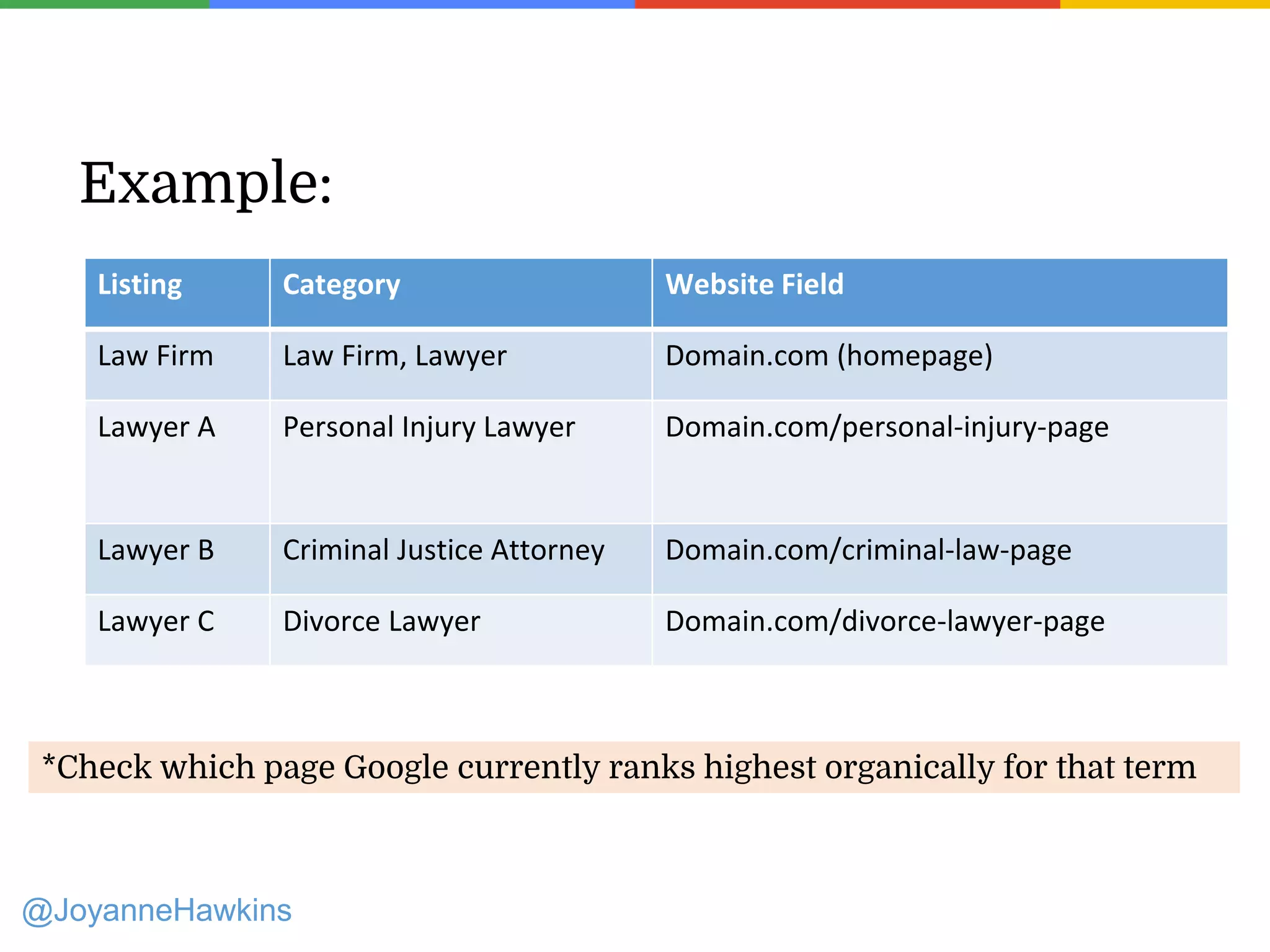
Example:
Listing Category Website Field
Law Firm Law Firm, Lawyer Domain.com (homepage)
Lawyer A Personal Injury Lawyer Domain.com/personal-injury-page
Lawyer B Criminal Justice Attorney Domain.com/criminal-law-page
Lawyer C Divorce Lawyer Domain.com/divorce-lawyer-page
*Check which page Google currently ranks highest organically for that term
@JoyanneHawkins
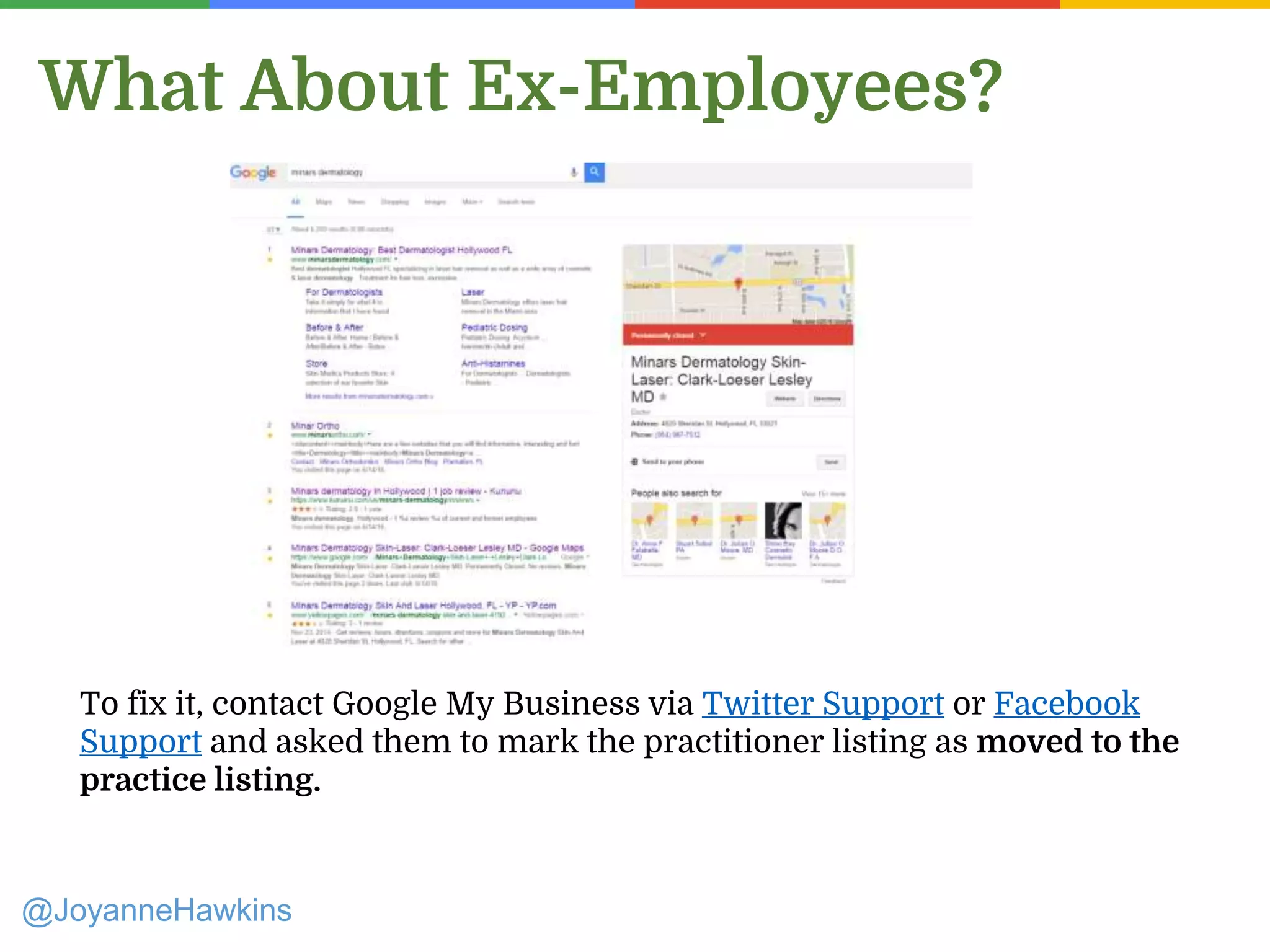
What About Ex-Employees?
To fix it, contact Google My Business via Twitter Support or Facebook
Support and asked them to mark the practitioner listing as moved to the
practice listing.
@JoyanneHawkins
The “Moved” Feature
@JoyanneHawkins
• Only GMB can do this.
• It takes the “old” address on Maps and 302’s it to
the new location
• The “old” listing will completely vanish from
Google Search and Google Maps, making it
impossible for customers to accidentally see.
• Since the listing doesn’t show up anywhere, the
“Permanently closed” message won’t show up
anywhere, either.
• Reviews from the closed listing will transfer to the
new listing (double-check to make sure that
happens).
Knowledge Graph Issues
Presenter Name : Company Name : Twitter Handle
@JoyanneHawkins
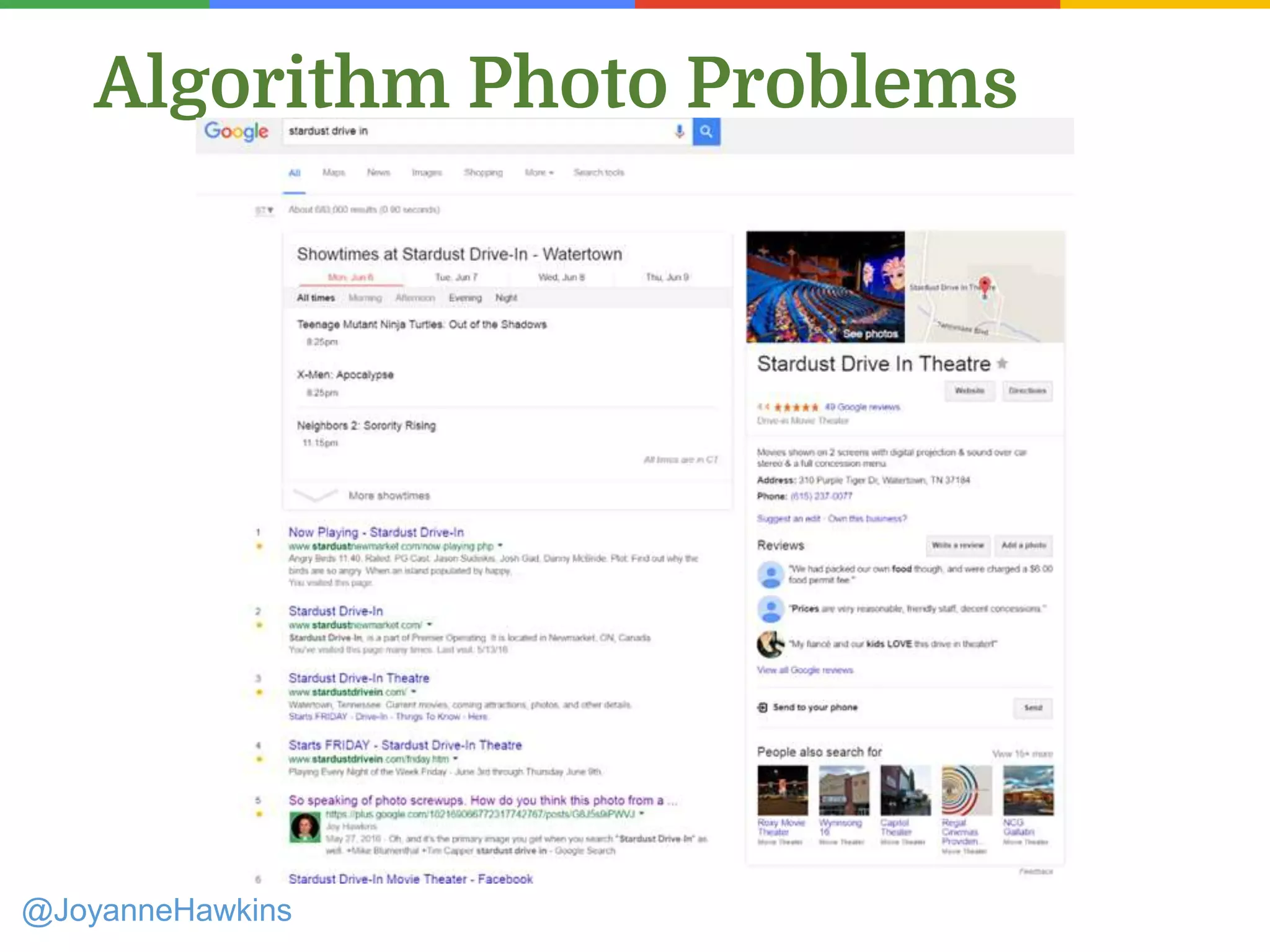
Algorithm Photo Problems
@JoyanneHawkins
@JoyanneHawkins
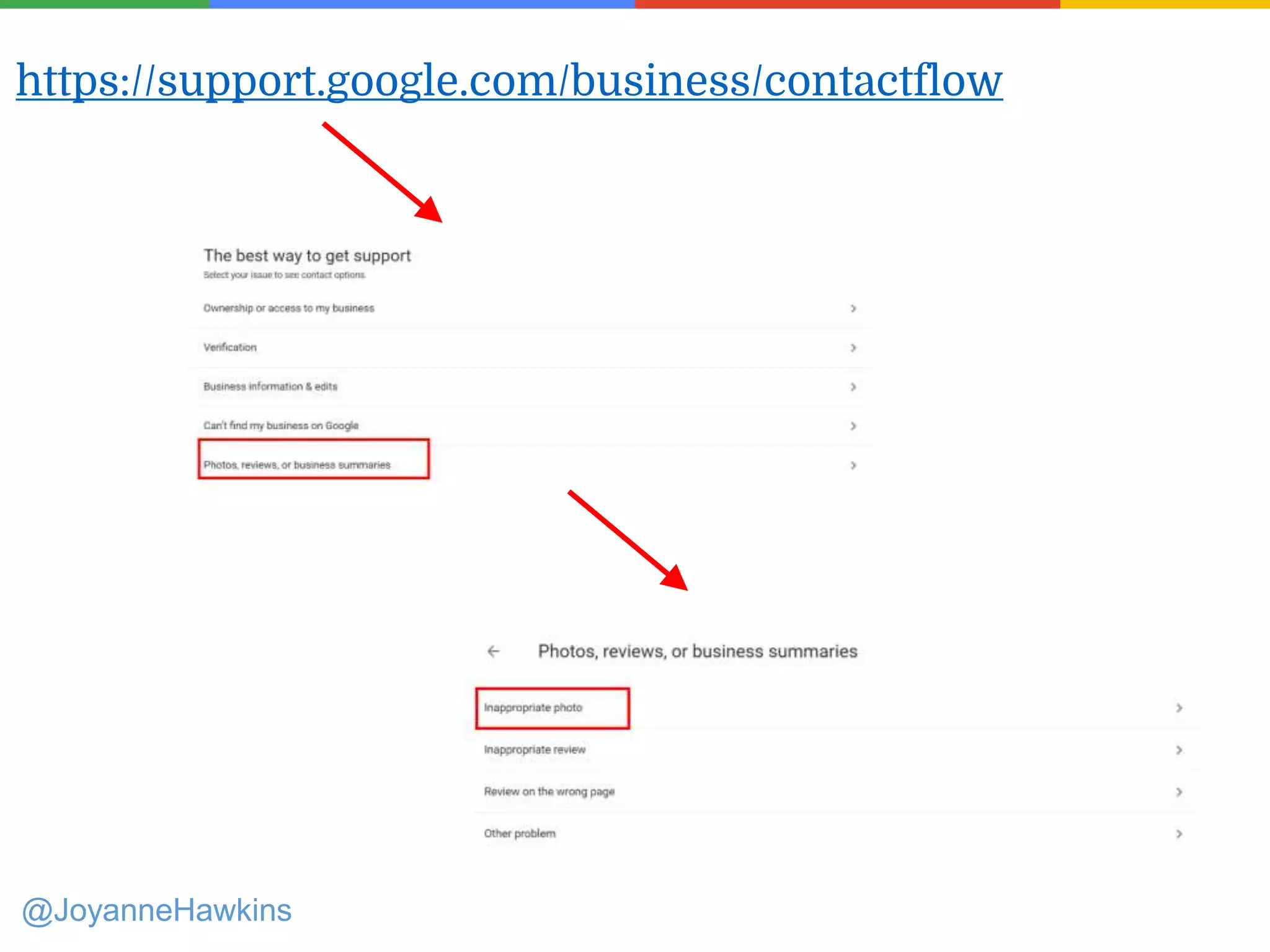
https://support.google.com/business/contactflow
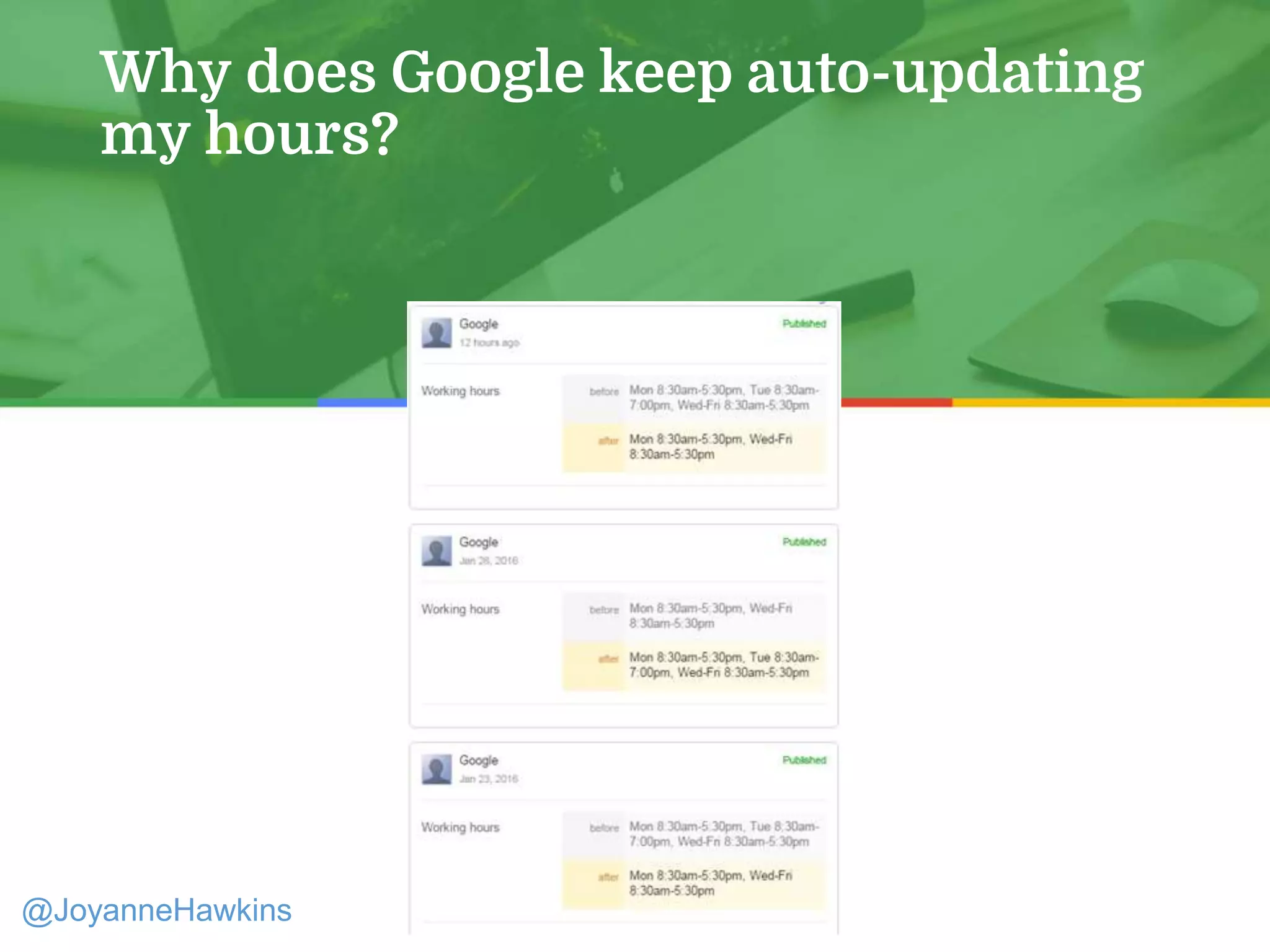
Why does Google keep auto-updating
my hours?
@JoyanneHawkins
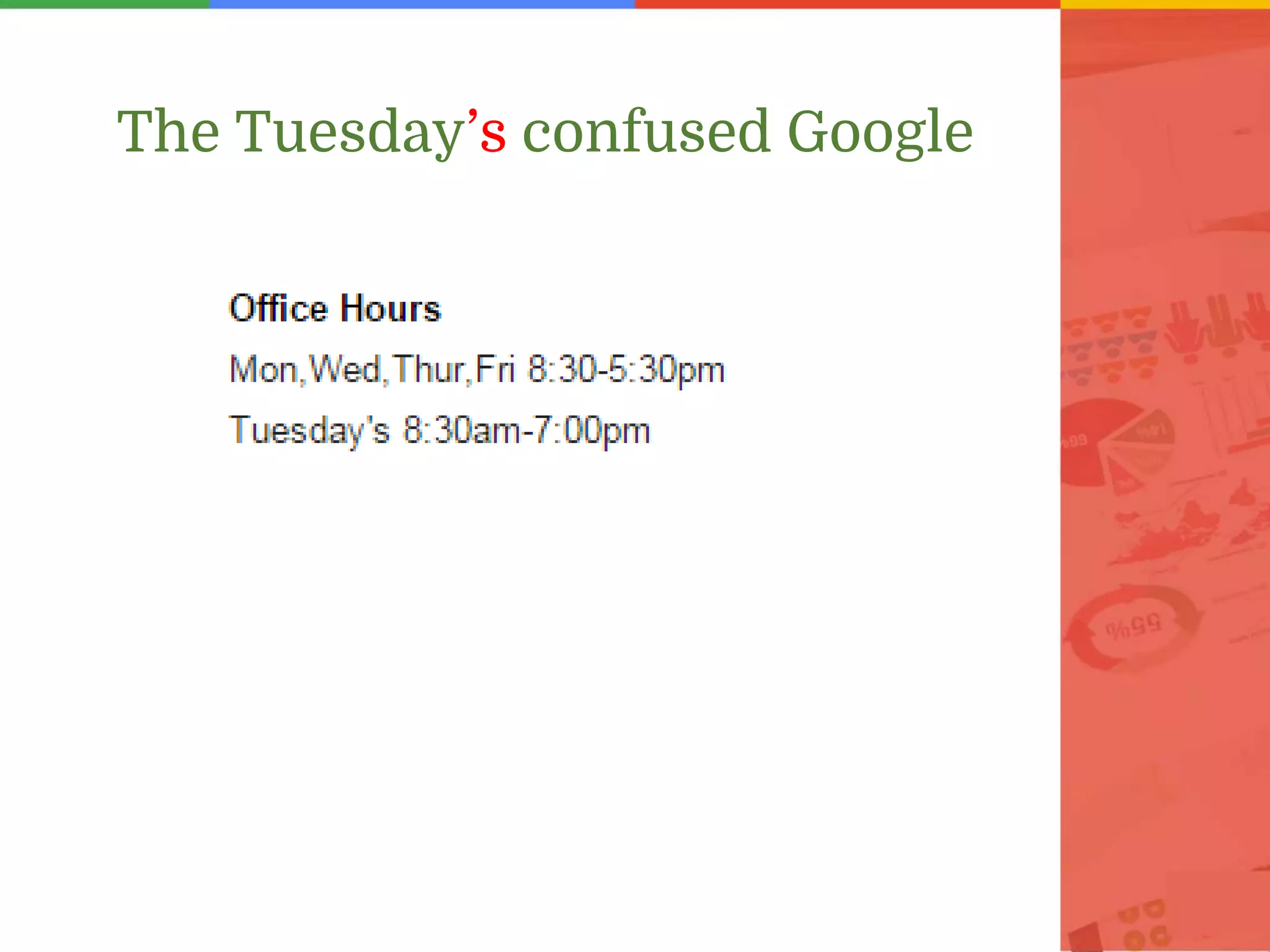
The Tuesday’s confused Google
Presenter Name : Company Name : Twitter Handle
Your Website is the Most Authoritative
Citation!
http://imprezziomarketing.com/seo-
blog/seo/why-the-does-google-keep-updating-
my-business-hours-a-case-study/
Further Reading:
@JoyanneHawkins
@JoyanneHawkins
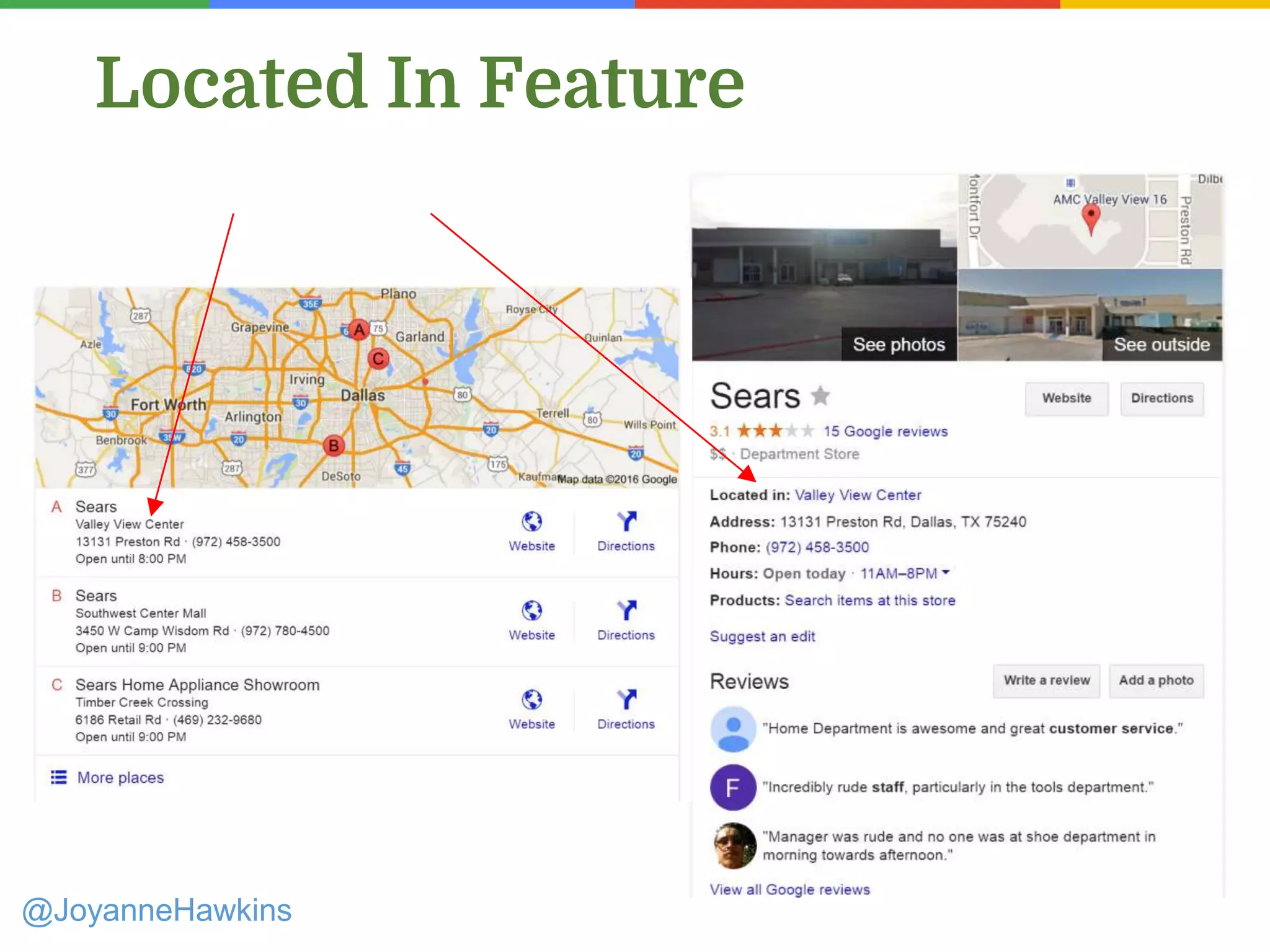
Located In Feature
@JoyanneHawkins
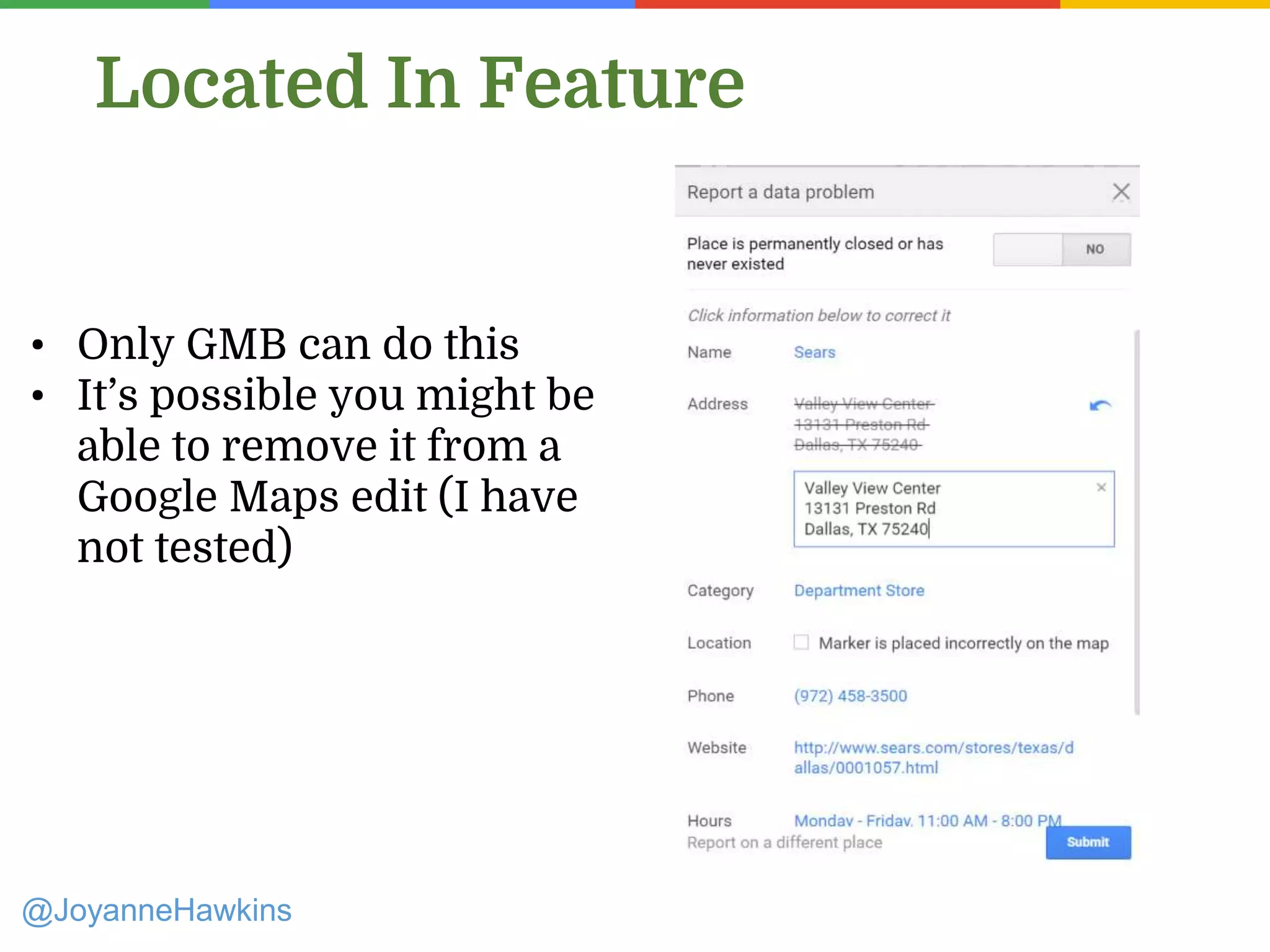
Located In Feature
• Only GMB can do this
• It’s possible you might be
able to remove it from a
Google Maps edit (I have
not tested)
@JoyanneHawkins
Menu Links
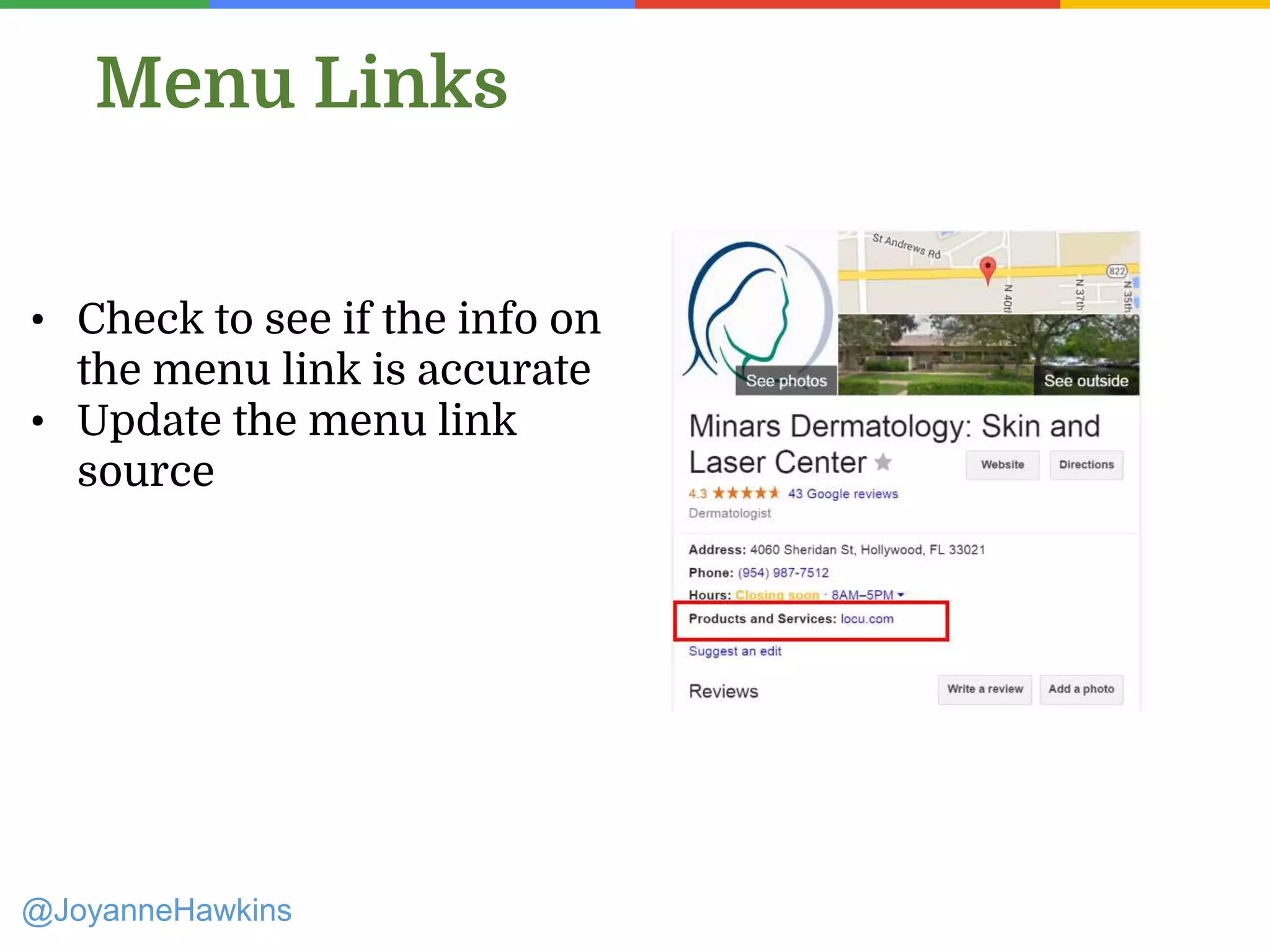
• Check to see if the info on
the menu link is accurate
• Update the menu link
source
@JoyanneHawkins
Menu Links
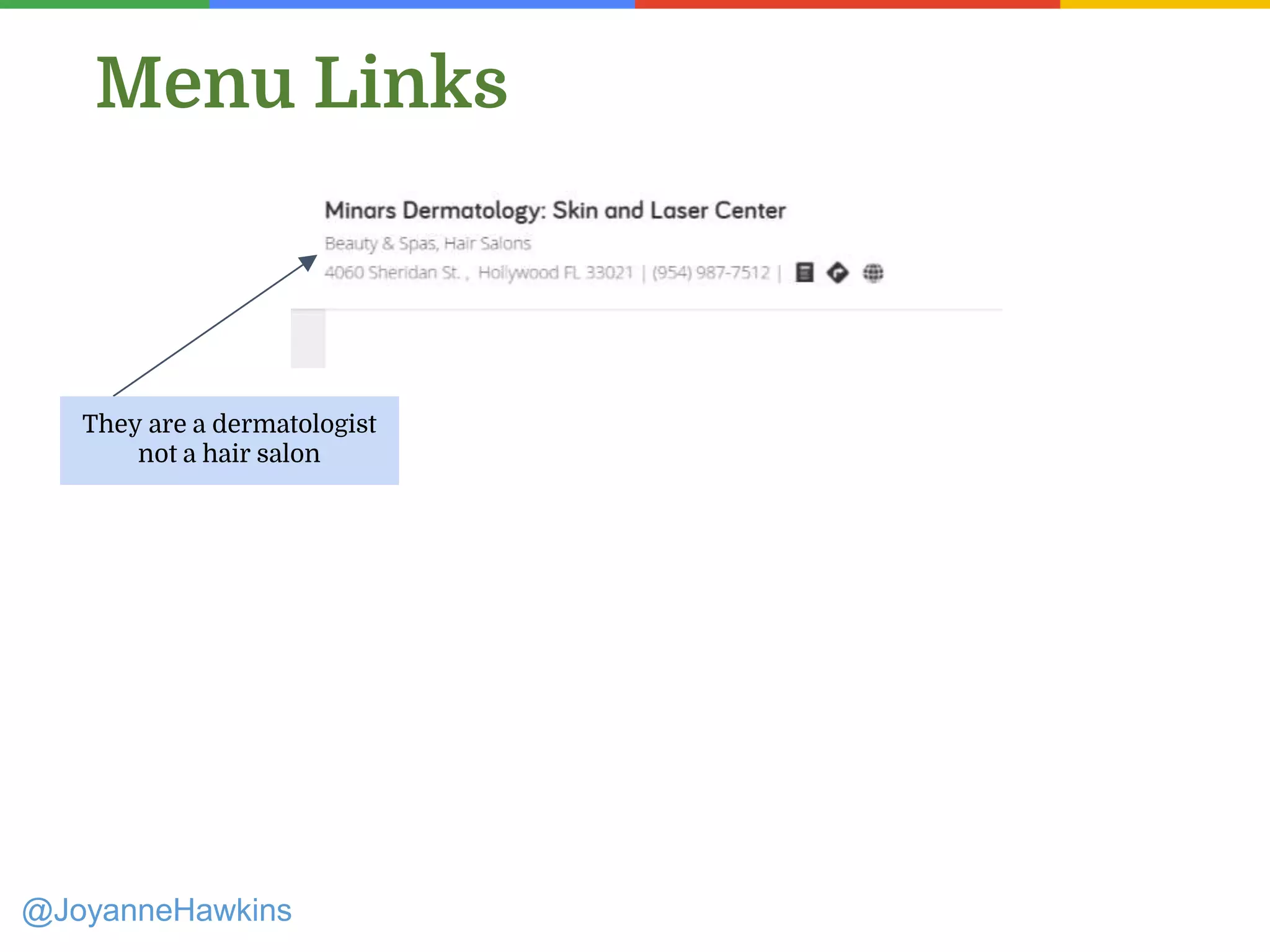
They are a dermatologist
not a hair salon
@JoyanneHawkins
Menu Links
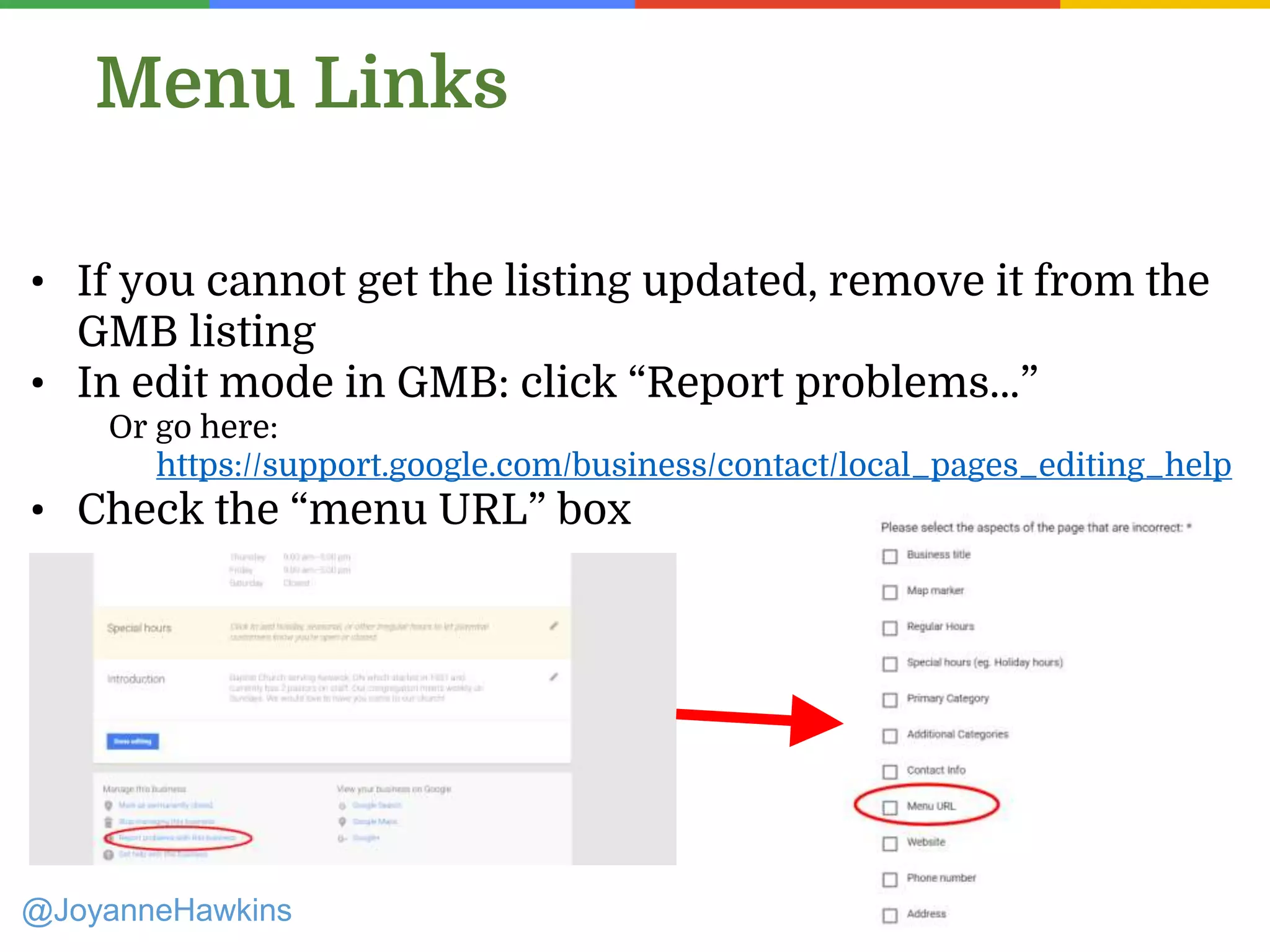
• If you cannot get the listing updated, remove it from the
GMB listing
• In edit mode in GMB: click “Report problems…”
Or go here:
https://support.google.com/business/contact/local_pages_editing_help
• Check the “menu URL” box
Connect
With Me!
plus.google.com/+JoyHawkins
twitter.com/JoyanneHawkins
joy@imprezziomarketing.com
1-866-430-0457 x 301

How to Approach Google My Business (GMB) in 2016

  • 1.
    Joy Hawkins Imprezzio Marketing @JoyanneHawkins Howto Approach Google My Business (GMB) in 2016
  • 2.
    Where to Start? PresenterName : Company Name : Twitter Handle @JoyanneHawkins Find all Your GMB Listings!
  • 3.
    How Does aListing End up on Google? @JoyanneHawkins ● Google creates listings based on data providers (Ex: ExpressUpdate, Acxiom) ● Google users through Google Maps or MapMaker ● Business owners/marketing companies via Google My Business
  • 4.
  • 5.
  • 6.
    Method 1: MapMakerSearch @JoyanneHawkins ● Google.com/MapMaker ● Search for the city the business is in. ● Search Variations of business name, phone #, website.
  • 7.
    Method 2: MapMakerSelect a Place @JoyanneHawkins ● Google.com/MapMaker ● Edit > Select a Place ● Click around the marker where the business in ● Right click the business name > Open link in new tab
  • 8.
    Method 3: MapsSearch @JoyanneHawkins ● Maps.Google.com ● Search for the city the business is in. ● Start typing business name
  • 9.
    Method 4: GoogleSearch @JoyanneHawkins ● Google.com ● Search for site:plus.google.com + phone # + inurl:about + “review” ● Open each URL in new tab
  • 10.
    Method 4: (BrandNew Addition) @JoyanneHawkins ● Google.com ● Search for inurl:google.com/maps + phone # ● Open each URL in new tab
  • 11.
    Why Both? @JoyanneHawkins ● Unverifiedlistings don’t have Plus.Google.com URLs ● I have only seen Google start indexing google.com/maps URLs in the last month Non-Verified Listings Verified Listings
  • 12.
    Compile Your List... @JoyanneHawkins ●If you’re on the plus page, click the map to get to Google Maps. CLICK
  • 13.
  • 14.
    Finding CID # @JoyanneHawkins •Right click > View Page Source • CTRL + F > “cid”: • Long string of numbers after “cid”: • "cid":"17974029029 8085994","infoWind ow": • Right click > View Page Source • CTRL + F > ludocid • The CID will be the string of numbers after “ludocidu003d and before #lrd • +80026u0026ludoc idu003d376285149 384878007#lrdu00 From MapMaker From Maps
  • 15.
    CID URLs @JoyanneHawkins ● http://maps.google.com/maps?cid=5 264542582139250082 ●http://www.google.com/mapmaker? gw=90&cid=5264542582139250082 Remember: If it’s an SAB listing, there won’t be a MapMaker record so the MapMaker URL will bring up a blank screen.
  • 16.
    @JoyanneHawkins • See allthe categories • Check formatting of address • See additional business names • See reviews • See photos MapMaker Maps
  • 17.
    GMB Rules Presenter Name: Company Name : Twitter Handle @JoyanneHawkins
  • 18.
    ● Multiple listingsfor the same business. (unless you have multiple actual storefronts that customers visit) ● Keyword stuffing in the business name. @JoyanneHawkins Common Rules People Break
  • 19.
    • URL isa redirect • Business name contains keyword stuffing • Multiple listings for the same business Common Reasons why Listings get Suspended Soft Suspension = Listing Becomes Unverified Create new Google account, re-verify the listing, stop breaking the rules @JoyanneHawkins
  • 20.
    • Address isvirtual • Business doesn’t exist (pure spam/lead generating company) Common Reasons why Listings get Suspended Hard Suspension = Listing No Longer Exists in Maps/Mapmaker Further Reading: @JoyanneHawkins http://searchengineland.com/top-9-reasons- google-suspends-local-listings-247394
  • 21.
  • 22.
    Presenter Name :Company Name : Twitter Handle @JoyanneHawkins
  • 23.
    11don’t exist (7removed as spam + 4 pending removals) 2edited to remove keyword stuffing 3actual legit company listings @JoyanneHawkins
  • 24.
    • A listingfor an “SEO company” that was acquired by a larger marketing company over a year ago • A listing for a marketing company that tried to create a new name for just their SEO product (they had 2 listings at their actual office) • An SEO company that has all their employees work remotely and was using each of their home addresses to create multiple listings • An SEO company who apparently exists in Square One (a popular shopping mall) • An SEO company that is at the same address as the Fairmont Royal York Hotel The Fake Crap @JoyanneHawkins
  • 25.
    Address ● Does what’slisted match the website? ● Check Street View. Does it show a UPS store or a residential address? Is there any signage for the business? ● Search the address on Google to see who else is using it Phone ● Call the phone number, see how they answer the phone. Say you’re calling to get directions. • Call from Gmail so they can’t call back Investigating @JoyanneHawkins
  • 26.
    Investigating Business Name ● Checkwhat’s on signage (street view, drive there take pics) ● How do they answer the phone? ● Check the Secretary of State Website to see what their business license says ○ NPPES is great for medical industry @JoyanneHawkins
  • 27.
    Where to Report? ✓Make Edits in Google Maps (email confirmation) ✓ MapMaker Forum (after 7 days). Better for unverified listings ✓ Google My Business Forum Better for verified listings @JoyanneHawkins
  • 28.
    How to Edit ●If listing is fake (address doesn’t exist) or a verified duplicate > Places is Closed > Spam ● Unverified duplicate > Place is Closed > Duplicate ● Keyword Stuffing > submit edit to correct business name @JoyanneHawkins Further Reading: http://www.joyannehawkins.com/ultimate- guide-fighting-spam-google-maps/
  • 29.
  • 30.
    Additional Name Spam @JoyanneHawkins Source:http://www.localsearchforum.com/google-local- hall-shame/37837-how-score-google-maps-one-box- cheat.html ● These only show up in MapMaker.
  • 31.
  • 32.
    It Never Ends... @JoyanneHawkins ●Prepare for the listing to be reinstated after it’s been removed. ● GMB Forum > best place to report this. More Reading: http://searchengineland.com/g ot-spam-google-my-business- doesnt-care-249072
  • 33.
    Contacting GMB Presenter Name: Company Name : Twitter Handle @JoyanneHawkins
  • 34.
    “Google My Businessphone support is telling me my ranking is dropping because I’m not posting on Google Plus” @JoyanneHawkins
  • 35.
    1. Twitter: https://twitter.com/GoogleMyBiz 2.Facebook:https://www.facebook.com/googlemybusiness 3. Forum: https://www.en.advertisercommunity.com/t5/Google-My-Business/ct-p/GMB# 4. Phone Support: https://support.google.com/business/contact/business_c2c_l?hl=en&rd=2#cft=5 @JoyanneHawkins New! Keep in mind you will only hear from them during business hours (PST) ✓ Faster (no repeating yourself, spelling out words on the phone…etc) ✓ You get someone in the USA, not India ✓ Better & more accurate advice
  • 36.
    Practitioner Listings Presenter Name: Company Name : Twitter Handle @JoyanneHawkins
  • 37.
    Presenter Name :Company Name : Twitter Handle @JoyanneHawkins
  • 38.
    Presenter Name :Company Name : Twitter Handle What Listings are Allowed? • Solo-practitioners are only allowed one listing total • Allstate: Bob Smith • ABC Dental: Dr Bob Smith • Public-facing professionals are allowed their own listing (ex: lawyers, doctors, realtors) • Support staff should not have listings • If a professional works out of more than 1 office, they can have 1 listing per location Best Scenario @JoyanneHawkins
  • 39.
    Presenter Name :Company Name : Twitter Handle Strategies to Use • Find out which listing is currently ranking highest and make it the primary listing you try to get reviews on. • Try to keep categories from overlapping as much as possible • When categories do overlap (ex: 2 dentists), minimize the profile that ranks lowest. • Removing the website is a great way to minimize @JoyanneHawkins
  • 40.
    Example: Listing Category WebsiteField Law Firm Law Firm, Lawyer Domain.com (homepage) Lawyer A Personal Injury Lawyer Domain.com/personal-injury-page Lawyer B Criminal Justice Attorney Domain.com/criminal-law-page Lawyer C Divorce Lawyer Domain.com/divorce-lawyer-page *Check which page Google currently ranks highest organically for that term @JoyanneHawkins
  • 41.
    What About Ex-Employees? Tofix it, contact Google My Business via Twitter Support or Facebook Support and asked them to mark the practitioner listing as moved to the practice listing. @JoyanneHawkins
  • 42.
    The “Moved” Feature @JoyanneHawkins •Only GMB can do this. • It takes the “old” address on Maps and 302’s it to the new location • The “old” listing will completely vanish from Google Search and Google Maps, making it impossible for customers to accidentally see. • Since the listing doesn’t show up anywhere, the “Permanently closed” message won’t show up anywhere, either. • Reviews from the closed listing will transfer to the new listing (double-check to make sure that happens).
  • 43.
    Knowledge Graph Issues PresenterName : Company Name : Twitter Handle @JoyanneHawkins
  • 44.
  • 45.
  • 46.
    Why does Googlekeep auto-updating my hours? @JoyanneHawkins
  • 47.
  • 48.
    Presenter Name :Company Name : Twitter Handle Your Website is the Most Authoritative Citation! http://imprezziomarketing.com/seo- blog/seo/why-the-does-google-keep-updating- my-business-hours-a-case-study/ Further Reading: @JoyanneHawkins
  • 49.
  • 50.
    @JoyanneHawkins Located In Feature •Only GMB can do this • It’s possible you might be able to remove it from a Google Maps edit (I have not tested)
  • 51.
    @JoyanneHawkins Menu Links • Checkto see if the info on the menu link is accurate • Update the menu link source
  • 52.
    @JoyanneHawkins Menu Links They area dermatologist not a hair salon
  • 53.
    @JoyanneHawkins Menu Links • Ifyou cannot get the listing updated, remove it from the GMB listing • In edit mode in GMB: click “Report problems…” Or go here: https://support.google.com/business/contact/local_pages_editing_help • Check the “menu URL” box
  • 54.