Local Search Review & TrainingCreated by MoniquePouget (monique@thunderseo.com) and Max Thomas (max@thunderseo.com)
Search LandscapeAdWords(Pay Per Click PPC)Map Results(Organic Search)Natural Listings (Organic Search)
What is Local Search?The use of specialized Internet searchengines that allow users to submit geographically constrained searches against a structured database of local business listings. Someone uses a search engine to find products or services in their areaTypical local search queries include not only information about "what" the site visitor is searching for, but also "where" information, such as an address, city name, postal code or geographic coordinates like latitude & longitude.E.g.: Hong Kong Hotels, Auto Repair Omaha, Cleaning Services near 92116
Ohh, Local Search. Links, right?Wrong!Google’s Local algorithm (the one that populates maps.google.com & helps populate the 7-pack, 3-pack, & Authoritative OneBox) counts links differently than its standard organic algorithm. It also seems to present a much more accurate picture of the kinds of “links” that it values than does the organic.
Local Search is Everywhere!
Citations vs. Links: What’s the Difference?In the Local algorithm, links can still bring direct traffic from the people who click on them. These “links” aren’t always links; sometimes they’re just an address& phone number associated with a particular business =“citation”In the Local algorithm, these references validate that business exists at a particular location, and in that sense, they make a business more relevant for a particular search.
So how does this affect my Link-Building Strategy?Local data must be submitted w/ third-party information providers like InfoUSA, SuperPages, and InsiderPagesthat Google& Yahoo draw on to populate & confirm their own databases.Google actively “spiders” smaller sites both in keyword AND geographical niches. These range anywhere from knock-off YellowPages to the homepage of your grandma’s knitting circle. 
Important!When submitting to local directories, think of these listings as your “digital thumbprint” across the World Wide Web. In order to rank well locally, the information submitted MUST be identical across all platforms. Use the same Business Name, Phone Number, Address, Categories and Website EVERYWHERE.Google references government & business records so make sure to use same name in all instances.
A Local Search ExampleSearched for “Crating Companies 90405”Notice:Number of Local Results: 7Number of Reviews for Each BusinessLocal Phone NumberBusiness Proximity to City CenterURL
A Local Search ExampleNotice the Local Address & Phone Number, Categories, Photos, and DetailsLocal Phone & Address must correlate with information on website
A Local Search ExampleNotice Local Directories like Kudzu & SuperpagesNotice Industry Directories like movingcompanies.com Local Search is combination of both types of directory citations
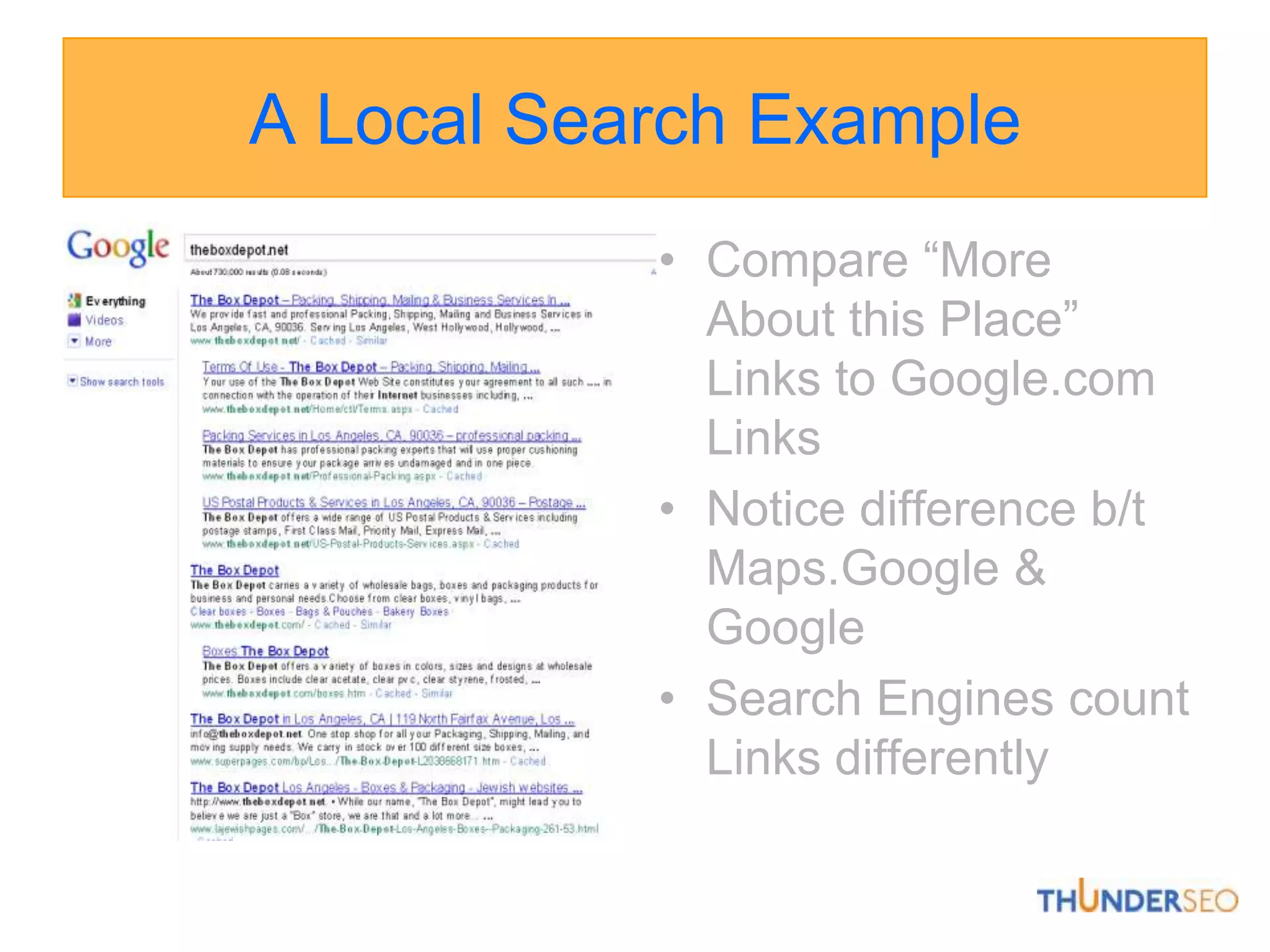
A Local Search ExampleCompare “More About this Place” Links to Google.com LinksNotice difference b/t Maps.Google & GoogleSearch Engines count Links differently
A Local Search ExampleReviews are importantNotice that the # of reviews doesn’t necessarily matter as much as the QUALITY of reviews and their sources.
A Local Search ExampleGoogle indexes reviews from different sourcesVaries by industry In shipping, we’re seeing maps.google.com, local.yahoo.com and citysearch
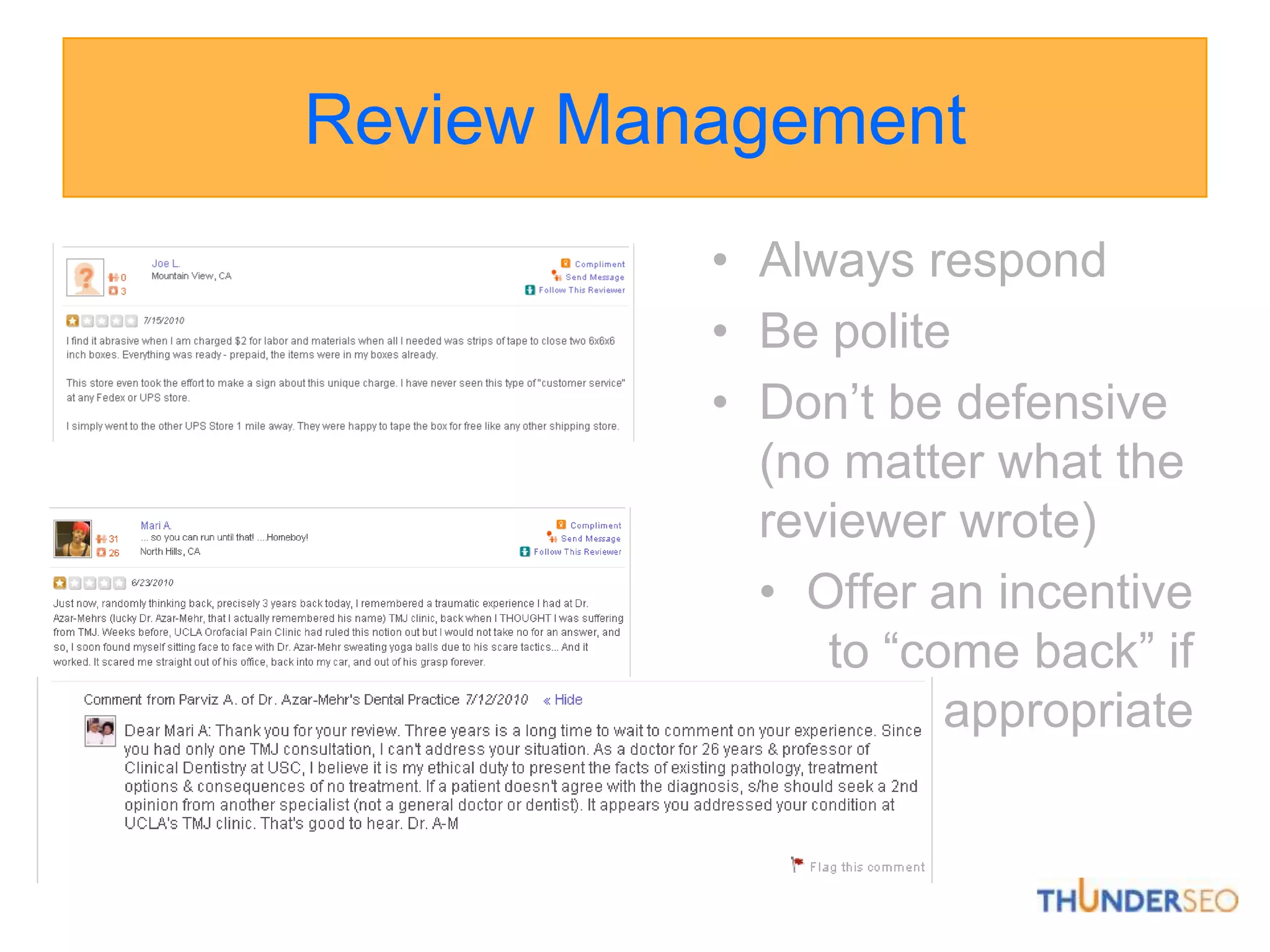
Review ManagementRespond to both positive and negative reviews proactively.“Thank You” makes a good impression and goes a long way.Don’t ignore negative reviews – prospects look at reviews & owner responses when evaluating a company.
Review ManagementAlways respondBe polite Don’t be defensive (no matter what the reviewer wrote)Offer an incentive to “come back” if appropriate
Google Places ListingSearch for your business name in GoogleThis shows:Does listing already existIs it claimed by another entityAre there multiple listings for your business (e.g., double listings claimed by business, third-party service providers, other agents, etc.)Goal is to have one “dominant” listing that includes all reviews, citations, company info., etc.
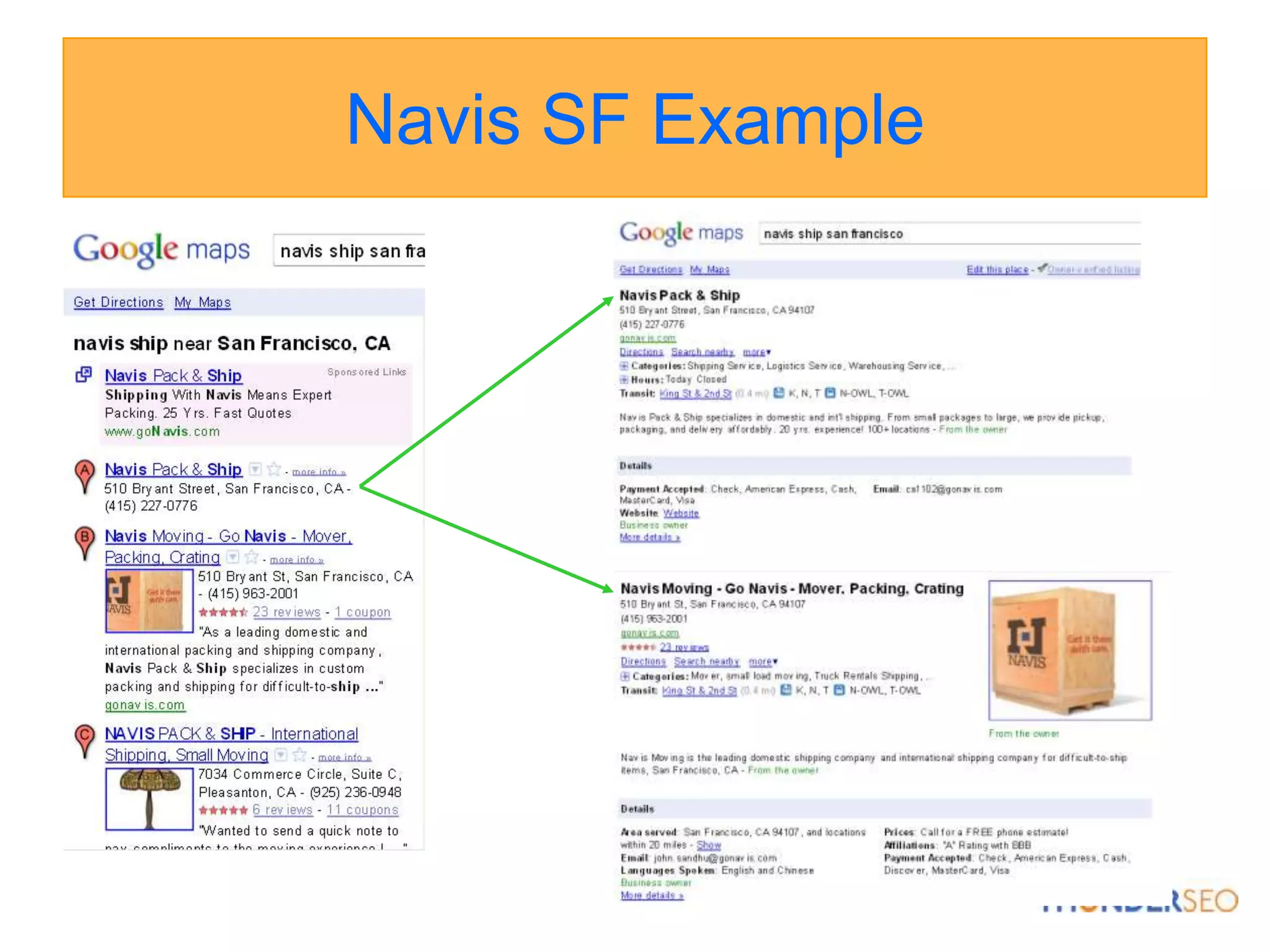
Navis SF Example
Navis SF ExampleWhy are there two is it’s the same business?Different business namesDifferent phone numbers
Navis SF ExampleWhat’s the difference in Google rankings?
Navis SF ExampleHow do the listings differ?
Claim Listing in Google PlacesIf already exists, log in to Google account & claim.If doesn’t exist, log in to Google account, go to Google Places & add new listing.
Optimize Google Place ListingConsistent business name, phone & addressAvoid adding keywords to nameAdd as much information as possible (e.g., video’s, photo’s, etc.)Location selectionSelect categories carefully5 total1st is Google forced; 2-5 keyword drivenMake sure keywords create map resultsDo not add city or location names to business name or categories
What if listing is rejected?It happens…go to Google Places Help Forum.
Follow Google Places Quality GuidelinesOwnershipOnly business owners or authorized representatives may verify their business listings on Google.Business NameRepresent your business exactly as it appears in the offline world. The name on Google should match the business name, as should the address, phone number and website. Do not attempt to manipulate search results by adding extraneous keywords or a description of your business into the business name. Do not include phone numbers or URLs in the business name.http://www.google.com/support/places/bin/answer.py?answer=107528
Physical LocationDo not create listings at locations where the business does not physically exist. PO Boxes do not count as physical locations. Do not create more than one listing for each business location, either in a single account or multiple accounts. Businesses that operate in a service area as opposed to a single location should not create a listing for every city they service. Service area businesses should create one listing for the central office of the business only. Businesses with special services, such as law firms and doctors, should not create multiple listings to cover all of their specialties. The precise address for the business must be provided in place of broad city names or cross-streets. A property for rent is not considered a place of business. Please create one listing for the central office that processes the rentals. If you'd like, you can add your real estate properties to Google Maps so that they are available on our Real Estate layer.Follow Google Places Quality Guidelineshttp://www.google.com/support/places/bin/answer.py?answer=107528
URL & PhoneProvide a phone number that connects to your individual business location as directly as possible. For example, you should provide an individual location phone number in place of a call center. Provide one URL that best identifies your individual business location. Do not provide phone numbers or URLs that redirect or 'refer' users to other landing pages or phone numbers other than those of the actual business.Custom Attributes & DescriptionUse the description and custom attribute fields to include additional information about your listing. This type of content should never appear in your business's title, address or category fields. Follow Google Places Quality Guidelineshttp://www.google.com/support/places/bin/answer.py?answer=107528
Best PracticesUse standard capitalization & punctuation, unless your business name or address in the real world contains unusual capitalization & punctuation. Use a shared, business email account, if multiple users will be updating your business listing. If possible, use an email account with a domain that matches your business URL. For example, if your business website is www.giraffetoys.com, a matching email address would be you@giraffetoys.com.Follow Google Places Quality Guidelineshttp://www.google.com/support/places/bin/answer.py?answer=107528
Checklist: Your Listings
Claiming / Verifying ListingsGoogle, Yelp & Bing require phone/mail verifications.Google phone will not work with phone treeIf phone won’t work, select usps postcardSometimes Google offers only usps postcardYelp phone will not work with phone treeYelp listing can exist without being verified but business won’t “own” listing which means no ability to respond to reviews, be alerted about them, offer discounts/promotions and/or advertiser.
Coupons & SpecialsGoogle Places Yelp
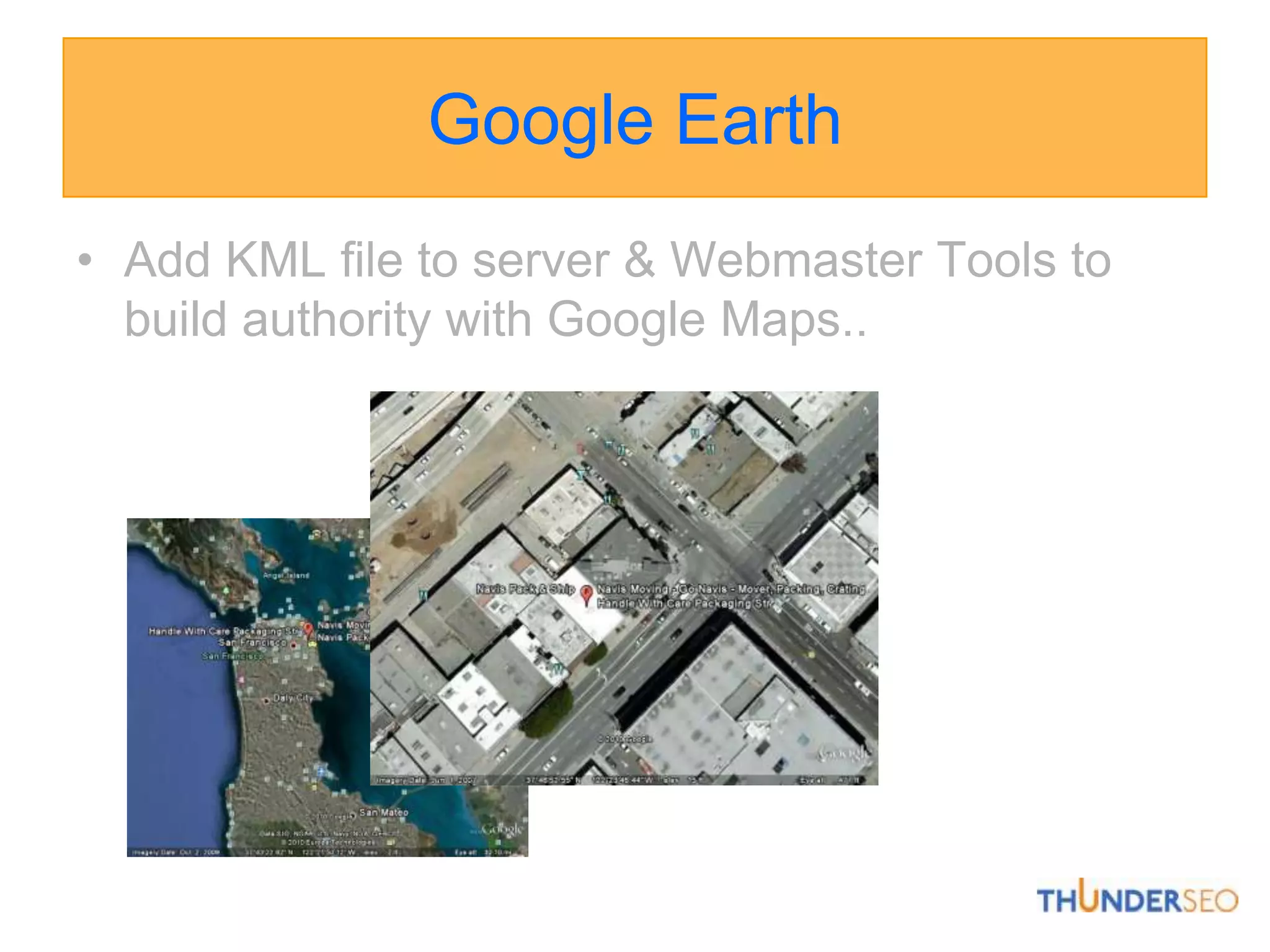
Google EarthAdd KML file to server & Webmaster Tools to build authority with Google Maps..
On-page Requirements
On-page Example
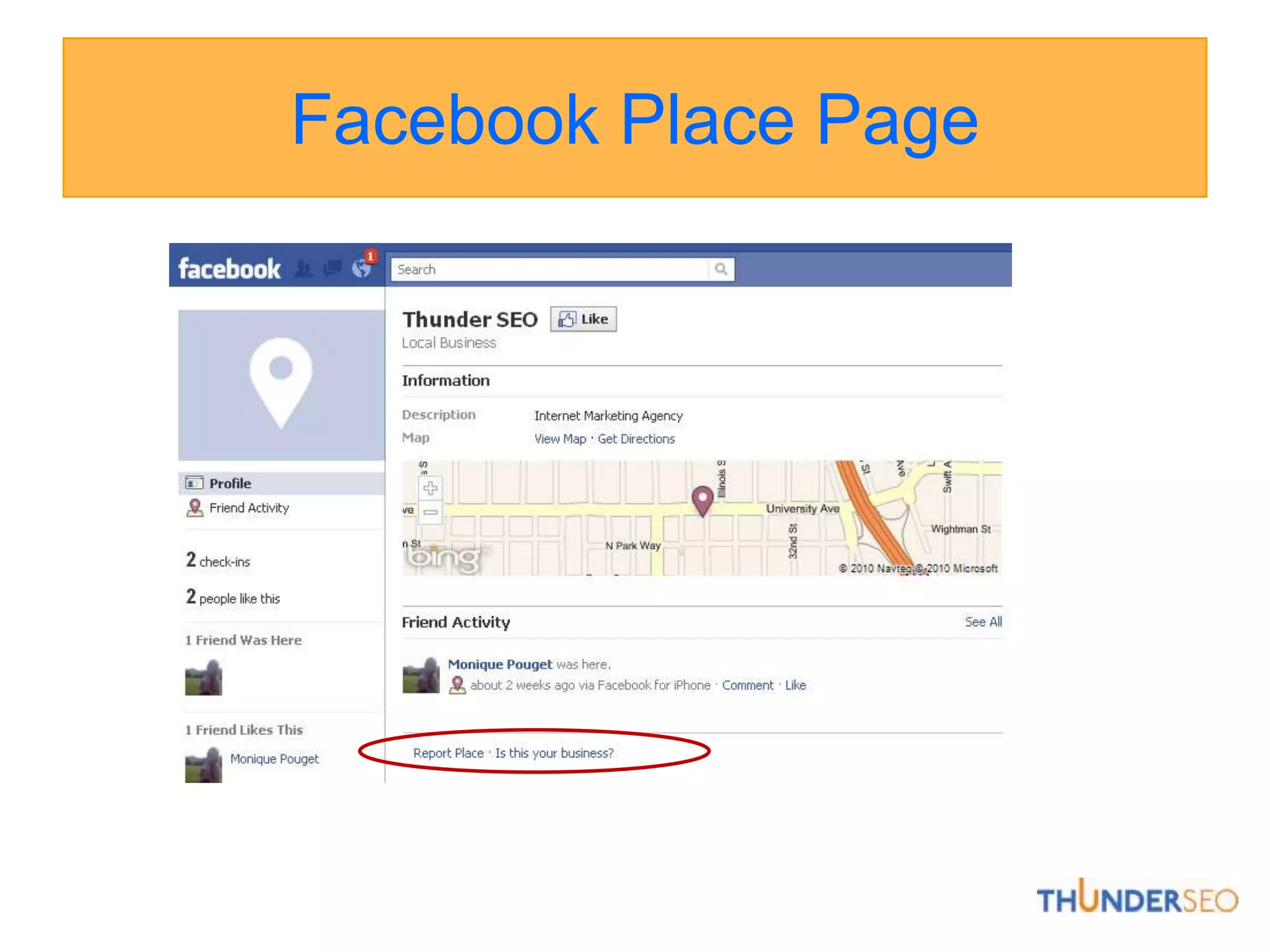
Facebook Place Page
Google Place Page vs. URL
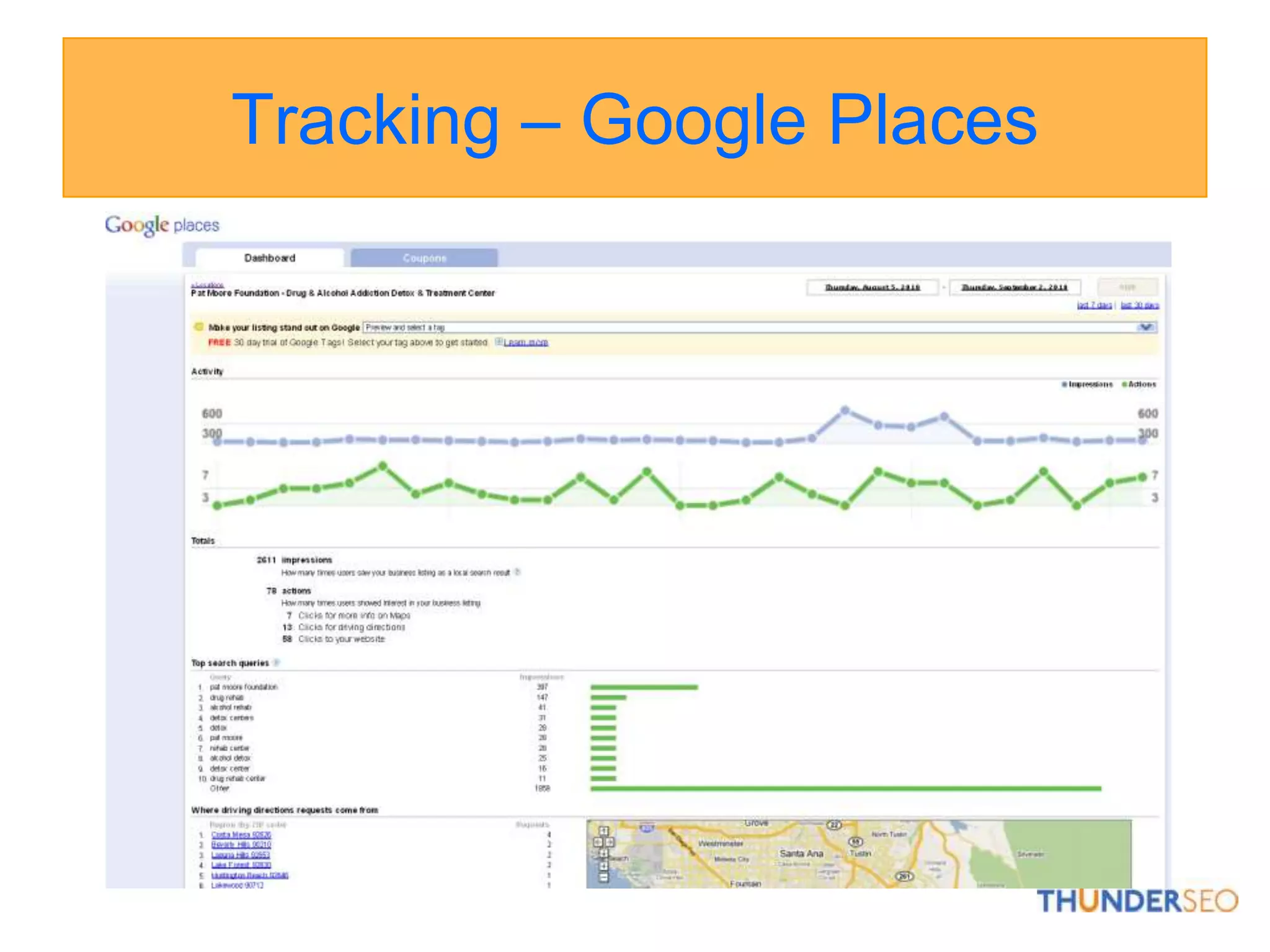
Tracking – Google Places
Tracking - AnalyticsTraffic SourcesKeywords
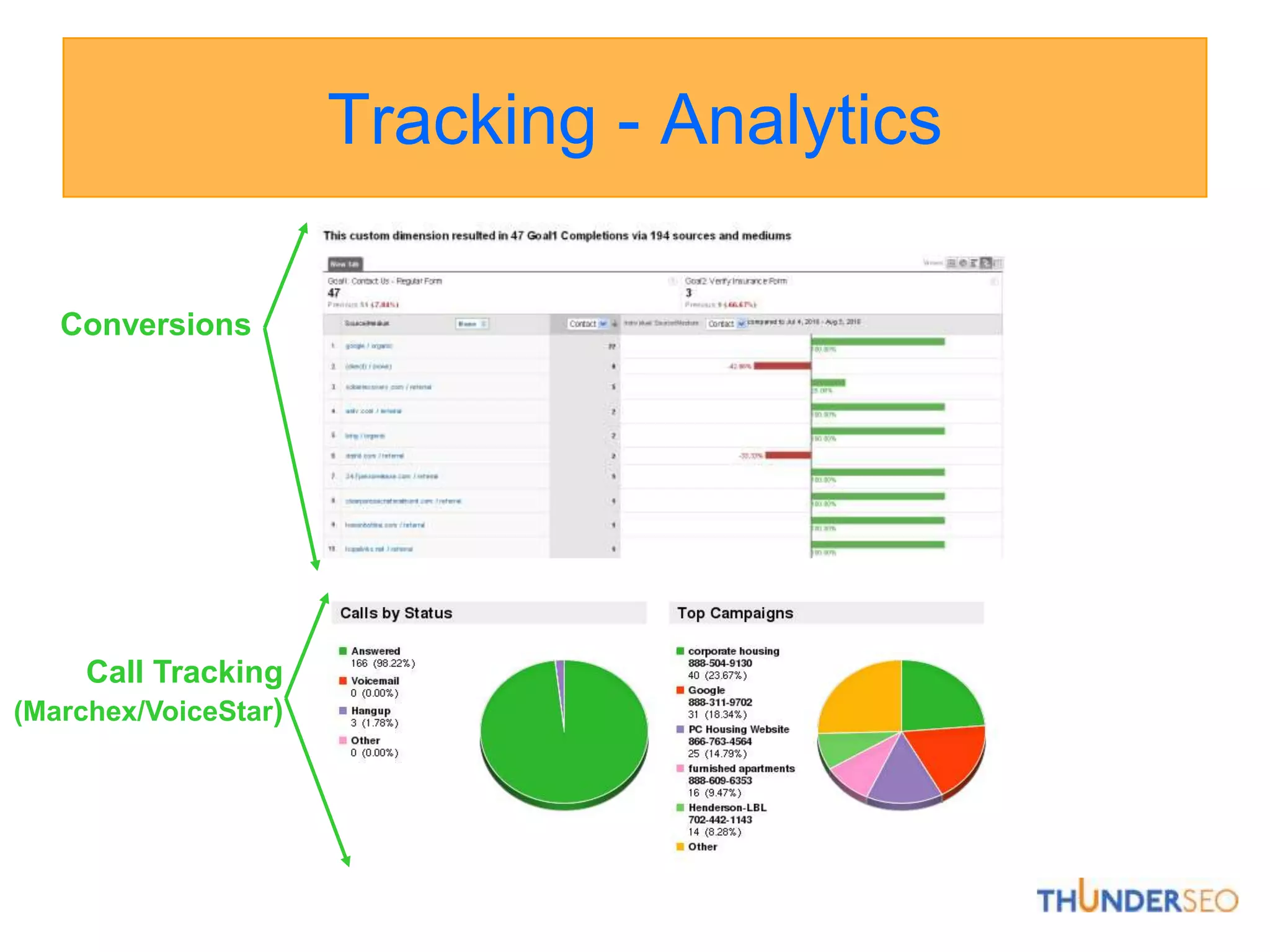
Tracking - AnalyticsConversions Call Tracking (Marchex/VoiceStar)
Link Building ToolsYahoo Site ExplorerGo to yahoo.com and type “site:http://www.yoururl.com” to find links pointing to yoururl.com or any site.SEOmoz’s Open Site Explorerhttp://www.opensiteexplorer.org/Compare backlinks from multiple URL’s and find competitive links Requires PRO membership for full access.
SEO & Local Search ResourcesSEOmoz: #1 SEO Agency in USAhttp://www.seomoz.org/bloghttp://www.seomoz.org/tools (requires Pro)David Mihm: Local SEO Experthttp://www.davidmihm.com/blog/http://searchengineland.com/author/david-mihm/Mike Blumenthal: Understanding Google Maps & Local Searchhttp://blumenthals.com/blog/
Thank You!!!Max Thomasmax@thunderseo.com@thundermaxwww.ThunderSEO.com

Local-search-training-score

  • 1.
    Local Search Review& TrainingCreated by MoniquePouget (monique@thunderseo.com) and Max Thomas (max@thunderseo.com)
  • 2.
    Search LandscapeAdWords(Pay PerClick PPC)Map Results(Organic Search)Natural Listings (Organic Search)
  • 3.
    What is LocalSearch?The use of specialized Internet searchengines that allow users to submit geographically constrained searches against a structured database of local business listings. Someone uses a search engine to find products or services in their areaTypical local search queries include not only information about "what" the site visitor is searching for, but also "where" information, such as an address, city name, postal code or geographic coordinates like latitude & longitude.E.g.: Hong Kong Hotels, Auto Repair Omaha, Cleaning Services near 92116
  • 4.
    Ohh, Local Search.Links, right?Wrong!Google’s Local algorithm (the one that populates maps.google.com & helps populate the 7-pack, 3-pack, & Authoritative OneBox) counts links differently than its standard organic algorithm. It also seems to present a much more accurate picture of the kinds of “links” that it values than does the organic.
  • 5.
    Local Search isEverywhere!
  • 6.
    Citations vs. Links:What’s the Difference?In the Local algorithm, links can still bring direct traffic from the people who click on them. These “links” aren’t always links; sometimes they’re just an address& phone number associated with a particular business =“citation”In the Local algorithm, these references validate that business exists at a particular location, and in that sense, they make a business more relevant for a particular search.
  • 7.
    So how doesthis affect my Link-Building Strategy?Local data must be submitted w/ third-party information providers like InfoUSA, SuperPages, and InsiderPagesthat Google& Yahoo draw on to populate & confirm their own databases.Google actively “spiders” smaller sites both in keyword AND geographical niches. These range anywhere from knock-off YellowPages to the homepage of your grandma’s knitting circle. 
  • 8.
    Important!When submitting tolocal directories, think of these listings as your “digital thumbprint” across the World Wide Web. In order to rank well locally, the information submitted MUST be identical across all platforms. Use the same Business Name, Phone Number, Address, Categories and Website EVERYWHERE.Google references government & business records so make sure to use same name in all instances.
  • 9.
    A Local SearchExampleSearched for “Crating Companies 90405”Notice:Number of Local Results: 7Number of Reviews for Each BusinessLocal Phone NumberBusiness Proximity to City CenterURL
  • 10.
    A Local SearchExampleNotice the Local Address & Phone Number, Categories, Photos, and DetailsLocal Phone & Address must correlate with information on website
  • 11.
    A Local SearchExampleNotice Local Directories like Kudzu & SuperpagesNotice Industry Directories like movingcompanies.com Local Search is combination of both types of directory citations
  • 12.
    A Local SearchExampleCompare “More About this Place” Links to Google.com LinksNotice difference b/t Maps.Google & GoogleSearch Engines count Links differently
  • 13.
    A Local SearchExampleReviews are importantNotice that the # of reviews doesn’t necessarily matter as much as the QUALITY of reviews and their sources.
  • 14.
    A Local SearchExampleGoogle indexes reviews from different sourcesVaries by industry In shipping, we’re seeing maps.google.com, local.yahoo.com and citysearch
  • 15.
    Review ManagementRespond toboth positive and negative reviews proactively.“Thank You” makes a good impression and goes a long way.Don’t ignore negative reviews – prospects look at reviews & owner responses when evaluating a company.
  • 16.
    Review ManagementAlways respondBepolite Don’t be defensive (no matter what the reviewer wrote)Offer an incentive to “come back” if appropriate
  • 17.
    Google Places ListingSearchfor your business name in GoogleThis shows:Does listing already existIs it claimed by another entityAre there multiple listings for your business (e.g., double listings claimed by business, third-party service providers, other agents, etc.)Goal is to have one “dominant” listing that includes all reviews, citations, company info., etc.
  • 18.
  • 19.
    Navis SF ExampleWhyare there two is it’s the same business?Different business namesDifferent phone numbers
  • 20.
    Navis SF ExampleWhat’sthe difference in Google rankings?
  • 21.
    Navis SF ExampleHowdo the listings differ?
  • 22.
    Claim Listing inGoogle PlacesIf already exists, log in to Google account & claim.If doesn’t exist, log in to Google account, go to Google Places & add new listing.
  • 23.
    Optimize Google PlaceListingConsistent business name, phone & addressAvoid adding keywords to nameAdd as much information as possible (e.g., video’s, photo’s, etc.)Location selectionSelect categories carefully5 total1st is Google forced; 2-5 keyword drivenMake sure keywords create map resultsDo not add city or location names to business name or categories
  • 24.
    What if listingis rejected?It happens…go to Google Places Help Forum.
  • 25.
    Follow Google PlacesQuality GuidelinesOwnershipOnly business owners or authorized representatives may verify their business listings on Google.Business NameRepresent your business exactly as it appears in the offline world. The name on Google should match the business name, as should the address, phone number and website. Do not attempt to manipulate search results by adding extraneous keywords or a description of your business into the business name. Do not include phone numbers or URLs in the business name.http://www.google.com/support/places/bin/answer.py?answer=107528
  • 26.
    Physical LocationDo notcreate listings at locations where the business does not physically exist. PO Boxes do not count as physical locations. Do not create more than one listing for each business location, either in a single account or multiple accounts. Businesses that operate in a service area as opposed to a single location should not create a listing for every city they service. Service area businesses should create one listing for the central office of the business only. Businesses with special services, such as law firms and doctors, should not create multiple listings to cover all of their specialties. The precise address for the business must be provided in place of broad city names or cross-streets. A property for rent is not considered a place of business. Please create one listing for the central office that processes the rentals. If you'd like, you can add your real estate properties to Google Maps so that they are available on our Real Estate layer.Follow Google Places Quality Guidelineshttp://www.google.com/support/places/bin/answer.py?answer=107528
  • 27.
    URL & PhoneProvidea phone number that connects to your individual business location as directly as possible. For example, you should provide an individual location phone number in place of a call center. Provide one URL that best identifies your individual business location. Do not provide phone numbers or URLs that redirect or 'refer' users to other landing pages or phone numbers other than those of the actual business.Custom Attributes & DescriptionUse the description and custom attribute fields to include additional information about your listing. This type of content should never appear in your business's title, address or category fields. Follow Google Places Quality Guidelineshttp://www.google.com/support/places/bin/answer.py?answer=107528
  • 28.
    Best PracticesUse standardcapitalization & punctuation, unless your business name or address in the real world contains unusual capitalization & punctuation. Use a shared, business email account, if multiple users will be updating your business listing. If possible, use an email account with a domain that matches your business URL. For example, if your business website is www.giraffetoys.com, a matching email address would be you@giraffetoys.com.Follow Google Places Quality Guidelineshttp://www.google.com/support/places/bin/answer.py?answer=107528
  • 29.
  • 30.
  • 31.
    Claiming / VerifyingListingsGoogle, Yelp & Bing require phone/mail verifications.Google phone will not work with phone treeIf phone won’t work, select usps postcardSometimes Google offers only usps postcardYelp phone will not work with phone treeYelp listing can exist without being verified but business won’t “own” listing which means no ability to respond to reviews, be alerted about them, offer discounts/promotions and/or advertiser.
  • 32.
  • 33.
    Google EarthAdd KMLfile to server & Webmaster Tools to build authority with Google Maps..
  • 34.
  • 35.
  • 36.
  • 37.
  • 38.
  • 39.
  • 40.
    Tracking - AnalyticsConversionsCall Tracking (Marchex/VoiceStar)
  • 41.
    Link Building ToolsYahooSite ExplorerGo to yahoo.com and type “site:http://www.yoururl.com” to find links pointing to yoururl.com or any site.SEOmoz’s Open Site Explorerhttp://www.opensiteexplorer.org/Compare backlinks from multiple URL’s and find competitive links Requires PRO membership for full access.
  • 42.
    SEO & LocalSearch ResourcesSEOmoz: #1 SEO Agency in USAhttp://www.seomoz.org/bloghttp://www.seomoz.org/tools (requires Pro)David Mihm: Local SEO Experthttp://www.davidmihm.com/blog/http://searchengineland.com/author/david-mihm/Mike Blumenthal: Understanding Google Maps & Local Searchhttp://blumenthals.com/blog/
  • 43.