How to Test Your
Website Is Working
What do your want your website to do?
1. Get found in natural search
2. Answer questions
3. Bring in enquiries
4. Get prospects to reveal their identity
5. Showcase expertise
In Summary = Shortcut YOUR time to signing up a new client
3 Tests to do NOW to see how your website is performing
3 ways to test your website
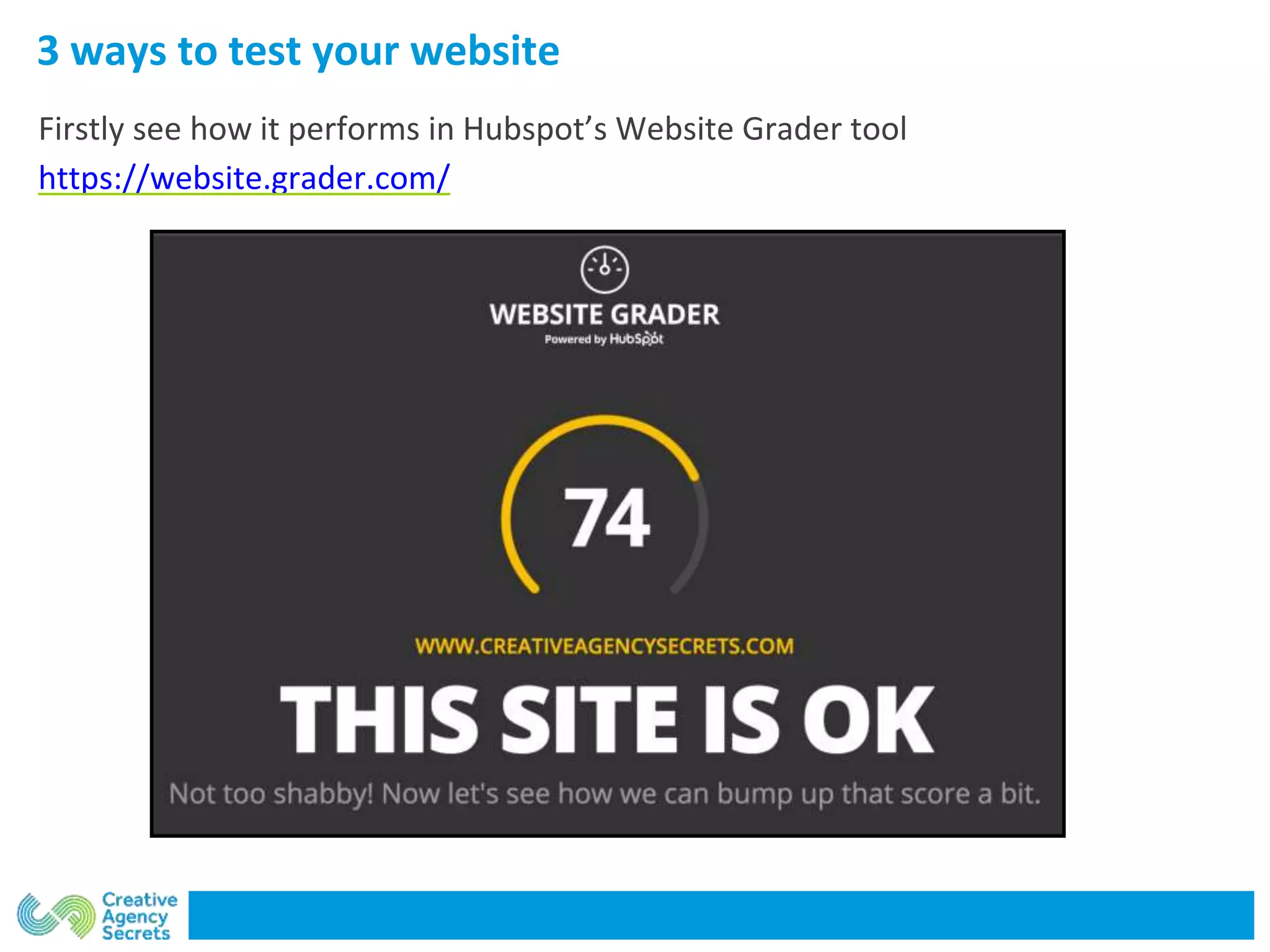
Firstly see how it performs in Hubspot’s Website Grader tool
https://website.grader.com/
3 ways to test your website
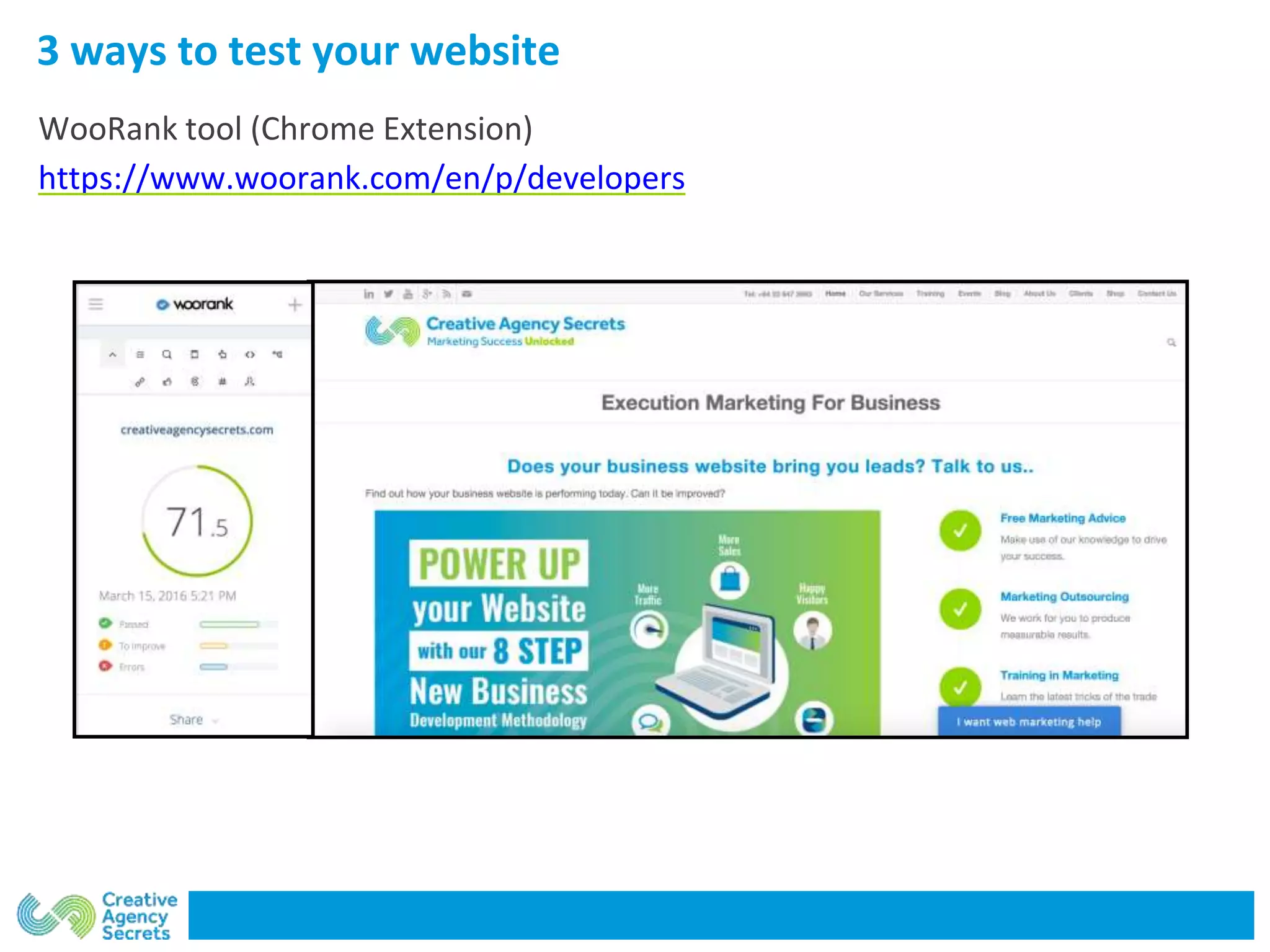
WooRank tool (Chrome Extension)
https://www.woorank.com/en/p/developers
3 ways to test your website
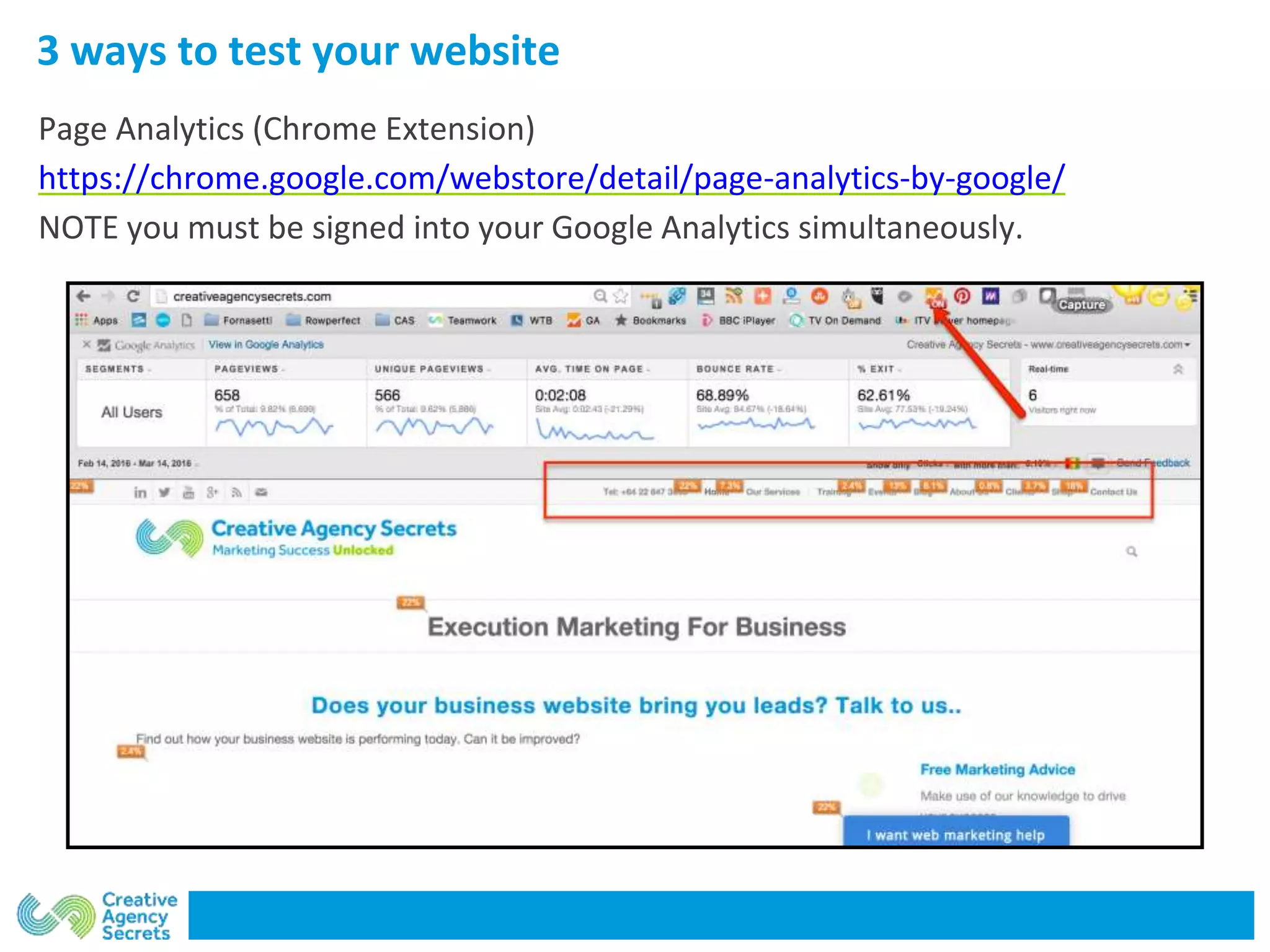
Page Analytics (Chrome Extension)
https://chrome.google.com/webstore/detail/page-analytics-by-google/
NOTE you must be signed into your Google Analytics simultaneously.
3 More Google-specific tools which can help improve
Improve the appearance of your site
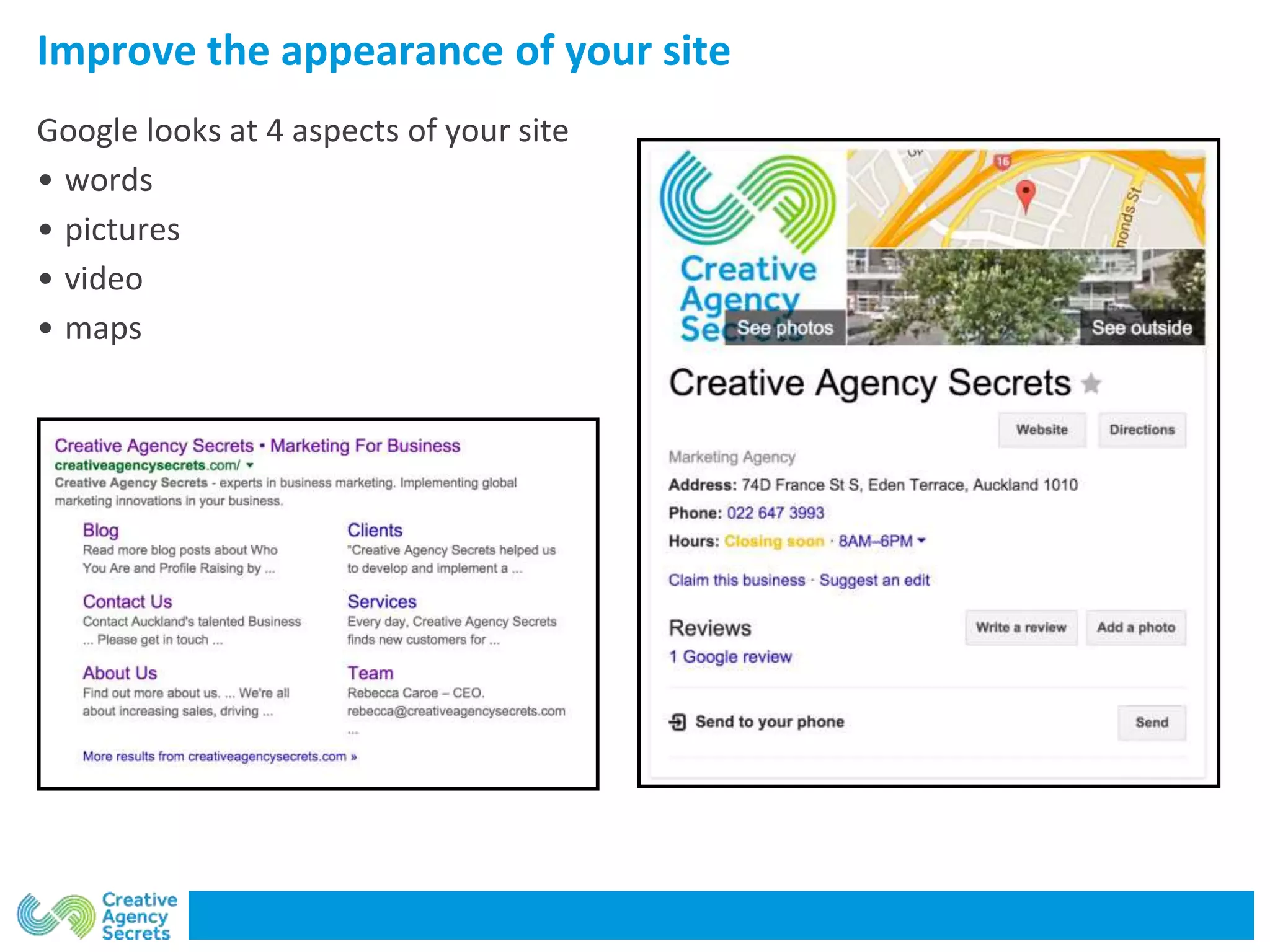
Google looks at 4 aspects of your site
• words
• pictures
• video
• maps
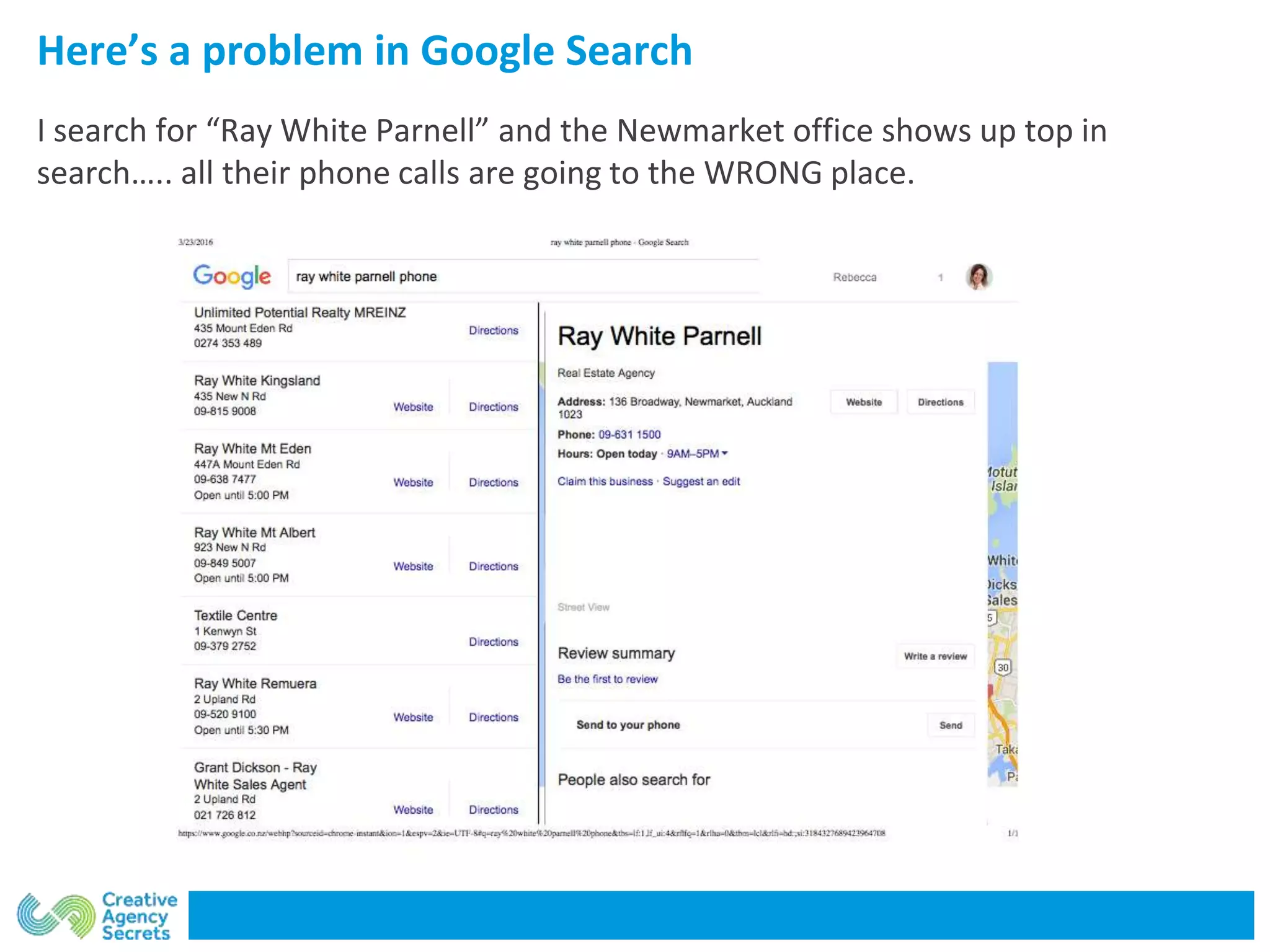
Here’s a problem in Google Search
I search for “Ray White Parnell” and the Newmarket office shows up top in
search….. all their phone calls are going to the WRONG place.
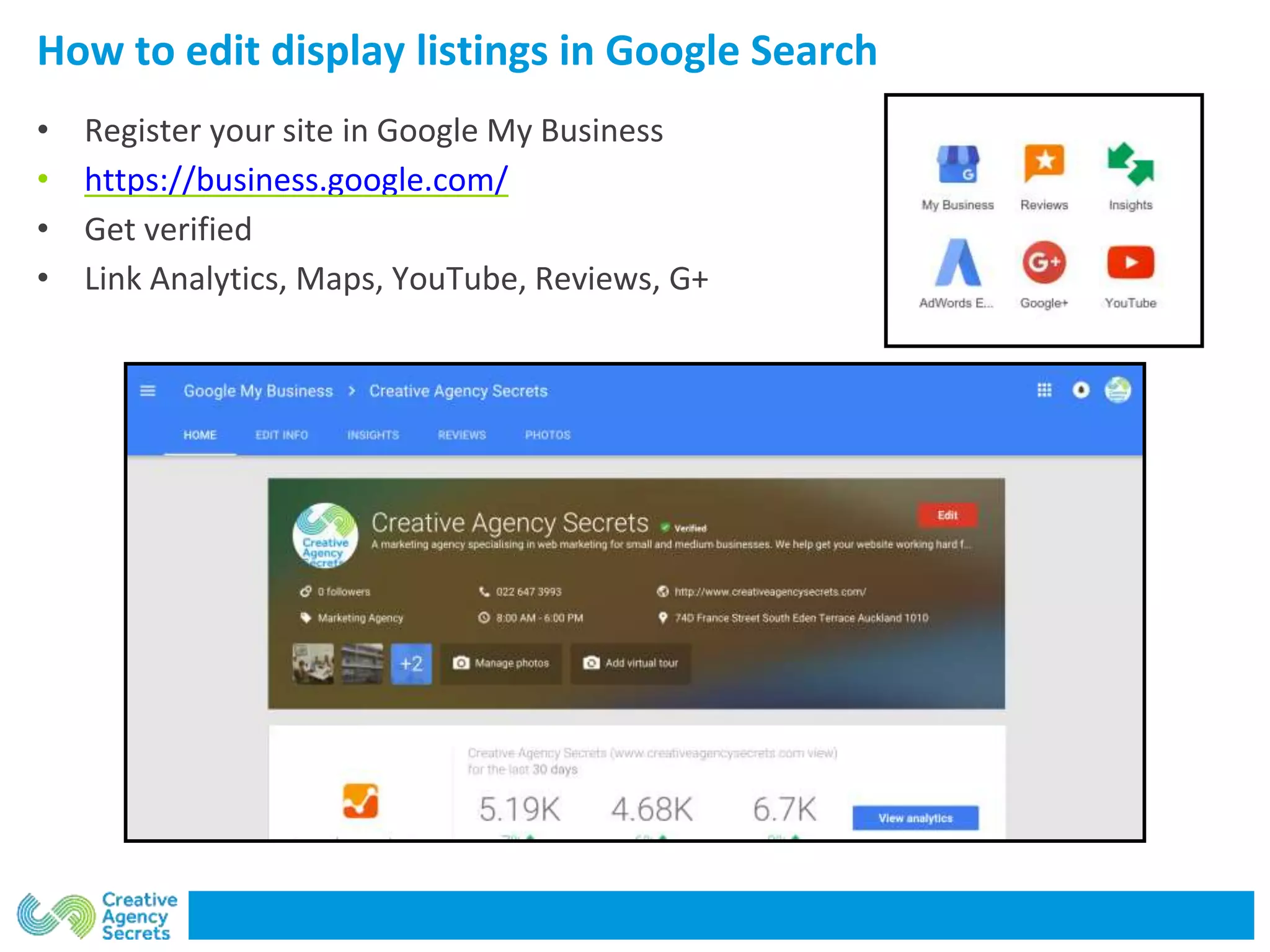
How to edit display listings in Google Search
• Register your site in Google My Business
• https://business.google.com/
• Get verified
• Link Analytics, Maps, YouTube, Reviews, G+
Edit and update the information
Tips for editing
• Short description of the firm
• One-line about services
• How to contact you - hyperlink
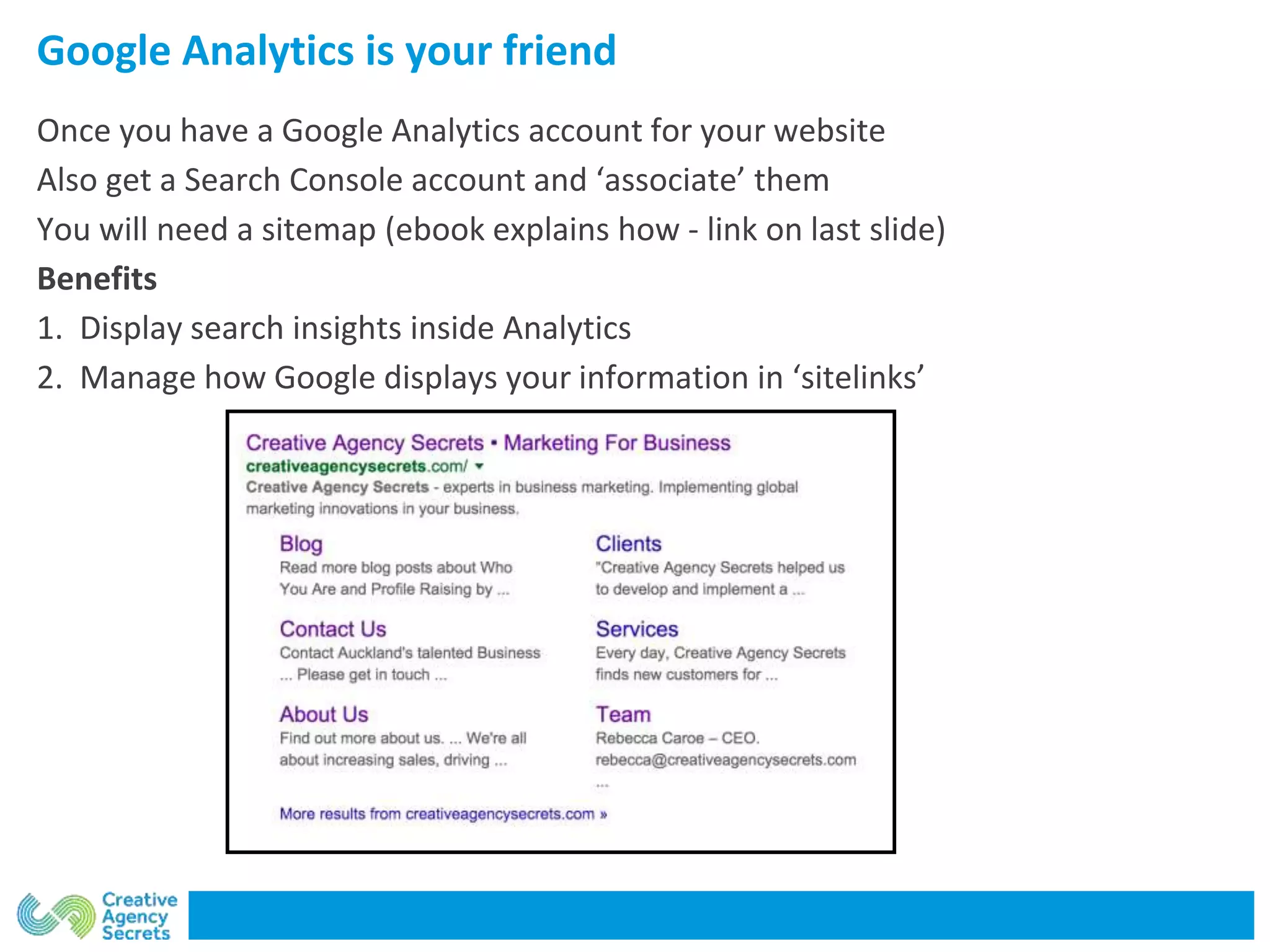
Google Analytics is your friend
Once you have a Google Analytics account for your website
Also get a Search Console account and ‘associate’ them
You will need a sitemap (ebook explains how - link on last slide)
Benefits
1. Display search insights inside Analytics
2. Manage how Google displays your information in ‘sitelinks’
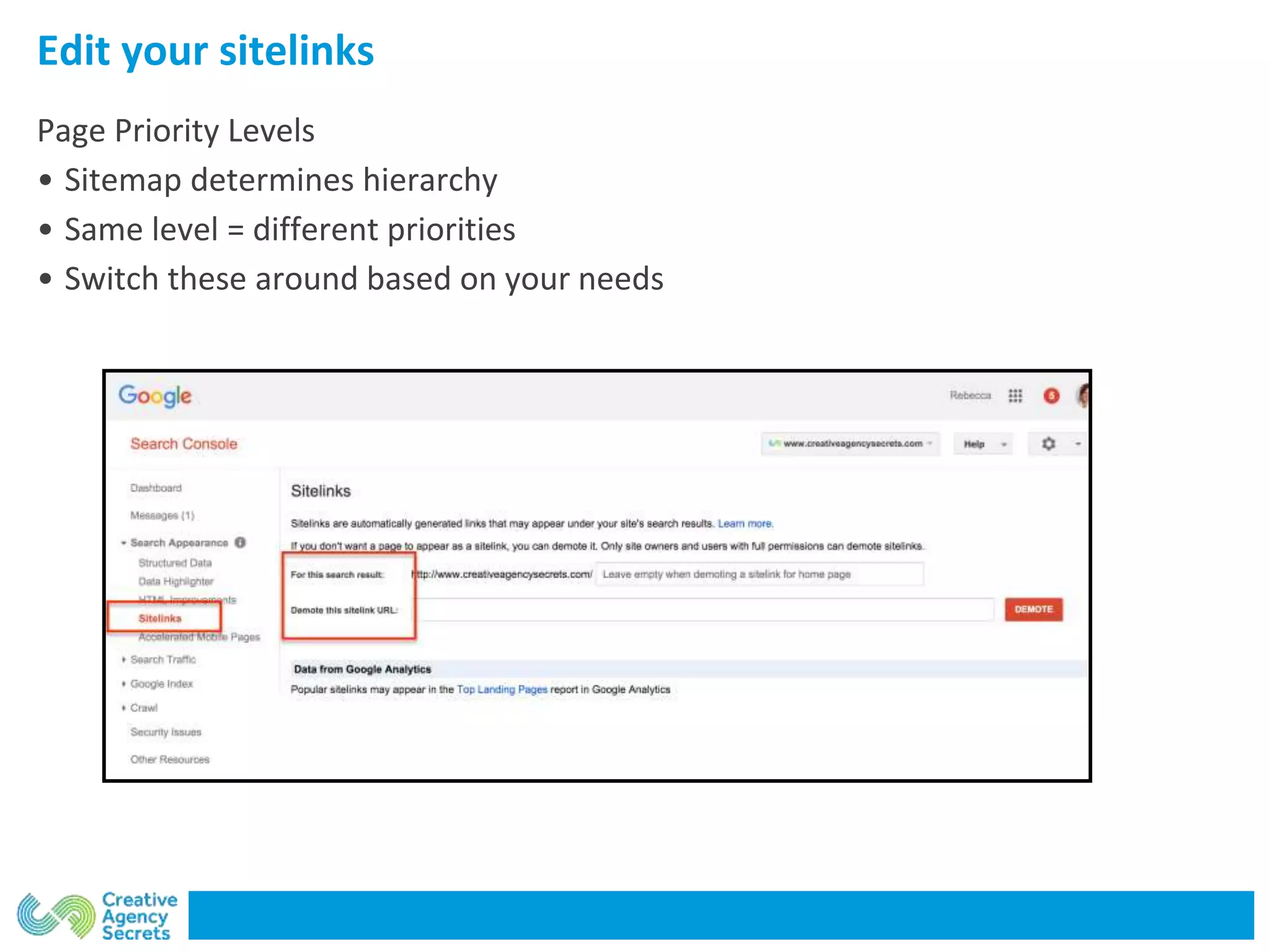
Edit your sitelinks
Page Priority Levels
• Sitemap determines hierarchy
• Same level = different priorities
• Switch these around based on your needs
Did that work?
How did your business website perform in your tests?
Learn how to do it yourself with our free ebook Get My Website Working For Me
http://creativeagencysecrets.com/get-my-website-working-for-me/
If you need help to change anything for your business - get in touch.
We can do these changes within 3 days for you.
Better fixed than sorry!
Rebecca Caroe rebecca@creativeagencysecrets.com

How to Use Google My Business

  • 1.
    How to TestYour Website Is Working
  • 2.
    What do yourwant your website to do? 1. Get found in natural search 2. Answer questions 3. Bring in enquiries 4. Get prospects to reveal their identity 5. Showcase expertise In Summary = Shortcut YOUR time to signing up a new client
  • 3.
    3 Tests todo NOW to see how your website is performing
  • 4.
    3 ways totest your website Firstly see how it performs in Hubspot’s Website Grader tool https://website.grader.com/
  • 5.
    3 ways totest your website WooRank tool (Chrome Extension) https://www.woorank.com/en/p/developers
  • 6.
    3 ways totest your website Page Analytics (Chrome Extension) https://chrome.google.com/webstore/detail/page-analytics-by-google/ NOTE you must be signed into your Google Analytics simultaneously.
  • 7.
    3 More Google-specifictools which can help improve
  • 8.
    Improve the appearanceof your site Google looks at 4 aspects of your site • words • pictures • video • maps
  • 9.
    Here’s a problemin Google Search I search for “Ray White Parnell” and the Newmarket office shows up top in search….. all their phone calls are going to the WRONG place.
  • 10.
    How to editdisplay listings in Google Search • Register your site in Google My Business • https://business.google.com/ • Get verified • Link Analytics, Maps, YouTube, Reviews, G+
  • 11.
    Edit and updatethe information Tips for editing • Short description of the firm • One-line about services • How to contact you - hyperlink
  • 12.
    Google Analytics isyour friend Once you have a Google Analytics account for your website Also get a Search Console account and ‘associate’ them You will need a sitemap (ebook explains how - link on last slide) Benefits 1. Display search insights inside Analytics 2. Manage how Google displays your information in ‘sitelinks’
  • 13.
    Edit your sitelinks PagePriority Levels • Sitemap determines hierarchy • Same level = different priorities • Switch these around based on your needs
  • 14.
    Did that work? Howdid your business website perform in your tests? Learn how to do it yourself with our free ebook Get My Website Working For Me http://creativeagencysecrets.com/get-my-website-working-for-me/ If you need help to change anything for your business - get in touch. We can do these changes within 3 days for you. Better fixed than sorry! Rebecca Caroe rebecca@creativeagencysecrets.com

Editor's Notes

  • #11 Ad Finda Hudson Kasper Slight Lala & Co Localist Yellow Peter Harris
  • #14 16 listings before negative