Get Found on Google
Search and Maps
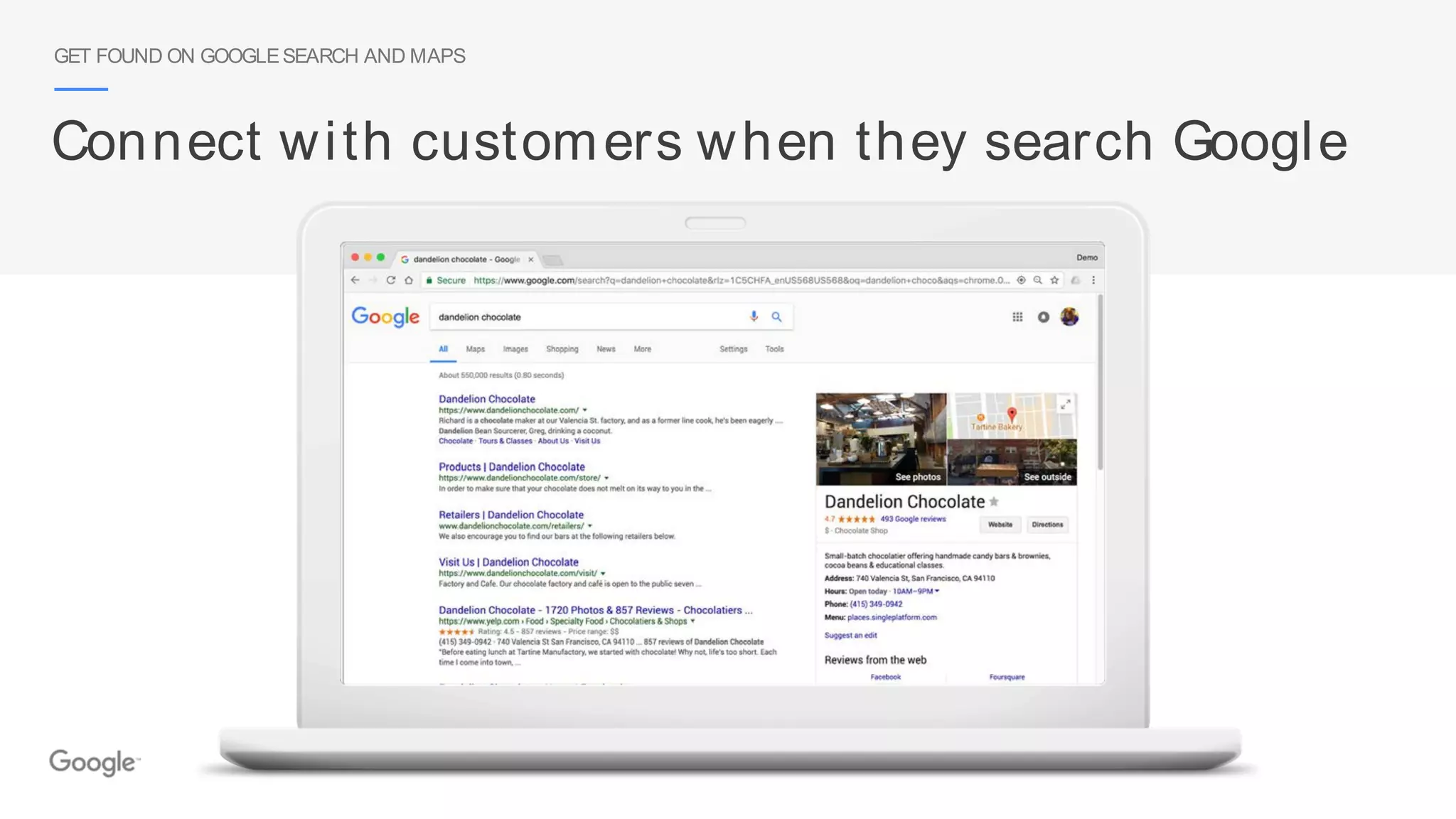
Connect with customers when they search Google
GET FOUND ON GOOGLESEARCH AND MAPS
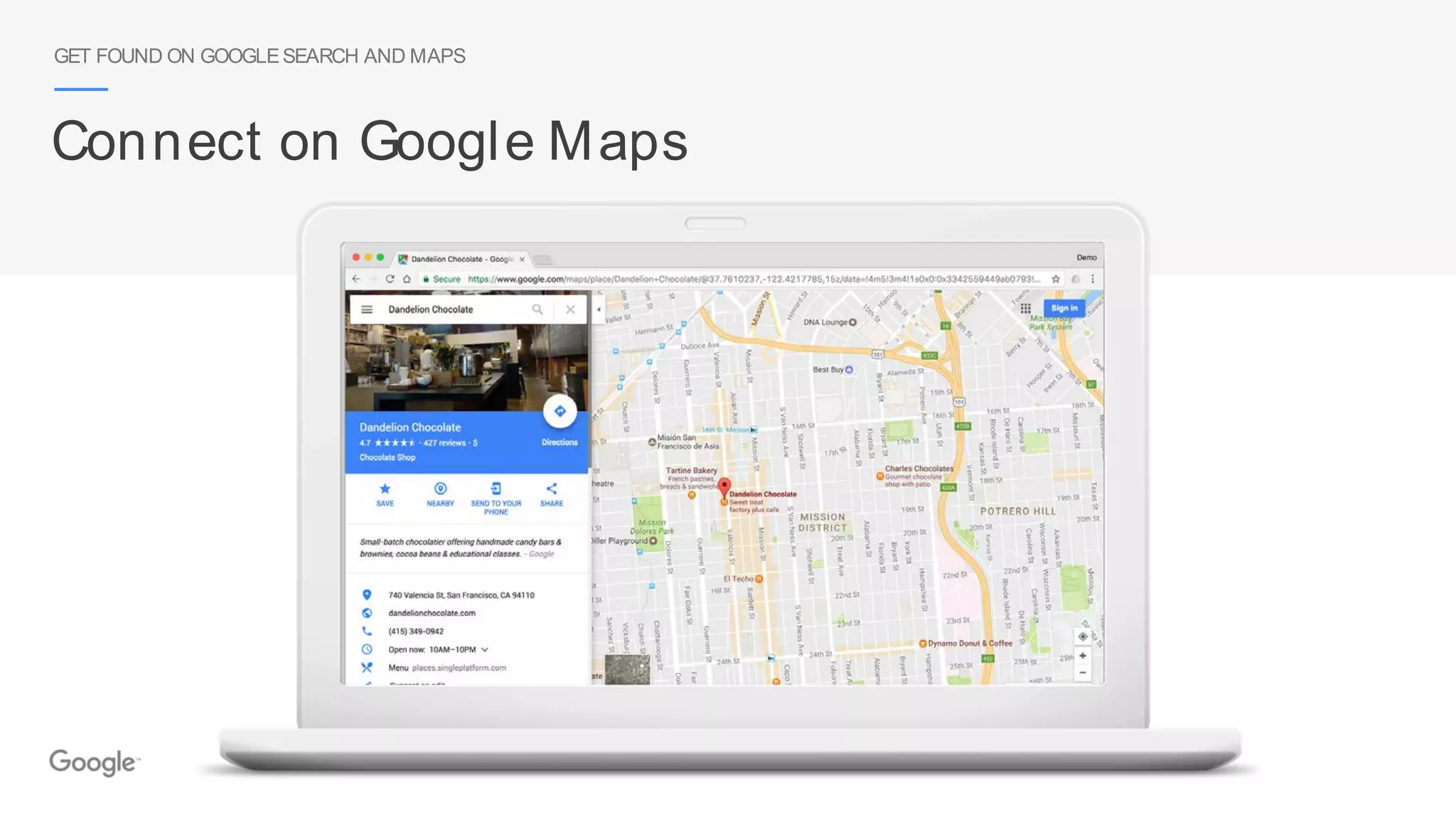
Connect on Google Maps
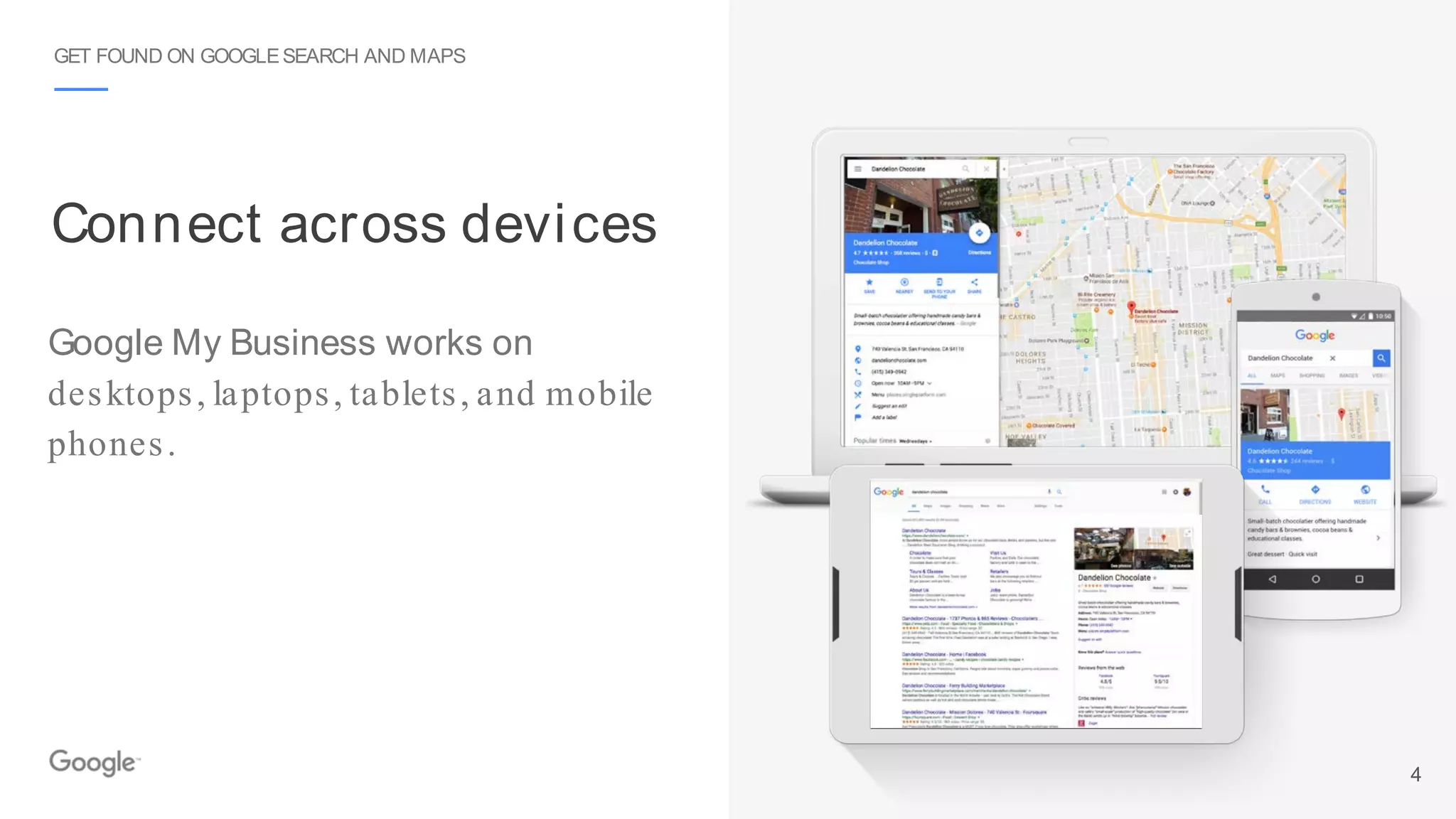
Google My Business works on
desktops, laptops, tablets, and mobile
phones.
Connect across devices
GET FOUND ON GOOGLESEARCH AND MAPS
4
Get your business on Google for free
GET YOURBUSINESS ON GOOGLEFORFREE
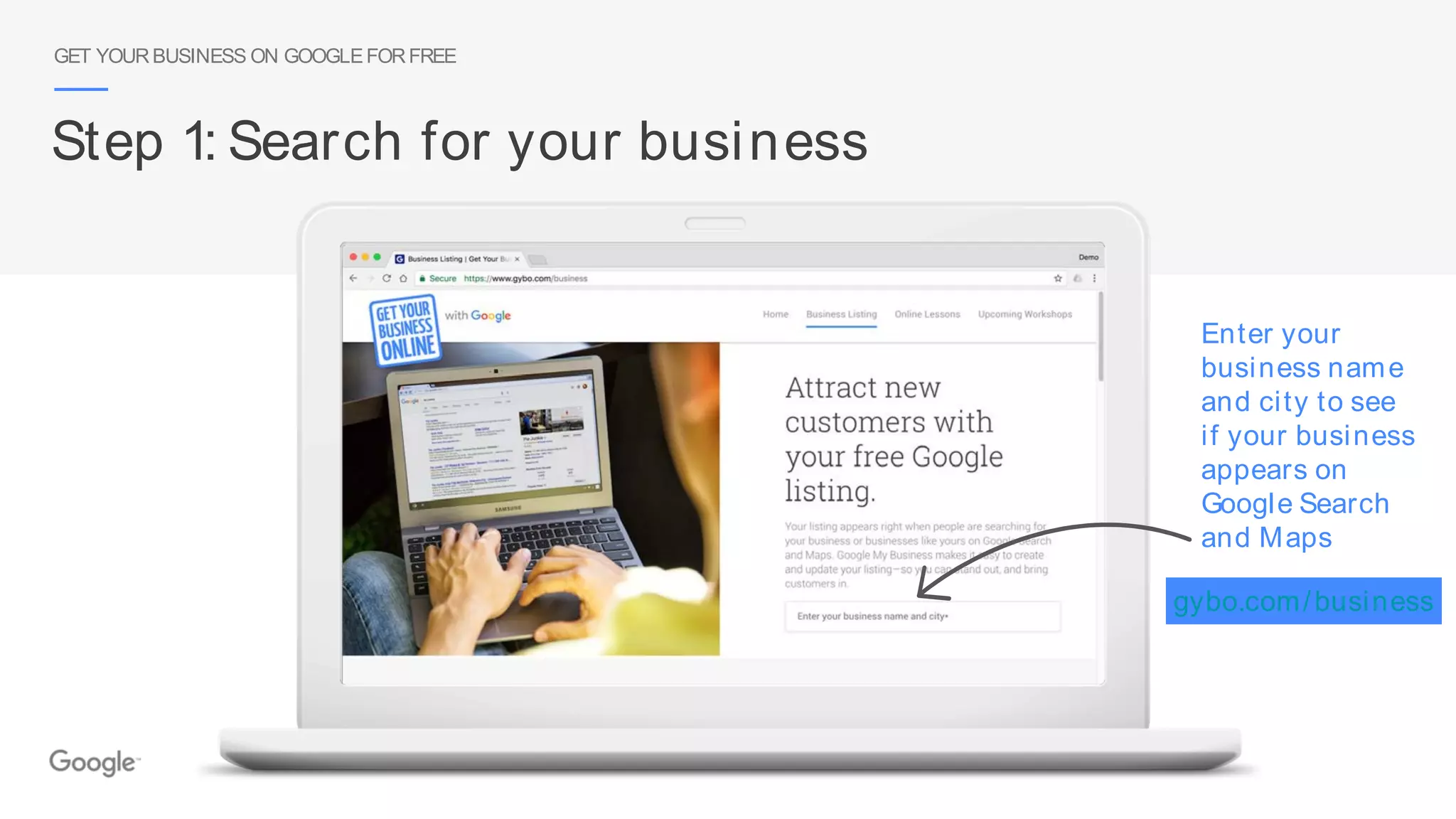
Step 1: Search for your business
Enter your
business name
and city to see
if your business
appears on
Google Search
and Maps
gybo.com/business
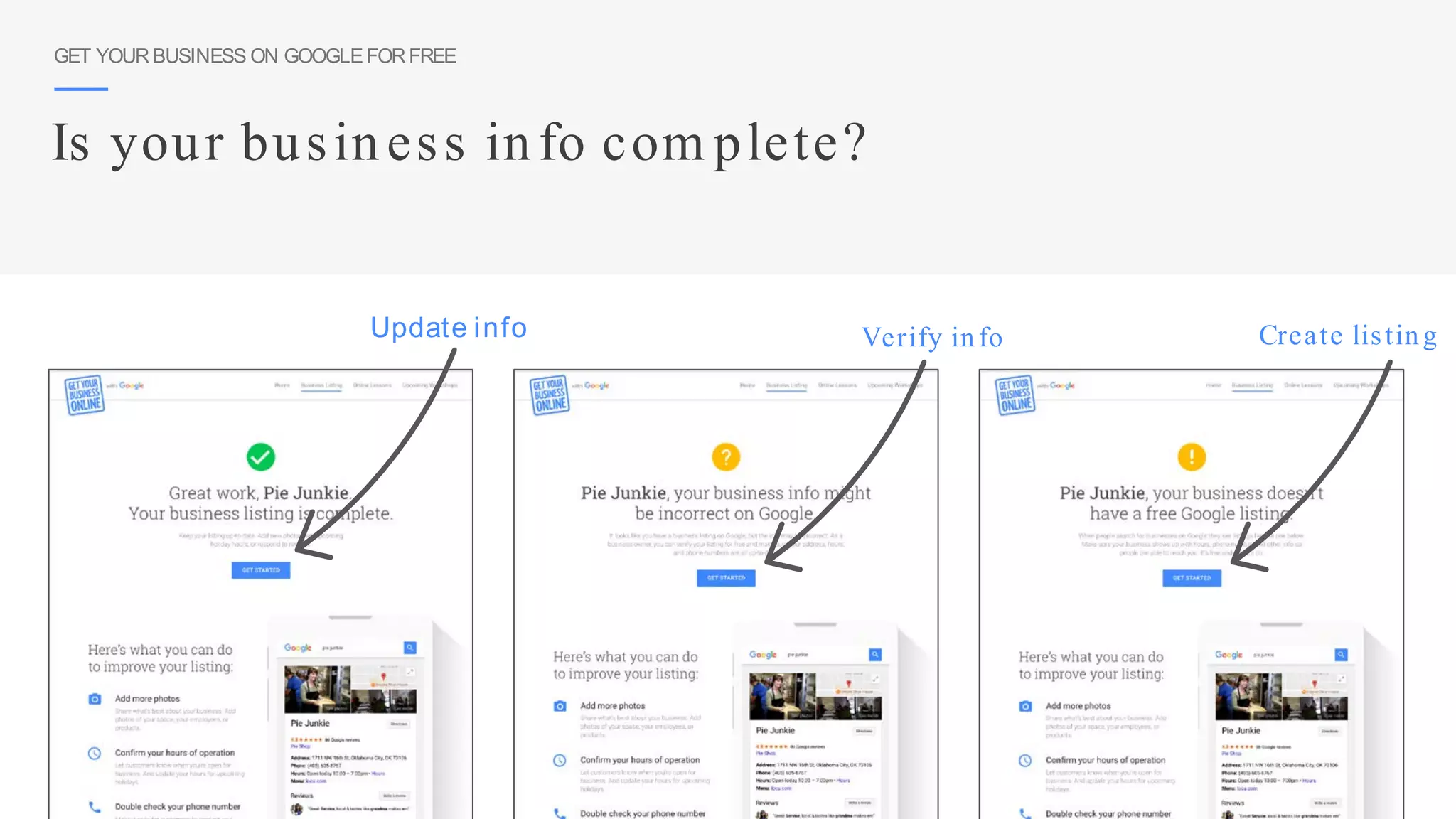
Update info Verify info Create listing
Is your business info com plete?
GET YOURBUSINESS ON GOOGLEFORFREE
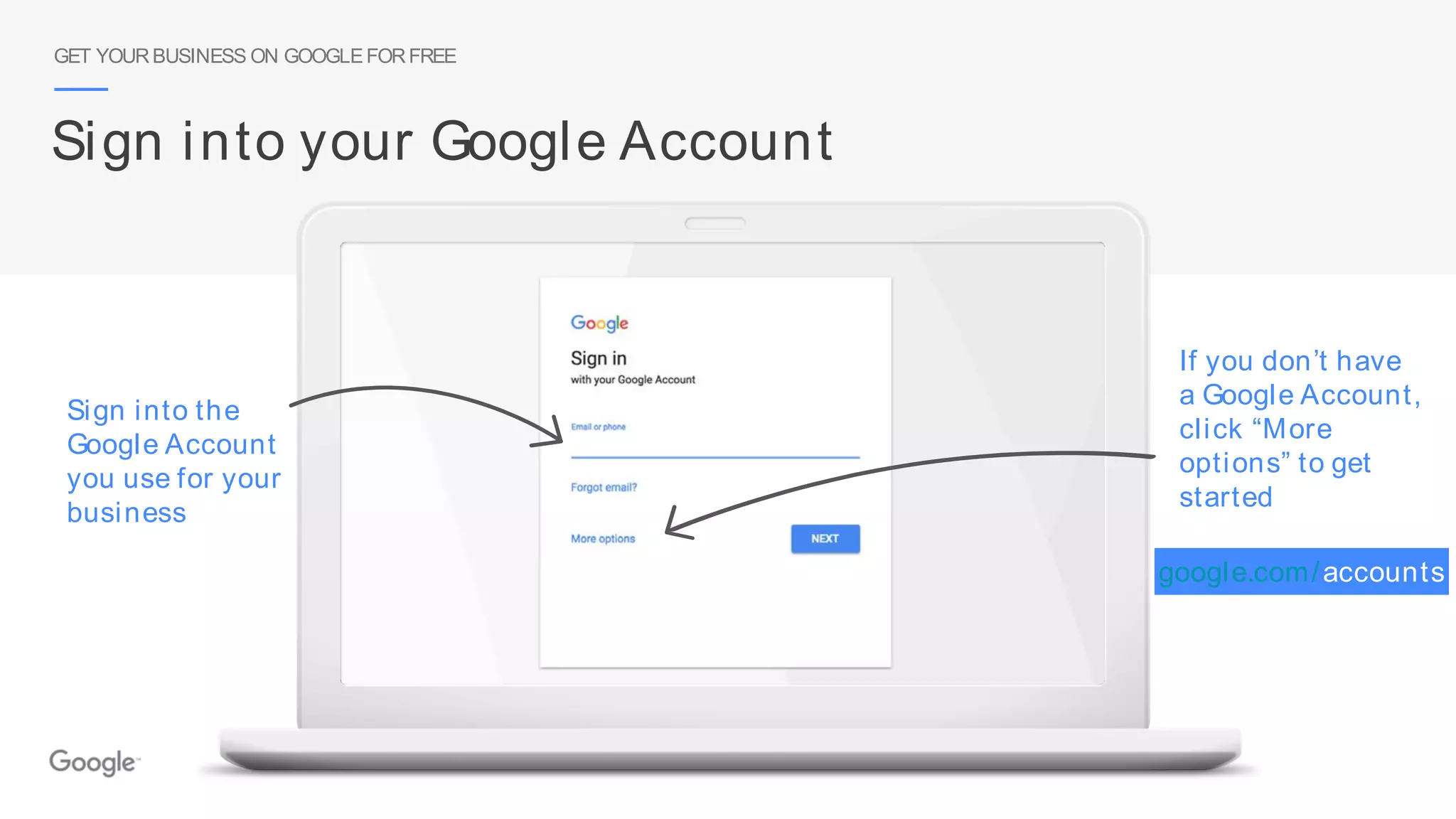
Sign into your Google Account
Sign into the
Google Account
you use for your
business
If you don’t have
a Google Account,
click “More
options” to get
started
google.com/accounts
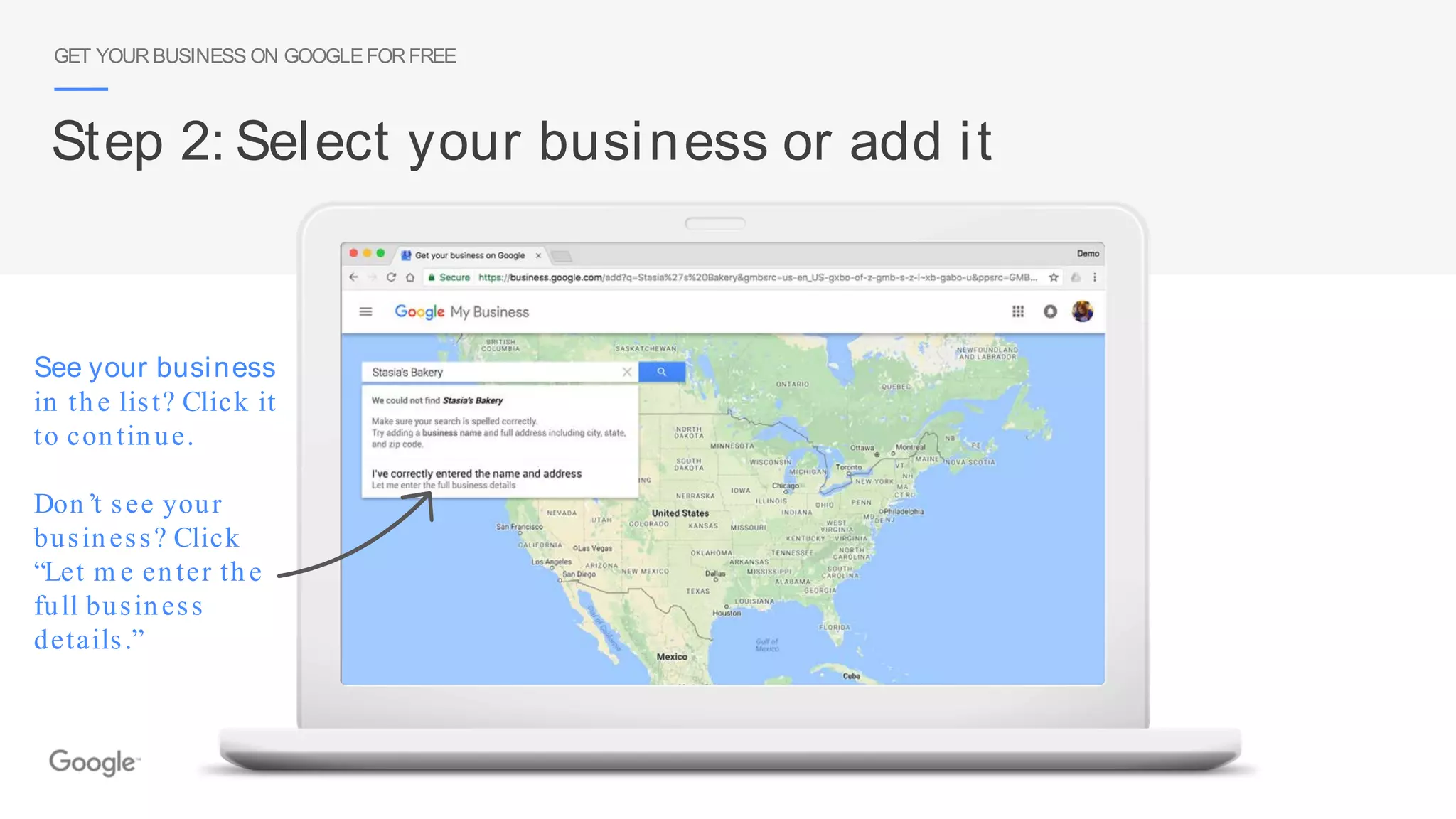
See your business
in the list? Click it
to continue.
Don’t see your
business? Click
“Let m e enter the
full business
details.”
GET YOURBUSINESS ON GOOGLEFORFREE
Step 2: Select your business or add it
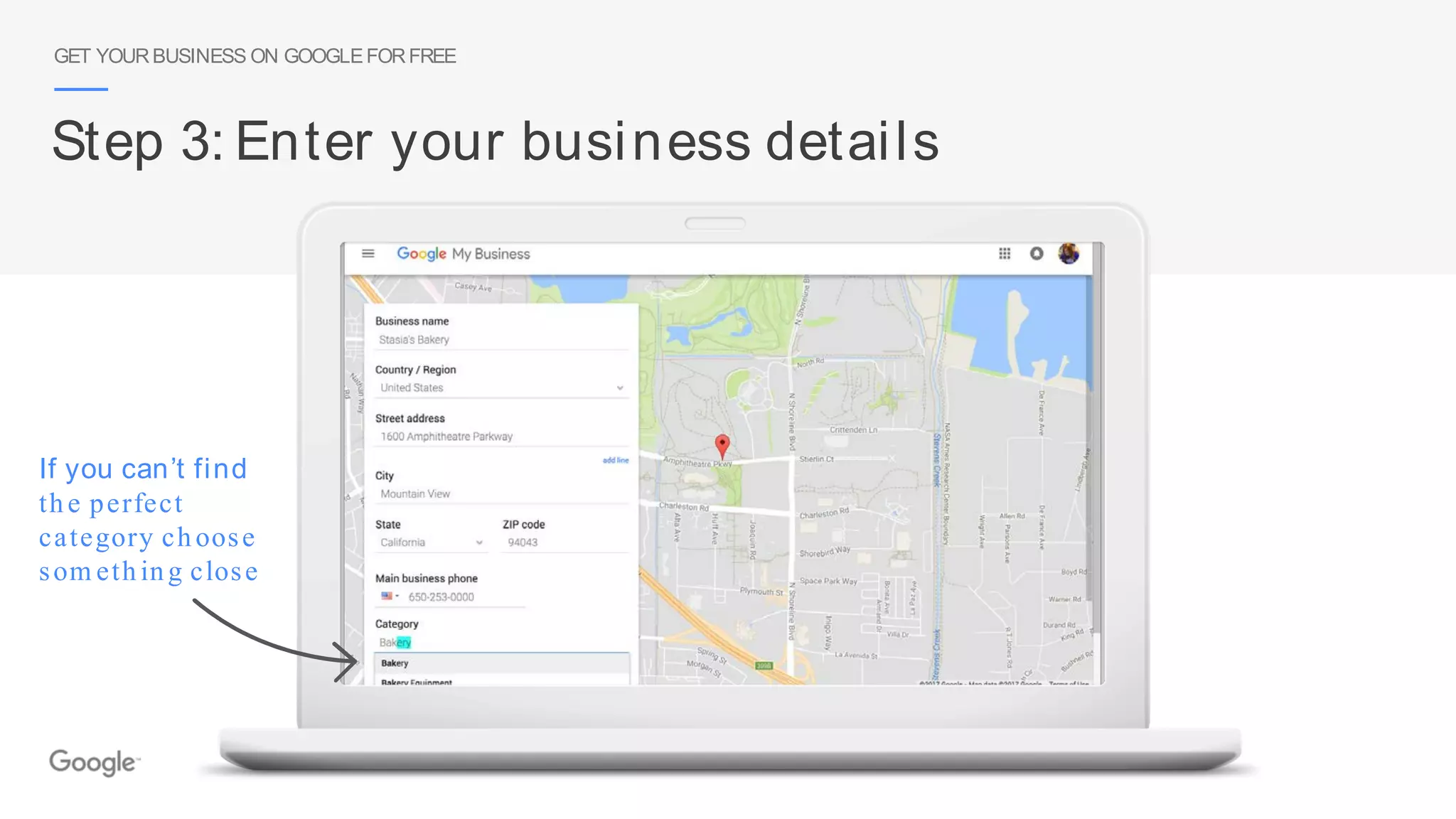
If you can’t find
the perfect
category choose
som ething close
GET YOURBUSINESS ON GOOGLEFORFREE
Step 3: Enter your business details
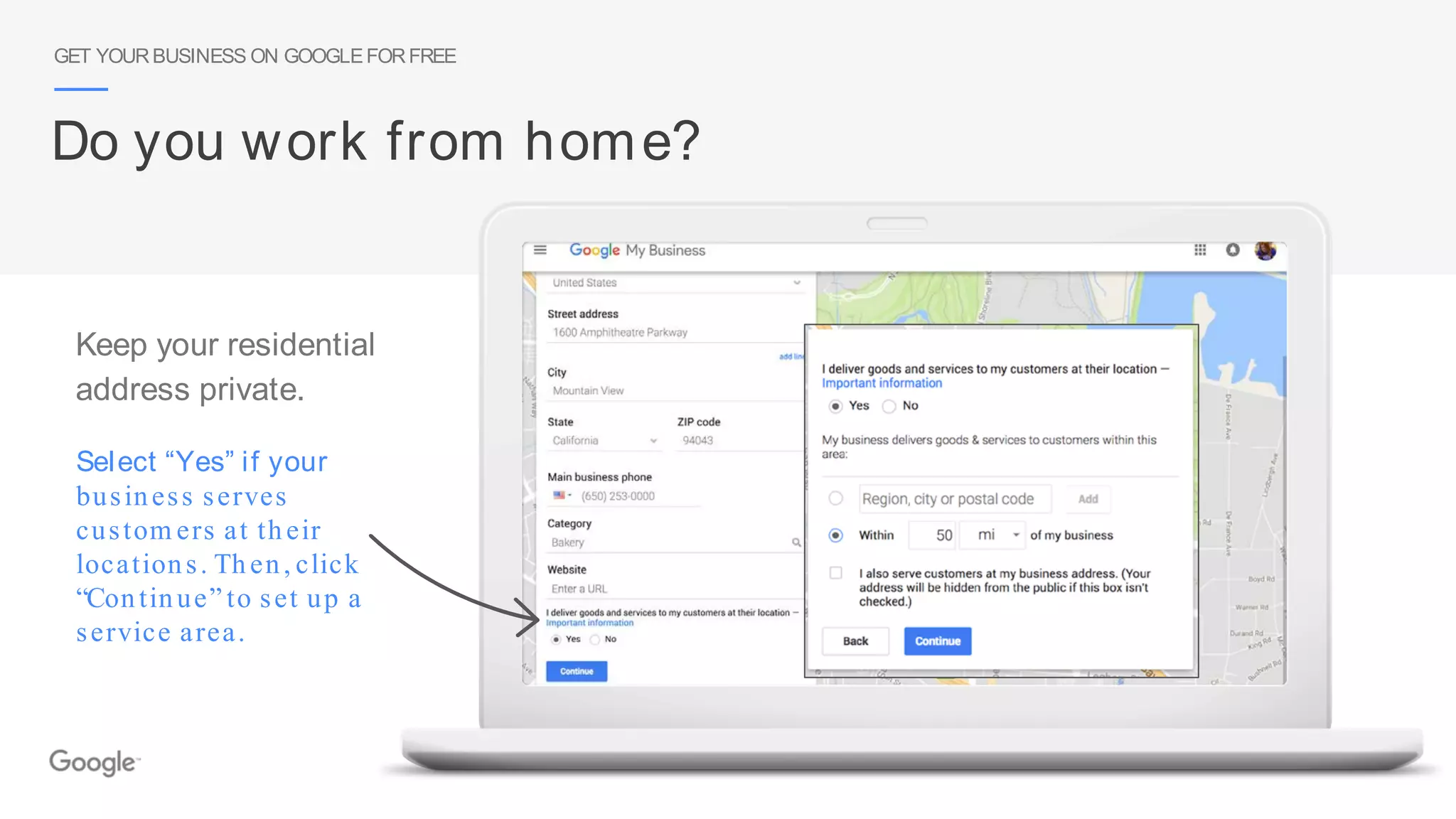
Select “Yes” if your
business serves
custom ers at their
locations. Then, click
“Continue” to set up a
service area.
GET YOURBUSINESS ON GOOGLEFORFREE
Do you work from home?
Keep your residential
address private.
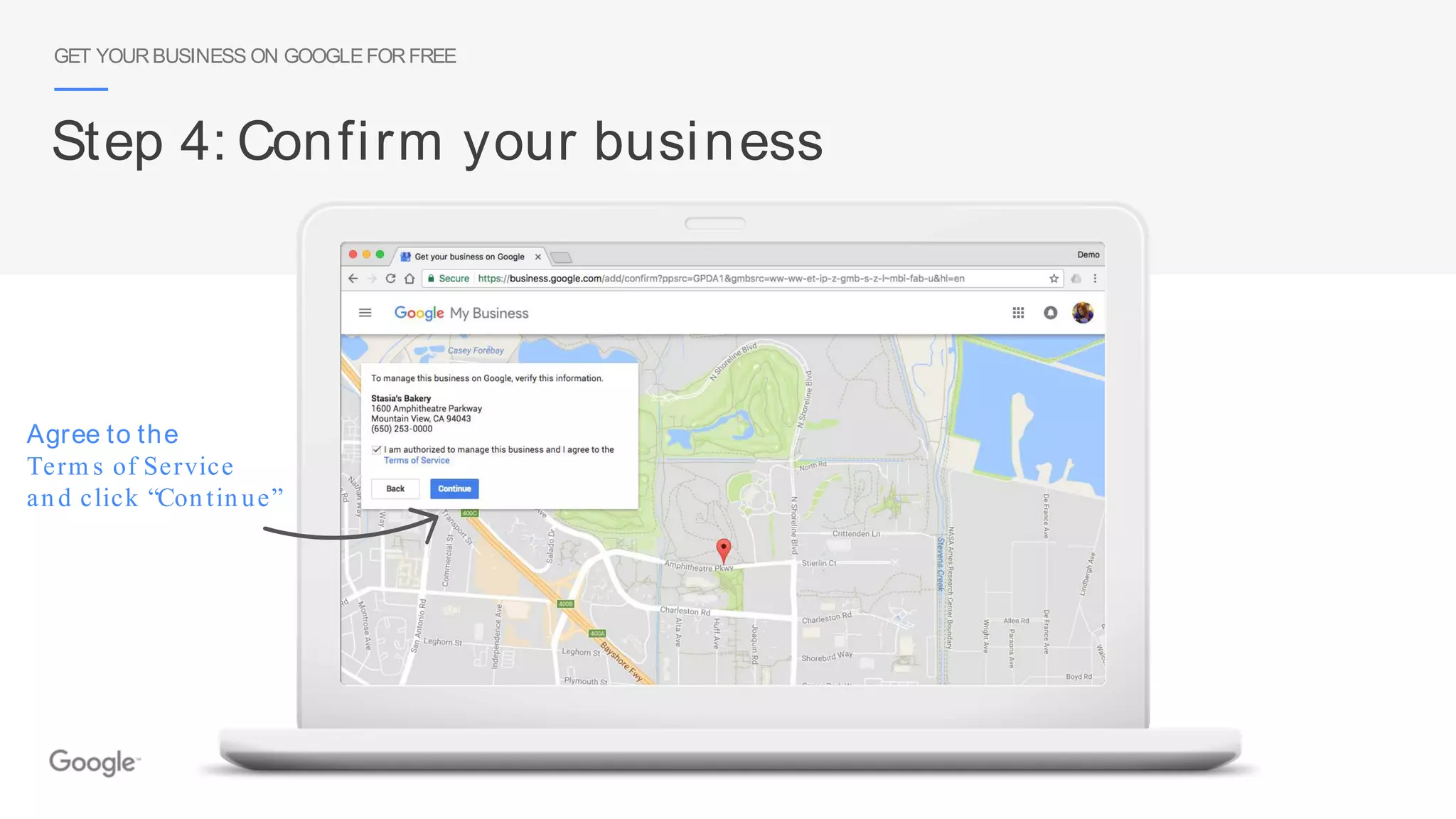
Agree to the
Term s of Service
and click “Continue”
GET YOURBUSINESS ON GOOGLEFORFREE
Step 4: Confirm your business
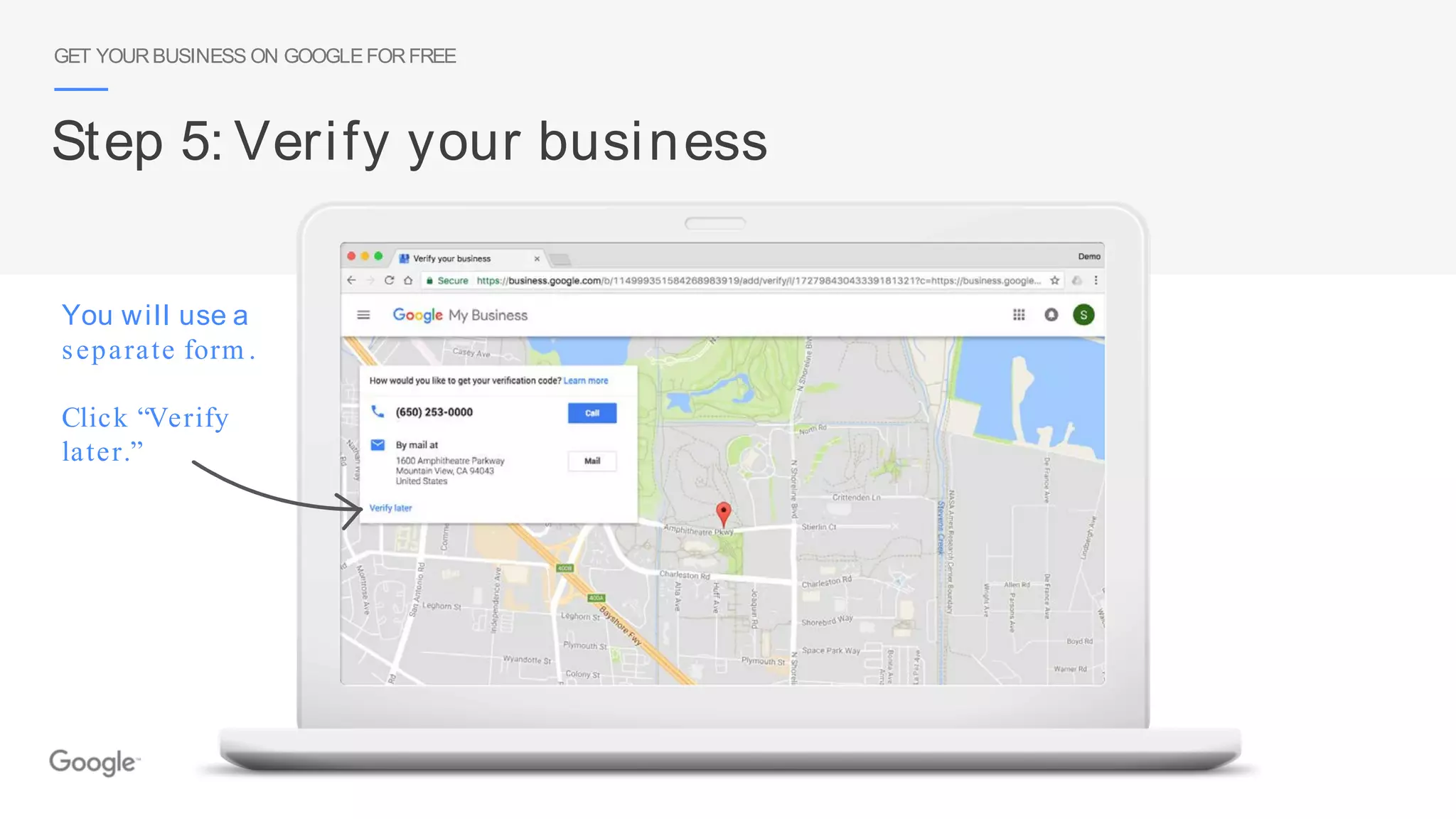
You will use a
separate form .
Click “Verify
later.”
GET YOURBUSINESS ON GOOGLEFORFREE
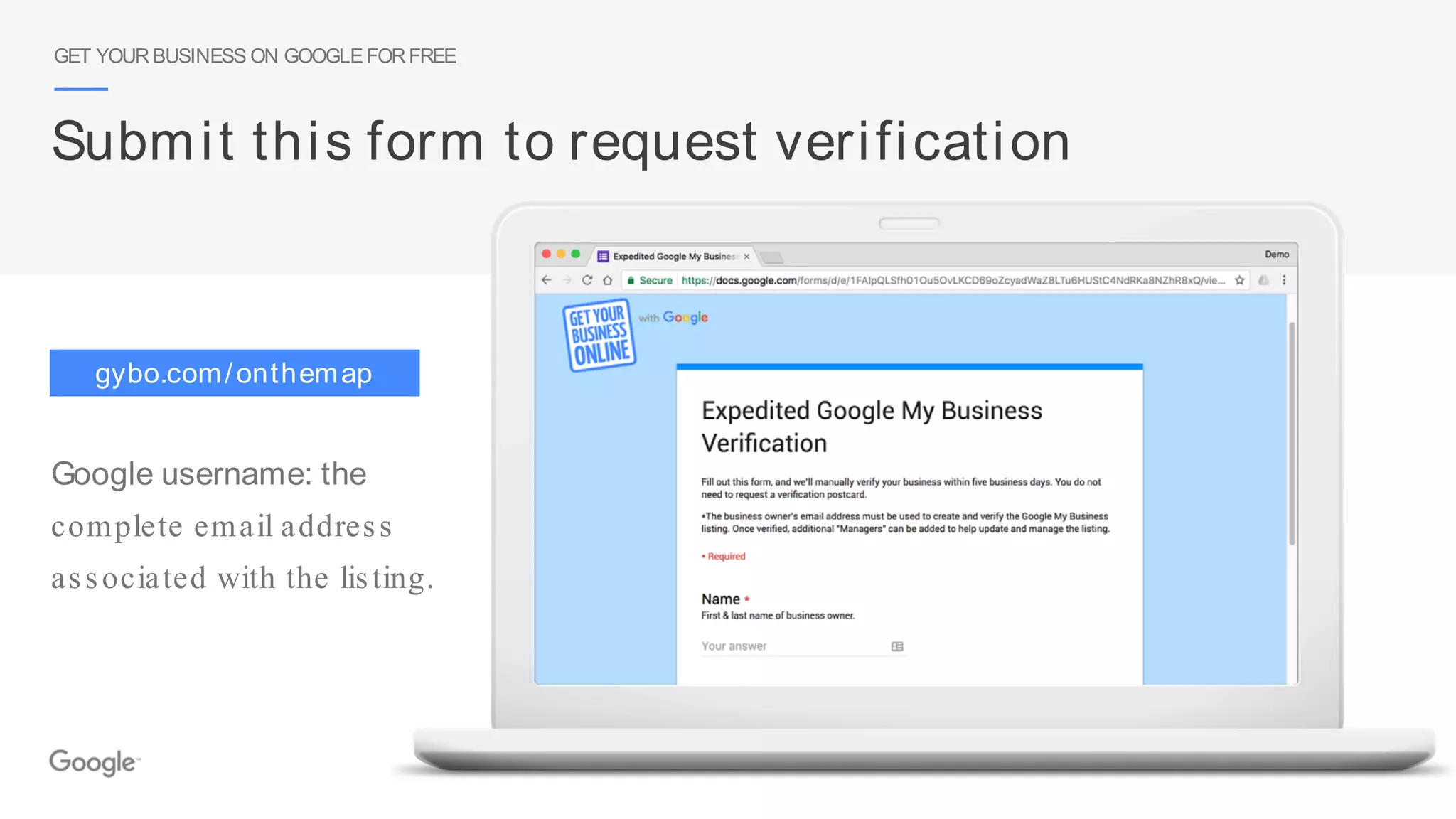
Step 5: Verify your business
Google username: the
complete email address
associated with the listing.
Submit this form to request verification
GET YOURBUSINESS ON GOOGLEFORFREE
gybo.com/onthemap
Take a tour of Google My Business
TAKE A TOUROF GOOGLEMY BUSINESS
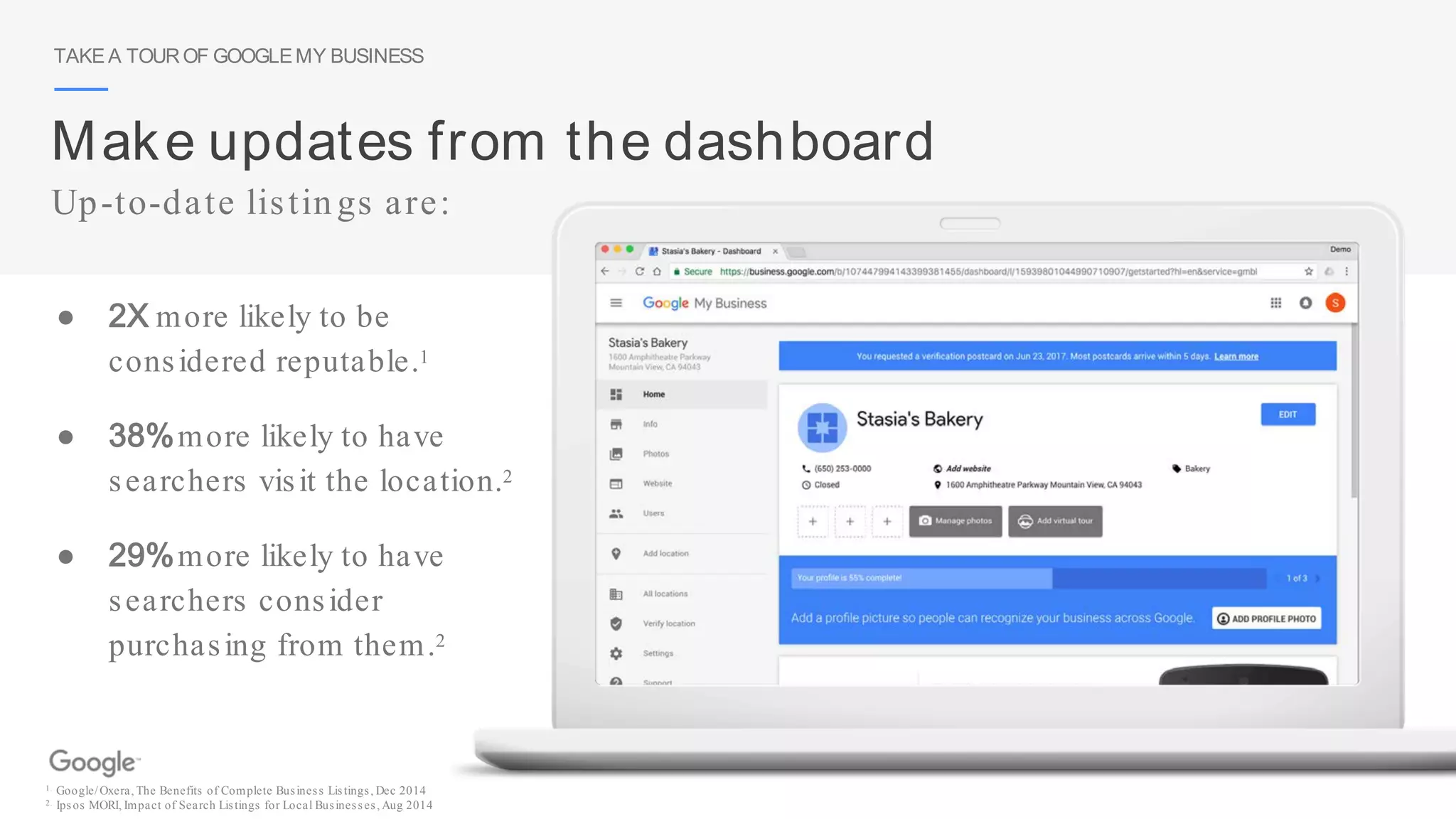
Make updates from the dashboard
● 2X more likely to be
considered reputable.1
● 38%more likely to have
searchers visit the location.2
● 29%more likely to have
searchers consider
purchasing from them.2
1. Google/Oxera, The Benefits of Complete Business Listings, Dec 2014
2. Ipsos MORI, Impact of Search Listings for Local Businesses, Aug 2014
Up-to-date listings are:
TAKE A TOUROF GOOGLEMY BUSINESS
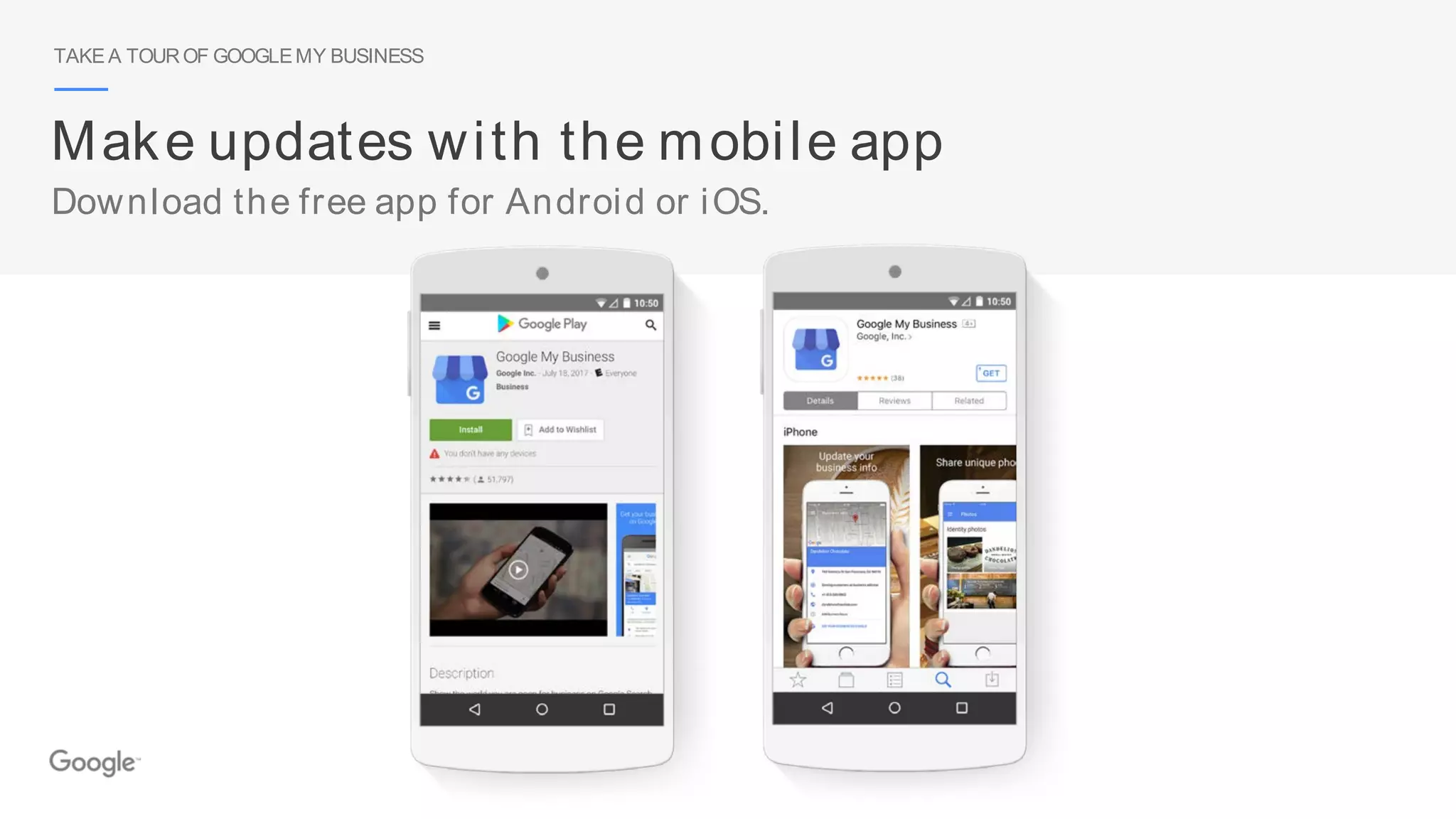
Make updates with the mobile app
Download the free app for Android or iOS.
TAKE A TOUROF GOOGLEMY BUSINESS
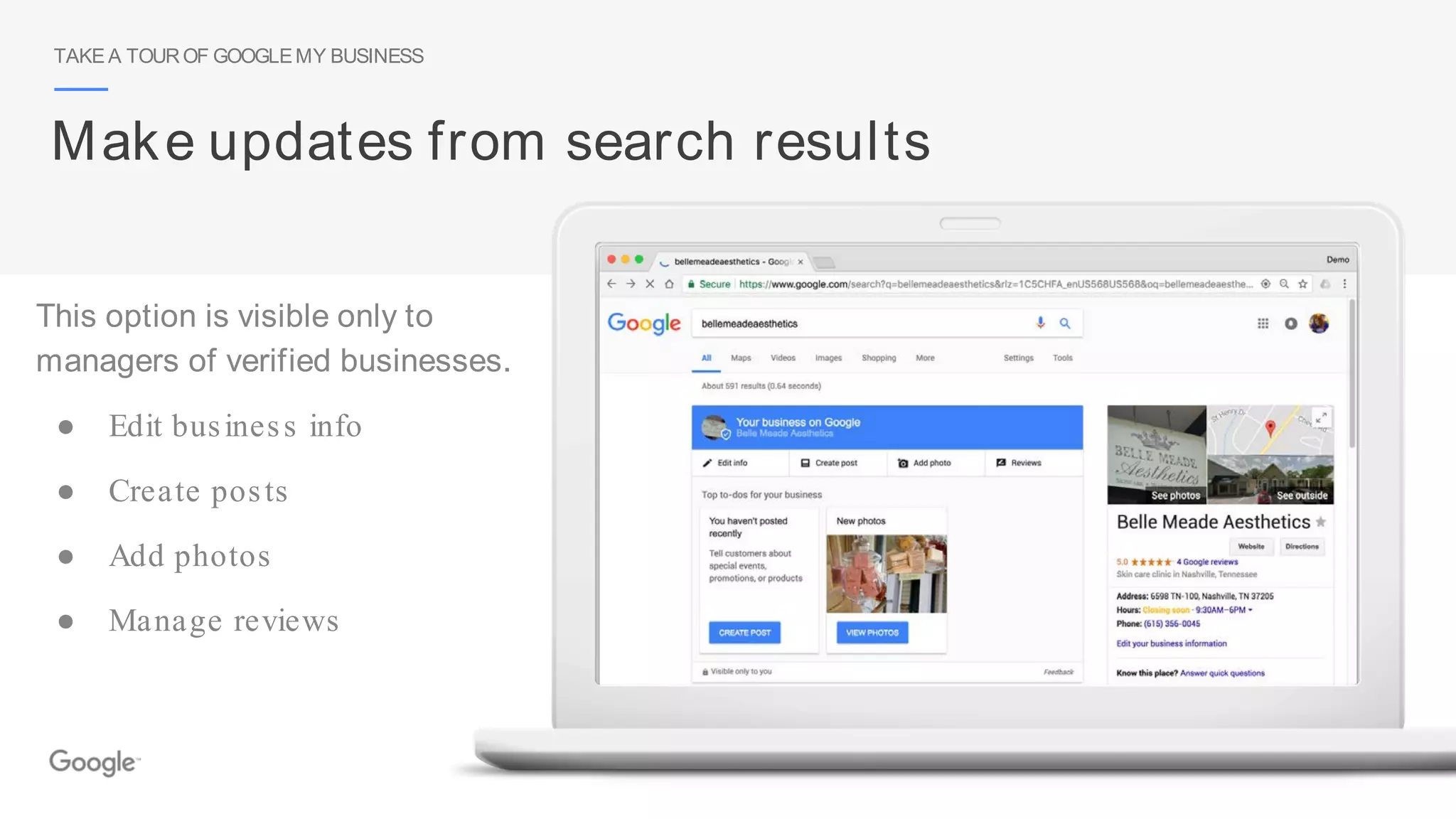
Make updates from search results
This option is visible only to
managers of verified businesses.
● Edit business info
● Create posts
● Add photos
● Manage reviews
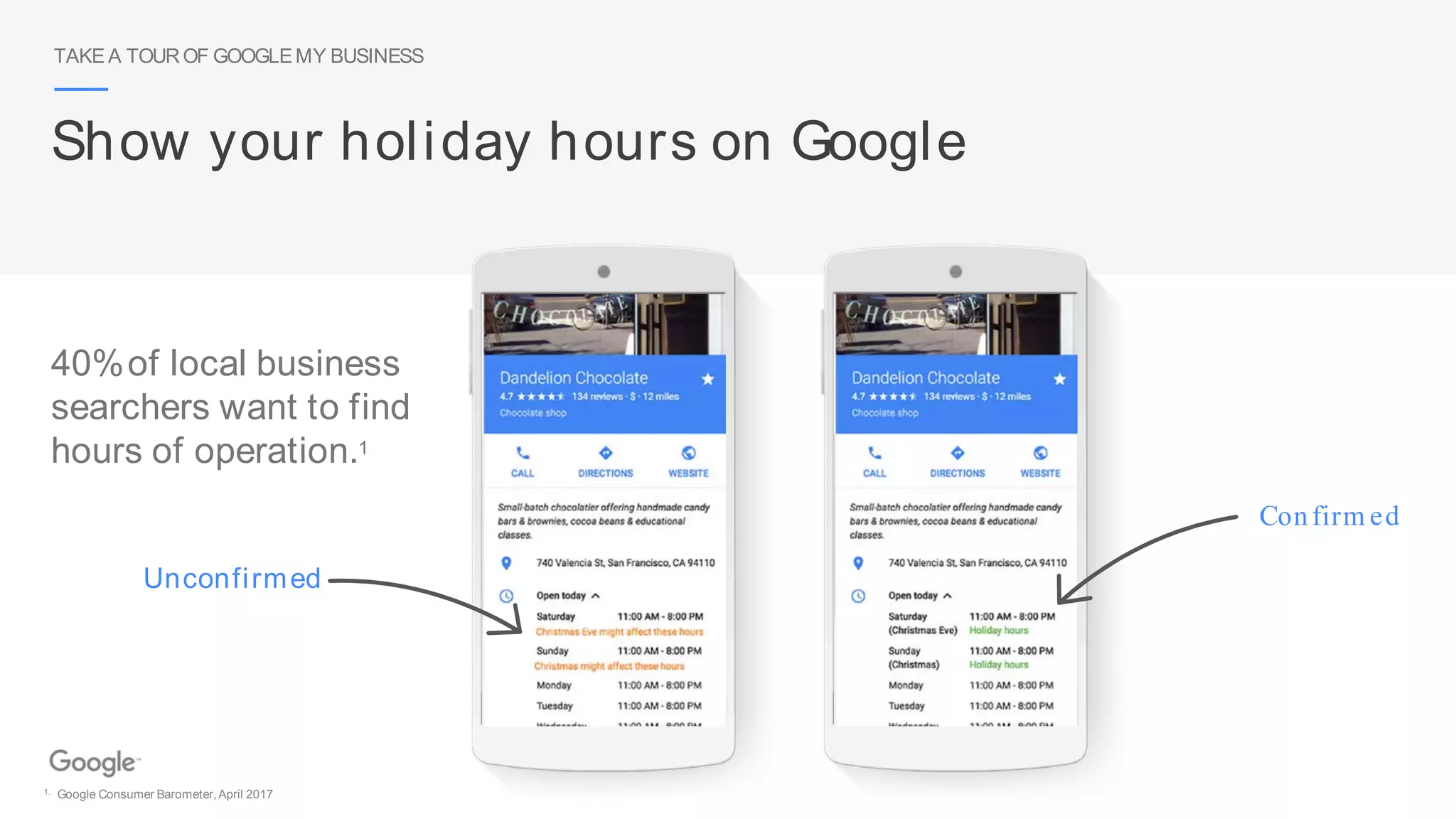
Unconfirmed
Confirm ed
TAKE A TOUROF GOOGLEMY BUSINESS
Show your holiday hours on Google
40%of local business
searchers want to find
hours of operation.1
1. Google Consumer Barometer,April 2017
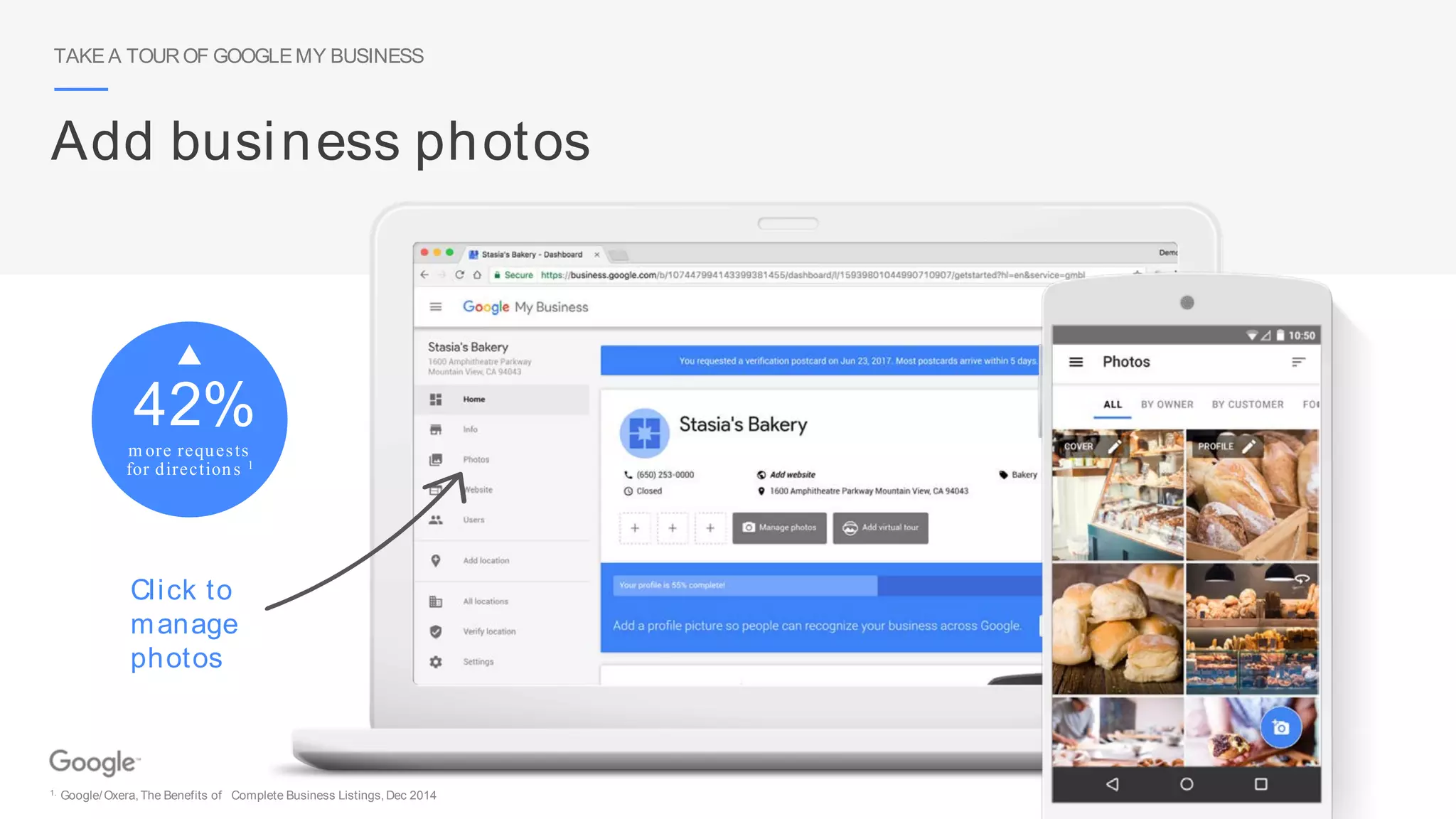
42%
m ore requests
for directions 1
TAKE A TOUROF GOOGLEMY BUSINESS
Add business photos
Click to
manage
photos
1. Google/Oxera,The Benefits of Complete Business Listings, Dec 2014
TAKE A TOUROF GOOGLEMY BUSINESS
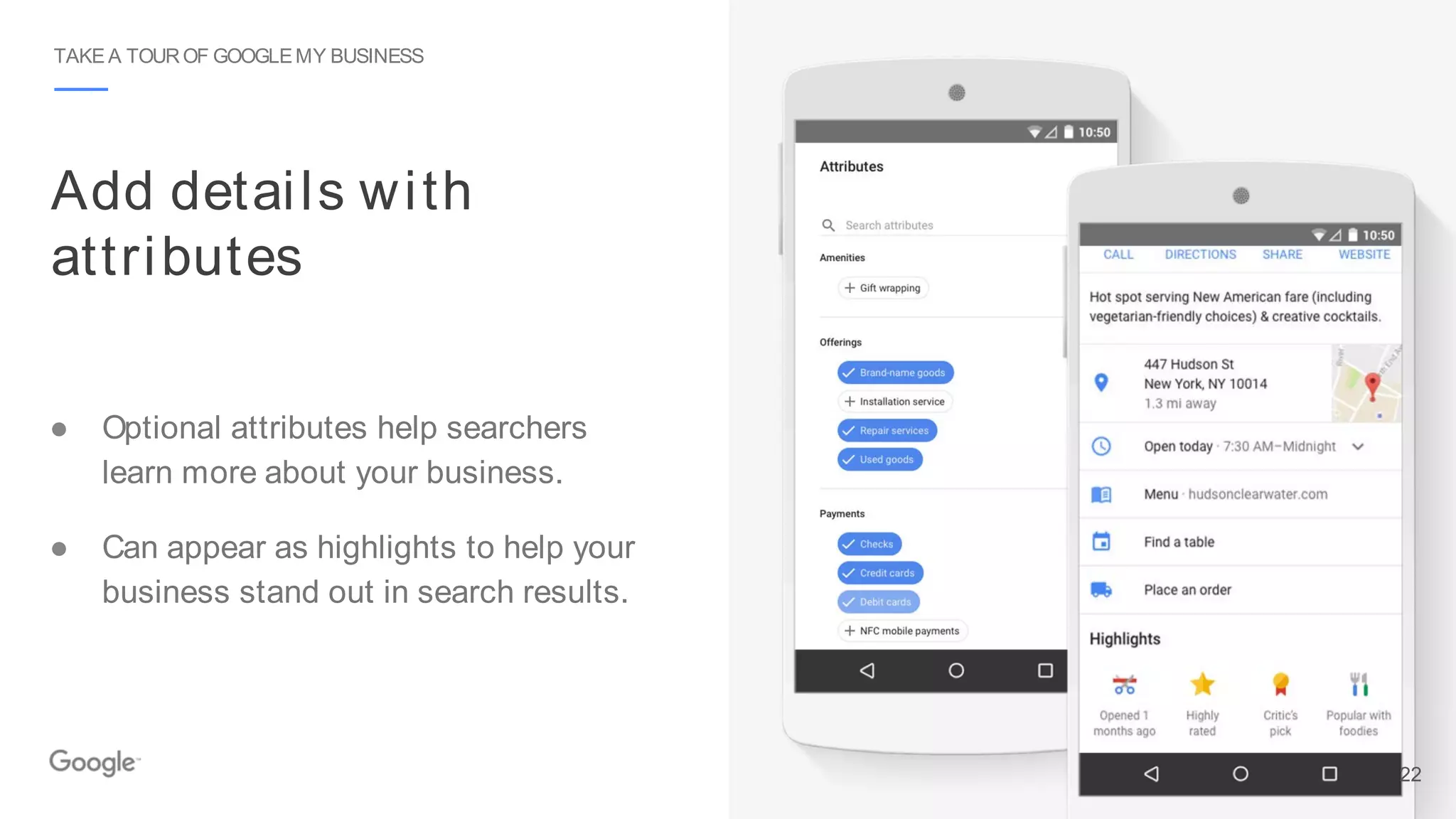
Add details with
attributes
● Optional attributes help searchers
learn more about your business.
● Can appear as highlights to help your
business stand out in search results.
22
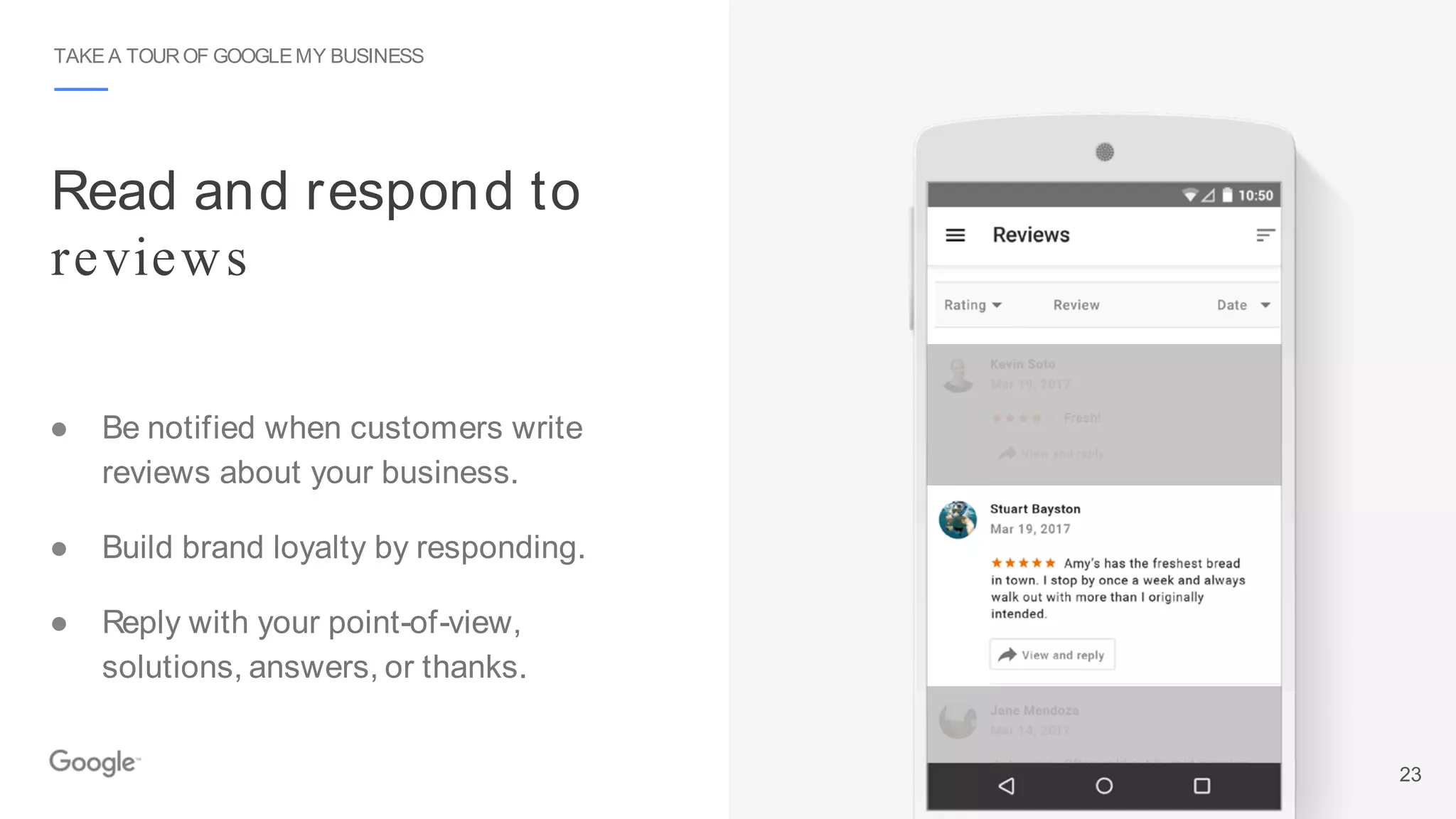
Read and respond to
reviews
TAKE A TOUROF GOOGLEMY BUSINESS
● Be notified when customers write
reviews about your business.
● Build brand loyalty by responding.
● Reply with your point-of-view,
solutions, answers, or thanks.
23
TAKE A TOUROF GOOGLEMY BUSINESS
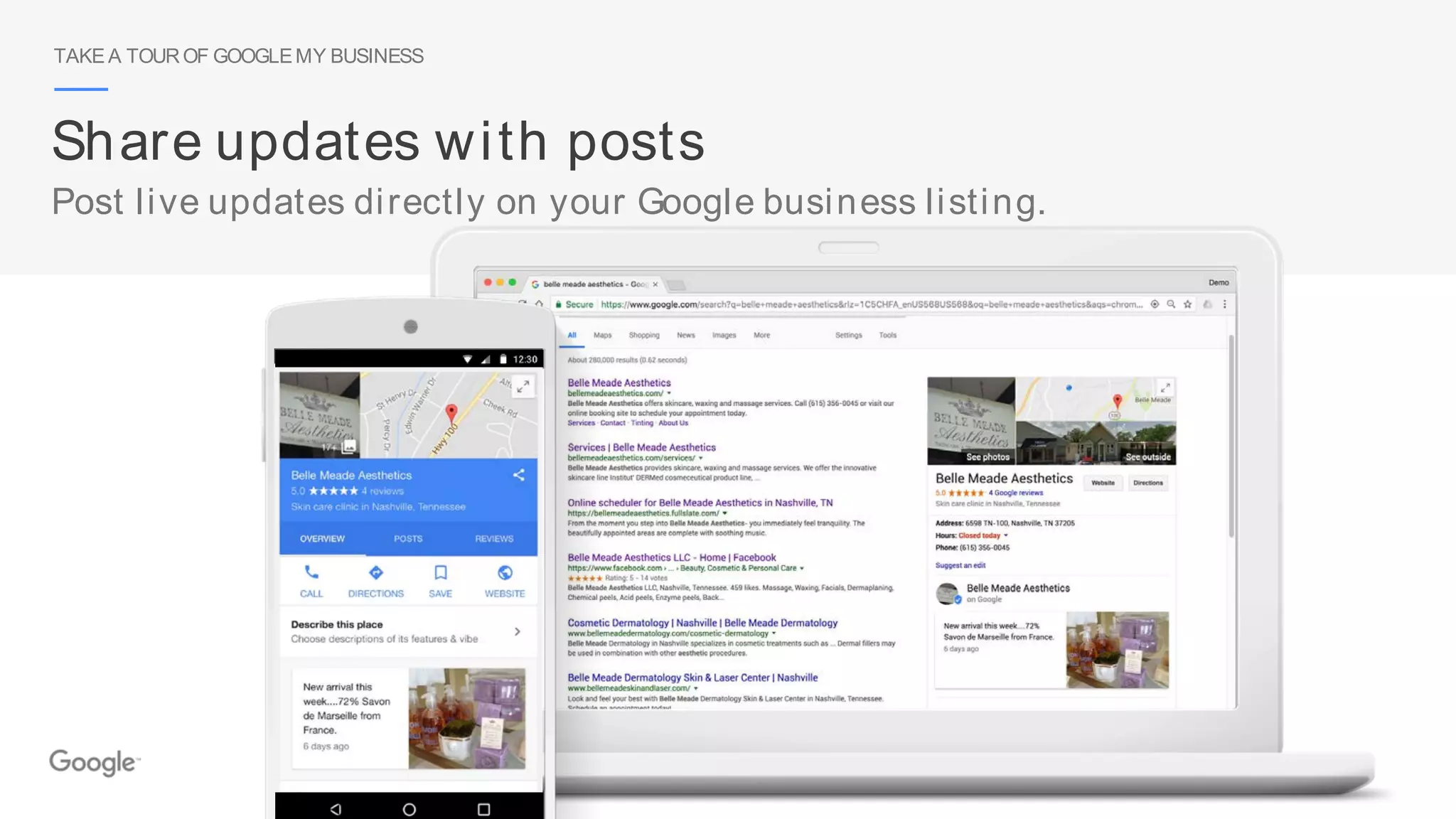
Share updates with posts
Post live updates directly on your Google business listing.
TAKE A TOUROF GOOGLEMY BUSINESS
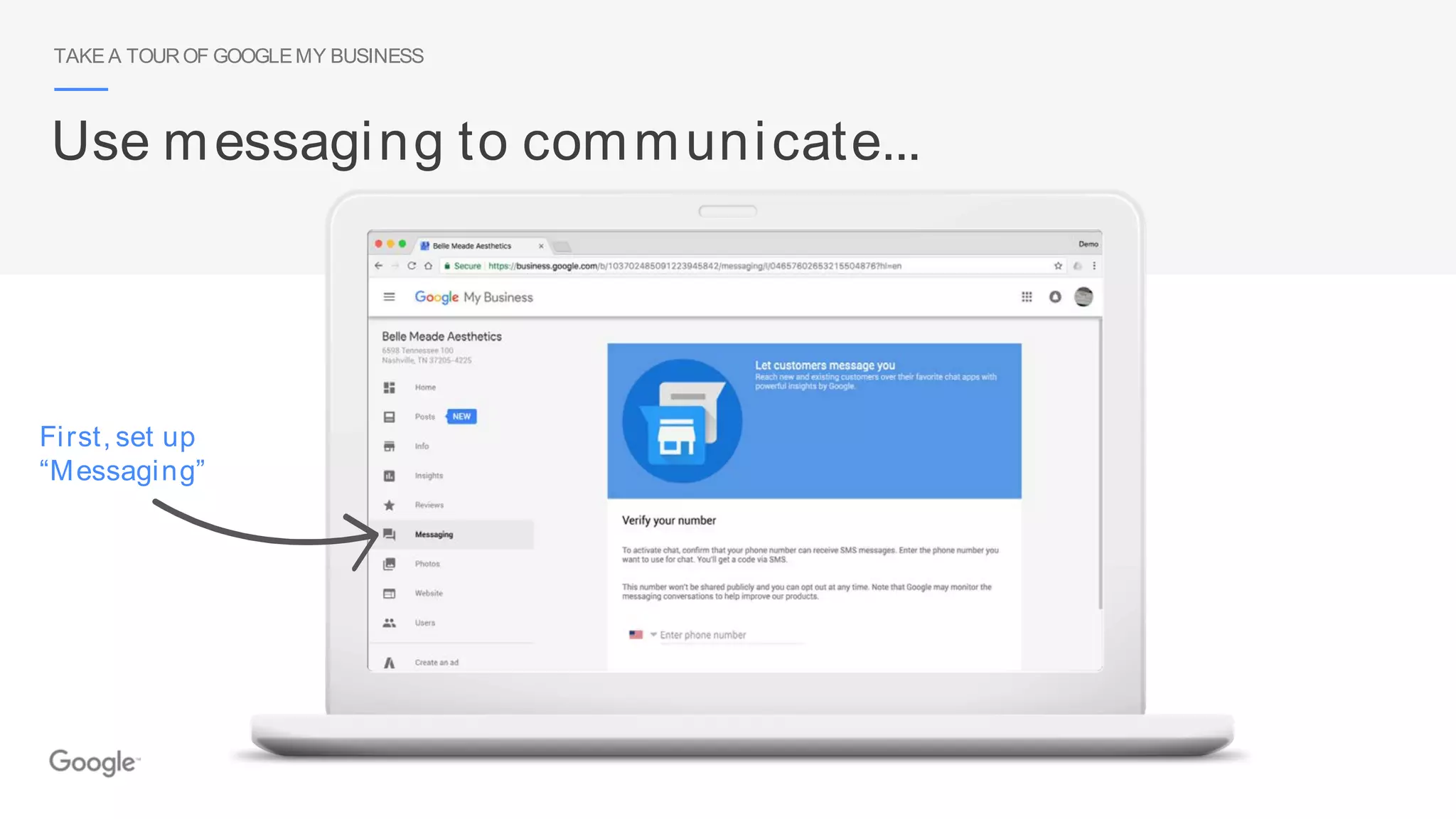
Use messaging to communicate...
First, set up
“Messaging”
TAKE A TOUROF GOOGLEMY BUSINESS
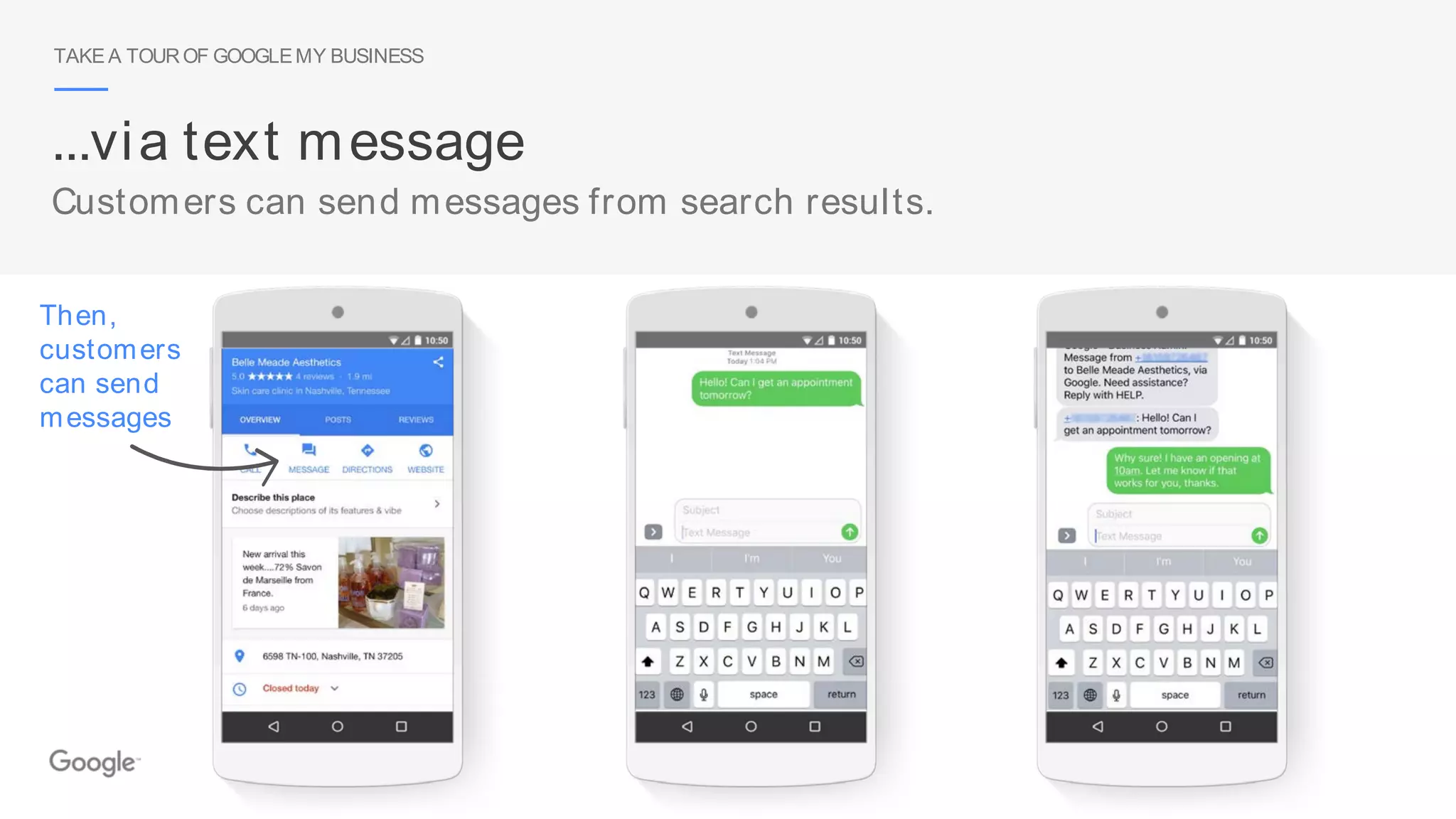
...via text message
Customers can send messages from search results.
Then,
customers
can send
messages
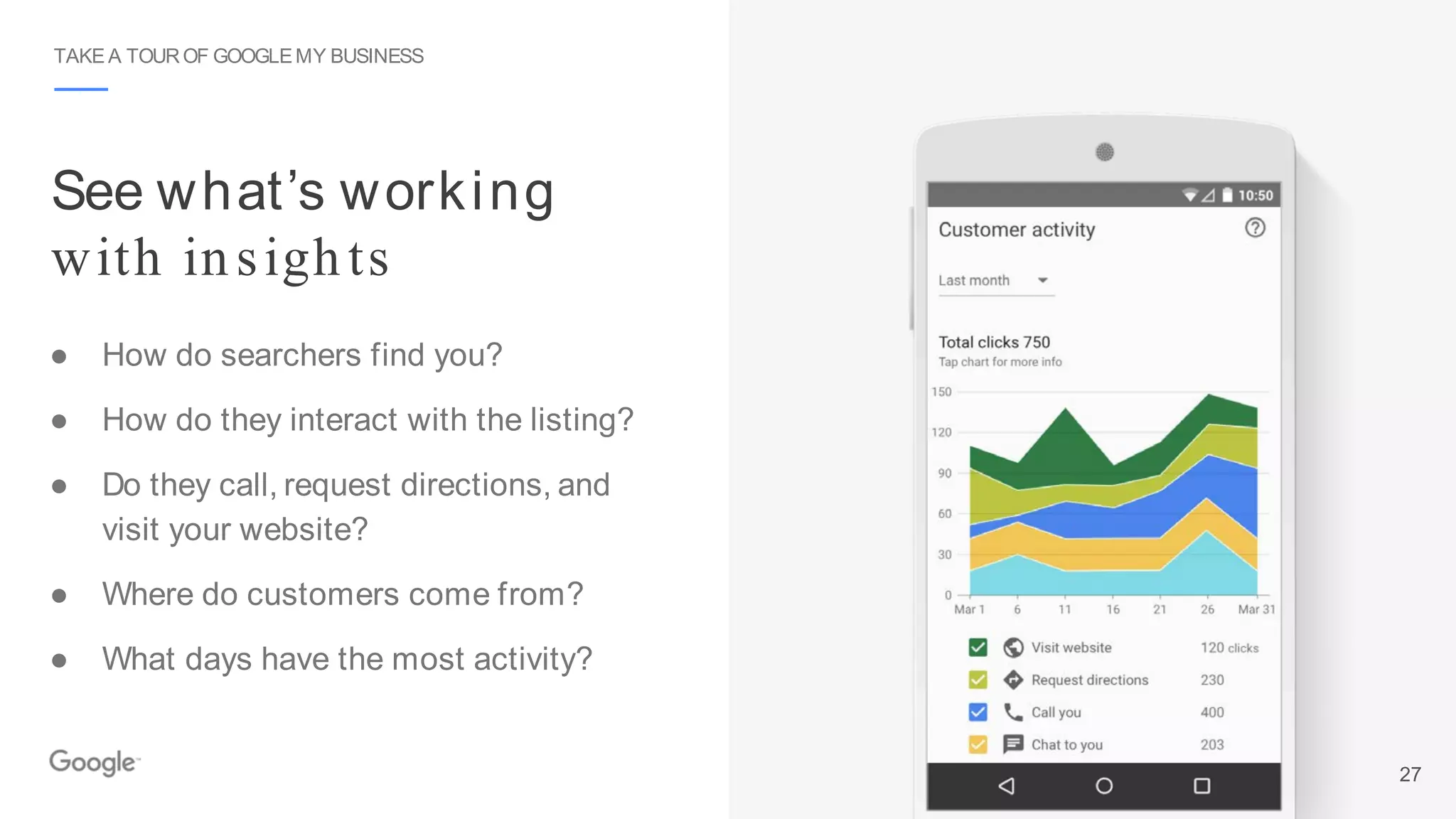
See what’s working
with insights
TAKE A TOUROF GOOGLEMY BUSINESS
● How do searchers find you?
● How do they interact with the listing?
● Do they call, request directions, and
visit your website?
● Where do customers come from?
● What days have the most activity?
27
TAKE A TOUROF GOOGLEMY BUSINESS
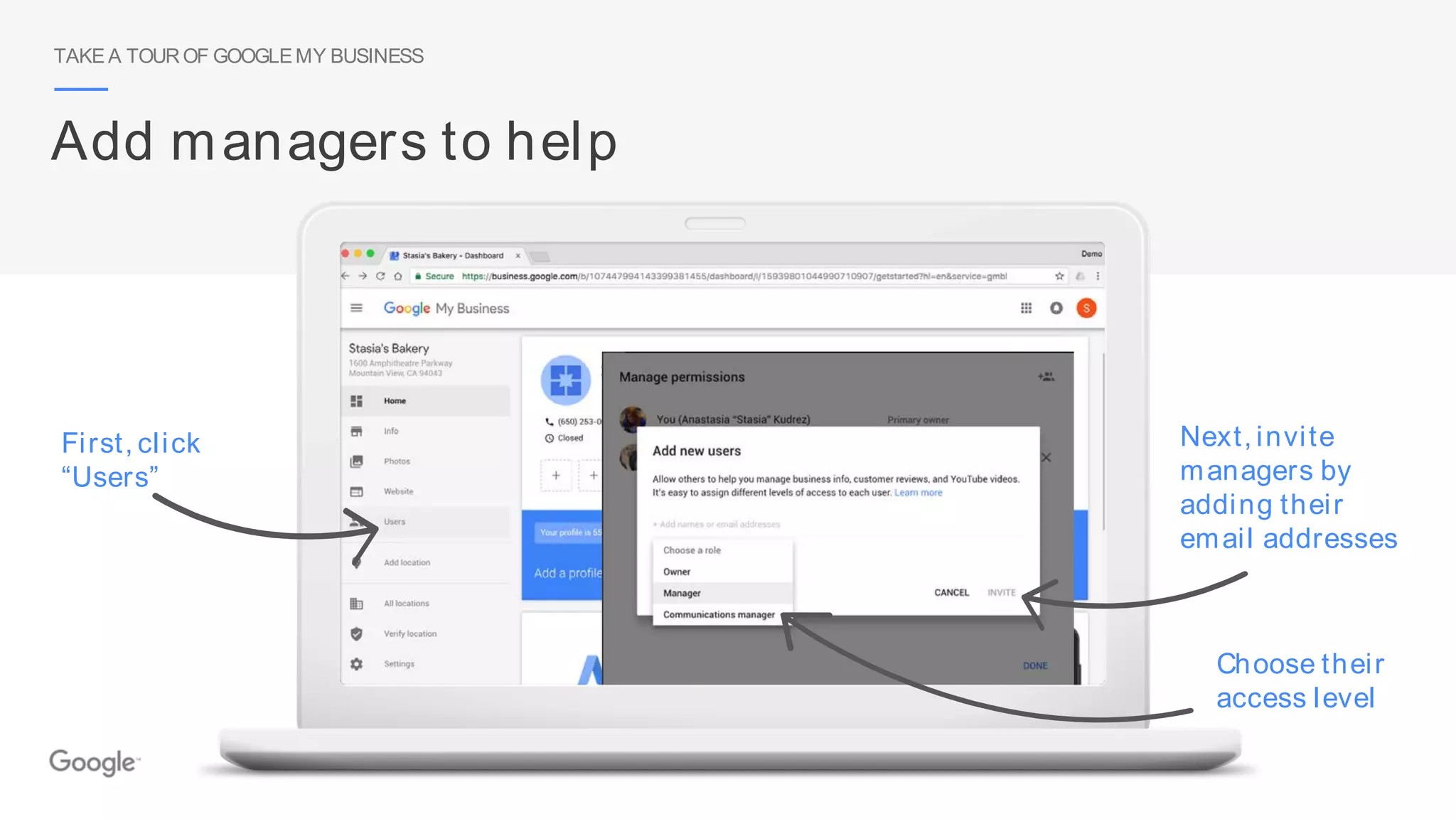
Add managers to help
First, click
“Users”
Choose their
access level
Next, invite
managers by
adding their
email addresses
How to create a website, step by step
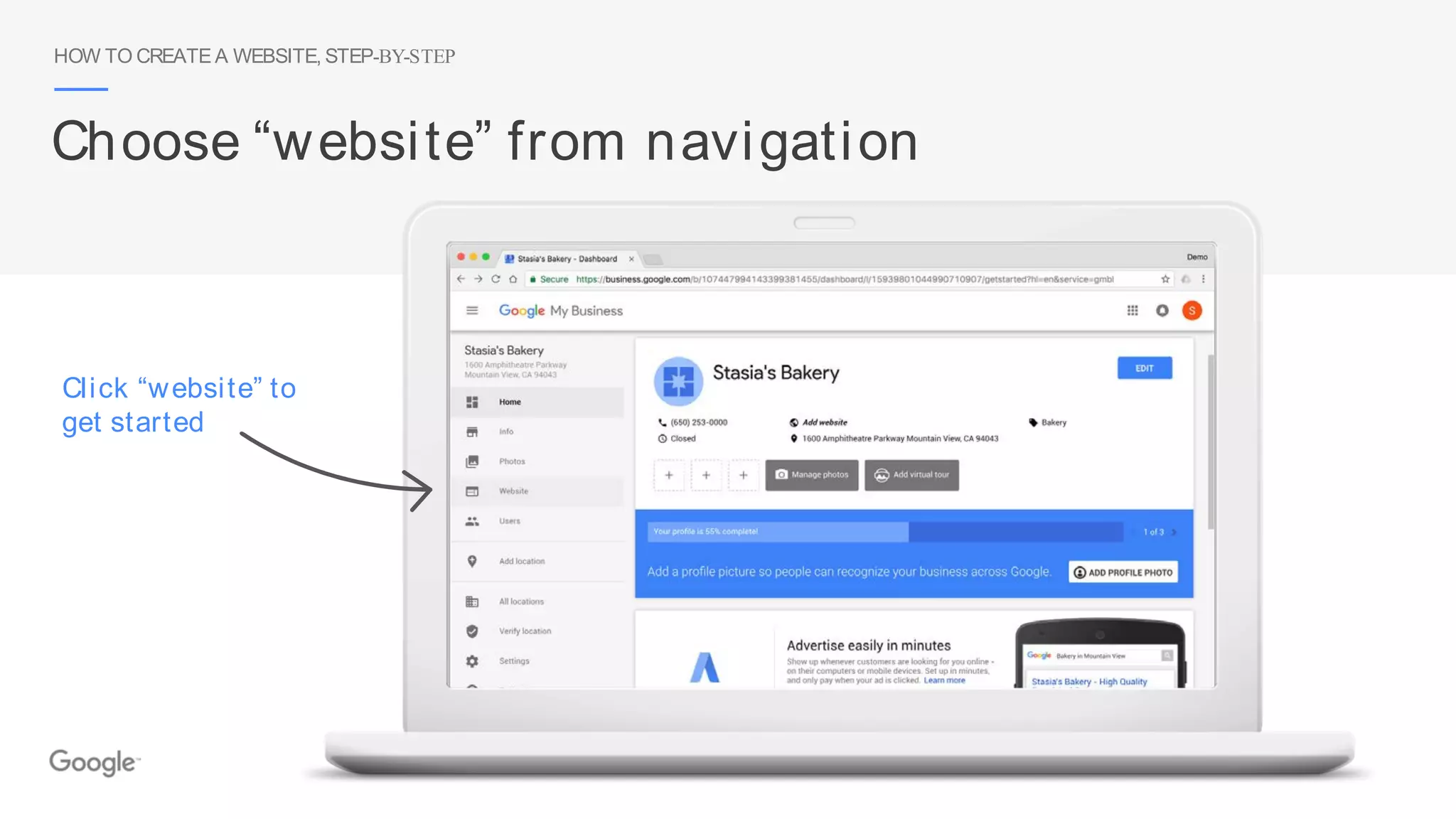
HOW TO CREATE A WEBSITE, STEP-BY-STEP
Choose “website” from navigation
Click “website” to
get started
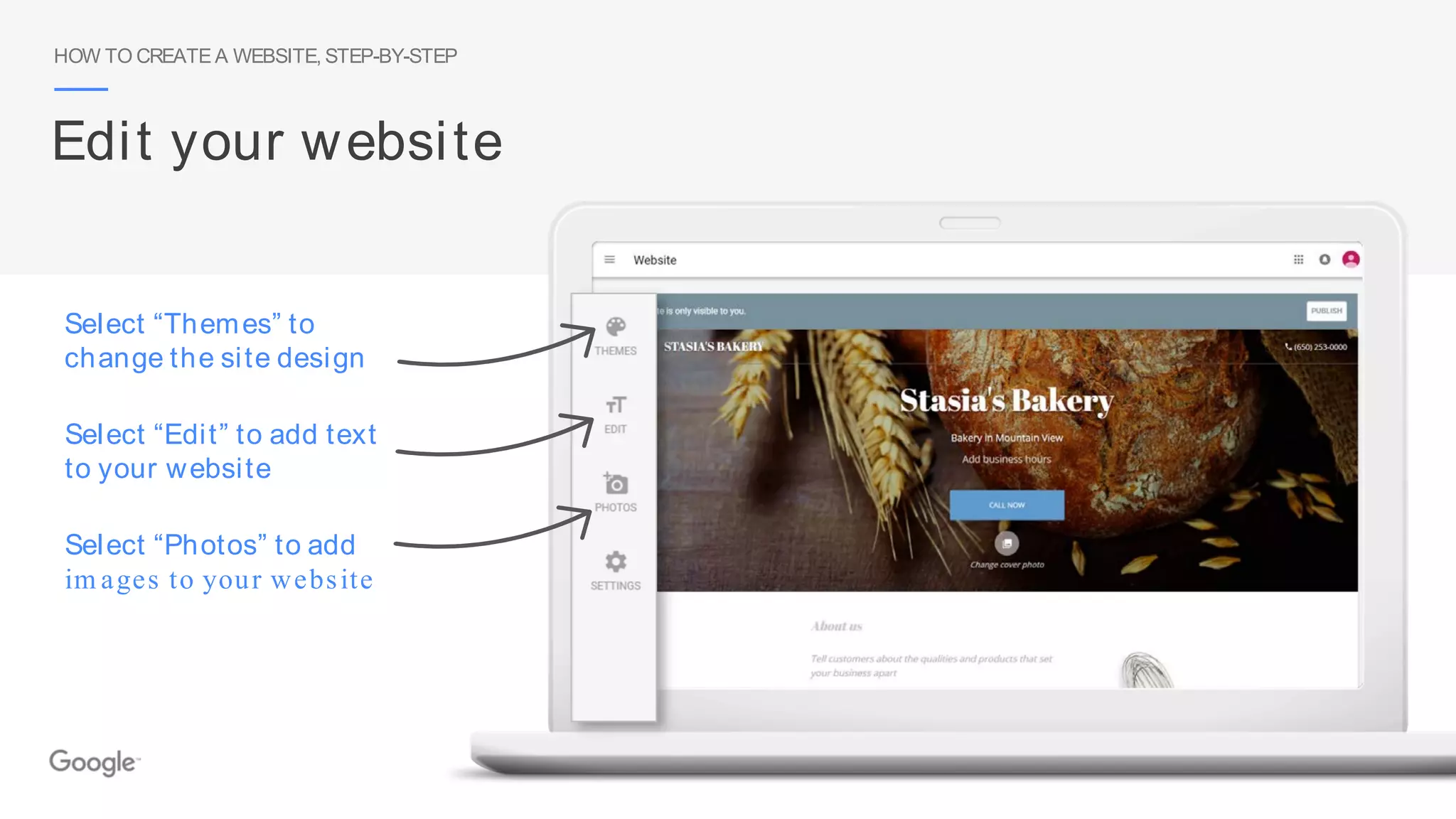
Select “Photos” to add
im ages to your website
HOW TO CREATE A WEBSITE, STEP-BY-STEP
Edit your website
Select “Themes” to
change the site design
Select “Edit” to add text
to your website
HOW TO CREATE A WEBSITE, STEP-BY-STEP
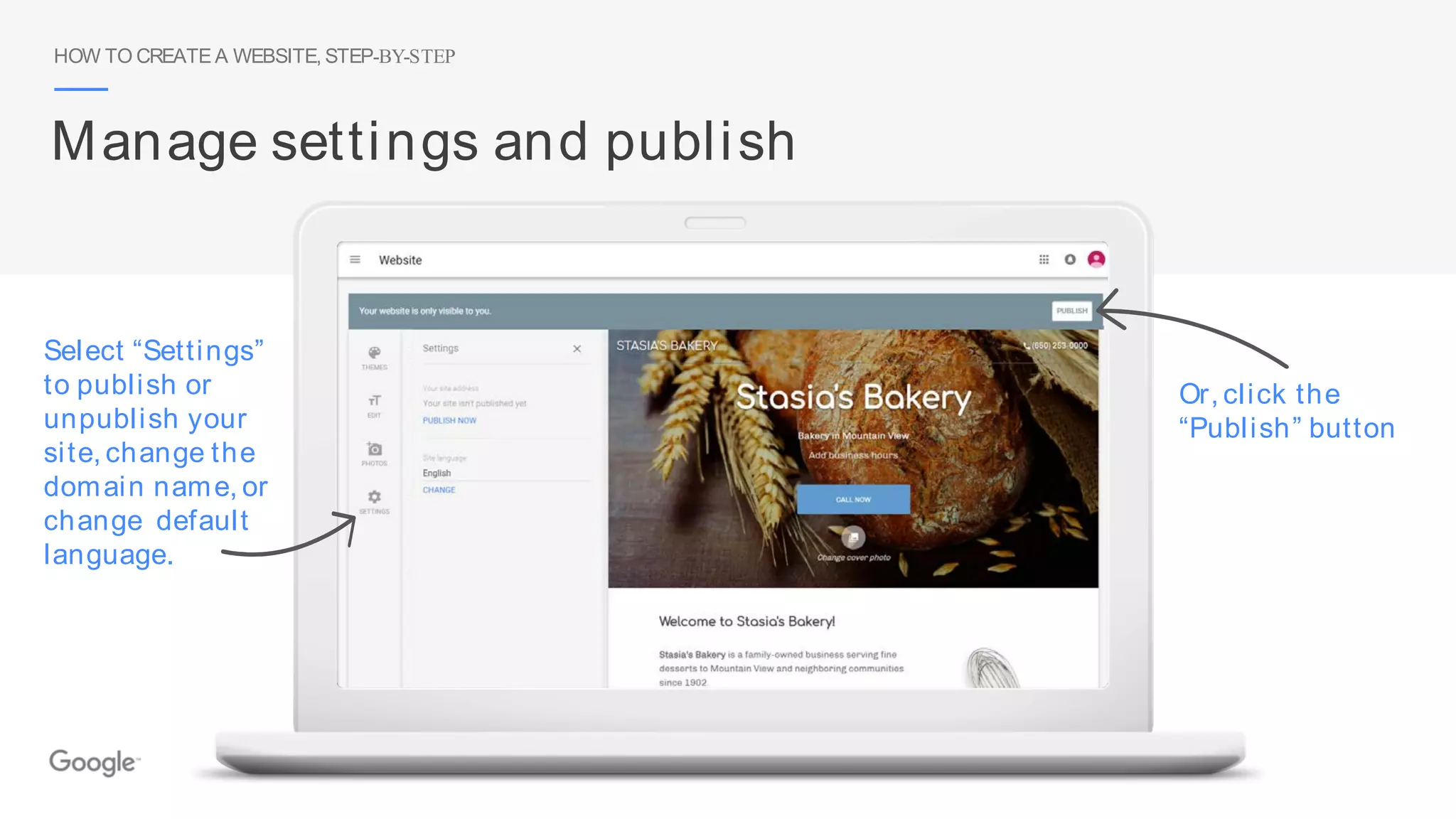
Manage settings and publish
Select “Settings”
to publish or
unpublish your
site, change the
domain name, or
change default
language.
Or, click the
“Publish” button
HOW TO CREATE A WEBSITE, STEP-BY-STEP
Choose a website address
You have two options:
1. [your business name].business.site
2. Use a custom domain name
HOW TO CREATE A WEBSITE, STEP-BY-STEP
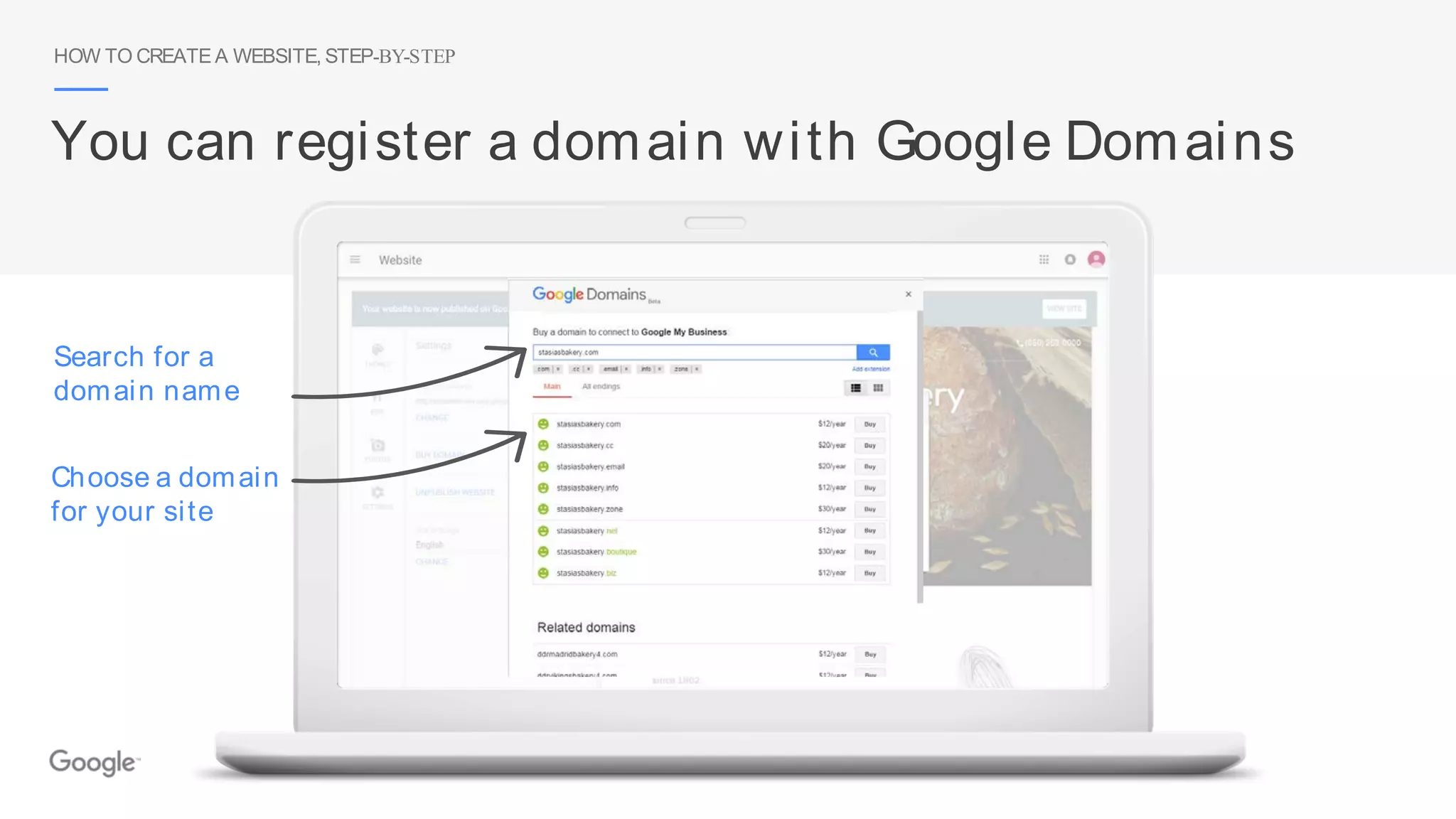
Choose a domain
for your site
Search for a
domain name
You can register a domain with Google Domains
HOW TO CREATE A WEBSITE, STEP-BY-STEP
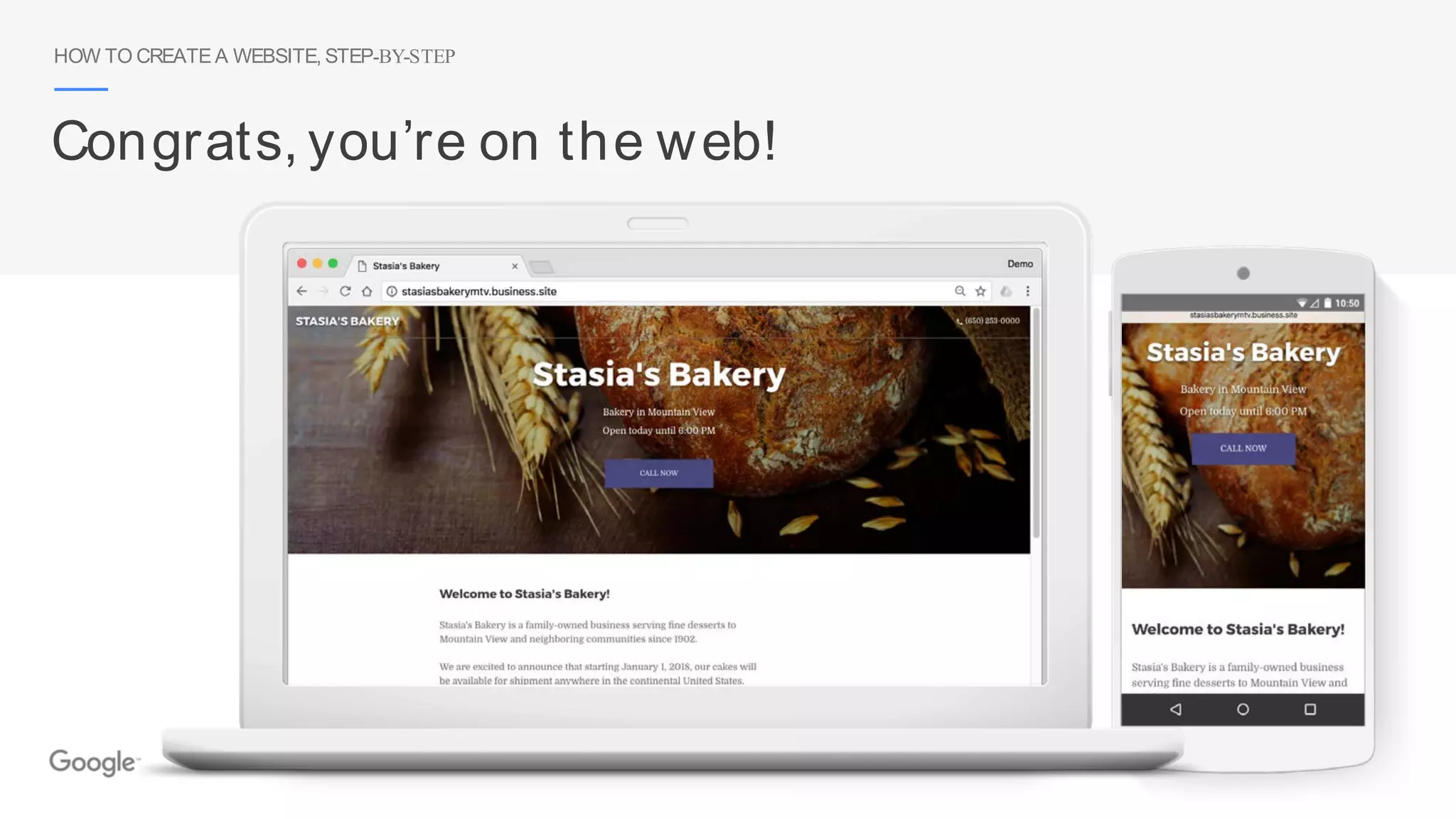
Congrats, you’re on the web!
Thank you
After today, sign in at google.com /business
Please fill out our survey
GET FOUND ON GOOGLESEARCH AND MAPS
gybo.com/survey

2018 MarketingBitz Bootcamp (Chicago): Get Found on Google Search and Maps (Google)

  • 1.
    Get Found onGoogle Search and Maps
  • 2.
    Connect with customerswhen they search Google GET FOUND ON GOOGLESEARCH AND MAPS
  • 3.
    GET FOUND ONGOOGLESEARCH AND MAPS Connect on Google Maps
  • 4.
    Google My Businessworks on desktops, laptops, tablets, and mobile phones. Connect across devices GET FOUND ON GOOGLESEARCH AND MAPS 4
  • 6.
    Get your businesson Google for free
  • 7.
    GET YOURBUSINESS ONGOOGLEFORFREE Step 1: Search for your business Enter your business name and city to see if your business appears on Google Search and Maps gybo.com/business
  • 8.
    Update info Verifyinfo Create listing Is your business info com plete? GET YOURBUSINESS ON GOOGLEFORFREE
  • 9.
    GET YOURBUSINESS ONGOOGLEFORFREE Sign into your Google Account Sign into the Google Account you use for your business If you don’t have a Google Account, click “More options” to get started google.com/accounts
  • 10.
    See your business inthe list? Click it to continue. Don’t see your business? Click “Let m e enter the full business details.” GET YOURBUSINESS ON GOOGLEFORFREE Step 2: Select your business or add it
  • 11.
    If you can’tfind the perfect category choose som ething close GET YOURBUSINESS ON GOOGLEFORFREE Step 3: Enter your business details
  • 12.
    Select “Yes” ifyour business serves custom ers at their locations. Then, click “Continue” to set up a service area. GET YOURBUSINESS ON GOOGLEFORFREE Do you work from home? Keep your residential address private.
  • 13.
    Agree to the Terms of Service and click “Continue” GET YOURBUSINESS ON GOOGLEFORFREE Step 4: Confirm your business
  • 14.
    You will usea separate form . Click “Verify later.” GET YOURBUSINESS ON GOOGLEFORFREE Step 5: Verify your business
  • 15.
    Google username: the completeemail address associated with the listing. Submit this form to request verification GET YOURBUSINESS ON GOOGLEFORFREE gybo.com/onthemap
  • 16.
    Take a tourof Google My Business
  • 17.
    TAKE A TOUROFGOOGLEMY BUSINESS Make updates from the dashboard ● 2X more likely to be considered reputable.1 ● 38%more likely to have searchers visit the location.2 ● 29%more likely to have searchers consider purchasing from them.2 1. Google/Oxera, The Benefits of Complete Business Listings, Dec 2014 2. Ipsos MORI, Impact of Search Listings for Local Businesses, Aug 2014 Up-to-date listings are:
  • 18.
    TAKE A TOUROFGOOGLEMY BUSINESS Make updates with the mobile app Download the free app for Android or iOS.
  • 19.
    TAKE A TOUROFGOOGLEMY BUSINESS Make updates from search results This option is visible only to managers of verified businesses. ● Edit business info ● Create posts ● Add photos ● Manage reviews
  • 20.
    Unconfirmed Confirm ed TAKE ATOUROF GOOGLEMY BUSINESS Show your holiday hours on Google 40%of local business searchers want to find hours of operation.1 1. Google Consumer Barometer,April 2017
  • 21.
    42% m ore requests fordirections 1 TAKE A TOUROF GOOGLEMY BUSINESS Add business photos Click to manage photos 1. Google/Oxera,The Benefits of Complete Business Listings, Dec 2014
  • 22.
    TAKE A TOUROFGOOGLEMY BUSINESS Add details with attributes ● Optional attributes help searchers learn more about your business. ● Can appear as highlights to help your business stand out in search results. 22
  • 23.
    Read and respondto reviews TAKE A TOUROF GOOGLEMY BUSINESS ● Be notified when customers write reviews about your business. ● Build brand loyalty by responding. ● Reply with your point-of-view, solutions, answers, or thanks. 23
  • 24.
    TAKE A TOUROFGOOGLEMY BUSINESS Share updates with posts Post live updates directly on your Google business listing.
  • 25.
    TAKE A TOUROFGOOGLEMY BUSINESS Use messaging to communicate... First, set up “Messaging”
  • 26.
    TAKE A TOUROFGOOGLEMY BUSINESS ...via text message Customers can send messages from search results. Then, customers can send messages
  • 27.
    See what’s working withinsights TAKE A TOUROF GOOGLEMY BUSINESS ● How do searchers find you? ● How do they interact with the listing? ● Do they call, request directions, and visit your website? ● Where do customers come from? ● What days have the most activity? 27
  • 28.
    TAKE A TOUROFGOOGLEMY BUSINESS Add managers to help First, click “Users” Choose their access level Next, invite managers by adding their email addresses
  • 29.
    How to createa website, step by step
  • 30.
    HOW TO CREATEA WEBSITE, STEP-BY-STEP Choose “website” from navigation Click “website” to get started
  • 31.
    Select “Photos” toadd im ages to your website HOW TO CREATE A WEBSITE, STEP-BY-STEP Edit your website Select “Themes” to change the site design Select “Edit” to add text to your website
  • 32.
    HOW TO CREATEA WEBSITE, STEP-BY-STEP Manage settings and publish Select “Settings” to publish or unpublish your site, change the domain name, or change default language. Or, click the “Publish” button
  • 33.
    HOW TO CREATEA WEBSITE, STEP-BY-STEP Choose a website address You have two options: 1. [your business name].business.site 2. Use a custom domain name
  • 34.
    HOW TO CREATEA WEBSITE, STEP-BY-STEP Choose a domain for your site Search for a domain name You can register a domain with Google Domains
  • 35.
    HOW TO CREATEA WEBSITE, STEP-BY-STEP Congrats, you’re on the web!
  • 36.
    Thank you After today,sign in at google.com /business
  • 37.
    Please fill outour survey GET FOUND ON GOOGLESEARCH AND MAPS gybo.com/survey