Graphics Programming with Unity3D Jonathan Moore [email_address]
The GPU Highly Parallelized Performs Vector, Matrix, and Texture lookup operations at fast speeds But comes with limitations not as flexible as the CPU rigid levels of communication Limited forms of data output but this is changing with newer Graphics APIs DirectCompute, OpenCL, and CUDA allow more general usage of the GPU
Two main access points in Unity Shading The conversion of 3D models into 2D-space (your screen) with the graphics pipeline Lighting, Bump Mapping, Toon Shading, etc Post-Processing performing shader operations on the image that is about to be drawn to the screen to achieve certain effects Motion Blur, Depth of Field, SSAO, etc
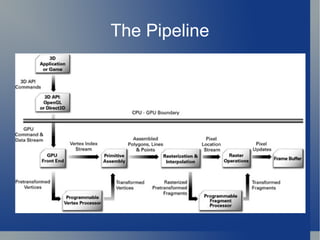
The Pipeline
A 3D Model Most important parts: A collection of points (vertices) The triangles that are drawn on those points Additional information: Uv coordinates for Texture look-ups 2 sets (can be swapped with Unity's importer) Normals Important for lighting Tangents used for bump mapping
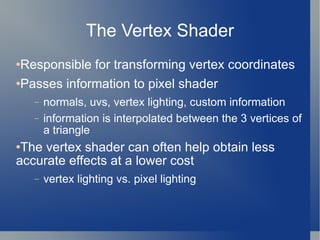
The Vertex Shader Responsible for transforming vertex coordinates Passes information to pixel shader normals, uvs, vertex lighting, custom information information is interpolated between the 3 vertices of a triangle The vertex shader can often help obtain less accurate effects at a lower cost vertex lighting vs. pixel lighting
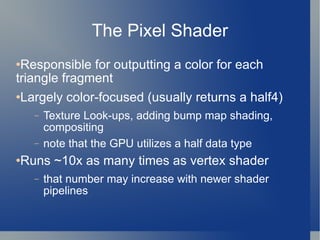
The Pixel Shader Responsible for outputting a color for each triangle fragment Largely color-focused (usually returns a half4) Texture Look-ups, adding bump map shading, compositing note that the GPU utilizes a half data type Runs ~10x as many times as vertex shader that number may increase with newer shader pipelines
Sample Code!
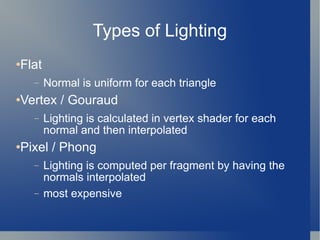
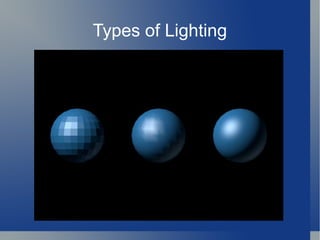
Types of Lighting Flat Normal is uniform for each triangle Vertex / Gouraud Lighting is calculated in vertex shader for each normal and then interpolated Pixel / Phong Lighting is computed per fragment by having the normals interpolated most expensive
Types of Lighting
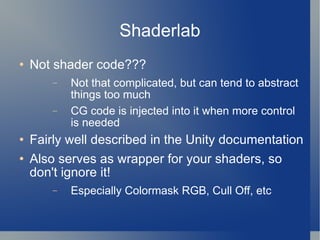
Shaderlab Not shader code??? Not that complicated, but can tend to abstract things too much CG code is injected into it when more control is needed Fairly well described in the Unity documentation Also serves as wrapper for your shaders, so don't ignore it! Especially Colormask RGB, Cull Off, etc
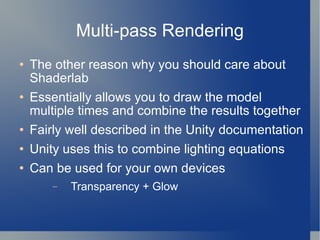
Multi-pass Rendering The other reason why you should care about Shaderlab Essentially allows you to draw the model multiple times and combine the results together Fairly well described in the Unity documentation Unity uses this to combine lighting equations Can be used for your own devices Transparency + Glow
More Sample Code!
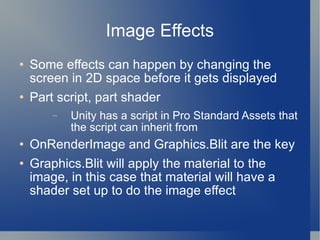
Image Effects Some effects can happen by changing the screen in 2D space before it gets displayed Part script, part shader Unity has a script in Pro Standard Assets that the script can inherit from OnRenderImage and Graphics.Blit are the key Graphics.Blit will apply the material to the image, in this case that material will have a shader set up to do the image effect
Image Effect Sample Code!
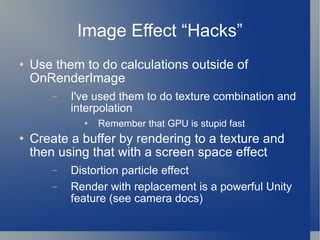
Image Effect “Hacks” Use them to do calculations outside of OnRenderImage I've used them to do texture combination and interpolation Remember that GPU is stupid fast  Create a buffer by rendering to a texture and then using that with a screen space effect Distortion particle effect Render with replacement is a powerful Unity feature (see camera docs)
More Image Effect Sample Code!
The Future: Unity 3.0 Deferred Rendering Huge improvement over Multi-pass More dynamic lights per scene Access to G-Buffer Shaderlab Supposedly being revamped to make it easier to use (according to Aras) Occlusion Culling Helps prevent hidden objects from wasting processing
The Future: DX11+ OpenGL 4.0 Tessellation is apparently the future Adding geometry to meshes in real time to give them more details and better lighting Allows for models much closer to the quality of animated movies New Shader Pipeline The future grows the number of programmable shaders from 3 to 5 Vertex Shader -> Tesselation Shader -> Hull Shader -> Geometry Shader -> Pixel Shader
Additional Resources NVIDIA developer zone The CG Tutorial GPU Gems (legendary for a reason) Real Time Rendering (Akenine-Moller) ShaderX books (similar to GPU Gems) SIGGRAPH White Papers Unite Presentations Several on shader tips and tricks
Thats all folks! [email_address] jonmoore.squarespace.com

Gpu presentation

  • 1.
    Graphics Programming withUnity3D Jonathan Moore [email_address]
  • 2.
    The GPU HighlyParallelized Performs Vector, Matrix, and Texture lookup operations at fast speeds But comes with limitations not as flexible as the CPU rigid levels of communication Limited forms of data output but this is changing with newer Graphics APIs DirectCompute, OpenCL, and CUDA allow more general usage of the GPU
  • 3.
    Two main accesspoints in Unity Shading The conversion of 3D models into 2D-space (your screen) with the graphics pipeline Lighting, Bump Mapping, Toon Shading, etc Post-Processing performing shader operations on the image that is about to be drawn to the screen to achieve certain effects Motion Blur, Depth of Field, SSAO, etc
  • 4.
  • 5.
    A 3D ModelMost important parts: A collection of points (vertices) The triangles that are drawn on those points Additional information: Uv coordinates for Texture look-ups 2 sets (can be swapped with Unity's importer) Normals Important for lighting Tangents used for bump mapping
  • 6.
    The Vertex ShaderResponsible for transforming vertex coordinates Passes information to pixel shader normals, uvs, vertex lighting, custom information information is interpolated between the 3 vertices of a triangle The vertex shader can often help obtain less accurate effects at a lower cost vertex lighting vs. pixel lighting
  • 7.
    The Pixel ShaderResponsible for outputting a color for each triangle fragment Largely color-focused (usually returns a half4) Texture Look-ups, adding bump map shading, compositing note that the GPU utilizes a half data type Runs ~10x as many times as vertex shader that number may increase with newer shader pipelines
  • 8.
  • 9.
    Types of LightingFlat Normal is uniform for each triangle Vertex / Gouraud Lighting is calculated in vertex shader for each normal and then interpolated Pixel / Phong Lighting is computed per fragment by having the normals interpolated most expensive
  • 10.
  • 11.
    Shaderlab Not shadercode??? Not that complicated, but can tend to abstract things too much CG code is injected into it when more control is needed Fairly well described in the Unity documentation Also serves as wrapper for your shaders, so don't ignore it! Especially Colormask RGB, Cull Off, etc
  • 12.
    Multi-pass Rendering Theother reason why you should care about Shaderlab Essentially allows you to draw the model multiple times and combine the results together Fairly well described in the Unity documentation Unity uses this to combine lighting equations Can be used for your own devices Transparency + Glow
  • 13.
  • 14.
    Image Effects Someeffects can happen by changing the screen in 2D space before it gets displayed Part script, part shader Unity has a script in Pro Standard Assets that the script can inherit from OnRenderImage and Graphics.Blit are the key Graphics.Blit will apply the material to the image, in this case that material will have a shader set up to do the image effect
  • 15.
  • 16.
    Image Effect “Hacks”Use them to do calculations outside of OnRenderImage I've used them to do texture combination and interpolation Remember that GPU is stupid fast Create a buffer by rendering to a texture and then using that with a screen space effect Distortion particle effect Render with replacement is a powerful Unity feature (see camera docs)
  • 17.
    More Image EffectSample Code!
  • 18.
    The Future: Unity3.0 Deferred Rendering Huge improvement over Multi-pass More dynamic lights per scene Access to G-Buffer Shaderlab Supposedly being revamped to make it easier to use (according to Aras) Occlusion Culling Helps prevent hidden objects from wasting processing
  • 19.
    The Future: DX11+OpenGL 4.0 Tessellation is apparently the future Adding geometry to meshes in real time to give them more details and better lighting Allows for models much closer to the quality of animated movies New Shader Pipeline The future grows the number of programmable shaders from 3 to 5 Vertex Shader -> Tesselation Shader -> Hull Shader -> Geometry Shader -> Pixel Shader
  • 20.
    Additional Resources NVIDIAdeveloper zone The CG Tutorial GPU Gems (legendary for a reason) Real Time Rendering (Akenine-Moller) ShaderX books (similar to GPU Gems) SIGGRAPH White Papers Unite Presentations Several on shader tips and tricks
  • 21.
    Thats all folks![email_address] jonmoore.squarespace.com