Custom SRP and
graphics workflows
...in "Battle Planet - Judgement Day"
Hi!
3
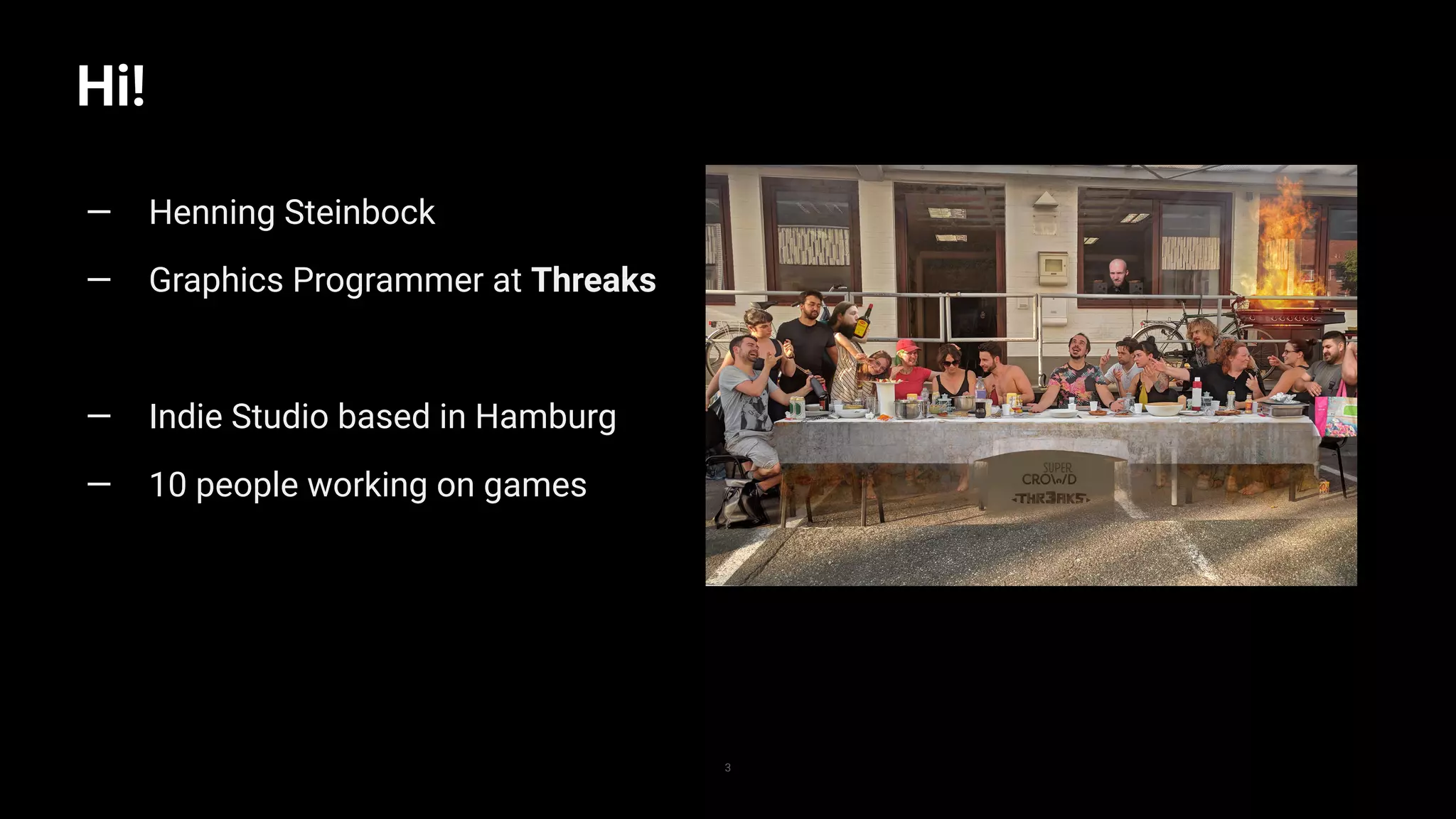
— Henning Steinbock
— Graphics Programmer at Threaks
— Indie Studio based in Hamburg
— 10 people working on games
Outline
4
— what is a Scriptable Render Pipeline
— what is Battle Planet - Judgement Day
– rendering challenges in the game
— SRP in Battle Planet - Judgement Day
– lighting
– shadow rendering
— more graphics workflows
What is a scriptable render
pipeline?
5
Scriptable Render Pipeline
6
— API in Unity
— allows to define how Unity renders the game
— works in scene view, preview windows etc
— Unity provides out of the box implementations
– Universal Render Pipeline
– High Definition Render Pipeline
– but you can also make your own
Minimal SRP implementation
1
2
3
4
5
6
7
8
9
10
11
12
13
14
15
16
17
18
19
20
21
22
23
24
25
public class MinimalSRP : RenderPipeline{
protected override void Render(ScriptableRenderContext context, Camera[] cameras)
{
foreach (var camera in cameras)
{
//Setup the basics, rendertarget, view rect etc.
context.SetupCameraProperties(camera);
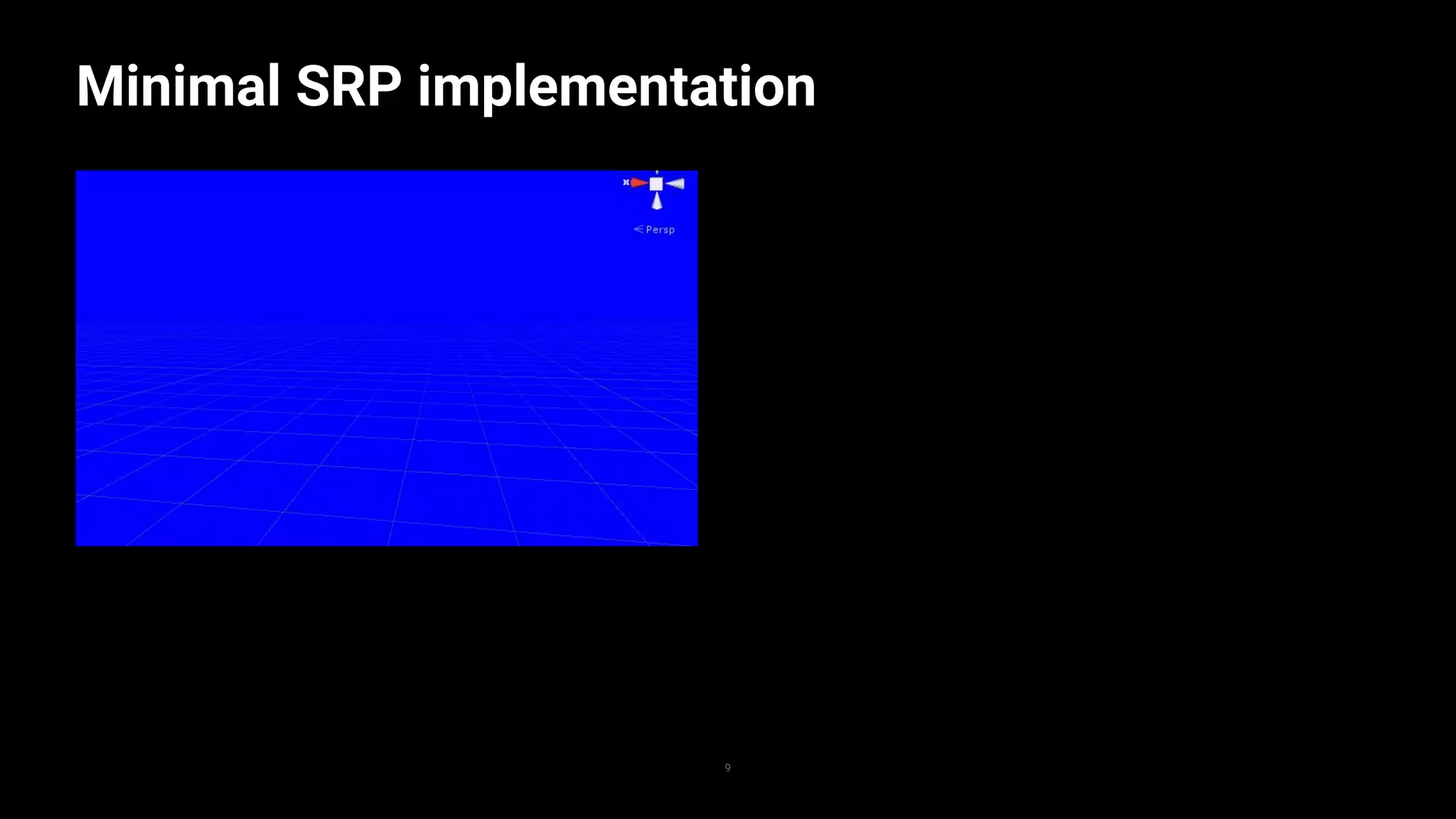
//create a command buffer that clears the screen
var commandBuffer = new CommandBuffer();
commandBuffer.ClearRenderTarget(true, true, Color.blue);
//execute the command buffer in the render context
context.ExecuteCommandBuffer(commandBuffer);
}
//submit everything to the rendering context
context.Submit();
}
}
7
Minimal SRP implementation
1
2
3
4
5
6
7
8
9
10
11
12
13
14
15
16
17
18
19
20
21
22
23
24
25
public class MinimalSRP : RenderPipeline{
protected override void Render(ScriptableRenderContext context, Camera[] cameras)
{
foreach (var camera in cameras)
{
//Setup the basics, rendertarget, view rect etc.
context.SetupCameraProperties(camera);
//create a command buffer that clears the screen
var commandBuffer = new CommandBuffer();
commandBuffer.ClearRenderTarget(true, true, Color.blue);
//execute the command buffer in the render context
context.ExecuteCommandBuffer(commandBuffer);
}
//submit everything to the rendering context
context.Submit();
}
}
8
Minimal SRP implementation
9
Minimal SRP implementation
1
2
3
4
5
6
7
8
9
10
11
12
13
14
15
16
17
18
19
20
21
22
23
24
25
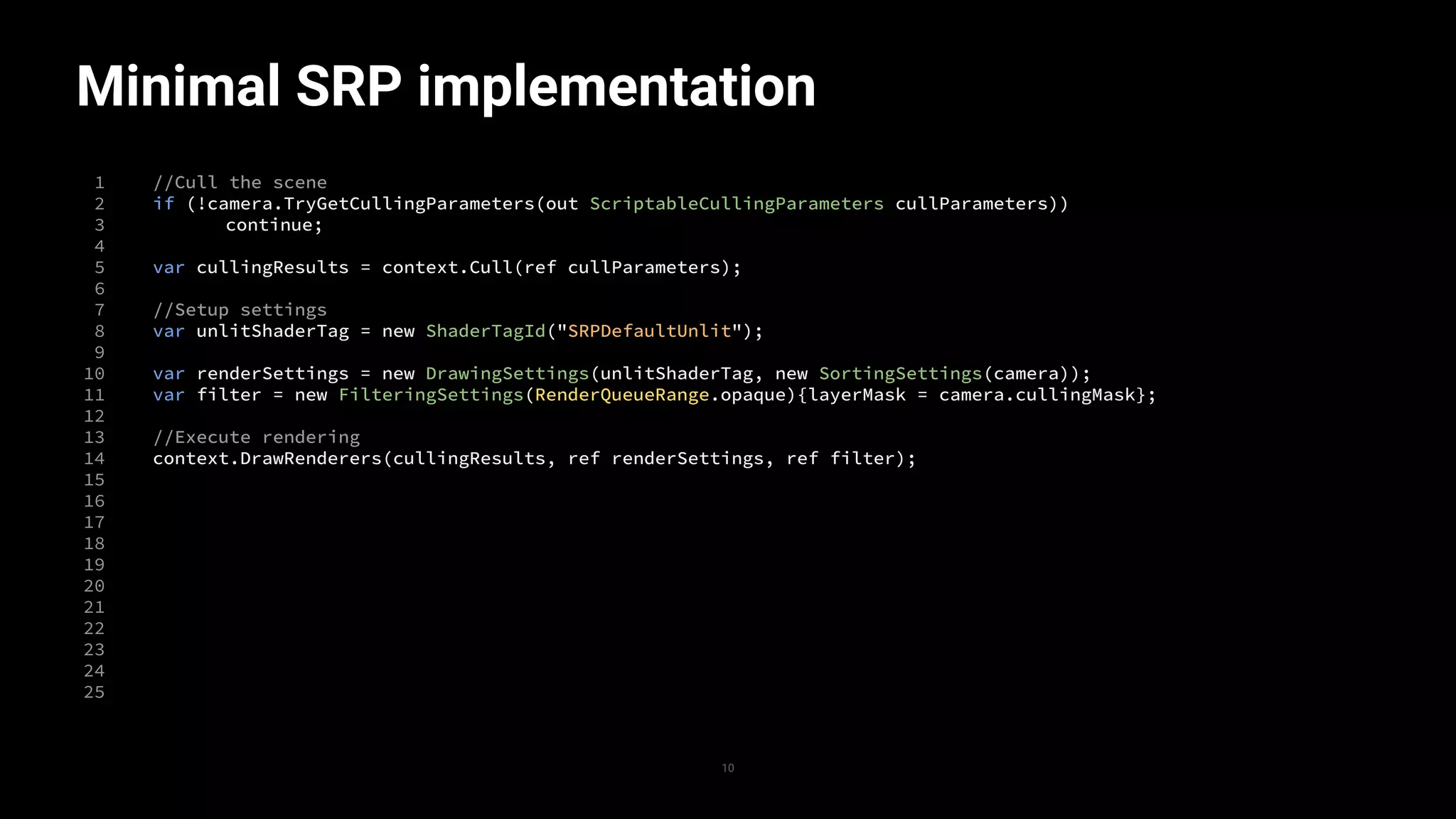
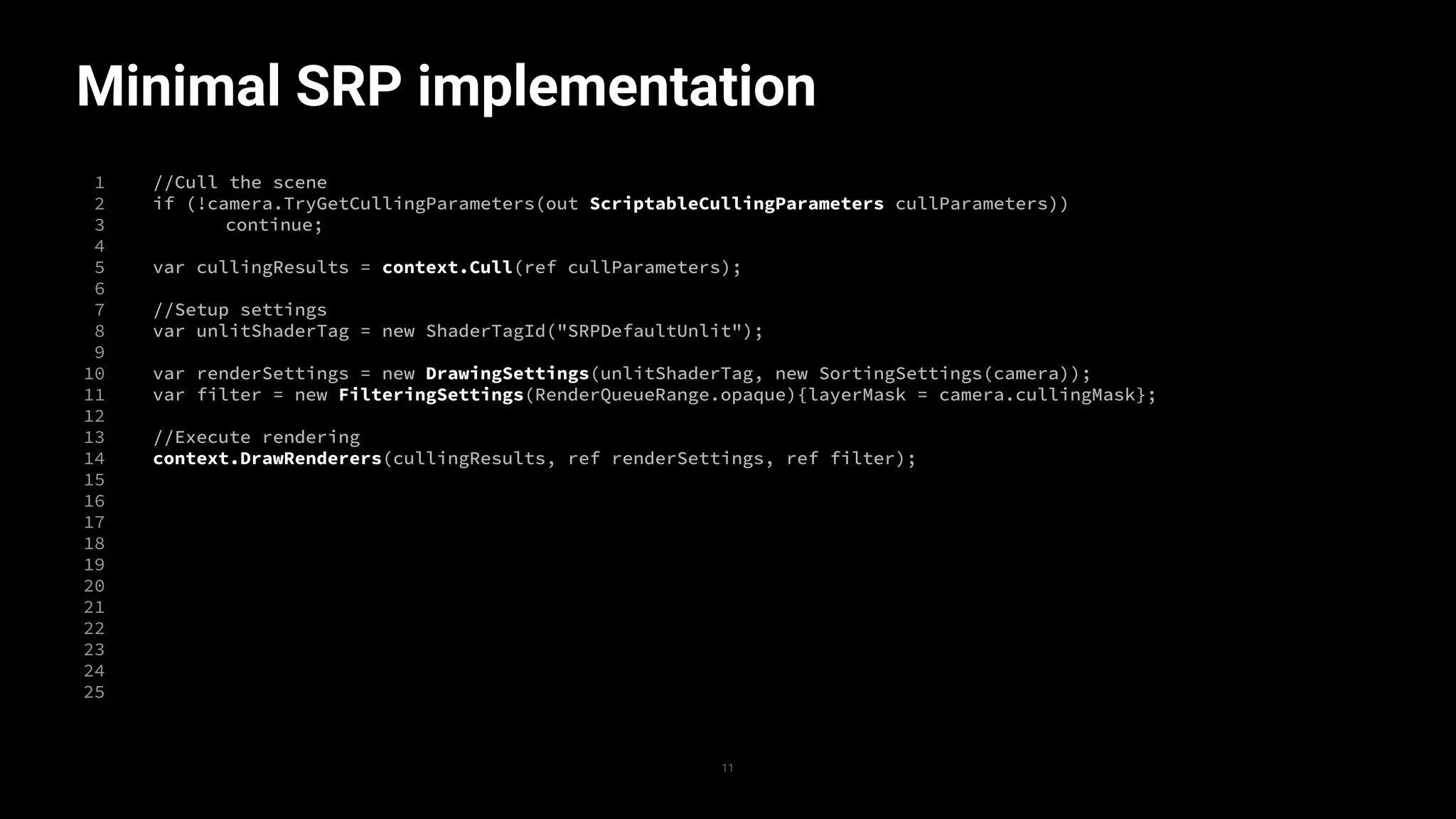
//Cull the scene
if (!camera.TryGetCullingParameters(out ScriptableCullingParameters cullParameters))
continue;
var cullingResults = context.Cull(ref cullParameters);
//Setup settings
var unlitShaderTag = new ShaderTagId("SRPDefaultUnlit");
var renderSettings = new DrawingSettings(unlitShaderTag, new SortingSettings(camera));
var filter = new FilteringSettings(RenderQueueRange.opaque){layerMask = camera.cullingMask};
//Execute rendering
context.DrawRenderers(cullingResults, ref renderSettings, ref filter);
10
Minimal SRP implementation
1
2
3
4
5
6
7
8
9
10
11
12
13
14
15
16
17
18
19
20
21
22
23
24
25
//Cull the scene
if (!camera.TryGetCullingParameters(out ScriptableCullingParameters cullParameters))
continue;
var cullingResults = context.Cull(ref cullParameters);
//Setup settings
var unlitShaderTag = new ShaderTagId("SRPDefaultUnlit");
var renderSettings = new DrawingSettings(unlitShaderTag, new SortingSettings(camera));
var filter = new FilteringSettings(RenderQueueRange.opaque){layerMask = camera.cullingMask};
//Execute rendering
context.DrawRenderers(cullingResults, ref renderSettings, ref filter);
11
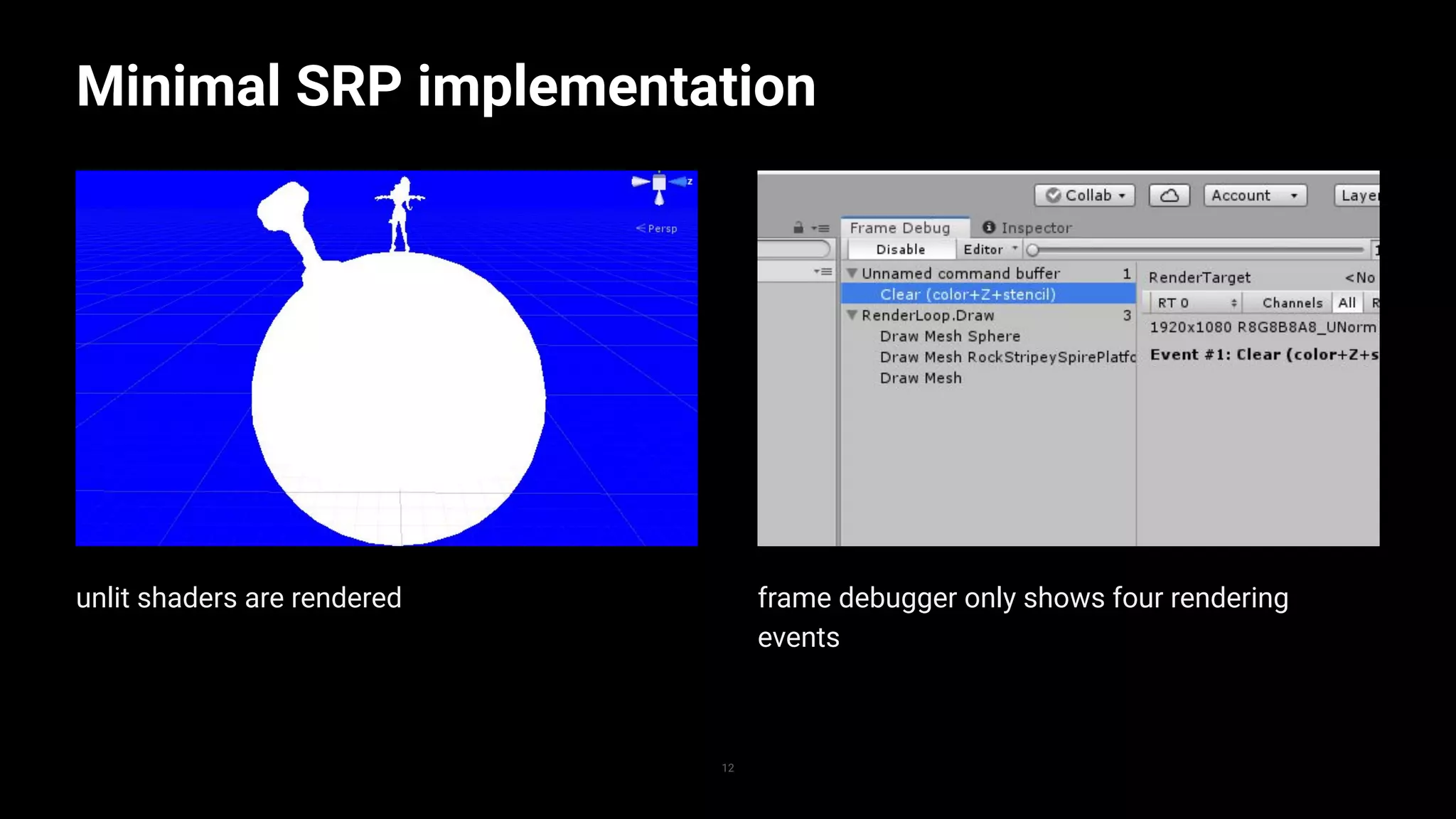
unlit shaders are rendered
Minimal SRP implementation
12
frame debugger only shows four rendering
events
ShaderTagIDs
1
2
3
4
5
6
7
8
9
10
11
12
13
14
15
16
17
18
19
20
21
22
23
24
25
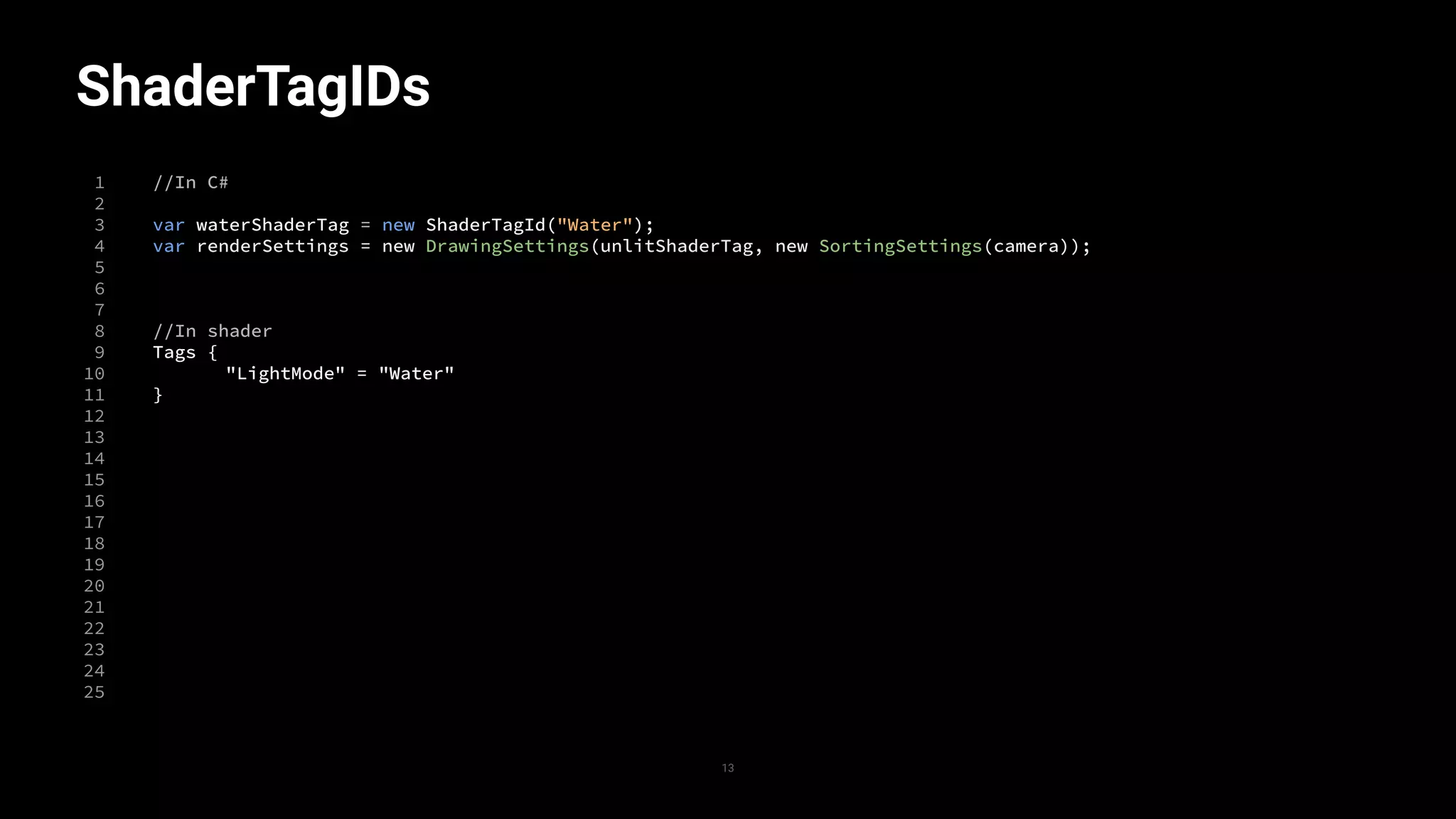
//In C#
var waterShaderTag = new ShaderTagId("Water");
var renderSettings = new DrawingSettings(unlitShaderTag, new SortingSettings(camera));
//In shader
Tags {
"LightMode" = "Water"
}
13
SRP concept
14
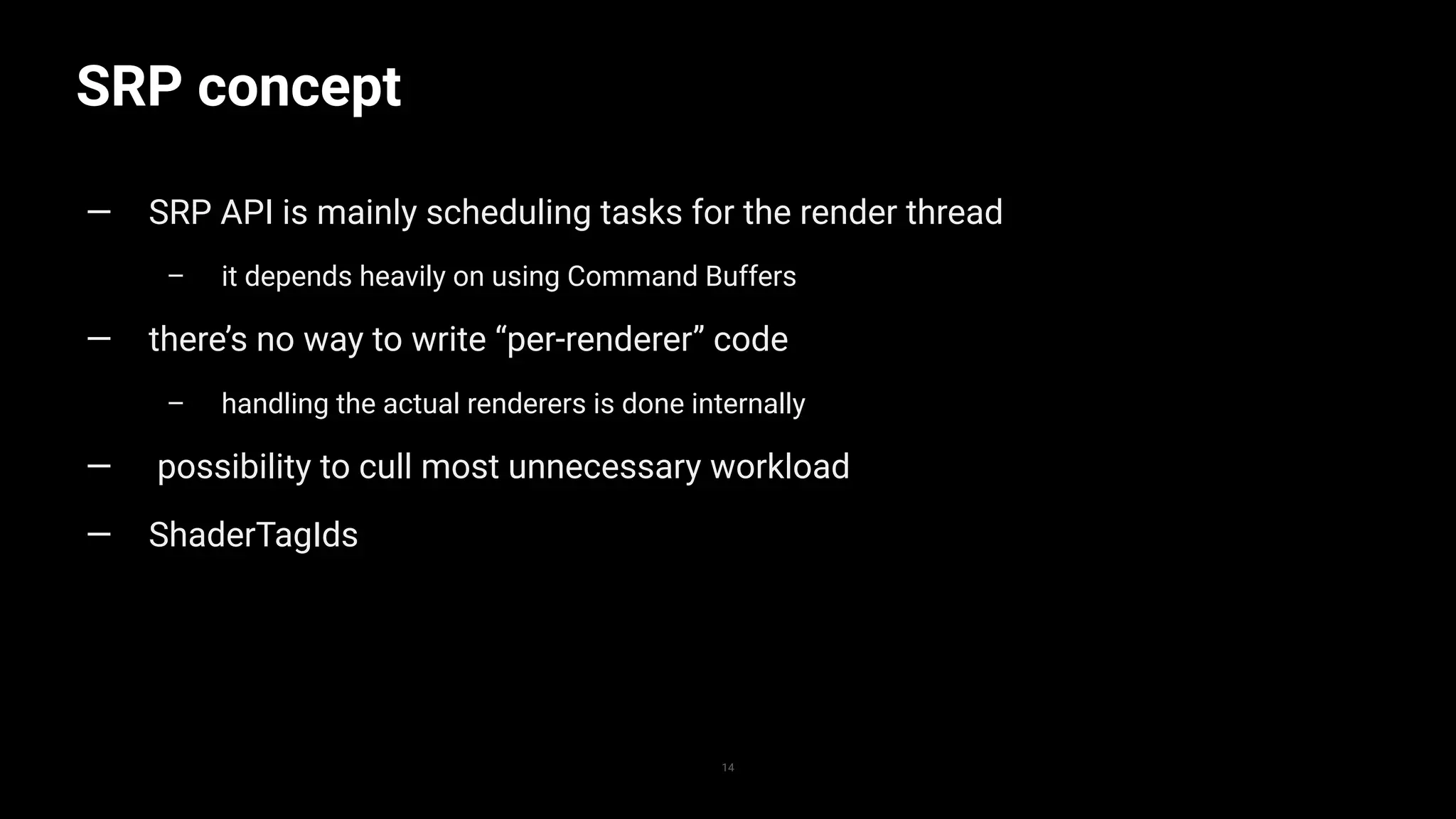
— SRP API is mainly scheduling tasks for the render thread
– it depends heavily on using Command Buffers
— there’s no way to write “per-renderer” code
– handling the actual renderers is done internally
— possibility to cull most unnecessary workload
— ShaderTagIds
Battle Planet -
Judgement Day
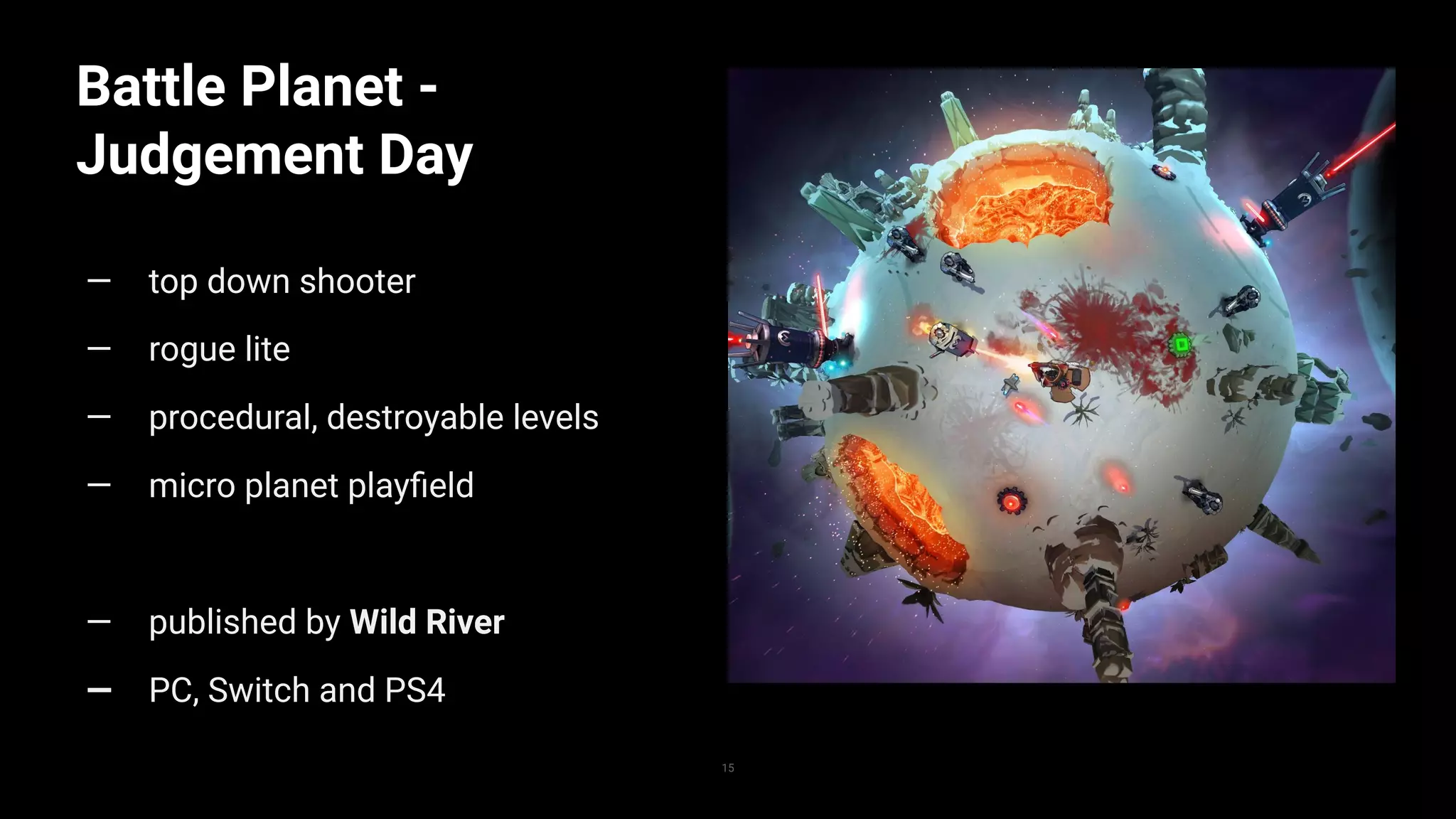
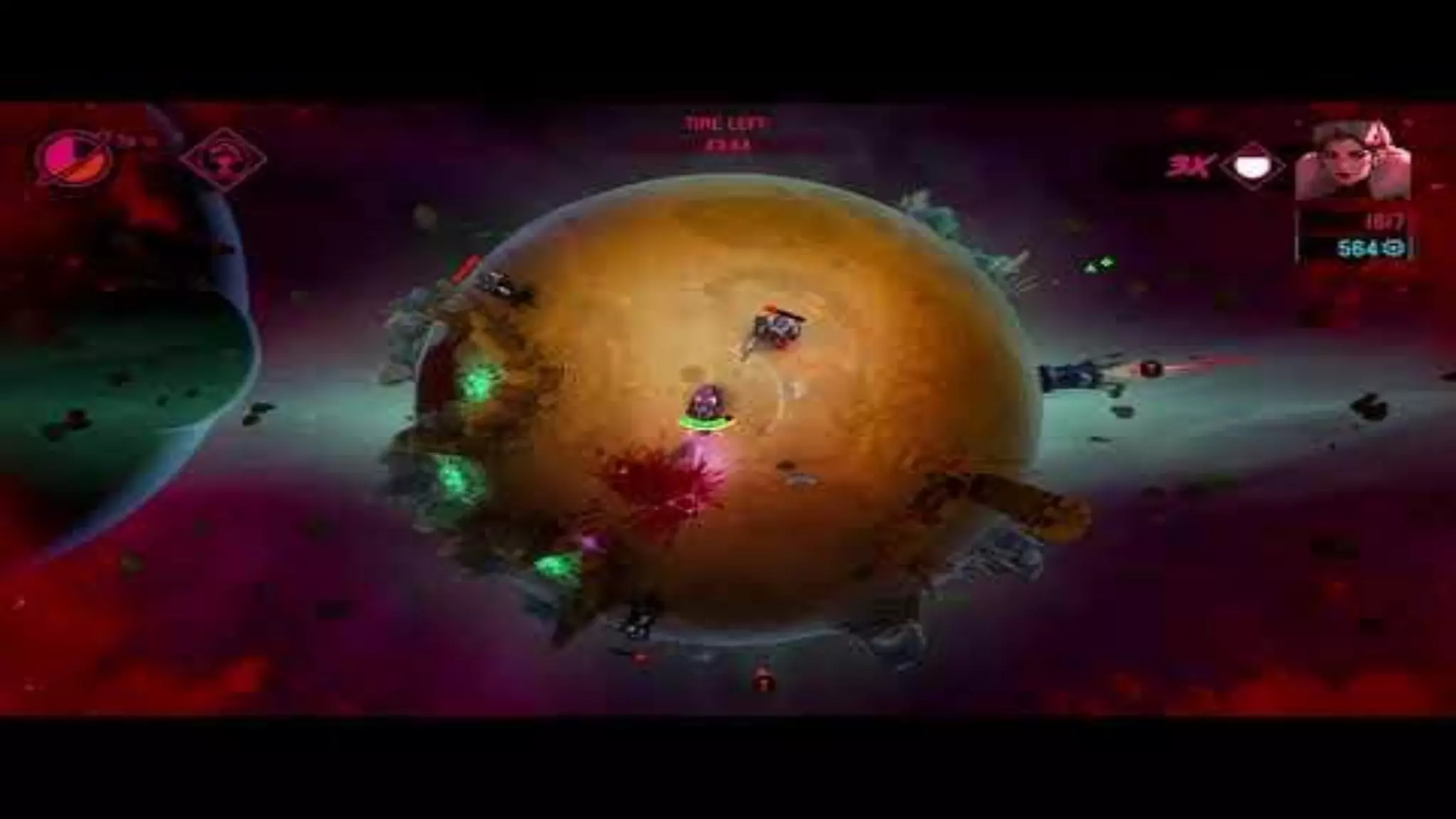
— top down shooter
— rogue lite
— procedural, destroyable levels
— micro planet playfield
— published by Wild River
— PC, Switch and PS4
15
- early concept art
- Lighting is very indirect
Visual challenges
17
- shadows on a sphere look odd
- half of the planet is dark
- no lightmaps/Enlighten
Lighting
… that looks good on the sphere
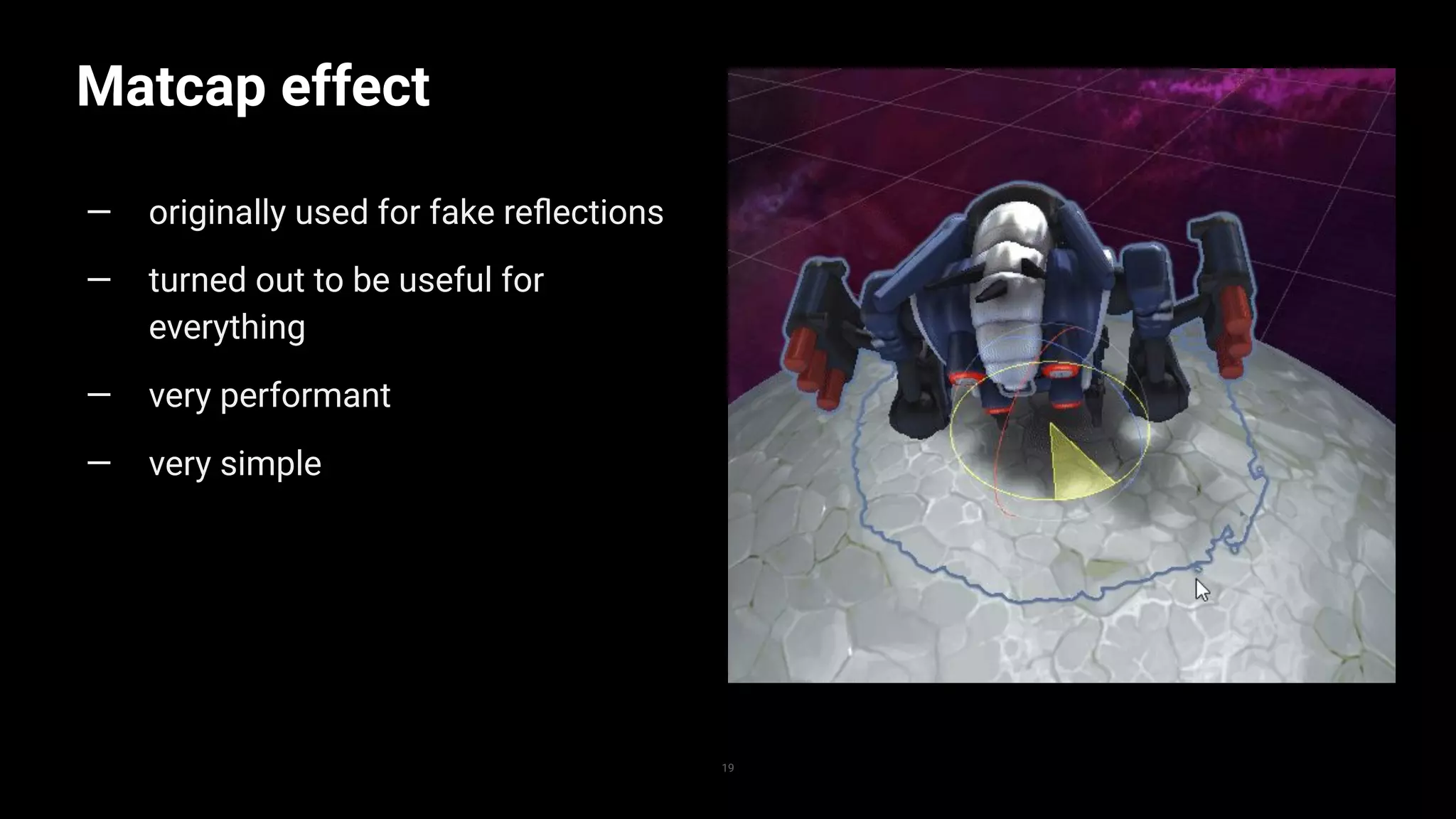
Matcap effect
19
— originally used for fake reflections
— turned out to be useful for
everything
— very performant
— very simple
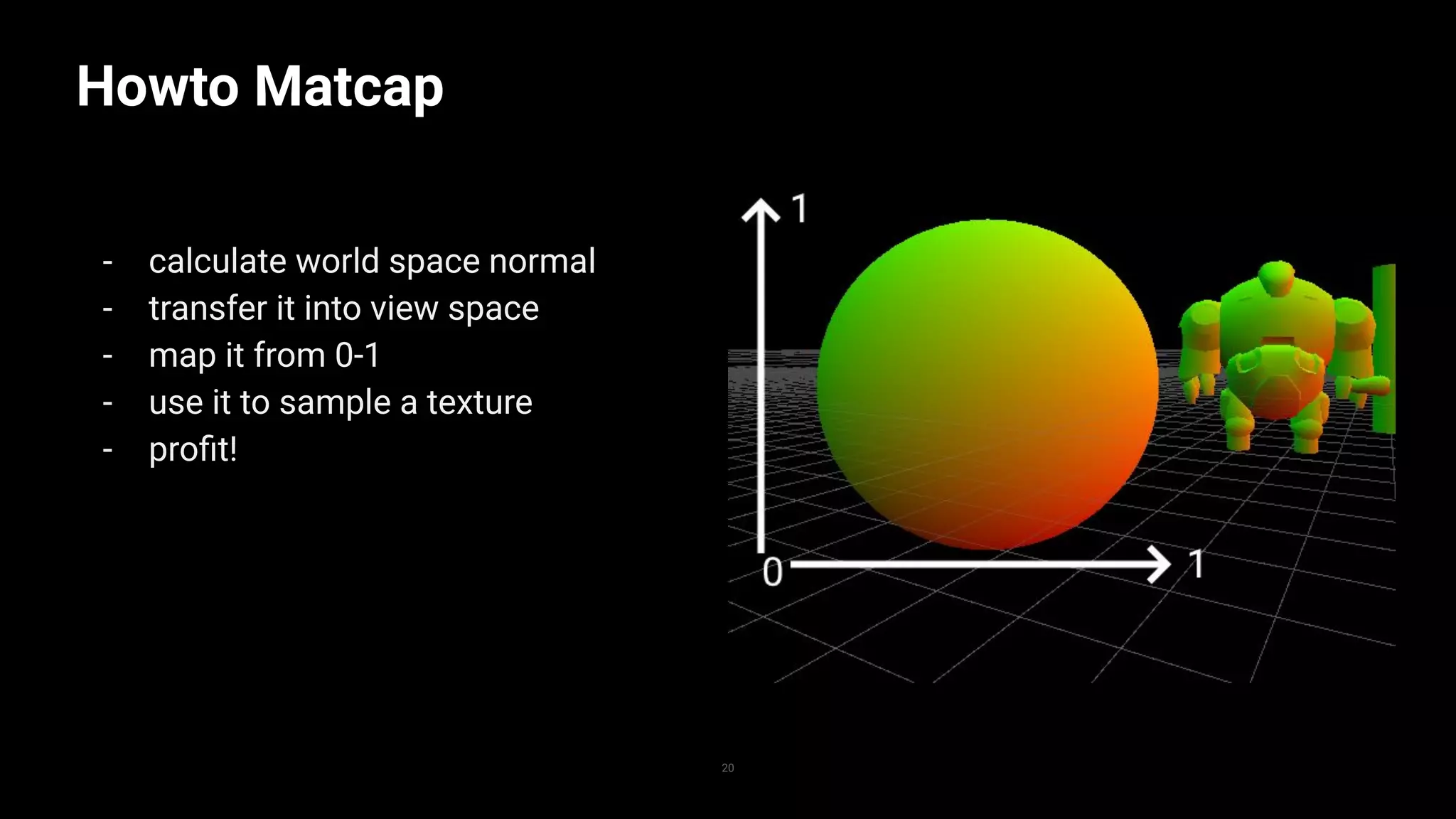
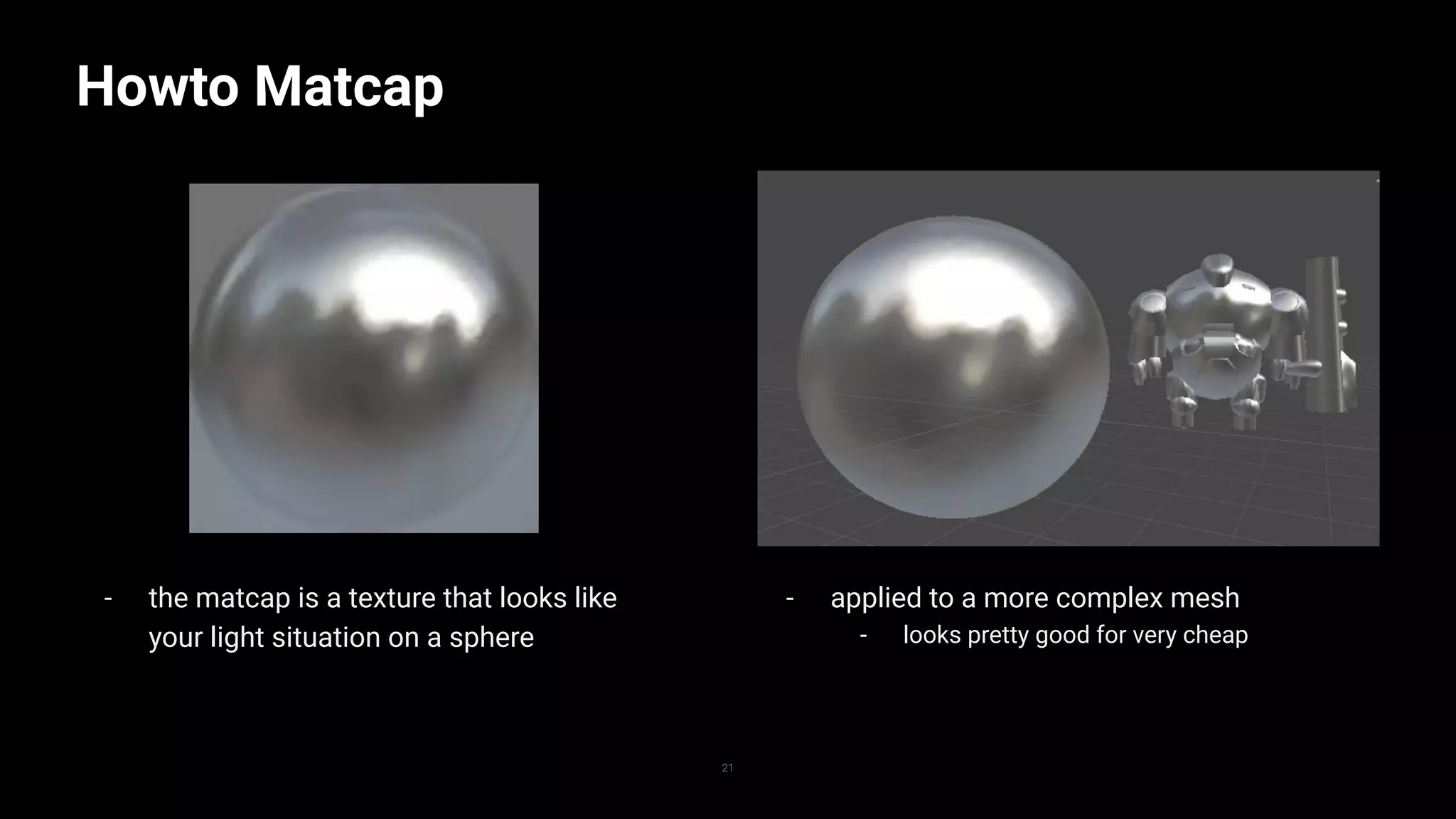
Howto Matcap
- calculate world space normal
- transfer it into view space
- map it from 0-1
- use it to sample a texture
- profit!
20
- the matcap is a texture that looks like
your light situation on a sphere
Howto Matcap
21
- applied to a more complex mesh
- looks pretty good for very cheap
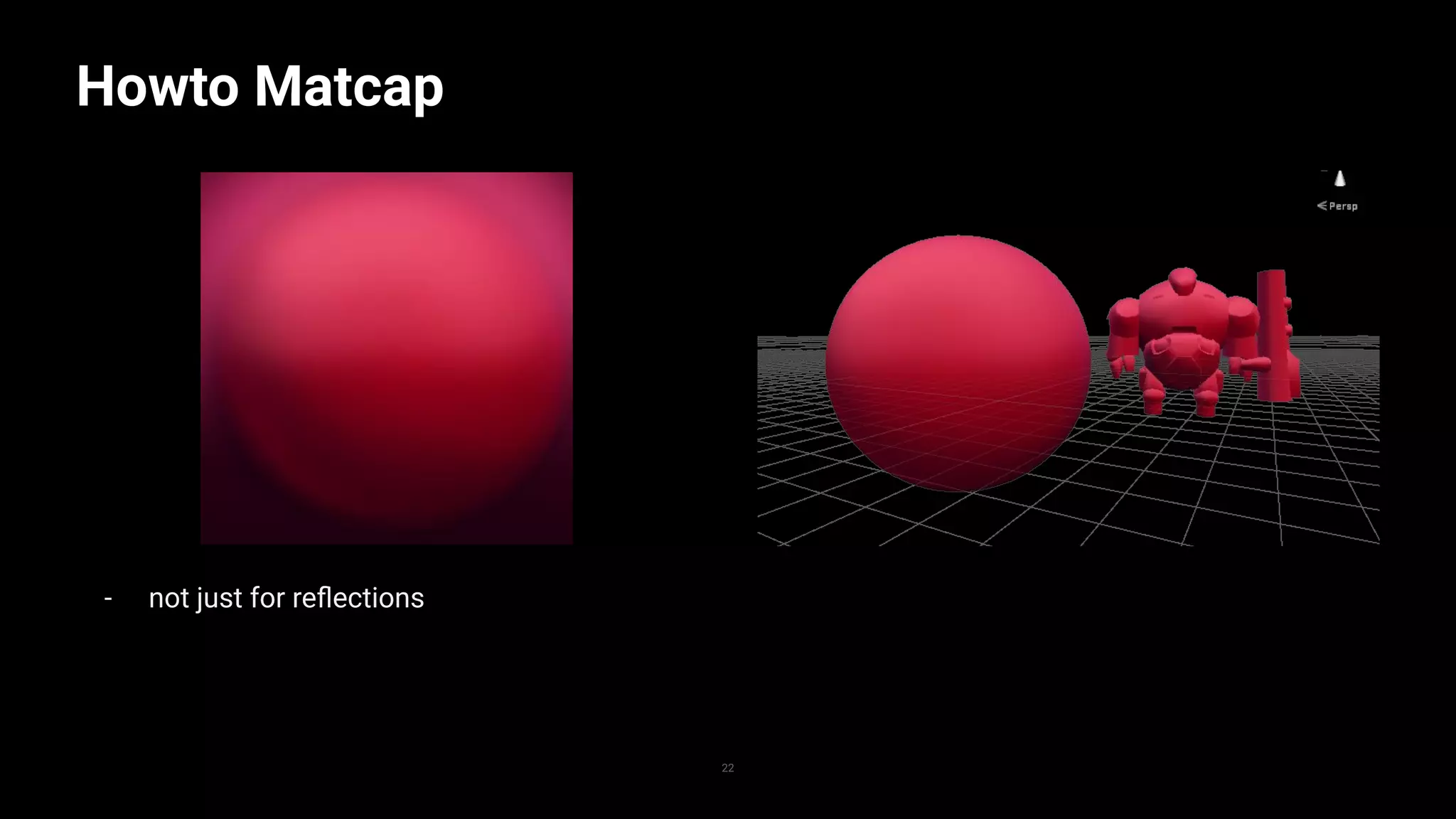
- not just for reflections
Howto Matcap
22
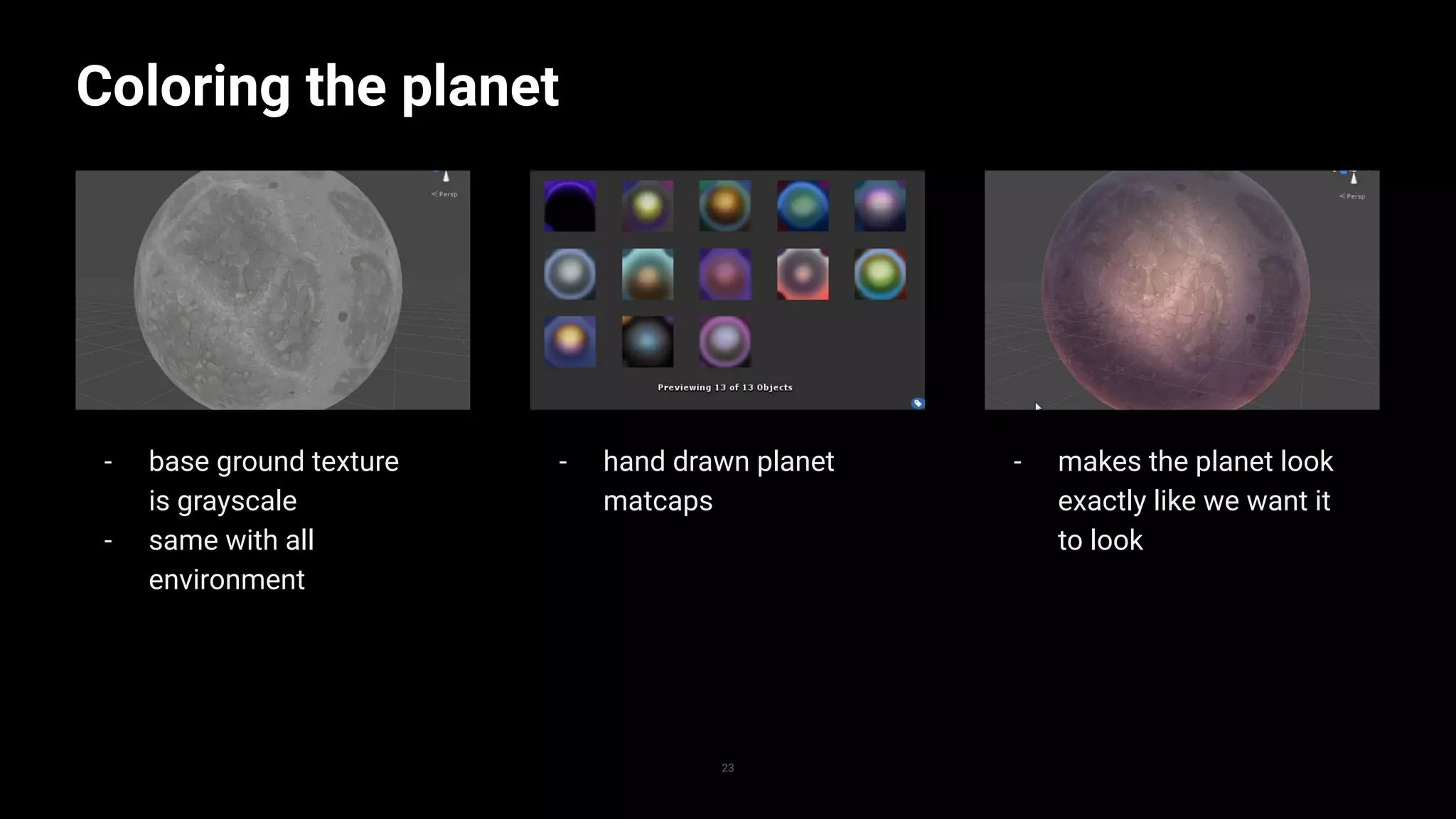
- makes the planet look
exactly like we want it
to look
- hand drawn planet
matcaps
- base ground texture
is grayscale
- same with all
environment
Coloring the planet
23
Replace with image
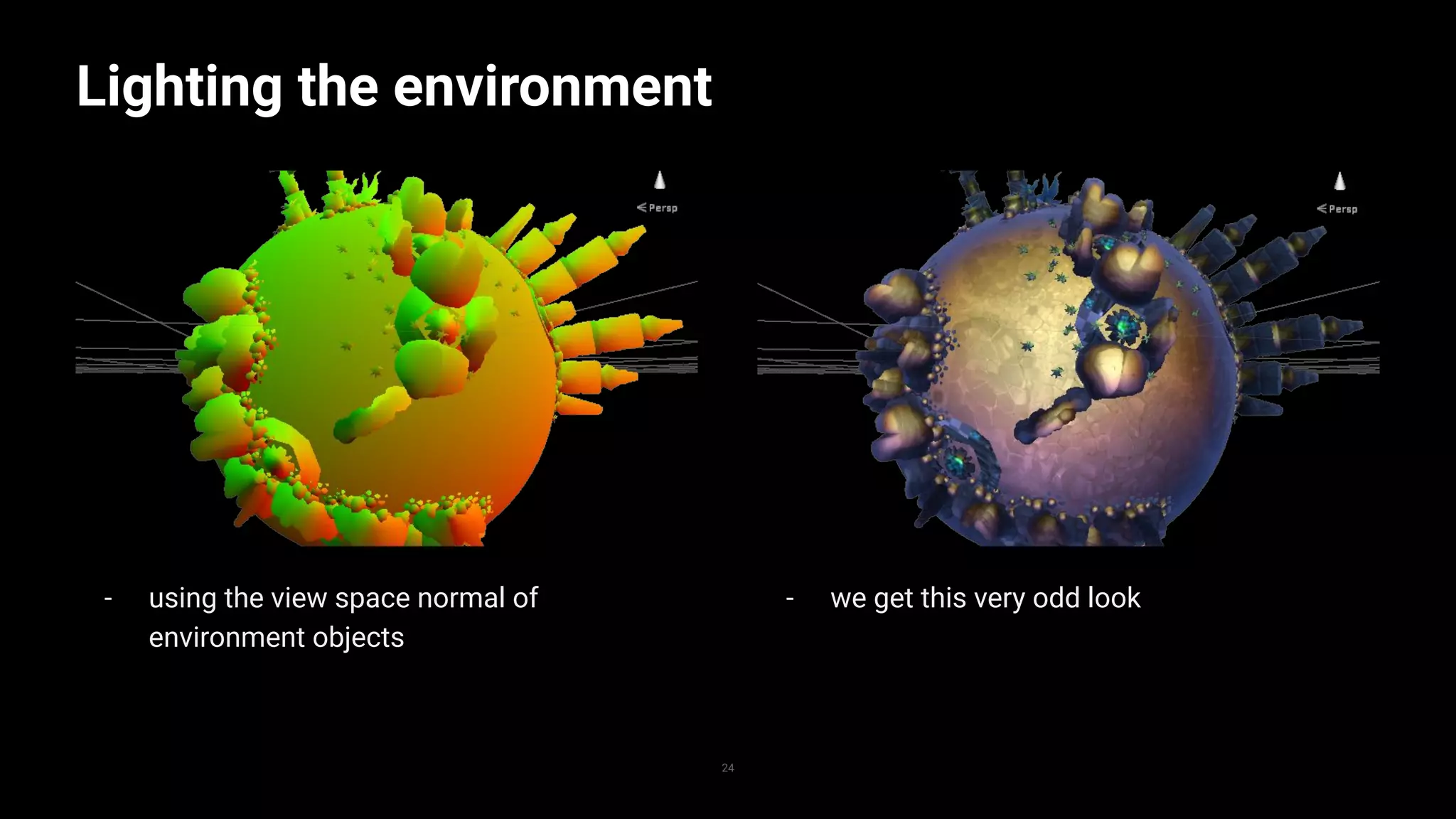
- using the view space normal of
environment objects
Lighting the environment
24
- we get this very odd look
Lighting the
environment
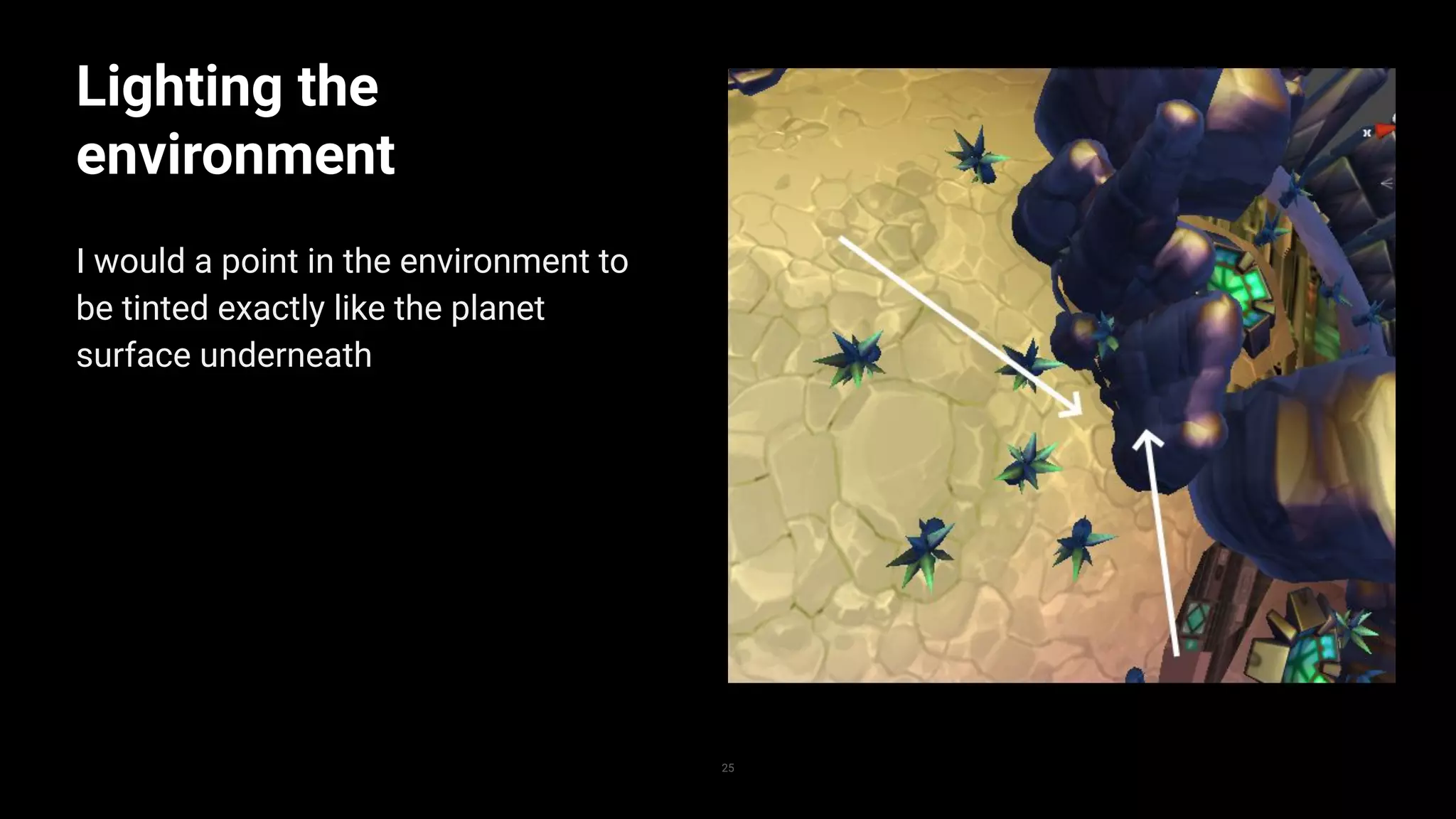
I would a point in the environment to
be tinted exactly like the planet
surface underneath
25
Lighting the
environment
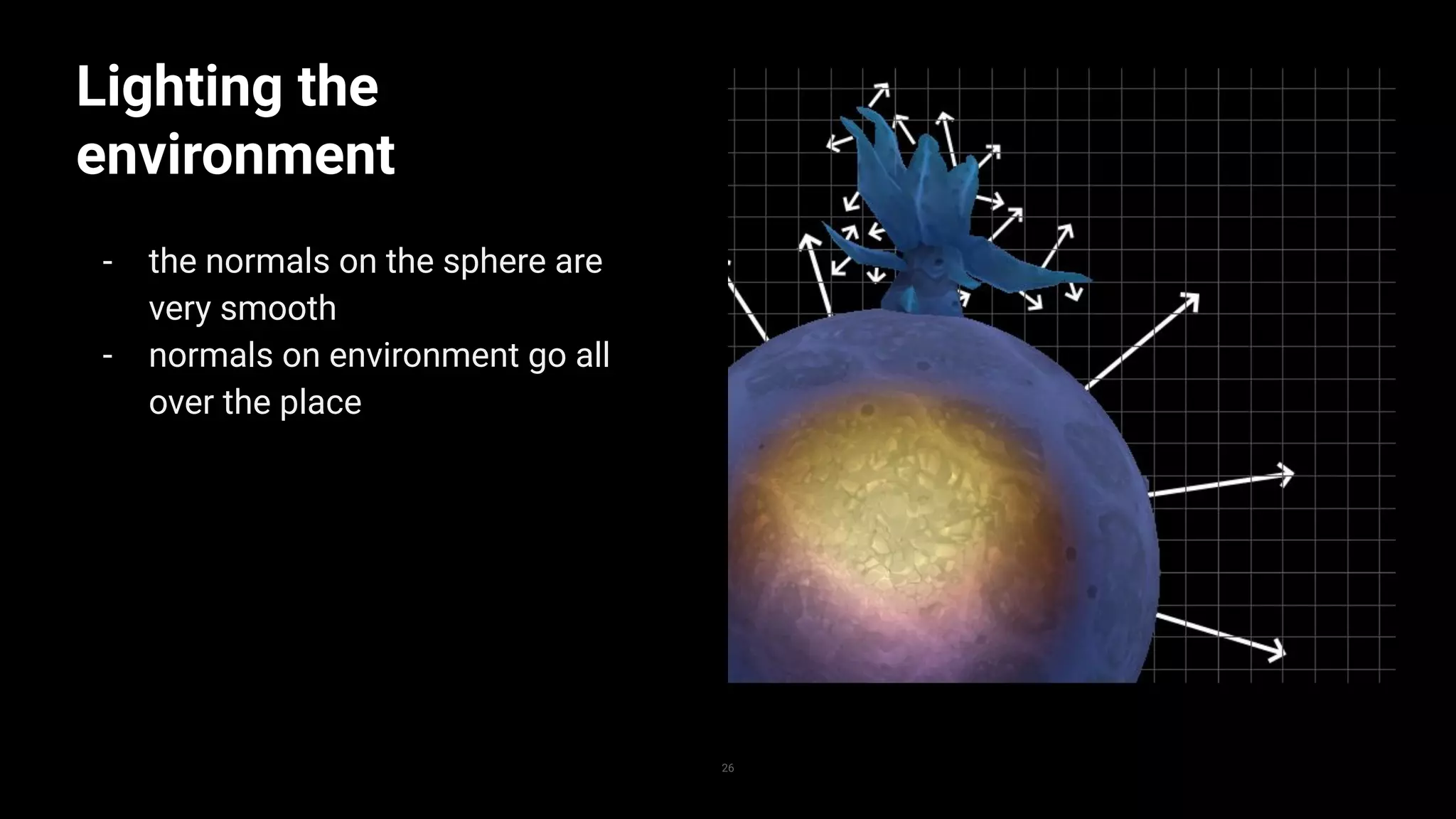
- the normals on the sphere are
very smooth
- normals on environment go all
over the place
26
Lighting the
environment
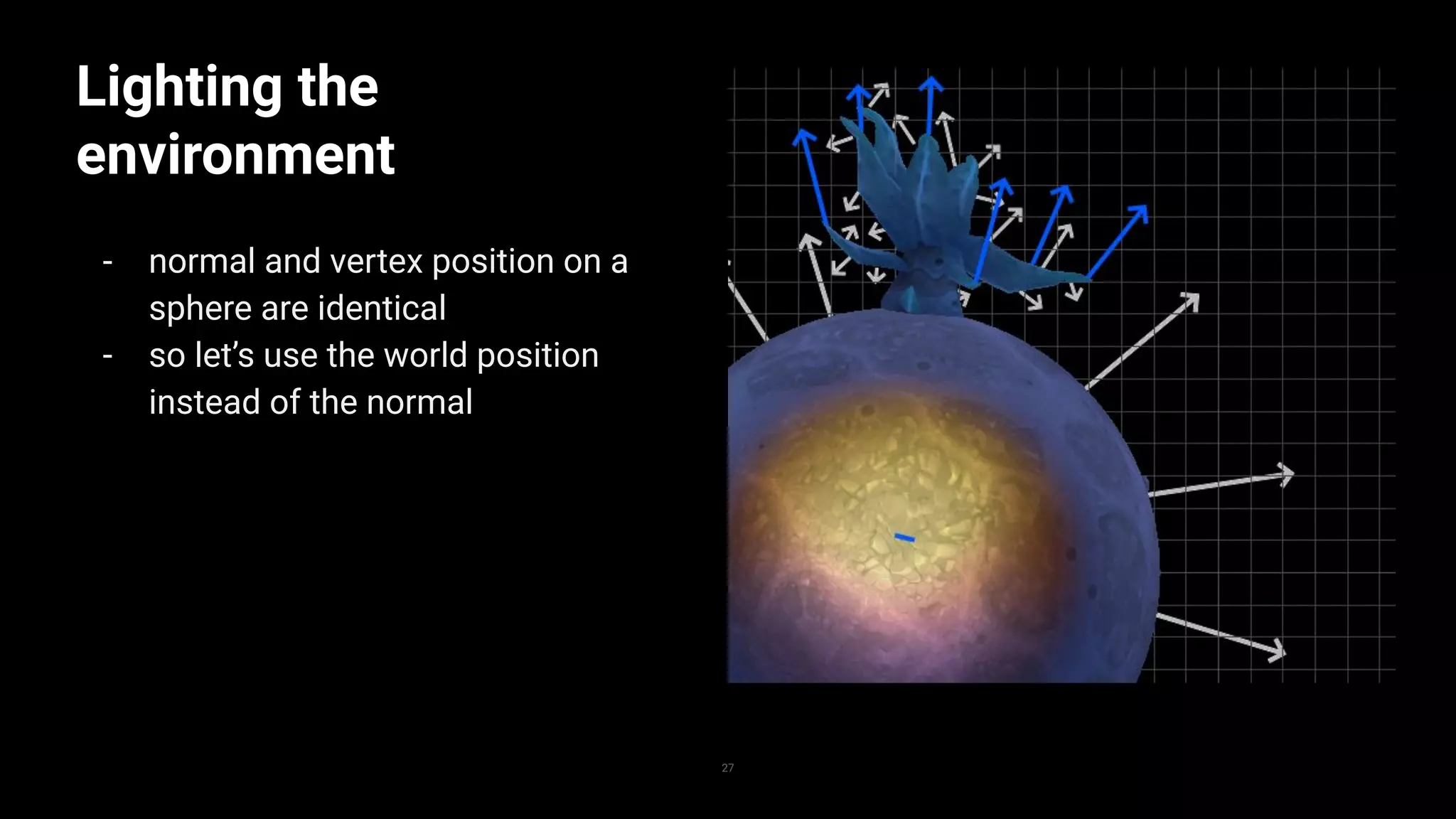
- normal and vertex position on a
sphere are identical
- so let’s use the world position
instead of the normal
27
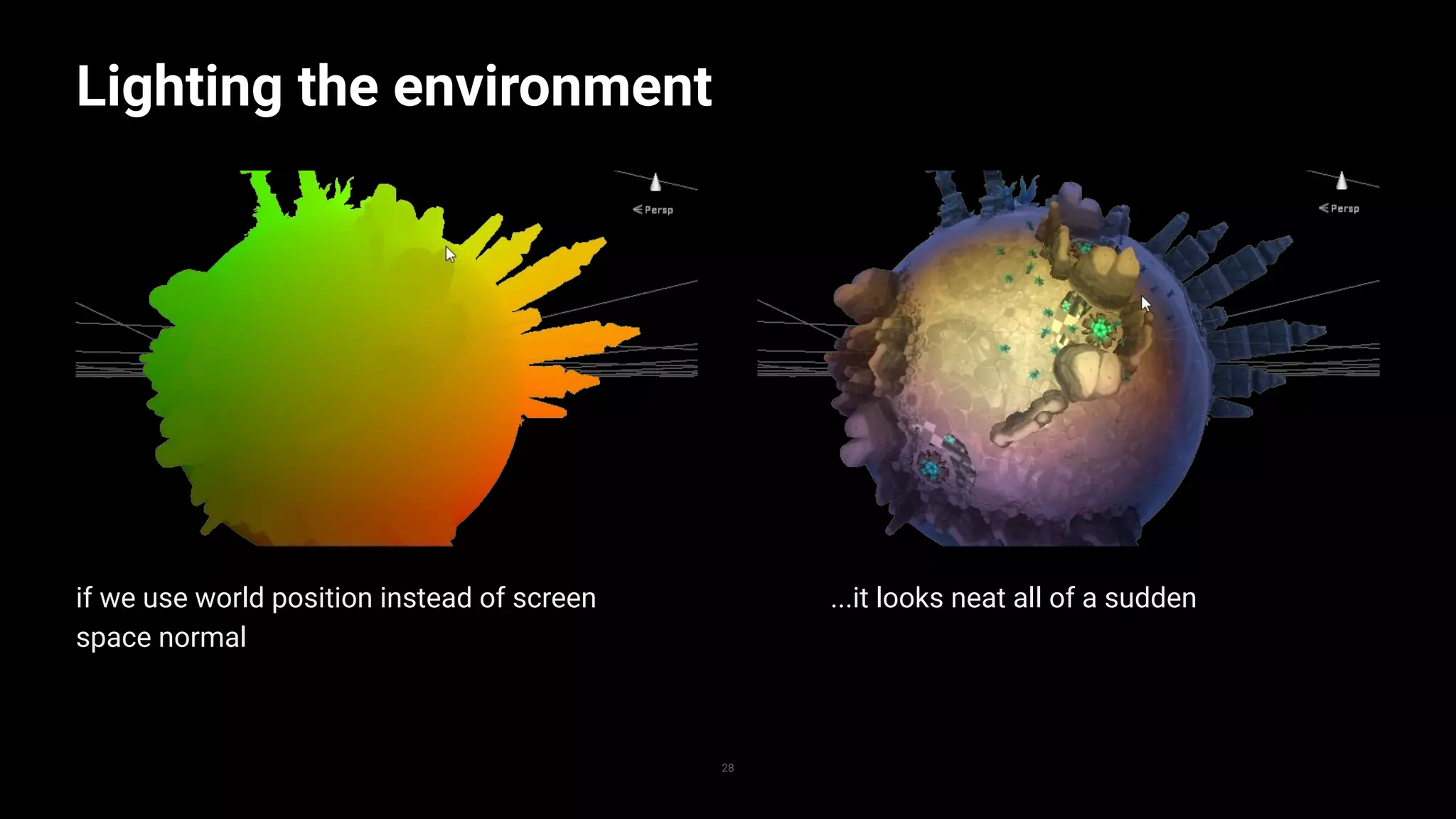
if we use world position instead of screen
space normal
Lighting the environment
28
...it looks neat all of a sudden
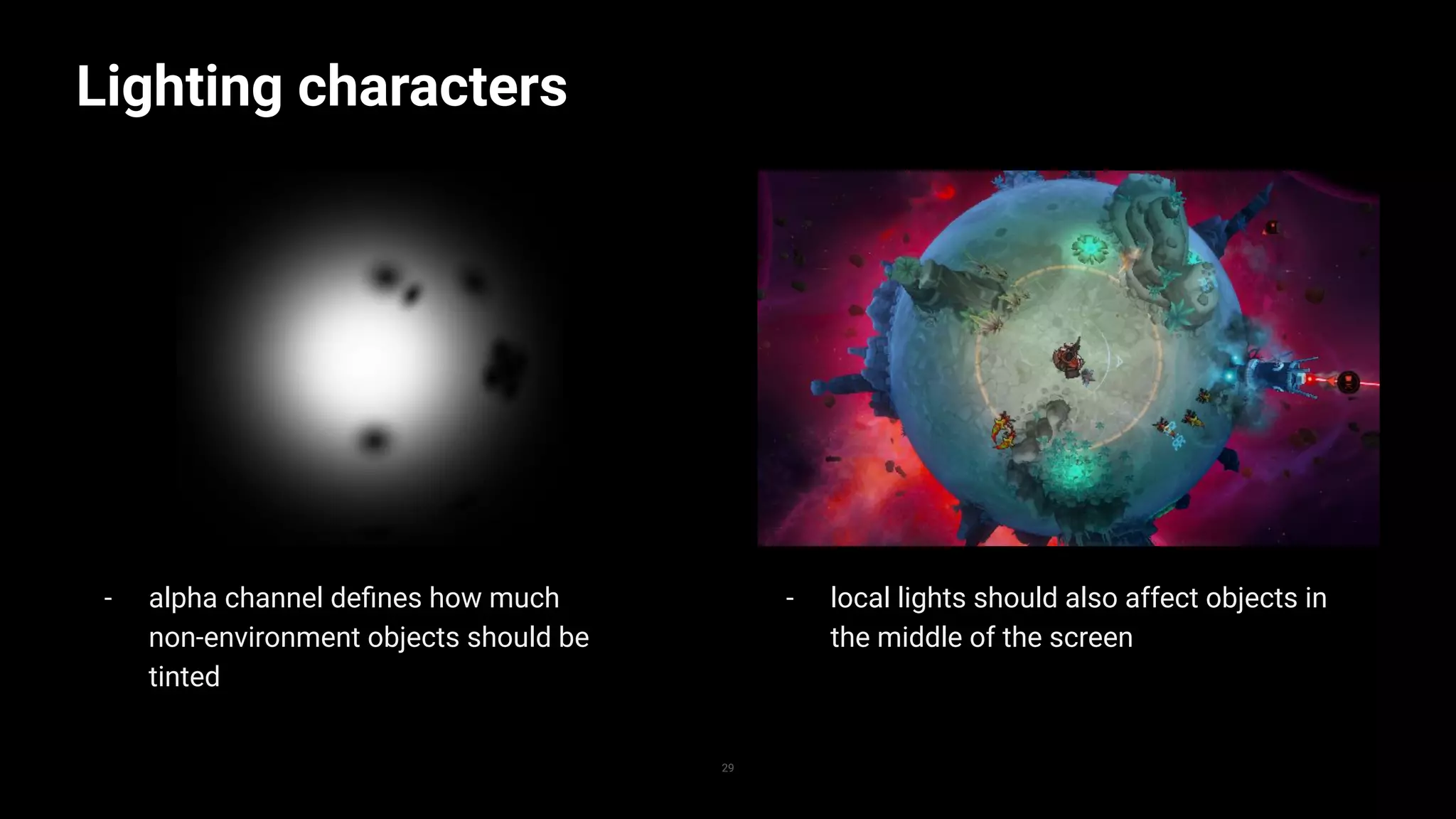
- alpha channel defines how much
non-environment objects should be
tinted
Lighting characters
29
- local lights should also affect objects in
the middle of the screen
Cool, what next?
30
Passes
- render pipelines normally uses
multiple render passes
- the scene is rendered multiple
times
- result of an early pass can be
used in the next one
The light pre-pass
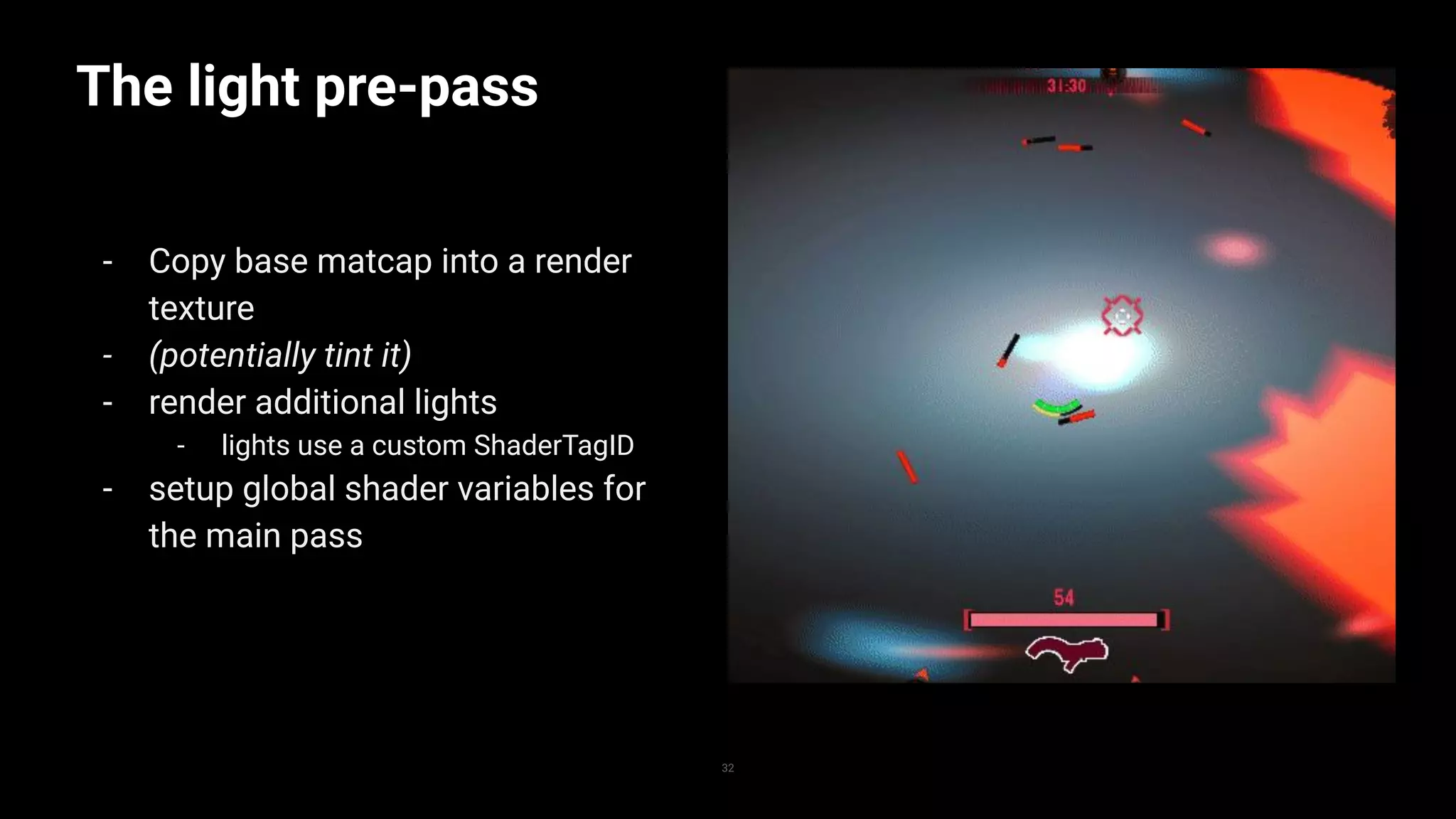
- Copy base matcap into a render
texture
- (potentially tint it)
- render additional lights
- lights use a custom ShaderTagID
- setup global shader variables for
the main pass
32
The light pre-pass
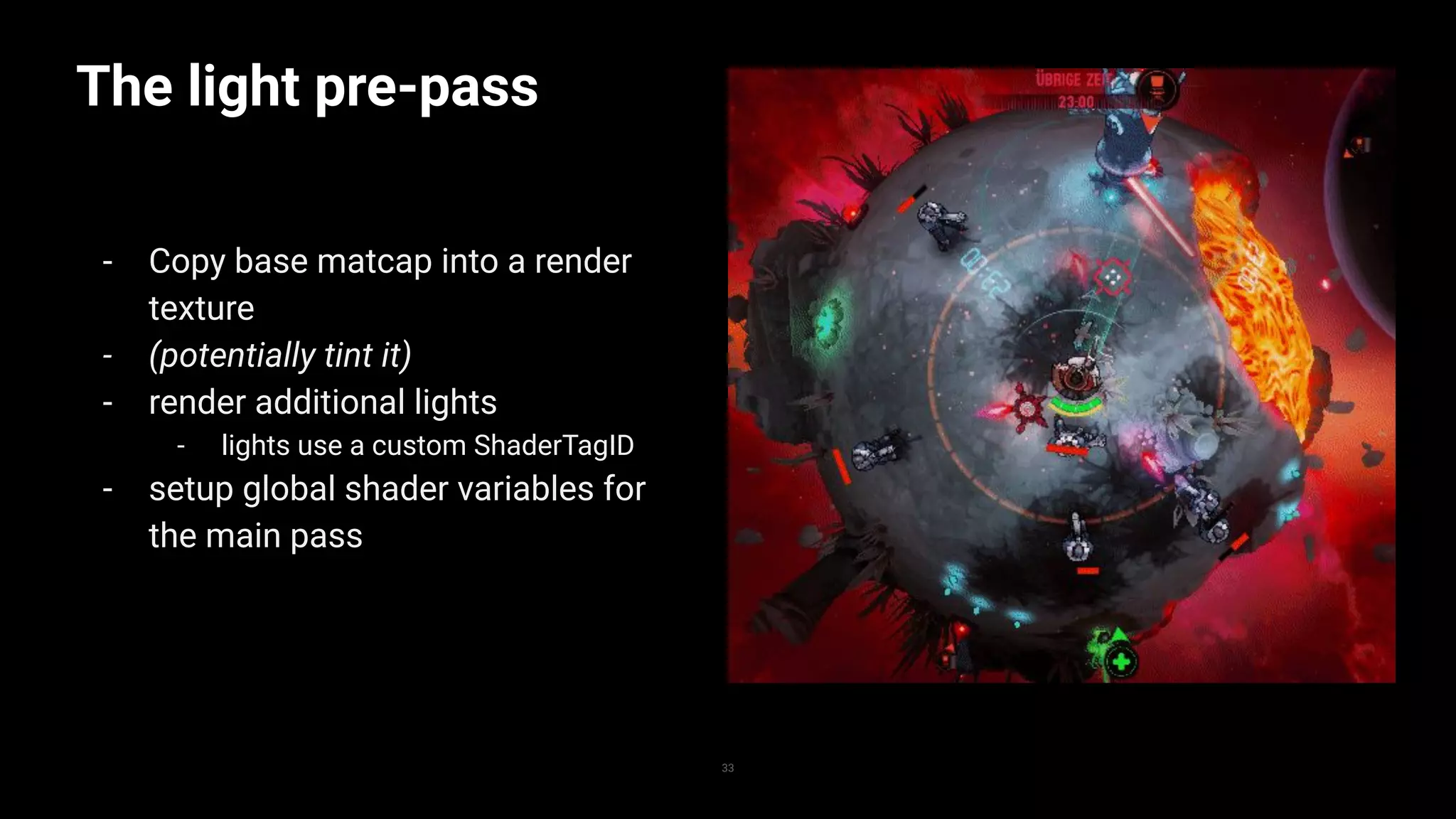
- Copy base matcap into a render
texture
- (potentially tint it)
- render additional lights
- lights use a custom ShaderTagID
- setup global shader variables for
the main pass
33
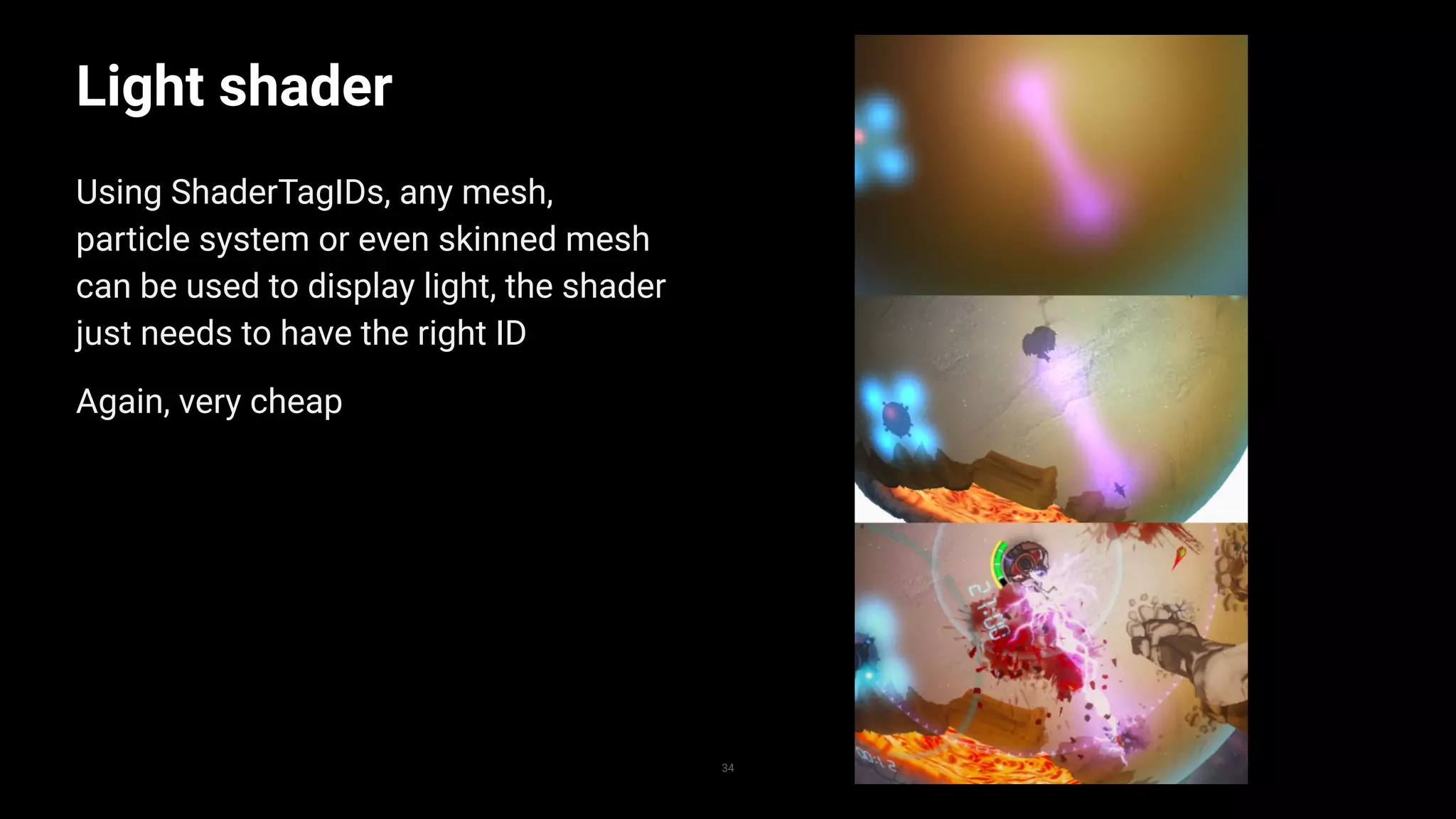
34
Light shader
Using ShaderTagIDs, any mesh,
particle system or even skinned mesh
can be used to display light, the shader
just needs to have the right ID
Again, very cheap
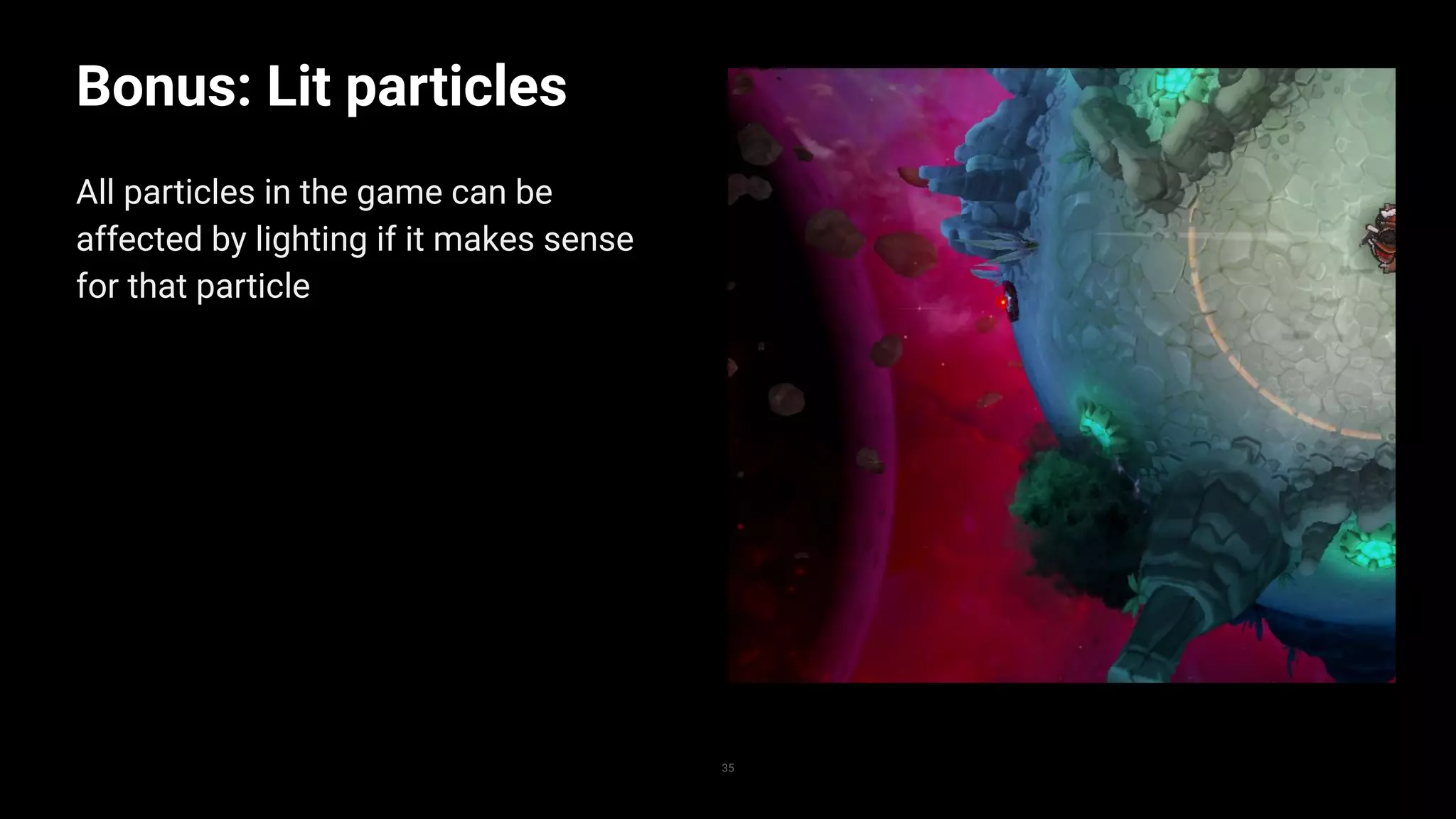
35
Bonus: Lit particles
All particles in the game can be
affected by lighting if it makes sense
for that particle
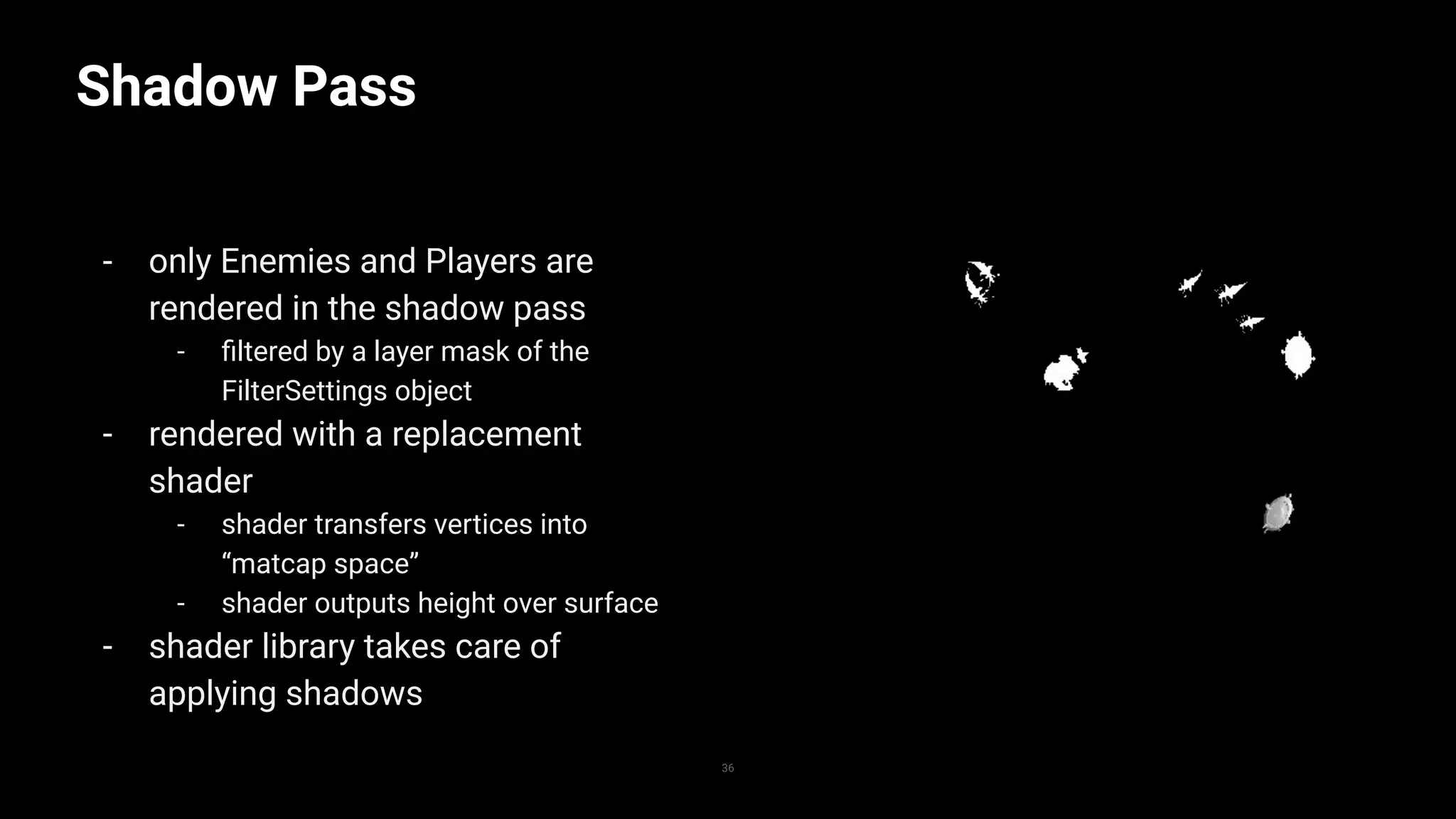
Shadow Pass
- only Enemies and Players are
rendered in the shadow pass
- filtered by a layer mask of the
FilterSettings object
- rendered with a replacement
shader
- shader transfers vertices into
“matcap space”
- shader outputs height over surface
- shader library takes care of
applying shadows
36
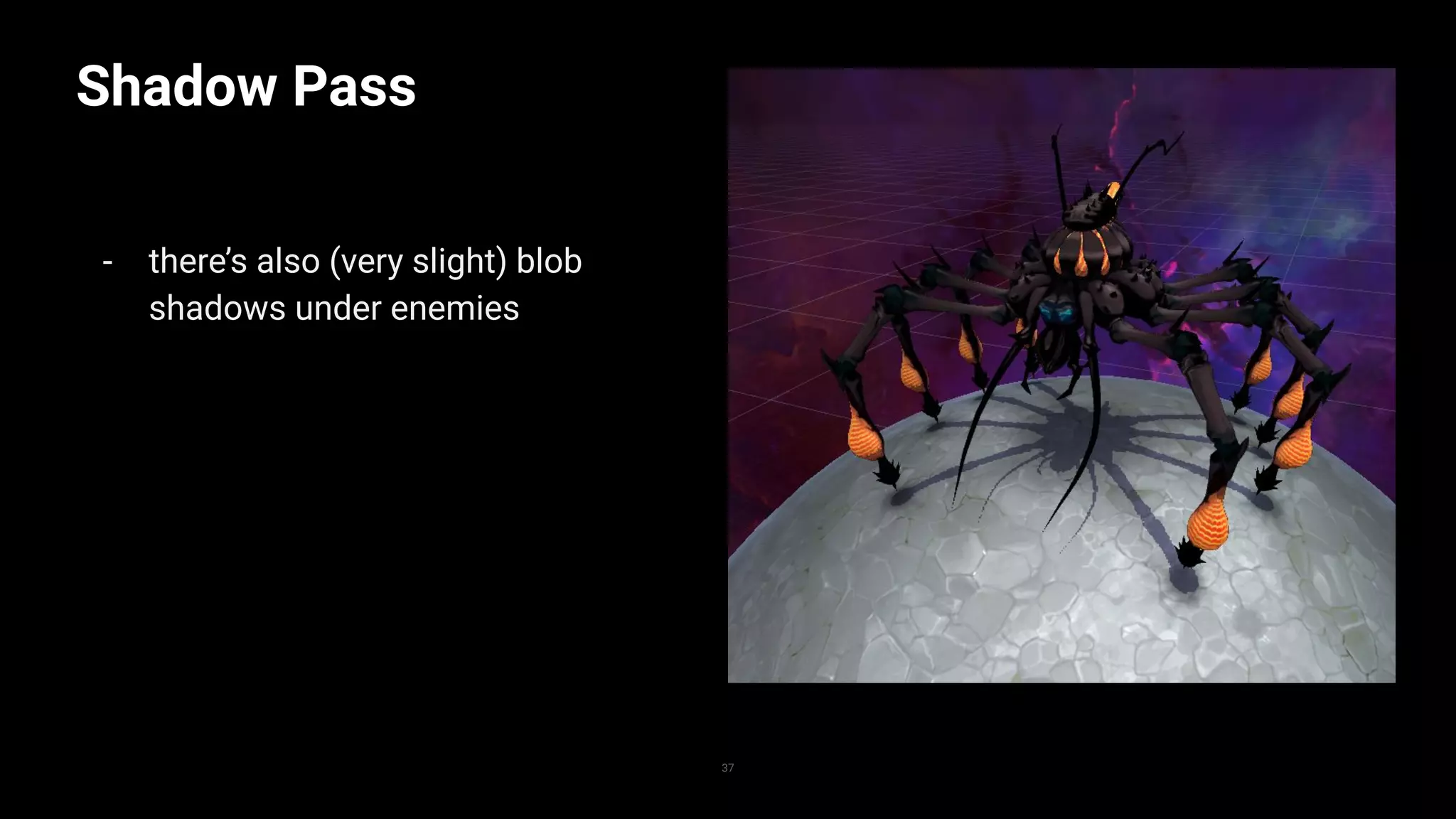
Shadow Pass
- there’s also (very slight) blob
shadows under enemies
37
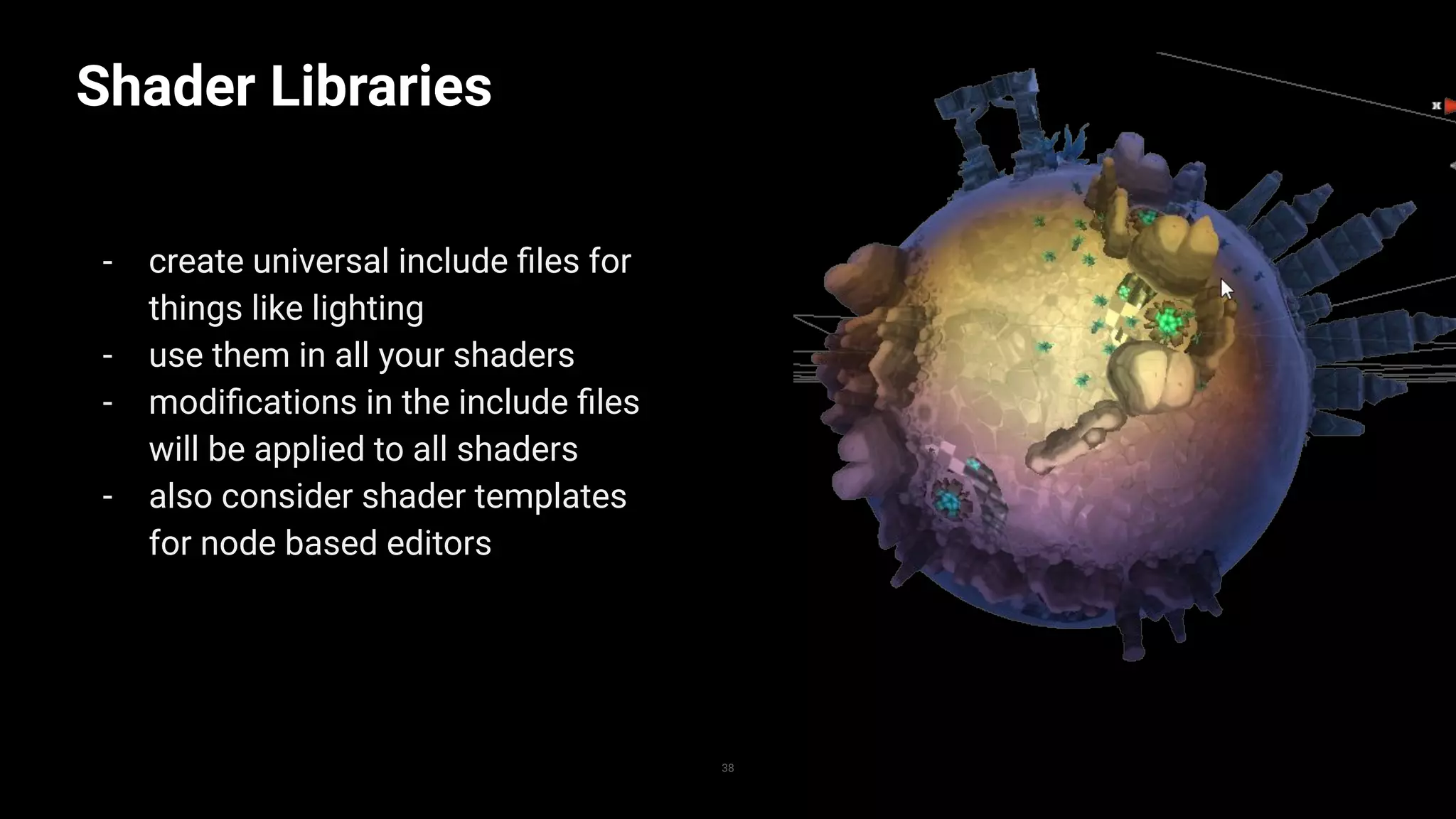
Shader Libraries
- create universal include files for
things like lighting
- use them in all your shaders
- modifications in the include files
will be applied to all shaders
- also consider shader templates
for node based editors
38
Shader Libraries
1
2
3
4
5
6
7
8
9
10
11
12
13
14
15
16
17
18
19
20
21
22
23
24
25
39
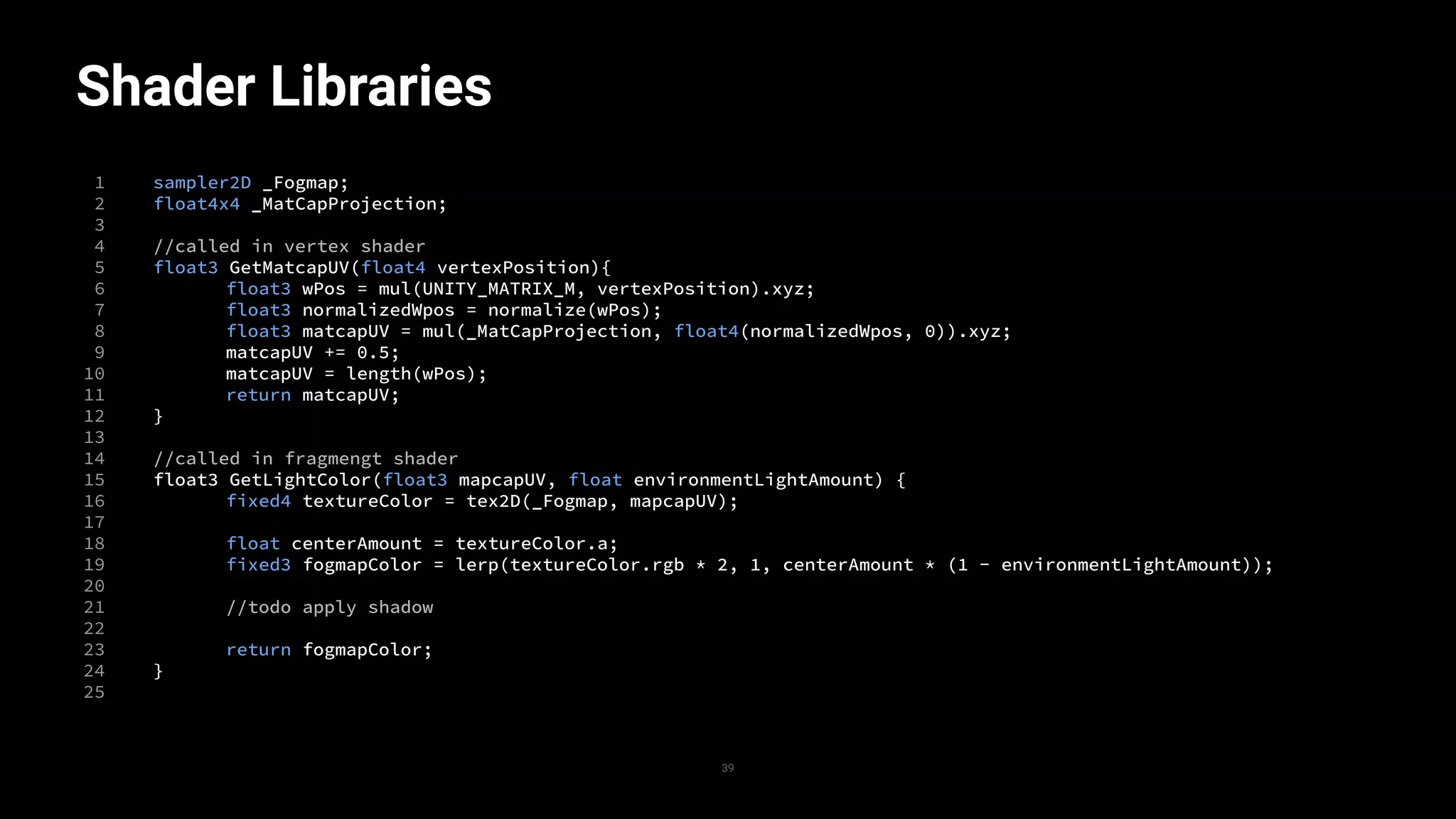
sampler2D _Fogmap;
float4x4 _MatCapProjection;
//called in vertex shader
float3 GetMatcapUV(float4 vertexPosition){
float3 wPos = mul(UNITY_MATRIX_M, vertexPosition).xyz;
float3 normalizedWpos = normalize(wPos);
float3 matcapUV = mul(_MatCapProjection, float4(normalizedWpos, 0)).xyz;
matcapUV += 0.5;
matcapUV = length(wPos);
return matcapUV;
}
//called in fragmengt shader
float3 GetLightColor(float3 mapcapUV, float environmentLightAmount) {
fixed4 textureColor = tex2D(_Fogmap, mapcapUV);
float centerAmount = textureColor.a;
fixed3 fogmapColor = lerp(textureColor.rgb * 2, 1, centerAmount * (1 - environmentLightAmount));
//todo apply shadow
return fogmapColor;
}
Post processing stack
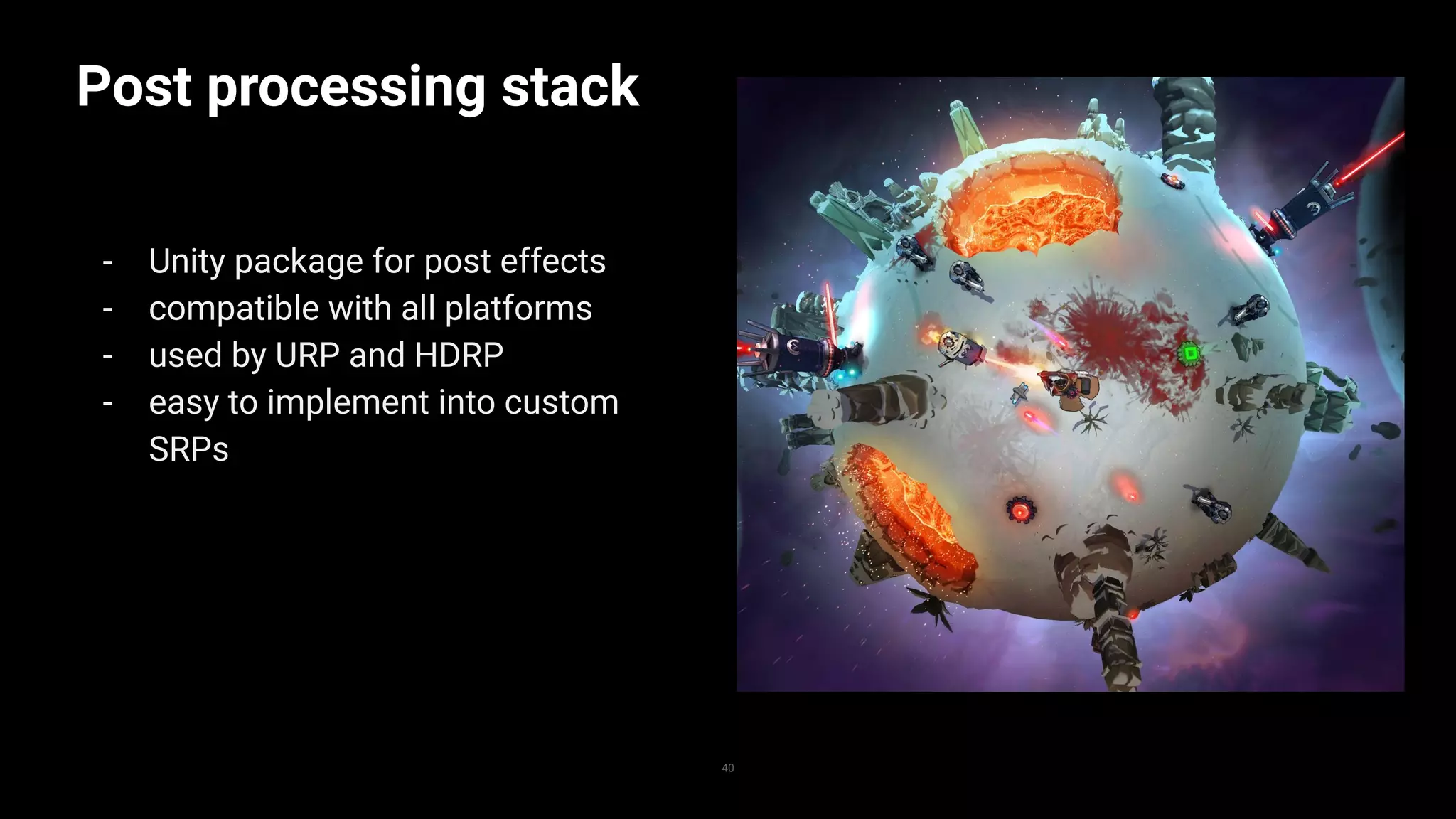
- Unity package for post effects
- compatible with all platforms
- used by URP and HDRP
- easy to implement into custom
SRPs
40
Post processing stack
1
2
3
4
5
6
7
8
9
10
11
12
13
14
15
16
17
18
19
20
21
22
23
24
25
41
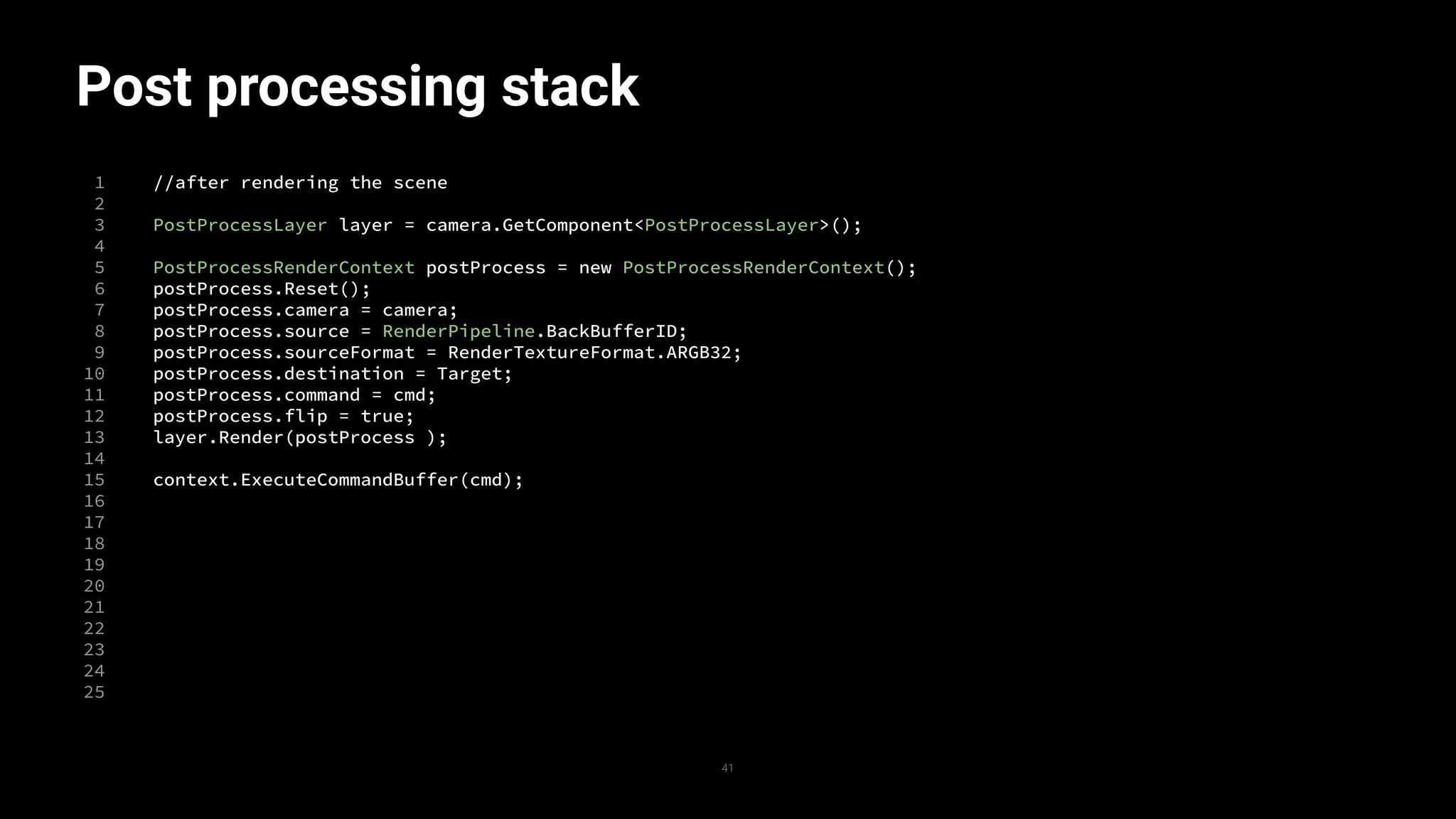
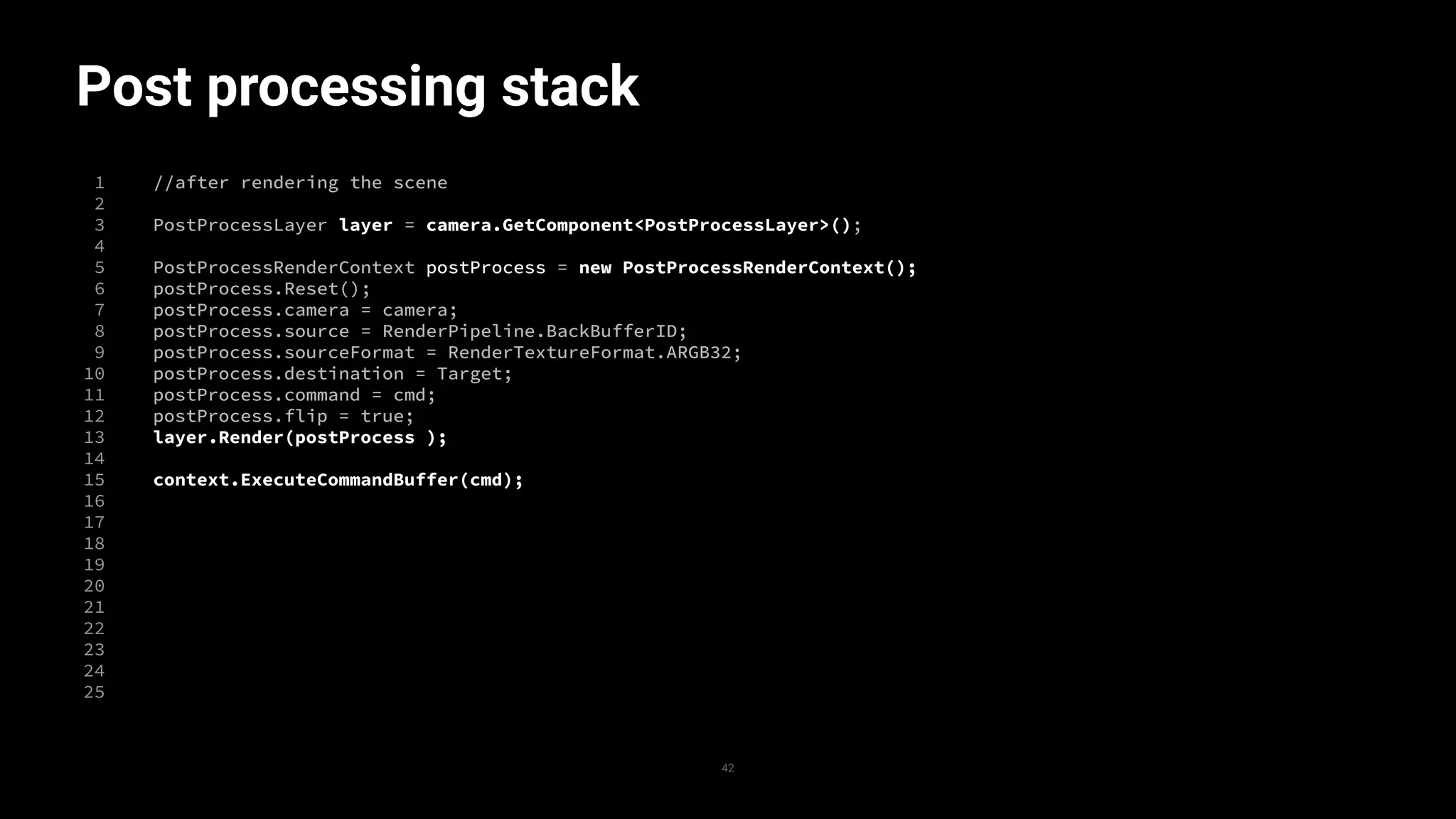
//after rendering the scene
PostProcessLayer layer = camera.GetComponent<PostProcessLayer>();
PostProcessRenderContext postProcess = new PostProcessRenderContext();
postProcess.Reset();
postProcess.camera = camera;
postProcess.source = RenderPipeline.BackBufferID;
postProcess.sourceFormat = RenderTextureFormat.ARGB32;
postProcess.destination = Target;
postProcess.command = cmd;
postProcess.flip = true;
layer.Render(postProcess );
context.ExecuteCommandBuffer(cmd);
Post processing stack
1
2
3
4
5
6
7
8
9
10
11
12
13
14
15
16
17
18
19
20
21
22
23
24
25
42
//after rendering the scene
PostProcessLayer layer = camera.GetComponent<PostProcessLayer>();
PostProcessRenderContext postProcess = new PostProcessRenderContext();
postProcess.Reset();
postProcess.camera = camera;
postProcess.source = RenderPipeline.BackBufferID;
postProcess.sourceFormat = RenderTextureFormat.ARGB32;
postProcess.destination = Target;
postProcess.command = cmd;
postProcess.flip = true;
layer.Render(postProcess );
context.ExecuteCommandBuffer(cmd);
To sum up:
43
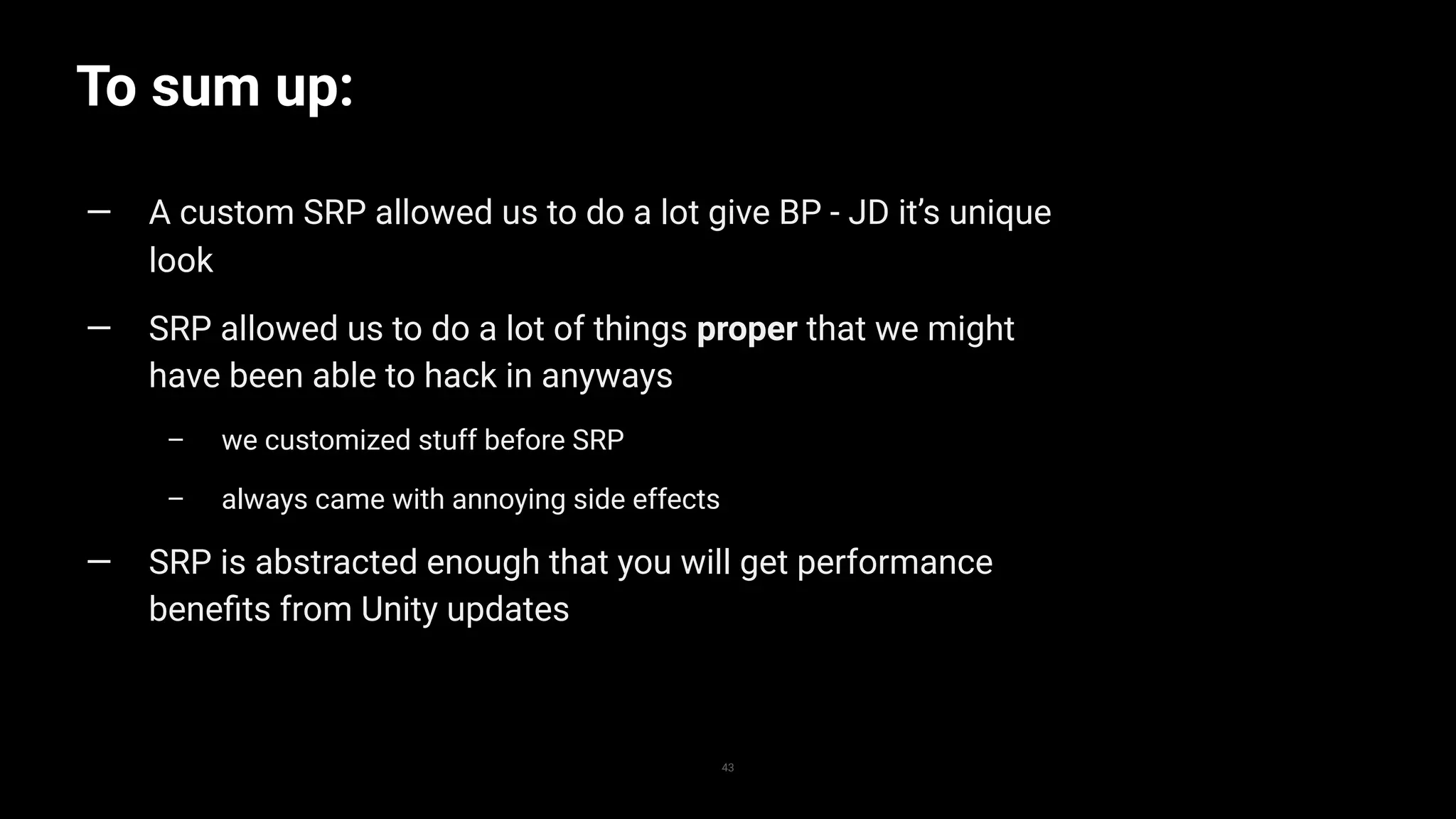
— A custom SRP allowed us to do a lot give BP - JD it’s unique
look
— SRP allowed us to do a lot of things proper that we might
have been able to hack in anyways
– we customized stuff before SRP
– always came with annoying side effects
— SRP is abstracted enough that you will get performance
benefits from Unity updates
To sum up:
44
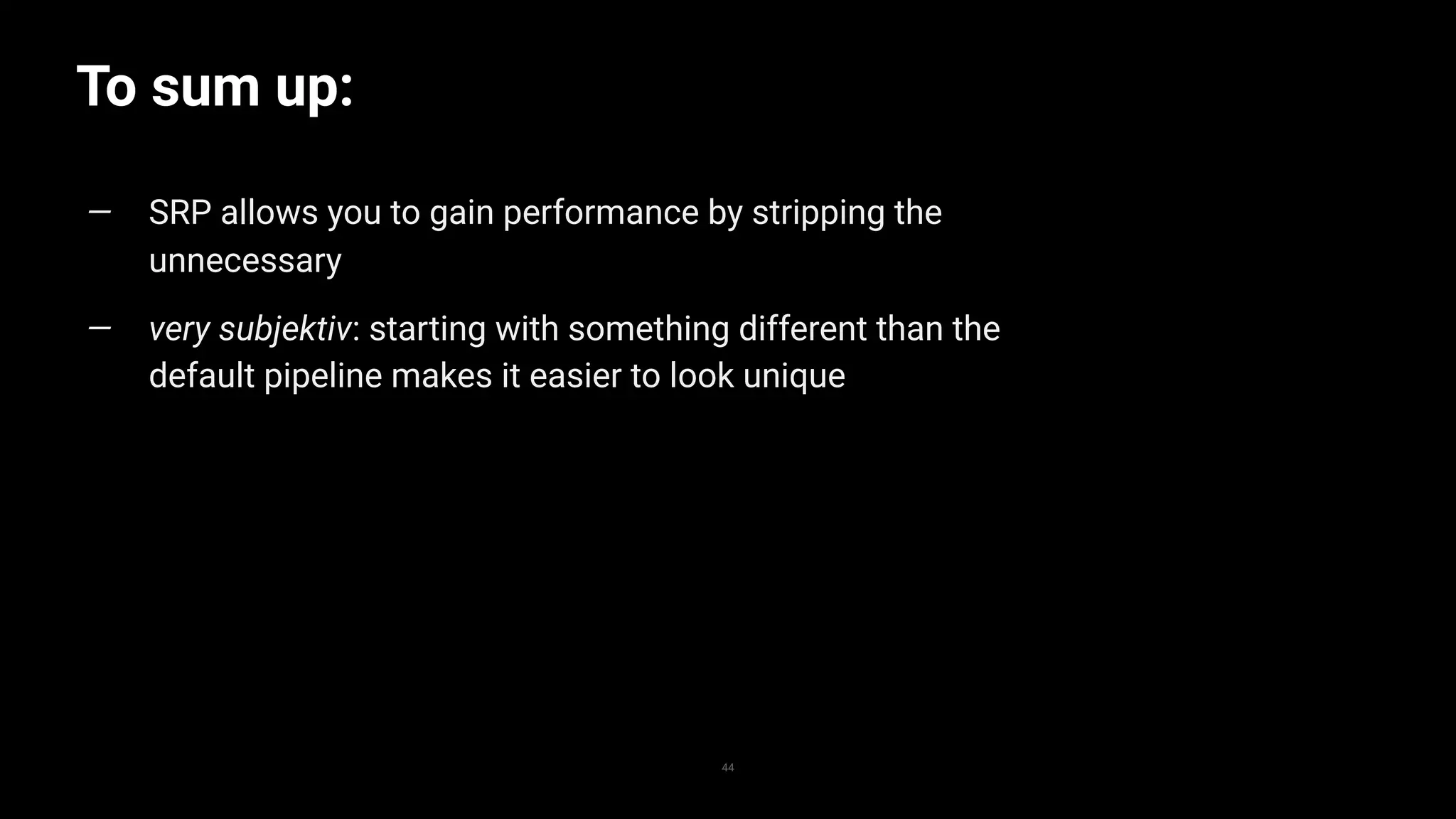
— SRP allows you to gain performance by stripping the
unnecessary
— very subjektiv: starting with something different than the
default pipeline makes it easier to look unique
Custom SRP vs modifying URP
45
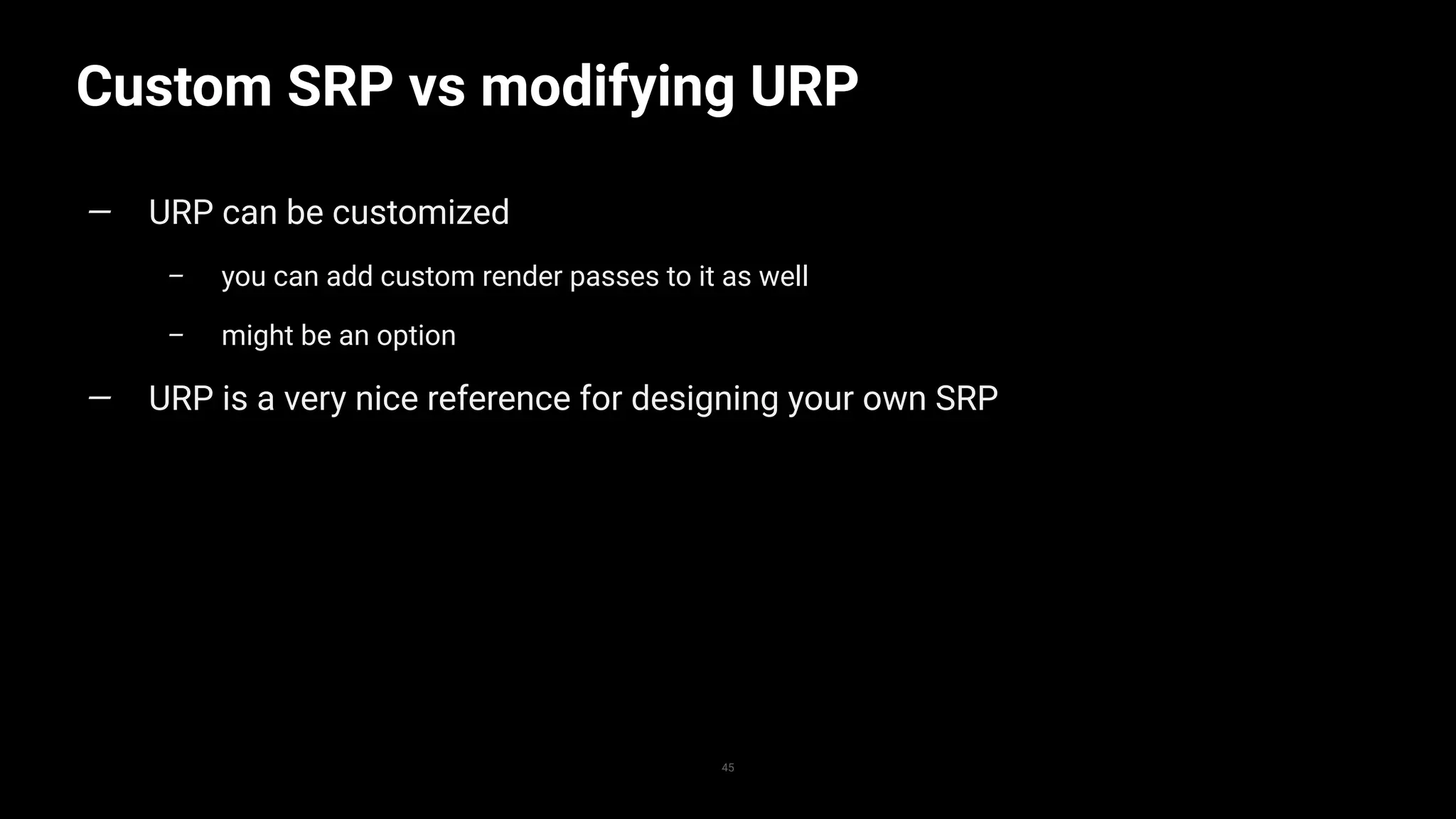
— URP can be customized
– you can add custom render passes to it as well
– might be an option
— URP is a very nice reference for designing your own SRP
Other graphics workflows and
shader stuff
… specifically SRP related
The game is completely CPU
bound
… thanks to the SRP
Stateless decal
systems
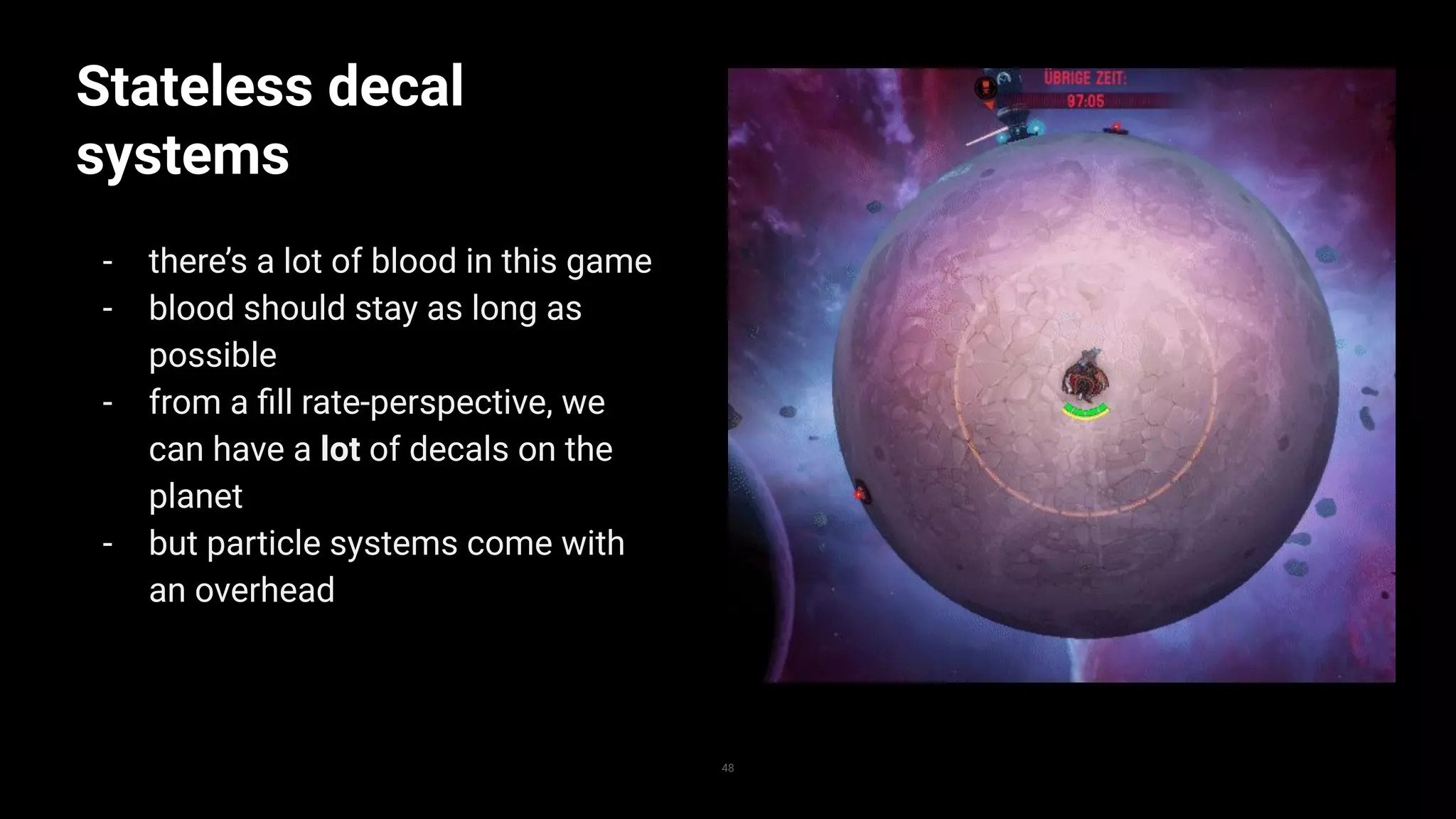
- there’s a lot of blood in this game
- blood should stay as long as
possible
- from a fill rate-perspective, we
can have a lot of decals on the
planet
- but particle systems come with
an overhead
48
Stateless decal
systems
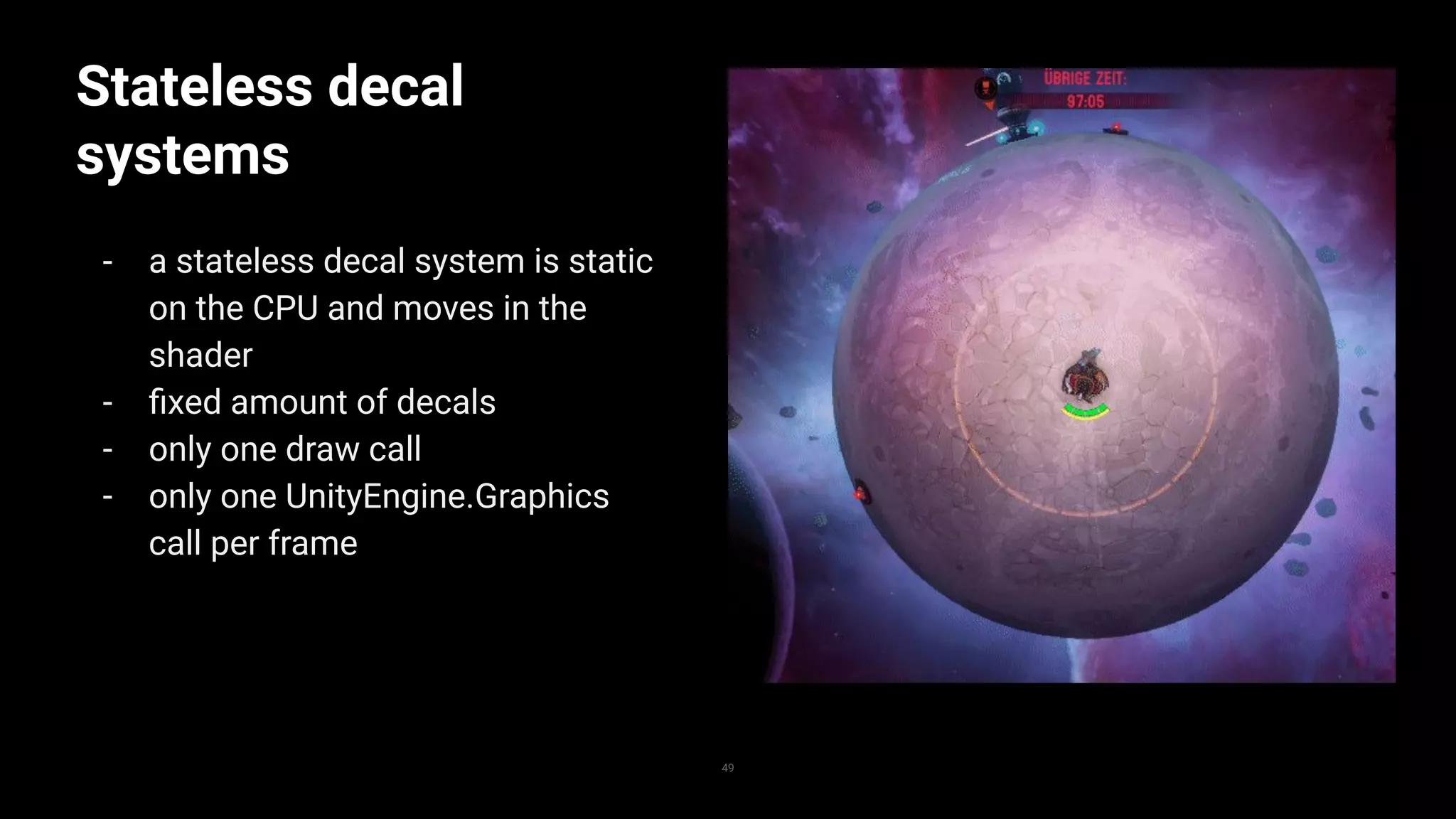
- a stateless decal system is static
on the CPU and moves in the
shader
- fixed amount of decals
- only one draw call
- only one UnityEngine.Graphics
call per frame
49
Stateless decal systems
1
2
3
4
5
6
7
8
9
10
11
12
13
14
15
16
17
18
19
20
21
22
23
24
25
struct DecalComputeStruct
{
float4x4 Transformation;
float4 UV;
float SpawnTime;
float LifeTime;
float FadeInDuration;
float FadeOutDuration;
float ScaleInDuration;
float ForwardClipInDuration;
float HeightmapEffect;
float SelfIllumination;
};
StructuredBuffer<DecalComputeStruct> _DecalData;
//inside vertex shader
DecalComputeStruct decal = _DecalData[instanceID];
float time = _Time.y - currentDecal.SpawnTime
v.vertex.xyz *= saturate(time / decal.ScaleInDuration);
50
public struct DecalComputeStruct
{
public Matrix4x4 DecalTransformation;
public Vector4 UV;
public float SpawnTime;
public float Lifetime;
public float FadeInDuration;
public float FadeOutDuration;
public float ScaleInDuration;
public float ForwardClipInDuration;
public float HeightmapEffect;
public float SelfIllumination;
}
var buffer = new ComputeBuffer(1024, 176);
decalMaterial.SetBuffer(“_DecalData”, buffer);
Graphics.DrawMeshInstancedIndirect(…)
*actual implementation was different
51
1draw call
Stateless projectiles
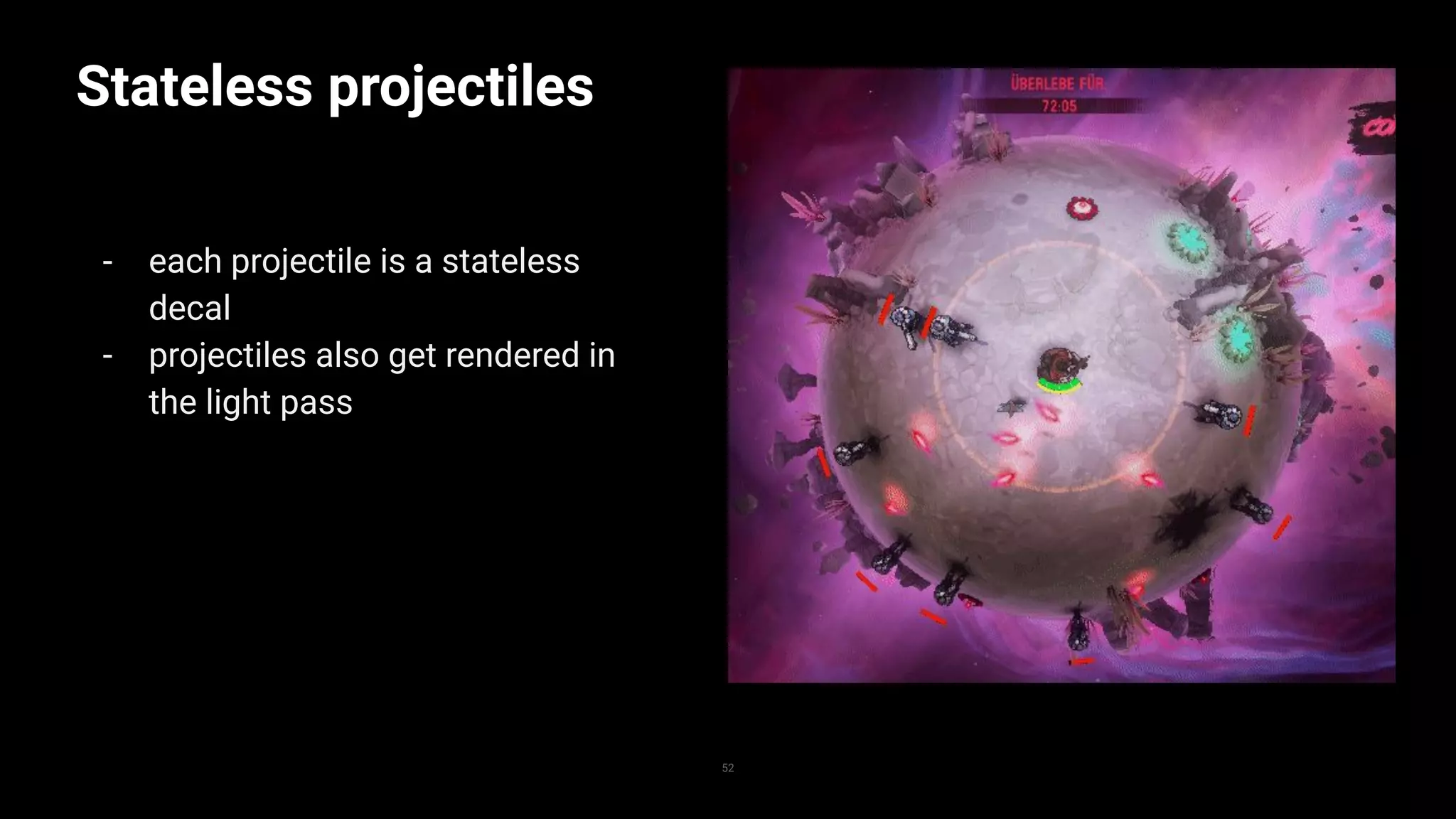
- each projectile is a stateless
decal
- projectiles also get rendered in
the light pass
52
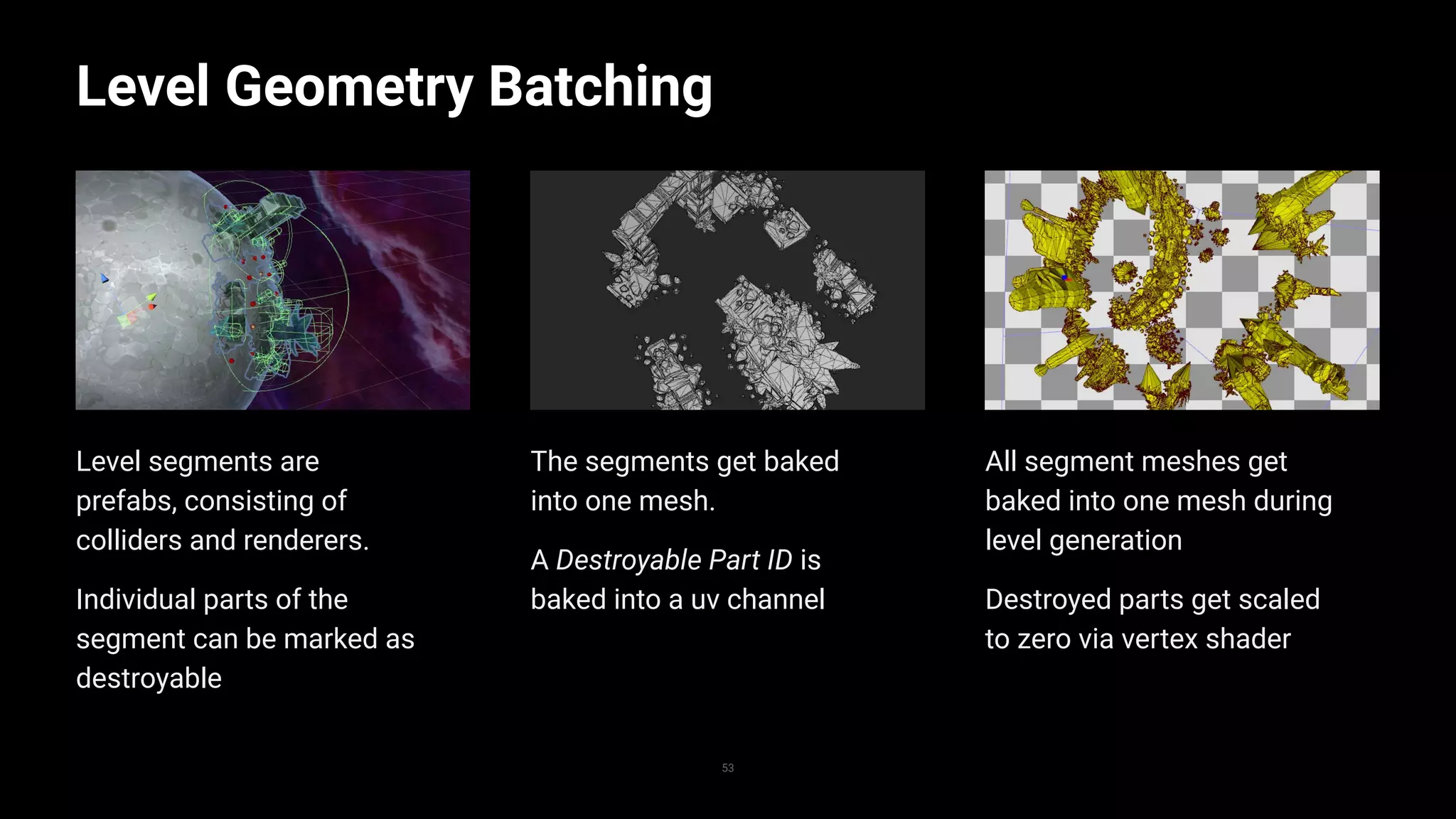
All segment meshes get
baked into one mesh during
level generation
Destroyed parts get scaled
to zero via vertex shader
The segments get baked
into one mesh.
A Destroyable Part ID is
baked into a uv channel
Level segments are
prefabs, consisting of
colliders and renderers.
Individual parts of the
segment can be marked as
destroyable
Level Geometry Batching
53
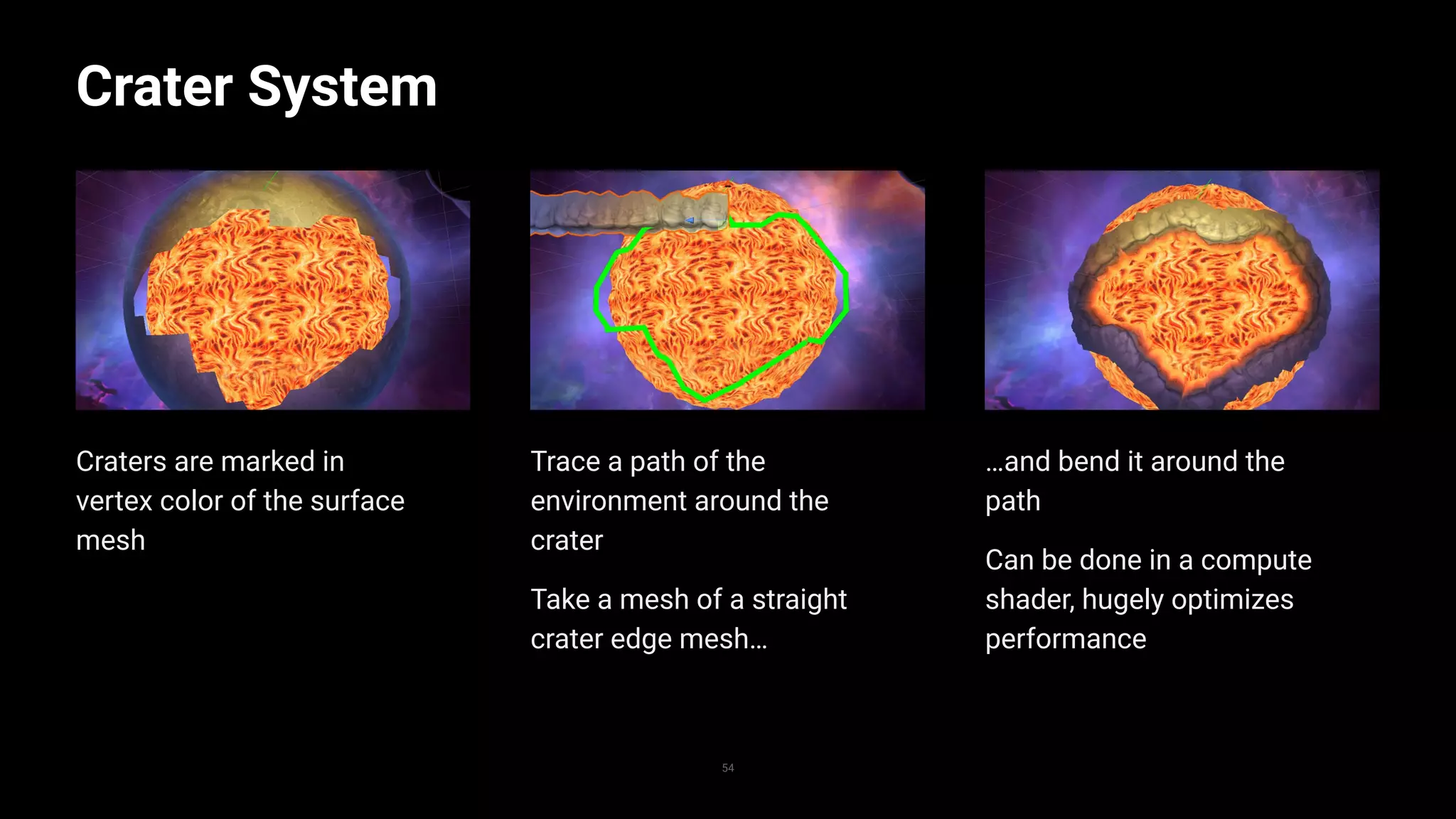
Replace with image
…and bend it around the
path
Can be done in a compute
shader, hugely optimizes
performance
Trace a path of the
environment around the
crater
Take a mesh of a straight
crater edge mesh…
Craters are marked in
vertex color of the surface
mesh
Crater System
54
Replace with image
Thank you for listening
55
Questions?
56
— steinbock@threaks.com
— @henningboat
— check out the game at the Made with Unity booth

Custom SRP and graphics workflows - Unite Copenhagen 2019

  • 2.
    Custom SRP and graphicsworkflows ...in "Battle Planet - Judgement Day"
  • 3.
    Hi! 3 — Henning Steinbock —Graphics Programmer at Threaks — Indie Studio based in Hamburg — 10 people working on games
  • 4.
    Outline 4 — what isa Scriptable Render Pipeline — what is Battle Planet - Judgement Day – rendering challenges in the game — SRP in Battle Planet - Judgement Day – lighting – shadow rendering — more graphics workflows
  • 5.
    What is ascriptable render pipeline? 5
  • 6.
    Scriptable Render Pipeline 6 —API in Unity — allows to define how Unity renders the game — works in scene view, preview windows etc — Unity provides out of the box implementations – Universal Render Pipeline – High Definition Render Pipeline – but you can also make your own
  • 7.
    Minimal SRP implementation 1 2 3 4 5 6 7 8 9 10 11 12 13 14 15 16 17 18 19 20 21 22 23 24 25 publicclass MinimalSRP : RenderPipeline{ protected override void Render(ScriptableRenderContext context, Camera[] cameras) { foreach (var camera in cameras) { //Setup the basics, rendertarget, view rect etc. context.SetupCameraProperties(camera); //create a command buffer that clears the screen var commandBuffer = new CommandBuffer(); commandBuffer.ClearRenderTarget(true, true, Color.blue); //execute the command buffer in the render context context.ExecuteCommandBuffer(commandBuffer); } //submit everything to the rendering context context.Submit(); } } 7
  • 8.
    Minimal SRP implementation 1 2 3 4 5 6 7 8 9 10 11 12 13 14 15 16 17 18 19 20 21 22 23 24 25 publicclass MinimalSRP : RenderPipeline{ protected override void Render(ScriptableRenderContext context, Camera[] cameras) { foreach (var camera in cameras) { //Setup the basics, rendertarget, view rect etc. context.SetupCameraProperties(camera); //create a command buffer that clears the screen var commandBuffer = new CommandBuffer(); commandBuffer.ClearRenderTarget(true, true, Color.blue); //execute the command buffer in the render context context.ExecuteCommandBuffer(commandBuffer); } //submit everything to the rendering context context.Submit(); } } 8
  • 9.
  • 10.
    Minimal SRP implementation 1 2 3 4 5 6 7 8 9 10 11 12 13 14 15 16 17 18 19 20 21 22 23 24 25 //Cullthe scene if (!camera.TryGetCullingParameters(out ScriptableCullingParameters cullParameters)) continue; var cullingResults = context.Cull(ref cullParameters); //Setup settings var unlitShaderTag = new ShaderTagId("SRPDefaultUnlit"); var renderSettings = new DrawingSettings(unlitShaderTag, new SortingSettings(camera)); var filter = new FilteringSettings(RenderQueueRange.opaque){layerMask = camera.cullingMask}; //Execute rendering context.DrawRenderers(cullingResults, ref renderSettings, ref filter); 10
  • 11.
    Minimal SRP implementation 1 2 3 4 5 6 7 8 9 10 11 12 13 14 15 16 17 18 19 20 21 22 23 24 25 //Cullthe scene if (!camera.TryGetCullingParameters(out ScriptableCullingParameters cullParameters)) continue; var cullingResults = context.Cull(ref cullParameters); //Setup settings var unlitShaderTag = new ShaderTagId("SRPDefaultUnlit"); var renderSettings = new DrawingSettings(unlitShaderTag, new SortingSettings(camera)); var filter = new FilteringSettings(RenderQueueRange.opaque){layerMask = camera.cullingMask}; //Execute rendering context.DrawRenderers(cullingResults, ref renderSettings, ref filter); 11
  • 12.
    unlit shaders arerendered Minimal SRP implementation 12 frame debugger only shows four rendering events
  • 13.
    ShaderTagIDs 1 2 3 4 5 6 7 8 9 10 11 12 13 14 15 16 17 18 19 20 21 22 23 24 25 //In C# var waterShaderTag= new ShaderTagId("Water"); var renderSettings = new DrawingSettings(unlitShaderTag, new SortingSettings(camera)); //In shader Tags { "LightMode" = "Water" } 13
  • 14.
    SRP concept 14 — SRPAPI is mainly scheduling tasks for the render thread – it depends heavily on using Command Buffers — there’s no way to write “per-renderer” code – handling the actual renderers is done internally — possibility to cull most unnecessary workload — ShaderTagIds
  • 15.
    Battle Planet - JudgementDay — top down shooter — rogue lite — procedural, destroyable levels — micro planet playfield — published by Wild River — PC, Switch and PS4 15
  • 17.
    - early conceptart - Lighting is very indirect Visual challenges 17 - shadows on a sphere look odd - half of the planet is dark - no lightmaps/Enlighten
  • 18.
    Lighting … that looksgood on the sphere
  • 19.
    Matcap effect 19 — originallyused for fake reflections — turned out to be useful for everything — very performant — very simple
  • 20.
    Howto Matcap - calculateworld space normal - transfer it into view space - map it from 0-1 - use it to sample a texture - profit! 20
  • 21.
    - the matcapis a texture that looks like your light situation on a sphere Howto Matcap 21 - applied to a more complex mesh - looks pretty good for very cheap
  • 22.
    - not justfor reflections Howto Matcap 22
  • 23.
    - makes theplanet look exactly like we want it to look - hand drawn planet matcaps - base ground texture is grayscale - same with all environment Coloring the planet 23 Replace with image
  • 24.
    - using theview space normal of environment objects Lighting the environment 24 - we get this very odd look
  • 25.
    Lighting the environment I woulda point in the environment to be tinted exactly like the planet surface underneath 25
  • 26.
    Lighting the environment - thenormals on the sphere are very smooth - normals on environment go all over the place 26
  • 27.
    Lighting the environment - normaland vertex position on a sphere are identical - so let’s use the world position instead of the normal 27
  • 28.
    if we useworld position instead of screen space normal Lighting the environment 28 ...it looks neat all of a sudden
  • 29.
    - alpha channeldefines how much non-environment objects should be tinted Lighting characters 29 - local lights should also affect objects in the middle of the screen
  • 30.
  • 31.
    Passes - render pipelinesnormally uses multiple render passes - the scene is rendered multiple times - result of an early pass can be used in the next one
  • 32.
    The light pre-pass -Copy base matcap into a render texture - (potentially tint it) - render additional lights - lights use a custom ShaderTagID - setup global shader variables for the main pass 32
  • 33.
    The light pre-pass -Copy base matcap into a render texture - (potentially tint it) - render additional lights - lights use a custom ShaderTagID - setup global shader variables for the main pass 33
  • 34.
    34 Light shader Using ShaderTagIDs,any mesh, particle system or even skinned mesh can be used to display light, the shader just needs to have the right ID Again, very cheap
  • 35.
    35 Bonus: Lit particles Allparticles in the game can be affected by lighting if it makes sense for that particle
  • 36.
    Shadow Pass - onlyEnemies and Players are rendered in the shadow pass - filtered by a layer mask of the FilterSettings object - rendered with a replacement shader - shader transfers vertices into “matcap space” - shader outputs height over surface - shader library takes care of applying shadows 36
  • 37.
    Shadow Pass - there’salso (very slight) blob shadows under enemies 37
  • 38.
    Shader Libraries - createuniversal include files for things like lighting - use them in all your shaders - modifications in the include files will be applied to all shaders - also consider shader templates for node based editors 38
  • 39.
    Shader Libraries 1 2 3 4 5 6 7 8 9 10 11 12 13 14 15 16 17 18 19 20 21 22 23 24 25 39 sampler2D _Fogmap; float4x4_MatCapProjection; //called in vertex shader float3 GetMatcapUV(float4 vertexPosition){ float3 wPos = mul(UNITY_MATRIX_M, vertexPosition).xyz; float3 normalizedWpos = normalize(wPos); float3 matcapUV = mul(_MatCapProjection, float4(normalizedWpos, 0)).xyz; matcapUV += 0.5; matcapUV = length(wPos); return matcapUV; } //called in fragmengt shader float3 GetLightColor(float3 mapcapUV, float environmentLightAmount) { fixed4 textureColor = tex2D(_Fogmap, mapcapUV); float centerAmount = textureColor.a; fixed3 fogmapColor = lerp(textureColor.rgb * 2, 1, centerAmount * (1 - environmentLightAmount)); //todo apply shadow return fogmapColor; }
  • 40.
    Post processing stack -Unity package for post effects - compatible with all platforms - used by URP and HDRP - easy to implement into custom SRPs 40
  • 41.
    Post processing stack 1 2 3 4 5 6 7 8 9 10 11 12 13 14 15 16 17 18 19 20 21 22 23 24 25 41 //afterrendering the scene PostProcessLayer layer = camera.GetComponent<PostProcessLayer>(); PostProcessRenderContext postProcess = new PostProcessRenderContext(); postProcess.Reset(); postProcess.camera = camera; postProcess.source = RenderPipeline.BackBufferID; postProcess.sourceFormat = RenderTextureFormat.ARGB32; postProcess.destination = Target; postProcess.command = cmd; postProcess.flip = true; layer.Render(postProcess ); context.ExecuteCommandBuffer(cmd);
  • 42.
    Post processing stack 1 2 3 4 5 6 7 8 9 10 11 12 13 14 15 16 17 18 19 20 21 22 23 24 25 42 //afterrendering the scene PostProcessLayer layer = camera.GetComponent<PostProcessLayer>(); PostProcessRenderContext postProcess = new PostProcessRenderContext(); postProcess.Reset(); postProcess.camera = camera; postProcess.source = RenderPipeline.BackBufferID; postProcess.sourceFormat = RenderTextureFormat.ARGB32; postProcess.destination = Target; postProcess.command = cmd; postProcess.flip = true; layer.Render(postProcess ); context.ExecuteCommandBuffer(cmd);
  • 43.
    To sum up: 43 —A custom SRP allowed us to do a lot give BP - JD it’s unique look — SRP allowed us to do a lot of things proper that we might have been able to hack in anyways – we customized stuff before SRP – always came with annoying side effects — SRP is abstracted enough that you will get performance benefits from Unity updates
  • 44.
    To sum up: 44 —SRP allows you to gain performance by stripping the unnecessary — very subjektiv: starting with something different than the default pipeline makes it easier to look unique
  • 45.
    Custom SRP vsmodifying URP 45 — URP can be customized – you can add custom render passes to it as well – might be an option — URP is a very nice reference for designing your own SRP
  • 46.
    Other graphics workflowsand shader stuff … specifically SRP related
  • 47.
    The game iscompletely CPU bound … thanks to the SRP
  • 48.
    Stateless decal systems - there’sa lot of blood in this game - blood should stay as long as possible - from a fill rate-perspective, we can have a lot of decals on the planet - but particle systems come with an overhead 48
  • 49.
    Stateless decal systems - astateless decal system is static on the CPU and moves in the shader - fixed amount of decals - only one draw call - only one UnityEngine.Graphics call per frame 49
  • 50.
    Stateless decal systems 1 2 3 4 5 6 7 8 9 10 11 12 13 14 15 16 17 18 19 20 21 22 23 24 25 structDecalComputeStruct { float4x4 Transformation; float4 UV; float SpawnTime; float LifeTime; float FadeInDuration; float FadeOutDuration; float ScaleInDuration; float ForwardClipInDuration; float HeightmapEffect; float SelfIllumination; }; StructuredBuffer<DecalComputeStruct> _DecalData; //inside vertex shader DecalComputeStruct decal = _DecalData[instanceID]; float time = _Time.y - currentDecal.SpawnTime v.vertex.xyz *= saturate(time / decal.ScaleInDuration); 50 public struct DecalComputeStruct { public Matrix4x4 DecalTransformation; public Vector4 UV; public float SpawnTime; public float Lifetime; public float FadeInDuration; public float FadeOutDuration; public float ScaleInDuration; public float ForwardClipInDuration; public float HeightmapEffect; public float SelfIllumination; } var buffer = new ComputeBuffer(1024, 176); decalMaterial.SetBuffer(“_DecalData”, buffer); Graphics.DrawMeshInstancedIndirect(…) *actual implementation was different
  • 51.
  • 52.
    Stateless projectiles - eachprojectile is a stateless decal - projectiles also get rendered in the light pass 52
  • 53.
    All segment meshesget baked into one mesh during level generation Destroyed parts get scaled to zero via vertex shader The segments get baked into one mesh. A Destroyable Part ID is baked into a uv channel Level segments are prefabs, consisting of colliders and renderers. Individual parts of the segment can be marked as destroyable Level Geometry Batching 53 Replace with image
  • 54.
    …and bend itaround the path Can be done in a compute shader, hugely optimizes performance Trace a path of the environment around the crater Take a mesh of a straight crater edge mesh… Craters are marked in vertex color of the surface mesh Crater System 54 Replace with image
  • 55.
    Thank you forlistening 55
  • 56.
    Questions? 56 — steinbock@threaks.com — @henningboat —check out the game at the Made with Unity booth