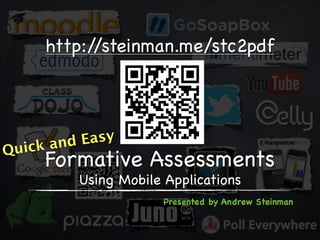
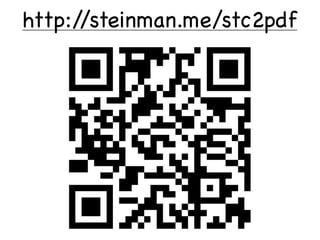


















http://steinman.me/stc2pdf


     k and Easy
Quic
     Formative Assessments
          Using Mobile Applications
                       Presented by Andrew Steinman
http://steinman.me/stc2pdf
About the Facilitator


               @steinman
About the Participants
Using our Lino canvas, please share your
name, where and what you teach, and
one interesting fact about yourself.

Have a mobile device? Download the
mobile app for iOS or Android.
Goals for Today
• Learn about formative assessments
• Learn about technology tools that
  support quick and easy formative
  assessments
• Create a plan for how you will perform
  formative assessments in the future
• Create a formative assessment
  using a technology tool
Formative Assessments Using
    Mobile Applications

Goal 1:
 Learn about formative
      assessments
Formative vs Summative
With your partner (identified on the Lino
canvas), discuss the differences between
formative and summative assessments.
Share one difference on our Lino canvas.


            *Click the Lino icon to access our canvas
Formative vs Summative, cont.
Understanding the differences between
formative and summative assessments,
which one is more important in
education?

To answer this question, you need to
understand your goal(s) as an educator.
Formative Assessment Strategies
Need some more formative assessment
strategies under your belt? Check out
this great resource!
How You Formatively Assess
With your partner, discuss how you
perform formative assessments and why
do them. Share this information on our
Lino canvas.


           *Click the Lino icon to access our canvas
Issues with Formative Assessment
• Takes time
 • Takes class time
 • Takes your time
 • Takes time away from learning
• Hard to do
 • Hard to assess every student
 • Hard to get individual feedback
 • Hard to keep track of each student
Solution to FA Issues
Using technology resources can help
eliminate most, if not all, of the issues
with formative assessments.


             :
Formative Assessments Using
    Mobile Applications

Goal 2:
  Learn about technology
tools that support quick and
 easy formative assessments
Types Formative Assessment Tools
 • Tools that are:
  • Easily accessed
  • Multiplatform
  • Easy to use
  • Cheap (or free)
  • Commonly used
  • Highly supported
  • Can be accessed at school
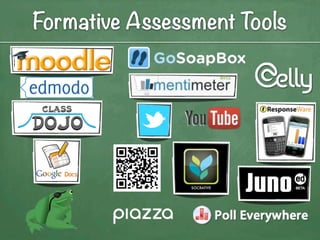
Formative Assessment Tools
Moodle


Visit http://moodle.kentisd.org/course/view.php?id=628
               Login: samplestudent
                Password: sample1
Edmodo


        Visit http://edmodo.com
Login/Signup and use Group Code: vfhkej
Class Dojo


          Visit http://classdojo.com
Login/Signup and use Secret Code: ME0VK56T
Google Docs


Visit http://steinman.me/flipsample.html
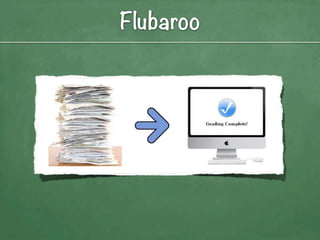
Flubaroo
Pirate Pad


Visit http://piratepad.net/9yrpEGfy5P
Formative Assessments Using
    Mobile Applications


 15 Minute Break
Formative Assessment Questions


           ?
GoSoapbox


Visit http://app.gosoapbox.com
Enter event code: 369-695-038
Mentimeter


Visit http://vot.rs and enter 8576
Mentimeter


Visit http://vot.rs and enter 8576
Twitter
                                   more
                               For cy
                                priva


 Answer the following question using the
        #summertech12 hashtag:
How do you use Twitter in your classroom?
  Or, How would you like to use Twitter?
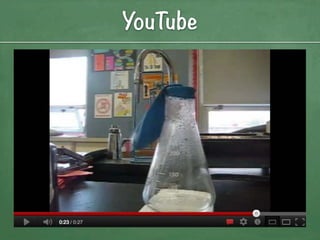
YouTube
QR Codes
             Watch this video
      and answer the question below:
      What will happen to the balloon?


  The balloon will       The balloon will be
expand on the flask     pushed into the flask
Socrative
 iOS                                Android


Student                              Student


        Visit http://m.socrative.com
Teacher   Enter Room Code: 1912      Teacher
Juno


     Visit http://junoed.com
Login/Password: samplestudent1
Piazza


Visit http://piazza.com/sandbox/warm
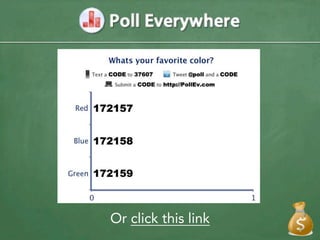
Or click this link
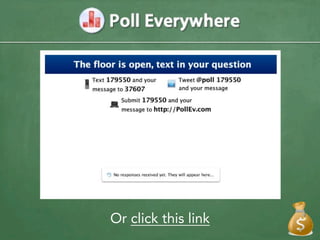
Or click this link
Celly


           Text FAUMA12 to 23559
                        or
           Visit http://cy.tl/Mkp9k9
Login/Password: samplestudent/samplestudent1
TurningPoint Anywhere


       Visit http://rwpoll.com
Enter Session ID displayed on screen
     or use clickers to respond
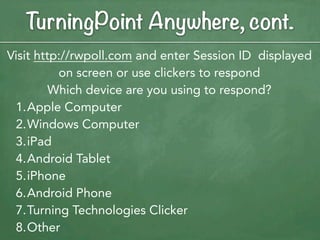
TurningPoint Anywhere, cont.
Visit http://rwpoll.com and enter Session ID displayed
          on screen or use clickers to respond
         Which device are you using to respond?
 1.Apple Computer
 2.Windows Computer
 3.iPad
 4.Android Tablet
 5.iPhone
 6.Android Phone
 7.Turning Technologies Clicker
 8.Other
TurningPoint Anywhere


Visit http://rwpoll.com and enter Session ID displayed
          on screen or use clickers to respond

How would this technology be useful for your school?
FA Technology Tools Questions


           ?
Exploring FA Tools
Based on the tools that you just learned
how to use, choose one to learn more
about and spend 15 minutes exploring
its functions. Share it with your partner,
as well as two other people. In your
group of four, share something new you
learned about a FA tool on the
Lino canvas.
             *Click the Lino icon to access our canvas
Formative Assessments Using
    Mobile Applications

Goal 3:
   Create a plan for how
you will perform formative
 assessments in the future
Formative Assessment Plan
Thinking about an upcoming lesson that
you would like to improve. How will you
use these technology tools to adjust
your instruction? Share your thoughts
with your group of four. Choose one
example to share on the Lino canvas.


            *Click the Lino icon to access our canvas
Formative Assessments Using
    Mobile Applications

Goal 4:
   Create a formative
        assessment
 using a technology tool
Explore Using a Different FA Tool
Even though you have already selected
one technology to use this school year, it
is very unlikely that you will use only
one. Choose a technology tool that you
are uncomfortable with to explore
further. For 10 minutes, practice using
this tool and create a plan for how you
would use this tool.
Share About Different FA Tool
Within your group of four, share your
thoughts on this different FA tool. Does
it meet your needs? Would you
recommend it to other? Why or why
not? Choose one person out of your
group to share their thoughts on the
Lino canvas.

            *Click the Lino icon to access our canvas
Teach vs Tech
Remember, it’s not about the
technology, it’s about the tool. While
these formative assessment tools are
very effective, sometimes no-tech
options are a better solution.


              o
Andrew Steinman
Educational Technology Consultant
 at the Kent ISD
andrewsteinman@kentisd.org

                           @steinman

Formative Assessments Using Mobile Applications

  • 1.
    http://steinman.me/stc2pdf k and Easy Quic Formative Assessments Using Mobile Applications Presented by Andrew Steinman
  • 2.
  • 3.
  • 4.
    About the Participants Usingour Lino canvas, please share your name, where and what you teach, and one interesting fact about yourself. Have a mobile device? Download the mobile app for iOS or Android.
  • 5.
    Goals for Today •Learn about formative assessments • Learn about technology tools that support quick and easy formative assessments • Create a plan for how you will perform formative assessments in the future • Create a formative assessment using a technology tool
  • 6.
    Formative Assessments Using Mobile Applications Goal 1: Learn about formative assessments
  • 7.
    Formative vs Summative Withyour partner (identified on the Lino canvas), discuss the differences between formative and summative assessments. Share one difference on our Lino canvas. *Click the Lino icon to access our canvas
  • 8.
    Formative vs Summative,cont. Understanding the differences between formative and summative assessments, which one is more important in education? To answer this question, you need to understand your goal(s) as an educator.
  • 9.
    Formative Assessment Strategies Needsome more formative assessment strategies under your belt? Check out this great resource!
  • 10.
    How You FormativelyAssess With your partner, discuss how you perform formative assessments and why do them. Share this information on our Lino canvas. *Click the Lino icon to access our canvas
  • 11.
    Issues with FormativeAssessment • Takes time • Takes class time • Takes your time • Takes time away from learning • Hard to do • Hard to assess every student • Hard to get individual feedback • Hard to keep track of each student
  • 12.
    Solution to FAIssues Using technology resources can help eliminate most, if not all, of the issues with formative assessments. :
  • 13.
    Formative Assessments Using Mobile Applications Goal 2: Learn about technology tools that support quick and easy formative assessments
  • 14.
    Types Formative AssessmentTools • Tools that are: • Easily accessed • Multiplatform • Easy to use • Cheap (or free) • Commonly used • Highly supported • Can be accessed at school
  • 15.
  • 16.
  • 17.
    Edmodo Visit http://edmodo.com Login/Signup and use Group Code: vfhkej
  • 18.
    Class Dojo Visit http://classdojo.com Login/Signup and use Secret Code: ME0VK56T
  • 19.
  • 20.
  • 21.
  • 22.
    Formative Assessments Using Mobile Applications 15 Minute Break
  • 23.
  • 24.
  • 25.
  • 26.
  • 27.
    Twitter more For cy priva Answer the following question using the #summertech12 hashtag: How do you use Twitter in your classroom? Or, How would you like to use Twitter?
  • 28.
  • 29.
    QR Codes Watch this video and answer the question below: What will happen to the balloon? The balloon will The balloon will be expand on the flask pushed into the flask
  • 30.
    Socrative iOS Android Student Student Visit http://m.socrative.com Teacher Enter Room Code: 1912 Teacher
  • 31.
    Juno Visit http://junoed.com Login/Password: samplestudent1
  • 32.
  • 33.
  • 34.
  • 35.
    Celly Text FAUMA12 to 23559 or Visit http://cy.tl/Mkp9k9 Login/Password: samplestudent/samplestudent1
  • 36.
    TurningPoint Anywhere Visit http://rwpoll.com Enter Session ID displayed on screen or use clickers to respond
  • 37.
    TurningPoint Anywhere, cont. Visithttp://rwpoll.com and enter Session ID displayed on screen or use clickers to respond Which device are you using to respond? 1.Apple Computer 2.Windows Computer 3.iPad 4.Android Tablet 5.iPhone 6.Android Phone 7.Turning Technologies Clicker 8.Other
  • 38.
    TurningPoint Anywhere Visit http://rwpoll.comand enter Session ID displayed on screen or use clickers to respond How would this technology be useful for your school?
  • 39.
  • 40.
    Exploring FA Tools Basedon the tools that you just learned how to use, choose one to learn more about and spend 15 minutes exploring its functions. Share it with your partner, as well as two other people. In your group of four, share something new you learned about a FA tool on the Lino canvas. *Click the Lino icon to access our canvas
  • 41.
    Formative Assessments Using Mobile Applications Goal 3: Create a plan for how you will perform formative assessments in the future
  • 42.
    Formative Assessment Plan Thinkingabout an upcoming lesson that you would like to improve. How will you use these technology tools to adjust your instruction? Share your thoughts with your group of four. Choose one example to share on the Lino canvas. *Click the Lino icon to access our canvas
  • 43.
    Formative Assessments Using Mobile Applications Goal 4: Create a formative assessment using a technology tool
  • 44.
    Explore Using aDifferent FA Tool Even though you have already selected one technology to use this school year, it is very unlikely that you will use only one. Choose a technology tool that you are uncomfortable with to explore further. For 10 minutes, practice using this tool and create a plan for how you would use this tool.
  • 45.
    Share About DifferentFA Tool Within your group of four, share your thoughts on this different FA tool. Does it meet your needs? Would you recommend it to other? Why or why not? Choose one person out of your group to share their thoughts on the Lino canvas. *Click the Lino icon to access our canvas
  • 46.
    Teach vs Tech Remember,it’s not about the technology, it’s about the tool. While these formative assessment tools are very effective, sometimes no-tech options are a better solution. o
  • 47.
    Andrew Steinman Educational TechnologyConsultant at the Kent ISD andrewsteinman@kentisd.org @steinman