Using Technology to Assess
Student Learning
Seth Allen, Online Instruction Librarian
Pepsi Boyer, Asst. Prof. of Info Technology
Formative vs. Summative Assessment
Formative Assessment
Assessments that occur during learning process to diagnose gaps in students’
knowledge and deficiencies in teaching
Summative Assessment
Offered at the end of a learning unit or course and measured against
objective standard to assess learning
What if I’m not familiar with blended learning and
the technology associated with it?
Google or YouTube it!
Introduction to the Flipped Classroom
https://www.educanon.com/public/22690/87140
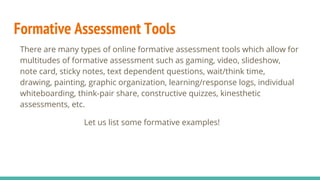
Formative Assessment Tools
There are many types of online formative assessment tools which allow for
multitudes of formative assessment such as gaming, video, slideshow,
note card, sticky notes, text dependent questions, wait/think time,
drawing, painting, graphic organization, learning/response logs, individual
whiteboarding, think-pair share, constructive quizzes, kinesthetic
assessments, etc.
Let us list some formative examples!
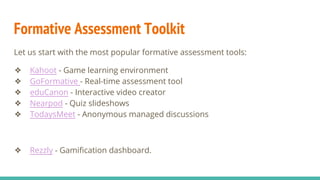
Formative Assessment Toolkit
Let us start with the most popular formative assessment tools:
❖ Kahoot - Game learning environment
❖ GoFormative - Real-time assessment tool
❖ eduCanon - Interactive video creator
❖ Nearpod - Quiz slideshows
❖ TodaysMeet - Anonymous managed discussions
❖ Rezzly - Gamification dashboard.
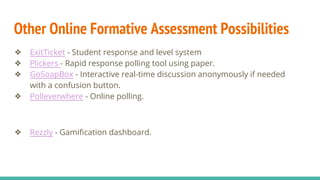
Other Online Formative Assessment Possibilities
❖ ExitTicket - Student response and level system
❖ Plickers - Rapid response polling tool using paper.
❖ GoSoapBox - Interactive real-time discussion anonymously if needed
with a confusion button.
❖ Polleverwhere - Online polling.
❖ Rezzly - Gamification dashboard.
Summative Assessment Tools
E-Portfolios, Websites, and Blogs
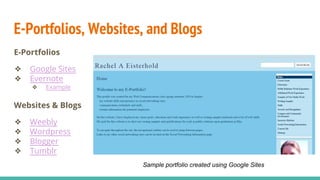
E-Portfolios
❖ Google Sites
❖ Evernote
❖ Example
Websites & Blogs
❖ Weebly
❖ Wordpress
❖ Blogger
❖ Tumblr
Sample portfolio created using Google Sites
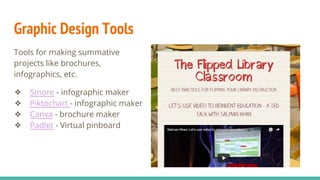
Graphic Design Tools
Tools for making summative
projects like brochures,
infographics, etc.
❖ Smore - infographic maker
❖ Piktochart - infographic maker
❖ Canva - brochure maker
❖ Padlet - Virtual pinboard
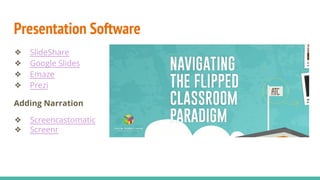
Presentation Software
❖ SlideShare
❖ Google Slides
❖ Emaze
❖ Prezi
Adding Narration
❖ Screencastomatic
❖ Screenr
Podcasting Tools
Podcasting is a multi-step process
with several options for recording
podcasts and hosting them online.
❖ Audacity - Open source software
for recording and editing sounds
❖ SoundCloud - website for
sharing and hosting audio files
❖ AudioBoom - website for sharing
and hosting audio files
❖ FreeSound & SoundBible - Free
sound effects
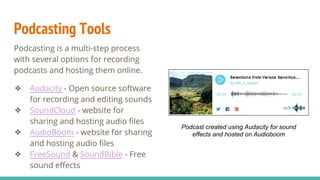
Podcast created using Audacity for sound
effects and hosted on Audioboom
Media Production Tools
❖ Powtoon
❖ GoAnimate
❖ Wideo
❖ Stupeflix
❖ Blabberize
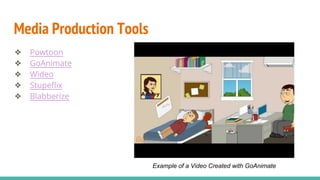
Example of a Video Created with GoAnimate
Grading Students’ Work
Given the no. of elements involved in multimedia presentation, instructors
might make use of rubrics to grade students’ work.
Online Rubric Makers
❖ ForAllRubrics
❖ Rubistar
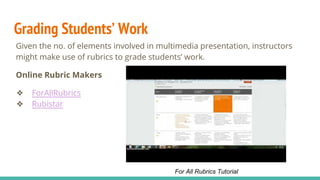
For All Rubrics Tutorial
Questions? Comments?
What are some common formative assessments you assign? Do you use
technology to deliver them?
What are some common summative assessments you assign? Do you use
technology to deliver them?
How would you like to use technology to assess student learning?
Contact Us!
Seth Allen
Online Instruction Librarian
swallen@king.edu
423-652-6388
Pepsi Boyer
Asst. Professor of Information Technology
plboyer@king.edu

Using Technology to Assess Student Learning

  • 1.
    Using Technology toAssess Student Learning Seth Allen, Online Instruction Librarian Pepsi Boyer, Asst. Prof. of Info Technology
  • 2.
    Formative vs. SummativeAssessment Formative Assessment Assessments that occur during learning process to diagnose gaps in students’ knowledge and deficiencies in teaching Summative Assessment Offered at the end of a learning unit or course and measured against objective standard to assess learning
  • 3.
    What if I’mnot familiar with blended learning and the technology associated with it?
  • 4.
  • 5.
    Introduction to theFlipped Classroom https://www.educanon.com/public/22690/87140
  • 6.
    Formative Assessment Tools Thereare many types of online formative assessment tools which allow for multitudes of formative assessment such as gaming, video, slideshow, note card, sticky notes, text dependent questions, wait/think time, drawing, painting, graphic organization, learning/response logs, individual whiteboarding, think-pair share, constructive quizzes, kinesthetic assessments, etc. Let us list some formative examples!
  • 7.
    Formative Assessment Toolkit Letus start with the most popular formative assessment tools: ❖ Kahoot - Game learning environment ❖ GoFormative - Real-time assessment tool ❖ eduCanon - Interactive video creator ❖ Nearpod - Quiz slideshows ❖ TodaysMeet - Anonymous managed discussions ❖ Rezzly - Gamification dashboard.
  • 8.
    Other Online FormativeAssessment Possibilities ❖ ExitTicket - Student response and level system ❖ Plickers - Rapid response polling tool using paper. ❖ GoSoapBox - Interactive real-time discussion anonymously if needed with a confusion button. ❖ Polleverwhere - Online polling. ❖ Rezzly - Gamification dashboard.
  • 9.
  • 10.
    E-Portfolios, Websites, andBlogs E-Portfolios ❖ Google Sites ❖ Evernote ❖ Example Websites & Blogs ❖ Weebly ❖ Wordpress ❖ Blogger ❖ Tumblr Sample portfolio created using Google Sites
  • 11.
    Graphic Design Tools Toolsfor making summative projects like brochures, infographics, etc. ❖ Smore - infographic maker ❖ Piktochart - infographic maker ❖ Canva - brochure maker ❖ Padlet - Virtual pinboard
  • 12.
    Presentation Software ❖ SlideShare ❖Google Slides ❖ Emaze ❖ Prezi Adding Narration ❖ Screencastomatic ❖ Screenr
  • 13.
    Podcasting Tools Podcasting isa multi-step process with several options for recording podcasts and hosting them online. ❖ Audacity - Open source software for recording and editing sounds ❖ SoundCloud - website for sharing and hosting audio files ❖ AudioBoom - website for sharing and hosting audio files ❖ FreeSound & SoundBible - Free sound effects Podcast created using Audacity for sound effects and hosted on Audioboom
  • 14.
    Media Production Tools ❖Powtoon ❖ GoAnimate ❖ Wideo ❖ Stupeflix ❖ Blabberize Example of a Video Created with GoAnimate
  • 15.
    Grading Students’ Work Giventhe no. of elements involved in multimedia presentation, instructors might make use of rubrics to grade students’ work. Online Rubric Makers ❖ ForAllRubrics ❖ Rubistar For All Rubrics Tutorial
  • 16.
    Questions? Comments? What aresome common formative assessments you assign? Do you use technology to deliver them? What are some common summative assessments you assign? Do you use technology to deliver them? How would you like to use technology to assess student learning? Contact Us! Seth Allen Online Instruction Librarian swallen@king.edu 423-652-6388 Pepsi Boyer Asst. Professor of Information Technology plboyer@king.edu