A Likely Pair: Engaging Technologies and
Student Achievement
Great Lakes Conference on Teaching and Learning
Central Michigan University
Mt. Pleasant, MI
05.16.14
A’Kena LongBenton, ABD, EdS
Wayne State University
akenalong@aol.com
Per J.D. Willms (2000), “…the theoretical literature argues that
engagement and academic achievement go hand-in-hand” (p. 9
http://goo.gl/5Sf0hc).
When instructors use technologies to teach and inform their
instruction, then they will not become victims of shock when their
students perhaps fail a course exam. Various technologies offer
instructors a greater sense of certainty that they have taught their
students the course content. Also, the below technologies allow
instructors to determine how much their students know before the
exam is given. Last, these technologies allow instructors an
opportunity to innovatively assist their students in preparation for
course exams.
Workshop Abstract
This workshop will address interactive technologies and readily connect
them to pedagogical practices across various disciplines. The following
technologies will be introduced: Poll Everywhere, QuizBreak!, Quiz
Revolution, StudyBlue, and SurveyMonkey.
The technologies can be used as formative assessment tools and/or quiz
previews. Also, teachers can give students web links so students can assess
these technologies outside of school.
As time permits, the aforementioned technologies will be introduced in a
workshop format where instructors will actively participate in technology-
based instructional activities. For example, using the StudyBlue
tool, instructors will engage with the Celebrity Facts online quiz.
Abstract cont.
As time permits, the aforementioned technologies
will be introduced in a workshop format where
instructors will actively participate in technology-
based instructional activities. Also, instructors will
digitize their formative assessments and post them
onto a wiki page, http://goo.gl/ZFqUqI, for others to
view and access.
Content Format/Activities
Actively participate in a real-time technology-based poll
Witness what the aforementioned technologies (Poll
Everywhere, QuizBreak!, Quiz Revolution, StudyBlue, and
SurveyMonkey) look like in practice.
Brainstorm how they will use at least one of the formative
assessment interactive technologies
Observe how others will use these interactive technologies
to improve student achievement
Goals and Objectives
Technology Song: http://goo.gl/brZm8r
Workshop Questions Technology Tool (available until June 13, 2014):
http://todaysmeet.com/glctl
Today’s Workshop Slides http://goo.gl/?????
Song & Questions
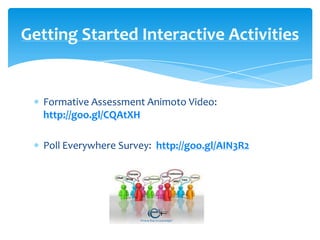
Formative Assessment Animoto Video:
http://goo.gl/CQAtXH
Poll Everywhere Survey: http://goo.gl/AIN3R2
Getting Started Interactive Activities
Screencast:
http://goo.gl/FRpxmV
An Online Tutorial
http://goo.gl/ZFqUqI
Wikispaces
Benefits:
Multiple choice, open-ended, or T/F questions
Real-time survey results
Customize charts for the results
Student engagement
Up to 40 users per poll for FREE
Can use cell phone or laptop to enter responses
Can edit, stop, copy, or delete poll
http://goo.gl/ijdSxc
Web Address: http://www.polleverywhere.com/
Benefits:
FREE Jeopardy-style online quiz
Can include images and audio
http://goo.gl/4W9zX7
Web Address:
http://clear.msu.edu/quizbreak/
Quizbreak!
Benefits:
FREE tool that engages audience
Question analytics, e.g., how many answered it correctly
FB sharing component
Unlimited questions
T/F, multiple choice questions with image, text, or video options
Can provide feedback and/or set a time limit
Embed quizzes
http://goo.gl/1juBpG
Web Address: http://www.quizrevolution.com/
Quiz Revolution
Benefits:
FREE electronic flashcards can be sorted by
Hardest to easiest
In order
Least studied
Random
Wrong
Create a written review sheet
Group sharing opportunity
Great for short answer questions
http://goo.gl/Nvm0ZR
Web Address: http://www.studyblue.com/
Study Blue
Benefits:
FREE survey designing tool
Multiple choice, open-ended, and/or T/F questions
Collect responses via web link or FaceBook
Analyze results
http://goo.gl/aYqUnJ
Web Address:
https://www.surveymonkey.com/
Survey monkey
http://akenalong.weebly.com/
Please see Technology Integration Pages.
Technologies Website
The technologies explored promote: active and independent
learning; application; creativity; critical thinking; problem
solving; student engagement; and reflection—not mere
comprehension.
Word of Caution: Soft skills need to be addressed when
technologies are used, e.g., time management skills. There
are countless technologies and distractions on the
internet. If students are not instructor-guided and/or
focused, then tons of unproductive hours can be spent on
the web with no intellectual gains.
Words of
Hopefully, you have had an opportunity to be
engaged via technologies and learn how engagement
is often a precursor to student achievement. By
participating in this workshop, perhaps you will re-
envision engagement, achievement, and especially
how your students can access your course content at
“anytime, any place any pace” (Governor Rick
Snyder, 2011, http://goo.gl/BJ4wEW).
Departing Thoughts
Workshop Questions Technology Tool:
http://todaysmeet.com/glctl
Questions?
Please use this link to evaluate this presentation.
Double click once it opens and write an evaluative word, phrase, sentence, or full paragraph.
http://goo.gl/iKpQQ6
Evaluation

A Likely Pair_CMU Conf

  • 1.
    A Likely Pair:Engaging Technologies and Student Achievement Great Lakes Conference on Teaching and Learning Central Michigan University Mt. Pleasant, MI 05.16.14 A’Kena LongBenton, ABD, EdS Wayne State University akenalong@aol.com
  • 2.
    Per J.D. Willms(2000), “…the theoretical literature argues that engagement and academic achievement go hand-in-hand” (p. 9 http://goo.gl/5Sf0hc). When instructors use technologies to teach and inform their instruction, then they will not become victims of shock when their students perhaps fail a course exam. Various technologies offer instructors a greater sense of certainty that they have taught their students the course content. Also, the below technologies allow instructors to determine how much their students know before the exam is given. Last, these technologies allow instructors an opportunity to innovatively assist their students in preparation for course exams. Workshop Abstract
  • 3.
    This workshop willaddress interactive technologies and readily connect them to pedagogical practices across various disciplines. The following technologies will be introduced: Poll Everywhere, QuizBreak!, Quiz Revolution, StudyBlue, and SurveyMonkey. The technologies can be used as formative assessment tools and/or quiz previews. Also, teachers can give students web links so students can assess these technologies outside of school. As time permits, the aforementioned technologies will be introduced in a workshop format where instructors will actively participate in technology- based instructional activities. For example, using the StudyBlue tool, instructors will engage with the Celebrity Facts online quiz. Abstract cont.
  • 4.
    As time permits,the aforementioned technologies will be introduced in a workshop format where instructors will actively participate in technology- based instructional activities. Also, instructors will digitize their formative assessments and post them onto a wiki page, http://goo.gl/ZFqUqI, for others to view and access. Content Format/Activities
  • 5.
    Actively participate ina real-time technology-based poll Witness what the aforementioned technologies (Poll Everywhere, QuizBreak!, Quiz Revolution, StudyBlue, and SurveyMonkey) look like in practice. Brainstorm how they will use at least one of the formative assessment interactive technologies Observe how others will use these interactive technologies to improve student achievement Goals and Objectives
  • 6.
    Technology Song: http://goo.gl/brZm8r WorkshopQuestions Technology Tool (available until June 13, 2014): http://todaysmeet.com/glctl Today’s Workshop Slides http://goo.gl/????? Song & Questions
  • 7.
    Formative Assessment AnimotoVideo: http://goo.gl/CQAtXH Poll Everywhere Survey: http://goo.gl/AIN3R2 Getting Started Interactive Activities
  • 8.
  • 9.
  • 10.
    Benefits: Multiple choice, open-ended,or T/F questions Real-time survey results Customize charts for the results Student engagement Up to 40 users per poll for FREE Can use cell phone or laptop to enter responses Can edit, stop, copy, or delete poll http://goo.gl/ijdSxc Web Address: http://www.polleverywhere.com/
  • 11.
    Benefits: FREE Jeopardy-style onlinequiz Can include images and audio http://goo.gl/4W9zX7 Web Address: http://clear.msu.edu/quizbreak/ Quizbreak!
  • 12.
    Benefits: FREE tool thatengages audience Question analytics, e.g., how many answered it correctly FB sharing component Unlimited questions T/F, multiple choice questions with image, text, or video options Can provide feedback and/or set a time limit Embed quizzes http://goo.gl/1juBpG Web Address: http://www.quizrevolution.com/ Quiz Revolution
  • 13.
    Benefits: FREE electronic flashcardscan be sorted by Hardest to easiest In order Least studied Random Wrong Create a written review sheet Group sharing opportunity Great for short answer questions http://goo.gl/Nvm0ZR Web Address: http://www.studyblue.com/ Study Blue
  • 14.
    Benefits: FREE survey designingtool Multiple choice, open-ended, and/or T/F questions Collect responses via web link or FaceBook Analyze results http://goo.gl/aYqUnJ Web Address: https://www.surveymonkey.com/ Survey monkey
  • 15.
    http://akenalong.weebly.com/ Please see TechnologyIntegration Pages. Technologies Website
  • 16.
    The technologies exploredpromote: active and independent learning; application; creativity; critical thinking; problem solving; student engagement; and reflection—not mere comprehension. Word of Caution: Soft skills need to be addressed when technologies are used, e.g., time management skills. There are countless technologies and distractions on the internet. If students are not instructor-guided and/or focused, then tons of unproductive hours can be spent on the web with no intellectual gains. Words of
  • 17.
    Hopefully, you havehad an opportunity to be engaged via technologies and learn how engagement is often a precursor to student achievement. By participating in this workshop, perhaps you will re- envision engagement, achievement, and especially how your students can access your course content at “anytime, any place any pace” (Governor Rick Snyder, 2011, http://goo.gl/BJ4wEW). Departing Thoughts
  • 18.
    Workshop Questions TechnologyTool: http://todaysmeet.com/glctl Questions?
  • 19.
    Please use thislink to evaluate this presentation. Double click once it opens and write an evaluative word, phrase, sentence, or full paragraph. http://goo.gl/iKpQQ6 Evaluation