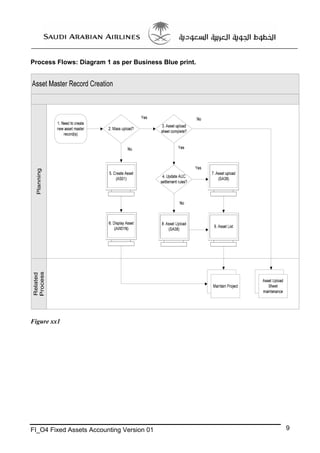
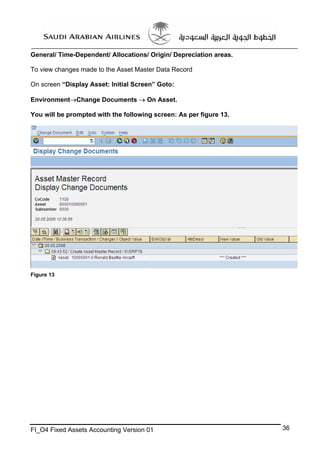
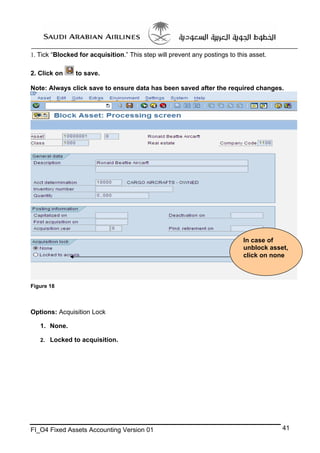
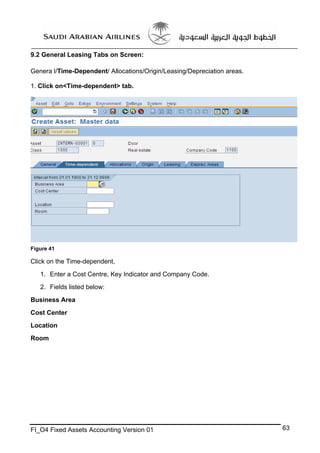
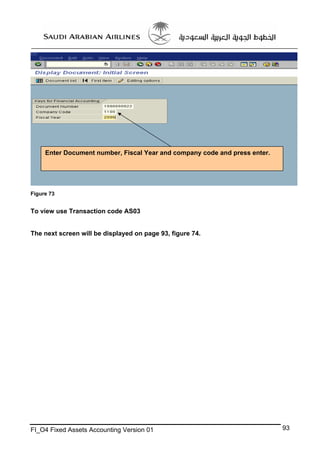
Here are the steps to continue creating the fixed asset master record:
1. Enter an asset number and description on the "General" tab. These fields are mandatory.
2. You can optionally enter additional details like inventory number, acquisition date etc.
3. Click on the "Acquisition" tab. Enter acquisition details like value, currency etc.
4. Click on the "Depreciation" tab. Select depreciation areas and enter depreciation parameters.
5. Click on the "Costs" tab. Assign cost centers that will be used for depreciation postings.
6. Click on the "Texts" tab to enter any additional notes about the asset.
7



![5 Practical Components
Note
This training document does not serve to meet all your needs for the knowledge of the SAP AG System. It
should be treated as a supplement and/or guide to your daily work and nothing further.
This training document/manual will only provide explanation of the key and mandatory data fields and
not all of the fields appear on the screen. However, users may use the online help facility provided by
SAP AG system by placing the cursor on the field that requires explanation and click the [ ? ] icon.
Please note: The screen displays on SAP Web Gui will be a little different in display only,
not functional purposes.
Business Case Catalogue
No.
Business
Case ID
Business Case Description
1
FIAA01
Create Asset Master Data
2
3
4
5
6
7
8
9
10
11
12
13
14
15
16
17
18
19
20
FIAA02
FIAA03
FIAA04
FIAA05
FIAA06
FIAA07
FIAA08
FIAA09
FIAA10
FIAA11
FIAA12
FIAA13
FIAA14
FIAA15
FIAA16
FIAA17
FIAA18
FIAA19
FIAA20
Remarks
Change Asset Master Data
Create Sub Asset
Display Asset Master Data
Lock Asset
Delete Asset
With Vendor
Acquis. w/Autom. Offsetting Entry
Clearing Offsetting Entry
Post Capitalization
Distribute
Settle
Transfer within Company Code
Intercompany Asset Transfer
With Customer
Asset Sale Without Customer
Asset Retirement by Scrapping
Subsequent Revenue
Subsequent Costs
WriteUp
FI_O4 Fixed Assets Accounting Version 01
Asset Master for Asset Under Construction will
be created once relevant Internal Order has been
created
8](https://image.slidesharecdn.com/fixedassetsendusertrainingmanual-131211044913-phpapp01/85/Fixed-assets-enduser_training_manual-8-320.jpg)