AssetAsset
ManagementManagement
Fixed Assets
Welcome All
Welcome and thank you for coming to the SAP Fixed Assets
2 course.
There are three levels of coursework:
1) Overview & Navigation
2) Process Overview Training
3) Role-based Training
This is a Level 3 course. It is intended to give you a frame
of reference and the practical skills for the activities you
will be involved in when SAP is in place. We realize your
time is valuable and we have kept that in mind when
creating this course.
Again, we thank you for your time and cooperation.
Success is only possible with your involvement.
Fixed Assets
Content
• Course Content
• Course Objectives
• Prerequisites and Roles
Fixed Assets
Course Content
• Unit 1 – Overview
• Unit 2 – Working with Asset Master Records
• Unit 3 – Acquisition, Cost and Transfer Postings
• Unit 4 – Asset Retirement, Depreciation and Valuation
• Unit 5 – Asset Reporting
Fixed Assets
Course Objectives
• Understand the role of SAP Financial Accounting (FI)
in asset management
• Describe the contents of asset master records and
learn to create, change, display and block them
• Be able to post direct acquistions of assets from
vendors, post new cost to assets, and transfer assets
within company codes
• Describe and execute the monthly and
periodic processes that are required
to maintain assets
• Learn to effectively execute
asset reporting transactions
Fixed Assets
Prerequisites and Roles
• Prerequisites
– SAP Basic Navigation
– Finance Process Overview
• Roles
– Asset Managers
Fixed Assets
Unit 1 – Overview
Fixed Assets
Unit Learning Objectives
At the end of this unit you should be able to:
• Explain the purpose of the Financial Accounting (FI)
module of SAP
• Describe the management of assets with the FI
Module
• Display and describe the contents of asset master
records
Fixed Assets
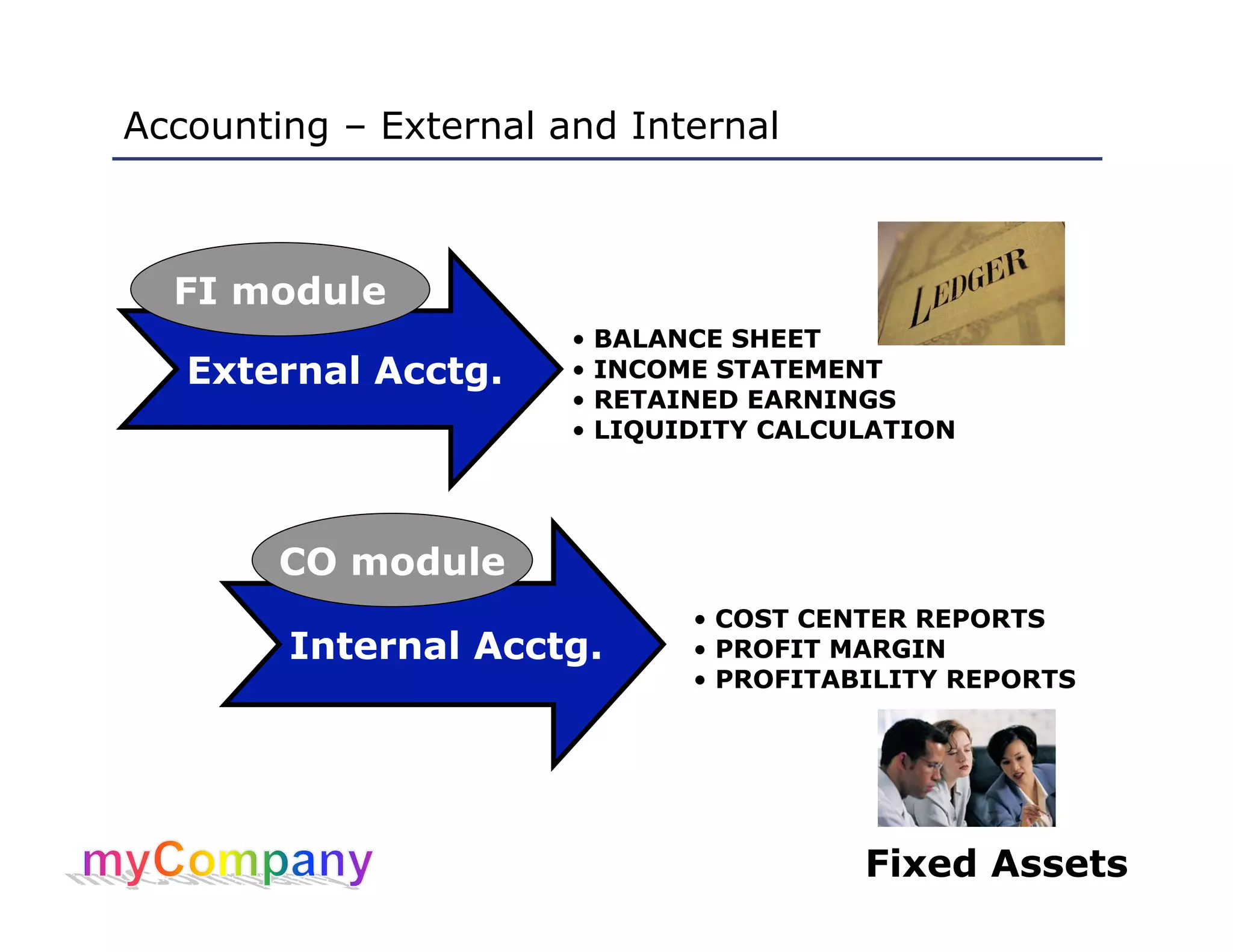
Accounting – External and Internal
External Acctg.
Internal Acctg.
• BALANCE SHEET
• INCOME STATEMENT
• RETAINED EARNINGS
• LIQUIDITY CALCULATION
• COST CENTER REPORTS
• PROFIT MARGIN
• PROFITABILITY REPORTS
FI module
CO module
Fixed Assets
Assets and the FI Module
• FI module is designed for automated management
and external reporting about assets:
– Allows posting of costs incurred by the use of assets
from other modules
– Transfers data to CO module for cost-monitoring
• Maintain asset master records, which are created
for a company code when assets are acquired
• Asset master records contain fiscal data used in all
transactions related to those assets, including:
– General data: descriptions of the assets
– Account assignment data: defines those parts of the
company responsible for asset maintenance and costs
– Posting data: including capitalization dates that are
used to calculate depreciations
Fixed Assets
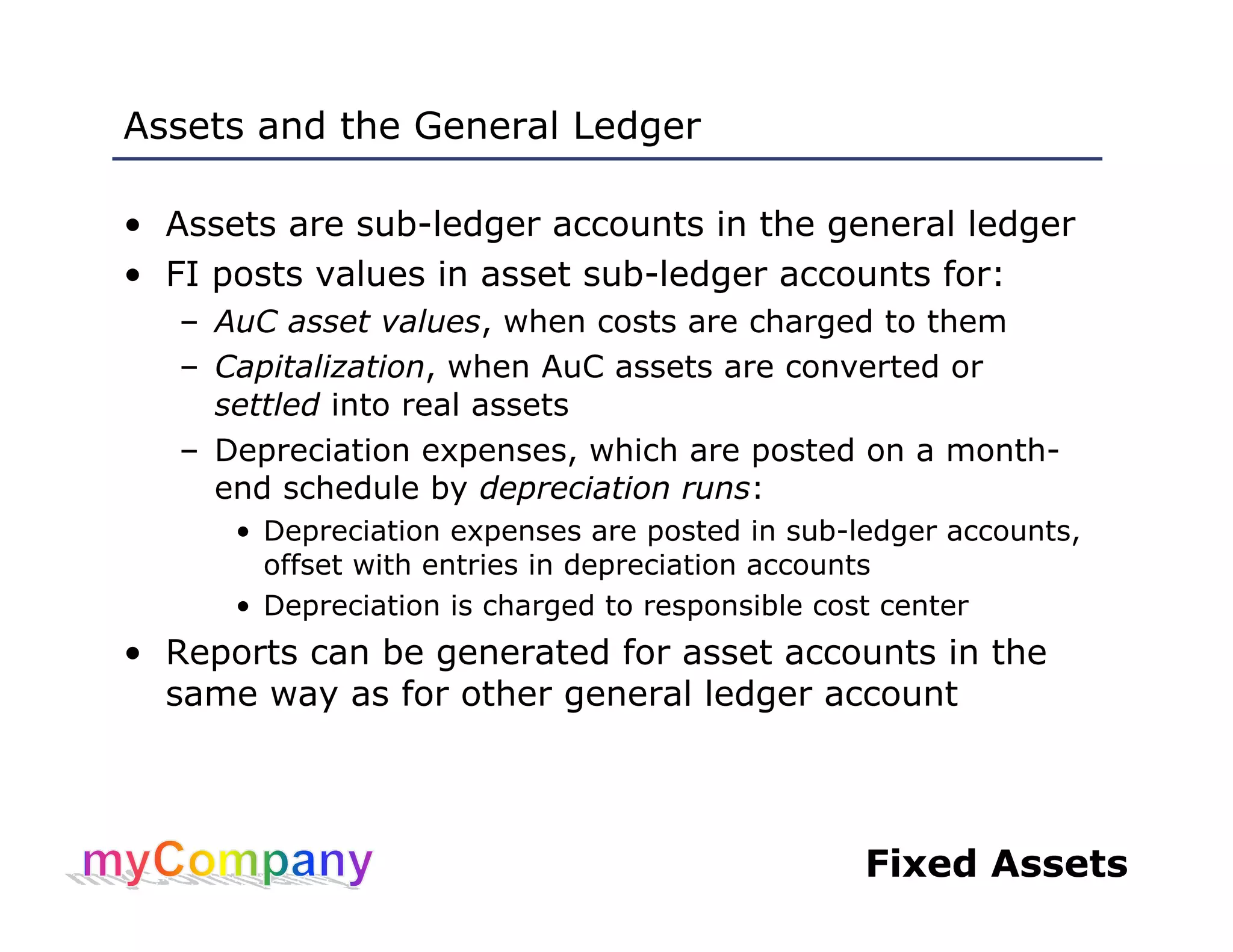
Assets and the General Ledger
• Assets are sub-ledger accounts in the general ledger
• FI posts values in asset sub-ledger accounts for:
– AuC asset values, when costs are charged to them
– Capitalization, when AuC assets are converted or
settled into real assets
– Depreciation expenses, which are posted on a month-
end schedule by depreciation runs:
• Depreciation expenses are posted in sub-ledger accounts,
offset with entries in depreciation accounts
• Depreciation is charged to responsible cost center
• Reports can be generated for asset accounts in the
same way as for other general ledger account
Fixed Assets
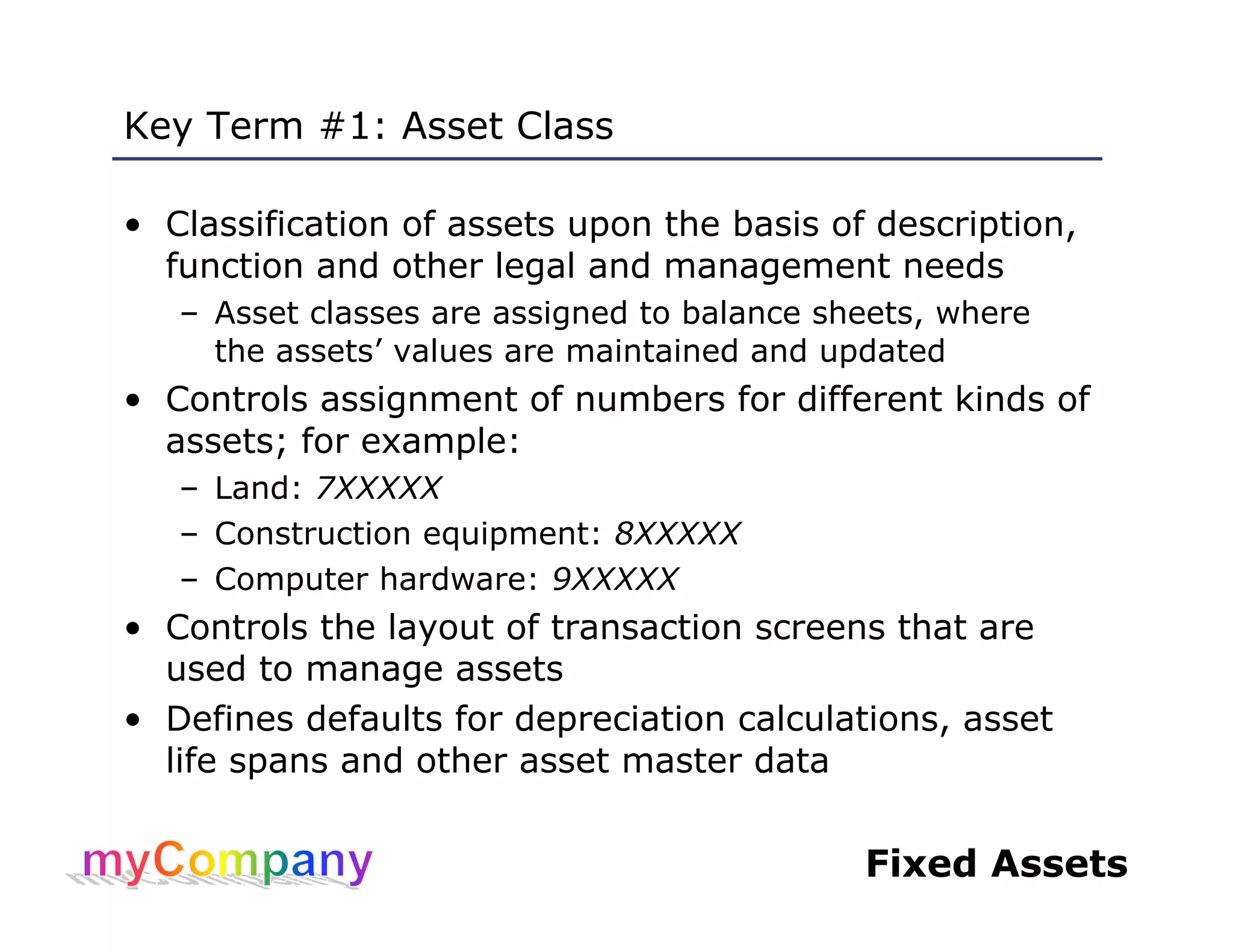
Key Term #1: Asset Class
• Classification of assets upon the basis of description,
function and other legal and management needs
– Asset classes are assigned to balance sheets, where
the assets’ values are maintained and updated
• Controls assignment of numbers for different kinds of
assets; for example:
– Land: 7XXXXX
– Construction equipment: 8XXXXX
– Computer hardware: 9XXXXX
• Controls the layout of transaction screens that are
used to manage assets
• Defines defaults for depreciation calculations, asset
life spans and other asset master data
Fixed Assets
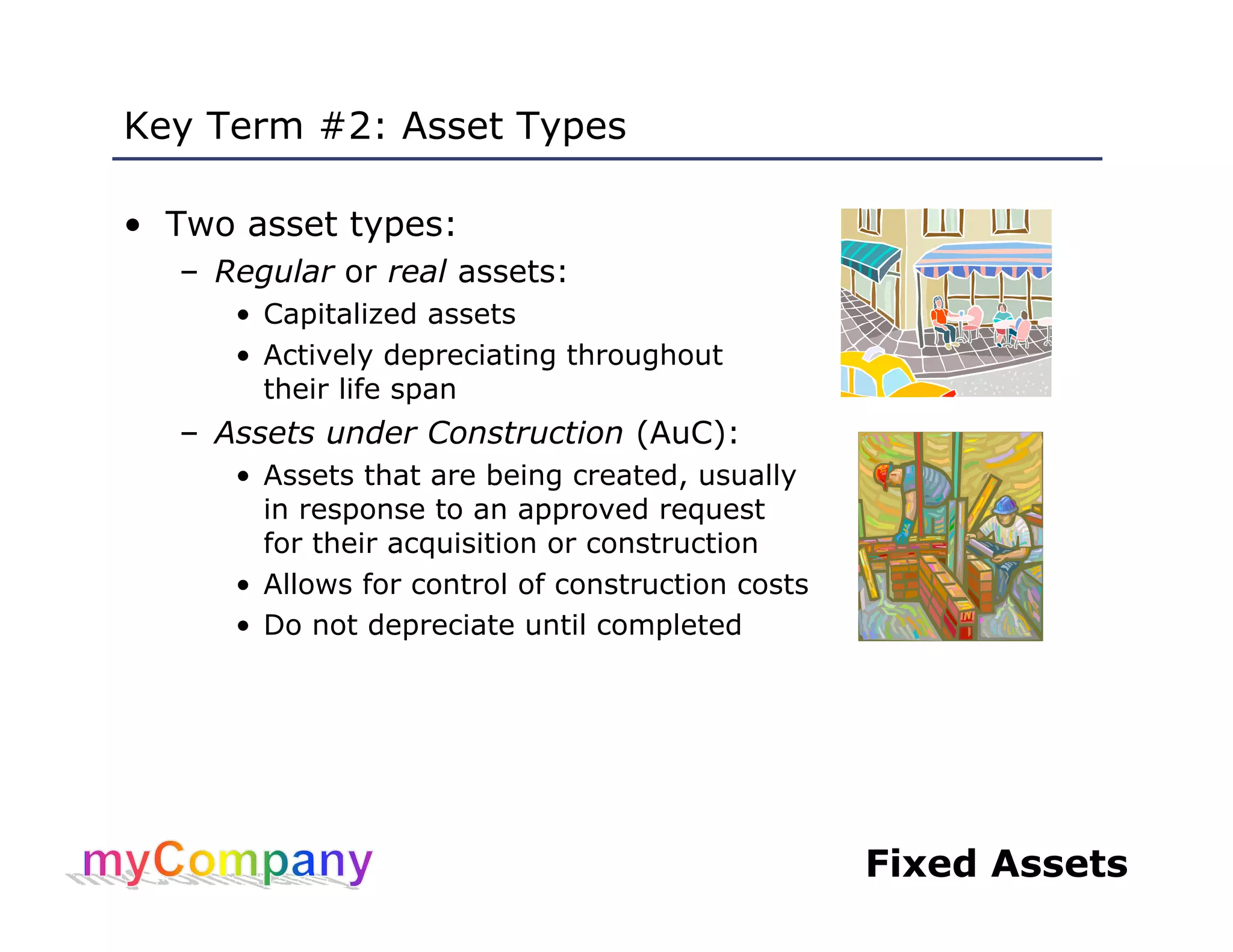
Key Term #2: Asset Types
• Two asset types:
– Regular or real assets:
• Capitalized assets
• Actively depreciating throughout
their life span
– Assets under Construction (AuC):
• Assets that are being created, usually
in response to an approved request
for their acquisition or construction
• Allows for control of construction costs
• Do not depreciate until completed
Fixed Assets
Key Term #3: Asset Sub-Number
• Every asset is assigned a unique identifying code
when its master record is created
• If an asset has components that have significant
value of their own (worth separate depreciation) or
the components are assigned to a different cost
center, they can be assigned sub-numbers:
– Sub-numbered assets have their own master records
• No such components?
Sub-number defaults to 0
Fixed Assets
Key Term #4: Depreciation Areas
• Types of depreciations that are required for business
management and external reporting on real assets,
including:
– Tax depreciations
– Book depreciations
• Three main depreciation areas defined in the Chart of
Depreciation for all company codes
myCompany’s
depreciation areas
myCompany’s
depreciation areas
Fixed Assets
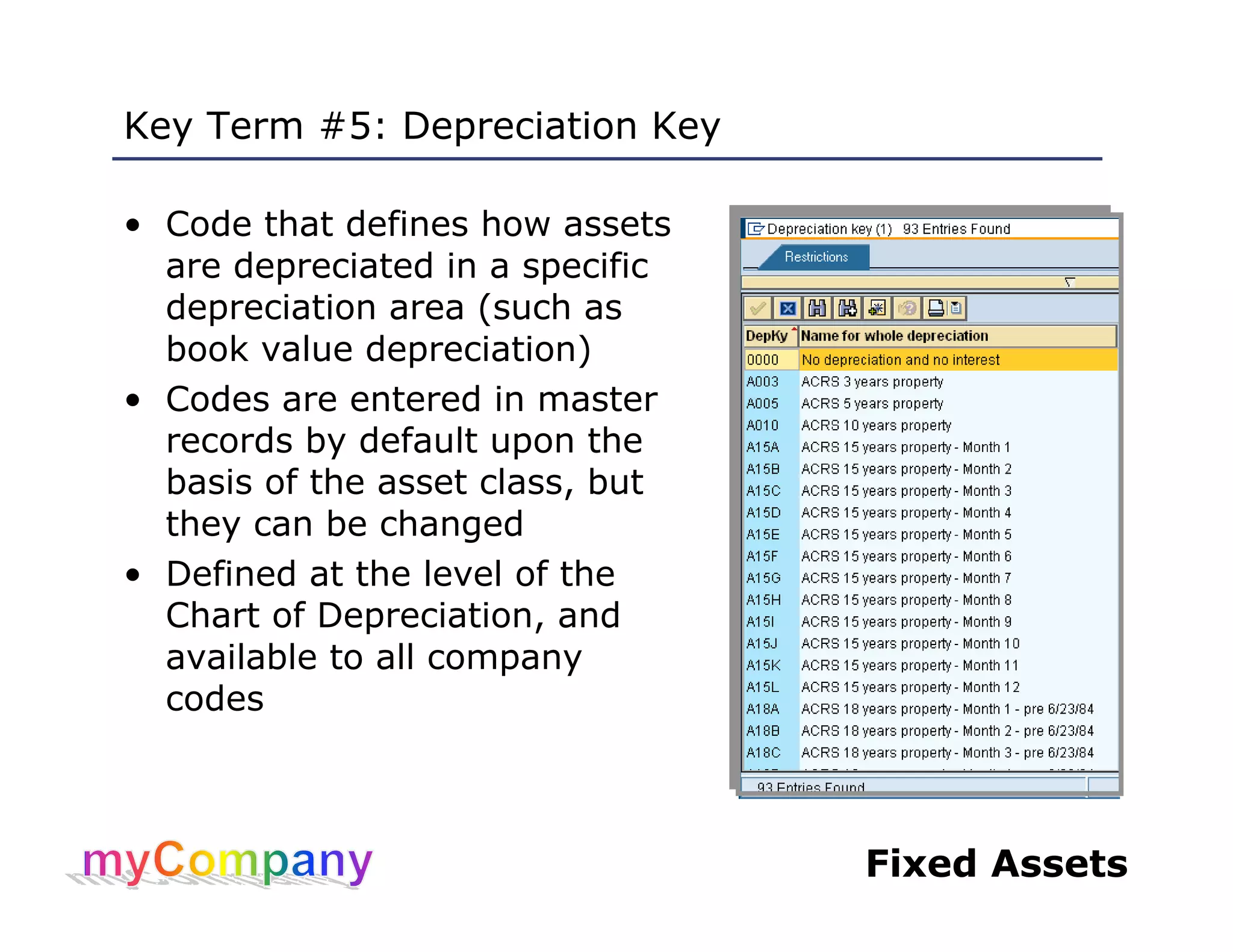
Key Term #5: Depreciation Key
• Code that defines how assets
are depreciated in a specific
depreciation area (such as
book value depreciation)
• Codes are entered in master
records by default upon the
basis of the asset class, but
they can be changed
• Defined at the level of the
Chart of Depreciation, and
available to all company
codes
Fixed Assets
Contents of an Asset Master Record
• There are two sections in an asset master record:
– General asset data, which includes:
• Description
• Account assignment: responsible cost center
• Account determination: general classification of asset
• Equipment code
• Plant (location), state and property indicator (for taxes)
• Miscellaneous data: e.g., serial number, license plate
– Asset depreciation area, which includes:
• Depreciation keys
• Asset life settings
Fixed Assets
Display Asset Master Records (AS03)
EnterEnter
Enter if applicableEnter if applicable
Fixed Assets
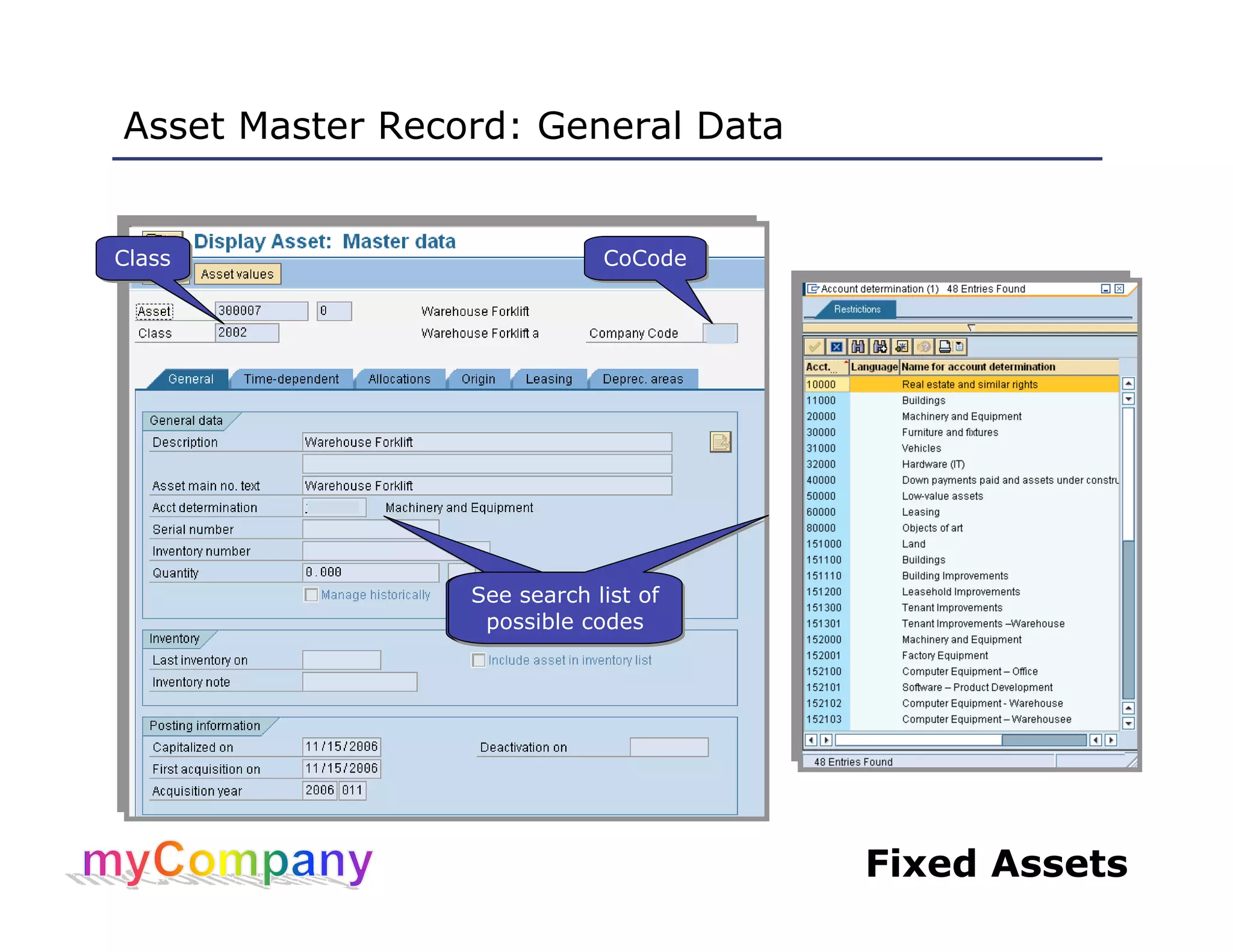
Asset Master Record: General Data
ClassClass CoCodeCoCode
See search list of
possible codes
See search list of
possible codes
See search list of
possible codes
See search list of
possible codes
Fixed Assets
Asset Master Record: Time-Dependent and Origin
Responsible
cost center
Responsible
cost center
Acquisition
date
Acquisition
date
Fixed Assets
Asset Master Record: Depreciation
Search hit list
of deprec areas
Search hit list
of deprec areas
Fixed Assets
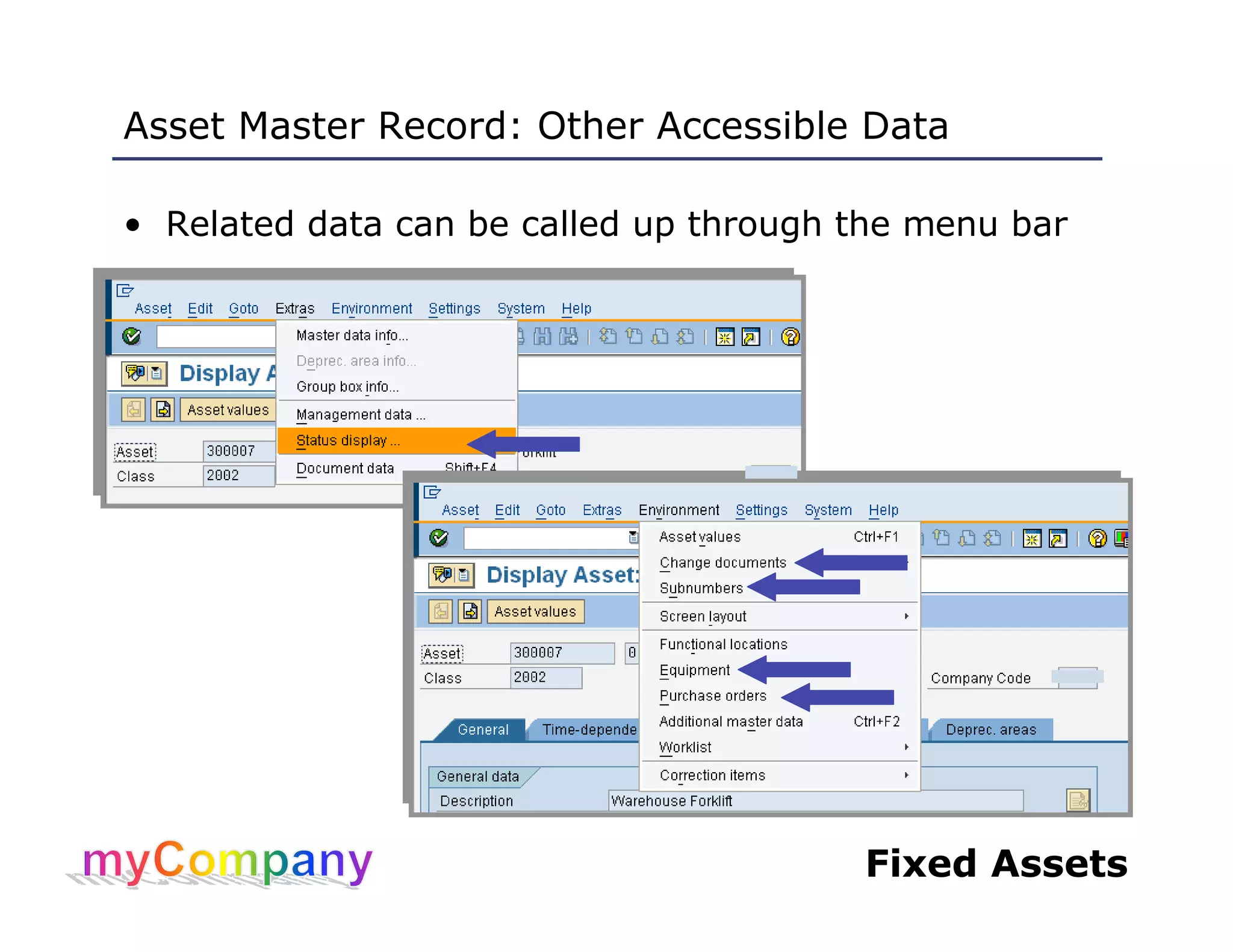
Asset Master Record: Other Accessible Data
• Related data can be called up through the menu bar
Fixed Assets
Asset Values and Asset Explorer
• In addition, asset master records allow access to
tables of asset values, which are displayed by the
Asset Explorer transaction (AW01N)
• You can call up this table in two ways:
– Through an asset master record
– Directly with the Asset Explorer transaction (which we
describe in the next slides)
ClickClick
Fixed Assets
Asset Explorer (AW01N): Getting Started
• Displays asset values
• Provides access to master records of:
– Assets’ general ledger sub-ledger accounts
– Assets’ responsible cost centers
• Call up the initial screen and enter asset number,
sub-number (if required) and fiscal year
Sub-numberSub-number
Fixed Assets
Asset Explorer Screen
Click to display a
depreciation area
Click to display a
depreciation area
Click to display CCtr and
G/L acct master records
Click to display CCtr and
G/L acct master records
Click to display
depreciation data
Click to display
depreciation data
G/L transactions:
double-click to display
G/L transactions:
double-click to display
Fixed Assets
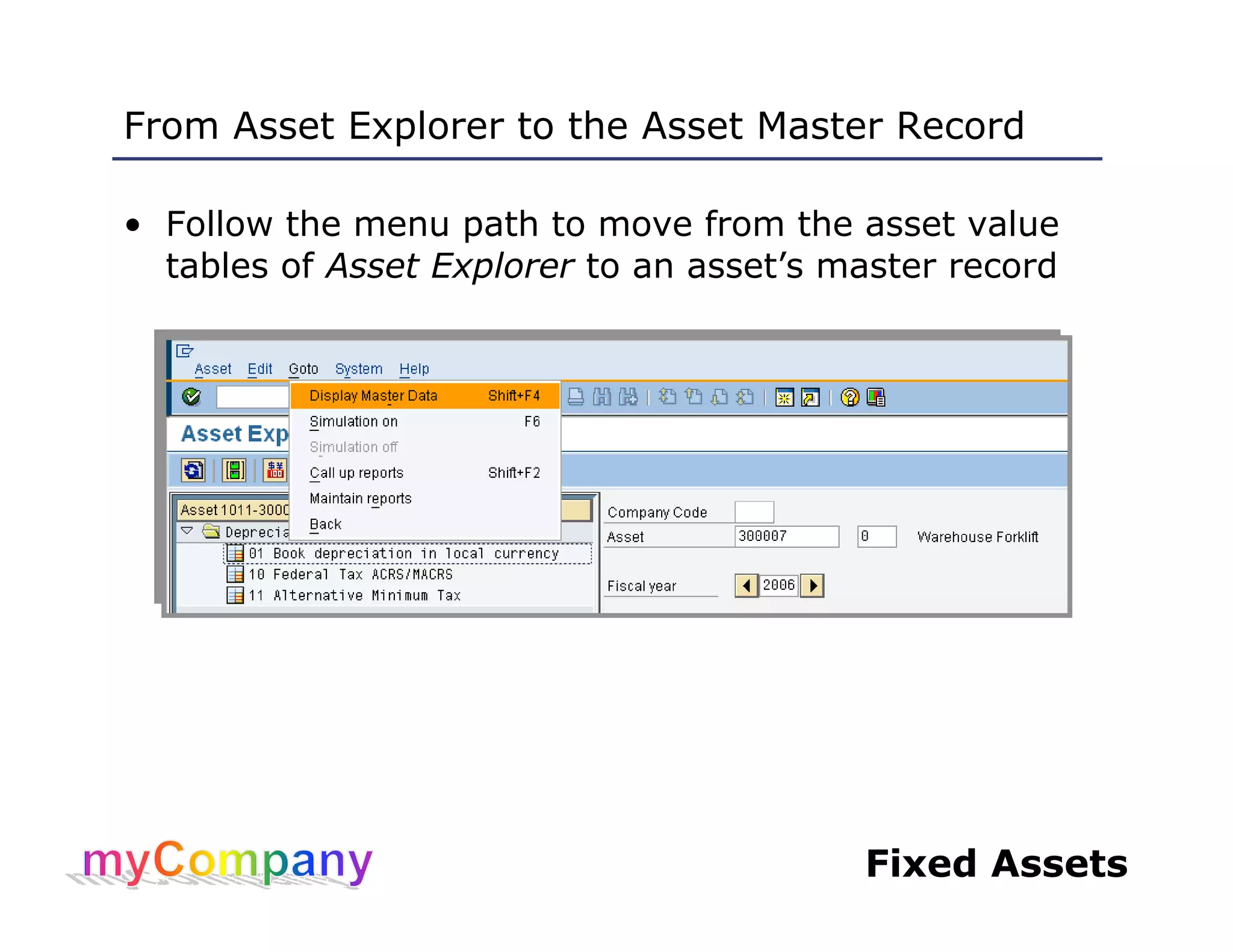
From Asset Explorer to the Asset Master Record
• Follow the menu path to move from the asset value
tables of Asset Explorer to an asset’s master record
Fixed Assets
Demonstrations and Exercises
• Demonstration of the Display Asset Master Record
(AS03) transaction
• Demonstration of the Asset Explorer (AW01N)
transaction
• Exercise 01, Task 01: Display an asset master record
• Exercise 01, Task 02: Display asset value tables with
Asset Explorer
Fixed Assets
Unit 1 – Summary
You are now able to:
• Explain the purpose of the Financial Accounting (FI)
module of SAP
• Describe the management of assets with the FI
Module
• Display and describe the contents of asset master
records
Fixed Assets
Unit 2 – Working with
Asset Master Records
Fixed Assets
Unit Learning Objectives
At the end of this unit you should be able to:
• Create asset master records with transaction AS01
• Maintain asset master records with transaction
AS02
• Block asset master records with transaction AS05
Fixed Assets
Create Asset Master Record (AS01): Step 1
1. Enter1. Enter
2. Enter2. Enter
Alternative to 1 and 2:
Enter code of similar
asset’s master record
Alternative to 1 and 2:
Enter code of similar
asset’s master record
3. Click3. Click
Fixed Assets
Create Asset Master Record (AS01): Step 2
1. Enter1. Enter
2. Enter2. Enter
3. Select3. Select
Fixed Assets
Create Asset Master Record (AS01): Step 3
3. Enter3. Enter
2. Search2. Search
1. Click1. Click
4. Click4. Click
5. Select Tax
jurisdiction code
5. Select Tax
jurisdiction code
Fixed Assets
Create Asset Master Record (AS01): Step 4
2. Enter2. Enter
1. Click1. Click
3. Select3. Select
4. Enter4. Enter
5. Enter5. Enter
Fixed Assets
Create Asset Master Record (AS01): Step 5
1. Click1. Click
3. Enter3. Enter2. Double-click
to change
2. Double-click
to change
Fixed Assets
Create Asset Master Record (AS01): Step 6
1. Click1. Click
2. Note2. Note
Fixed Assets
Change Asset Master Record (AS02)
• Once created, change any asset master record or
sub-number record
– Enter asset number (and sub-number if applicable)
– Enter or edit data in any white, read/write field
– Save
1. Enter1. Enter
2. Enter
or edit
2. Enter
or edit
3. Save3. Save
Fixed Assets
Demonstrations and Exercises
• Demonstration of Create Asset (AS01)
• Demonstration of Change Asset (AS02)
• Demonstration of Block/Unblock Asset (AS05
• Exercise 02, Task 01: Create an asset
• Exercise 02, Task 02: Change an asset
• Exercise 02, Task 03: Block an asset
Fixed Assets
Unit 2 – Summary
You are now able to:
• Create asset master records with transaction AS01
• Maintain asset master records with transaction AS02
• Block asset master records with transaction AS05

Asset

  • 1.
  • 2.
    Fixed Assets Welcome All Welcomeand thank you for coming to the SAP Fixed Assets 2 course. There are three levels of coursework: 1) Overview & Navigation 2) Process Overview Training 3) Role-based Training This is a Level 3 course. It is intended to give you a frame of reference and the practical skills for the activities you will be involved in when SAP is in place. We realize your time is valuable and we have kept that in mind when creating this course. Again, we thank you for your time and cooperation. Success is only possible with your involvement.
  • 3.
    Fixed Assets Content • CourseContent • Course Objectives • Prerequisites and Roles
  • 4.
    Fixed Assets Course Content •Unit 1 – Overview • Unit 2 – Working with Asset Master Records • Unit 3 – Acquisition, Cost and Transfer Postings • Unit 4 – Asset Retirement, Depreciation and Valuation • Unit 5 – Asset Reporting
  • 5.
    Fixed Assets Course Objectives •Understand the role of SAP Financial Accounting (FI) in asset management • Describe the contents of asset master records and learn to create, change, display and block them • Be able to post direct acquistions of assets from vendors, post new cost to assets, and transfer assets within company codes • Describe and execute the monthly and periodic processes that are required to maintain assets • Learn to effectively execute asset reporting transactions
  • 6.
    Fixed Assets Prerequisites andRoles • Prerequisites – SAP Basic Navigation – Finance Process Overview • Roles – Asset Managers
  • 7.
    Fixed Assets Unit 1– Overview
  • 8.
    Fixed Assets Unit LearningObjectives At the end of this unit you should be able to: • Explain the purpose of the Financial Accounting (FI) module of SAP • Describe the management of assets with the FI Module • Display and describe the contents of asset master records
  • 9.
    Fixed Assets Accounting –External and Internal External Acctg. Internal Acctg. • BALANCE SHEET • INCOME STATEMENT • RETAINED EARNINGS • LIQUIDITY CALCULATION • COST CENTER REPORTS • PROFIT MARGIN • PROFITABILITY REPORTS FI module CO module
  • 10.
    Fixed Assets Assets andthe FI Module • FI module is designed for automated management and external reporting about assets: – Allows posting of costs incurred by the use of assets from other modules – Transfers data to CO module for cost-monitoring • Maintain asset master records, which are created for a company code when assets are acquired • Asset master records contain fiscal data used in all transactions related to those assets, including: – General data: descriptions of the assets – Account assignment data: defines those parts of the company responsible for asset maintenance and costs – Posting data: including capitalization dates that are used to calculate depreciations
  • 11.
    Fixed Assets Assets andthe General Ledger • Assets are sub-ledger accounts in the general ledger • FI posts values in asset sub-ledger accounts for: – AuC asset values, when costs are charged to them – Capitalization, when AuC assets are converted or settled into real assets – Depreciation expenses, which are posted on a month- end schedule by depreciation runs: • Depreciation expenses are posted in sub-ledger accounts, offset with entries in depreciation accounts • Depreciation is charged to responsible cost center • Reports can be generated for asset accounts in the same way as for other general ledger account
  • 12.
    Fixed Assets Key Term#1: Asset Class • Classification of assets upon the basis of description, function and other legal and management needs – Asset classes are assigned to balance sheets, where the assets’ values are maintained and updated • Controls assignment of numbers for different kinds of assets; for example: – Land: 7XXXXX – Construction equipment: 8XXXXX – Computer hardware: 9XXXXX • Controls the layout of transaction screens that are used to manage assets • Defines defaults for depreciation calculations, asset life spans and other asset master data
  • 13.
    Fixed Assets Key Term#2: Asset Types • Two asset types: – Regular or real assets: • Capitalized assets • Actively depreciating throughout their life span – Assets under Construction (AuC): • Assets that are being created, usually in response to an approved request for their acquisition or construction • Allows for control of construction costs • Do not depreciate until completed
  • 14.
    Fixed Assets Key Term#3: Asset Sub-Number • Every asset is assigned a unique identifying code when its master record is created • If an asset has components that have significant value of their own (worth separate depreciation) or the components are assigned to a different cost center, they can be assigned sub-numbers: – Sub-numbered assets have their own master records • No such components? Sub-number defaults to 0
  • 15.
    Fixed Assets Key Term#4: Depreciation Areas • Types of depreciations that are required for business management and external reporting on real assets, including: – Tax depreciations – Book depreciations • Three main depreciation areas defined in the Chart of Depreciation for all company codes myCompany’s depreciation areas myCompany’s depreciation areas
  • 16.
    Fixed Assets Key Term#5: Depreciation Key • Code that defines how assets are depreciated in a specific depreciation area (such as book value depreciation) • Codes are entered in master records by default upon the basis of the asset class, but they can be changed • Defined at the level of the Chart of Depreciation, and available to all company codes
  • 17.
    Fixed Assets Contents ofan Asset Master Record • There are two sections in an asset master record: – General asset data, which includes: • Description • Account assignment: responsible cost center • Account determination: general classification of asset • Equipment code • Plant (location), state and property indicator (for taxes) • Miscellaneous data: e.g., serial number, license plate – Asset depreciation area, which includes: • Depreciation keys • Asset life settings
  • 18.
    Fixed Assets Display AssetMaster Records (AS03) EnterEnter Enter if applicableEnter if applicable
  • 19.
    Fixed Assets Asset MasterRecord: General Data ClassClass CoCodeCoCode See search list of possible codes See search list of possible codes See search list of possible codes See search list of possible codes
  • 20.
    Fixed Assets Asset MasterRecord: Time-Dependent and Origin Responsible cost center Responsible cost center Acquisition date Acquisition date
  • 21.
    Fixed Assets Asset MasterRecord: Depreciation Search hit list of deprec areas Search hit list of deprec areas
  • 22.
    Fixed Assets Asset MasterRecord: Other Accessible Data • Related data can be called up through the menu bar
  • 23.
    Fixed Assets Asset Valuesand Asset Explorer • In addition, asset master records allow access to tables of asset values, which are displayed by the Asset Explorer transaction (AW01N) • You can call up this table in two ways: – Through an asset master record – Directly with the Asset Explorer transaction (which we describe in the next slides) ClickClick
  • 24.
    Fixed Assets Asset Explorer(AW01N): Getting Started • Displays asset values • Provides access to master records of: – Assets’ general ledger sub-ledger accounts – Assets’ responsible cost centers • Call up the initial screen and enter asset number, sub-number (if required) and fiscal year Sub-numberSub-number
  • 25.
    Fixed Assets Asset ExplorerScreen Click to display a depreciation area Click to display a depreciation area Click to display CCtr and G/L acct master records Click to display CCtr and G/L acct master records Click to display depreciation data Click to display depreciation data G/L transactions: double-click to display G/L transactions: double-click to display
  • 26.
    Fixed Assets From AssetExplorer to the Asset Master Record • Follow the menu path to move from the asset value tables of Asset Explorer to an asset’s master record
  • 27.
    Fixed Assets Demonstrations andExercises • Demonstration of the Display Asset Master Record (AS03) transaction • Demonstration of the Asset Explorer (AW01N) transaction • Exercise 01, Task 01: Display an asset master record • Exercise 01, Task 02: Display asset value tables with Asset Explorer
  • 28.
    Fixed Assets Unit 1– Summary You are now able to: • Explain the purpose of the Financial Accounting (FI) module of SAP • Describe the management of assets with the FI Module • Display and describe the contents of asset master records
  • 29.
    Fixed Assets Unit 2– Working with Asset Master Records
  • 30.
    Fixed Assets Unit LearningObjectives At the end of this unit you should be able to: • Create asset master records with transaction AS01 • Maintain asset master records with transaction AS02 • Block asset master records with transaction AS05
  • 31.
    Fixed Assets Create AssetMaster Record (AS01): Step 1 1. Enter1. Enter 2. Enter2. Enter Alternative to 1 and 2: Enter code of similar asset’s master record Alternative to 1 and 2: Enter code of similar asset’s master record 3. Click3. Click
  • 32.
    Fixed Assets Create AssetMaster Record (AS01): Step 2 1. Enter1. Enter 2. Enter2. Enter 3. Select3. Select
  • 33.
    Fixed Assets Create AssetMaster Record (AS01): Step 3 3. Enter3. Enter 2. Search2. Search 1. Click1. Click 4. Click4. Click 5. Select Tax jurisdiction code 5. Select Tax jurisdiction code
  • 34.
    Fixed Assets Create AssetMaster Record (AS01): Step 4 2. Enter2. Enter 1. Click1. Click 3. Select3. Select 4. Enter4. Enter 5. Enter5. Enter
  • 35.
    Fixed Assets Create AssetMaster Record (AS01): Step 5 1. Click1. Click 3. Enter3. Enter2. Double-click to change 2. Double-click to change
  • 36.
    Fixed Assets Create AssetMaster Record (AS01): Step 6 1. Click1. Click 2. Note2. Note
  • 37.
    Fixed Assets Change AssetMaster Record (AS02) • Once created, change any asset master record or sub-number record – Enter asset number (and sub-number if applicable) – Enter or edit data in any white, read/write field – Save 1. Enter1. Enter 2. Enter or edit 2. Enter or edit 3. Save3. Save
  • 38.
    Fixed Assets Demonstrations andExercises • Demonstration of Create Asset (AS01) • Demonstration of Change Asset (AS02) • Demonstration of Block/Unblock Asset (AS05 • Exercise 02, Task 01: Create an asset • Exercise 02, Task 02: Change an asset • Exercise 02, Task 03: Block an asset
  • 39.
    Fixed Assets Unit 2– Summary You are now able to: • Create asset master records with transaction AS01 • Maintain asset master records with transaction AS02 • Block asset master records with transaction AS05