File Transfer Protocol CS-328 Dick Steflik
FTP RFC 959 uses two TCP Ports  one for control one for data transfers command-response protocol control port uses telnet protocol to negotiate session US-ASCII <crlf> is end-of-line character
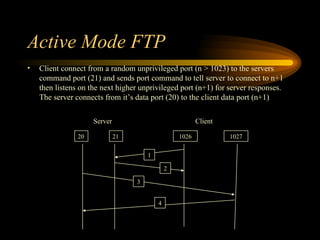
Active Mode FTP Client connect from a random unprivileged port (n > 1023) to the servers command port (21) and sends port command to tell server to connect to n+1 then listens on the next higher unprivileged port (n+1) for server responses. The server connects from it’s data port (20) to the client data port (n+1)  Client Server 20 21 1026 1027 1 2 3 4
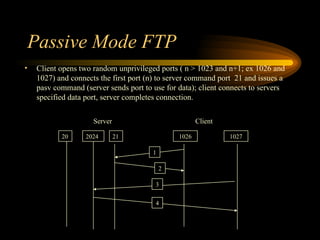
Passive Mode FTP Client opens two random unprivileged ports ( n > 1023 and n+1; ex 1026 and 1027) and connects the first port (n) to server command port  21 and issues a pasv command (server sends port to use for data); client connects to servers specified data port, server completes connection.  Client Server 20 21 1026 1027 1 2 2024 3 4
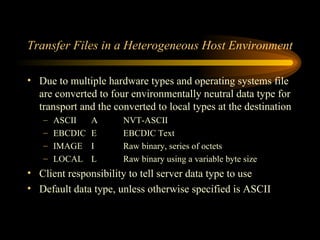
Transfer Files in a Heterogeneous Host Environment Due to multiple hardware types and operating systems file are converted to four environmentally neutral data type for transport and the converted to local types at the destination ASCII A NVT-ASCII EBCDIC E EBCDIC Text IMAGE I Raw binary, series of octets LOCAL L Raw binary using a variable byte size Client responsibility to tell server data type to use Default data type, unless otherwise specified is ASCII
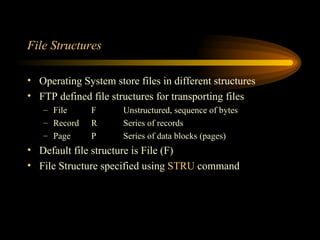
File Structures Operating System store files in different structures FTP defined file structures for transporting files File F Unstructured, sequence of bytes Record R Series of records Page P Series of data blocks (pages) Default file structure is File (F) File Structure specified using  STRU  command
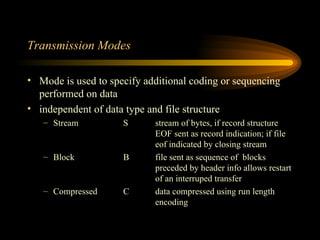
Transmission Modes Mode is used to specify additional coding or sequencing performed on data independent of data type and file structure Stream S stream of bytes, if record structure  EOF sent as record indication; if file  eof indicated by closing stream Block B file sent as sequence of  blocks  preceded by header info allows restart  of an interruped transfer Compressed C data compressed using run length  encoding
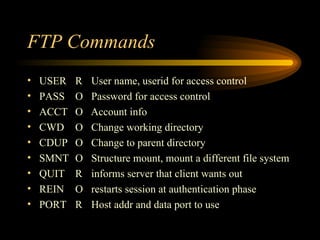
FTP Commands USER R User name, userid for access control PASS O  Password for access control ACCT O  Account info CWD O Change working directory CDUP O Change to parent directory SMNT O Structure mount, mount a different file system QUIT R informs server that client wants out REIN O restarts session at authentication phase PORT R Host addr and data port to use
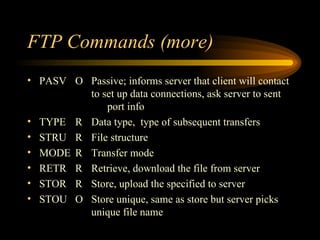
FTP Commands (more) PASV O Passive; informs server that client will contact  to set up data connections, ask server to sent  port info TYPE R Data type,  type of subsequent transfers STRU R File structure MODE R Transfer mode RETR R Retrieve, download the file from server STOR R Store, upload the specified to server STOU O Store unique, same as store but server picks  unique file name
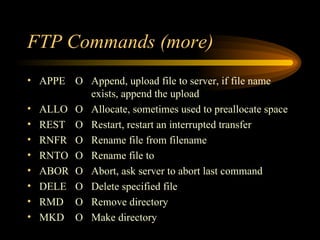
FTP Commands (more) APPE O Append, upload file to server, if file name  exists, append the upload ALLO O Allocate, sometimes used to preallocate space REST O Restart, restart an interrupted transfer RNFR O Rename file from filename RNTO O Rename file to ABOR O Abort, ask server to abort last command DELE O Delete specified file RMD O Remove directory MKD O Make directory
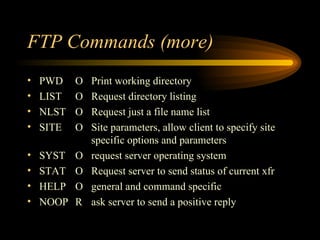
FTP Commands (more) PWD O Print working directory LIST O Request directory listing NLST O Request just a file name list SITE O Site parameters, allow client to specify site  specific options and parameters SYST O request server operating system STAT O Request server to send status of current xfr HELP O general and command specific NOOP R ask server to send a positive reply
FTP Responses Each command generates a server response 3 digit code, text, <crlf> use 3 digit code as driver for GUI Clients or programatic implementations use text for Command line clients
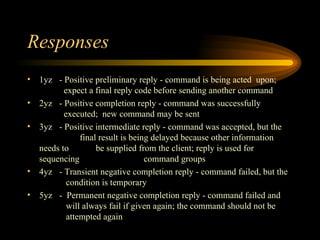
Responses 1yz - Positive preliminary reply - command is being acted  upon;    expect a final reply code before sending another command 2yz - Positive completion reply - command was successfully    executed;  new command may be sent 3yz  - Positive intermediate reply - command was accepted, but the    final result is being delayed because other information needs to    be supplied from the client; reply is used for sequencing    command groups 4yz - Transient negative completion reply - command failed, but the    condition is temporary 5yz -  Permanent negative completion reply - command failed and    will always fail if given again; the command should not be    attempted again
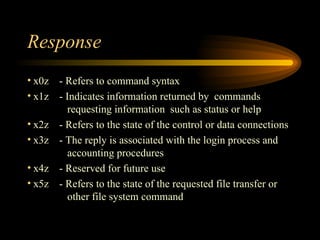
Response x0z - Refers to command syntax x1z - Indicates information returned by  commands    requesting information  such as status or help x2z - Refers to the state of the control or data connections x3z - The reply is associated with the login process and    accounting procedures x4z - Reserved for future use x5z - Refers to the state of the requested file transfer or    other file system command

F T P

  • 1.
    File Transfer ProtocolCS-328 Dick Steflik
  • 2.
    FTP RFC 959uses two TCP Ports one for control one for data transfers command-response protocol control port uses telnet protocol to negotiate session US-ASCII <crlf> is end-of-line character
  • 3.
    Active Mode FTPClient connect from a random unprivileged port (n > 1023) to the servers command port (21) and sends port command to tell server to connect to n+1 then listens on the next higher unprivileged port (n+1) for server responses. The server connects from it’s data port (20) to the client data port (n+1) Client Server 20 21 1026 1027 1 2 3 4
  • 4.
    Passive Mode FTPClient opens two random unprivileged ports ( n > 1023 and n+1; ex 1026 and 1027) and connects the first port (n) to server command port 21 and issues a pasv command (server sends port to use for data); client connects to servers specified data port, server completes connection. Client Server 20 21 1026 1027 1 2 2024 3 4
  • 5.
    Transfer Files ina Heterogeneous Host Environment Due to multiple hardware types and operating systems file are converted to four environmentally neutral data type for transport and the converted to local types at the destination ASCII A NVT-ASCII EBCDIC E EBCDIC Text IMAGE I Raw binary, series of octets LOCAL L Raw binary using a variable byte size Client responsibility to tell server data type to use Default data type, unless otherwise specified is ASCII
  • 6.
    File Structures OperatingSystem store files in different structures FTP defined file structures for transporting files File F Unstructured, sequence of bytes Record R Series of records Page P Series of data blocks (pages) Default file structure is File (F) File Structure specified using STRU command
  • 7.
    Transmission Modes Modeis used to specify additional coding or sequencing performed on data independent of data type and file structure Stream S stream of bytes, if record structure EOF sent as record indication; if file eof indicated by closing stream Block B file sent as sequence of blocks preceded by header info allows restart of an interruped transfer Compressed C data compressed using run length encoding
  • 8.
    FTP Commands USERR User name, userid for access control PASS O Password for access control ACCT O Account info CWD O Change working directory CDUP O Change to parent directory SMNT O Structure mount, mount a different file system QUIT R informs server that client wants out REIN O restarts session at authentication phase PORT R Host addr and data port to use
  • 9.
    FTP Commands (more)PASV O Passive; informs server that client will contact to set up data connections, ask server to sent port info TYPE R Data type, type of subsequent transfers STRU R File structure MODE R Transfer mode RETR R Retrieve, download the file from server STOR R Store, upload the specified to server STOU O Store unique, same as store but server picks unique file name
  • 10.
    FTP Commands (more)APPE O Append, upload file to server, if file name exists, append the upload ALLO O Allocate, sometimes used to preallocate space REST O Restart, restart an interrupted transfer RNFR O Rename file from filename RNTO O Rename file to ABOR O Abort, ask server to abort last command DELE O Delete specified file RMD O Remove directory MKD O Make directory
  • 11.
    FTP Commands (more)PWD O Print working directory LIST O Request directory listing NLST O Request just a file name list SITE O Site parameters, allow client to specify site specific options and parameters SYST O request server operating system STAT O Request server to send status of current xfr HELP O general and command specific NOOP R ask server to send a positive reply
  • 12.
    FTP Responses Eachcommand generates a server response 3 digit code, text, <crlf> use 3 digit code as driver for GUI Clients or programatic implementations use text for Command line clients
  • 13.
    Responses 1yz -Positive preliminary reply - command is being acted upon; expect a final reply code before sending another command 2yz - Positive completion reply - command was successfully executed; new command may be sent 3yz - Positive intermediate reply - command was accepted, but the final result is being delayed because other information needs to be supplied from the client; reply is used for sequencing command groups 4yz - Transient negative completion reply - command failed, but the condition is temporary 5yz - Permanent negative completion reply - command failed and will always fail if given again; the command should not be attempted again
  • 14.
    Response x0z -Refers to command syntax x1z - Indicates information returned by commands requesting information such as status or help x2z - Refers to the state of the control or data connections x3z - The reply is associated with the login process and accounting procedures x4z - Reserved for future use x5z - Refers to the state of the requested file transfer or other file system command