Tech Integration
+
in the


    Elementary School
 English Language
  Learners (ELL)
         Classroom


                        (oral presentation version)


                                      Susan Weitzman-Trifman
                                      EdTech541
                                      Fall 2011
+ se
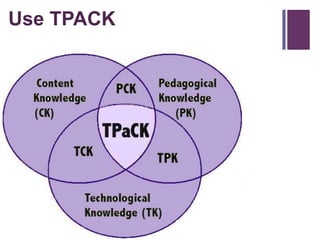
U      TPACK


  Math           Math     Math
  Content        PCK      Pedagogical
  Knowledg                Knowledge
  e                         (PK)
                 Math
  (CK)    Math   TPCK
                        Math
          TCK
                        TPK

           Math Technological
           Knowledge (TK)
Problem
+         Statement

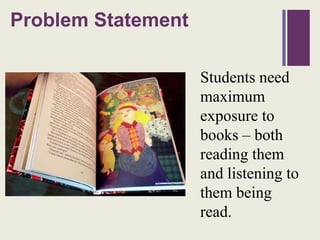
                      Students need
                      maximum
                      exposure to
                      books – both
                      reading them
                      and listening to
                      them being
                      read.
+ sing
U                    the Internet
Integration Strategy


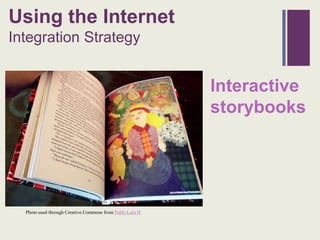
                                                          Interactive
                                                          storybooks


  Photo used through Creative Commons from Pablo Lara H
Interactive Storybooks
+
Relative Advantage
                                                            • Authentic language
                                                              interaction
                                                            • Individualization
                                                            • Students can adjust programs


Photo used through Creative Commons from Callum MacDonald
Interactive Storybooks
  +
  Expected Outcomes

                                                            • English levels improve
                                                            • Motivation rises


Photo used through Creative Commons from Callum MacDonald
Interactive Storybooks
+
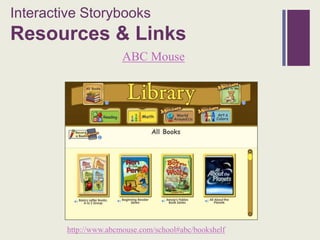
Resources & Links
                        ABC Mouse


         http://www.abcmouse.com/school#abc/bookshelf
Interactive Storybooks
+
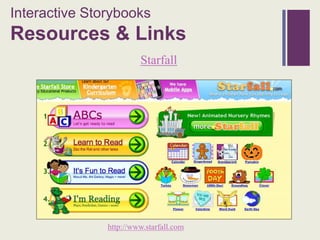
Resources & Links
                        Starfall


               http://www.starfall.com
Interactive Storybooks
+
Resources & Links

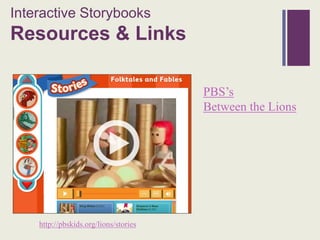
                                       PBS’s
                                       Between the Lions


    http://pbskids.org/lions/stories
Interactive Storybooks
+
Resources & Links
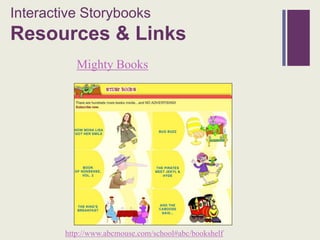
           Mighty Books


        http://www.abcmouse.com/school#abc/bookshelf
Interactive Storybooks
+
Resources & Links

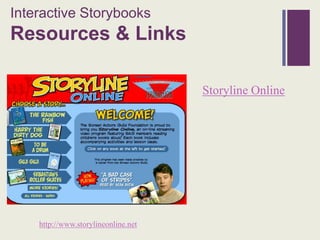
                                     Storyline Online


    http://www.storylineonline.net
ProblemStatement
+ roblem Statement
P


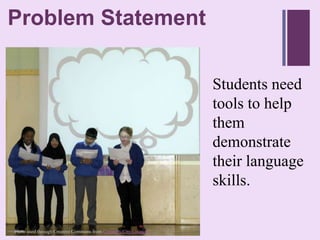
                                                                 Students need
                                                                 tools to help
                                                                 them
                                                                 demonstrate
                                                                 their language
                                                                 skills.
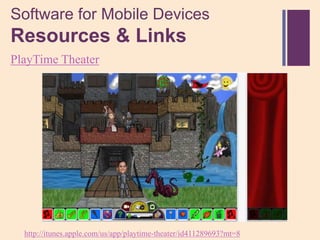
Photo used through Creative Commons from Coventry City Council
+ ool Based Software
T
Integration Strategy


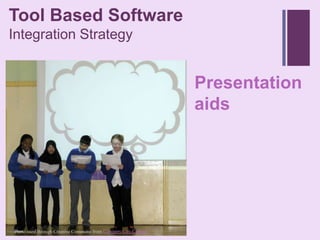
                                                                 Presentation
                                                                 aids


Photo used through Creative Commons from Coventry City Council
Presentation Aids
+
Relative Advantage
                                                         • Opportunities to
                                                           listen, speak, read & write
                                                         • Reduces student stress
                                                         • Scaffolding
                                                         • Sharing


Photo used through Creative Commons from Anthony Kelly
Presentation Aids
+
Expected Outcomes

                                                          • Students learn!
                                                          • Presentations more
                                                            understandable


 Photo used through Creative Commons from Anthony Kelly
Presentation Aids
+
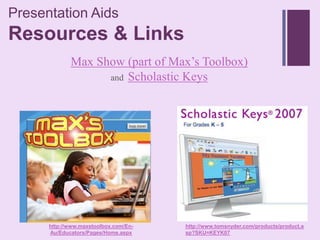
Resources & Links
             Max Show (part of Max’s Toolbox)
                   and Scholastic Keys


      http://www.maxstoolbox.com/En-   http://www.tomsnyder.com/products/product.a
      Au/Educators/Pages/Home.aspx     sp?SKU=KEYK07
Presentation Aids
+
Resources & Links
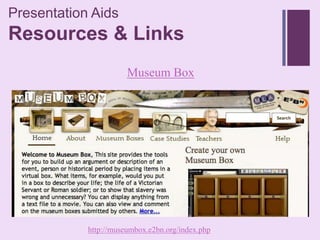
                       Museum Box


            http://museumbox.e2bn.org/index.php
Presentation Aids
+
Resources & Links

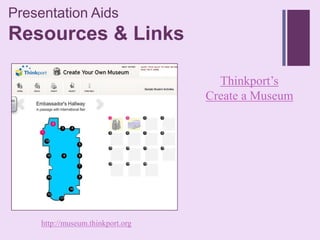
                                     Thinkport’s
                                   Create a Museum


     http://museum.thinkport.org
Presentation Aids
+
Resources & Links

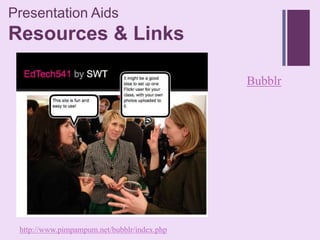
                                             Bubblr


 http://www.pimpampum.net/bubblr/index.php
Problem Statement
+


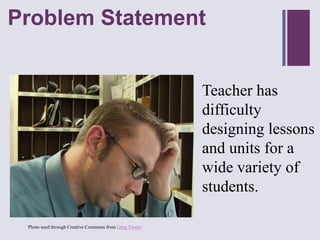
                                                        Teacher has
                                                        difficulty
                                                        designing lessons
                                                        and units for a
                                                        wide variety of
                                                        students.
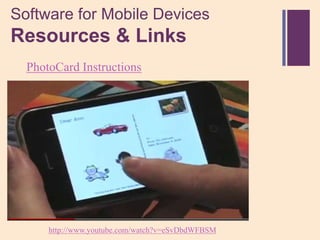
 Photo used through Creative Commons from Greg Turner
Productivity Software
+
Integration Strategy


                       Lesson Design
                       Support
Lesson Design Support
+
Relative Advantage
                 • 24/7 resources
                 • Network and share ideas &
                   concerns
                 • Projects and programs
                   evaluated
                 • PD


                    Photo used through Creative Commons from Matthew Freeman
Lesson Design Support
+
Expected Outcomes
                  • Fantastic units and lessons
                  • Instruction differentiated
                  • Students learn more!


                    Photo used through Creative Commons from Matthew Freeman
Lesson Design Support
+
Resources & Links

                                          English Raven
                                          .


  http://www.englishraven.com/main.html
Lesson Design Support
+
Resources & Links
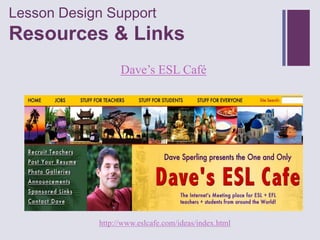
                  Dave’s ESL Café


            http://www.eslcafe.com/ideas/index.html
Lesson Design Support
+
Resources & Links

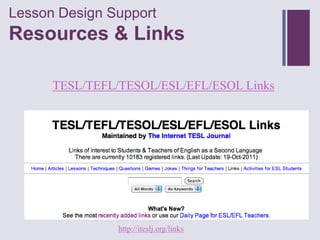
      TESL/TEFL/TESOL/ESL/EFL/ESOL Links


                http://iteslj.org/links
Lesson Design Support
+
Resources & Links

                                                ESL Lounge


 http://www.esl-lounge.com/siteguidetop.shtml
Lesson Design Support
+
Resources & Links
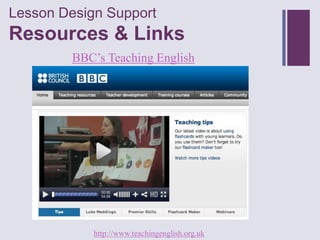
         BBC’s Teaching English


            http://www.teachingenglish.org.uk
+ roblem
P          Statement


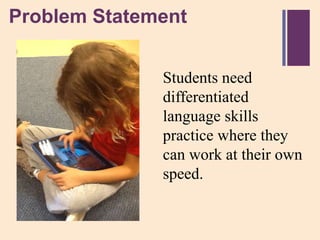
                 Students need
                 differentiated
                 language skills
                 practice where they
                 can work at their own
                 speed.
+nstructional Software
I
Integration Strategy

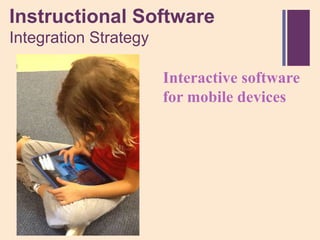
                Interactive software
                for mobile devices
Software for Mobile Devices
 +
  Relative Advantage

                                                   • Practice!
                                                   • Expanded
                                                     opportunities


Photo used through Creative Commons from LE Eyes
Software for Mobile Devices
 +
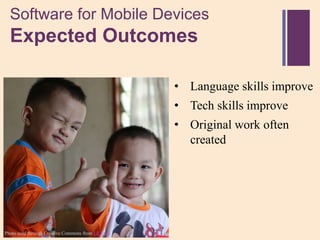
  Expected Outcomes

                                                   • Language skills improve
                                                   • Tech skills improve
                                                   • Original work often
                                                     created


Photo used through Creative Commons from LE Eyes
Software for Mobile Devices
+
Resources & Links

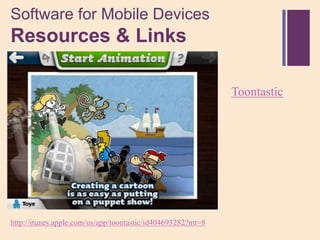
                                                             Toontastic


http://itunes.apple.com/us/app/toontastic/id404693282?mt=8
Software for Mobile Devices
+
Resources & Links

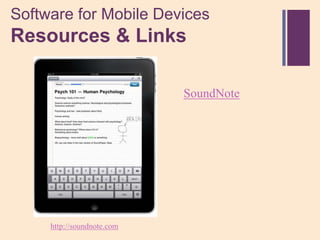
                            SoundNote


     http://soundnote.com
Software for Mobile Devices
+
Resources & Links
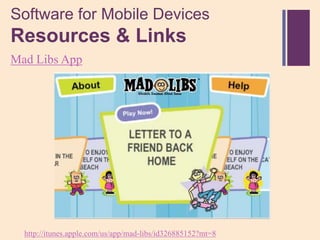
Mad Libs App


  http://itunes.apple.com/us/app/mad-libs/id326885152?mt=8
Software for Mobile Devices
+
Resources & Links

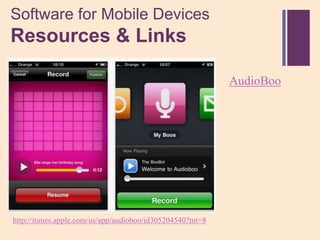
                                                           AudioBoo


http://itunes.apple.com/us/app/audioboo/id305204540?mt=8
Software for Mobile Devices
+
Resources & Links
PlayTime Theater


  http://itunes.apple.com/us/app/playtime-theater/id411289693?mt=8
Software for Mobile Devices
+
Resources & Links
  PhotoCard Instructions


      http://www.youtube.com/watch?v=eSvDbdWFBSM
Software for Mobile Devices
+
Resources & Links

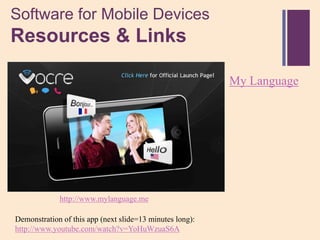
                                                          My Language


             http://www.mylanguage.me

Demonstration of this app (next slide=13 minutes long):
http://www.youtube.com/watch?v=YoHuWzuaS6A
References
+


   Dale, J. (2011). Mfl edapps [Web log message]. Retrieved from
    http://mfledapps.posterous.com/?page=1

   Darrow, D. (2011). K-5 ipad apps according to bloom's taxonomy.
    Edutopia, Retrieved from http://www.edutopia.org/ipad-apps-elementary-
    blooms-taxomony-diane-darrow

   Roblyer, M.D. & Doering, A.H. (2010).Integrating educational technology into
    teaching. (fifth ed.). Boston, MA: Pearson Education, Inc.

   Schrock, K. (2011, August 25). Bloomin ipad [Web log message]. Retrieved
    from http://kathyschrock.net/ipadblooms

ES ELL Tech Integration (for oral presentation)

  • 1.
    Tech Integration + in the Elementary School English Language Learners (ELL) Classroom (oral presentation version) Susan Weitzman-Trifman EdTech541 Fall 2011
  • 2.
    + se U TPACK Math Math Math Content PCK Pedagogical Knowledg Knowledge e (PK) Math (CK) Math TPCK Math TCK TPK Math Technological Knowledge (TK)
  • 3.
    Problem + Statement Students need maximum exposure to books – both reading them and listening to them being read.
  • 4.
    + sing U the Internet Integration Strategy Interactive storybooks Photo used through Creative Commons from Pablo Lara H
  • 5.
    Interactive Storybooks + Relative Advantage • Authentic language interaction • Individualization • Students can adjust programs Photo used through Creative Commons from Callum MacDonald
  • 6.
    Interactive Storybooks + Expected Outcomes • English levels improve • Motivation rises Photo used through Creative Commons from Callum MacDonald
  • 7.
    Interactive Storybooks + Resources &Links ABC Mouse http://www.abcmouse.com/school#abc/bookshelf
  • 8.
    Interactive Storybooks + Resources &Links Starfall http://www.starfall.com
  • 9.
    Interactive Storybooks + Resources &Links PBS’s Between the Lions http://pbskids.org/lions/stories
  • 10.
    Interactive Storybooks + Resources &Links Mighty Books http://www.abcmouse.com/school#abc/bookshelf
  • 11.
    Interactive Storybooks + Resources &Links Storyline Online http://www.storylineonline.net
  • 12.
    ProblemStatement + roblem Statement P Students need tools to help them demonstrate their language skills. Photo used through Creative Commons from Coventry City Council
  • 13.
    + ool BasedSoftware T Integration Strategy Presentation aids Photo used through Creative Commons from Coventry City Council
  • 14.
    Presentation Aids + Relative Advantage • Opportunities to listen, speak, read & write • Reduces student stress • Scaffolding • Sharing Photo used through Creative Commons from Anthony Kelly
  • 15.
    Presentation Aids + Expected Outcomes • Students learn! • Presentations more understandable Photo used through Creative Commons from Anthony Kelly
  • 16.
    Presentation Aids + Resources &Links Max Show (part of Max’s Toolbox) and Scholastic Keys http://www.maxstoolbox.com/En- http://www.tomsnyder.com/products/product.a Au/Educators/Pages/Home.aspx sp?SKU=KEYK07
  • 17.
    Presentation Aids + Resources &Links Museum Box http://museumbox.e2bn.org/index.php
  • 18.
    Presentation Aids + Resources &Links Thinkport’s Create a Museum http://museum.thinkport.org
  • 19.
    Presentation Aids + Resources &Links Bubblr http://www.pimpampum.net/bubblr/index.php
  • 20.
    Problem Statement + Teacher has difficulty designing lessons and units for a wide variety of students. Photo used through Creative Commons from Greg Turner
  • 21.
  • 22.
    Lesson Design Support + RelativeAdvantage • 24/7 resources • Network and share ideas & concerns • Projects and programs evaluated • PD Photo used through Creative Commons from Matthew Freeman
  • 23.
    Lesson Design Support + ExpectedOutcomes • Fantastic units and lessons • Instruction differentiated • Students learn more! Photo used through Creative Commons from Matthew Freeman
  • 24.
    Lesson Design Support + Resources& Links English Raven . http://www.englishraven.com/main.html
  • 25.
    Lesson Design Support + Resources& Links Dave’s ESL Café http://www.eslcafe.com/ideas/index.html
  • 26.
    Lesson Design Support + Resources& Links TESL/TEFL/TESOL/ESL/EFL/ESOL Links http://iteslj.org/links
  • 27.
    Lesson Design Support + Resources& Links ESL Lounge http://www.esl-lounge.com/siteguidetop.shtml
  • 28.
    Lesson Design Support + Resources& Links BBC’s Teaching English http://www.teachingenglish.org.uk
  • 29.
    + roblem P Statement Students need differentiated language skills practice where they can work at their own speed.
  • 30.
    +nstructional Software I Integration Strategy Interactive software for mobile devices
  • 31.
    Software for MobileDevices + Relative Advantage • Practice! • Expanded opportunities Photo used through Creative Commons from LE Eyes
  • 32.
    Software for MobileDevices + Expected Outcomes • Language skills improve • Tech skills improve • Original work often created Photo used through Creative Commons from LE Eyes
  • 33.
    Software for MobileDevices + Resources & Links Toontastic http://itunes.apple.com/us/app/toontastic/id404693282?mt=8
  • 34.
    Software for MobileDevices + Resources & Links SoundNote http://soundnote.com
  • 35.
    Software for MobileDevices + Resources & Links Mad Libs App http://itunes.apple.com/us/app/mad-libs/id326885152?mt=8
  • 36.
    Software for MobileDevices + Resources & Links AudioBoo http://itunes.apple.com/us/app/audioboo/id305204540?mt=8
  • 37.
    Software for MobileDevices + Resources & Links PlayTime Theater http://itunes.apple.com/us/app/playtime-theater/id411289693?mt=8
  • 38.
    Software for MobileDevices + Resources & Links PhotoCard Instructions http://www.youtube.com/watch?v=eSvDbdWFBSM
  • 39.
    Software for MobileDevices + Resources & Links My Language http://www.mylanguage.me Demonstration of this app (next slide=13 minutes long): http://www.youtube.com/watch?v=YoHuWzuaS6A
  • 40.
    References +  Dale, J. (2011). Mfl edapps [Web log message]. Retrieved from http://mfledapps.posterous.com/?page=1  Darrow, D. (2011). K-5 ipad apps according to bloom's taxonomy. Edutopia, Retrieved from http://www.edutopia.org/ipad-apps-elementary- blooms-taxomony-diane-darrow  Roblyer, M.D. & Doering, A.H. (2010).Integrating educational technology into teaching. (fifth ed.). Boston, MA: Pearson Education, Inc.  Schrock, K. (2011, August 25). Bloomin ipad [Web log message]. Retrieved from http://kathyschrock.net/ipadblooms

Editor's Notes

  • #3 To understand, plan and develop technology enriched curriculum
  • #5 “Interactive storybooks support language acquisition”(Roblyer and Doering, 2010, p.304)
  • #6 Authentic language interaction in a less stressful environmentReadings can be individualized for varying language levels in a classStudents can adjust programs to meet their needs, i.e. read aloud or not, vocabulary help, etc.
  • #7 Students’ English listening, reading, vocabulary and comprehension levels improveStudents are motivated to continue reading in English
  • #8 Books and other activities for beginning readers.
  • #9 This site’s systematic phonics approach, in conjunction with phonemic awareness practice, is perfect for English language learners (ELL).
  • #10 These folktales and fables are best for ELL students in Grades 2-5
  • #11 This site helps kids discover the joy of reading with hundreds of animated, read-aloud story books and songs
  • #12 This site is sponsored by the Screen Actors Guild. It features celebrities reading children's books aloud.
  • #14 “Presentation aids help...students demonstrate their range of language skills”
  • #15 Provides opportunities for students to listen, speak, read & writeReduces student stress & helps them focus on presentationsHelps scaffold students’ language useEasily shared with a wide audience
  • #16 Students learn effective language and presentation skillsPresentations are more understandable and interesting
  • #17 Simplified versions of Powerpoint for younger ELL students
  • #18 This site provides the tools for you to build a description of an event, person or historical period by placing items in a virtual box.
  • #19 With this tool, students can select objects and images and add text for each item in their private virtual “museum” collection.
  • #20 With this tool students search Flickr by tag or by user for a photo, then add text in comic bubbles to go with it.
  • #22 “The Internet holds a wealth of lesson design support resources to help …teachers prepare for and carry out lessons.”(Roblyer and Doering, 2010, p.308)
  • #23 Endless 24/7 resources from people in the fieldNetwork and share ideas & concernsProjects and programs evaluated so you can pick & choose the bestChances for professional development
  • #24 Teachers plan and execute fantastic units and lessonsInstruction differentiated for individual needsStudents learn more!
  • #25 EFL/ESL resources site created by Jason Renshaw with a focus on practicality as well as innovation
  • #26 A meeting place for ESL + EFL teachers and students from around the world
  • #28 This site gives free access to hundreds of ESL lesson plans and materials that can be used for communicative English lessons in the classroom.
  • #29 This site provides free classroom materials to download. There are also articles on aspects of teaching, and free teacher development and teacher training materials.
  • #31 “Interactive software for handheld (mobile) devices provide students with language skills practice.”(Roblyer and Doering, 2010, p.304)
  • #32 Individual practicePractice in following oral English direction and readingExpanded opportunities for language acquisition
  • #33 Student language skills improveStudent technology skills improveWith some software, students create original work that they can share with others.
  • #34 This creative learning tool empowers kids to draw, animate, and share their own cartoons through imaginative play
  • #35 This application helps students take notes by tracking what they type and draw while recording audio
  • #36 Students can practice vocabulary, parts of speech and more, then share their stories with others.
  • #37 An application for students to record and share voice with a mobile device. Free version available.
  • #38 Students make original “plays” with this application for mobile devices.
  • #39 Students learn how to send virtual (or physical)postcards after watching this video.
  • #40 Translator for mobile devices can help students learn new phrases.